
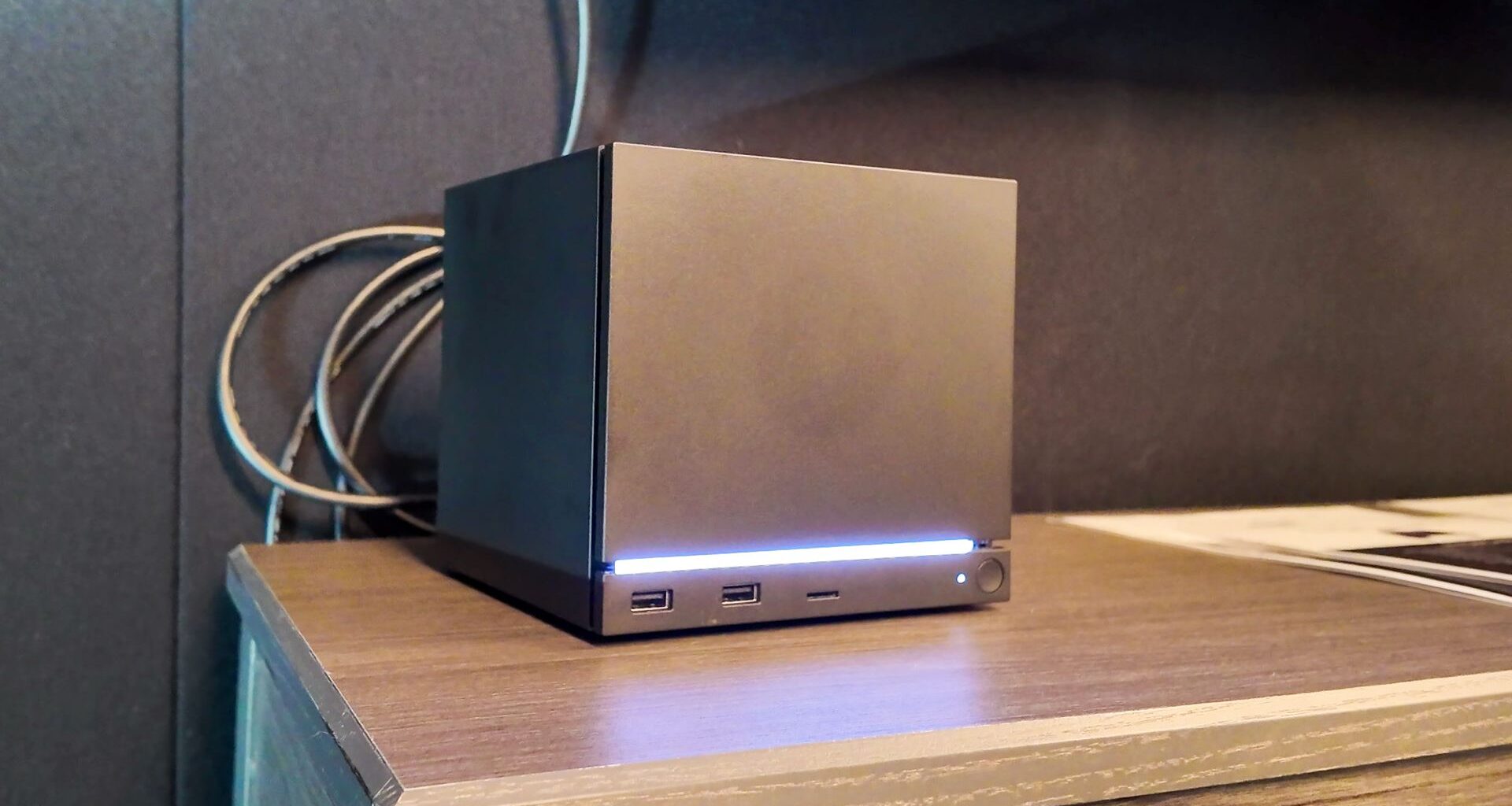
Built by Valve, powered by SteamOS, the new Steam Machine is a compact gaming PC. One trying to make good on a promise Valve made a long time ago.
With prototype Steam Machines heading out to reviewers back in 2013, us included, the company had grand plans of reinventing what constitutes a gaming PC around its new creation, a Linux-based operating system called SteamOS. Years on, and following a few failed partner launches that you can read all about in our retrospective of their demise, the project was more or less doomed. By 2018, Valve pulled the plug.
I flew to Valve to test the Steam Machine, Steam Frame and Steam Controller | Critical Rig – YouTube

Watch On
Steam Machine: specsSwipe to scroll horizontally
CPU
AMD Zen 4
Cores/threads
6/12
RAM
16 GB
GPU
Semi-custom AMD RDNA 3
Compute Units
28
VRAM
8 GB
Storage
512 GB, 2 TB
Wireless connectivity
Wi-Fi 6E 2×2, Bluetooth
Display
DisplayPort 1.4, HDMI 2.0
Front IO
2x USB 3.0 Type-A (front), microSD card slot
Rear IO
2x USB 2.0 Type-A, 1x USB 3.2 Gen 2 Type-C (10 Gbps), ethernet (1 Gbps)
Price
TBC
The Steam Machine will be released at some point in 2026. We don’t know pricing yet, but with older, mid-range components and Valve’s own success with the budget-friendly Steam Deck, I’m hopeful for a convincing price tag here. There’s a big gap in the market for a genuinely affordable gaming PC, and I’m hoping this is the machine to plug it.
Plus, the smaller 512 GB option should be a decent amount cheaper than the 2 TB model.
Steam Machine: performance
(Image credit: Future)
“Our benchmark has always been that it should have enough performance to play every game on Steam at 4K60 when you do some sort of upscaling like FSR,” Aldehayyat says.
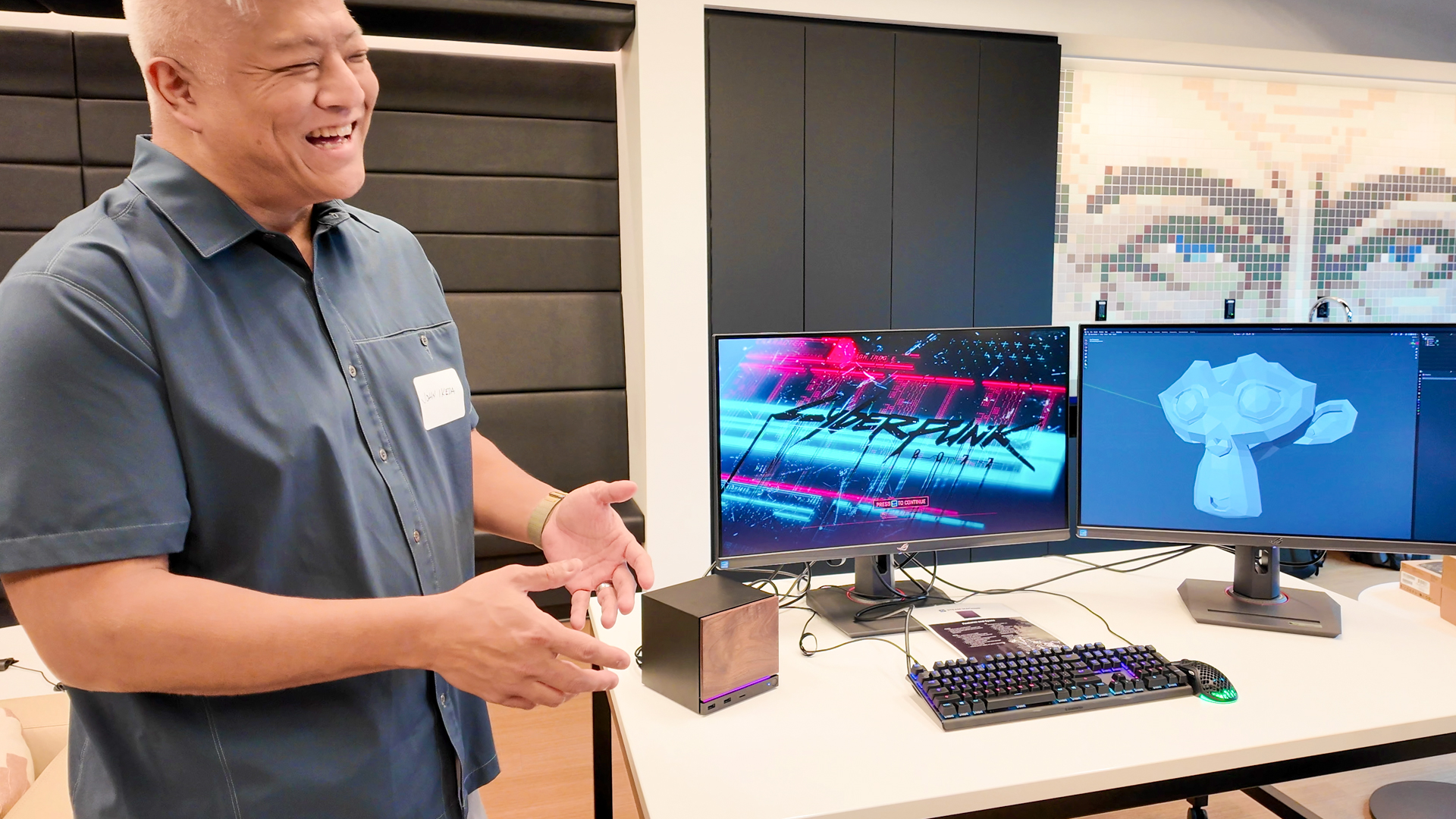
That’s a lofty goal. I had a chance to play Cyberpunk 2077 at 4K with FSR enabled at Valve’s HQ, and it ran pretty well on the plucky Steam Machine. It was certainly playable, with no significant frame rate drops during my brief time with it. But neither was it a totally fluid experience, and I enjoyed much smoother gameplay by switching to 1080p, even without any upscaling technology enabled.
Performance to play every game on Steam at 4K60 when you do some sort of upscaling.
Yazan Aldehayyat, Valve
I can see why Valve is targeting setting its sights on 4K. With the popularity of 4K TVs for living rooms, that’s likely to be the native resolution of a TV that the Steam Machine sits in front of. Needless to say, this sets the bar pretty high for Valve’s little machine.
The Steam Machine is many times faster than the Steam Deck. Over six times faster, according to Valve. Though the older handheld isn’t the best point of comparison for the more modern, discrete components in the Steam Machine. Compared to a modern gaming PC, the Steam Machine is fairly underpowered. Quite literally, as it only packs a 200 W power supply—a fraction of the size of most modern desktop gaming PCs.
SteamOS will also work to Valve’s benefit for performance. In my colleague’s comparative testing on the Lenovo Legion Go S, using SteamOS saw an increase of as much as 32% in Cyberpunk 2077 compared to Windows 11. While improvements may be less pronounced on more powerful hardware, Valve’s own OS should reduce overheads and allow for higher frames per second than comparable kit using Windows.
Steam Machine: GPU
(Image credit: Future)
Valve has confirmed a few details about the Steam Machine’s GPU: it has 28 compute units (CUs), hewn from the RDNA 3 architecture, and a clock speed around 2.4–2.5 GHz. It has a TDP of around 110–130 watts and it’s a derivative of the Navi 33 GPU used across much of the mid- to low-end Radeon 7000-series.
It’s a semi-custom GPU. That’s nothing new for AMD, the company provides similar solutions for the Steam Deck, Xbox, PlayStation, and various handheld gaming PCs. How much needs to be changed to earn that semi-custom title varies—these chips run the gamut from rebadge to redesign. That does mean this GPU might not be an exact match for anything currently offered in the Radeon 7000-series, though being a derivative of Navi 33 gives us a pretty good idea where it should land.
There’s no desktop graphics card that’s as close a match for the Steam Machine. The RX 7400 has the same number of CUs but a lower clock speed and much lower power draw; the RX 7600 has a higher clock speed, more CUs, and a higher power draw. If you were to increase the clock speed of the RX 7400, the power draw would increase, and land you roughly in line with the Steam Machine. Though there could be a little more to it than that.
The other point of comparison is the Radeon RX 7600M. First launched in 2023, it is a mobile GPU with 28 CUs and a boost clock of 2.41 GHz. Right on the money. But it only runs up to 90 W. So perhaps there’s a little more headroom for higher sustained clocks on Valve’s semi-custom chip to make up the extra power draw. That makes sense, as a gaming laptop has a much slimmer heatsink and smaller fan available to it than the boxy Steam Machine.
Steam Machine: design
(Image credit: Future)
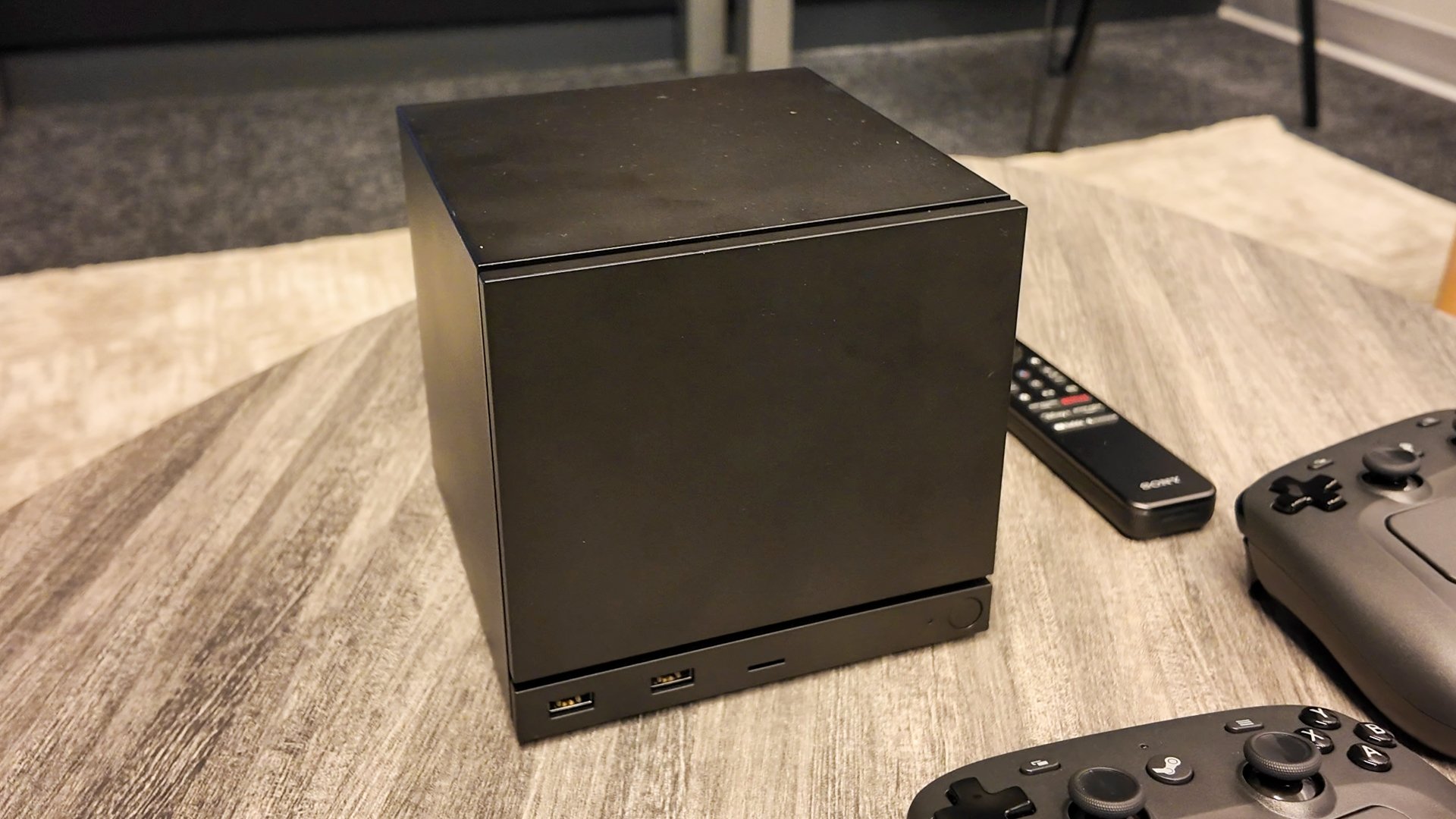
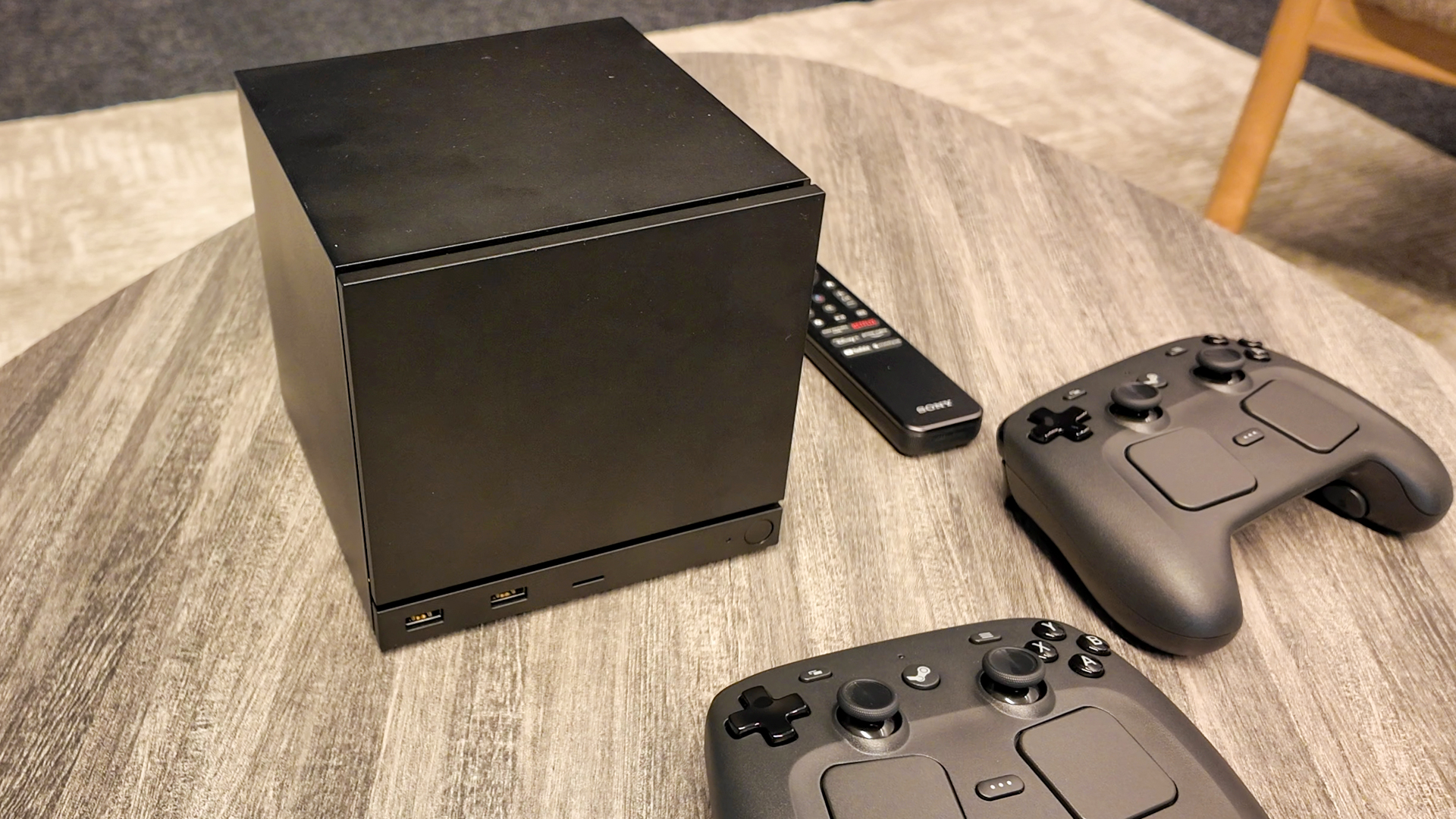
The original Steam Machines looked a lot like set-top boxes intended to sit below your TV. Thankfully, Valve has taken the new Steam Machine in a new direction. A small black box might not be the most exciting design on the planet, but be thankful it’s not an eyesore like the PlayStation 5.
Wow, this is really close to a cube.
Jeff Mucha, Valve
Valve engineer Jeff Mucha says the design came out of thermal efficiency, acoustics, and making sure it would fit within a six-inch shelving unit. The fact it ended up as a cube, Valve’s favourite shape, came later.
“When we started putting a thermal architecture together that was the most efficient for performance, we found that, wow, this is really close to a cube. And so we’re like, ‘okay, it’s so cute, close to a cube, why don’t we really try to make it an actual cube?’
“So we had to be really careful about every little millimeter inside to make sure that we get the proportions to look like a cube,” Mucha says.
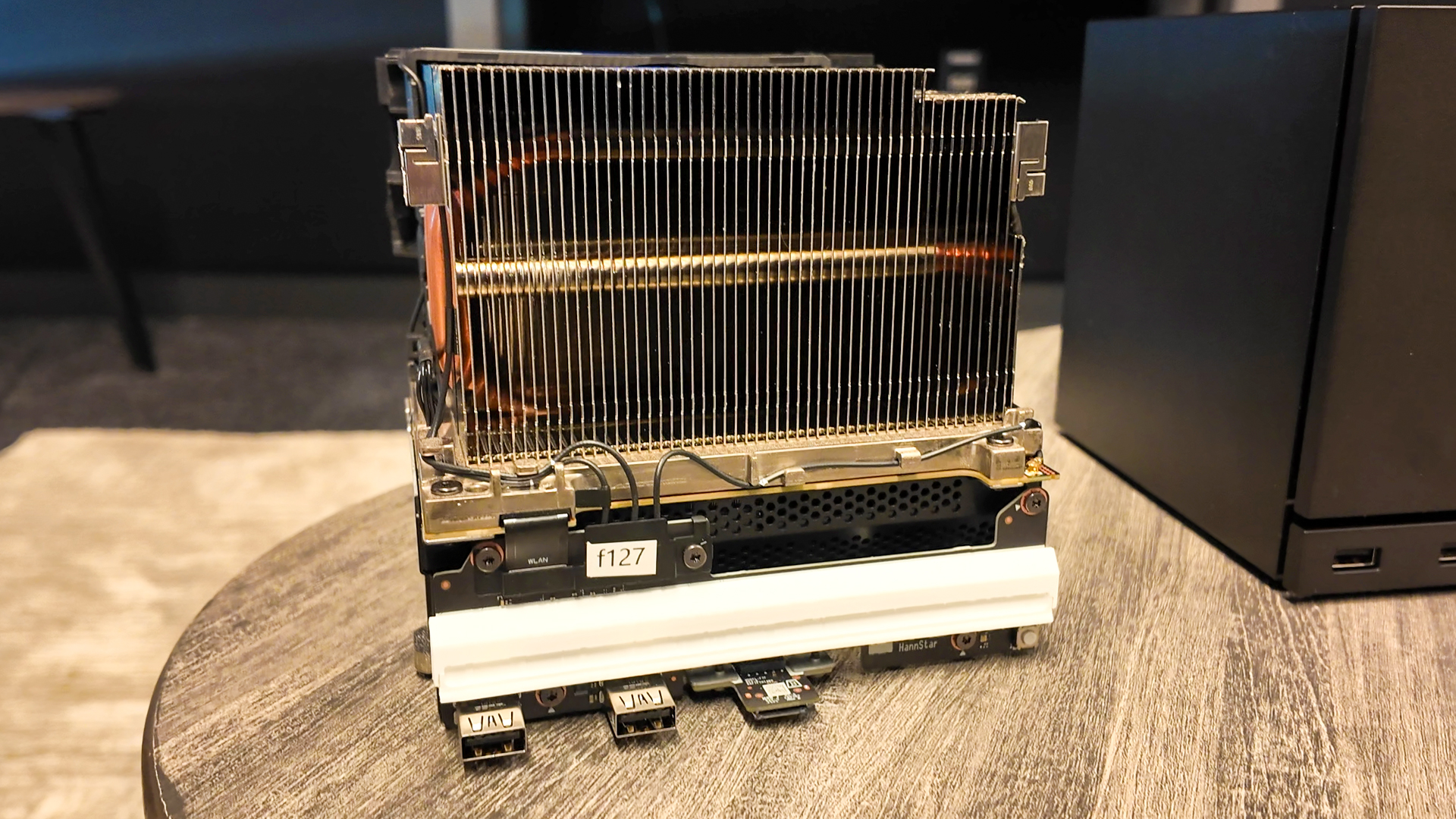
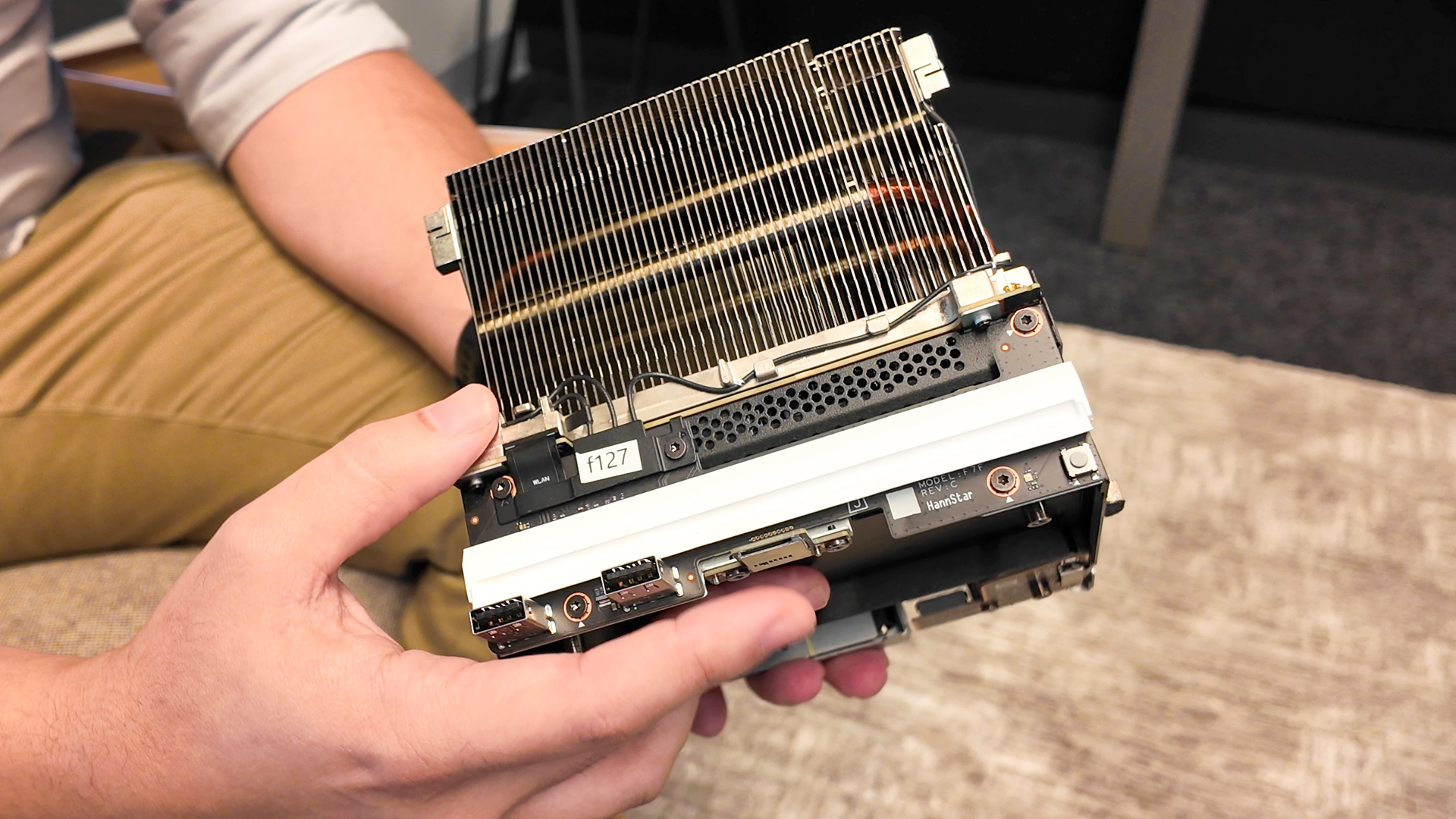
It’s smaller than it looks but it packs a lot in. Aldehayyat removes the outer casing for me during a demonstration and the internal components take advantage of every square inch of it. The power supply sits at the bottom, with the front and rear I/O on each side.
“We’re using the power supply as the chassis for the system, which is something we’re actually really proud of, because it removes a lot of brackets and modules and simplifies the design really, really well. It also simplifies the RF shielding situation, because the motherboard and other electronics are sandwiched between two metal shells, so you don’t have to add components,” Aldehayyat says.
(Image credit: Future)
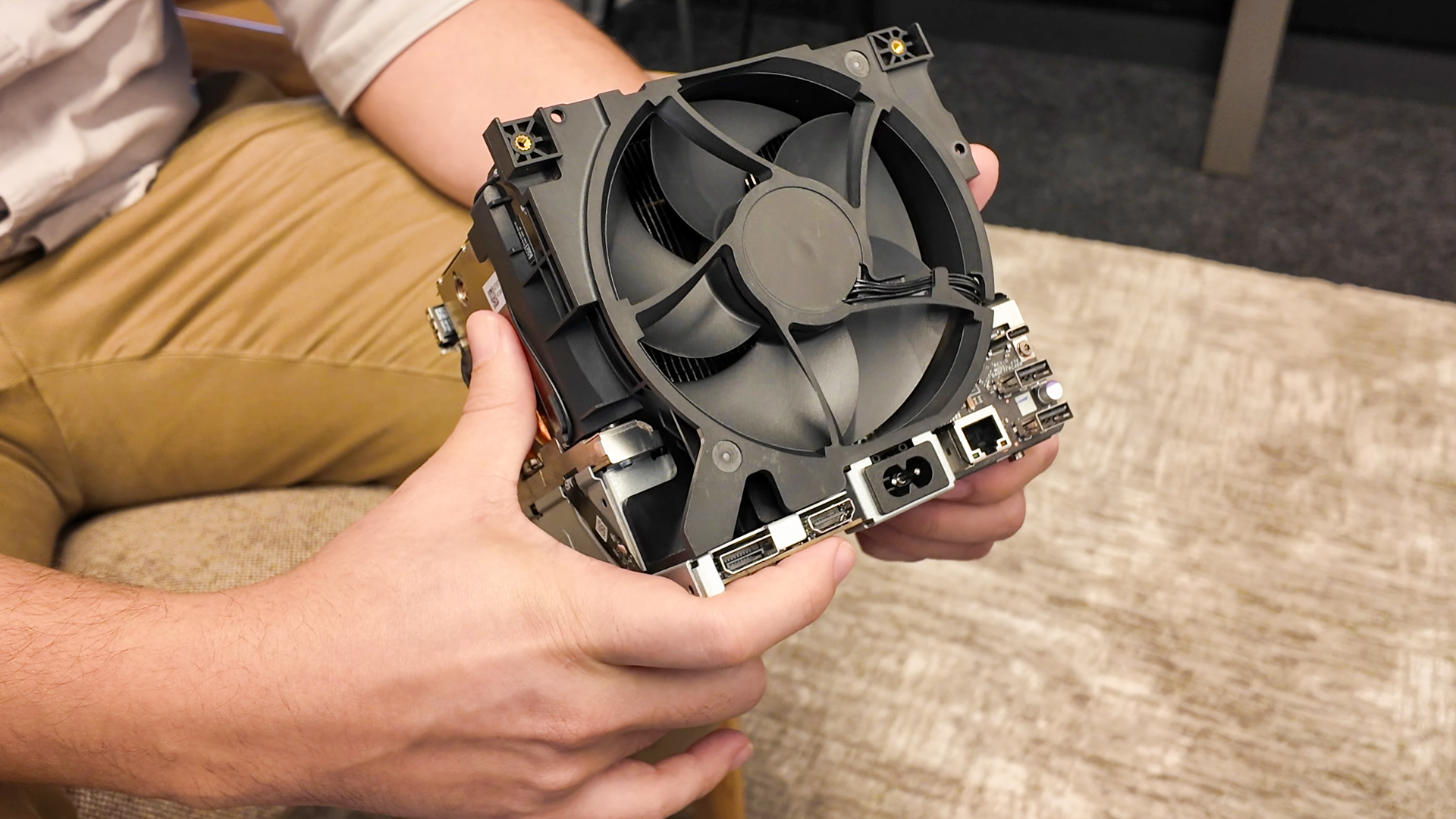
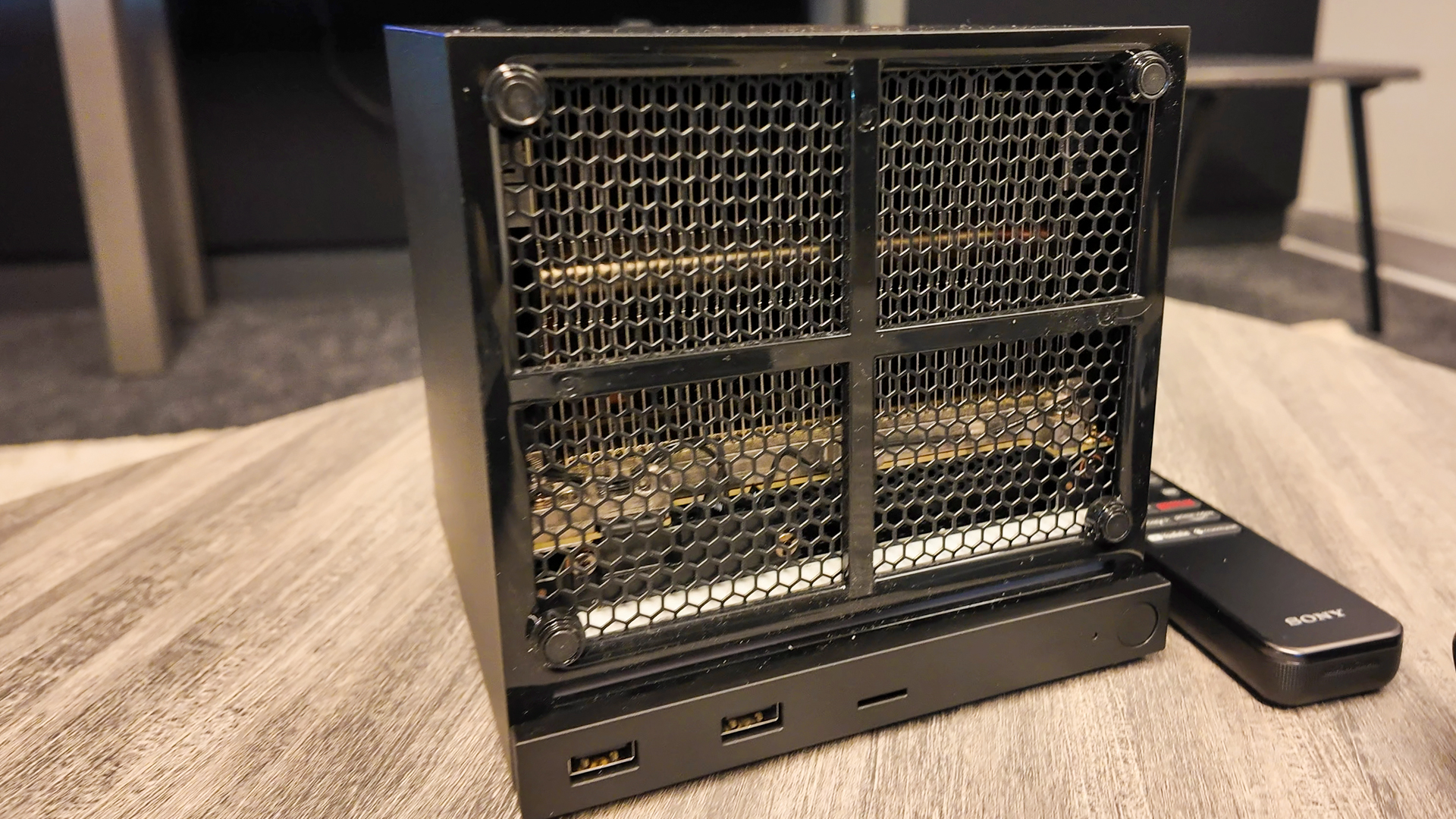
On top of the power supply sits the motherboard, which is only just visible beneath the heatsink, which sits atop of it. The heatsink cools the CPU, the GPU, the memory, the power delivery—the lot. So it’s pretty chunky. Attached to the rear is a single 120 mm fan, the only one in the entire system.
“We just wanted something that’s really compact and really powerful that can easily fit in your living room. And that actually turned out to be more of a challenge than we thought, because people love to kind of cram their devices in the corner of their room or inside a cabinet. So, one, it needed to fit. Two, it needed great airflow. And one of the things that were actually really important to us is we wanted to use a single fan,” Aldehayyat says.
(Image credit: Future)
“This is actually a custom design fan. We iterated a ton of different blade geometries.”
The design reminds me of a server rack, which are often meticulously designed to ensure a steady flow of air over hot components. I’m told Valve took inspiration from here, too. Though what stands out most of all is how little I can hear the Steam Machine while it’s running. We’re stood around the Steam Machine discussing it while it sits on the Cyberpunk 2077 title screen and I can’t make it out.
There are four antennae on the Steam Machine. Two on the back, two on the front. The rear-facing antenna are responsible for Wi-Fi 6E connectivity. One on the front is for Bluetooth, separated from Wi-Fi for more consistent performance, and the other is for connecting up to four Steam Controllers, replacing the controller’s included puck.
Image 1 of 4
 (Image credit: Future)
 (Image credit: Future)
 (Image credit: Future)
 (Image credit: Future)
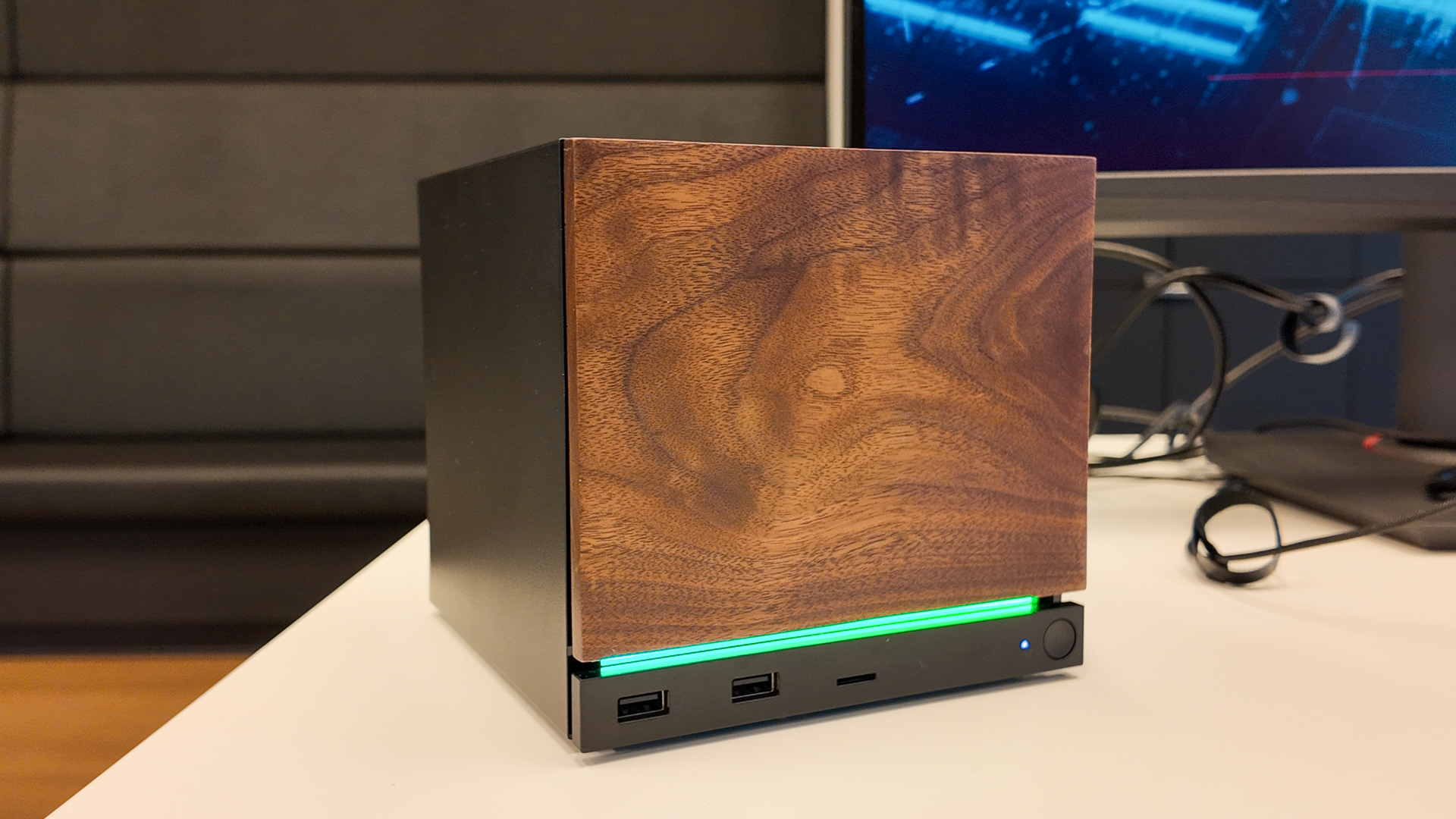
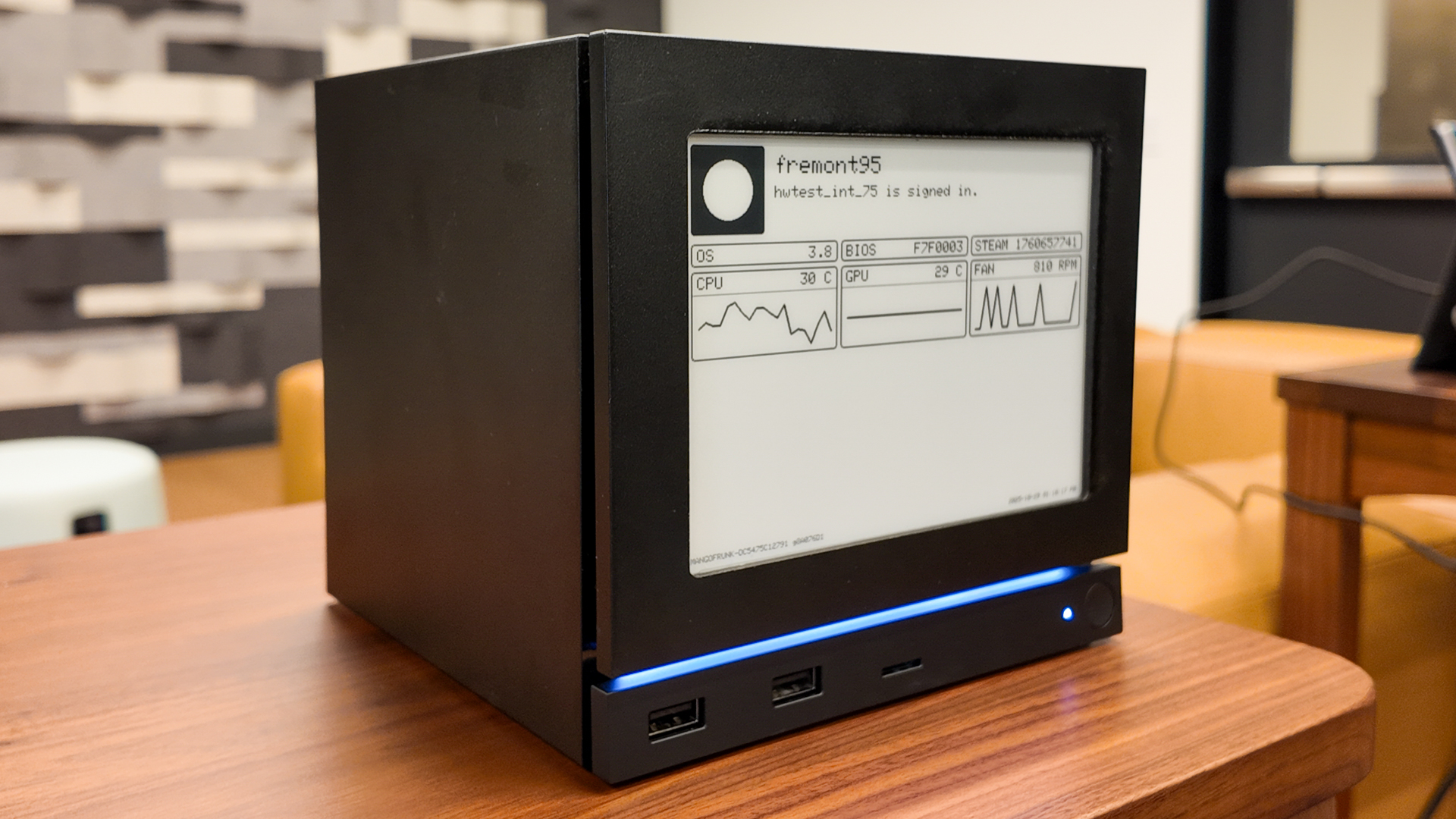
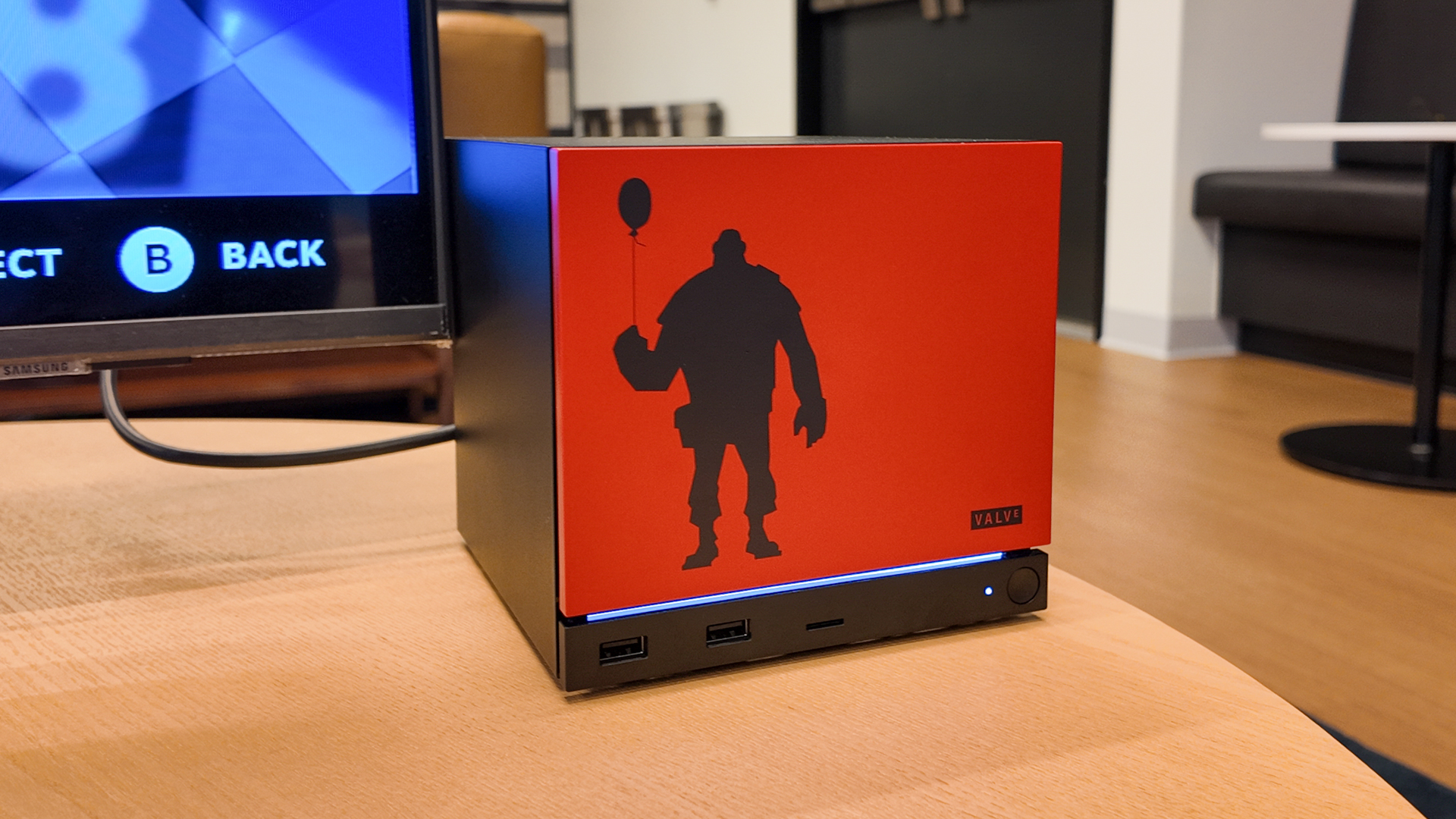
The faceplate is removeable, mainly for removing dust that builds up over time, though Valve is considering how best to offer some level of customisation here. It has a few prototype plates in its office: a wood effect one, a Team Fortress 2 one, and one including an e-ink display monitoring key metrics. Though this is mostly a fun side project than something that’ll end up on sale.
For now, Valve doesn’t seem to have a definitive plan for customisation options. It does have the integrated light strip running above the front I/O. This can be adjusted to display whichever colour you want, or moreover, act as a visual cue of what the Steam Machine is up to. It can display how far a game download has progressed, alert you to messages, and so on. If you don’t like it, you can just turn it off.
“It’s a dead front design, meaning that when you turn it off, you literally can’t see that it exists,” Mucha says.
Steam Machine: upgrades
(Image credit: Future)
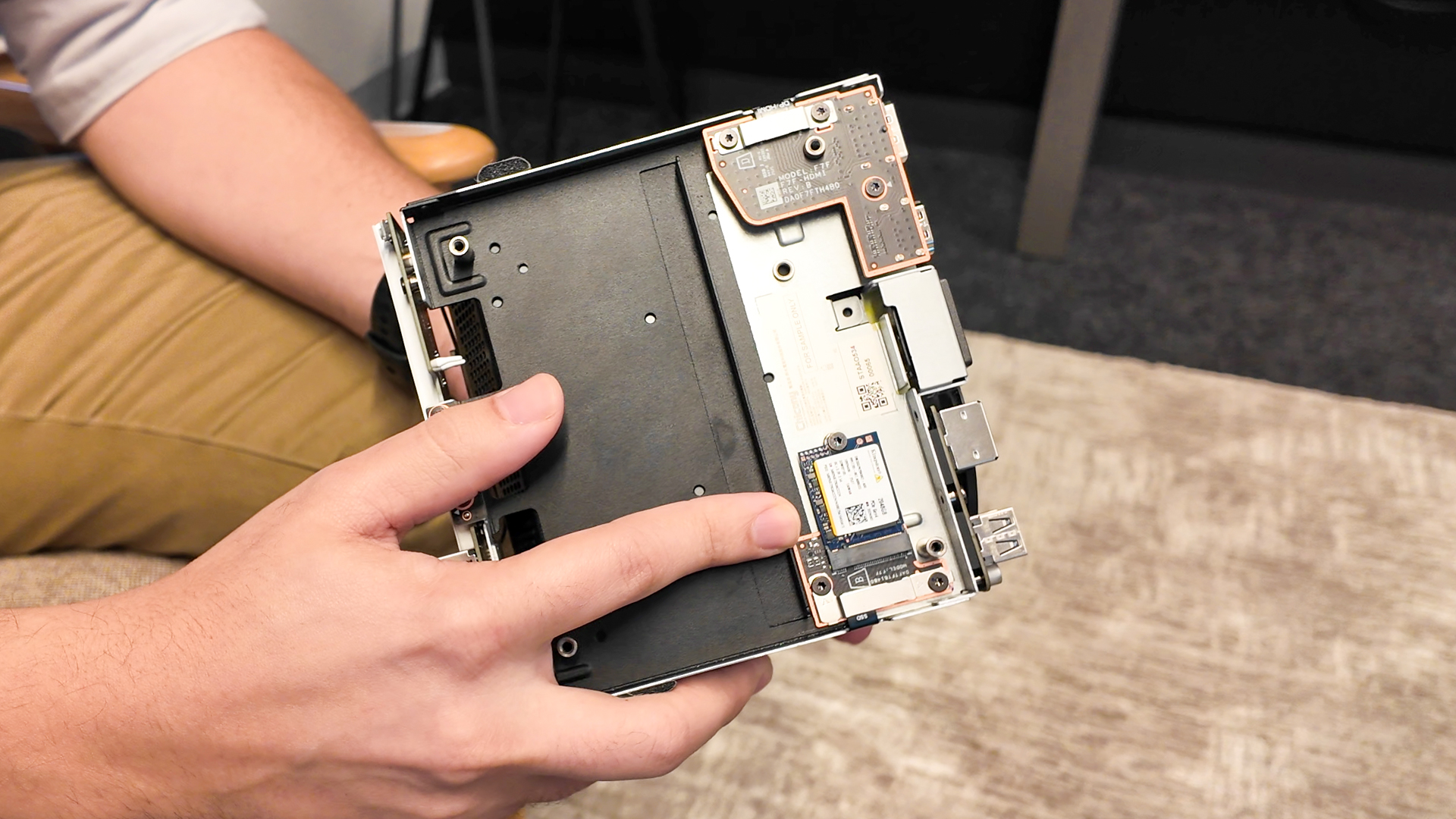
“The core parts that we’re considering to be upgradable would be the M.2 storage as well as the RAM, which is a bit harder,” Mucha says.
The Steam Machine comes with a single NVMe slot, easily accessible from the underside of the unit. There are two options available: 512 GB or 2 TB. These drives will be 2230 in size, which is a smaller SSD form factor also used on the Steam Deck.
The Steam Machine, however, does support a more standard 2280 drive with an included standoff. Though installing one would require removing the existing 2230 drive and cloning/starting fresh.
The easier way to expand the Steam Machine’s storage is to use a microSD card. The Steam Machine supports SDXC cards, which are available up to 2 TB and fairly affordable. Valve is confident that games should boot and run just fine from a microSD, though I’d assume you’ll want a reasonably speedy one (100 MB/s+) for the best performance.
The Steam Machine has 16 GB of DDR5 RAM. It uses SO-DIMM memory, which is most often found on gaming laptops, and it is replaceable. However, Valve has warned me that replacing the memory is a bit more involved compared to the NVMe SSD.
I believe replacing the RAM would require removing the outer casing and the heatsink from the motherboard. Though, understandably, no one fancied ripping apart their precious display models during my visit, and we were told to leave our screwdrivers at the door, so I can’t say for sure. The outer casing is removed via four screws on the feet and two screws on the rear, and the core slides out, but beyond that it’s anyone’s guess.
Steam Machine: Software
(Image credit: Valve)
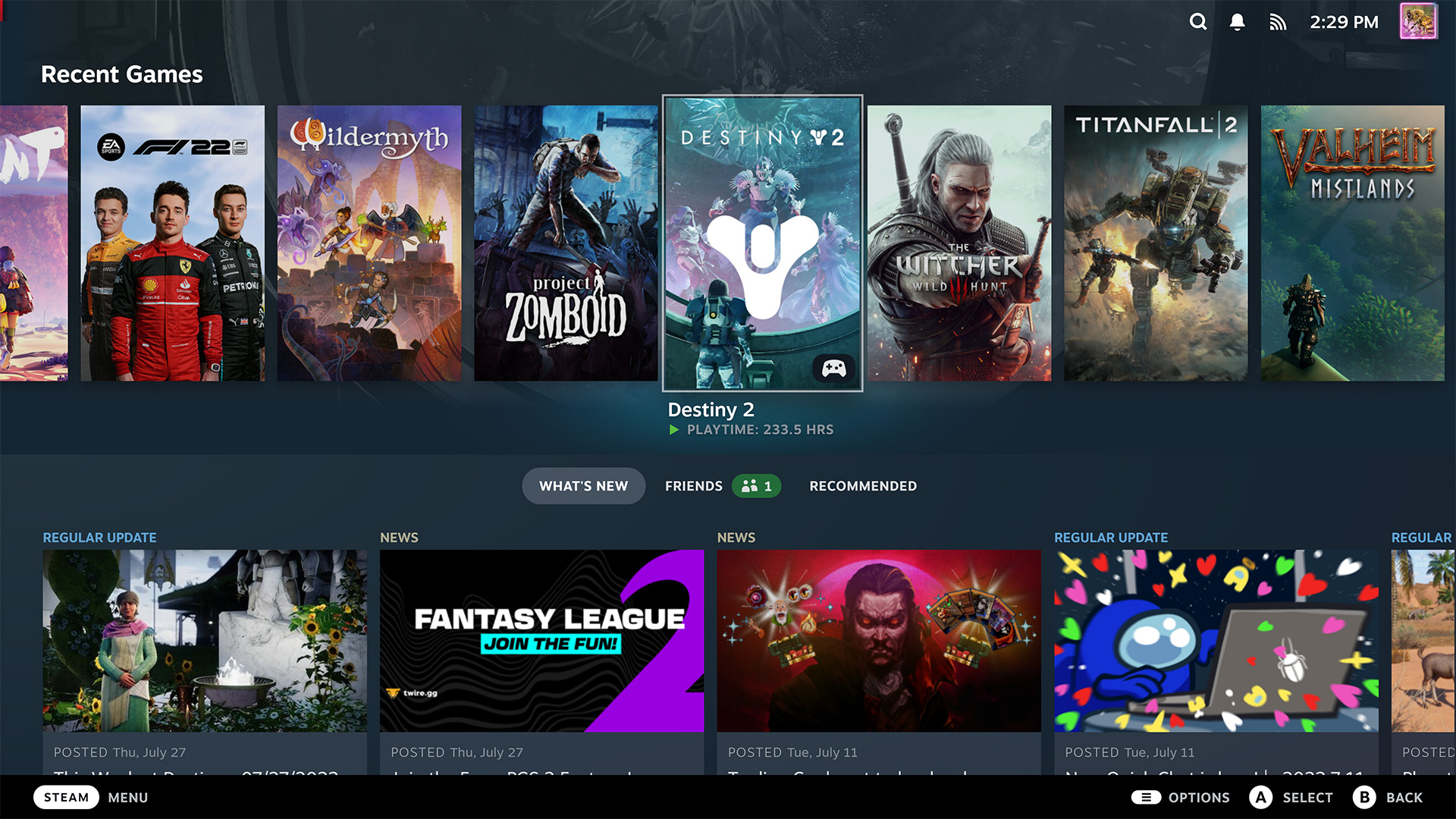
“We knew that our customers love the SteamOS experience with the Steam Deck, and we just want to give them that same convenience in a different form factor,” Aldehayyat says.
Steam Deck users will find no surprises when it comes to the Steam Machine. It’s the same experience, menus and all. Though the Steam Machine shouldn’t require a verification programme like the Steam Deck or newly-announced Steam Frame, which exist to ease gamers into what’s possible on the quirkier hardware and what’s not. The more powerful desktop PC that is the Steam Machine shouldn’t be so picky.
Proton is really the secret sauce.
Yazan Aldehayyat, Valve
Part of that is Proton, the compatibility layer that allows games developed for Windows to be run on Linux. Proton’s compatibility is solid these days, the kinks have been largely ironed out, and the concept has been tested thoroughly with the Steam Deck already. There are simply fewer unknowns.
“Proton is really the secret sauce, right? That made this possible. For the past 10 years, we’ve been working on building the compatibility layer to make it so that devs have less work to do to support this device,” Aldehayyat says.
With Proton, most games should work without a hitch. That said, there are still some anti-cheat solutions that do not run on Linux. Games like Battlefield 6 and Fortnite. That wasn’t such an issue with the Steam Deck, portable and underpowered as it is, but you might want your desktop or living room PC to play these games. So it’s worth considering how much these big multiplayer games mean to you.
And, hey, you can always swap SteamOS for Windows 11 on the Steam Machine. Just note, when you do, an angel loses its wings.
“While there is a nice family and interoperability between all three of the devices, and four including Steam Deck, we are still really big fans and committed to the open PC ecosystem. These are your PCs. You can install your own stuff on them, including your own operating system,” Lawrence Yang, designer at Valve, says.
Steam Machine: Availability
(Image credit: Future)
The Steam Machine will be available in all the same regions where the Steam Deck is currently available, including those where Komodo is the official distributor. That means it’s available in the following countries:
USACanadaUKGermanyFranceAustralia*Japan**South Korea**Taiwan**Hong Kong**
*Valve began shipping direct to Australia later than other countries
**Distributed by Komodo