
It’s been a hot minute since I’ve set foot in an arcade. From spamming Hadoukens in Street Fighter II to throwing all the boxes at thugs in Double Dragon, there’s something about piling up a stack of coins and mashing buttons on a cabinet that scratches a specific itch compared to playing on, say, a PS5 or gaming PC.
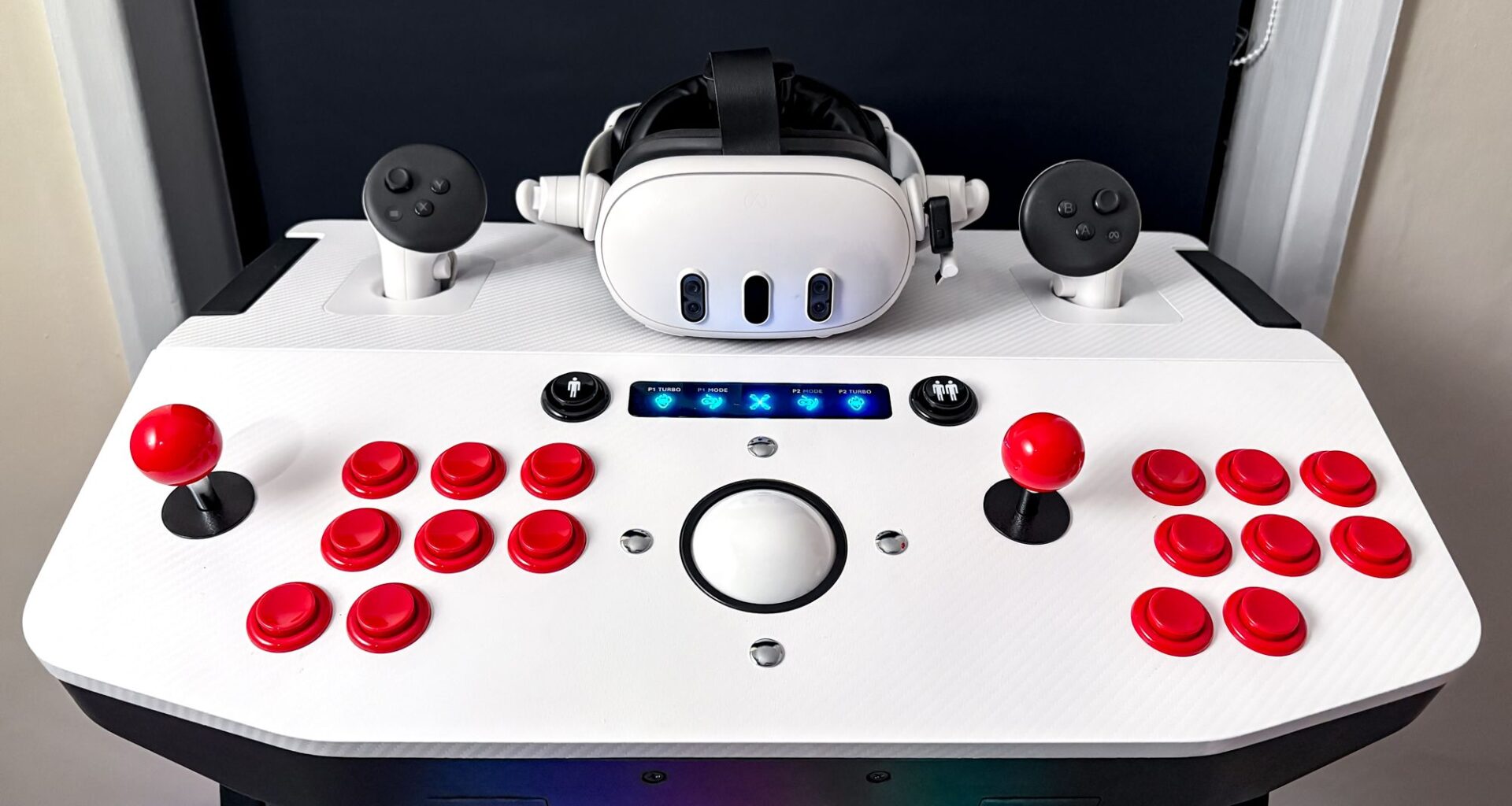
Well, that itch has certainly been scratched ever since setting up X-Arcade’s Arcade2TV-XR machine. Is it a full-blown arcade cabinet? Or is it simply an oversized arcade stick? Good questions, considering there’s no screen in sight on this piece of equipment.
To answer them both: yes, and it’s all made possible in VR. By linking the X-Arcade up with my Meta Quest 3, I was shooting off pinballs while frantically clicking flippers in Pinball FX VR and even throwing down some Shoryukens in Street Fighter via Arcade Ranger — all while standing in front of a (virtual) cabinet.
Best picks for you
It’s like having an all-in-one, multi-purpose arcade kit in the corner of my room, and for many, that’s the dream arcade experience. And hey, it’s nearly Black Friday, so of course there’s a sale on right now that takes $100/£77 off the machine.
From the classic joystick and button feel to the side bumpers for pinball action, the Arcade2TV-XR is an impressively made machine that feels authentic to the cabinets of old — with a spruced-up modern look (RGB lighting included). It takes full advantage of VR, but this will only cater to a specific niche of gamers.
Unless you’re into emulation, a die-hard pinball fan and have the patience to get all of this set up, I can’t say this VR accessory will be for you. Oh, and if you’re already struggling to find space in your place, you can forget about squeezing this sizable, chunky device anywhere.
The arcade experience, at home
(Image credit: Future / Tom’s Guide)
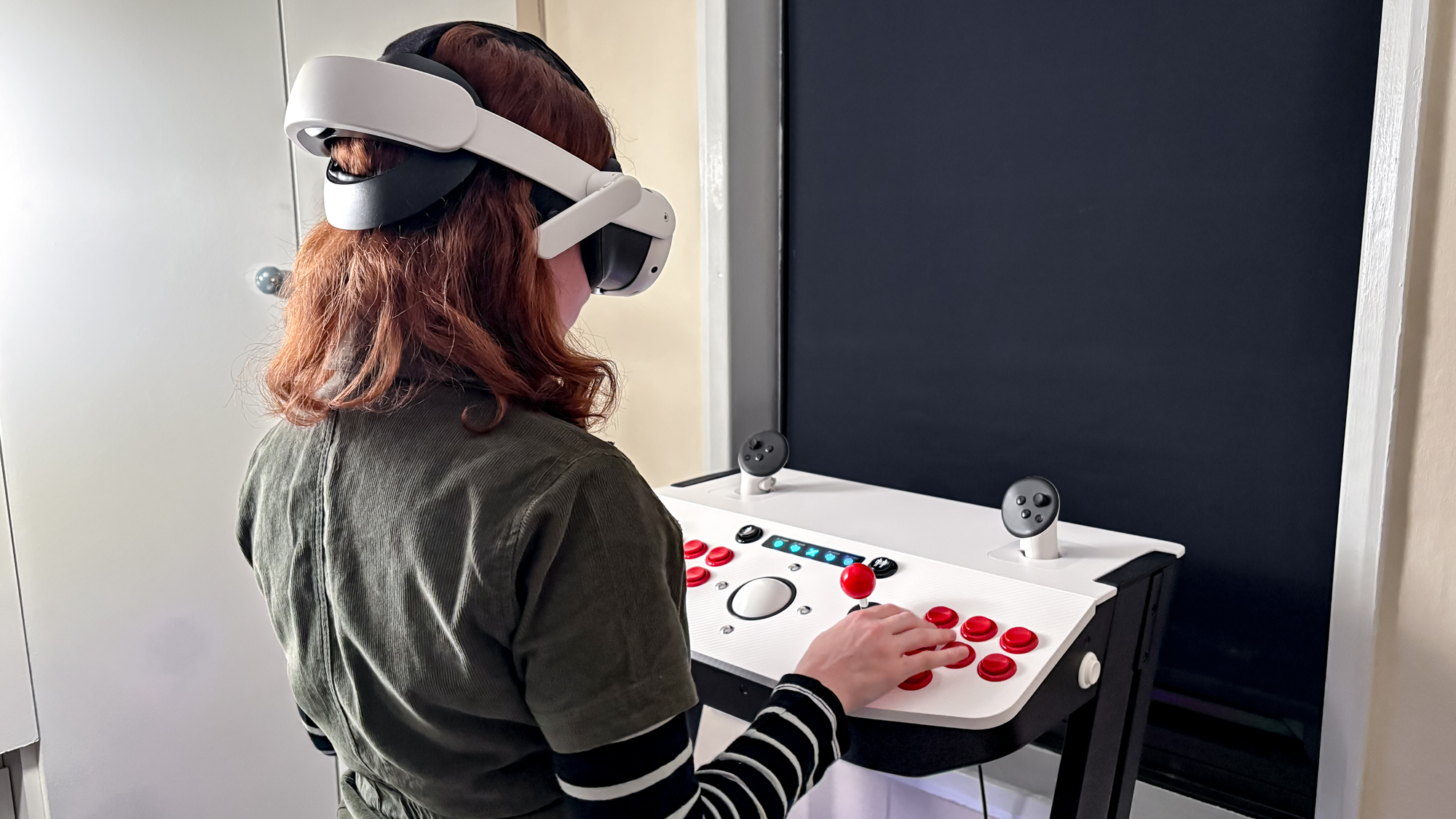
If I were just a kid asking my mom, “can we go to the arcade?” just to get a “no, we have an arcade at home,” I’d actually be perfectly happy returning to what the Arcade2TV-XR has to offer.
If I were just a kid asking my mom, ‘can we go to the arcade?’ just to get a ‘no, we have an arcade at home,’ I’d actually be perfectly happy returning to what the Arcade2TV-XR has to offer.
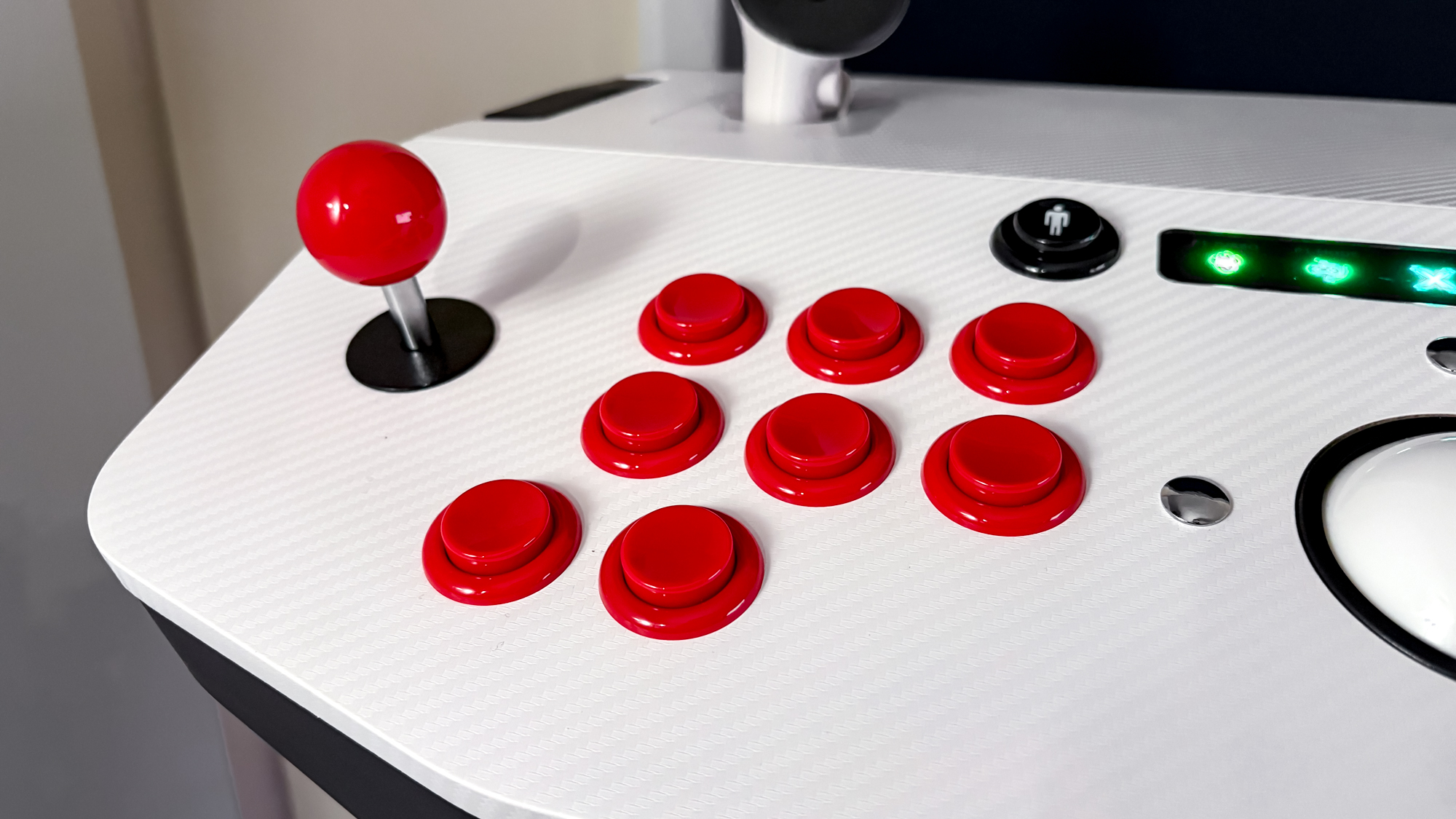
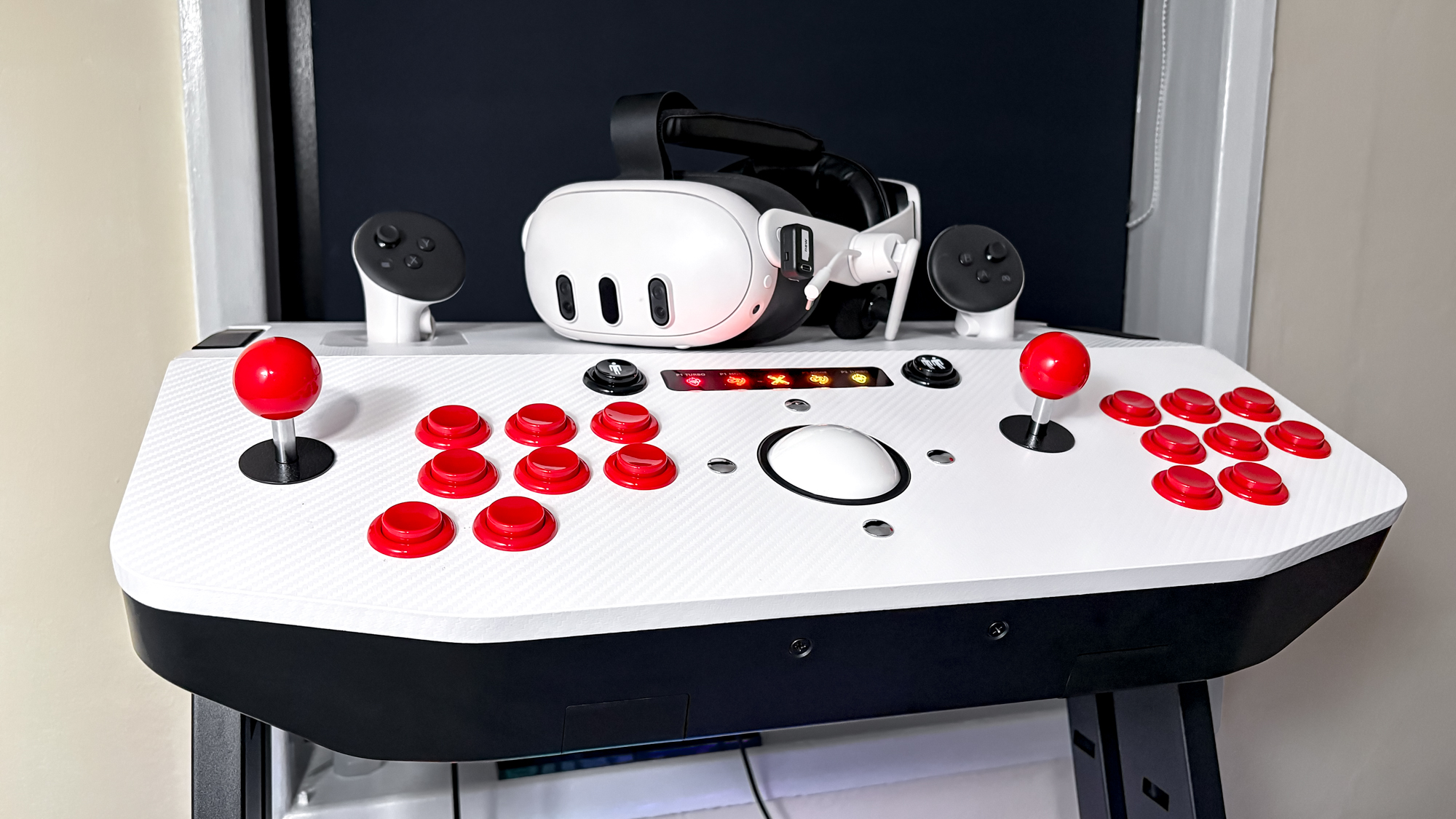
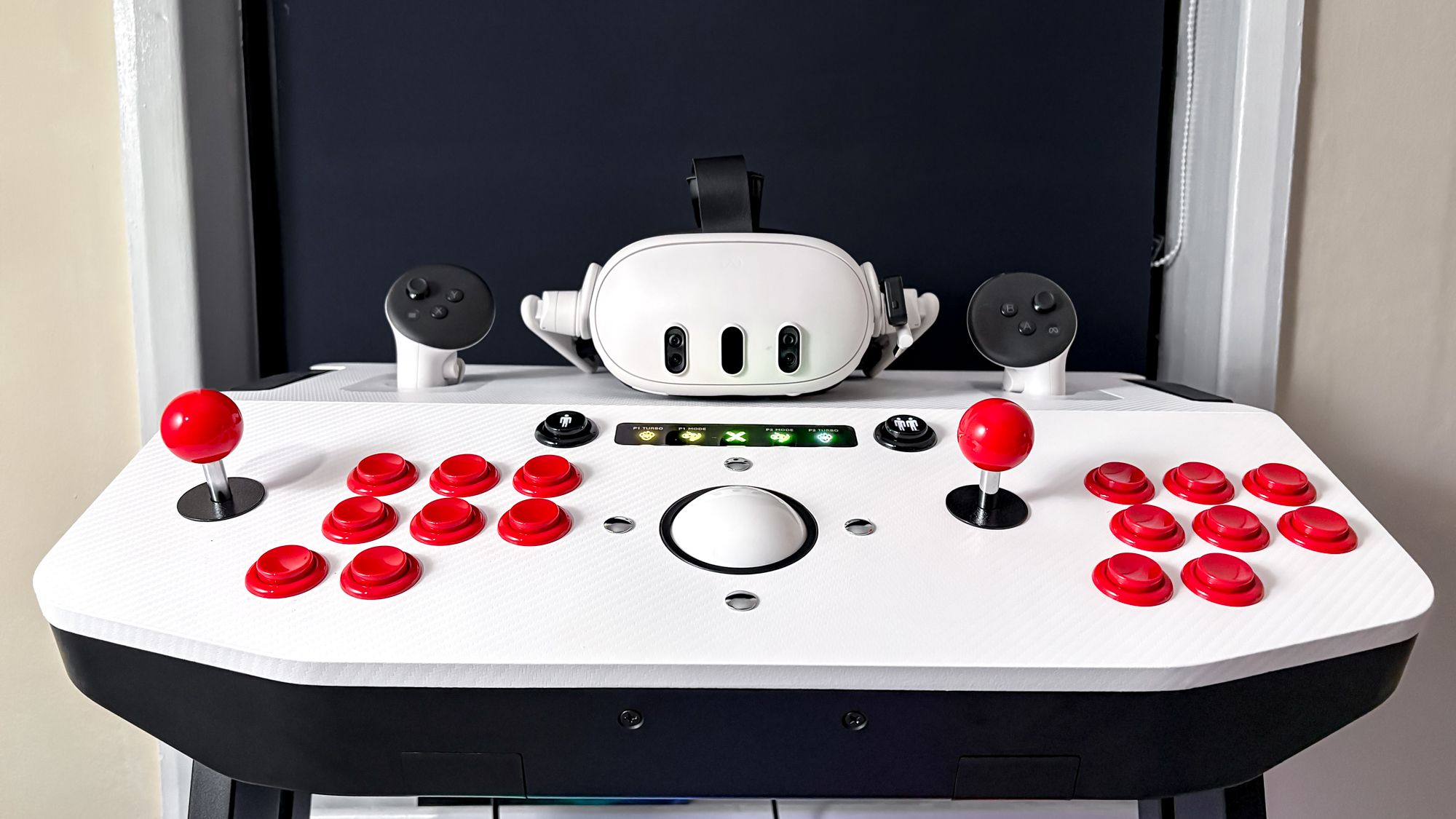
This tankstick-style setup delivers two sets of great-feeling joysticks and more than enough buttons for arcade games, with ample room for two players, along with buttons that act as bumpers on the side for pinball. There’s even a precision trackball to act as a mouse!
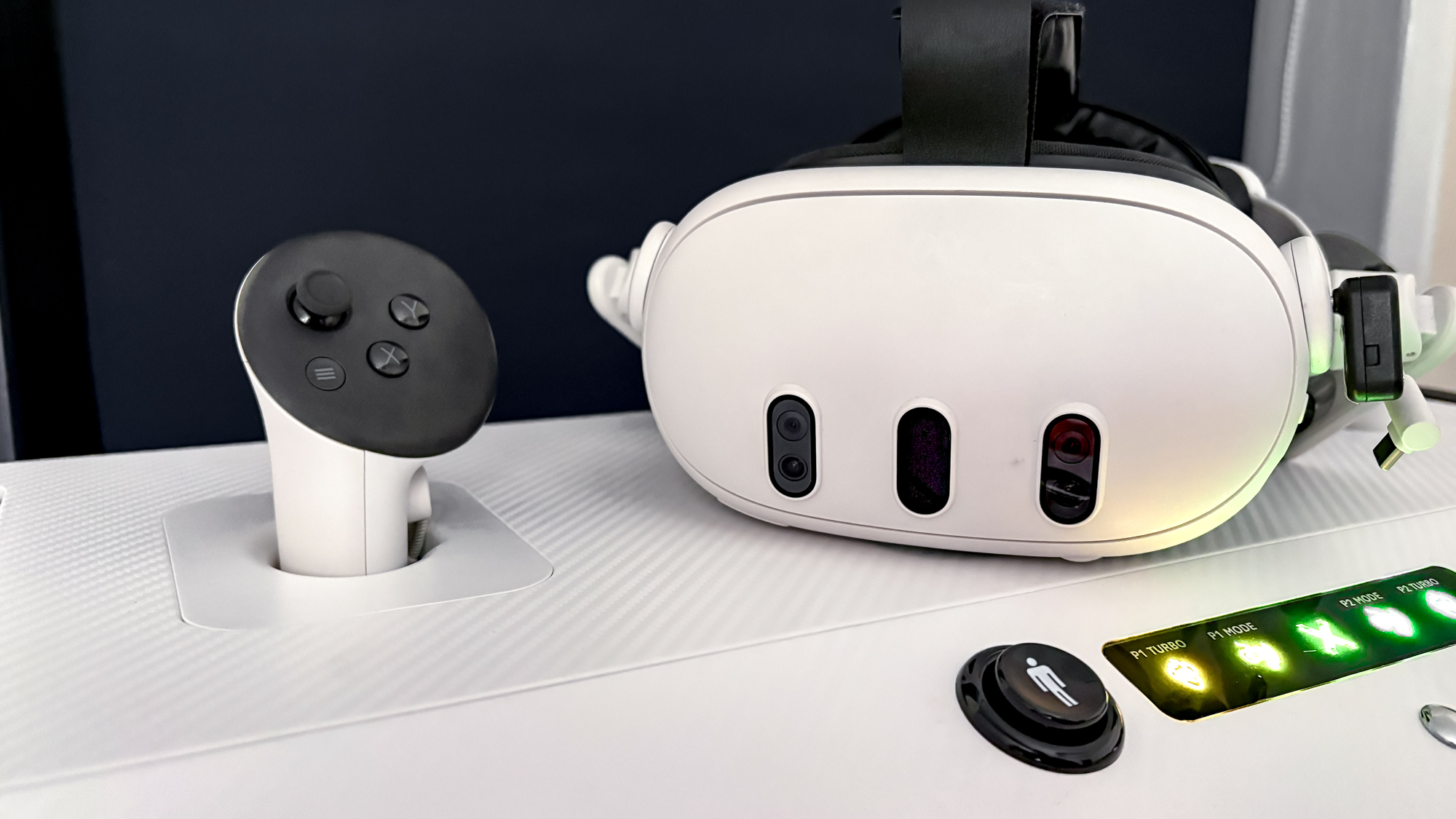
But this is mainly made for VR, and X-Arcade has set it up to be compatible with the ever-popular Meta Quest 3 and Quest 3S. The top of the deck includes holders for your VR controllers, placed when you’re moving from needing the controllers to controlling a virtual cabinet or pinball machine using the accessory.
Don’t miss these
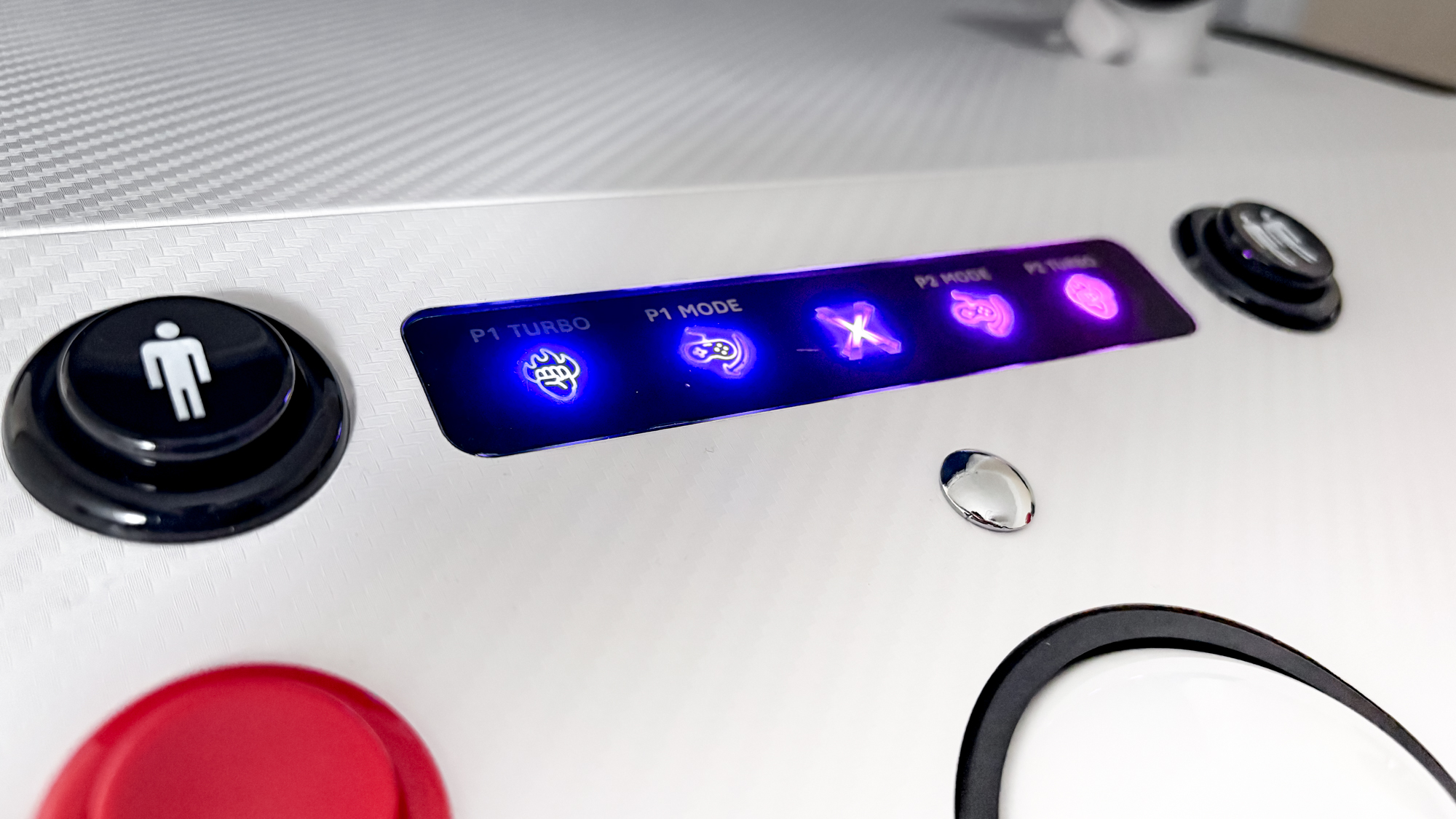
Along with its adjustable pedestal to get the right height, glorious RGB lighting on its glass panel with “X-Arcade” emblazoned on it and sturdy frame with rubber grips and wheels to move it around, it’s an impressive accessory to put on show in a room.
Image 1 of 4
 (Image credit: Future / Tom’s Guide)
 (Image credit: Future / Tom’s Guide)
 (Image credit: Future / Tom’s Guide)
 (Image credit: Future / Tom’s Guide)
The hardware is all for naught without the right software, though, and it’s not exactly easy to translate the controls of an arcade machine to VR. Actually, the Arcade2TV-XR doesn’t even work in the normal VR space, so you’ll still need those Quest Touch plus controllers handy.
Fortunately, X-Arcade includes two VR games that support its accessory upon purchase. That includes Arcade Ranger and Pinball FX VR, which provide all you really need to make the most of the device. I spent the most time in the latter, and I didn’t realize just how many hours I could sink trying to get the high score in various pinball machines.
It’s a simple thing, but using physical buttons to control flippers is hard to beat. Not only did it feel like I was actually in control of the ball, but the experience itself felt authentic — especially with Zen Studios’ varied and well-made virtual arcade machines.
Image 1 of 3
 (Image credit: Zen Studios)
 (Image credit: Zen Studios)
 (Image credit: Zen Studios)
The pinball machines available in Pinball FX VR include Pinball Noir, Curse of the Mummy and Sky Pirates: Treasures of the Clouds. They’re a blast to play, and I enjoyed how each table comes with its own avatar to make the games feel alive. Like the detective talking about the crimes of the city and the mummy spooking me when I’d sunk a ball.
Other machines are based on well-known movies and shows, like “Tomb Raider,” “Indiana Jones,” “Star Trek” and even “Battlestar Galactica.” These require an additional purchase (from $9.99), which can be a bit of a kick in the teeth, considering the price of the X-Arcade machine. But for serious pinball fans, the game provides an arcade-style paradise.
To put the rest of the buttons on the tankstick to use, I also tried Arcade Ranger. Now, this allows gamers to use legal ROMs of classic arcade games to play in-game on a virtual cabinet, meaning you can create as many virtual cabinets as you’d like. It’s a shame these aren’t provided already, but Arcade Ranger is currently in early access, so hopefully some titles will be available down the line.
I can imagine trying my all-time favorite classic Street Fighter II would be wicked to play, but in the meantime, I tried the latest Street Fighter 6 by linking the Arcade2TV-XR up to my gaming PC. The arcade vibes quickly sank in, with the feel of the joystick (which can be customized with the three restrictor gates included, such as four-way, circular and octagonal) and the layout of buttons, this experience got pretty close to simply being in a realistic arcade setting with a proper cabinet.
And yes, another player can quickly join in by pressing the player two button. My partner got involved, but only lasted five minutes before getting sick of my aforementioned Hadouken spamming (I’m not even sorry).
An enthusiast’s machine
(Image credit: Future / Tom’s Guide)
Perhaps I’ve been spoiled by the plug-and-play mentality of modern devices, but the Arcade2TV-XR isn’t exactly straightforward to set up.
First, building the stand itself can take around 30 minutes, which is fairly painless, but a required step before diving into arcade games. Second, you have to redeem and download the games that are compatible with the accessory. And, finally, you’ll need to own and download ROMs of arcade games and use SideQuest to transfer games over to Arcade Ranger.
If you’re not familiar with getting these up and running through the Quest 3 just to use the Arcade2TV-XR, then you’ll find this process to be a pain. This is why I spent the majority of my time playing pinball, even though this doesn’t use X-Arcade’s device to its full potential.
(Image credit: Future / Tom’s Guide)
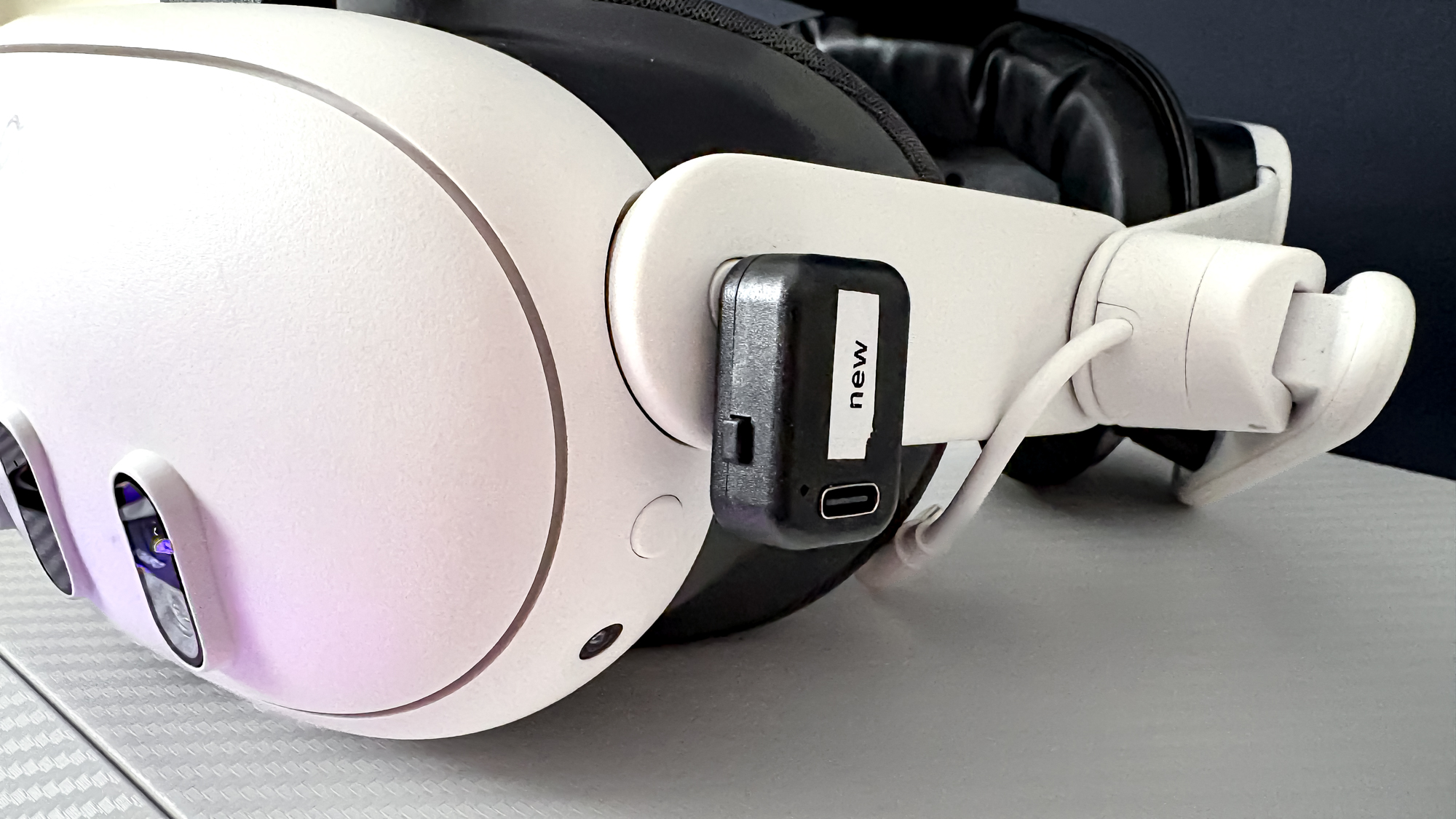
I do appreciate the easy connection between the Arcade2TV-XR machine and the Quest 3, as all it takes is slotting in the wireless USB-C adapter to the headset to get it going. But otherwise, it can be a nuisance to just boot up the arcade stick to play a game from the get-go.
What’s more, the Quest Touch plus controllers are essential. In order to move to a virtual machine while in VR, along with selecting menus, changing settings and the like, you’ll need the Quest’s controllers to navigate around before you can actually use this tankstick. This was an apparent problem when one of my controllers suddenly ran out of battery, as I was left standing in an arcade like an awkward kid, not knowing which cabinet to play.
Without the bounty of classic games to play right off the bat, or the numerous pinball tables that need to be bought, the Arcade2TV-XR is left to be a shallow experience. And for its price (more than a Meta Quest 3S headset itself), I’d find it hard to find a reason to have this taking up space in my home.
Is the Arcade2TV-XR worth it?
(Image credit: Future / Tom’s Guide)
X-Arcade’s Arcade2TV-XR may have numerous use cases that go beyond all the fun to be had building your own arcade space in VR, seeing as it could easily fit in among the best fightsticks for fighting games and beat ’em ups on PC, PS5, Xbox Series X and more, but its main focus is virtual reality. And that’s already quite niche.
Not everyone has a library of classic arcade ROMs ready, let alone the patience to get this set up in a specific VR game made for Meta Quest headsets. And not everyone wants to spend $499 on a huge machine just to play pinball in VR with two physical side buttons (and pay more for extra pinball tables!).
The Arcade2TV-XR is very much made for enthusiasts, but that’s not entirely a bad thing. For anyone who dreams of creating their own arcade space with one finely built machine that holds their collection of all-time great arcade games and pinball machines, and who wants to use it on various other platforms, this arcade-style VR accessory is exactly what you’re looking for.
Did it ignite a hidden joy for playing far too much pinball, though? Yes, and I’ll be mashing those flippers in VR with gusto.

Follow Tom’s Guide on Google News and add us as a preferred source to get our up-to-date news, analysis, and reviews in your feeds.
More from Tom’s Guide
Today’s VR headset deals