


Jajah-sireenut/Getty Images
We may receive a commission on purchases made from links.
The App Store is packed with millions of apps, but everyone keeps recommending the same ones. We’ve seen Instagram, TikTok, WhatsApp, and Spotify on every “best apps” list a thousand times. Those apps are popular for a reason, sure, but they’re hardly discoveries anymore.
The real gems hide in the corners of the App Store where most people never look. But if you look deep enough, you’ll find apps that do cool stuff like connect blind people to volunteers for visual assistance, identify sick plants and tell you how to save them, and instantly show you which streaming service has the movie you want to watch. These are apps totally worth trying out, and they don’t even need you to spend a dollar, or at least their core features are free.
The same way we put together the best free Android apps you probably don’t know about, we’re putting together ten such free apps for iPhone that deserve way more attention than they’re getting. Each one brings something unique to the table, whether that’s a clever feature, a better take on something you already do, or a solution to an annoyance you didn’t realize you could fix.
Transit
The name says it all, really. Transit helps with, well, transit. Public transportation can feel like a guessing game, especially when you’re staring at a bus stop wondering if you just missed your ride or if it’s actually running late. The app fixes that by showing you real-time arrival times and departure times for buses, trains, and subways in over 1000 cities across 29 countries. This way, you don’t have to keep standing around confused at a bus stop or constantly refreshing outdated schedules.
The app has a clean interface that makes finding your route very simple. You just open it, see what’s nearby, and get live updates on when your bus or train will actually arrive or leave. Besides, the 4.6-star rating on the App Store shows how well this works in practice. But what really sets Transit apart is the GO feature.
Once you pick your route, the feature guides you step-by-step through your entire journey. For instance, you get notifications for when to leave and when to get off. You even get vibration alerts so you don’t miss your stop while scrolling through your phone — something a lot of us are guilty of. The core features are completely free, but there’s a paid version called “Royale” that offers extra features.
LocalSend
Every platform has a way to transfer files between its devices. Android has Quick Share, and iOS has AirDrop. But what if you want to share files from an iOS device to an Android device? Sure, you can send stuff via messaging platforms like WhatsApp or through cloud services like Google Drive, but those compress your photos, limit file sizes, or make you sit through painfully slow uploads and downloads. While some Android devices can now use AirDrop sort of, LocalSend gives you a universal solution that works everywhere.
The app is totally free and uses your local network to transfer files directly between devices without needing an internet connection. It works across iPhone, Android, Windows, and Mac, meaning you can finally send photos, videos, and documents to basically anyone nearby, regardless of what device they’re using. Apart from the fact that it’s cross-platform, LocalSend is also very fast, letting you send a 500MB file in less than a minute. Security is another major advantage. Since it transfers everything over your local network, files are far less prone to hackers or interception compared to cloud uploads. Plus, LocalSend uses end-to-end encryption, ensuring only you and the receiver have access to the files being sent. iPhone users have given it a 4.5-star rating, and it’s easy to see why once you experience how seamless cross-platform file sharing can actually be.
Be My Eyes
Lea Rae/Shutterstock
Most apps solve minor inconveniences or are designed for entertainment. We’re not saying they’re invalid, but Be My Eyes tackles something genuinely important. This free app connects blind and low-vision users with sighted volunteers through live video calls for real-time visual assistance. Basically, users who need assistance open the app and request help. The app then sends out a call to nearby volunteers, and whoever’s available hops on a live video feed to provide guidance.
What makes this app truly special is the community behind it. Over 8 million volunteers worldwide have signed up to help, which means wait times are usually under a minute. Meanwhile, the app holds an outstanding 4.8-star rating, with users on both sides praising how smoothly everything works and how meaningful the connections feel. For volunteers, it takes maybe five minutes to help someone accomplish a task that would otherwise be impossible. For the visually impaired, it provides independence and access to the visual world whenever they need it.
Awesome Habits
There are various habits that can hold you down, whether it’s nail biting, smoking, doomscrolling, or excessive drinking. Breaking those habits or building better ones to replace them feels impossible without some kind of structure. Awesome Habits gives you that structure through a simple tracking system. Unlike alternatives that bombard you with notifications and complicated reward systems, this app keeps everything straightforward. To get started, you’ll build a template for specific habits and set rules that will help you achieve your goal. The app also offers ready-made templates for popular habits like boosting your reading time or drinking less.
There’s even a streak system that feels a lot like Duolingo’s, and if you’ve ever felt that panic about breaking your language learning streak, you know how powerful that motivation is. To top it off, it connects with Apple Health to automatically track things like how much you sleep or how many steps you take. The main features are completely free, and the app has an impressive 4.8-star rating on the App Store. But there’s an optional premium version for deeper analytics.
Trip.com
Camilo Concha/Shutterstock
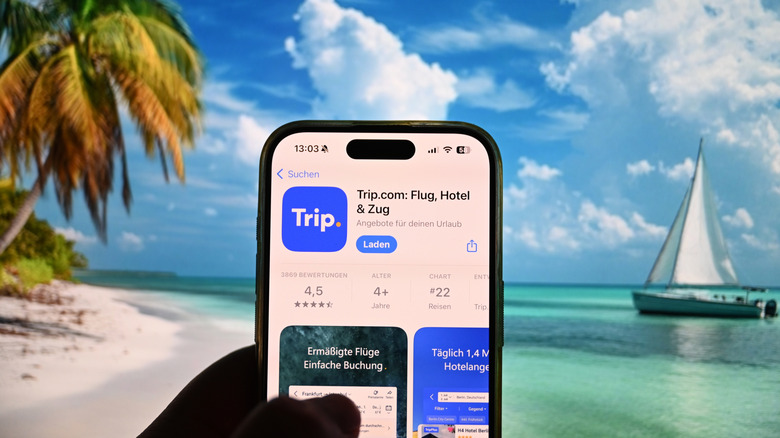
The holidays are right around the corner, and a lot of people are already planning trips and vacations for the season. But finding affordable flights and hotels during peak travel times needs all the help you can get. Trip.com puts all that searching into one app that’s somehow less known in the West despite being a massive player in the travel industry, especially in Asia and Europe. It handles anything from flights and hotel bookings to car rentals and entire vacation packages. You search for what you need, compare options side by side, and book without jumping through a million hoops. In fact, the platform has over 1.7 million hotels across 220 countries in its network, plus more than 2 million flight routes connecting over 5,000 cities worldwide.
The app also lets you book in 35 different local currencies while supporting 24 languages across 39 countries. There’s even multilingual customer support that works around the clock. Trip.com is completely free, earning through booking commissions like every other travel platform. With a 4.7-star rating on the App Store and an impressive 4.4 stars on Trustpilot from actual travelers, it’s worth adding to your collection of apps.
Planta
Houseplants look great until you accidentally kill them three weeks later because you forgot to water them or watered them way too much. Here comes the superhero app, Planta, to save the day. As the name suggests, Planta acts as a personal plant assistant that knows what your green buddy needs to survive, and the 4.8-star rating from iPhone users proves it works. You start by taking a picture of your plant and uploading it to the app for identification.
Planta also has a database of plants you can go through to find your specific plant type. Once the app knows what you’re growing, it creates personalized care schedules based on each plant’s specific needs and your home’s lighting conditions. You get reminders when your fiddle-leaf fig needs water or when your succulents need feeding. The app adjusts schedules seasonally, too, since plants need different care in winter versus summer. The basic version is free and covers major features like watering reminders and plant identification, but you’ll need a monthly subscription to unlock advanced care guides and unlimited plants.
Parcel
Most people shop online these days, with e-commerce sales expected to go over $4 trillion globally this year. The convenience is great and all, but the annoying part is that different stores use different delivery services to ship your stuff. One retailer might use UPS, another goes with FedEx, and then there’s always that random regional carrier nobody’s heard of. If you’re ordering packages from multiple stores, you might end up juggling tracking numbers across a bunch of different websites just to see where everything is. Well, Parcel is a free app with an impressive 4.8-star rating on the App Store that puts every delivery you’re waiting on in one place.
The app supports over 300 delivery services worldwide, so pretty much any carrier you can think of gets tracked here. You just have to add the tracking number of your package to Parcel, and watch it do its magic. Meanwhile, frequent Amazon shoppers can connect their Amazon account to Parcel, so the app pulls in every order automatically. However, free users can only track up to 3 orders at the same time. If you want unlimited tracking and extras like push notifications and a delivery map, you’ll need to subscribe to a paid plan.
JustWatch
You know that frustrating moment when you want to watch a specific movie but have no idea which streaming service has it? You check Netflix, then Hulu, then Prime Video, then Disney+, and by the time you’ve opened your sixth app, you’ve forgotten what you were even looking for. JustWatch has the power to cure that headache. The highly rated app (4.7 stars on the App Store) is like Google but for movies. You simply type in any movie or TV show, and it instantly shows you every place it’s available to stream, rent, or buy. This helps you figure out which streaming services are worth your money based on what you actually want to watch.
Beyond just telling you where to watch something, the app loads up trailers, cast information, screenshots, IMDb ratings, and more for each movie/show. Sports lovers also benefit from JustWatch, as it helps you find streaming options for NFL and NCAA football, NBA games, MLB baseball, soccer from MLS and Liga MX, plus European leagues, tennis matches, and Formula 1 races. The app is free, but you will experience some ads here and there. If you want an ad-free experience with some additional features, then you can subscribe to JustWatch Pro.
AnyList
Grocery shopping with a regular to-do app is a mess. You end up wandering the store back and forth because your list has milk next to bread next to chicken in no logical order. AnyList was built specifically for this, and its 4.9-star rating from users proves it transforms chaotic shopping trips into organized missions. The app offers three built-in list types depending on what you need. The most important one is the list that already knows store departments, automatically sorting groceries by aisle so you’re not backtracking through the supermarket.
There is also a categorized list that lets you customize sections for all sorts of shopping. Finally, you have a basic list that works for quick notes and simple tasks. Every list you decide to create on the app can be shared with others, and they can even make changes to your list. All these are totally free on AnyList, but there’s a paid version that offers advanced features like online shopping (only available in the United States).
Nike Training Club
Most fitness apps hit you with subscription fees before you can do anything useful. Peloton wants money to access its full features. Apple Fitness+ charges $9.99 per month and is still somehow struggling to be profitable. Even random workout apps with barebones features want a fee. Nike Training Club was no different, as it used to cost a whopping $14.99 per month. However, the company decided to make it completely free in 2020 during the COVID-19 pandemic and never went back.
The app gives you access to training programs led by Nike master trainers covering yoga, strength training, cardio, and mobility work. Whether you’re a complete beginner or already hitting the gym regularly, there are programs designed for your fitness level. The workouts range from quick 15-minute sessions you can squeeze in during lunch to full hour-long training blocks. The app can also help you build custom training plans based on your goals. Nike Training Club has an impressive 4.8-star rating on the App Store, making it one of the best fitness apps for your Apple Watch and iPhone.
Methodology
Grinvalds/Getty Images
Finding apps nobody’s heard of requires going beyond the App Store’s top charts. We turned to the iPhone user community itself, digging through subreddits like “r/ios” where people actually share what they use daily instead of what Apple promotes. Every app on this list has earned a stellar rating of 4.5 stars or above, ensuring quality and user satisfaction. Beyond just ratings, we prioritized usefulness, as each app solves a real problem or fills a specific need better than mainstream alternatives. We also focused on completely free apps or the ones that offer the core functionality in their free versions. The selection spans various categories from productivity and travel to wellness and accessibility, ensuring there’s something valuable here regardless of your lifestyle.