
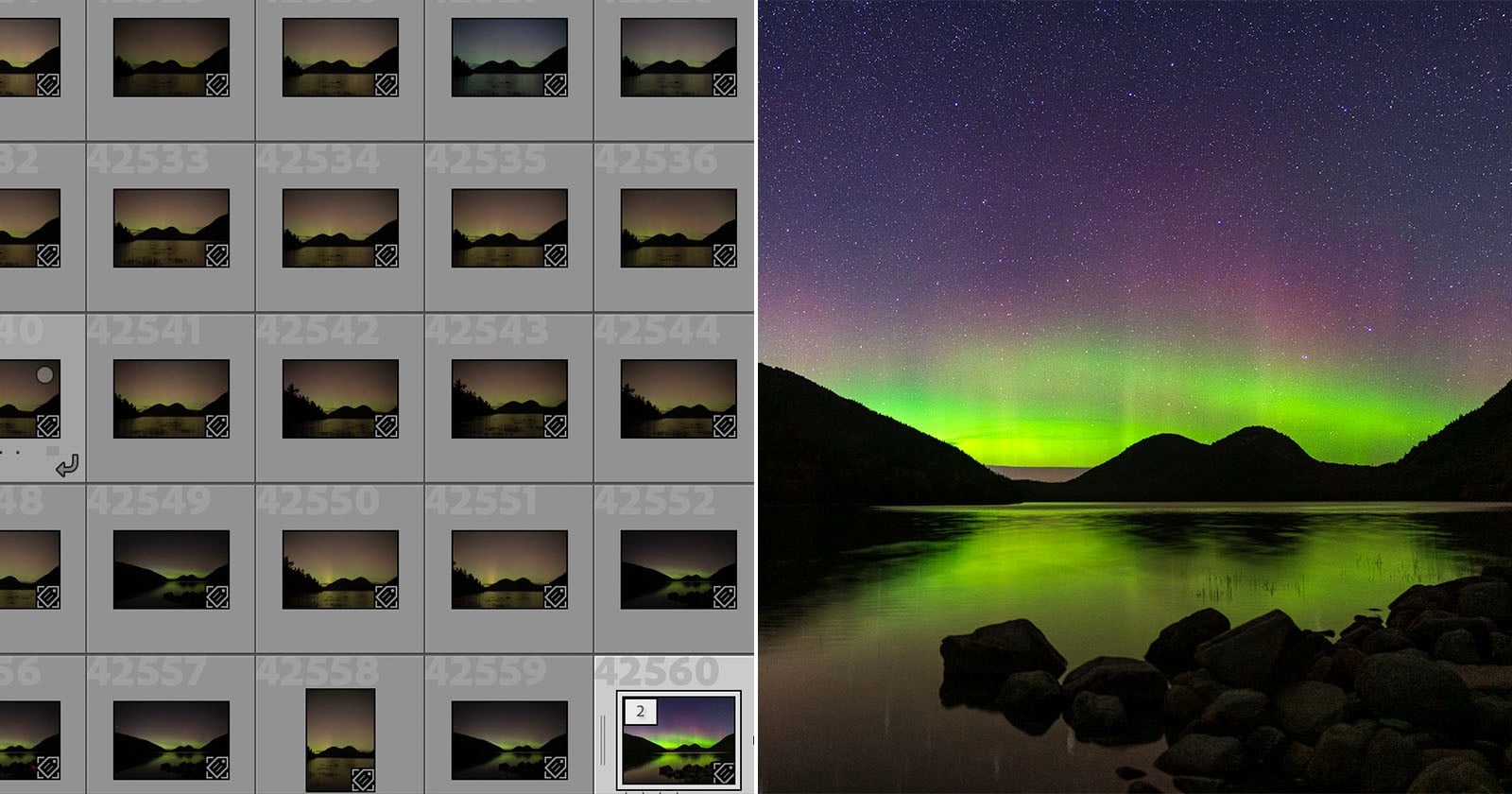
Digital photography is wonderful. It has positively impacted my life from the second I picked up my first camera, a Nikon D80. However, the other side of that coin of accessibility and convenience and nearly infinite image-capture capabilities is a seemingly impenetrable pile of image files, including RAWs, JPEGs, and even videos, over almost 20 years. Finding what I’m looking for in my massive library has always been a nightmare. But it doesn’t have to be, thanks to Excire Search 2026.
Full disclosure: This story is sponsored by Excire.
Excire Search 2026 and its cutting-edge AI-based image organization tools enable me to immediately clean up my Lightroom Classic catalog, keyword tens of thousands, if not hundreds of thousands, of photos, and, best of all, track down all the pesky duplicates and frankly, bad photos, that I don’t need to have in Lightroom at all.
It is a regular occurrence that I’m looking for a specific photo, whether to share online, put online, or print but I just cannot find. I can see the photo in my mind and know what it is, but I have only a vague idea of exactly when I captured it, making it hard to track down.
 I’ve taken hundreds of thousands of photos over the years. It is very easy for potentially great shots to be lost in the shuffle. Excire Search 2026 can bring them to the surface in seconds.
I have long organized my photos by date, creating a folder and sub-folder structure centered on time. This is not necessarily a bad way to do things, and it is useful when I’m actively working on projects. However, as the years pass and everything blends together, tracking down a specific shot is like searching for a digital needle in a haystack of RAW files. It’s awful, especially when I’m on a deadline, and sometimes I never actually find what I was looking for.
Finding That One Elusive Photo
With Excire Search 2026 in Lightroom Classic, my chaotic (hey, nobody’s perfect) catalog is much less chaotic, and I can actually easily track down photos using natural text searches.
For example, I was searching for a specific photo of a lighthouse at sunrise that I captured many years ago. Since I’ve used dozens of different cameras over the years for review purposes, even searching by metadata in Lightroom Classic’s built-in tools doesn’t help; I just end up digging through thousands of photos captured with different cameras to no avail.
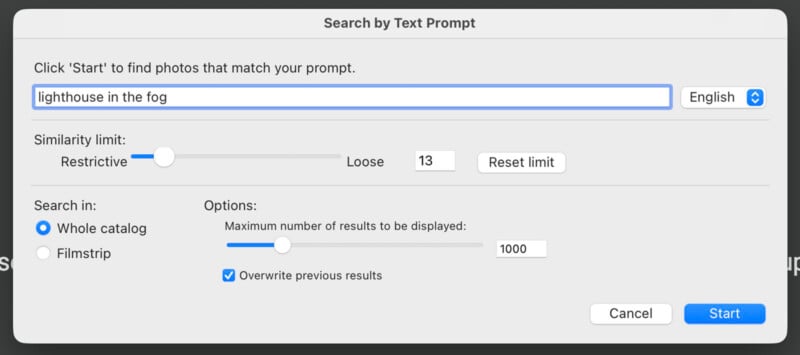
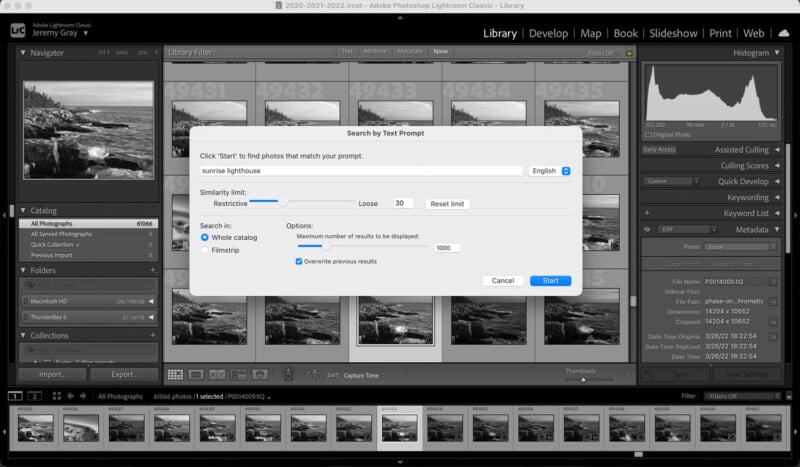 Often, finding the right photo with Excire Search 2026 is as simple as typing exactly what I’m looking for.
 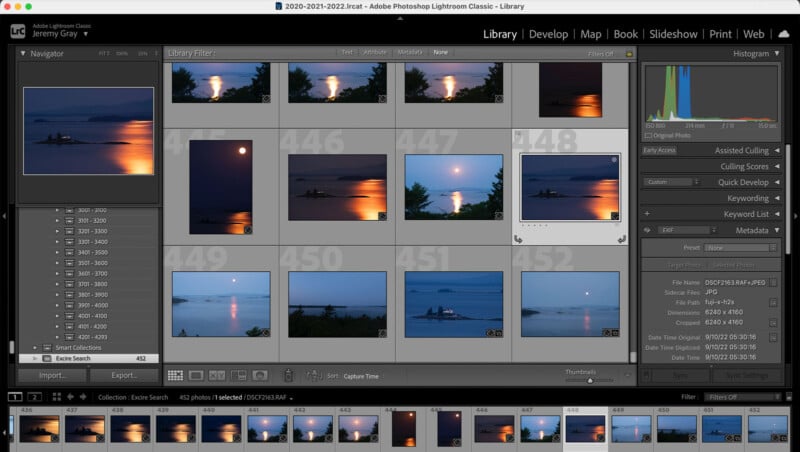 And in seconds, there it is.
  Screenshot

With Excire Search 2026, I can type “sunrise lighthouse” in the plug-in inside Lightroom Classic, decide how strict or loose I want the search results to be, and how many results I want. I found the photo I was looking for in seconds, and many more similar images, some of which I had genuinely forgotten I had at all.
Occasionally, I am not looking for a specific photo of a particular subject, but for a photo with a specific tone or color to illustrate something on a project. Maybe I want a moody photo that’s heavy on blue. I can do that with Excire Search 2026 by using the “Search by Keyword” tool. Here, photographers can select from a list of keywords that adapts to the photos in their library or select dominant and secondary colors from a palette.
 Sometimes I am seeking a type of color and mood. Excire Search 2026 works for that, too.
While I don’t shoot video, I know that many photographers do as part of their personal or professional work. Lightroom Classic may not have particularly robust video editing features, but it can help hybrid photographers keep all their files organized. Excire Search 2026 supports video, too, and users can find specific clips using Excire’s AI-generated keywords.
Slimming Down a Massive Photo Library
My most common pain point in Lightroom Classic is finding the exact photos I’m looking for, and Excire Search 2026 is incredible for that. It makes it so easy for me to find the right shot in seconds, rather than rifling through folder after folder and coming up empty-handed and very frustrated.
However, for photographers who take a lot of photos, including event and portrait shooters, the issues may be entirely different. For someone who photographs thousands of photos at weddings and events and has hundreds of portraits to sort through, trying to decide which out of many similar shots is the best and worth their editing efforts can be a real struggle, but Excire has the answer.
Excire Search 2026 includes rapid, AI-based culling tools that can help photographers sift through their photos and find the best ones. Someone blinked? The photo is put in a rejected pile. Slightly missed focus? Excire identifies it, so you don’t have to view a series of shots at 100% zoom or more.
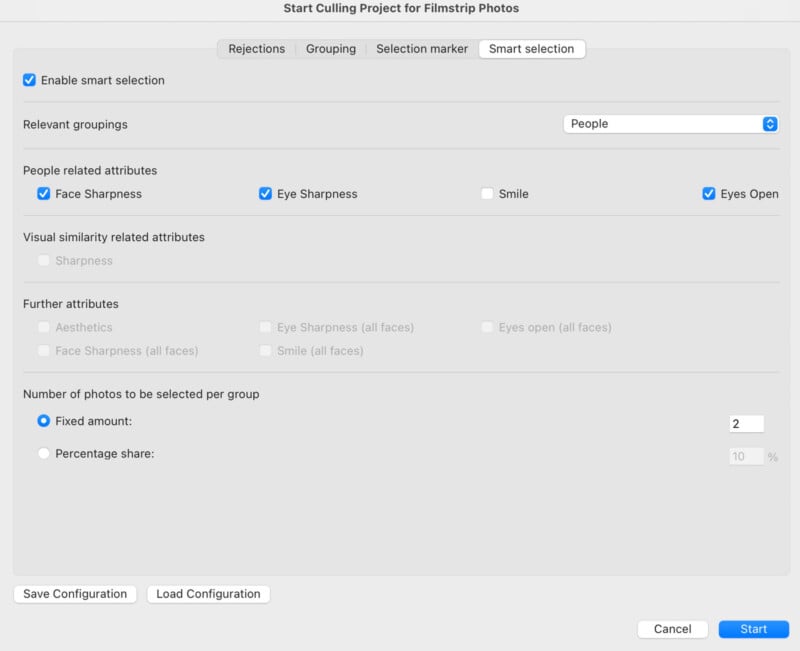 Even incredible modern cameras can still miss focus, and it can often be difficult to tell without zooming way into an image. This takes a lot of time and really slows things down. Excire Search 2026 can evaluate your photos for missed focus and quickly apply a reject flag to ones that you may want to delete.
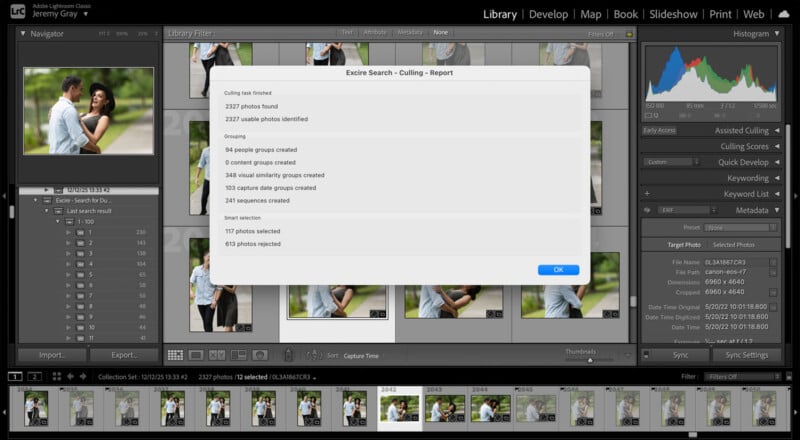

The plug-in also has AI-based aesthetic scoring, which can help photographers identify their best shots. While that’s not necessarily something I prioritize, as I like to decide what to keep for myself, the other AI-based features ensured that I had access to precisely the photos I wanted to evaluate and could sift through them quickly, without the excess noise of an unregulated photo library.
In fact, Excire Search 2026 never takes control away from me. It uses AI in a way that I appreciate. I don’t like apps that remove human creativity from the equation. Excire Search 2026 is definitely not one of those apps, as it never stifles the user’s creative spirit. It’s also not using AI in a way that compromises my security, since the AI runs locally on my computer.
The All-New Excire Search Panel
A key new feature of Excire Search 2026 for Lightroom Classic is the all-new Excire Search Panel. This provides photographers like me with easy access to all of Excire Search’s powerful tools. From within the Excire Search Panel, which runs as a lightweight app alongside Lightroom Classic, you can quickly search by text, keyword, color, look for faces, scour your library for duplicates, find photos similar to a selected example image, and initiate a custom culling project. For me, and I suspect many others, the Excire Search Panel will be the primary way to interact with and take full advantage of Excire Search 2026’s incredible capabilities.
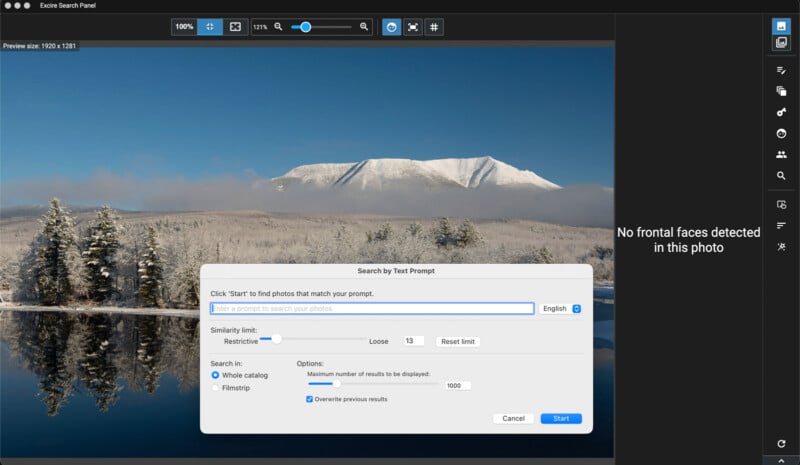 The Excire Search Panel offers direct access to Excire Search 2026’s many tools.
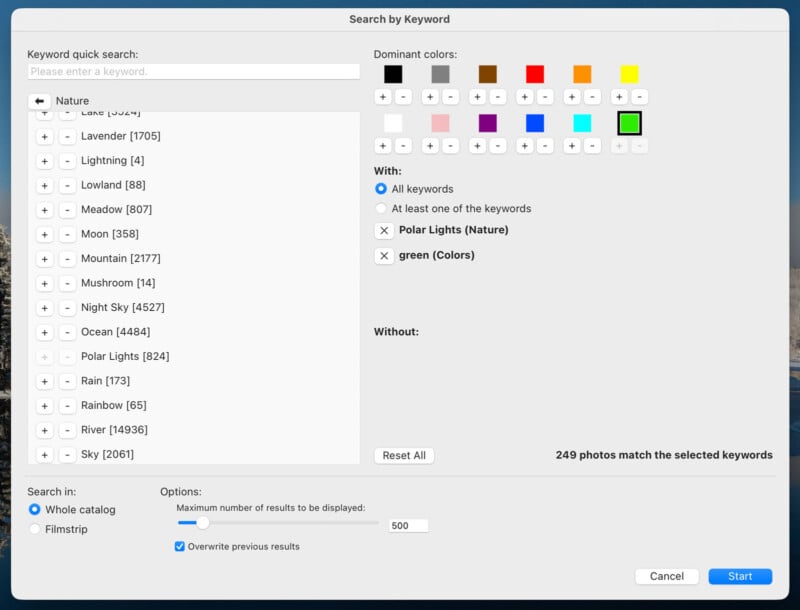 In addition to searching by text or an example image, you can also find images using adaptive keywords and colors.
 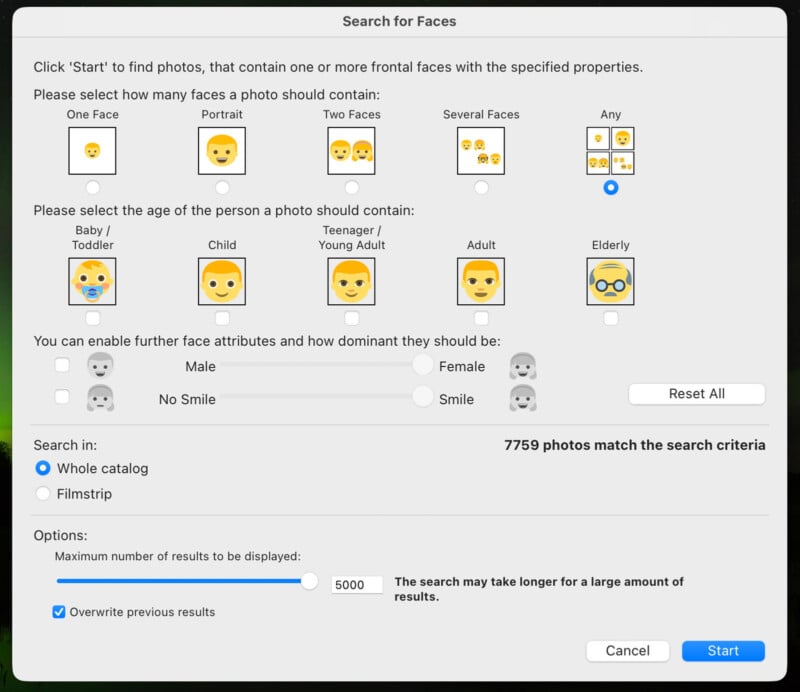 Excire Search 2026’s face detection tools are easy to customize to your preferences and requirements. Learning From Years of Photography
Even photos I really like can be lost in the shuffle when they’ve sat on a hard drive for years, sometimes more than a decade. Although it’s not always obvious based on the quality of my work, I always try very hard to take good pictures. I put a lot of effort and time into my craft, and it’s always shocking to me how often images get moved from camera to hard drive and then left to collect digital dust. It’s really a shame.
Something I really appreciated about using Excire Search was that it brought so many of my old, precious photos back into the light, letting me see them again without the sheer panic of scrolling endlessly through tens of thousands of shots.
 Seeing this old photo from the earliest years of my photography journey brought back a flood of amazing memories.
A really nice feature is that when I find an old photo from a favorite haunt, I can use a similarity search to find other pictures I’ve taken in the same place or of similar subjects from different years.
Let’s say I’m looking for all my photos of a particular location, like Sand Beach in Acadia National Park. A text search can help me find pictures of the ocean or a beach, but a similarity search lets me see photos of this specific beach, which I’ve shot at probably 50 times over the years.
 I’ve been to this same location dozens of times over the years. Excire Search 2026 let me take a high-level overview of my many shots taken over the years and identify creative patterns.


It’s always possible to learn something when looking at your old photos, but there’s something even more useful about seeing all your pictures of a particular type, all at once, in a unified group. Maybe this focal length doesn’t actually work as well as I once thought, and maybe the sun was in the perfect position at sunrise on that particular day in the fall. Sometimes great photography is the result of luck, but more often than not, it’s because of planning and information. Excire Search puts all that information right at my fingertips in a way I never could on my own.
Freeing Myself From Lightroom Bloat and Finding My Most Valuable Photos
I don’t want to have a bloated, unwieldy Lightroom Classic catalog. Nobody does. And every time I have wanted to dig into it, it’s been overwhelming. I’ve lost control of my photo library, and I know I’m not the only one.
I’ve started and ultimately stopped reorganization efforts many times over the years because there’s just been too tall a hill to climb, and it takes too much time I’d rather spend taking new pictures, which only makes my Lightroom problem all that much worse. Excire Search 2026 gave me back control, and more importantly, time.
Better still, it not only has the tools I needed to get the raging beast that is my Lightroom catalog back under control for the first time in a very long time, but it also has features that will help me keep it well organized and easily searchable, no matter how many new photos I take.
Using Excire Search 2026 inside Lightroom Classic helped me find photos I had long since forgotten, got my creative juices flowing again, and, frankly, made the prospect of editing photos much more appealing.
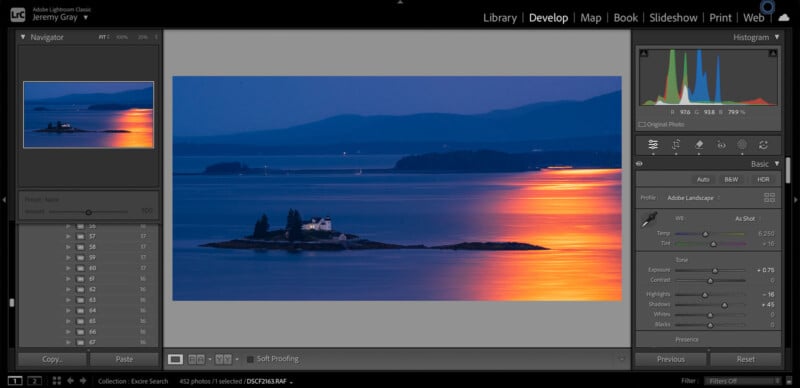
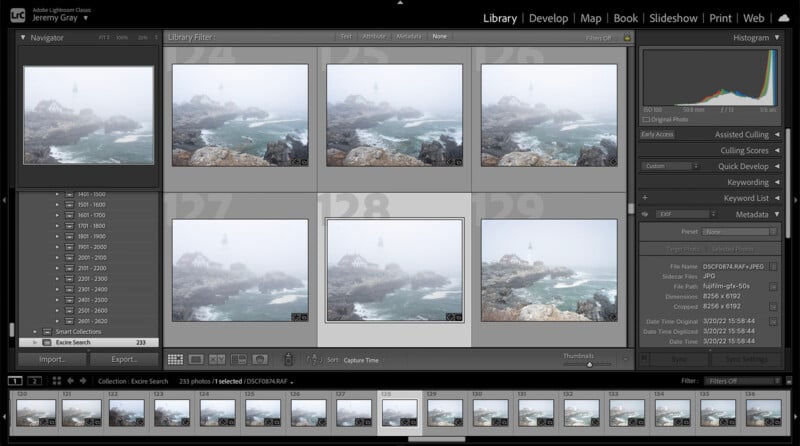 I found the exact sequence of shots very quickly using Excire Search 2026.
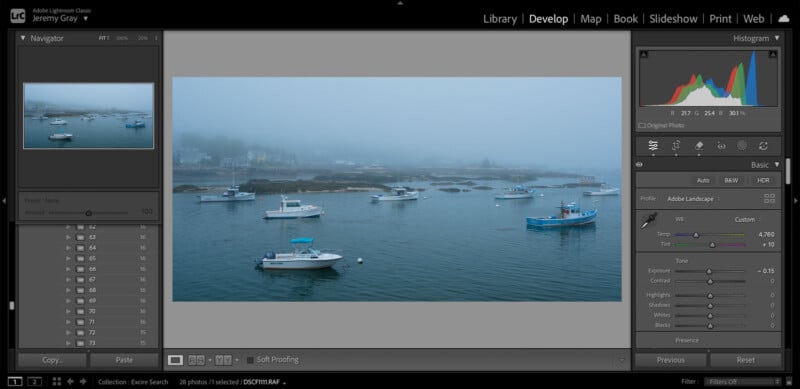
  I remembered a specific foggy excursion to Portland Head Light in Cape Elizabeth, Maine, years back. However, I didn’t remember exactly when I was there. That’s no problem at all.
  Thanks to Excire, I tracked down a photo I never got around to editing. Powering Up Lightroom Classic
I have used Lightroom Classic for nearly as long as I’ve been taking photos. Not to date myself too much, but my first camera was a Nikon D80, so it’s been a minute. Throughout that time, Lightroom has continually improved, making existing photo editing tools much better and adding all-new, powerful ways for me to improve my images. However, as I take more and more photos, managing them all has only become more difficult, and finding older shots I’m looking for has never been easy. Until now.
Excire Search 2026 is easy to set up and use and has made my Lightroom experience so much better. What used to take me hours — finding the precise shot I’m looking for — now takes seconds. And Excire Search provides me the tools I need to keep my image library under control from here on out. After the first initialization, which didn’t take long at all, I don’t have to do anything to keep Excire working for me and my photo library. Whenever I add new shots, the plug-in automatically analyzes them and adds them to its local database. However, some users may prefer to only have Excire analyze certain imported photos, which remains under the user’s control.
 Excire Search 2026 has given me back control over my photos and supercharged my Lightroom Classic experience.
Excire Search is $199, which is not nothing, but that is for a lifetime license — no subscriptions here. Time is money, and in just over a month of using Excire Search 2026 in Lightroom Classic, the plug-in has saved me hours of searching and a lot of frustration. It is impossible to imagine using Lightroom Classic without Excire Search now.
If you want to experience Excire Search 2026 for yourself, you can download a 14-day free trial on Excire’s website or purchase your lifetime license from the Excire Shop.
Full disclosure: This article is sponsored by Excire.