
Edgar Cervantes / Android Authority
TL;DR
Spotify is working on a new feature called Page Match that will let you seamlessly jump between audiobooks and physical books.
When you scan a page in a physical book with your phone’s camera, Spotify will take you to that exact spot in the audiobook.
The feature works both ways and also allows transitioning from an audiobook to its physical copy.
It looks like Spotify is prepping a genuinely clever feature that meets bibliophiles and audiobook fans in the middle. It’s something Amazon has already done with ebooks and audiobooks, but Spotify is taking it a step further by not leaving lovers of physical books behind.
While digging through the Spotify app version 9.1.18.282, we discovered code references to a new feature called Page Match. It’s essentially a tool that will allow users to seamlessly jump between a physical book (or an ebook) and its audiobook version on Spotify.
How will Page Match work?

The idea is simple. You open Spotify, scan a page in a physical book using your phone’s camera, and Spotify will take you to that exact spot in the audiobook. The feature uses optical character recognition (OCR) to read the text, identify the passage, and match it to the correct timestamp in the audiobook.
Spotify’s own onboarding strings describe Page Match as a beta feature that lets you “match your progress from the book page to the audiobook — and back again.” This is where things get even more interesting.
Code
Copy TextJump between the book (or Ebook) and the audiobookBetaScan a page to match your progress.Grab your book to get startedUse your camera to match your progress from the book page to the audiobook – and back again!
Going from paper or ebook to audiobook makes sense. But Page Match also appears to work in reverse. Based on the string below, we think Spotify will tell you the exact page in a book that corresponds to your current audiobook position.
That means you could pause your audiobook, grab your book, and flip to that page without having to spend time hunting for that exact page. We see this as a super useful feature for book clubs, where someone might be listening to an audiobook while others read the physical book.
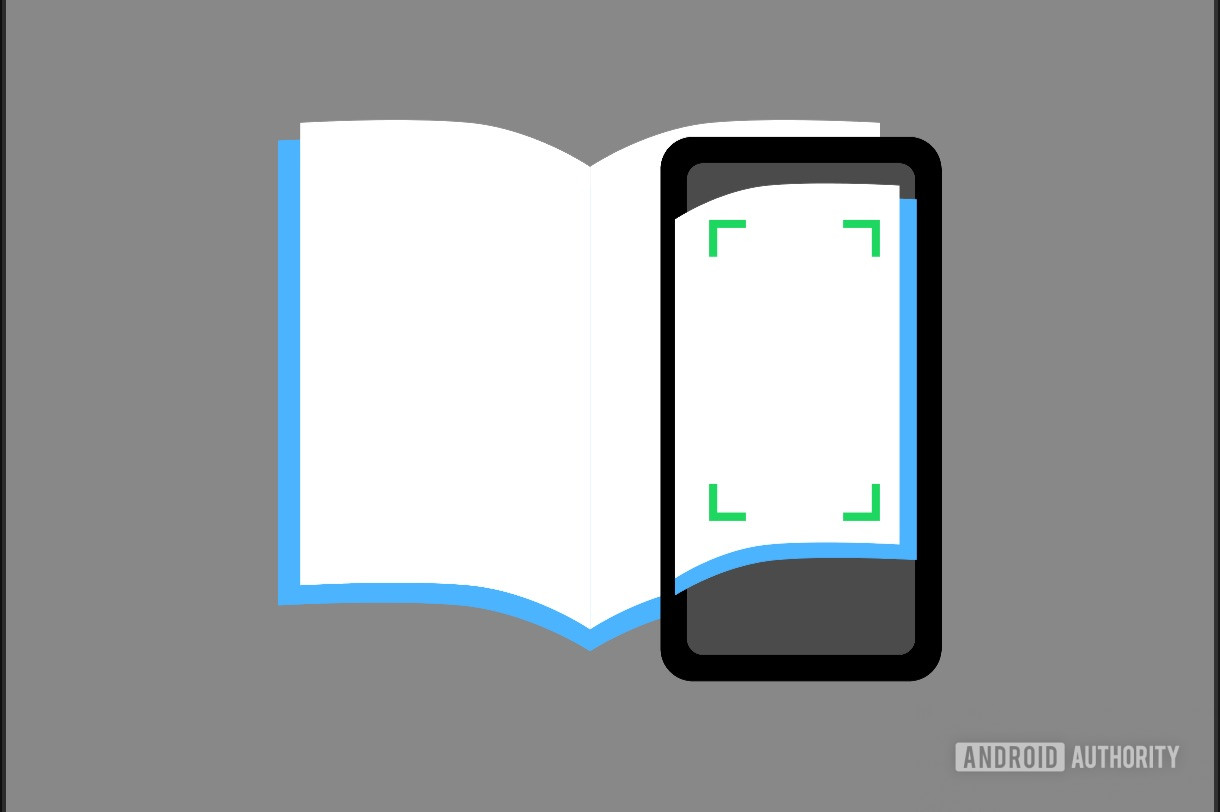
Here’s a screenshot we managed to surface from the Spotify app, showing just how Page Match would work with a physical book.
AssembleDebug / Android Authority
There’s more…
It looks like Page Match will only work if you own or unlock the audiobook on Spotify first. If you don’t, you’ll be prompted to purchase it before using the feature. Once matched, you can save your progress to your library and come back to it later. Spotify also seems to be aware that OCR isn’t perfect. If it can’t identify your page, you’ll be asked to scan a nearby one instead.
Code
Copy TextUnlock this book to use Page Match
Progress matched. Playing %sSave for later
Progress matched. Added to Your LibraryTry a nearby page with text.“We couldn’t match your page”
Page Match support should be limited to markets where Spotify already offers audiobooks, including the US, UK, Canada, much of Europe, Australia, and a few other countries.
Don’t want to miss the best from Android Authority?
While the feature feels like Spotify’s answer to Amazon’s Whispersync for Voice, Amazon’s solution only works between Kindle ebooks and Audible audiobooks. Spotify’s Page Match would also work with actual paper books, which is something Amazon’s version doesn’t do.
There’s no word yet on when or if Page Match will roll out publicly, but if Spotify pulls this off, it could be one of the most thoughtful audiobook features we’ve seen in a long time.
⚠️ An APK teardown helps predict features that may arrive on a service in the future based on work-in-progress code. However, it is possible that such predicted features may not make it to a public release.
Thank you for being part of our community. Read our Comment Policy before posting.