
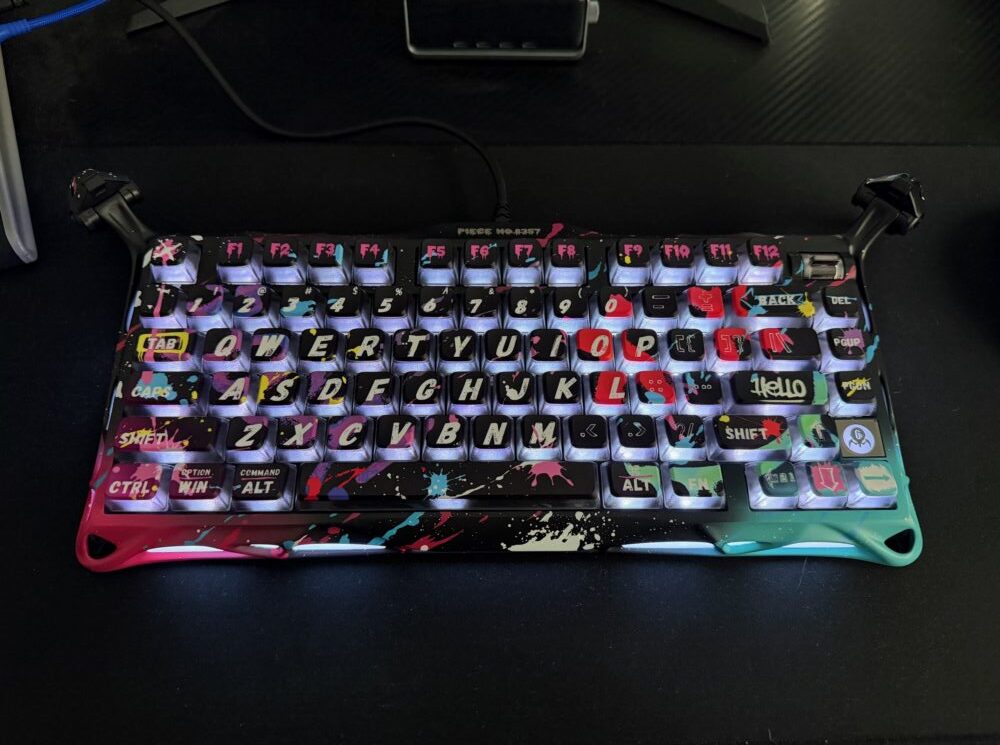
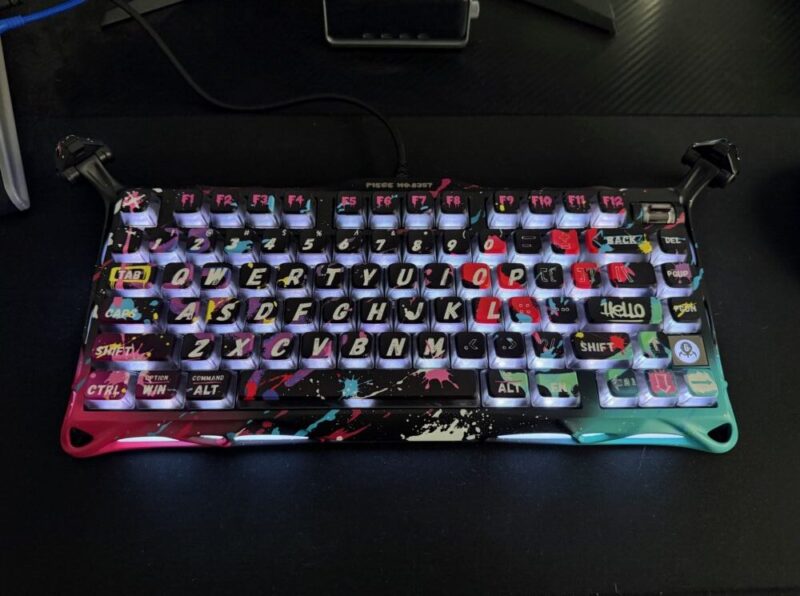
In an ever-expanding market of gaming keyboards, GravaStar has entered the race here in Australia, with a lineup of incredibly unique-looking gaming keyboards, to say the least.
We had the pleasure of using the Mercury V75 Pro over the past few weeks, and there’s generally plenty to love. From the fresh look and feel to the incredible build quality, the V75 Pro holds its own against some of the more premium options available today.
That being said, I do have some gripes with the customisation software, and do believe that the incredibly unique, almost arachnid-like design isn’t for everyone.
Design
There’s only so much I can say about the design before you simply just have to look at it in a photo, or see it in real life to make up your mind. I’ve read and heard that the design of the V75 Pro seems almost triggering to those who are aracnaphobnic, but upon opening this up, always thought there was a more Xenomorph-like quality to the strange exterior and pointy-legged stand.
But there’s no way around that; the majority of GravaStar’s lineup looks like this, aside from a few colour variations.
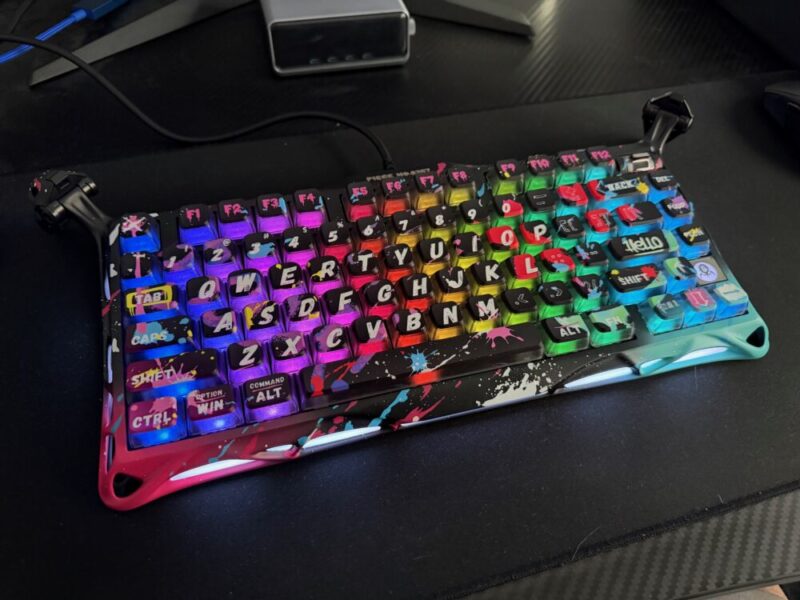
We had the chance to try the Special Edition Neon Graffiti variant, which is individually numbered and costs a little more than the standard Cyberpunk and Iron Purple options, and arguably adds to the chaos.
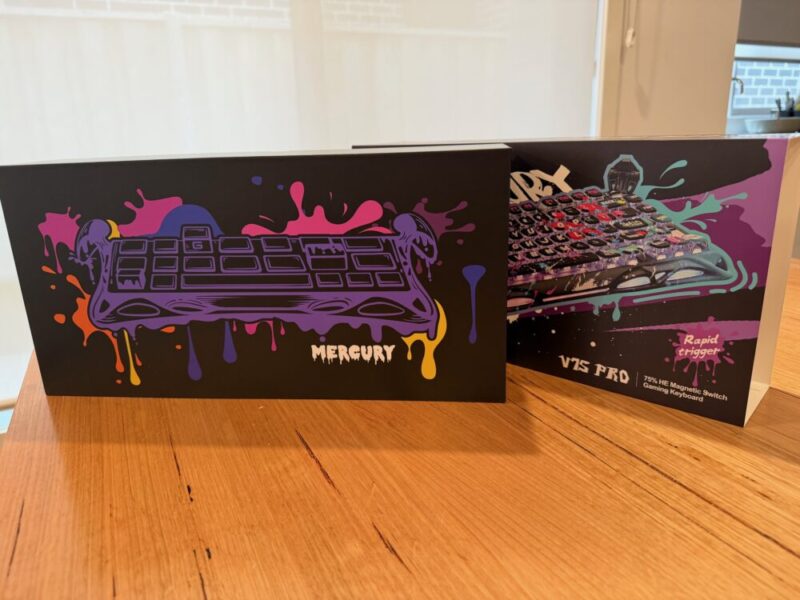
I’ve actually grown to like the design over the past couple of weeks, but there’s no denying it won’t appeal to everyone. If you’re into a more minimal setup or plan on taking this into the office, this option might simply pass you by based on looks alone. But it is intricate and loud, even if that comes down to personal preference.
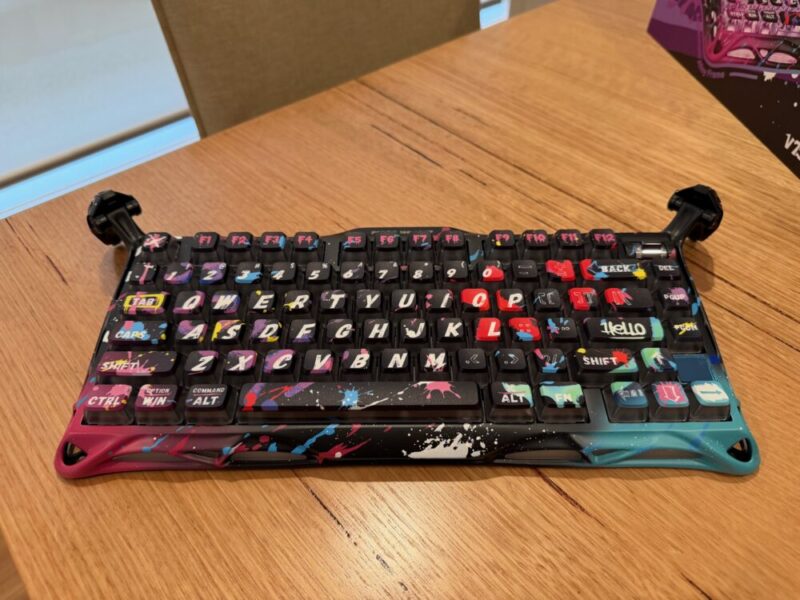
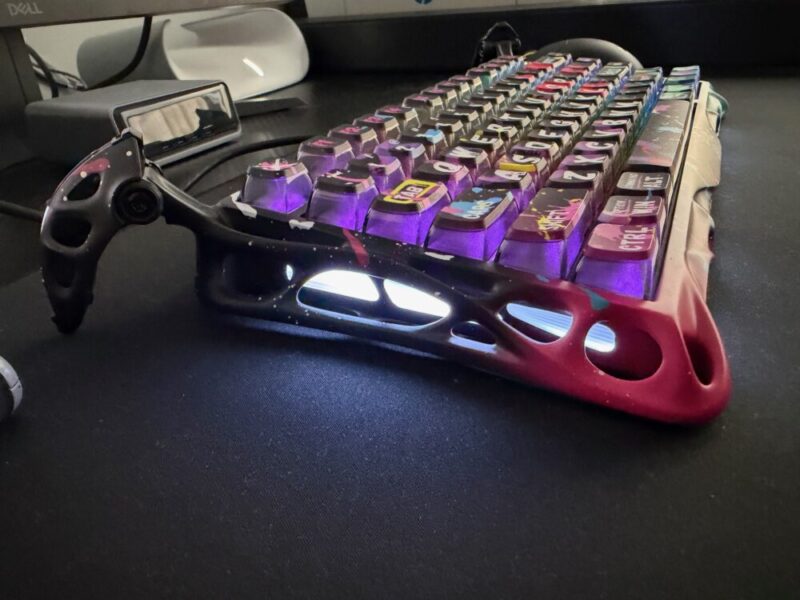
What I would say is less controversial, or at least debatable, is the build quality. I’ll probably remind you a few times that at a starting price of A$346.74, the V75 Pro stands as one of the more premium options on the market. The aluminium frame is a big reason why. It’s incredibly solid, all while providing a premium plastic base to keep it relatively lightweight where it counts.
At 1.09 kg, it is a touch heavier than alternative aluminium frame keyboards like the SteelSeries Apex Pro TKL, which clocks in at just under 1.07 kg, but it’s barely noticeable. It’s also worth shouting out the 5 layers of acoustic foam, which help minimise any vibrations from various key presses.
The actual aluminium frame is certainly bulkier than something like the SteelSeries Apex Pro TKL, but it’s undoubtedly so due to the more intricate design, which is anything but minimal. Even the key art is printed across each key on the keyboard in big capital letters, almost taking up the entire key. On the top right-hand side of the keyboard, you’ll also find a small customisable switch that controls your PC volume by default.
The legs can also be folded inwards for a lower profile or folded outwards for a higher profile. While I prefer the latter, I also like that the RGB lighting extends out ot the legs themselves.
Around the back of the keyboard, you’ll also find a USB-C port for connectivity, and two unique switches, one to the left and one to the right of that USB-C port. The left switch (RT/N) disables or enables the Rapid Trigger function, essentially making it easier to type, while the right switch (WIN/MAC) allows users to switch between operating system presets for default Option/Windows and Command/ALT keys, depending on their device of choice.
In the box, you’ll find a USB-A to USB-C cable, a 2-in-1 keycap and switch puller, a cleaning brush and cloth and 4 extra Gravastar x Gateron Magnetic Jade Gaming Switches, which are already installed into the keyboard. It’s a neat package, but the last thing I will highlight is the wired connectivity.
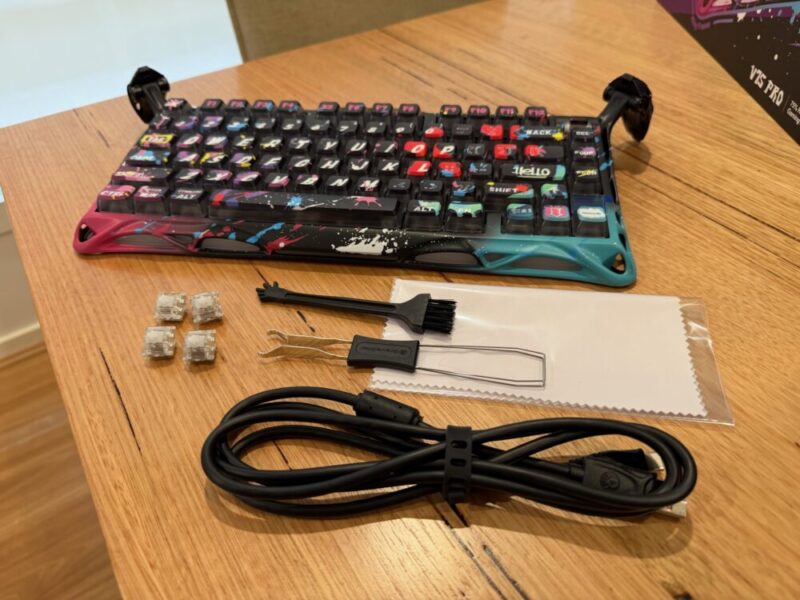
While I understand it’s always beneficial for gaming, I do believe a premium keyboard at this price should at least give gamers the option for wireless usage, as it can come in handy to help declutter the desk, or in my case, a little easier to use when I’m simply typing this review, and responsiveness isn’t as essential.
Perfromance
Performance, however, is a little more straightforward. With an 8000Hz USB polling rate and 256K scanning rate, reducing latency to a ridiculous 0.125ms, it’s a great start for gamers looking to get the edge in more competitive spheres.
The included GravaStar x Gateron Magnetic Jade Gaming Switches are certainly more linear compared to something a little louder and clickier, but have been engineered for adjustable actuation at 0.1mm increments, beginning at just 0.005mm. Once again, a super impressive feat for competitive gamers, even if that makes typing a little tricky, with all the accidental key presses.
As previously mentioned, the Rapid Trigger Mode, which can be enabled or disabled by the dedicated switch on the back of the keyboard, essentially eliminates key reset times, so that the key doesn’t have to travel all the way upwards in order to be pressed again for the same command. Its importance obviously depends on the game you’re playing, but it ultimately adds to the responsiveness of the keys.
Finally, there’s the Last Keystroke Prioritisation (LKP) + Snap Click feature, which prioritises your most recently-pressed key for smooth directional changes and helps with providing gamers with deeper, more dedicated inputs. These features certainly make this one of the more premium keyboards I’ve had the pleasure of reviewing, but I feel it all comes down to the Hall Effect switches.
While I apologise to those who have had to endure me drumming away at this feature in other keyboard reviews, Hall Effect switches essentially rely on magnetic sensors for positioning, which helps pinpoint various actuation points for each key on the keyboard. It’s a fantastic feature that I believe should be a staple on every premium keyboard, so I’m glad that it’s here.
Software
The GravaStar app can be accessed directly online via the GravaStar website, and I do give the keyboard credit that it works flawlessly without the ned for any sort of introductory firmware updates or software installations.
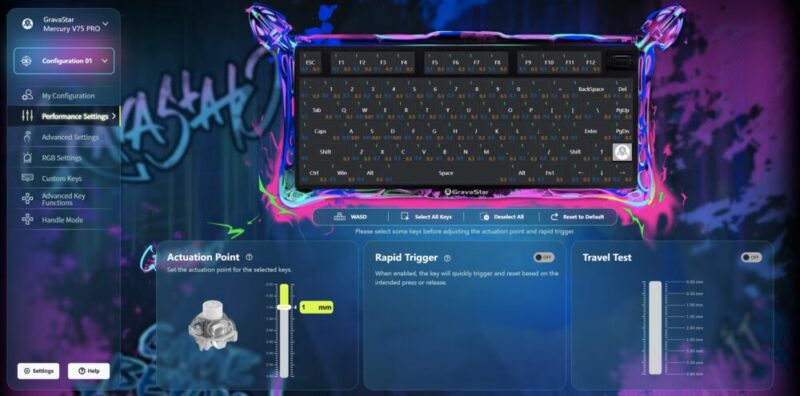
The software itself can be used directly online or downloaded to your PC for offline use. While the software is certainly functional, it’s sort of just there. There are plenty of things you might want to do with the keyboard, including adjusting actuation points and per-key RGB lighting, and these settings can even be individually applied to one of four configurations.
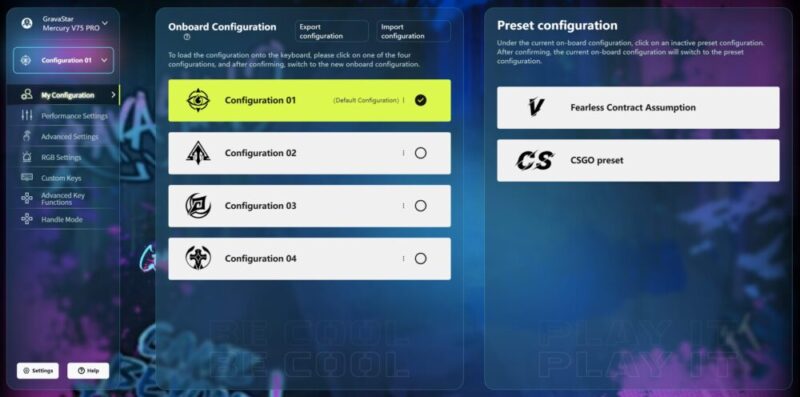
The software seemingly adjusts its background to match your keyboard’s colour option, which painted the software in a little too much graffiti for my liking, making it a little too noisy amongst the various menus and prompts. The only thing I will say is that at the time of writing, my antivirus software did point out the local software download as malicious. This might mean it lacks certain security standards, but I hope it gets sorted sooner rather than later.
Verdict & Value
The GravaStar Mercury V75 Pro is an incredibly solid keyboard, incredibly and quite literally. It’s a fantastic option for competitive gamers looking to get the edge, and the switches feel great to use daily.
While the look of the Mercury V75 Pro is certainly unique and unfortunately not for everyone, I can’t really let that get in the way of how good this keyboard actually feels to use.
So if you’re not put off by the look, or come to embrace the design as I did, there’s more than enough to justify the V75 Pro as one of the best options available at this price.


FOUR AND A HALF STARS (OUT OF FIVE)
Highlights: Solid performance; Sturdy build quality; Fantastic Hall Effect switches; Unique design
Lowlights: Software is a little too loud and messy as far as its design
Manufacturer: GravaStar
Price: A$346.74 – A$375.64 (for the Special Edition Neon Graffiti variant)
Available: Now
Review based on unit supplied by GravaStar, and is available via GravaStar’s official website.