
The Insta360 Link 2 Pro is the point where a “really good webcam” stops pretending and starts behaving like a real camera. Having lived with both the original Link 2 and the Link 2C on my desk for the past year, I didn’t expect this jump to feel dramatic. But it does — not in a flashy way, in a refinement way. It doesn’t just improve on last year’s model — it tightens everything. The question isn’t whether it’s better than the Link 2. It is. The real question is whether you care enough about that last 20 percent of polish to pay for it.
In Australia, AU$439 is serious money for something that lives on top of your monitor. The Link 2C Pro at AU$349 is only slightly less ambitious. With the regular Link 2 and Link 2C — both of which I’ve used extensively — now frequently discounted, the Pro line has to justify itself. And to Insta360’s credit, it mostly does — but this is a refinement play, not a revolution.
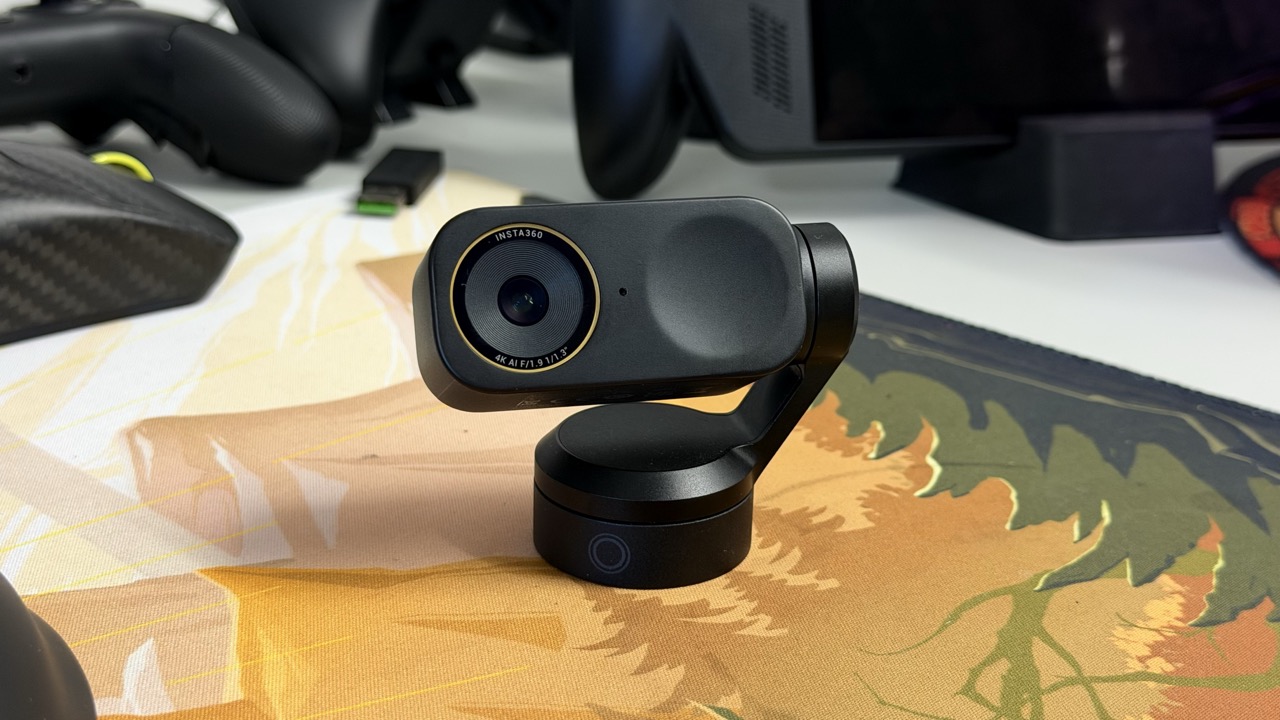
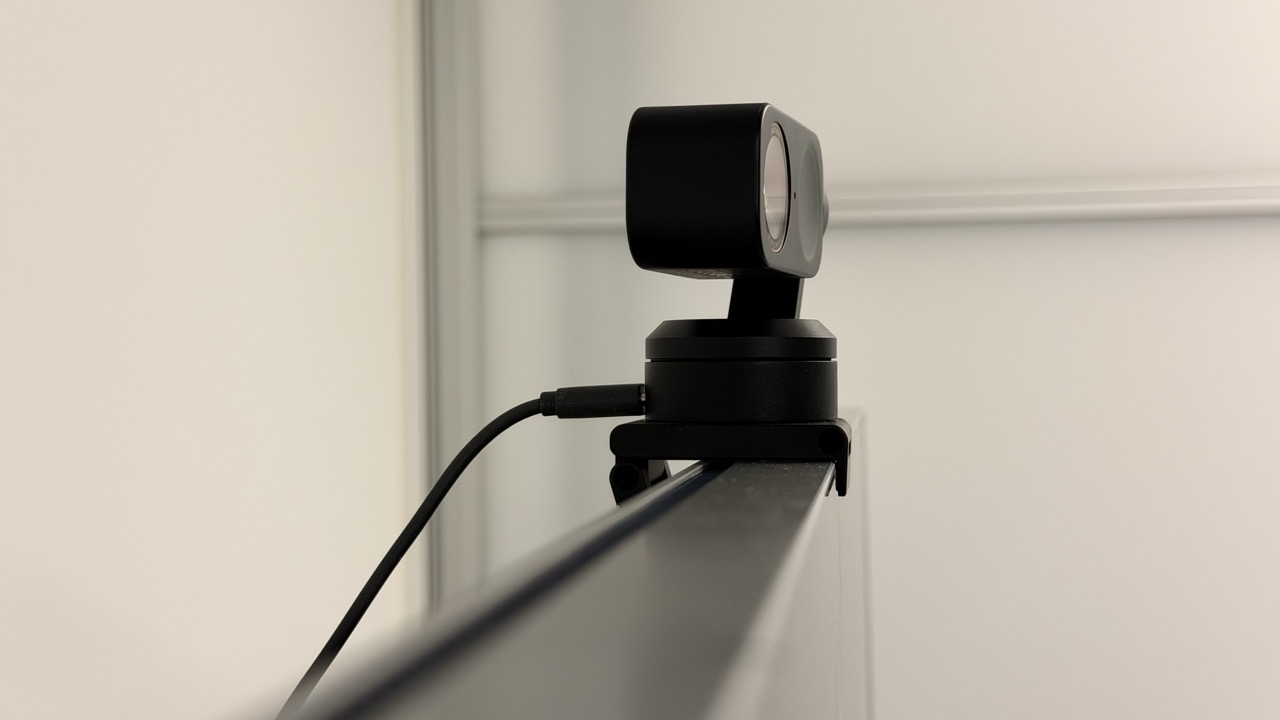
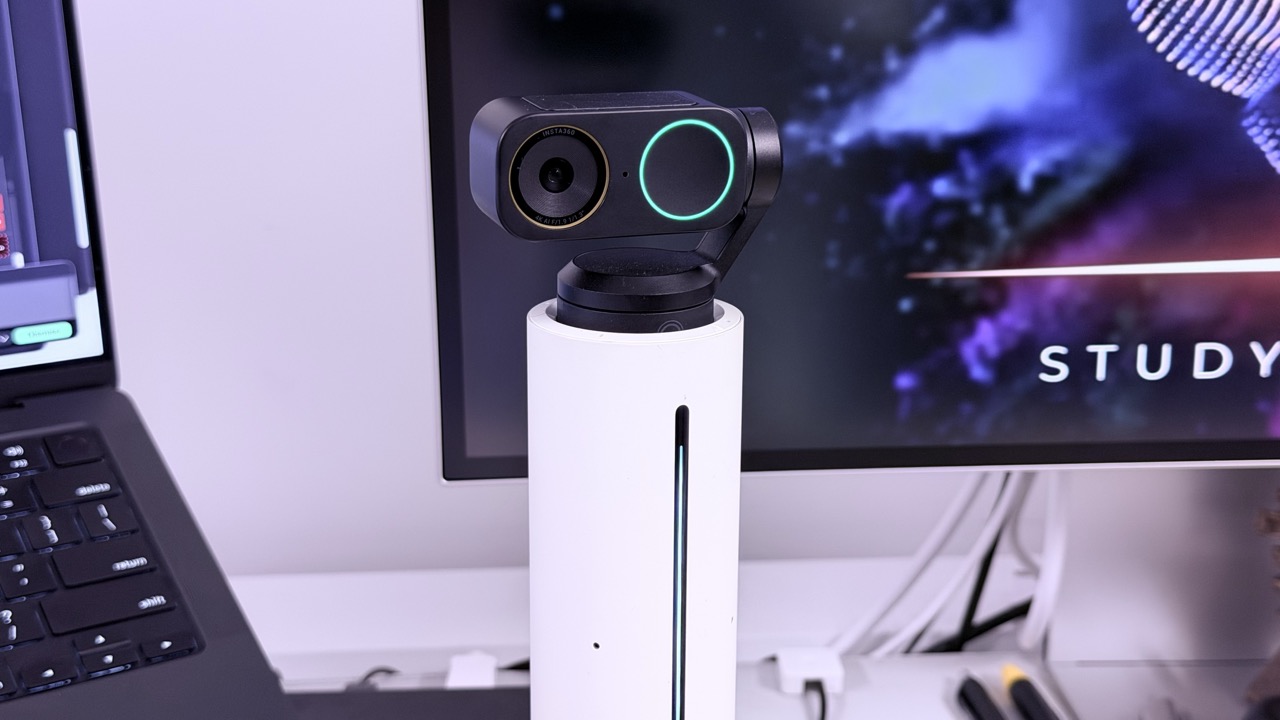
Visually, the Link 2 Pro sticks with what worked. The compact two-axis gimbal, the simple clamp mount, the clean industrial design — it looks like it belongs in a professional workspace, not on a Twitch streamer’s RGB shrine. Coming from the original Link 2, the familiarity is immediate. The Link 2C Pro mirrors that aesthetic but ditches the gimbal for a fixed body, much like the older 2C I previously ran on a secondary setup. They’re clearly cut from the same cloth. The difference is whether the camera physically moves or digitally crops.
If you’re already using the Insta360 Wave dock, the Link 2 Pro is the obvious choice. I’ve been running my Link 2 through Wave, so upgrading was frictionless — unplug, swap, done. That kind of ecosystem continuity matters. The 2C Pro doesn’t integrate the same way, and that alone creates a meaningful divide. If you’ve built your desk around Wave, the Pro isn’t just nicer — it’s the right tool.
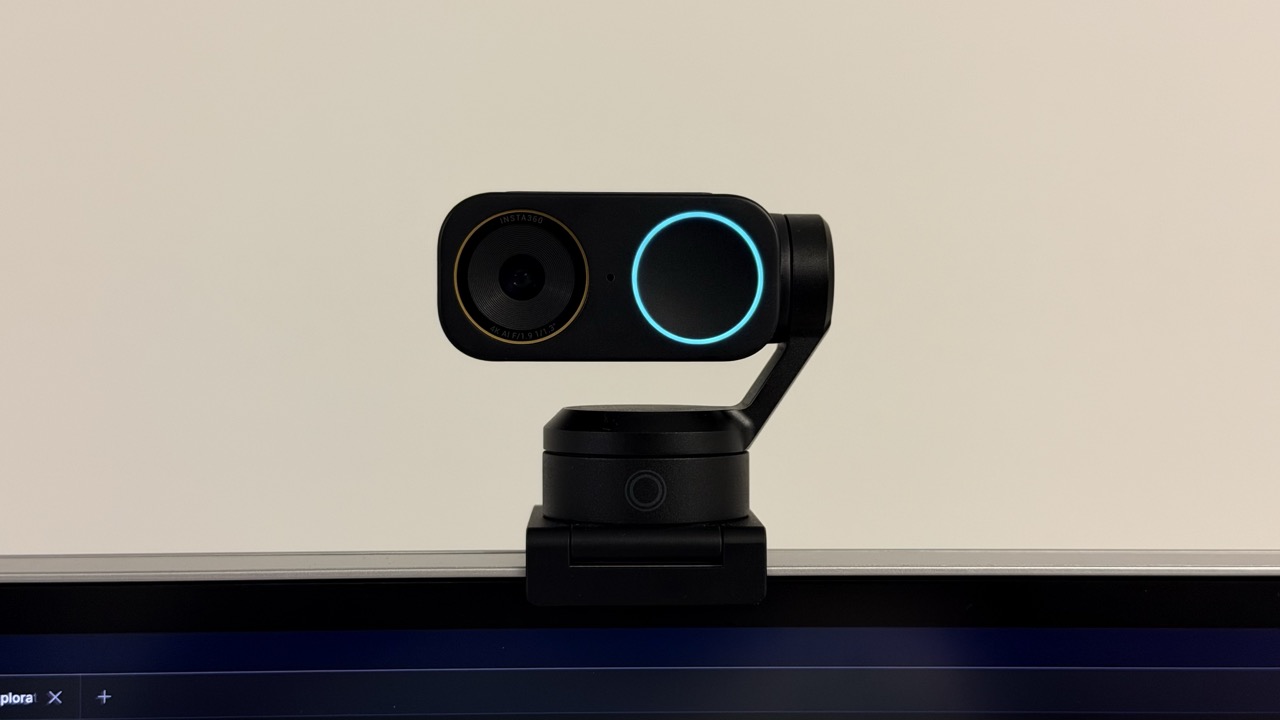
The biggest leap is inside. Both Pro models jump to a 1/1.3-inch sensor with dual native ISO and an f/1.9 lens. That’s a serious upgrade from the smaller 1/2-inch sensor in the standard Link 2 — a difference you notice immediately if you’ve spent months staring at the older model’s output like I have. You get 4K at 30fps, higher frame rate 1080p and 720p options, and — crucially — phase-detection autofocus. This is the kind of hardware that actually moves the needle, not just spec-sheet padding.
And here’s the important part: the Link 2 Pro and Link 2C Pro are essentially the same camera. Same sensor. Same lens. Same autofocus. Same dual-mic array with AI noise reduction. Same AI features — DeskView, Whiteboard mode, 4K portrait video, gesture controls, background effects. The only real difference is the gimbal and Wave compatibility. If you don’t care about physical tracking, the 2C Pro gives you 95 percent of the experience for less.
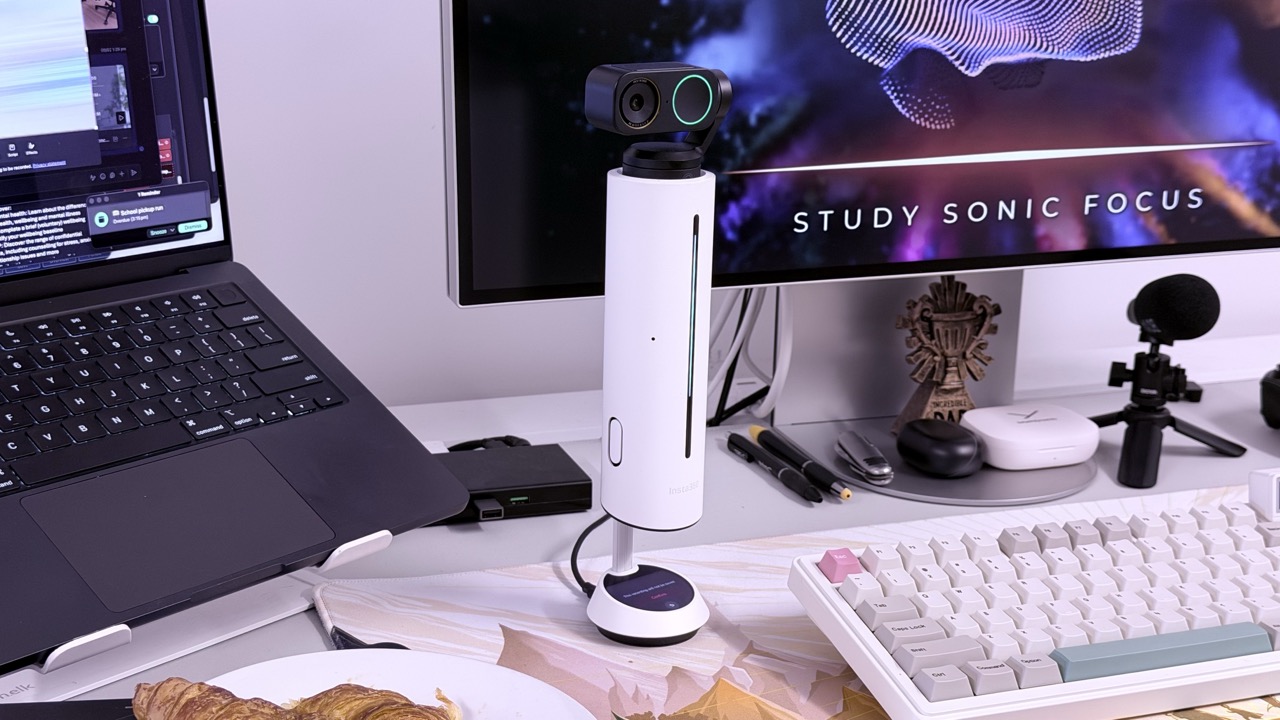
Image quality is where the Pro name earns legitimacy. Having used the Link 2 in the exact same office lighting for months, I can say the larger sensor here delivers cleaner shadows, stronger highlight control and noticeably better performance in mixed lighting. As my office transitions from natural light to artificial in the late afternoon, the Link 2 Pro holds skin tones together instead of washing them out. Noise stays controlled. Background detail doesn’t collapse into mush the way it sometimes could on the older model. It looks composed. Intentional.
For content creators, this is where things get genuinely exciting. The image has enough depth and dynamic range that I’m comfortable using it for recorded talking-head segments without feeling like I’m compromising. And the native 4K portrait mode isn’t an afterthought — it’s properly executed. Being able to shoot true vertical video straight from the camera, without awkward cropping or resolution loss, makes it far more viable for Shorts, Reels and TikTok-style content. If you’re balancing remote work with content creation like I am, that flexibility matters. It turns the Link 2 Pro from “great meeting camera” into a legitimate lightweight production tool.
But let’s be honest: nobody on the other end of a Teams call is applauding a giant leap in my video quality. When I switched from the Link 2 to the Link 2 Pro, not a single colleague commented. To most people, both simply look “good.” The difference is subtle from their perspective due to inevitable internet compression. Where it matters is consistency. The Pro feels more reliable, more forgiving, more camera-like in challenging light. It’s the kind of upgrade you notice when reviewing footage, not when your manager is asking about quarterly targets.
Autofocus, though, is a tangible step forward. The phase-detect system is faster and more decisive than what I experienced on the older Link 2. Lean forward, hold up a product, shift in your seat — it locks in without that distracting focus pulsing I occasionally saw before. Pair that with the gimbal and the Link 2 Pro genuinely feels like a miniature PTZ camera. It tracks smoothly and naturally. The 2C Pro’s digital reframing works, but it can’t replicate the physical presence of a moving lens. The gimbal isn’t a gimmick. It’s character.
Audio is solid rather than spectacular — and that’s exactly what you want. I’ve relied on the built-in mics across the Link 2 and 2C for plenty of meetings, so I know their baseline. The Pro models push things a little further. The dual microphones with AI noise reduction produce clean, controlled speech. I’ve comfortably left my external mic unplugged for day-to-day calls. No compliments, no complaints. It just works. For serious content, I still reach for dedicated audio gear, but for professional meetings, this is more than enough.
Software remains one of Insta360’s strongest advantages. The companion app gives you granular control over exposure, white balance and colour, plus the ability to save presets. I’ve built profiles over time for seated calls, standing presentations and recorded pieces to camera, and those carry across seamlessly. Switching between them takes seconds. DeskView and Whiteboard mode are genuinely useful tools, not gimmicks. The 4K portrait mode feels purpose-built for vertical platforms. And the InSight AI meeting assistant — with recording, transcription and summaries — quietly adds productivity value if your calendar is stacked.
So is it worth it?
If you already own a Link 2 or Link 2C — as I did — and your lighting is decent, upgrading is indulgent. You’ll appreciate the improvement more than anyone else will. This is about polish and consistency, not dramatic transformation.
If you’re buying fresh and want the best all-in-one webcam without stepping into mirrorless territory, the Link 2 Pro is arguably the most complete option right now. It balances hardware, tracking, software and ecosystem integration in a way very few webcams do. The Link 2C Pro is the smarter buy if you don’t need a gimbal. Same image quality. Lower price. Less theatre.
The older Link 2 models remain strong value plays — I wouldn’t hesitate to recommend them at the right price. But the Pro series is what happens when a company stops chasing “good enough” and starts chasing refinement. It’s not flashy. It’s not revolutionary. It’s just quietly, confidently better — and coming from someone who’s lived with both generations, that difference feels earned.
Insta360 kindly provided the Link 2 Pro and Link 2C Pro to PowerUp for the purpose of this review
Insta360 Link 2 Pro & Link 2C Pro
LIKES
Excellent 4K image in all lighting
Great AI tracking features
Abundance of custom controls
Very good microphones
DISLIKES
Link 2/ 2C is still a very good option for the money
Heavily reliant on Insta360 software