
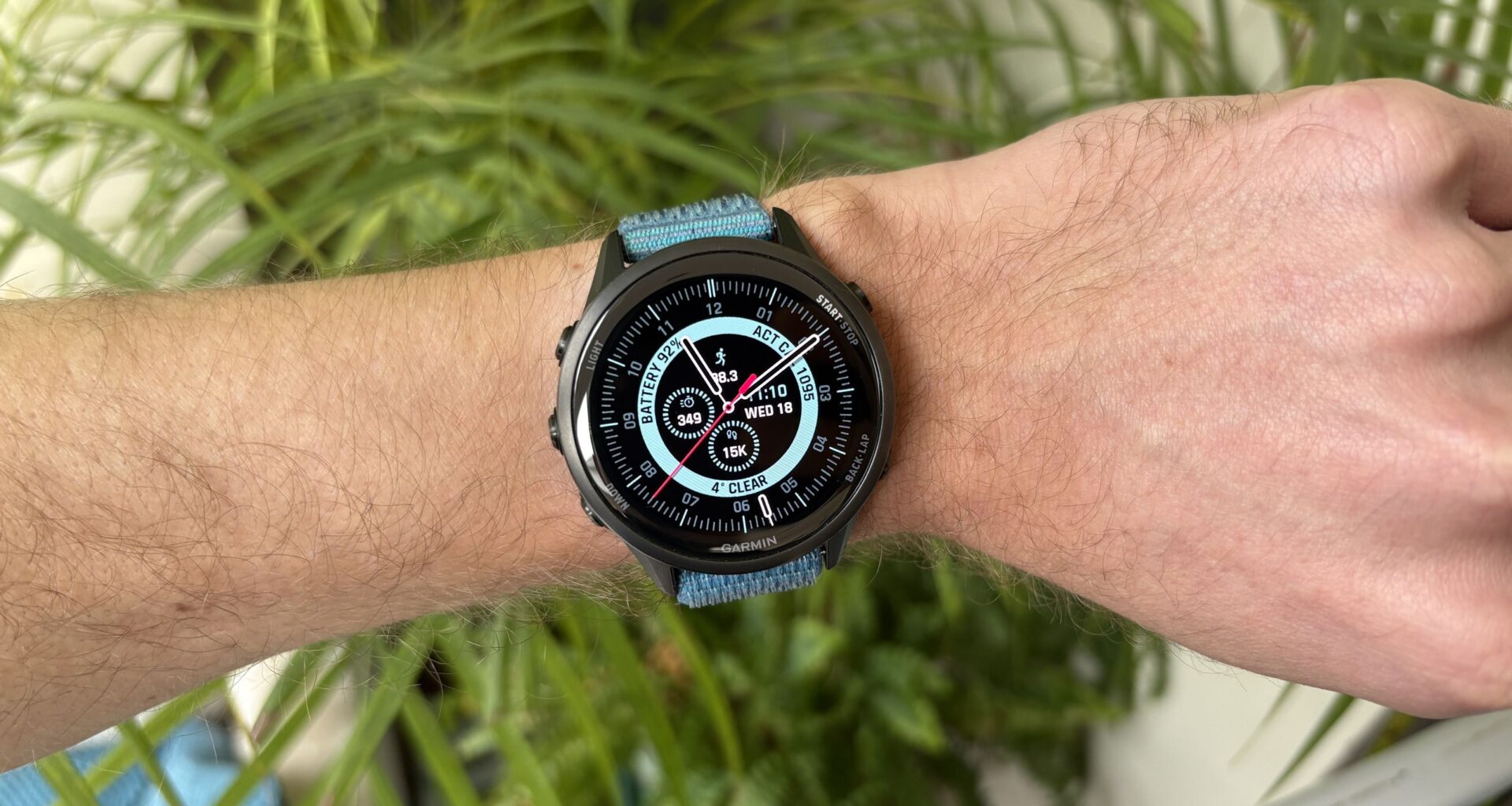
A new watch face is a great way to freshen up your experience of using any smartwatch, and when it comes to the best Garmin watches, there are hundreds of great options in the Connect IQ app store.
There are a lot of excellent free Garmin watch faces you can use, but if you don’t mind spending a little money, then you can unlock some impressive options, including the Portal Hybrid watch face from developer Stash.Digitale.
You may like
The Portal Hybrid face has been a fixture on my wrist for the past couple of weeks; here are five reasons why I’m such a big fan.
It has a clean, appealing design
(Image credit: Future)
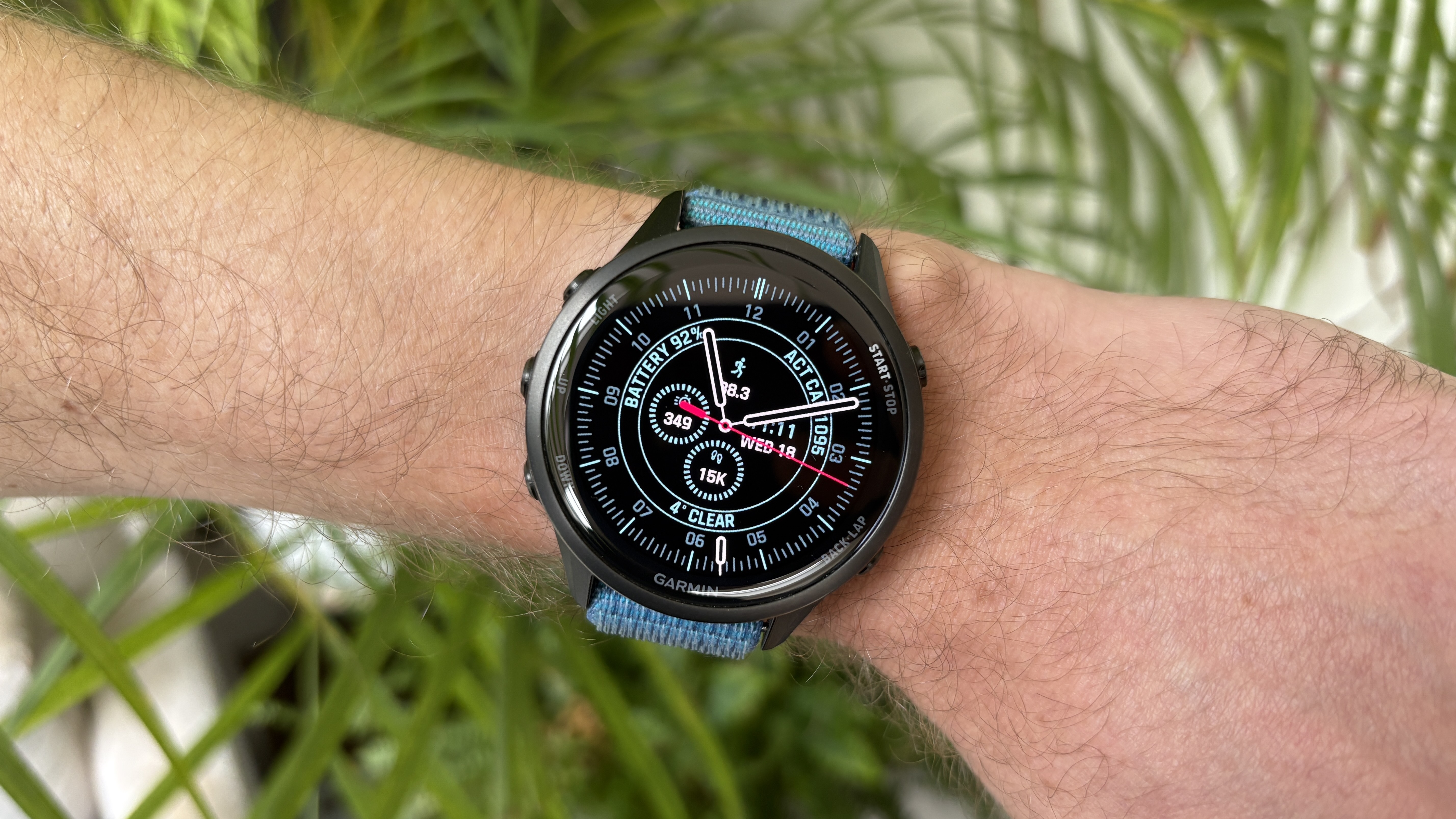
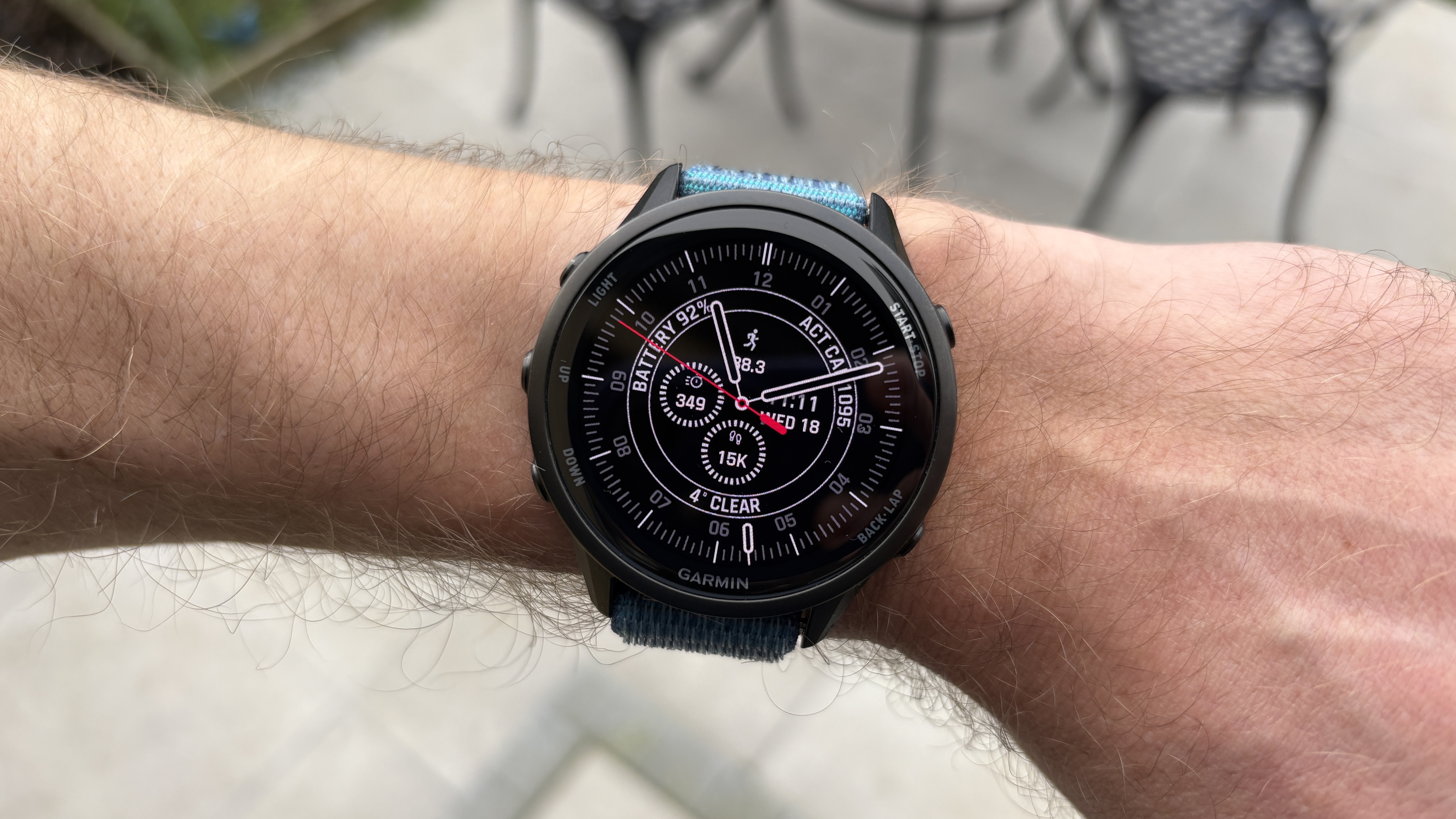
The Portal Hybrid face is an elegant analog face with precise second markers running around the outside.
Within that, the face shows your stats using another ring, which can be filled or left as an outline, and you can choose the color of the various markers on the face.
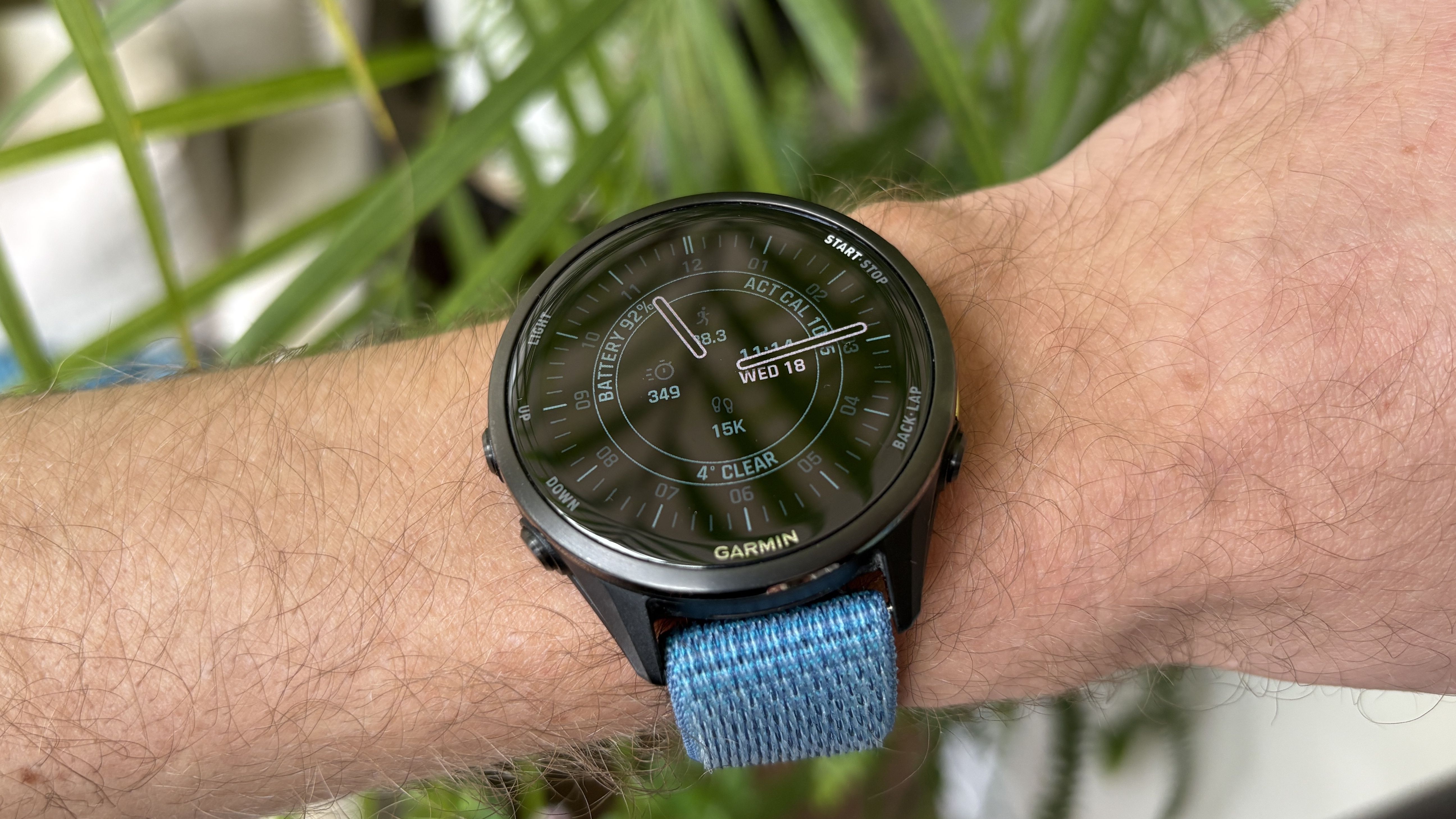
I think it works well, giving the impression of a classic analog face, but with some modern touches like the inner ring, and it also looks good in always-on mode when the second hand disappears.
It shows a lot of stats without feeling cluttered
(Image credit: Future)
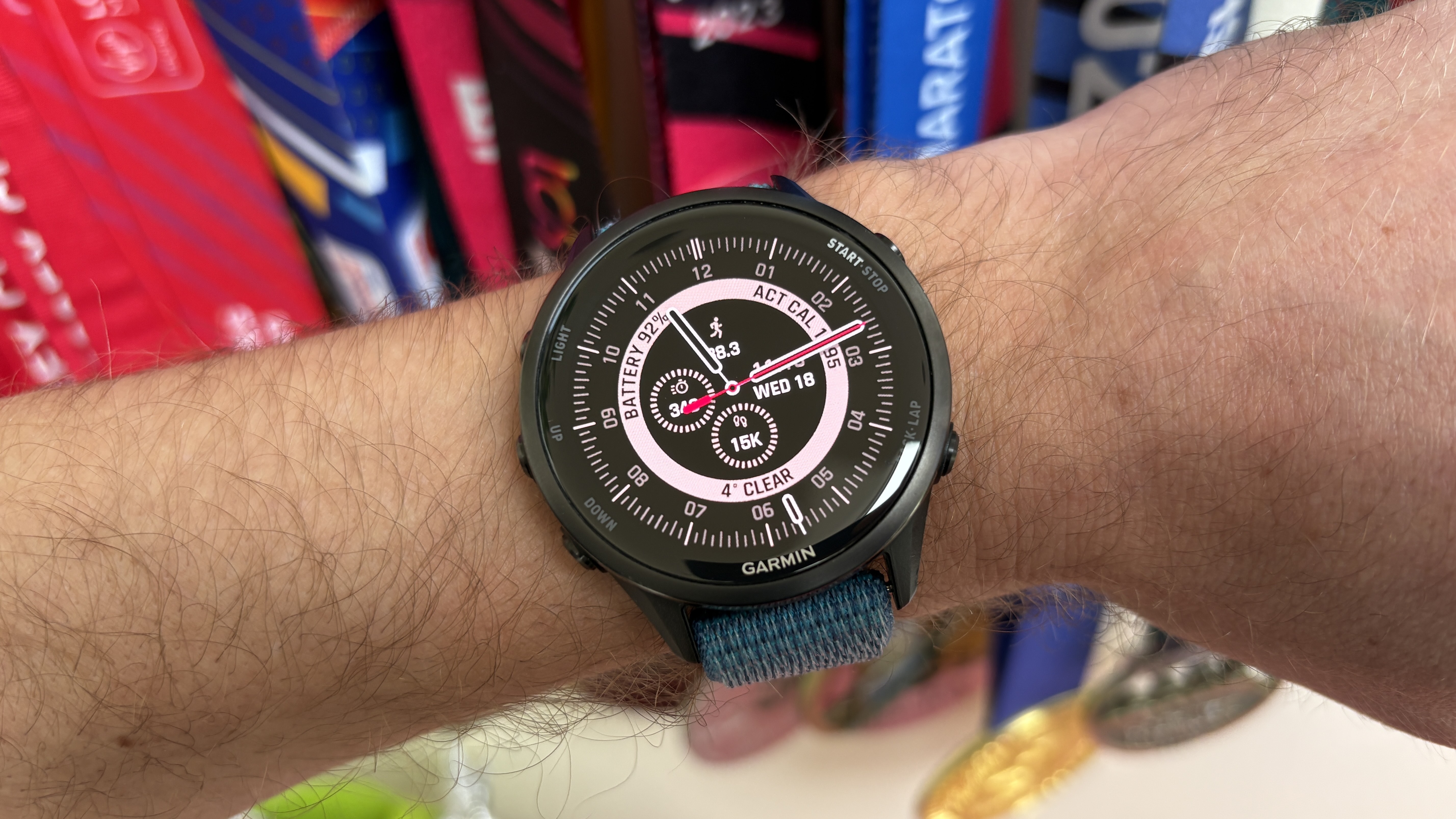
You can show seven stats on the Portal Hybrid face, with three in the inner ring and four more in circles inside that. These can be “target” stats, so the circle fills in as you get closer to completing your step or active minutes goal, for example.
That’s a lot of data, but it doesn’t look or feel like it’s too much, thanks to the way the stats are presented on the watch face. You can also hold any stat to open up more info on the watch.
You can also use the outer ring to show another time zone using the pointer, which I find useful when someone in my family is traveling.
You may like
You can customize your stats on the watch
(Image credit: Future)
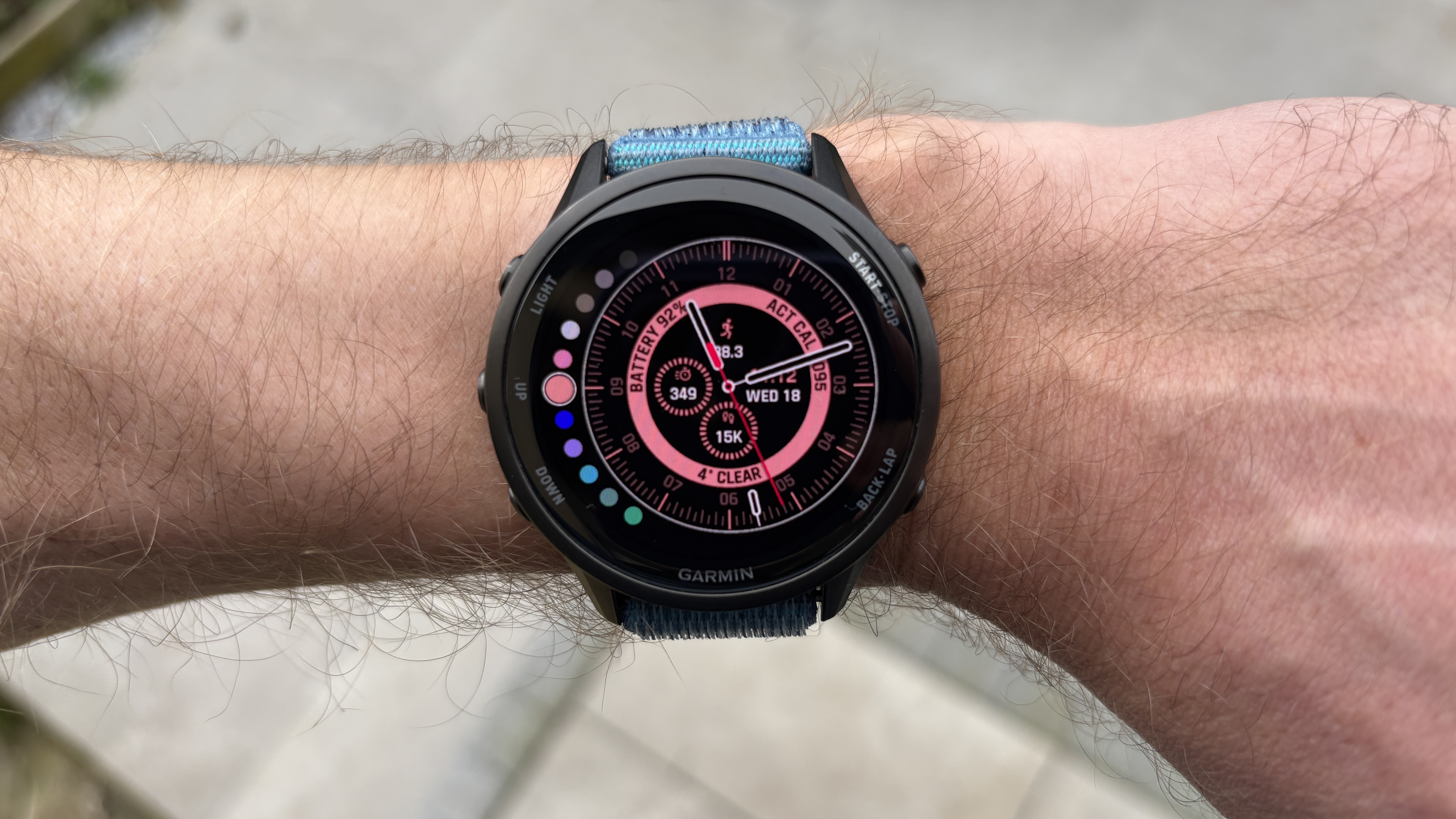
With many third-party Garmin watch faces, you have to adjust settings and choose the stats you want to show in the Connect IQ app, but Portal Hybrid acts like a native watch face, letting you customize everything on the watch itself.
This includes picking the color of the face, choosing the stats to show, and other customizable parts of the face, like whether the inner ring is filled in and the appearance of the hands.
It shows active calories
(Image credit: Future)
You can show your total daily calories burned on native Garmin watch faces, but this includes resting calories, which are estimated and fixed based on physiological stats like your height and weight.
I’m much more interested in my active calories burned each day, most of which come from running, because keeping an eye on these helps me ensure I’m not losing weight during marathon training.
It’s power-efficient
(Image credit: Future)
One fear I always have when using third-party watch faces is that they’ll drain the battery on my watch faster than native Garmin faces, but having used the Portal Hybrid face for a couple of battery cycles, it is as efficient as a native face.
That’s even with a setup that shows a lot of data even in always-on mode, and you could perhaps extend the battery life a little more by making the always-on mode simpler.
Follow Tom’s Guide on Google News and add us as a preferred source to get our up-to-date news, analysis, and reviews in your feeds.
More from Tom’s Guide