
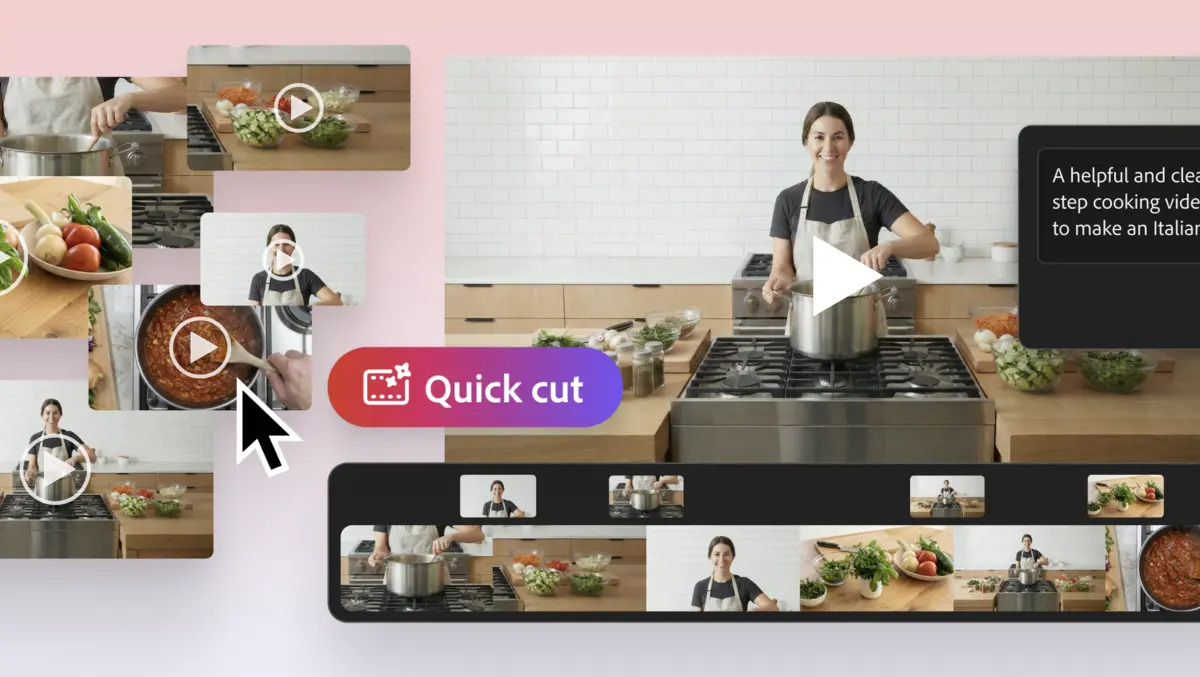
Adobe has added a new feature called Quick Cut to the Firefly video editor, pitched as a way for creators to turn raw footage into an initial edit without starting from an empty timeline.
Quick Cut focuses on ingesting b-roll and other long-form clips, as well as newly generated footage, to produce what Adobe describes as a structured first cut in Firefly. It sits inside Firefly’s multi-track video editor and targets creators who want an early assembly they can refine with standard editing choices such as pacing and shot selection.
Adobe is positioning Quick Cut as part of a broader push to make Firefly a single environment for generating and editing media. Firefly is marketed as an “all-in-one creative AI studio” that combines Adobe’s models with third-party options from Google, OpenAI, and Runway. Firefly has also been increasingly placed alongside Creative Cloud products as generative AI becomes more central to content production workflows.
How Quick Cut works
The workflow starts with uploading footage into Firefly, then describing the video in your own words-for example, an interview, product demonstration, day-in-the-life video, or travel vlog. Firefly then produces what Adobe calls a “narrative-first assembly.”
Users can add more detail as needed. Firefly also accepts a shot list or script, which Adobe says leads to a more precise assembly. Quick Cut includes several up-front options, including choosing an aspect ratio, selecting automatic pacing or setting a specific duration, and adding an optional b-roll track to keep supporting footage organised.
Adobe highlights Quick Cut for creators working with long recordings that need shaping into a coherent structure, including product reviewers with extended unboxing and testing takes. Other examples include reporters working with interviews, podcasters handling long conversations, and marketers assembling event recap footage.
Creator workflows
Adobe continues to use creator examples to show Firefly’s role in both early-stage ideation and late-stage output. In its messaging, Firefly supports the start of the process by generating options, and the end by producing marketing and publishing assets such as thumbnails and supporting imagery.
“I use Adobe Firefly as a thought starter,” said YouTuber Brandon Baum. “I like to generate a few things, iterate on my ideas quickly, try, try, try, fail fast, and hopefully find the gold. Then I use its various generation tools as I build out my timeline to create visual frames, soundtracks and transitions.”
For creators running multiple channels or businesses, Adobe is positioning Firefly as a single place to produce different types of media assets. It also connects video workflows to formats such as images and marketing materials, reducing the need to switch between separate tools.
“My podcast doesn’t just need audio, it needs thumbnails and b-roll. My nonprofit needs tons of images. My startup needs marketing assets. Firefly helps with all of it and more, supercharging my team to work faster and get even more creative,” said podcaster and entrepreneur Sophia Kianni.
Generative tools
Quick Cut also ties into Firefly’s generative features. Adobe describes a flow in which creators generate multiple directions from images and clips, then convert still images into motion using image-to-video. Those assets can be combined with uploaded footage in the Firefly video editor, where Quick Cut assembles an initial draft for later refinement.
Alongside the Quick Cut announcement, Adobe promoted an “unlimited generations” offer for Firefly customers. The offer applies to Firefly Pro, Firefly Premium, and credit-based plans, including 4,000-credit, 7,000-credit, and 50,000-credit tiers. Adobe also says it includes unlimited image generations and Firefly video generations up to 2K resolution in the Firefly app, with access to models including Google Nano Banana Pro, GPT Image Generation, and Runway Gen-4 Image, alongside Adobe’s Firefly image and video models.
Adobe is betting that Firefly’s appeal lies in faster ideation and a consolidated workflow. Quick Cut extends that approach into editing by creating an automatic first assembly from uploaded and generated footage, with the expectation that creators will revise structure and pacing in the same editor.