
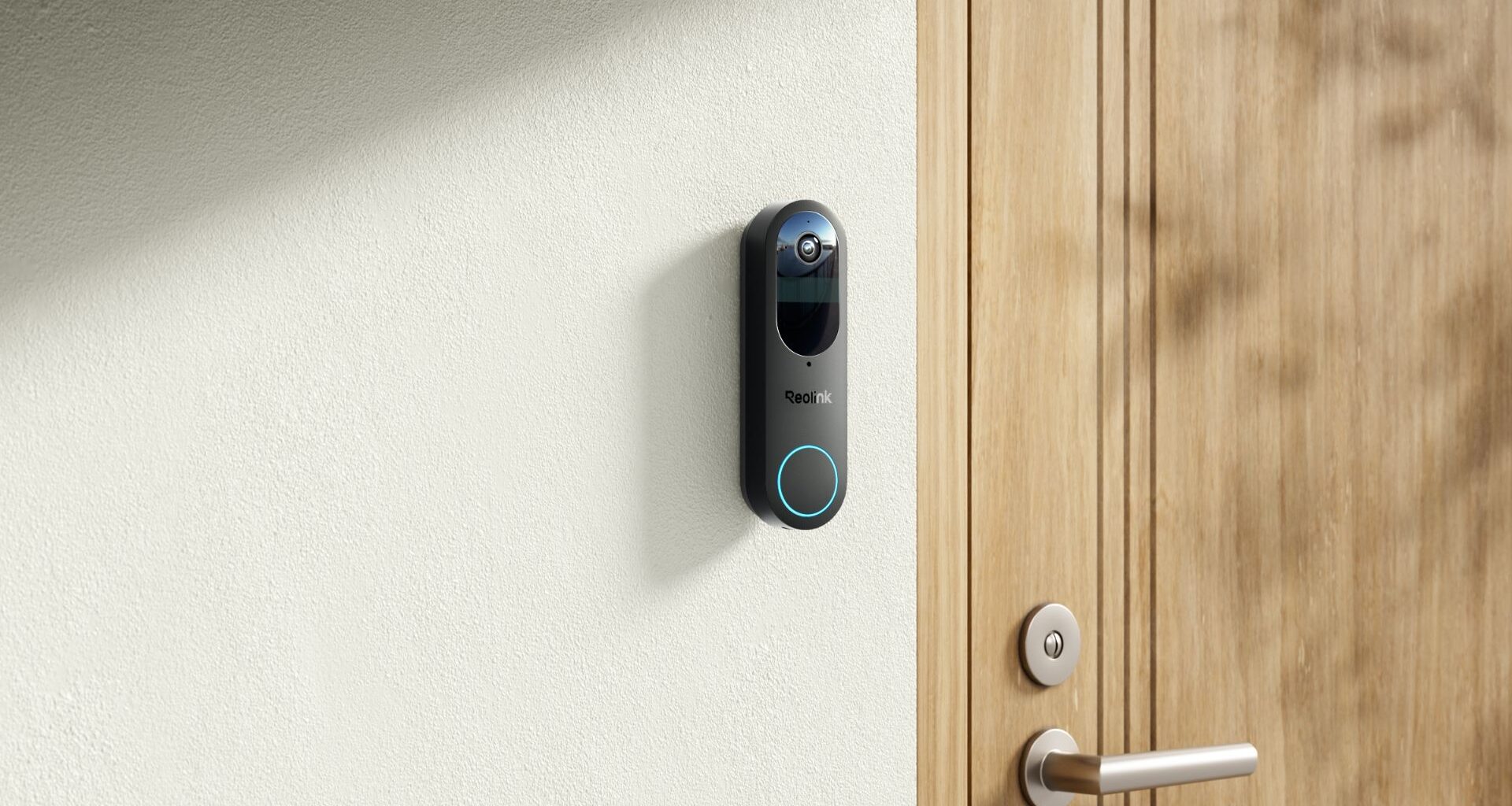
Today’s best Reolink Video Doorbell (Battery) deals
I was interested to see if the Reolink Video Doorbell (Battery) would knock my Ring Wired Doorbell Pro off its perch. After testing in my home for 10 days and noting its functionality from set-up to surveillance, this budget-friendly alternative is a strong contender on many fronts, including the lack of monthly fees, though it has some drawbacks.
Since I’ve owned one of the best video doorbells for years, and tried several to find the model that gives me everything that I am looking for: Clear footage (day and night), crisp audio, intuitive app abilities, and reliability, the Reolink had a lot to live up to.
Best picks for you
My One-Minute Summary of the Reolink Video Doorbell (Battery)
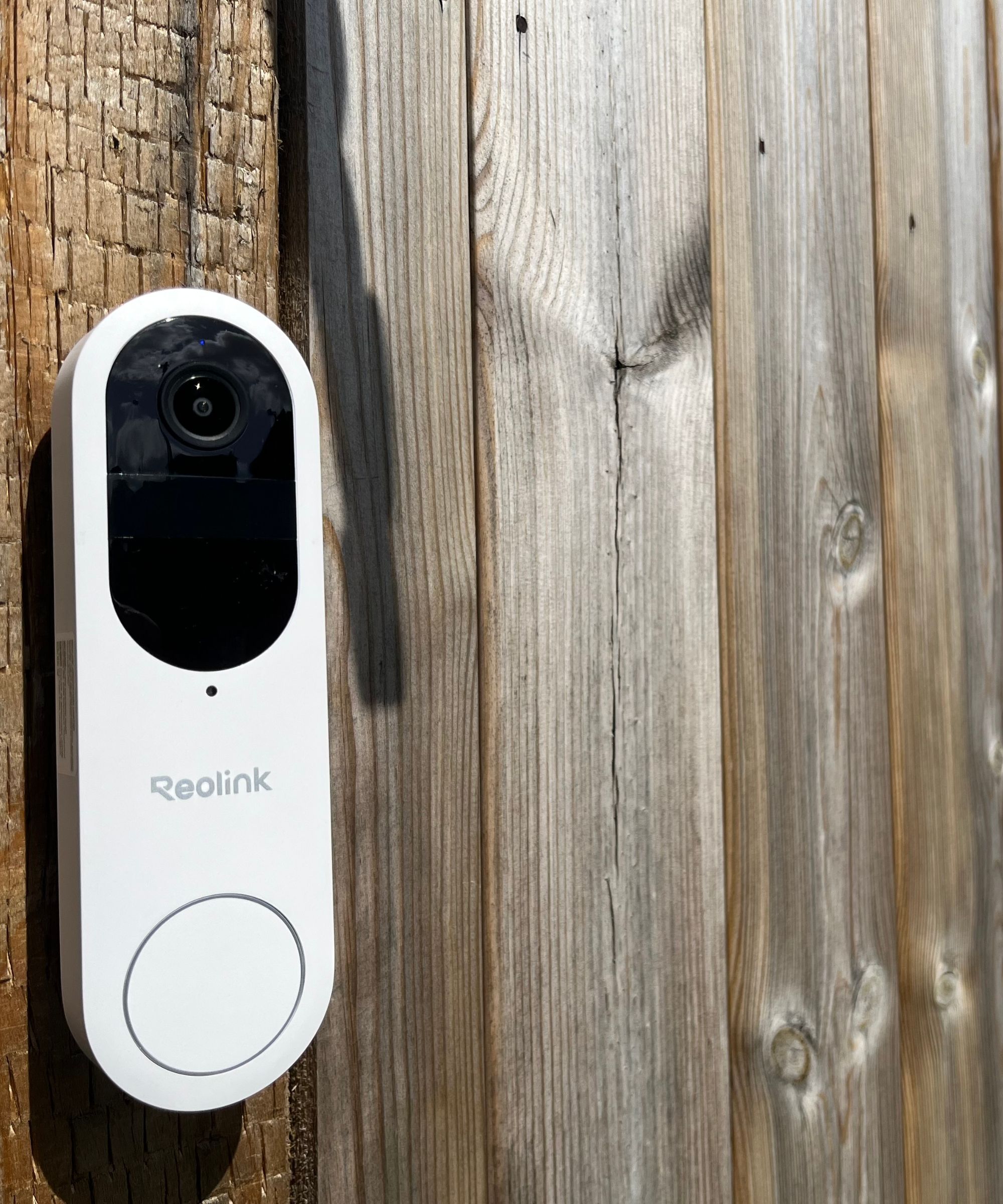
The Reolink Video Doorbell (Battery) is a strong choice that requires no monthly fees.
(Image credit: Future / Jennifer Oksien)
The Reolink Video Doorbell (Battery) is a fantastic home security option for renters or homes that is quick to install. I found that, overall, the footage was fantastic to stream and playback. While you don’t get much detail of the people, vehicles, and packages that enter your grounds, you do see enough to determine when to raise the alarm.
It’s really budget-friendly, too. The video doorbell costs $119.99, and it gets regular discounts. You can also dodge ongoing subscription costs by choosing to store footage on a 256GB micro SD card.
If you don’t have strong Wi-Fi and are looking for a more permanent solution, then I feel that you cannot beat the Ring Wired Doorbell Pro. It’s got everything for me: decent footage and audio, a brilliant app, and it’s incredibly responsive. But if avoiding monthly fees is more of an appeal, the eufy E340 is a great alternative that we’ve tested and love, which also has crisp 2K footage.
Today’s best Reolink Video Doorbell (Battery) deals
Reolink Video Doorbell (Battery): SpecificationsSwipe to scroll horizontally
Field of view
150°x150°x180° head-to-toe
Storage
256GB microSD local storage + Cloud
Sensor type
1/3.11″ CMOS sensor
Object recognition?
Yes – people, package & vehicle
Video resolution
2K super HD
Power
Rechargeable battery or hardwired configuration
Two-way audio?
Yes
Operating distance
0 to 23 feet
Alert type
Motion-only
Voice assistance?
Works with Google Home and Amazon Alexa
Dimensions
6.2 x 1.8 x 1.16 inches
Reolink Video Doorbell (Battery): Installation and Setup
I tested the Reolink Video Doorbell (Battery), but it is also available as a hardwired option. Either way, both will need to be connected to the Reolink app and installed in a suitable position.
Aside from a screwdriver and a smartphone, the Reolink Video Doorbell (Battery) comes with everything you need to get the software set up and the hardware installed in a location of your choosing.
In the box you’ll find: Doorbell, mounting plate, horizontal wedge, mounting hole template, USB-C cable, extension cable, jumper cable, pack of screws, and operational instructions. The kit offers two ways of installation: battery-powered or wired.
The battery arrives with just enough juice to get onboarded to the app. Do not be tempted to charge before downloading the app; you’ll be welcomed and prompted to download in five different languages, on repeat.
By scanning the QR code on page four of the Operational Instructions, I was directed to the Reolink app in the App Store (it’s also available on Google Play). I downloaded it and followed the setup instructions to activate the video doorbell.
During the setup, I could also pair the Chime (sold separately for $24.99 at Reolink) with the video doorbell. A Chime is a must-have, in my opinion, because it’ll mean that you’ll hear the doorbell “ring” when you’re inside the home, without your phone to hand.
To pair the video doorbell with the Chime, plug the Chime into a power outlet and, again, follow the instructions presented on the app. Now, when the button on the doorbell is pressed, the Chime will sound in the house along with any notifications you have enabled on your smartphone via the app.
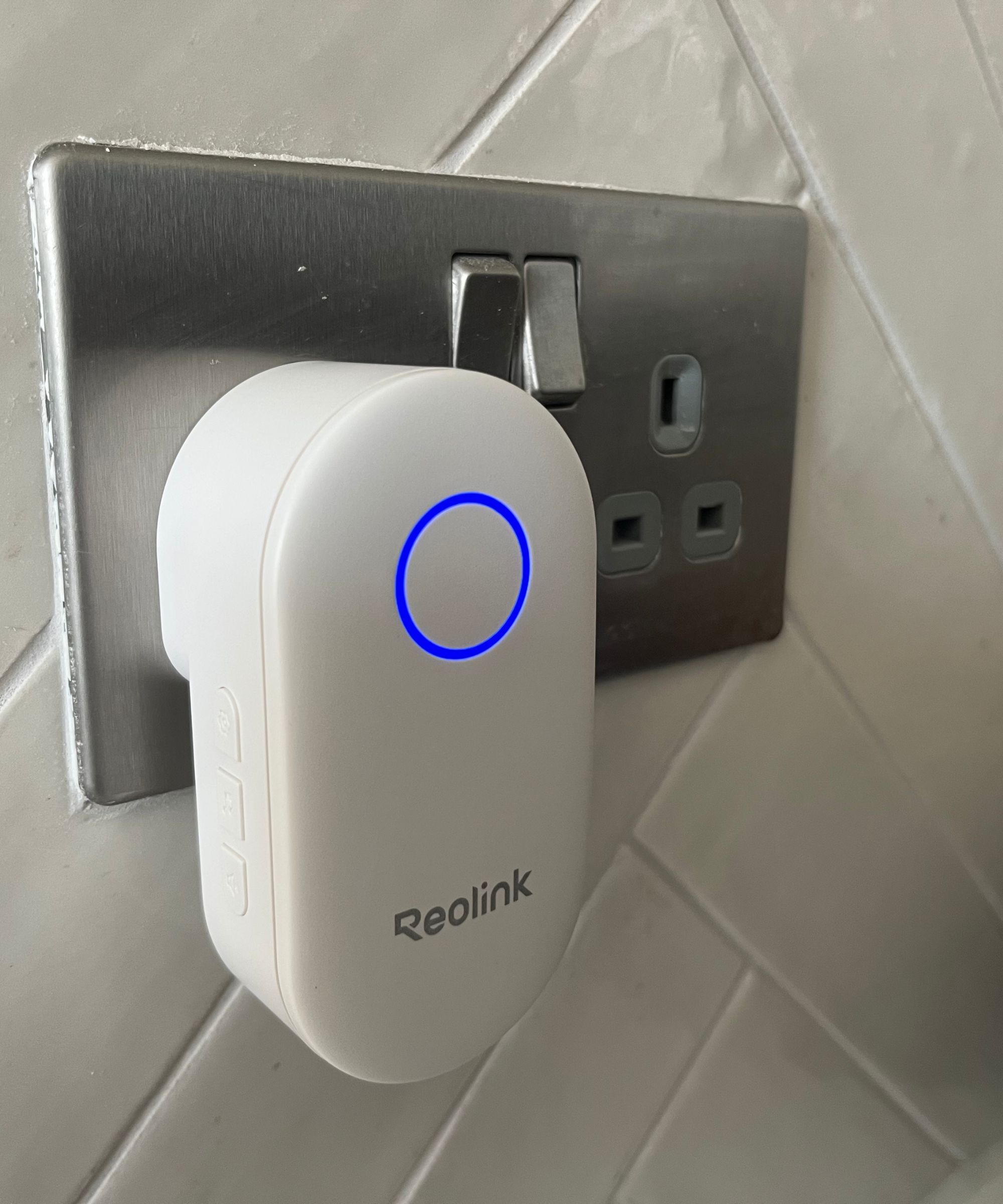
The Reolink Chime is a must-have if you want to hear when the Reolink Video Doorbell has been activated, and you don’t have your phone nearby
(Image credit: Future / Jennifer Oksien)
The Chime can be customized. On the left-hand side (as it’s facing you), you can choose between 12 ringtones and five loudness levels. The loudness of the Chime ranges from 71dB to 89dB according to a decibel meter reading app on my phone.
If you have the battery-powered Reolink video doorbell, as I do, then you are advised to fully charge it after setting up on the app, but before installing. A USB-C charging cable is included, but a charging plug is not, so you may need to buy one, such as this affordable USB-C charger from Amazon.
Once it’s fully charged (mine took around two hours), the Button Ring Light turns from orange to green.
The Reolink Video Doorbell supports connection to an existing wired mechanical or digital doorbell system. You’ll need to ensure that the voltage is between 8 and 24VAC if you opt for this method. For me, I installed it purely as a battery-powered doorbell.
This meant, though, that the Wi-Fi signal strength should be at least 10Mbps or higher (with a total capacity of 100Mbps), so I knew that the positioning of the Wi-Fi router could be a challenge during testing.
I used the supplied 15-degree horizontal wedge as an additional mounting bracket to adjust the field of view down our drive. You’re advised to mount at a height of 48 inches (1.2 meters) from the ground for optimal performance.
Using a screwdriver and essential DIY skills, I used the two long screws to attach the wedge to the wooden fence and the two shorter screws to attach the mounting plate to the wedge. The video doorbell then snapped into place on the mount.
Overall, I found the steps detailed in the Operational Instructions and on the Reolink app clear, which made this smart home setup easy. This was one of the easiest video doorbells that I have installed – and I did it without any help. Having decent screws (that were supplied) made a huge difference.
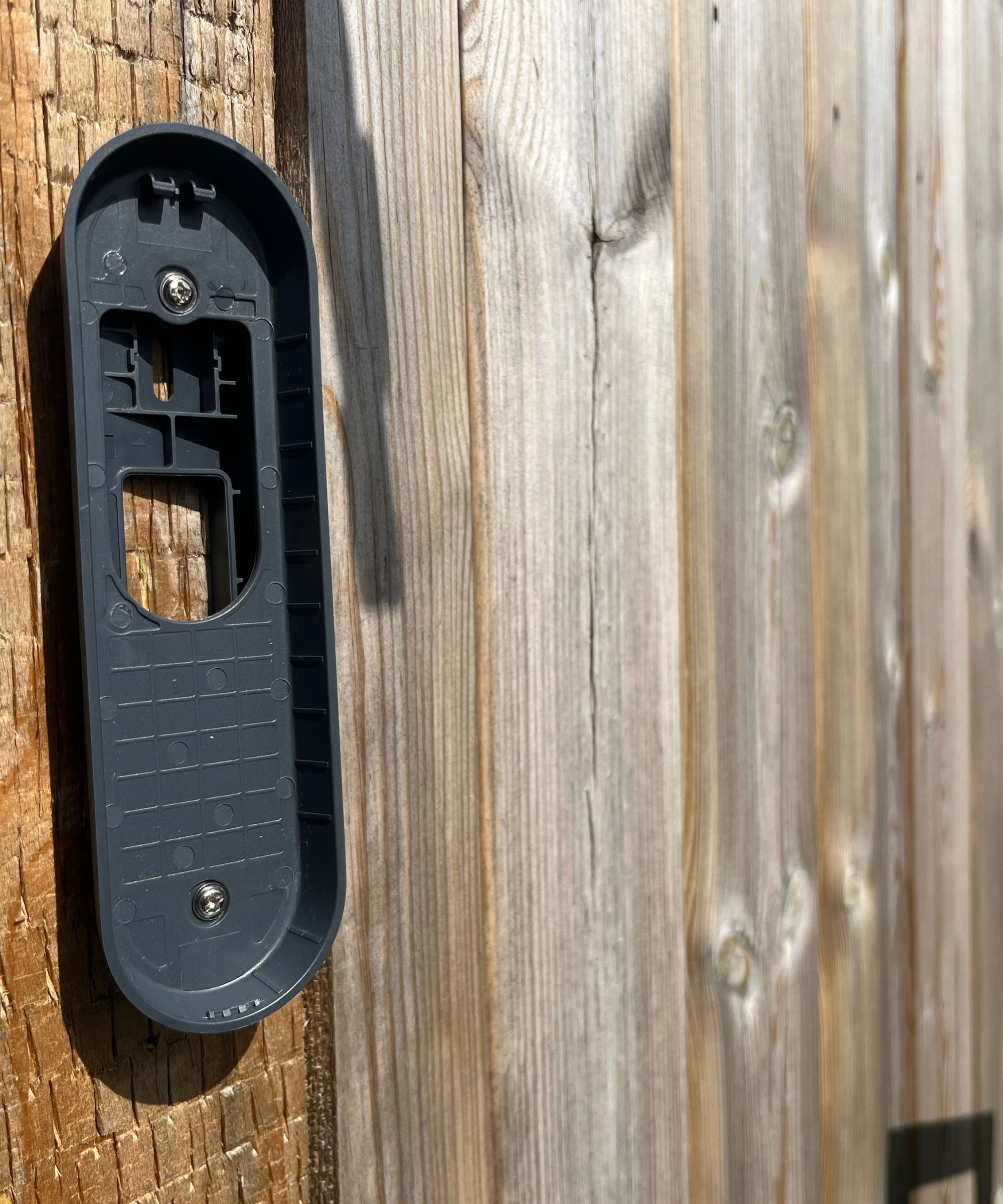
With the mounting bracket and wedge installed on the wooden fence, the Reolink Video Doorbell’s field of view is perfectly adjusted down our drive.
(Image credit: Future / Jennifer Oksien)
Reolink Video Doorbell (Battery): Video Quality
I’ve been using the Reolink Video Doorbell for 10 days.
Daytime: I can just about make out faces, but the detailing (eyes, nose, mouth) is a little fuzzy through the 1/3.11″ CMOS sensor. Cars are visibly clear, again, the detail of the registration plate gets lost.
The doorbell doesn’t detect small or medium-sized packages, only the big ones. In my test, branding was clear on the big yellow box, but this was only detected when it was less than three feet away in the 150-degree, 150-degree vertical field of view, although I could see it as soon as it came onto the drive.
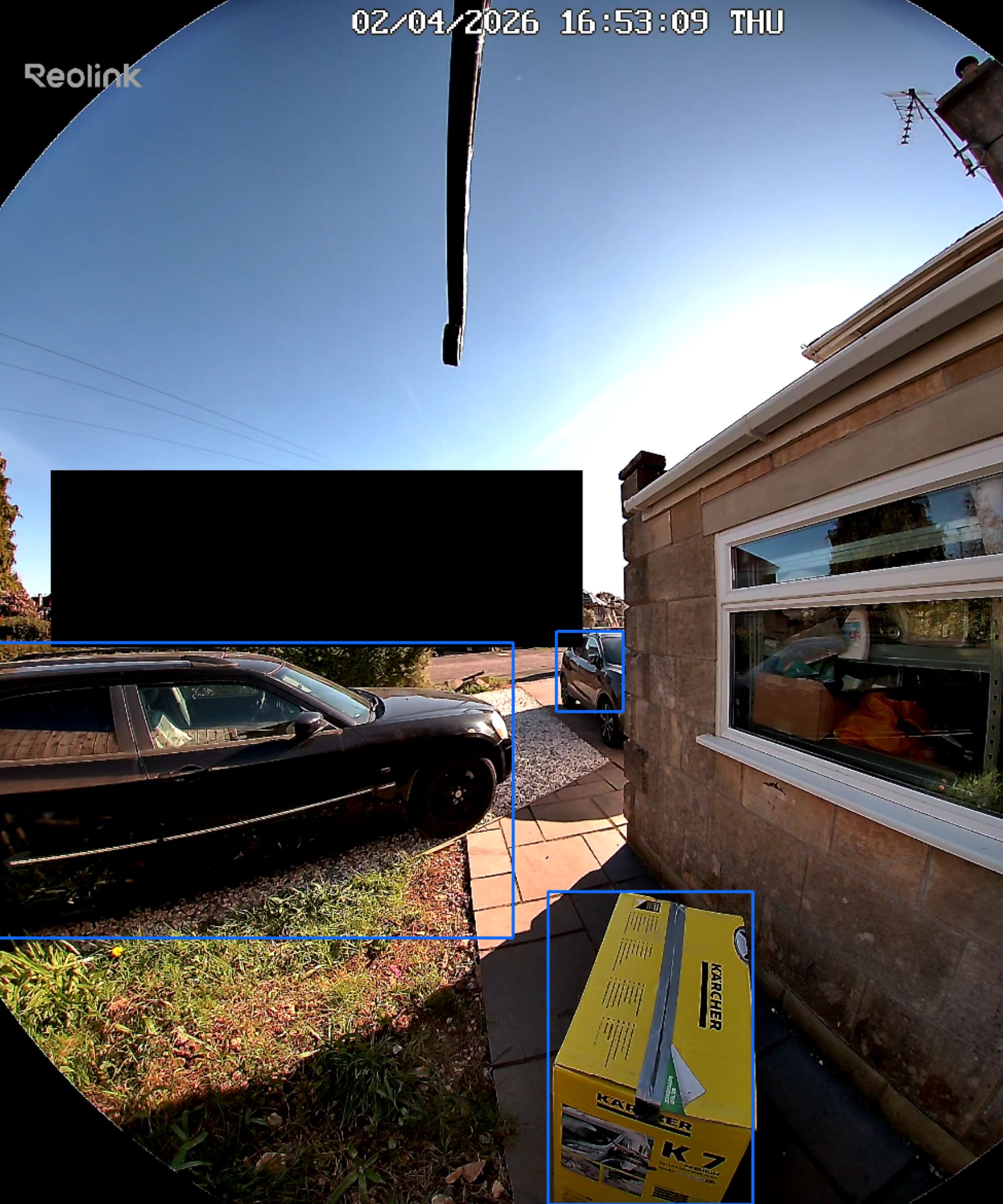
The Reolink Video Doorbell (Battery) can detect vehicles, packages and people
(Image credit: Future / Jennifer Oksien)
Nighttime: The overall picture is clear, but, like in the daytime, detailing gets lost. I can’t recognize faces or pick out car registration numbers as they come into range. This is disappointing, considering that the footage is of such high resolution (2048x2048p).
However, motion is picked up just as quickly as in the daytime. I like that the lens and button on the video doorbell are illuminated at nighttime, which is a good extra security measure for the house because it shows potential trespassers that they are being watched.
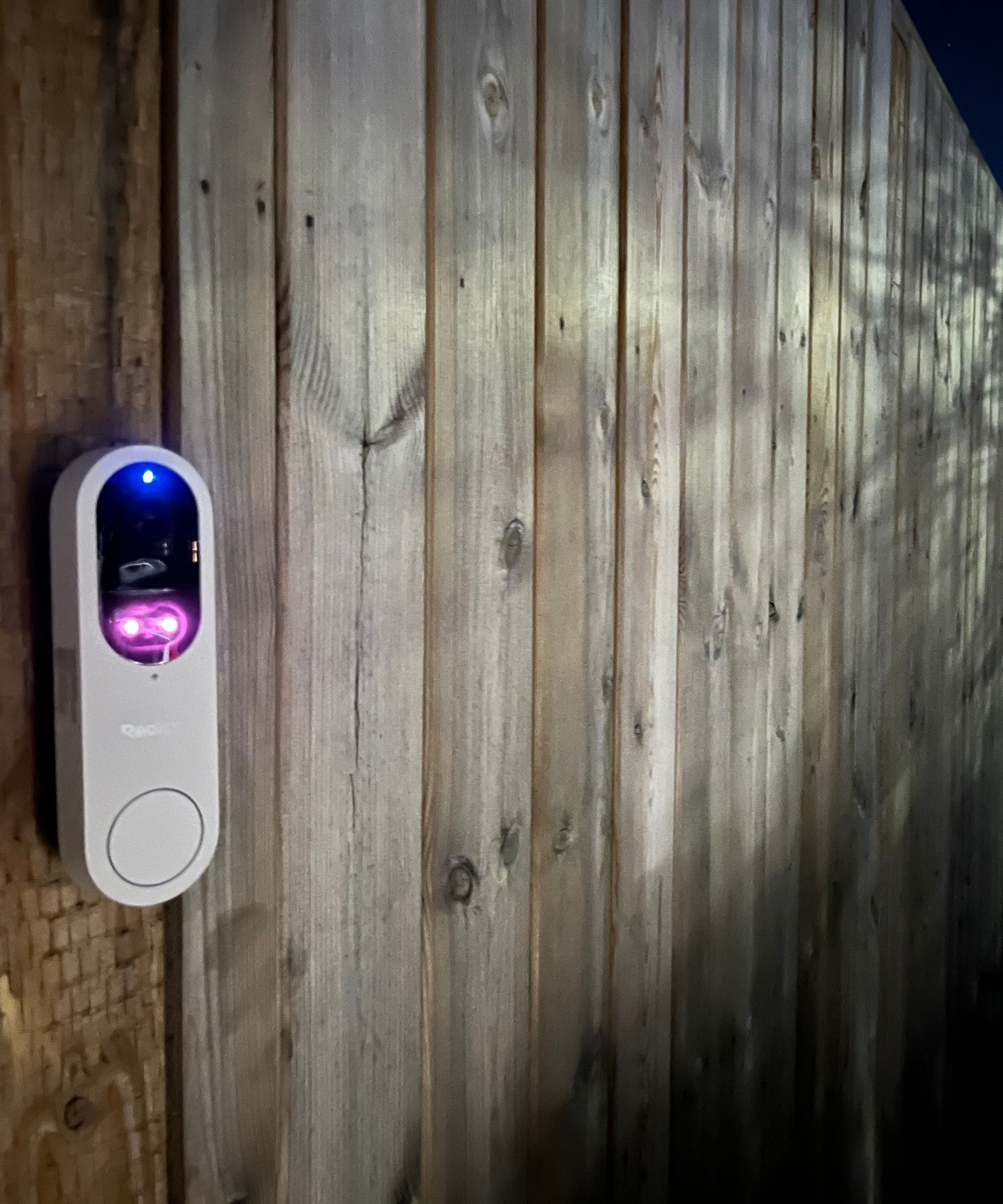
It’s obvious to anyone who walks by that the Reolink Video Doorbell (Battery) is powered-on, and recording, with illuminated lights.
(Image credit: Future / Jennifer Oksien)
Dynamic light: This is balanced beautifully; bright and dark areas of the footage are handled well. My video doorbell faces the sun for most of the day; I didn’t have any glare, and I could easily see movement on the drive when live-streaming or playing back footage.
Today’s best Reolink Video Doorbell (Battery) deals
Reolink Video Doorbell (Battery): Audio Quality
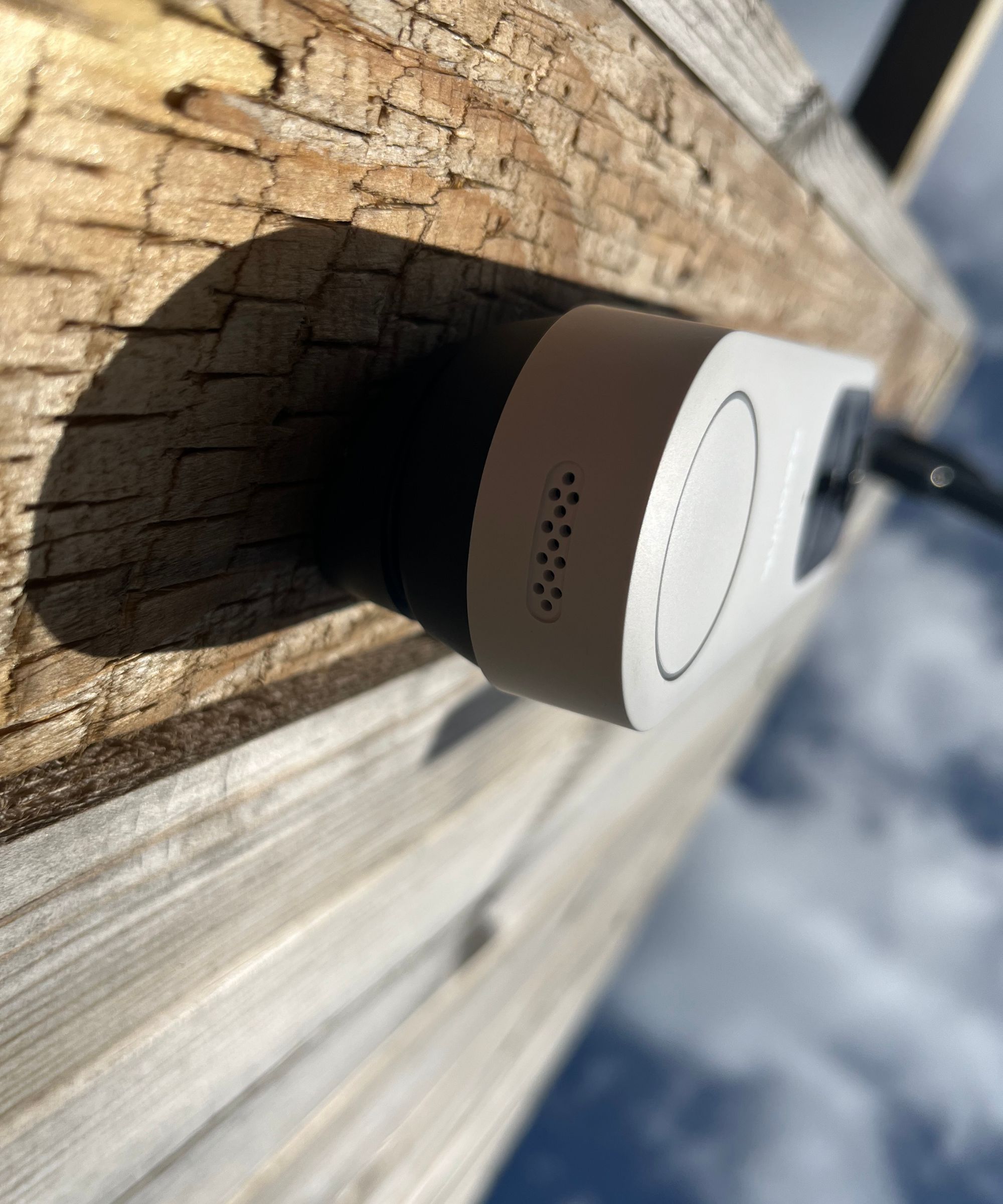
The audio on the Reolink Video Doorbell (Battery) is crisp and has little interference through the speaker at the bottom of the device.
(Image credit: Future / Jennifer Oksien)
I can hear people clearly at the door, and they can hear me. I can also hear bird song, when a vehicle drives past, and when a couple of people are chatting.
However, I can hear the wind when there isn’t a particularly strong breeze. This doesn’t appear to affect current usage, although I fear it might if the weather conditions worsen and the wind picks up.
Reolink Video Doorbell (Battery): App and Smart Features
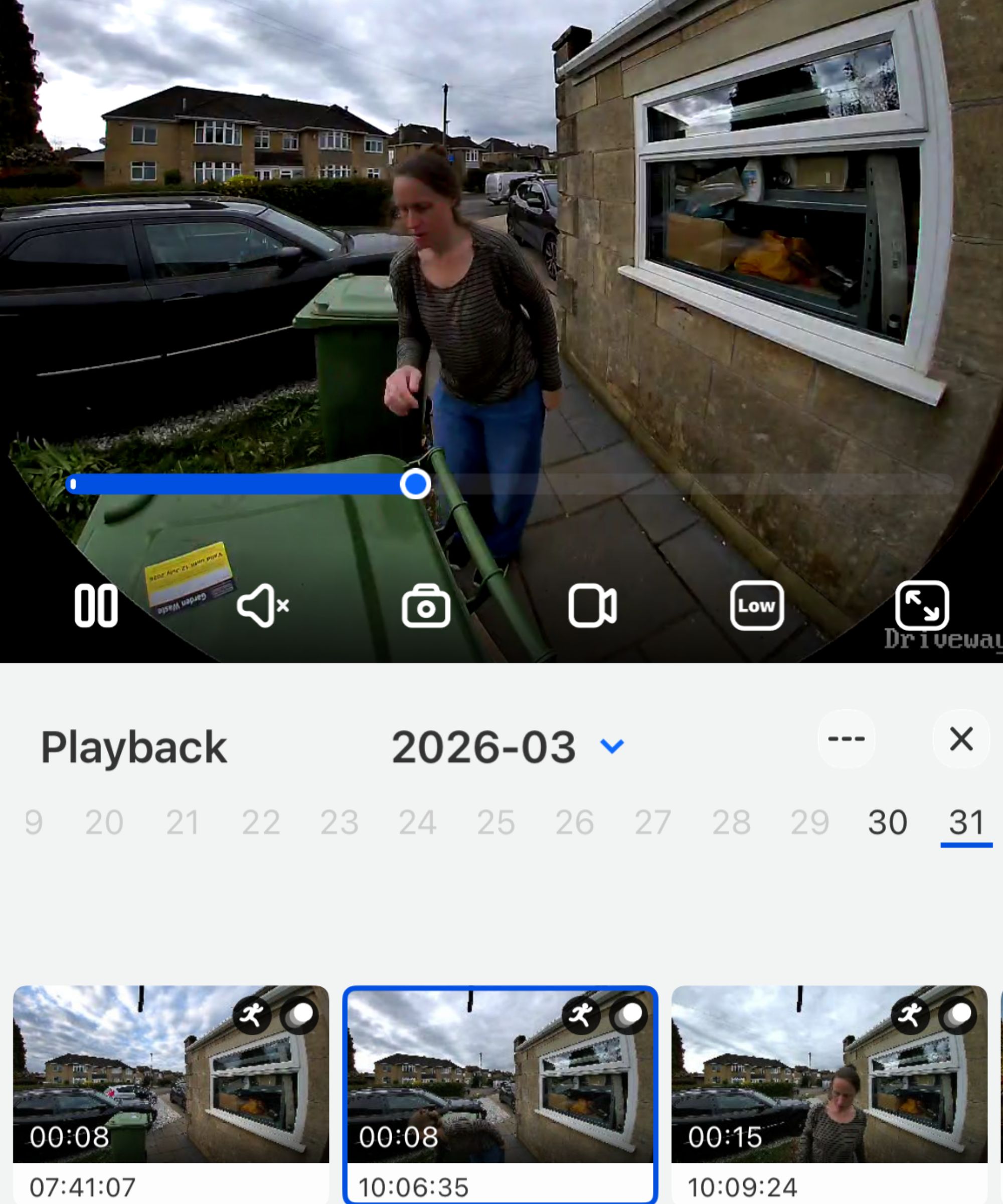
You can watched stored footage from the Reolink Video Doorbell (Battery) in the Reolink app
(Image credit: Future / Jennifer Oksien)
The Reolink App is easy to install and use. You can either find it on the App Store or Google Play, or scan the QR code in the Operational Instructions during set-up.
I found it stable and, the more I used it, found it intuitive to use. However, I do feel that it could do with some refinement. For example, you need to select the view on Home to access Playback (stored events). The big CTA (Call To Action) about extending warranty doesn’t need to be so big on the Home screen either.
Menus can be accessed by the little cog in the top right corner when streaming. Here you can check battery power levels, click through on Display to Show Motion Boxes, select a voice message on Sounds, connect with Amazon Alexa, and more.
Yes, you can link it to Google Home and/or Amazon Alexa devices, such as the Echo Show at Amazon, as another smart home gadget that receives alerts when the video doorbell is activated.
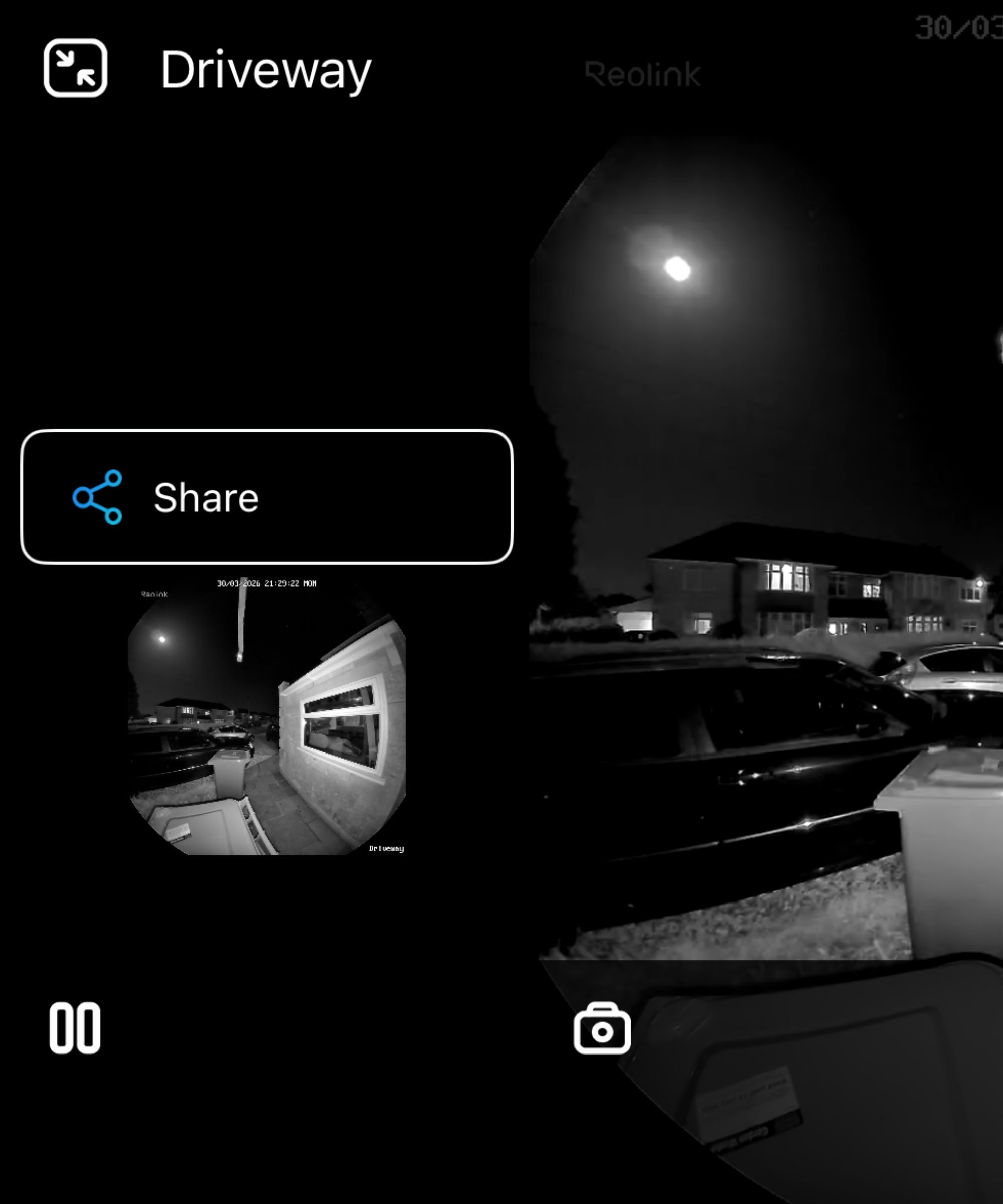
You can instantly share live and stored footage captured by the Reolink Video Doorbell (Battery) in the Reolink app.
(Image credit: Future / Jennifer Oksien)
Past events are accessed through Playback. You can view each event captured by selecting a date on the calendar and scrolling through the running footage. These can be downloaded or deleted. You can also take a photo of the event so you can share that, rather than the entire footage, which can last for however long motion is detected.
The “emergency” option is an audio alarm that can be triggered by selecting the icon next to the settings cog. I feel that this could be made a lot clearer because, in an emergency, you’d want to select a larger button without having to confirm the activation (as you have to do currently). You can Tap to Talk for a more instant scare, if you need.
Today’s best Reolink Video Doorbell (Battery) deals
Reolink Video Doorbell (Battery): Motion Detection and Notifications
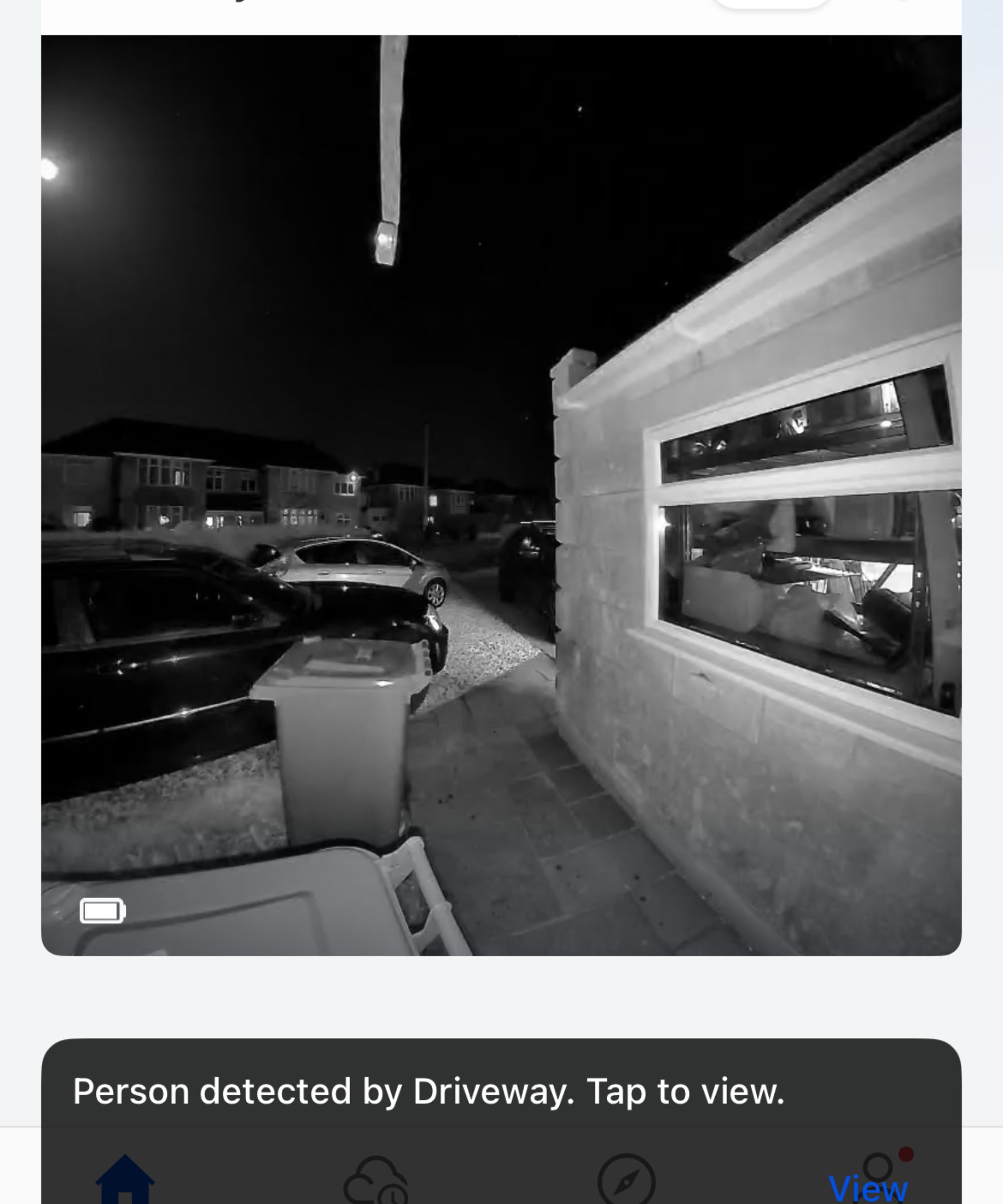
The Reolink Video Doorbell (Battery) can send you a notification to your phone when it detects a person, vehicle or package
(Image credit: Future / Jennifer Oksien)
The Reolink Video Doorbell (Battery) is designed with some clever AI tech that’ll detect people, vehicles, and packages when they come in to the 23′ range. I found that when cars moved on and off our driveway, this doorbell didn’t pick up the motion because it was out of range. This was the same when a person or package was detected, and the same at nighttime, too.
When motion was detected, I received a notification on my phone, and this was saved as an event in Playback.
Under “Display” in “Settings”, you can “Show Motion Boxes”. This puts a box around moving objects. I selected this, and it put a box around a parked car and a box around a person as they walked up the drive.
In the Reolink app, you can turn off the PIR Sensor if you wish, but this will stop detecting motion events altogether. You also have the ability to adjust the detection sensitivity and reduce false alarms.
When the button is pressed, you’ll receive a phone call. When you answer this “call” you can then engage with two-way audio. Alternatively you can select one of four default replies, as I did, which can be triggered from 2 seconds after the doorbell button is pressed. This can all be managed in the Reolink app.
Reolink Video Doorbell (Battery): Power and Battery Life
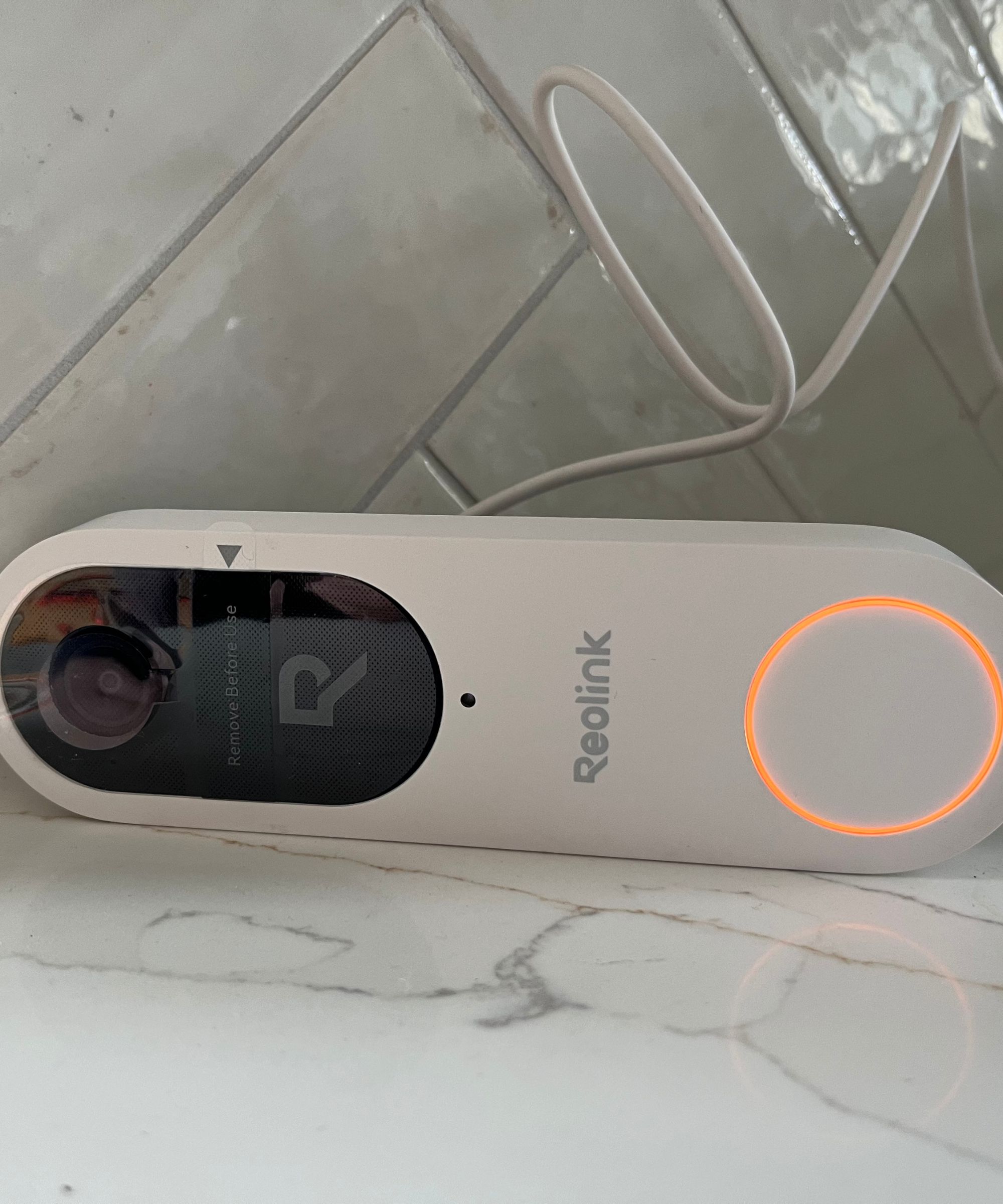
It takes no longer than three hours to fully charge the Reolink Video Doorbell (Battery). The light will go from orange, pictured, when charging, to green when fully charged.
(Image credit: Future / Jennifer Oksien)
The Reolink Video Doorbell (Battery) is designed with an integrated 7000mAh rechargeable battery. The battery life varies based on the settings, usage and temperature but still, it’s a renter-safe home security option.
After 10 days of this video doorbell I found that the battery level had dropped from 100% to 41%. It is expected to have enough charge for up to five months but at this rate, I’d be optimistic to say that it’ll last four weeks.
It does have several battery modes and an “Auto Power Saving Mode” that’ll affect the battery power levels. Power Saving Mode will disable motion detection and retains only the doorbell function to maximize the battery life; Smart Power Mode (recommended) will pause the device briefly after detecting motion to prevent repeated triggers; Optimal Surveillance Mode will record all detected motion to avoid missing events (this has a higher battery usage); and Custom Mode will start recording when motion is detected, following your settings.
I had the battery-powered video doorbell on the Smart Power Mode. I also tried the Auto Power Saving Mode but after 5 minutes of this mode being activated I received a series of notifications (one after the other, twice) with the message “Driveway has exited power saving mode”. This must have been when our Wi-Fi dropped out because I checked in the Reolink app and this mode was still selected.
It’s also worth noting that if Wi-Fi does drop out and you lose connection to the video doorbell then the battery will continue to drain away, and all footage will be lost (live and stored).
The battery can be charged with the included USB-C charging cable. You will need to release and remove the video doorbell from the mounting plate using the included needle key to poke the top. It took no longer than 3 hours to charge the battery before setup so I’d expect it to take this length of time when it’s time to recharge.
Alternatively, you can buy the Reolink Solar Panel 2S for $79.99 for continuous power in all weathers. Similarly, opt for the hardwired version so you don’t need to worry about battery life.
Reolink Video Doorbell (Battery): Connectivity and Reliability
During the 10 days of testing the Reolink Video Doorbell (Battery) I found it generally reliable, so long as it kept within the Wi-Fi range; our 1930s home is built with thick stone walls and internal corridors and doorways that prove to be quite the hurdle for Wi-Fi signal to reach any device outside.
The Wi-Fi signal strength needs be at least 10Mbps or higher (with a total capacity of 100Mbps). It transpires that if this strength isn’t achieved then you will lose connection to the Reolink, and the Chime will subsequently get disconnected.
It was a pain but, to overcome this, I opened the side gate (next to fence where the doorbell was located) and opened the under-stairs cupboard where the Wi-Fi router is located. This seemed to do the trick for the short-term but it is by no means a solution for the longer term.
To achieve a stable connection the Reolink Video Doorbell (Battery) requires a Wi-Fi Operating Frequency of 2.4GHz/5GHz. The closer the doorbell is to the router, the stronger the Wi-Fi signal.
If, like me, you could do with boosting the Wi-Fi signal then you can buy the Reolink Wi-Fi Extender [Amazon] to extend the 5GHz high-speed network across 1500 square feet. The brand also has a Home Hub [Amazon] which records during network breakdown for up to eight Reolink devices.
Reolink Video Doorbell (Battery): Privacy and Security
In the app, there is an extra home security option to set privacy zones. This will give your neighbors some privacy if, like me, you have your Reolink Video Doorbell directly opposite their house. I blocked out the two houses opposite us which is displayed as a black box when steaming live footage or playing back stored footage.
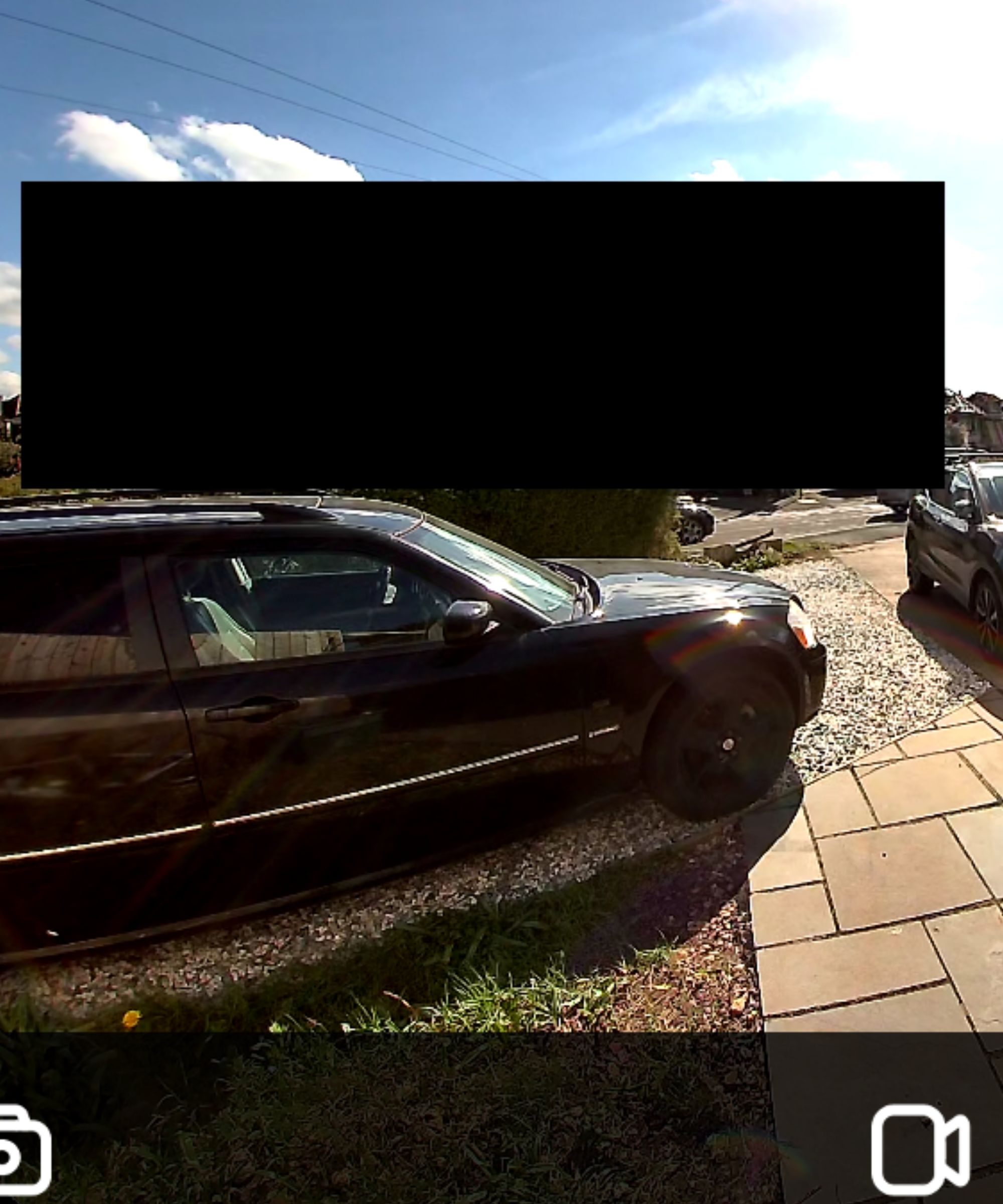
In the Reolink app you can set privacy zones that block out neighbors from the video doorbell’s constant monitoring with a black box
(Image credit: Future / Jennifer Oksien)
This footage can be saved down to a 256GB microSD card which is slotted in to the back of the doorbell, such as this $38 microSD card from Amazon. You can also save footage to the Reolink Home Hub (Amazon), or the Cloud.
You can enjoy a 30-day trial of the Cloud by creating an account but this will cost you upwards of $6.99 per month. What you get for this is up to 30-day cloud video history; up to 5 cameras on one account; 30GB total Cloud space shared across the 5 cameras and rich push notification with thumbnail.
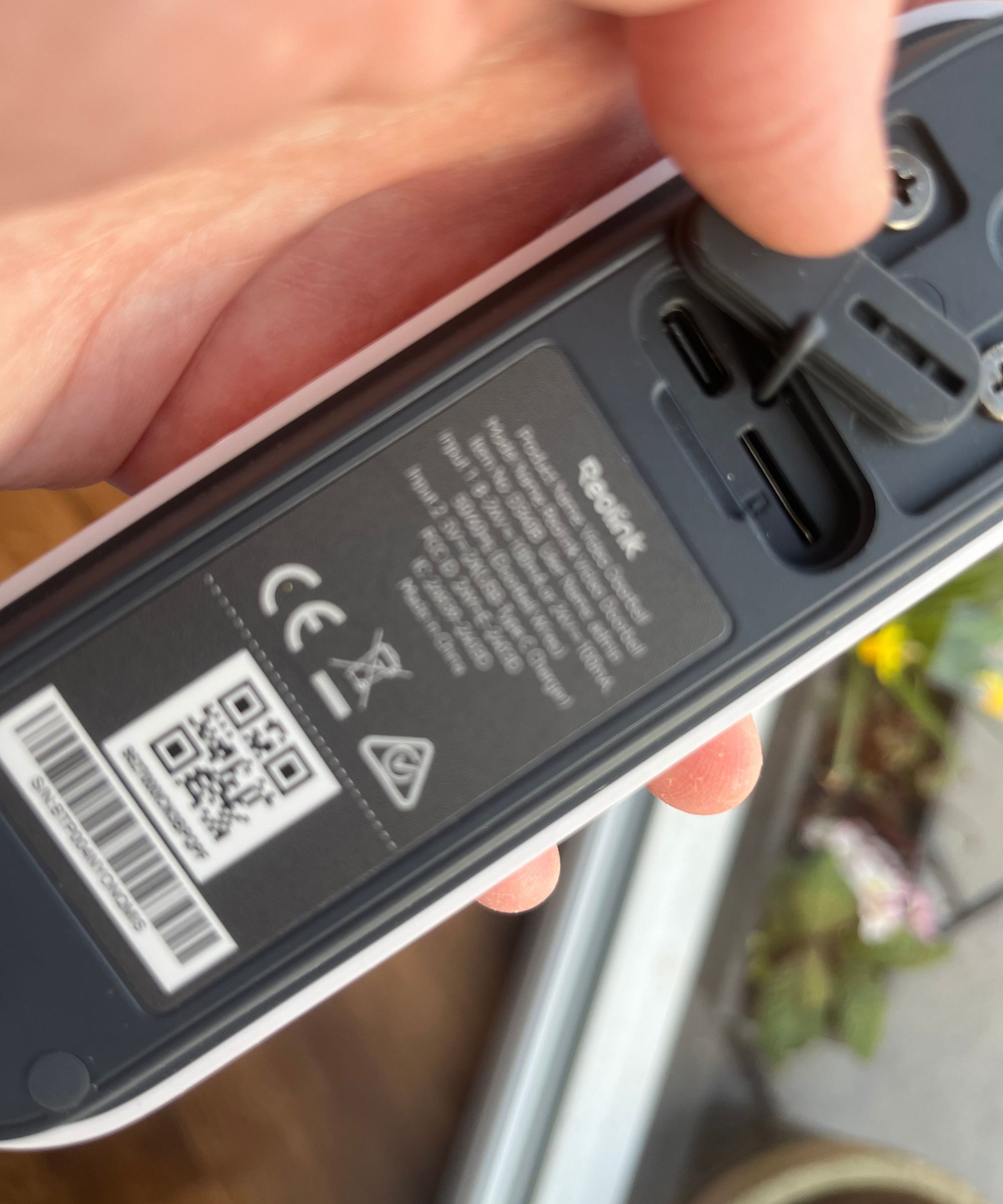
The Reolink Video Doorbell (Battery) can store footage on a 256gB mirco SD card which can be accessed on the back of the device
(Image credit: Future / Jennifer Oksien)
Reolink Video Doorbell (Battery): Price and Value
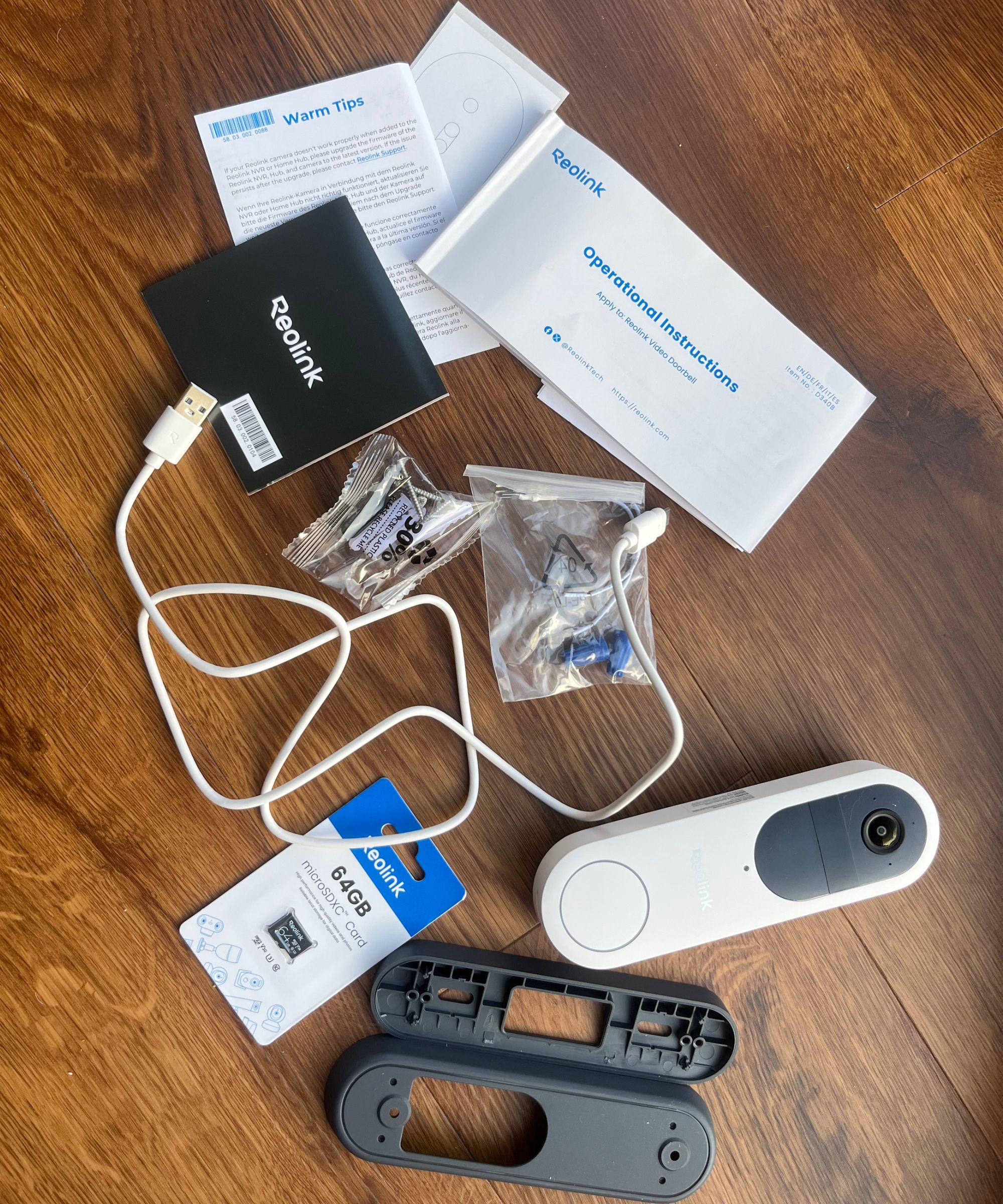
The Reolink Video Doorbell (Battery) comes with everything that you need to set up the software and hardware
(Image credit: Future / Jennifer Oksien)
The Reolink Video Doorbell (Battery) alone is $119.99 at Reolink, or through resellers such as Amazon. It’s available in black or white for the same price, and can be one of upt to 16 devices that you stream from the Reolink app.
The cost will rise if you opt to subscribe to Cloud storage. This will cost you upwards of $6.99 per month. What you get for this is up to 30-day cloud video history; up to 5 cameras on one account; 30GB total Cloud space shared across the 5 cameras and rich push notification with thumbnail.
I don’t see the true benefit of this considering that you can buy a 256mB micro SD card from $38 on Amazon; you can have up to 16 devices stored and you don’t have the ongoing subscription cost with a SD card.
This subscription cost is also more than Ring plans. For example, the Basic plan starts from $4.99 per month which includes up to 180-days event history; person, package and vehicle alerts and video preview alerts.
The Ring Wired Doorbell Pro ($229.99 on Amazon) is a permanent resident at my home. I’ve generally found that the image is comparably crisper day and night, and the 1536p head-to-toe HD+ video means that I can see a complete person, with nose, eyes and mouth in focus, standing outside our front door.
I’ve also recently tried some other budget-alternative video doorbells that want to rival Ring. The Arlo 2K Video Doorbell is priced at $129.99, a similar amount to that of the Reolink. I found that the daytime footage was crisp, but the clunky app and lag time meant that it missed out on a full five-star review. The Tapo D210 Video Doorbell is also supremely affordable with a price of $69 for the complete kit but, again, long lag times and flaky instructions meant that it missed out of the full five-stars too.
None of these options avoid paying subscription fees though. If you’d prefer to avoid paying any subscription fees altogether then another option to consider, alongside Reolink, is the eufy E340 video doorbell. On test we found that the video is crisp, audio is clear and it’s easy to install.
Today’s best Reolink Video Doorbell (Battery) deals
Installing a video doorbell is a good way to start improving your home security. Learn how else smart tech gadgets can help transform your home, and check out these home security tips to make your home safer and more secure.