
Ever since its introduction, I’ve treated Gemini like a slightly smarter search engine, and I’ve been constantly let down.
I was stuck in the cycle of ‘prompt, fail, repeat,’ and wondered why the AI wasn’t living up to the hype.
But after a few hundred failed experiments and a complete overhaul of how I integrated my tools, I realized the problem wasn’t the model; it was my environment.
If you are still struggling with generic Gemini results, take inspiration from my setup that finally ended my months of frustration.
Related
5 ways Gemini, Workspace, and NotebookLM can boost your productivity
I found 5 ways to be more productive by using Gemini, Workspace, and NotebookLM together
My failed attempts with Gemini
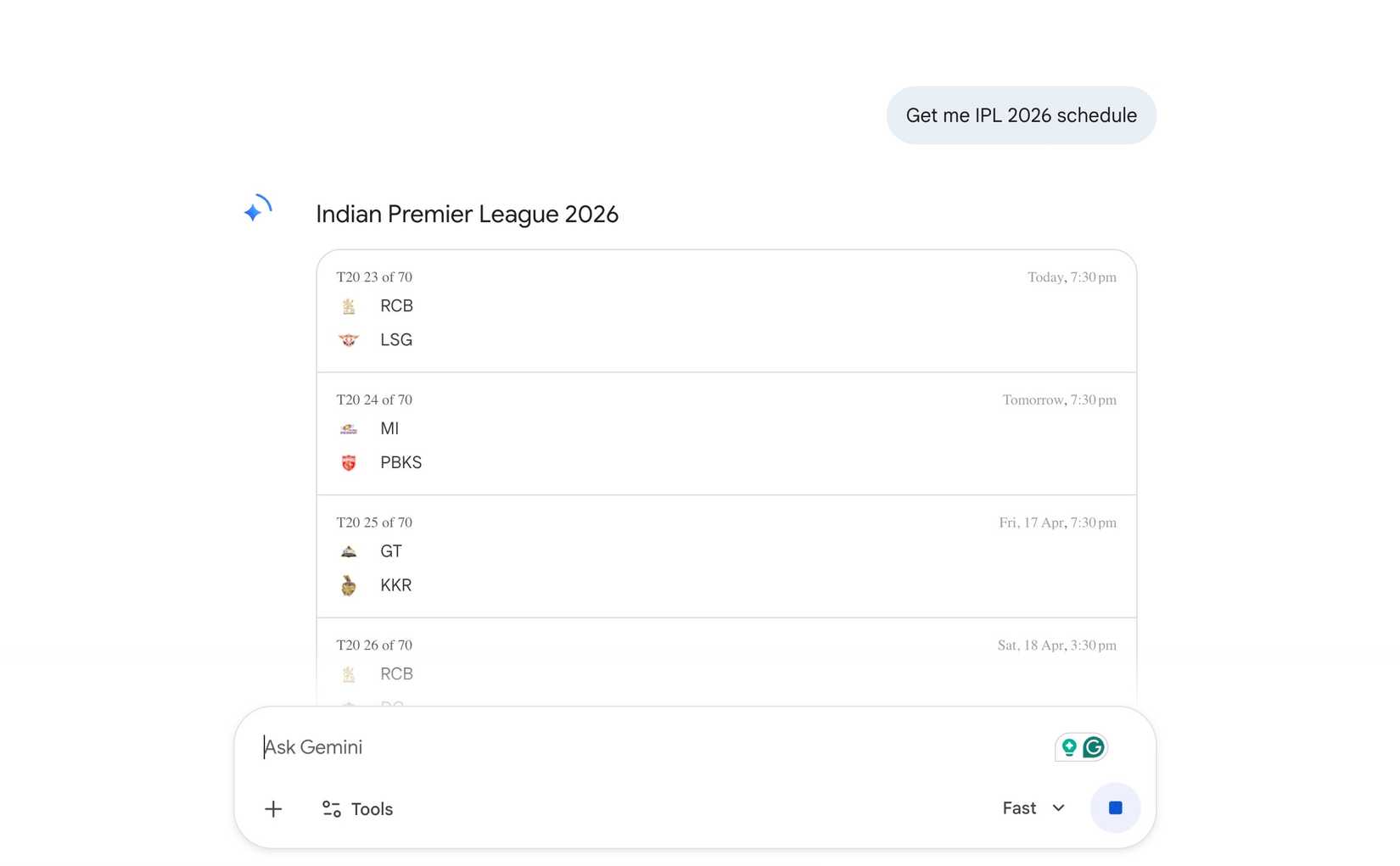
Initially, I was using Gemini as a vacuum. I would open a fresh tab, explain my entire life story to get a relevant email draft, and then manually copy-paste the results into Gmail.
I was doing all the heavy lifting. Every time I started a chat, Gemini knew nothing about my current projects. It didn’t know about the jewelry portfolio I was building, the tech specs for the phone I was reviewing, or the flight itinerary for my trip to Vietnam.
Because I wasn’t leveraging the ecosystem integrations, I was wasting 80% of my time just catching the AI up to speed.

Quiz
8 Questions · Test Your KnowledgeAI chatbots
Trivia challenge
From ChatGPT to Gemini — how well do you really know the world of AI chatbots?
ChatbotsGeminiHistoryTech GiantsAI Models
Begin
Which company released ChatGPT to the public in November 2022?
AGoogleBMetaCOpenAIDMicrosoft
Correct! OpenAI launched ChatGPT on November 30, 2022, and it became one of the fastest-growing consumer applications in history. It reached one million users in just five days after launch.
Not quite. ChatGPT was created and released by OpenAI, the San Francisco-based AI research company. While Microsoft is a major investor in OpenAI, it didn’t build or release ChatGPT itself.
Continue
What was Google’s AI chatbot called before it was rebranded to Gemini in February 2024?
ALaMDABApprentice BardCGoogle AssistantDBard
Correct! Google launched its chatbot as Bard in March 2023 before rebranding it to Gemini in February 2024. The rebrand aligned the chatbot with the underlying Gemini family of AI models powering it.
Not quite. The answer is Bard. Google launched the chatbot under that name in 2023, and while LaMDA was an earlier language model from Google, it was never the public-facing chatbot name. The service became Gemini in February 2024.
Continue
Which of the following is a tier of Google’s Gemini AI model family designed for on-device use on mobile phones?
AGemini FlexBGemini NanoCGemini MicroDGemini Lite
Correct! Gemini Nano is Google’s lightweight model optimized to run directly on devices like Pixel phones without needing a cloud connection. It enables on-device AI features while preserving privacy and reducing latency.
Not quite. The answer is Gemini Nano. Google’s Gemini family includes Nano for on-device tasks, Pro for a wide range of tasks, and Ultra for the most complex workloads. There is no Micro, Flex, or Lite variant.
Continue
What large language model powers Meta’s AI assistant, which is integrated into WhatsApp, Instagram, and Facebook?
AGrokBMistralCLlamaDFalcon
Correct! Meta AI is powered by the Llama family of large language models, which Meta has also released as open-weight models for researchers and developers. Llama 3 is among the most capable open models available.
Not quite. Meta’s AI assistant is built on Llama, the company’s own large language model series. Grok is xAI’s model, Mistral comes from the French startup of the same name, and Falcon was developed by the UAE’s Technology Innovation Institute.
Continue
Which AI chatbot was developed by Anthropic and is known for its focus on safe and helpful AI behavior?
AAriaBClaudeCCopilotDJasper
Correct! Claude is Anthropic’s AI assistant, built with a heavy emphasis on AI safety and alignment research. Anthropic was founded in 2021 by former OpenAI researchers, including Dario and Daniela Amodei.
Not quite. The answer is Claude, made by Anthropic. Copilot is Microsoft’s AI assistant, Jasper is an AI writing tool for marketing, and Aria is a virtual assistant used by some telecom providers. Claude stands out for its safety-focused design philosophy.
Continue
Microsoft integrated an AI chatbot into which of its products in February 2023, marking one of the most high-profile AI launches of the year?
AMicrosoft WordBMicrosoft TeamsCBingDOutlook
Correct! Microsoft relaunched Bing with an integrated AI chatbot powered by OpenAI technology in February 2023. The move was seen as a direct challenge to Google’s search dominance and kicked off a major AI arms race in the search industry.
Not quite. While Microsoft has since added AI features to Word, Teams, and Outlook through its Copilot initiative, the major February 2023 launch was the AI-powered Bing search engine. It put pressure on Google to accelerate its own AI chatbot efforts.
Continue
Which chatbot, launched in 1966 at MIT, is widely considered one of the earliest examples of a conversational AI program?
AALICEBSmarterChildCELIZADClippy
Correct! ELIZA was created by Joseph Weizenbaum at MIT in 1966 and simulated conversation by pattern-matching user input. Its most famous script, DOCTOR, mimicked a psychotherapist and famously fooled some users into thinking they were talking to a real person.
Not quite. The answer is ELIZA, one of the earliest and most influential chatbot programs ever created. ALICE came later in 1995, SmarterChild was a popular AIM bot in the early 2000s, and Clippy was Microsoft’s animated Office assistant — not a true chatbot.
Continue
Grok is an AI chatbot developed by xAI. Which social media platform was it initially launched on as an exclusive feature?
ARedditBX (formerly Twitter)CLinkedInDTelegram
Correct! Grok was launched by Elon Musk’s xAI company and made available exclusively to X Premium subscribers on the X platform. It was designed to have a more irreverent and unfiltered personality compared to other AI chatbots.
Not quite. Grok was launched exclusively on X, the platform formerly known as Twitter, which is also owned by Elon Musk. xAI developed the model to complement the X ecosystem, and early access was gated behind an X Premium subscription.
See My Score
Challenge CompleteYour Score
/ 8
Thanks for playing!
Try Again
I was using Gemini to find facts I could have Googled in five seconds. I was treating it like a smarter search bar rather than a logic engine.
By keeping my data in Drive and Gmail and my work in the Gemini tab separate, I was missing the entire point of a modern AI assistant.
The turning point with Gemini
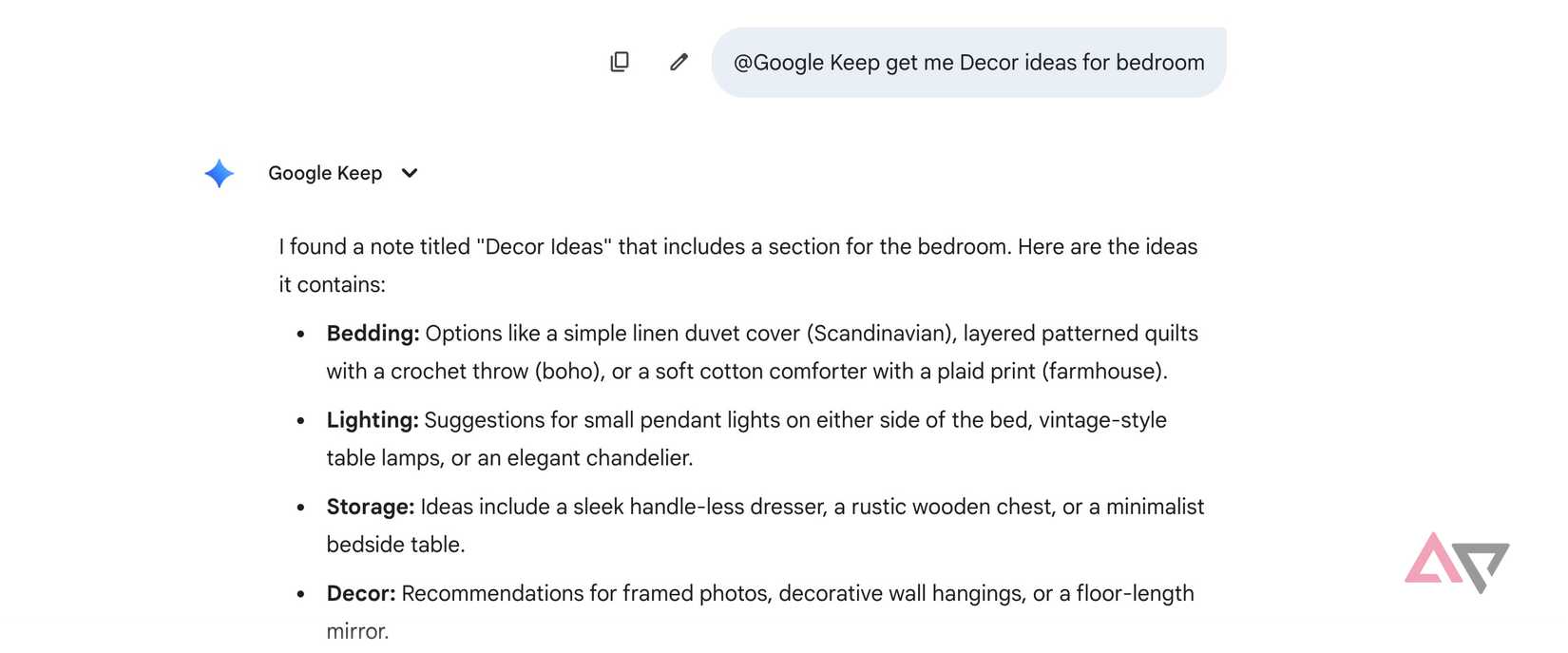
The major breakthrough didn’t come from a better prompt; it came from a flick of a switch. I headed into Gemini settings and enabled the Google Workspace toggle.
I effectively gave Gemini ‘read access’ to my personal server of information: my Drive, Gmail, Keep, and Tasks.
I stopped staring at a blank prompt box and started using the @ symbol like a command line. Instead of digging through 15 threads to find what a client agreed to, I now type:
@Gmail check my latest threads with Tapan regarding the Jewelry showroom launch. What were the three main concerns he mentioned about the display cases?
Gemini scans the actual emails and gives me a bulleted list in seconds.
I’m a heavy user of Google Keep for quick, messy thoughts. I can now use Gemini to audio those notes in no time.
@Google Keep, find all my notes from last week about ‘home lab optimization.’ Turn these into a checklist in Google Tasks so I can track my progress on the weekend.
The possibilities are endless here. If you aren’t using the @ command to talk to your files, you aren’t using an AI assistant — you are just using a very fancy typewriter.
If I come across a useful answer in Gemini, I can ask it to save it to Google Keep with a simple prompt. I don’t even need to open Keep in a separate tab here.
Add personal context in Gemini
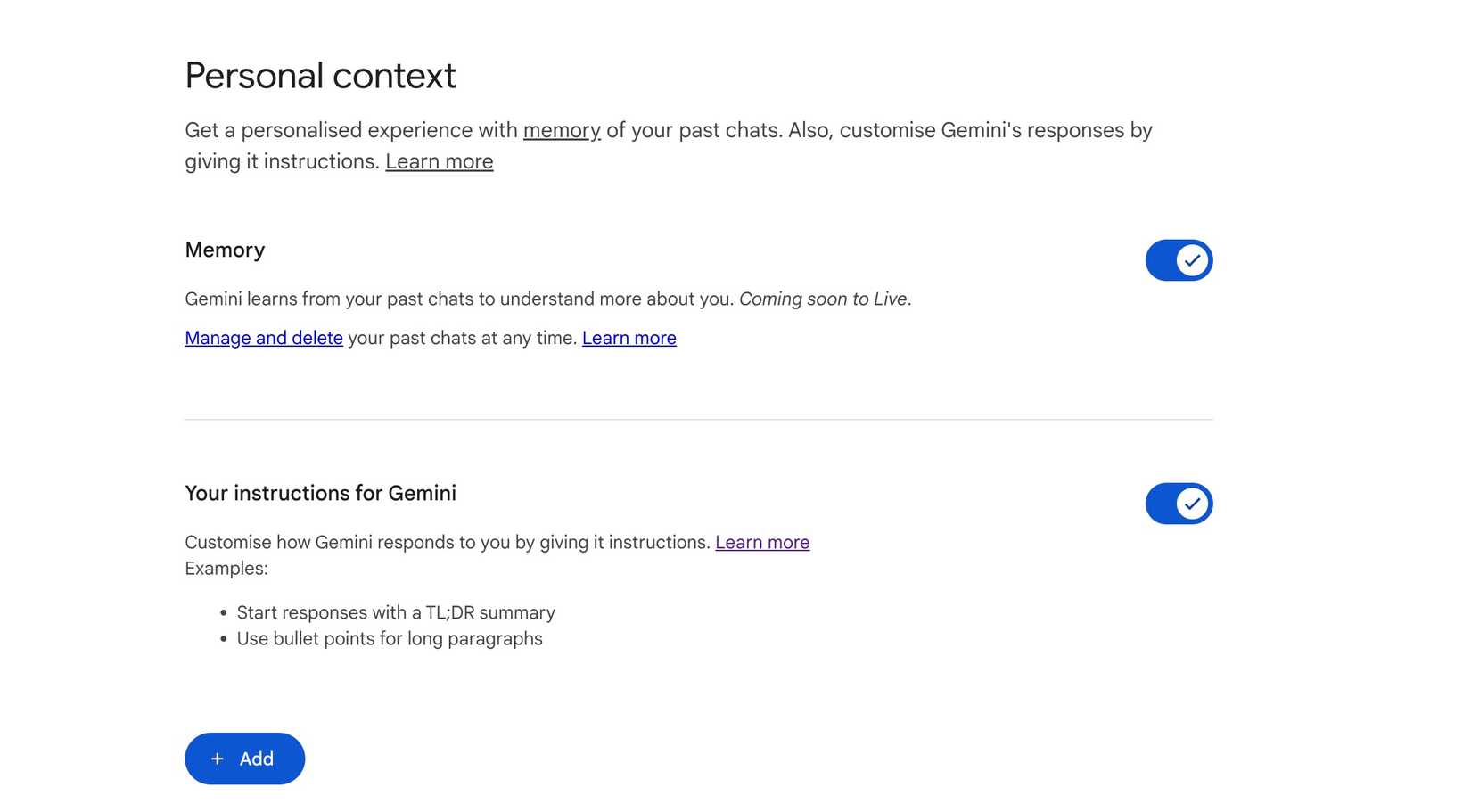
For months, I felt like I was constantly re-explaining my preferences, tech stack, and writing style. By turning on the Memory feature and setting Custom instructions, I essentially gave the AI a seat at my desk.
Now, Gemini remembers the context of our previous conversations. After all, if we spent three days debating the best Docker containers for a private cloud, I don’t have to start over on day four. Gemini picks up right where we left off. It’s like having a persistent cache for my brain.
Gemini even knows my current devices, my expertise, and the detailed specifications of the home lab.
And with custom instructions, I can tell Gemini exactly how to behave across every chat, so I never say ‘be concise’ or ‘use bullet points’ ever again.
I went into Settings > Personal Context and laid down the law. Now, Gemini stops being a generic chatbot and becomes a specialized tool that actually understands my world.

Related
7 unexpected ways I use Gemini beyond chat
It became a crucial part of my Android workflow
Exploring NotebookLM integration
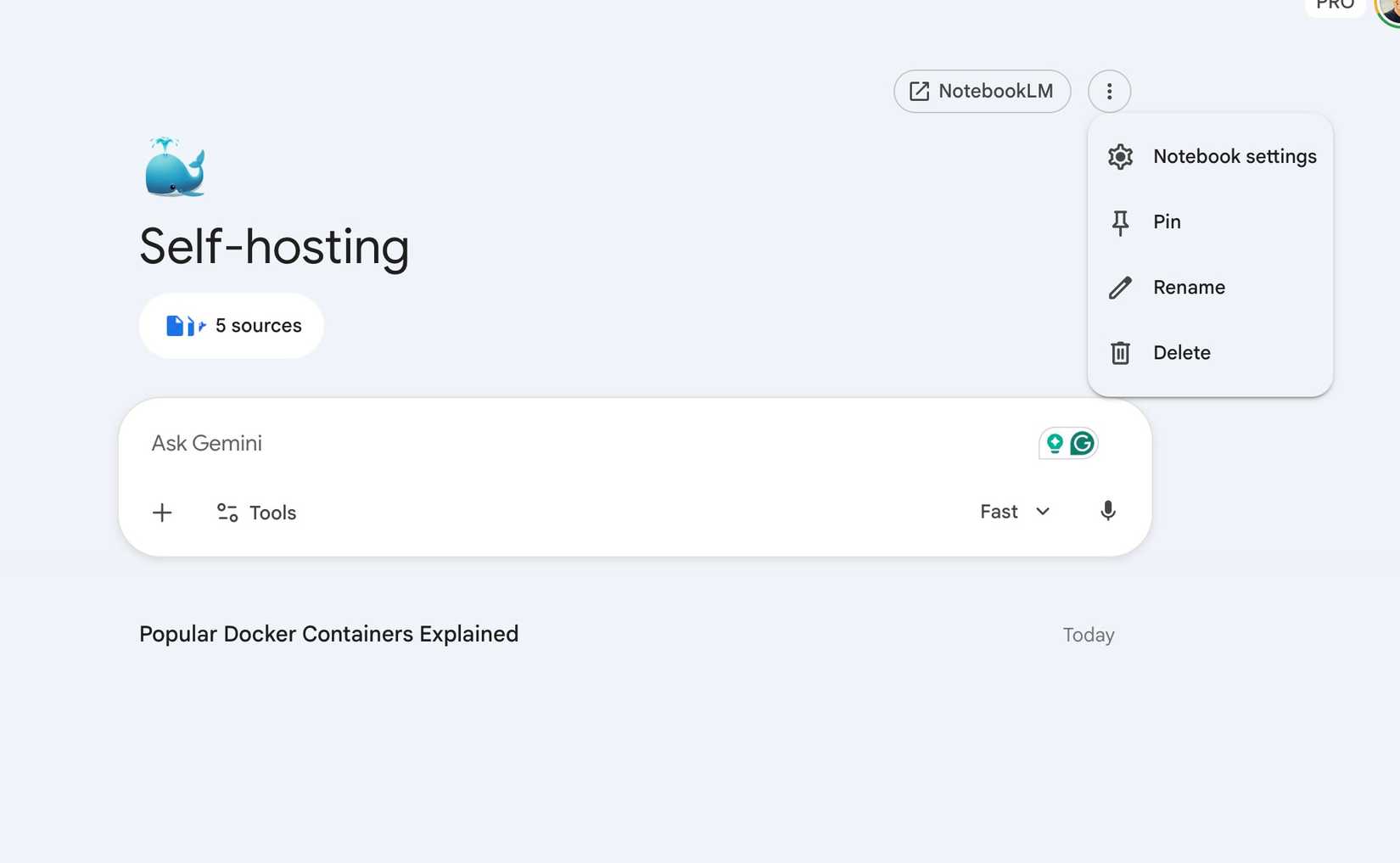
NotebookLM is a brilliant place to dump 50 PDFs about the diamond industry or 100 pages of tech documentation and get relevant answers directly from the sources.
In early 2026, Google finally allowed us to attach entire NotebookLM notebooks directly to a Gemini chat.
Instead of jumping back and forth between tabs, I now use Gemini as the active layer on top of my curated NotebookLM data. I create these deep knowledge bases in NotebookLM and integrate them directly into Gemini with a single click.
Beyond the chatbox
If you treat AI like a magic wand and expect it to perform without giving it the right infrastructure, you are in for a disappointment.
This setup is just my blueprint. Whether you are managing a complex home lab, streamlining a professional writing workflow, or building a business from the ground up, the real magic happens when you tweak Gemini settings to fit your specific friction points.
While you are at it, make sure to connect Gemini to these tools to unlock its full potential.