
I use NotebookLM almost every day for learning. It is my favorite AI tool for consuming content quickly because it packs all the best learning tools.
However, after using NotebookLM for several months, my opinion about it has slightly changed. Don’t get me wrong. I do not blame NotebookLM for this.
While I still believe NotebookLM brings the best learning tools under one roof, I have found a new AI tool that takes one of NotebookLM’s best features and turns it into something more practical, and it has more widespread usage.
While using the Huxe app, I instantly felt as if NotebookLM had a cousin. The tool feels like it belongs to the same family as Google’s AI notebook.
This is why I refer to the Huxe app as a cooler cousin of NotebookLM. I use the Huxe app every day, and it’s the first one I open when I get out of bed.
Related
6 NotebookLM tips I use to stay productive
Google’s NotebookLM saves me a lot of time
Huxe app pushes NotebookLM’s Audio Overviews even further
When I started using NotebookLM, it didn’t have as many useful features as it does right now. Two of my favorite tools — Audio Overview and Video Overviews — came to NotebookLM much later.
The Audio Overviews feature is particularly great for digesting information quickly. I have many of those AI-powered audio clips downloaded onto my phone. I listen to them while commuting.
I was so in love with it that I couldn’t even imagine someone taking the AI audio summary to the level that the developers behind the Huxe app did.
Unlike NotebookLM, which requires you to continuously feed it information to generate new audio summaries, Huxe only needs you to set it up with the correct information.
After linking my Gmail and Outlook inboxes and Calendar, I did nothing more to get a daily audio briefing on the emails I received from places I subscribed to, updates from my task management app I use for work, and news headlines.
Huxe is an AI-generated podcast, but it doesn’t feel like an AI. While I can say the same about NotebookLM’s Audio Overviews feature, Google’s solution isn’t as daily-use-friendly as Huxe.
All I do to listen to the AI audio is open the Huxe app and tap the play button. On the other hand, NotebookLM’s audio summary works only when you manually add sources.
This is NotebookLM’s biggest weakness and Huxe’s biggest strength.
Huxe does so much more than turning your emails and calendar events into podcasts
Credit: Lucas Gouveia / Android Police
I don’t remember a single instance when I communicated with anyone using my email address. I created an email because I needed to explore the more fun side of the internet.
If this is you, Huxe is still useful. You can link your X account to get a daily briefing about what’s happening in your timeline. Not only that, but you can also add custom topics.
So, you can customize the daily briefing to include sports topics or news related to your favorite sports team.
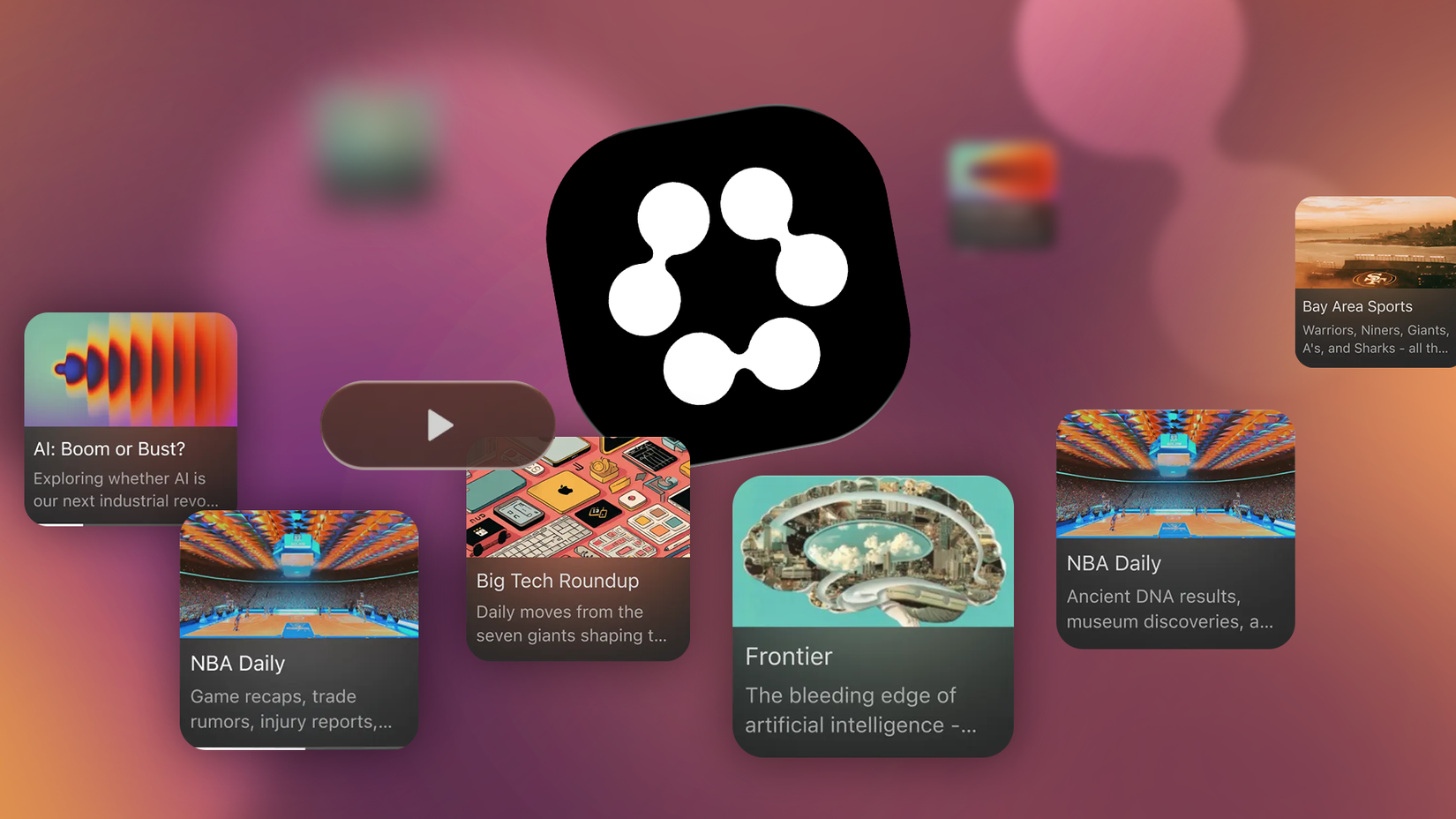
Huxe also has a Discover section with a plethora of categories, such as News, Tech, AI, Science, Health, Politics, Sports, Business, and more. So, if you can’t decide what to listen to, head to the Discover page.
The Discover page can also give you an audio brief about what’s trending in the popular global subreddits.
If you don’t find any of this interesting, you can add sources from RSS feeds, Reddit, and website URLs. This is similar to how NotebookLM’s Audio Overviews feature works.
Huxe also allows you to type what’s on your mind. So, you can type something like, “What’s the latest development on Strait of Hormuz,” and it’ll do the research and provide you with the latest news about the topic in a podcast-style briefing.
You can also bookmark the shows you loved. Huxe offers a dedicated section where you can find all your saved shows.
There is also a page called My shows in the Huxe app. This page displays all the shows you created and listened to. It’s also the hub for shows created and suggested by Huxe.
If you don’t like what you see, you can delete that item by tapping the three-dot menu. You can also sort and filter content on the My shows page.
Overall, I can safely say Huxe gives me more real-world exposure to AI than any other AI I have ever used.
NotebookLM is great, but Huxe fits my life better
I love NotebookLM, and it’s the most comprehensive AI-powered learning tool I have ever used.
However, collecting the right sources and then feeding them into NotebookLM is no small task. It takes time and energy.
On the other hand, the Huxe app requires almost zero effort from users after everything is set up.
All I do is open the app, and all the AI-powered podcast shows are ready to be consumed. Not only does it sound so easy, but it also fits my life better.