
Razer has been slowly refining their lineup over the years. They’ve moved past the “just for gamers” era and are firmly planting their feet in the serious creator and business presenter space. Their latest release, the Razer Seiren V3 Pro, is a perfect example of this evolution.
This isn’t just another incremental update; it’s a professional-grade dynamic microphone designed to bridge the gap between simple plug-and-play USB setups and high-end studio XLR rigs. I’ve been putting it through its paces in my own studio setup, and it’s safe to say Razer has delivered something incredibly versatile.
A beautiful, functional design
Right out of the box, the first thing you notice about the Razer Seiren V3 Pro is its weight. It features a premium zinc unibody construction that feels incredibly solid. If you’ve ever used cheaper microphones on a desktop boom arm, you know the struggle: if the mic is too light, the arm just flings right back up. The Razer Seiren V3 Pro has the perfect amount of heft to keep a premium mic arm perfectly in place.
The microphone comes with a sturdy desktop base featuring a rubber grip to stop it from sliding around your desk, but the onboard bracket also uses a standard thread, making it seamless to transition to a boom arm. The included mini adjustable arm mount is brilliant for dialing in the exact angle you need. I knew what I was going for right away. I put the base back in the box and mounted the microphone to the arm I had already on my desk.
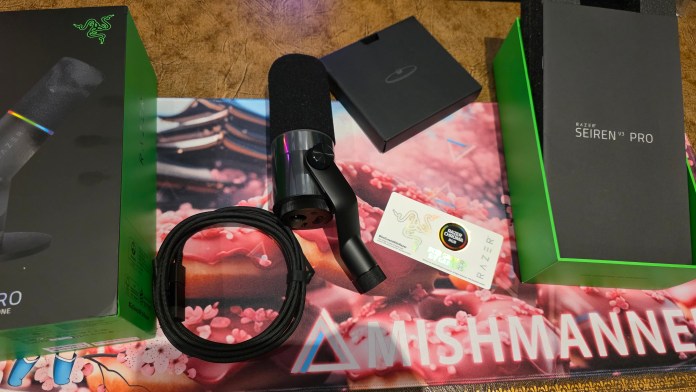 Out of the box you receive the microphone with mini arm, base, cable, stickers, and information booklet. (Photo: TechAU)
Pro Tip: Remember that this is a dynamic microphone with a cardioid pattern, meaning the sound is captured from the end of the microphone, not the sides. You need to point the top of the mic directly at your mouth. If you’re unsure, Razer includes a booklet with great visual diagrams to make setup foolproof.
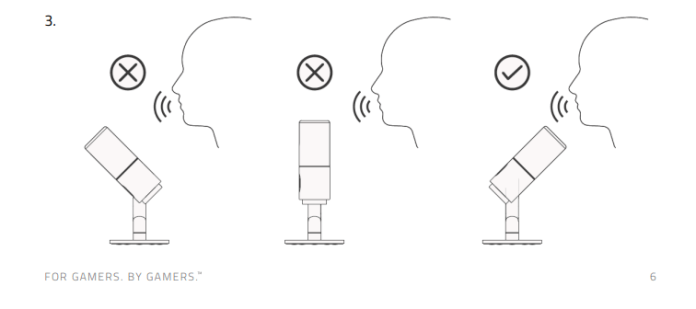 Page six in the English manual provides a nice visual of how you should setup your microphone. (Image: Razer)
Subtle features that really work
Visually, Razer has struck a great balance between sleek professionalism and their signature style. The branding is subtle, and the overall silhouette is incredibly clean. It features an all-around integrated cover that acts as a built-in shock absorber and pop filter, completely eliminating the need for an ugly foam sock. If you prefer an even slimmer, hyper-minimalist look, you can easily take the outer filter cover off.
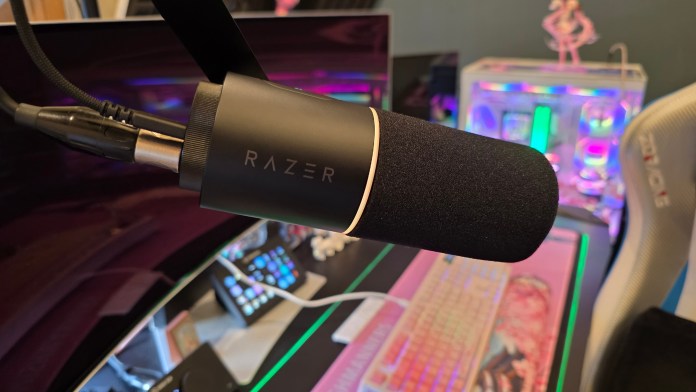 The Razer Seiren V3 Pro looks simply gorgeous. Sleek and subtle. (Photo: TechAU)
And yes, it features Razer Chroma RGB, and it’s done with absolute class. Instead of blinding multi-coloured streaks, it’s a subtle, functional light ring at the base. I love that the ring acts as a real-time visual indicator. It changes to a purple colour based on your gain levels so you always know exactly where your audio stands. The lighting turns to red when it’s muted, giving a clear visual for when you’re “on” or not.
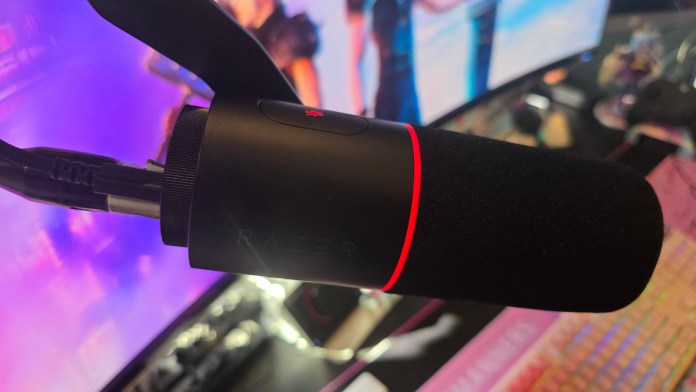 When you tap the mute button, the lights will turn red, providing a visual indicator. (Photo: TechAU)
Smart, tactile controls
Razer has nailed the physical usability here. On the top of the Razer Seiren V3 Pro, you’ll find a tap-to-mute sensor. Notice I said tap, not press. You don’t have to push a clunky physical button that sends a massive “thud” down the audio line; a simple, light tap instantly toggles it on or off mid-call or mid-stream.
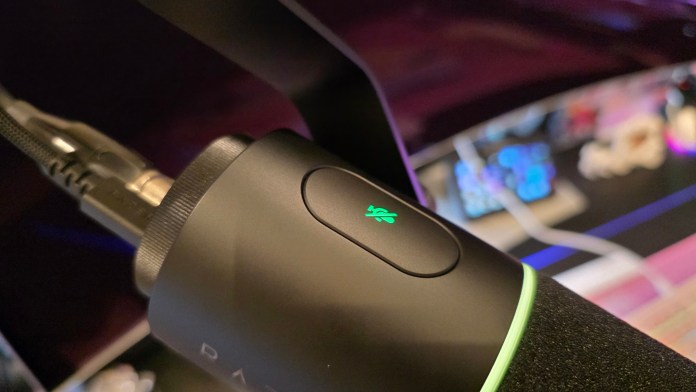 I like that this button is just a tap, not a push. (Photo: TechAU)
On the bottom, there is a dedicated physical gain dial, alongside a headphone jack for zero-latency direct monitoring. While the dial can be a bit tricky to access once the mic is clamped deep into a boom arm setup, it’s designed to be a “set and forget” feature anyway.
Versatility: The magic of dual USB-C & XLR
The headline feature of the Razer Seiren V3 Pro is its true hybrid connectivity. It features both a USB-C port and a full XLR connection. This means the microphone can scale with you. If you’re just starting out, you can use the included USB cable (which handily comes with a USB-A to USB-C adapter) for instant plug-and-play on a PC or Mac.
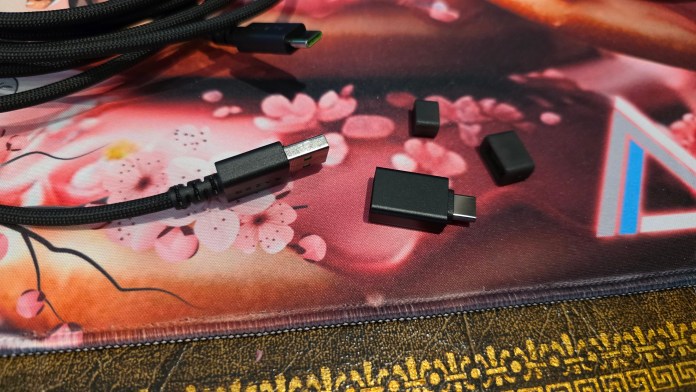 The included USB cable comes with a handy adapter. (Photo: TechAU)
However, if you want the absolute best results, the XLR connection is where this microphone truly shines.
I hooked the Razer Seiren V3 Pro up to my existing XLR mixer using my own XLR cable (note: Razer doesn’t include an XLR cable in the box, so you’ll need to grab one separately). Even when using XLR, you’ll still want to use the USB cable for two things:
Using Razer Synapse; more on this below.
Using the RGB lighting
The reason you need the USB power is because the awesome Digital Signal Processing (DSP) that comes with this microphone and the RGB lighting both require digital power. The USB cable drives the onboard smart audio processing and the lights. While you can run the audio through your XLR cable, but you’ll be missing out on some key digital features. So I opted to have both cables connected. Luckily, my boom arm has an integrated cable trench, so running both lines wasn’t an issue, but you’ll want to ensure you have two free USB slots on your PC: one for the Razer Seiren V3 Pro and one for your mixer (because the mixer connects the XLR sound to your computer).
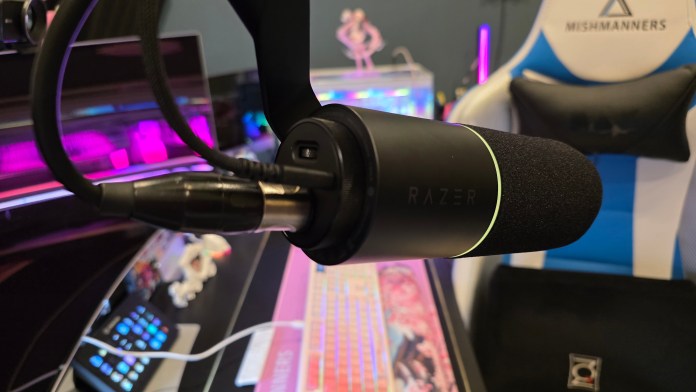 If you are going to use the XLR cable, you’ll need to insert the USB cable for controlling with Synapse. (Photo: TechAU)
When running a hybrid setup like this, you have to decide on your workflow philosophy: do you max out the gain on the mic and control everything via your hardware mixer, or vice versa? Personally, I prefer to keep the mic levels high and the gain balanced, managing the final output, mutes, and fine-tuning directly on my physical mixer. The flexibility to choose how you manage your workflow is fantastic.
Clear, crisp, studio-grade sound
So, how does it actually sound? In a word: incredible.
The Razer Seiren V3 Pro packs a large 30mm dynamic capsule that delivers a beautifully warm, rich broadcast tone. On my first voice call using the new XLR setup, people instantly commented on how crisp and clear I sounded. I also used it to record voiceovers and audio for some upcoming videos, and the jump in quality over my previous setup was night and day. It does an excellent job of isolating your voice and rejecting background noise. Plus, the amount of audio fine-tuning I needed to do in post-production was significantly less, leading to a more natural sounding voice with less work.
You can also unlock some seriously high-end features via Razer Synapse. Once you plug in the microphone and open Razer Synapse, the software should detect the new hardware, install any updates, and then you’re good to go.
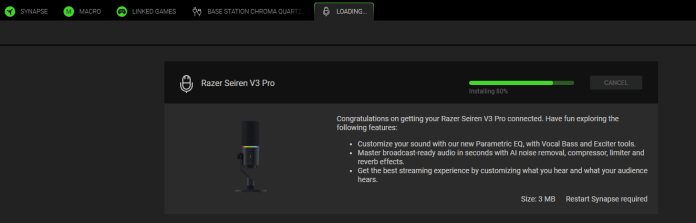 The Razer Synapse software should detect your microphone and provide any necessary updates. (Screenshot: TechAU)
There are some great features you can tinker with inside Synapse, including:
Customising sound with various levels through 32-Bit Float Support: This is the same format used in professional recording studios. It captures a massive dynamic range, meaning even if you scream during an intense gaming moment, the audio won’t clip or distort, saving you heaps of time in post-production
Using AI noise reduction, compressor, and other fun effects through on onboard audio DSP: The mic has an internal DSP chip that handles compression, limiting, an expander, and an AI noise remover directly on the hardware, meaning your PC doesn’t have to do any heavy lifting
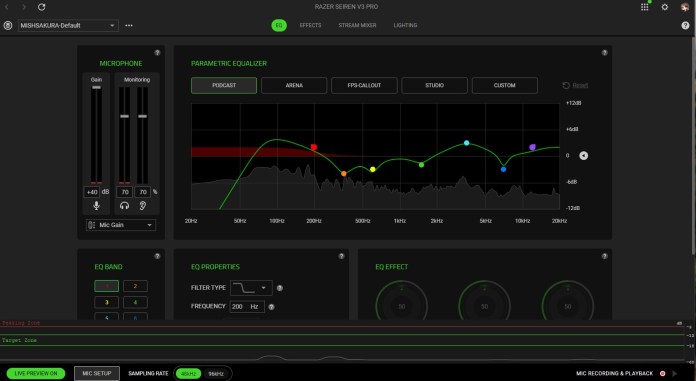 The Razer Synapse software has so many amazing features that you can tweak to get the sound you want. (Photo: TechAU)
You can also change the microphone’s lighting effects within Synapse.
Final thoughts
The Razer Seiren V3 Pro is a home run. I think the fact that have completely switched everything over to this new microphone speaks volumes about the microphone’s capability. By offering simultaneous USB and XLR capabilities, Razer has built a microphone that suits a beginner streamer today but won’t need to be replaced when they upgrade to a professional studio mixer tomorrow. It also suits professionals recording videos, presenting at webinars, or giving live talks.
The microphone looks beautiful, feels incredibly robust, and most importantly, delivers pristine, broadcast-ready audio. If you’re looking to seriously step up your audio game, the Razer Seiren V3 Pro is well worth the investment, and at AU$429.95 it certainly is an investment. But those dollars will still get you the beautiful Razer Chroma stickers right out of the box. Naturally, that was the first thing I pulled out!