
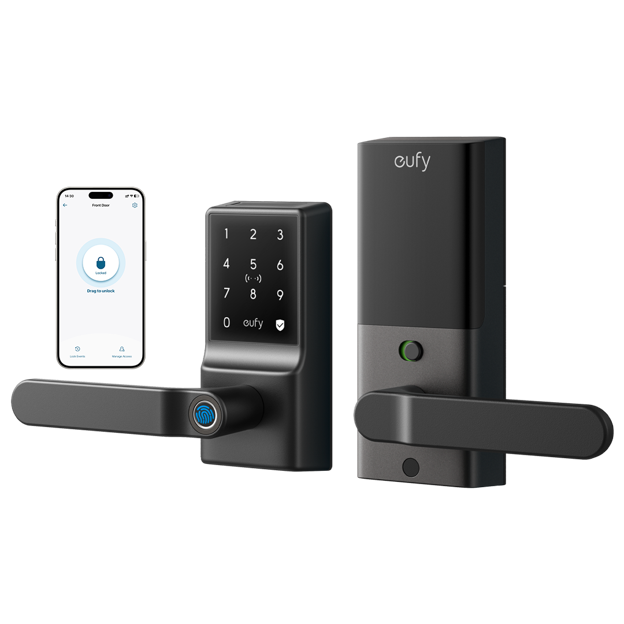
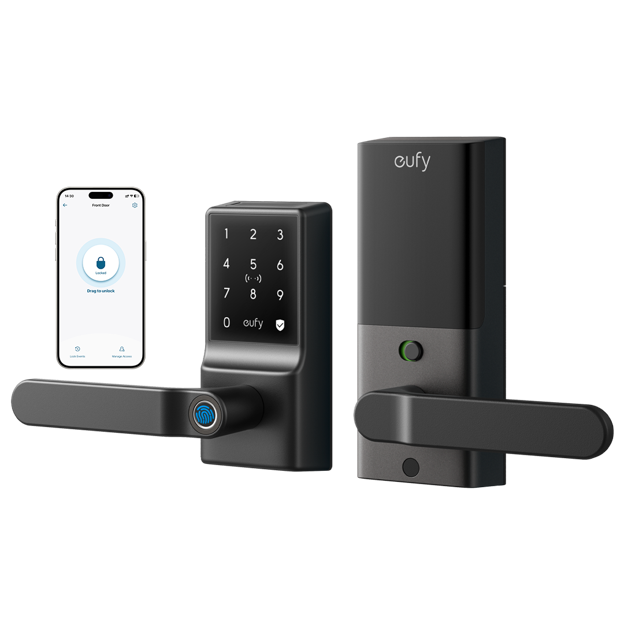
A smart door lock replaces one of the most fundamental security mechanisms in your home — the physical key — with a system that offers more flexibility, more control, and more visibility into who is coming and going. The concept is straightforward, but the reality of the market is that smart locks vary enormously in quality, security, compatibility, and usability. Some live up to the promise of convenient, secure keyless access. Others introduce new frustrations in exchange for eliminating old ones. The difference lies in the details: how the lock authenticates users, how it handles connectivity failures, how it integrates with your existing door hardware and smart home ecosystem, and how well it’s been engineered to resist the physical and digital attacks that a door lock will realistically face. This guide focuses on the features and considerations that genuinely determine whether a smart door lock improves your home security and daily life, rather than simply adding complexity to both.
Authentication Methods and Their Tradeoffs
The way a smart lock verifies your identity before granting access is its most fundamental characteristic. Most current models support multiple authentication methods, and understanding the strengths and limitations of each helps you choose a lock that matches how you and your household actually operate.
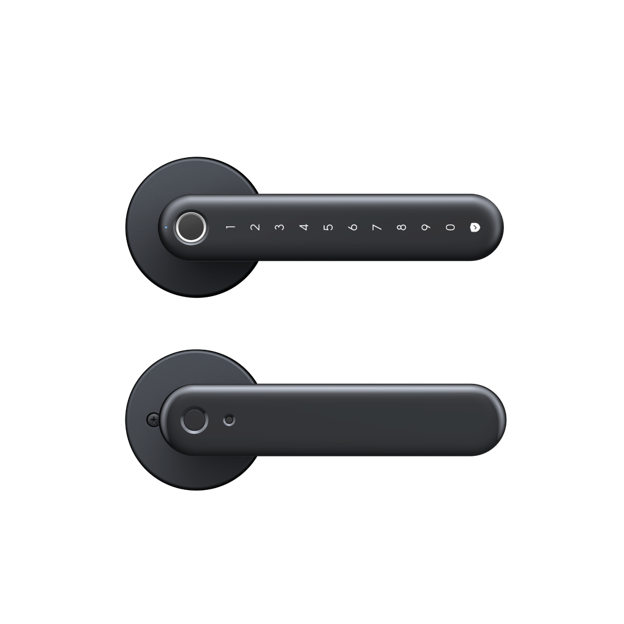
Keypad entry with a PIN code is the most universally supported method. It’s simple, reliable, and works without a phone or any connected device. PIN codes can be shared with guests or housekeepers without handing over a physical key, and most locks allow temporary codes that expire after a set period. The main limitation is that PIN codes can be guessed or observed, so choosing a non-obvious combination and enabling any available anti-peep features — like requiring random digits before or after the actual code — reduces that risk meaningfully.
Fingerprint recognition has become common on mid-range and premium smart locks. A registered fingerprint unlocks the door in under a second without requiring you to remember a code or reach for your phone. It’s fast, hands-free in the sense of not needing a device, and inherently personal — a fingerprint can’t be shared or accidentally revealed. Fingerprint sensors vary in quality; look for models with large, responsive sensors that work reliably with wet or slightly dirty fingers, since a sensor that fails when your hands are cold or damp quickly becomes a point of friction rather than convenience.
App-based unlocking through Bluetooth or Wi-Fi lets you open your door from your phone. Bluetooth unlocking is fast and doesn’t require internet connectivity — as long as your phone is within range of the lock, it works. Wi-Fi and remote unlocking extend that capability to any location with internet, letting you let in a guest or delivery person when you’re away from home. The dependency on your phone’s battery and connectivity is the obvious tradeoff; a dead phone combined with a forgotten PIN is a scenario worth planning for.
Physical Key Backup
Most smart locks retain a physical key cylinder as a backup, and this is generally the right call. A lock with no mechanical override creates a scenario where a dead battery, a software failure, or a lost phone leaves you unable to enter your own home. Physical key backup is the failsafe that ensures the smart features remain convenient enhancements rather than potential points of failure. Keep a spare key in a secure location rather than eliminating physical access entirely.
Connectivity: Bluetooth, Wi-Fi, and Hub-Based Systems
How your smart door lock connects to the rest of your smart home — and to the outside world — determines what remote features are available and how reliably the lock operates day to day.
Bluetooth-only locks are the simplest. They communicate directly with your phone when you’re within range, typically up to about ten meters. Setup is straightforward, battery life is generally excellent since Bluetooth uses very little power, and there’s no cloud dependency. The limitation is that Bluetooth-only locks don’t support remote access — you can’t check lock status or unlock the door from work. For households where remote access isn’t a priority, this simplicity is a genuine advantage.
Wi-Fi enabled locks connect directly to your home network and support remote access through the manufacturer’s cloud service. You can check whether the door is locked, lock or unlock it remotely, and receive notifications when it’s accessed — all from anywhere with internet. The tradeoff is battery life; Wi-Fi radios consume significantly more power than Bluetooth, and a lock that depletes its batteries in weeks rather than months becomes a maintenance burden. Look for models that use Wi-Fi efficiently — connecting to the network only when needed rather than maintaining a constant connection — for better battery longevity.
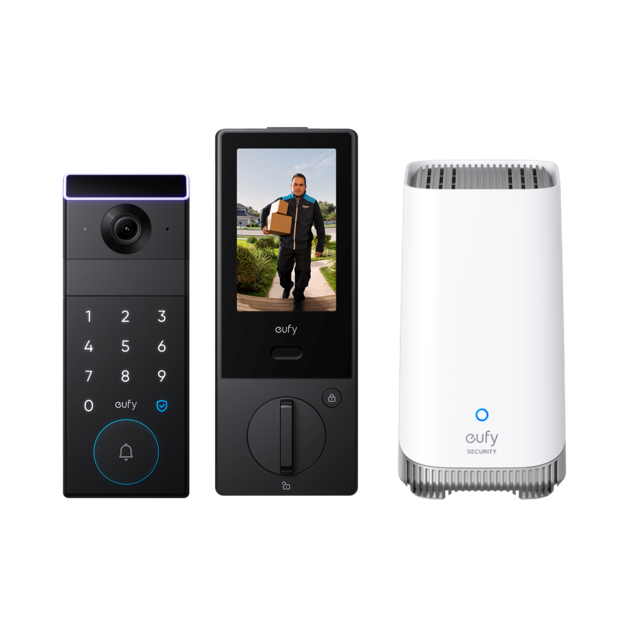
Hub-based systems use a separate smart home hub (often part of a broader security ecosystem) that handles cloud communication while the lock itself uses a low-power protocol like Zigbee or Z-Wave. This approach combines good battery life with remote access capability, but it requires the hub hardware. Brands like eufy offer ecosystem approaches where a single hub supports multiple smart home devices including locks, cameras, and sensors, which can simplify management if you’re building out a broader smart home setup.
Physical Security: What the Specs Don’t Tell You
A smart lock is still a door lock, and its physical security against forced entry matters just as much as its digital features. This is an area where spec sheets are often uninformative, and real-world security ratings provide more meaningful guidance.
Look for locks with industry certifications that reflect physical resistance testing. ANSI/BHMA grading in the US and equivalent standards elsewhere test for factors like resistance to picking, drilling, forced entry, and cycle endurance — how many lock-and-unlock cycles the mechanism can withstand before wearing out. Grade 1 (ANSI) or equivalent represents the highest residential security standard. Locks with security ratings have been independently tested; those without may not have been.
The lock’s protection against digital attacks is equally important but harder to verify from a product page. Reputable manufacturers use encrypted communications between the lock and the app, rolling access codes that can’t be replayed, and secure pairing processes that prevent unauthorized devices from being registered. Look for locks from companies with transparent security practices — ones that publish information about their encryption standards and have a process for handling security vulnerabilities when they’re discovered. A lock that can be compromised wirelessly is not a security improvement over a traditional key.
Access Management and Guest Access
One of the most practical benefits of smart locks over traditional locks is the ability to manage access without cutting physical keys. The quality of access management features varies significantly and is worth evaluating carefully before purchase.
Guest codes and temporary access are the baseline feature. Most smart locks let you create additional PIN codes or app access for guests, family members, or service providers. More sophisticated systems allow time-limited access — a cleaning service code that only works on Tuesday mornings, or a guest code that expires automatically at the end of a visit. This granular control is genuinely useful and represents a meaningful security improvement over hiding a spare key under a doormat.
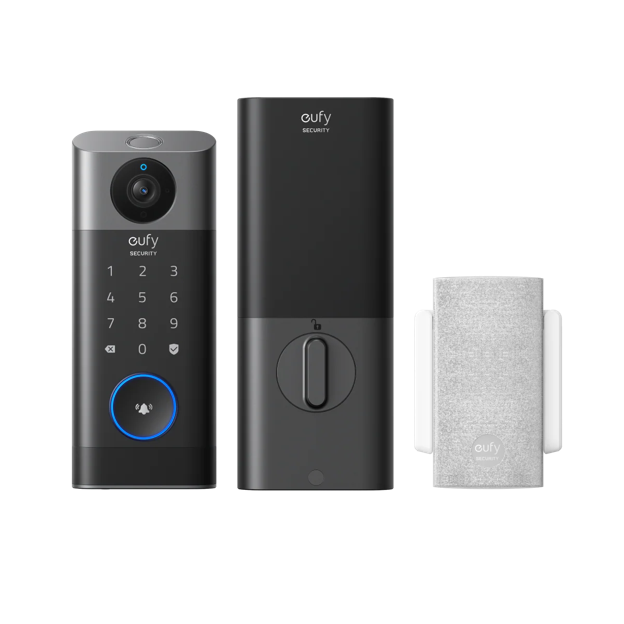
Access logs show you a record of when the door was locked and unlocked and by which method or user. This is valuable for households where multiple people come and go — confirming that a child arrived home from school, tracking when a contractor accessed the property, or reviewing activity after a security concern. The depth and accessibility of these logs varies; some locks maintain logs locally on the device, others upload them to the cloud, and the retention period differs between systems.
App-based access sharing lets you grant other household members or trusted guests access without sharing your PIN. Most systems let you assign different permission levels — full access versus limited time windows — and revoke access instantly when it’s no longer needed. Revoking a smart lock credential takes seconds through an app; recovering a distributed physical key is far more difficult.
Installation and Compatibility
Smart locks are designed to replace the interior portion of your existing deadbolt — the thumbturn and interior escutcheon — without requiring changes to your door or exterior hardware in most cases. This makes installation significantly simpler than replacing the entire lock set, but compatibility varies and checking before purchase prevents frustrating surprises.
Door thickness and backset — the distance from the door edge to the center of the knob hole — must fall within the lock’s supported range. Most smart locks accommodate standard residential door dimensions, but thicker doors or non-standard backsets may require adapters or may not be compatible at all. Measure your door before purchasing and compare against the lock’s specifications.
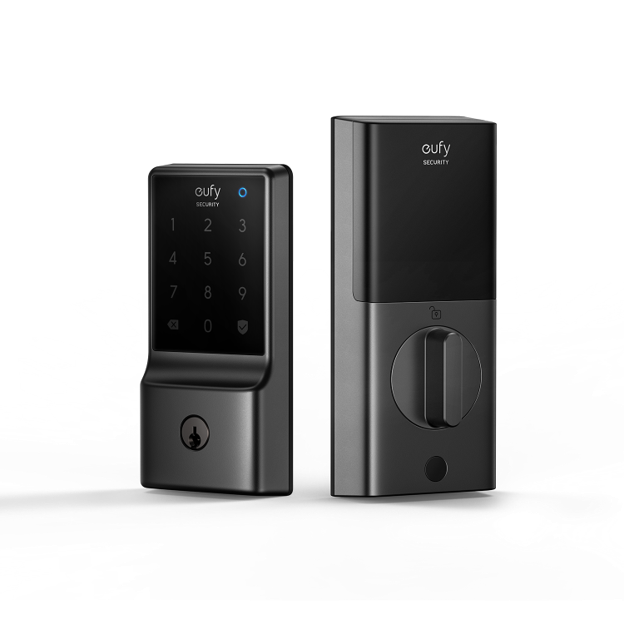
For deadbolts with a keypad or fingerprint reader on the exterior, the exterior escutcheon also needs to be replaced or supplemented. Many smart lock kits include both interior and exterior components and are designed to work together. If you’re replacing the interior component only and keeping your existing exterior hardware, verify that the kit is designed for retrofit installation rather than full replacement.
Battery Life and Low-Battery Handling
A smart lock that runs out of battery at an inconvenient time is a security and convenience problem simultaneously. Battery performance is therefore worth scrutinizing beyond the manufacturer’s stated estimate, which typically represents ideal conditions.
Battery life varies based on how frequently the lock is used, which connectivity option is active, and what features are enabled. High-traffic doors with frequent unlocking events and active Wi-Fi connections will drain batteries much faster than a low-traffic side entrance with Bluetooth-only connectivity. Reading user reviews from people with comparable usage patterns gives a more realistic picture than manufacturer estimates.
Low-battery handling is equally important. Good smart locks send multiple advance notifications through the app when battery level is getting low, giving you time to replace or recharge before it becomes critical. They also maintain operation at low battery levels rather than failing suddenly. Most locks with AA or AAA batteries can be opened with an emergency battery pack held against an external contact point even when the internal batteries are completely dead — this emergency power feature is a useful safety net worth confirming is present on any model you’re considering.
Choosing a Lock That Earns Its Place at Your Door
A smart door lock delivers real value when it simplifies access for your household, gives you clear visibility into who is coming and going, and maintains the physical security standards you’d expect from any quality deadbolt. Getting there means choosing a lock whose authentication methods match how your household actually operates, whose connectivity approach balances remote access with battery practicality, and whose physical and digital security has been genuinely tested rather than just asserted. The best smart lock is one you’ll barely notice in daily use — because it works reliably, unlocks quickly, and handles edge cases without drama. That reliability, more than any individual feature, is what separates a smart lock that improves your home from one that simply adds a new set of maintenance tasks to your routine.

Partner Content
The above article is partner content, and any information presented should be independently verified before making any decisions as a result of the content. This article does not constitute advice of any kind, nor does it represent the opinions of the website publisher.