
GM’s key – now in your digital wallet
2026-09-23
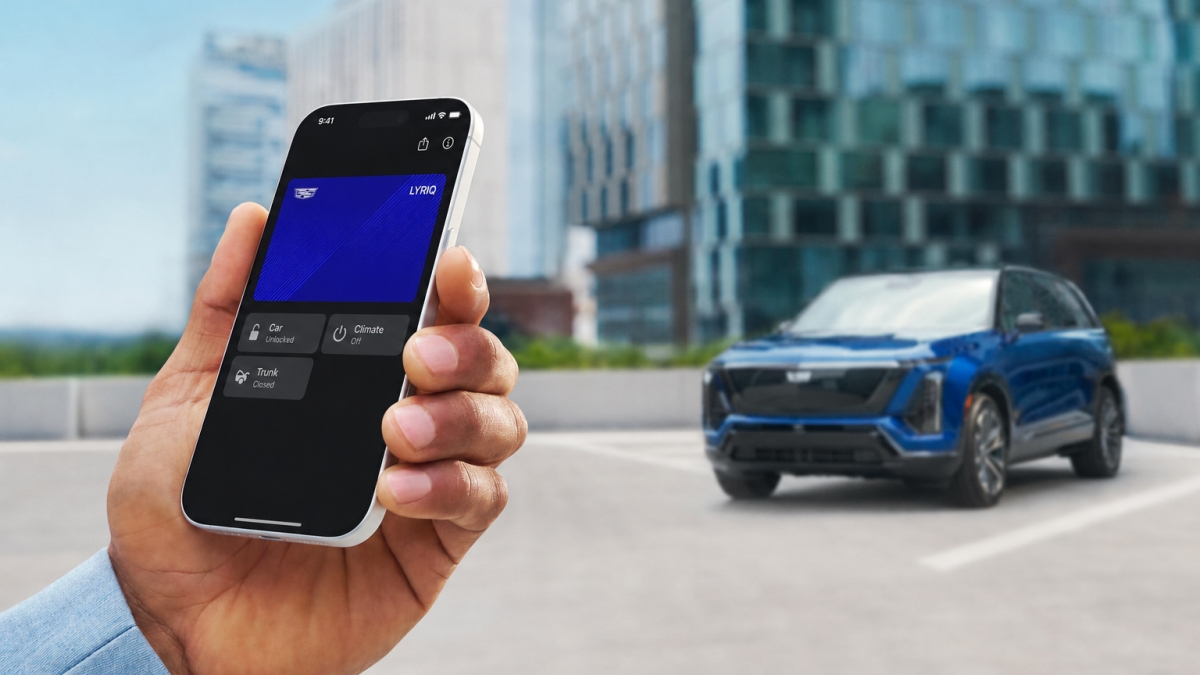
Ever wonder where you left your keys? The small luxury of not having to search for them has arrived. Starting today, GM is rolling out digital keys for select 2026 and 2027 Cadillac EVs, with more GM models to follow.
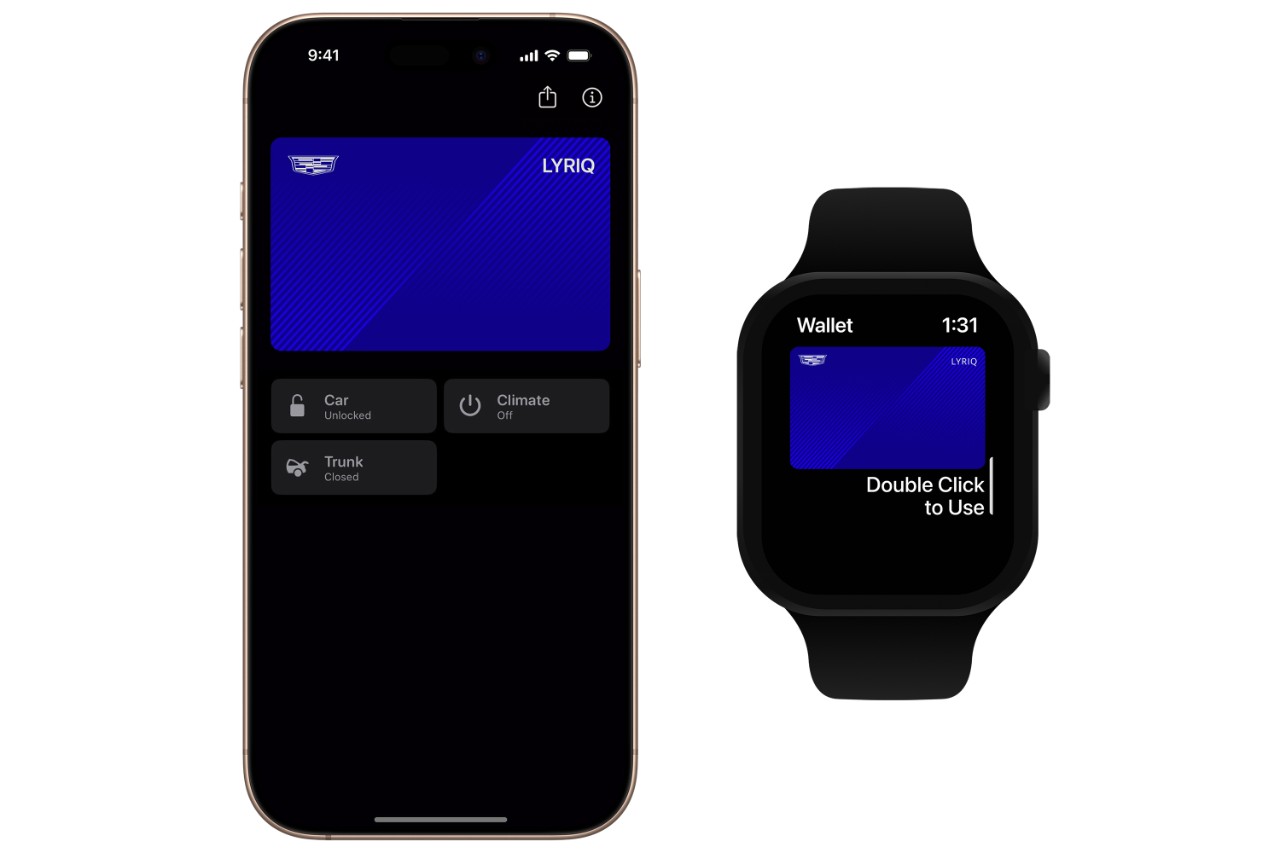
GM’s digital key allows you to easily unlock and drive your GM vehicle by adding a version of your vehicle’s physical key to your digital wallet on a compatible iPhone, Apple Watch, Google Pixel or Samsung Galaxy device. It’s that simple.
Three key conveniences
IMAGE PLACEHOLDER
Sharing is easy: You can securely share your key with up to seven additional devices via AirDrop, Messages, WhatsApp, and more.
Walk up and drive: With your key in a digital wallet, your vehicle automatically unlocks as you approach and locks when you walk away. Whether you’re wrestling the groceries or loading up the kids, GM’s digital key offers seamless access without needing to take out your phone.
A cabin already set to your comfort zone: Beyond locking and unlocking, you can also pop the trunk and adjust the climate controls right from your digital wallet, before you even step inside the vehicle.
Backed by advanced security
With a digital key, your GM vehicle knows when your device is near, making access both convenient and secure. GM’s digital key uses ultra-wideband technology to enable secure, encrypted, proximity-based authentication and Bluetooth for these connected controls.
For security, your digital key is stored in Apple Wallet, Google Wallet™ or Samsung Wallet — the same way your device securely stores payment cards and other sensitive credentials. GM’s digital key is built on the Car Connectivity Consortium (CCC) standard, an automotive and technology-industry framework designed to ensure vehicles and devices work together reliably and safely.
If you are an account owner, you can remove digital key access at any time through your vehicle or digital wallet. If your device is lost or stolen, call OnStar, and they will be able to deactivate a digital key immediately.
How to add digital keys
Getting started is easy. First, download and sign in to your vehicle’s mobile app. Then, while in your OnStar-connected GM vehicle with its physical key fob nearby, follow the prompts on the app to add a digital key to your compatible digital wallet of choice. After pairing, Bluetooth and ultra-wideband technology allow for seamless everyday access.
Learn more here.
Eligible vehicles
GM’s digital key will be introduced in phases beginning September 10 through mid-October for eligible Cadillac vehicles, including the 2025–2027 LYRIQ, 2026–2027 OPTIQ, and 2027 VISTIQ.
In December, availability will expand to more vehicles, including the 2026–2027 Chevrolet Tahoe and Suburban; 2026–2027 GMC Yukon and Yukon XL; and 2027 Escalade, Escalade IQ/IQL and CELESTIQ.
The rollout will continue across additional GM vehicles over time. Customers will see a notification in the “What’s New” section of their vehicle mobile app when digital key becomes available.
The digital key experience will continue to evolve beyond simply unlocking and starting a vehicle. By leveraging ultra-wideband technology, GM is laying the groundwork for more deeply integrated and personalized experiences like automatically adjusting vehicle settings as drivers approach and other intelligent features that make ownership more convenient.
Compatible devices
IMAGE PLACEHOLDER
Digital key works with compatible ultra-wideband devices, including:
Apple: iPhone 11 or newer, Apple Watch Series 6 or newer, and Apple Watch Ultra (first generation or newer).
Google: Pixel 6 Pro, Pixel 7 Pro, Pixel Fold, Pixel 8 Pro, Pixel 9 Pro, Pixel 9 Pro XL, Pixel 9 Pro Fold, Pixel 10 Pro, Pixel 10 Pro XL, Pixel 10 Pro Fold.
Samsung: Galaxy S21+ 5G or newer, and Galaxy Note20 or newer models, and Galaxy Z Fold and Z TriFold models.
For the latest information on supported devices and compatibility requirements, visit the Apple, Google, and Samsung support pages.
Google, Google Wallet and Pixel are trademarks of Google LLC.
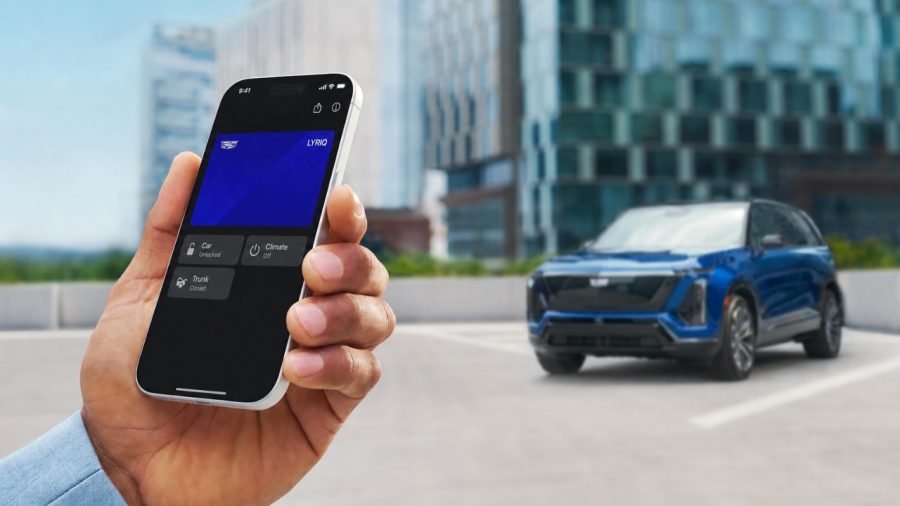
Ever wonder where you left your keys? The small luxury of not having to search for them has arrived. GM is rolling out digital keys for select 2026 and 2027 Cadillac EVs, with more GM models to follow.
GM’s digital key allows you to easily unlock and drive your GM vehicle by adding a version of your vehicle’s physical key to your digital wallet on a compatible iPhone, Apple Watch, Google Pixel or Samsung Galaxy device. It’s that simple.
Three key conveniences
Sharing is easy: You can securely share your key with up to seven additional devices via AirDrop, Messages, WhatsApp, and more.
Walk up and drive: With your key in a digital wallet, your vehicle automatically unlocks as you approach and locks when you walk away. Whether you’re wrestling the groceries or loading up the kids, GM’s digital key offers seamless access without needing to take out your phone.
A cabin already set to your comfort zone: Beyond locking and unlocking, you can also pop the trunk and adjust the climate controls right from your digital wallet, before you even step inside the vehicle.
Backed by advanced security
With a digital key, your GM vehicle knows when your device is near, making access both convenient and secure. GM’s digital key uses ultra-wideband technology to enable secure, encrypted, proximity-based authentication and Bluetooth for these connected controls.
For security, your digital key is stored in Apple Wallet, Google Wallet™ or Samsung Wallet — the same way your device securely stores payment cards and other sensitive credentials. GM’s digital key is built on the Car Connectivity Consortium (CCC) standard, an automotive and technology-industry framework designed to ensure vehicles and devices work together reliably and safely.
If you are an account owner, you can remove digital key access at any time through your vehicle or digital wallet. If your device is lost or stolen, call OnStar, and they will be able to deactivate a digital key immediately.
How to add digital keys
Getting started is easy. First, download and sign in to your vehicle’s mobile app. Then, while in your OnStar-connected GM vehicle with its physical key fob nearby, follow the prompts on the app to add a digital key to your compatible digital wallet of choice. After pairing, Bluetooth and ultra-wideband technology allow for seamless everyday access.
Learn more here.
Eligible vehicles
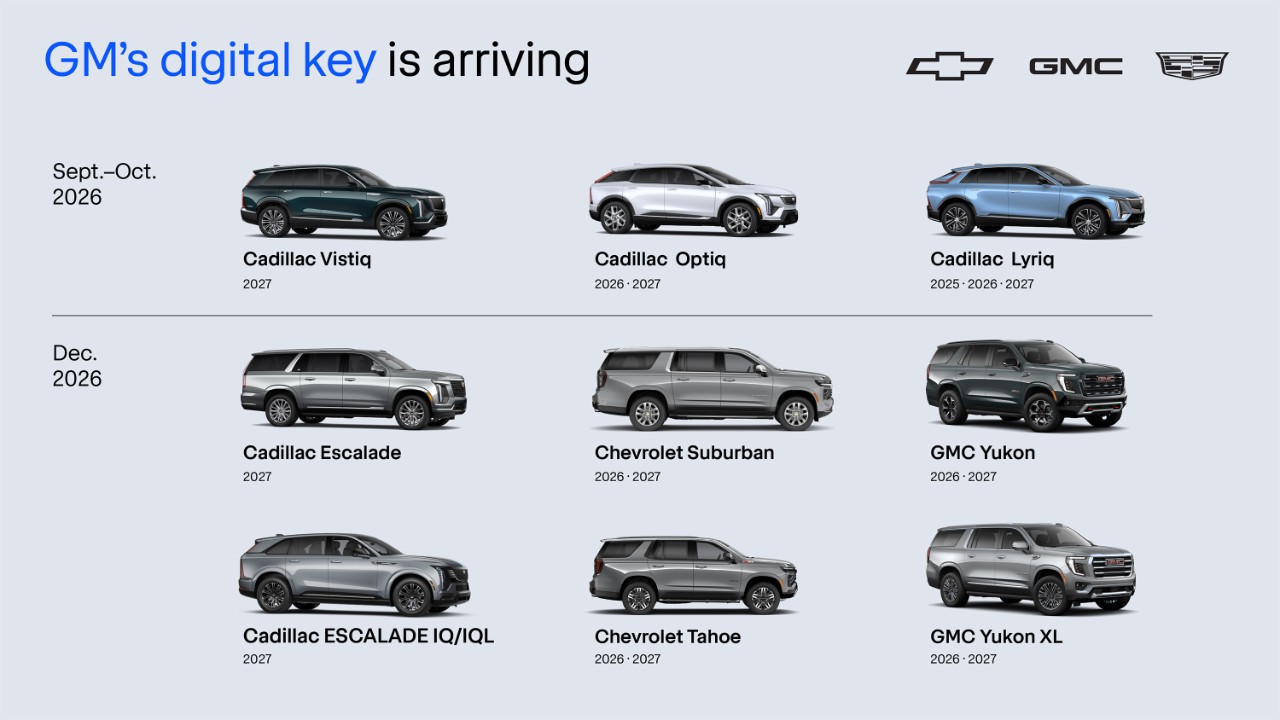
GM’s digital key will be introduced in phases beginning September through October for eligible Cadillac vehicles, including the 2025–2027 LYRIQ; 2026–2027 OPTIQ; and 2027 VISTIQ.
In December, availability will expand to more vehicles, including the 2026–2027 Chevrolet Tahoe and Suburban; 2026–2027 GMC Yukon and Yukon XL; 2027 Escalade, Escalade IQ/IQL and CELESTIQ.
The rollout will continue across additional GM vehicles over time. Customers will see a notification in the “What’s New” section of their vehicle mobile app when digital key becomes available.
The digital key experience will continue to evolve beyond simply unlocking and starting a vehicle. By leveraging ultra-wideband technology, GM is laying the groundwork for more deeply integrated and personalized experiences like automatically adjusting vehicle settings as drivers approach and other intelligent features that make ownership more convenient.
Compatible devices
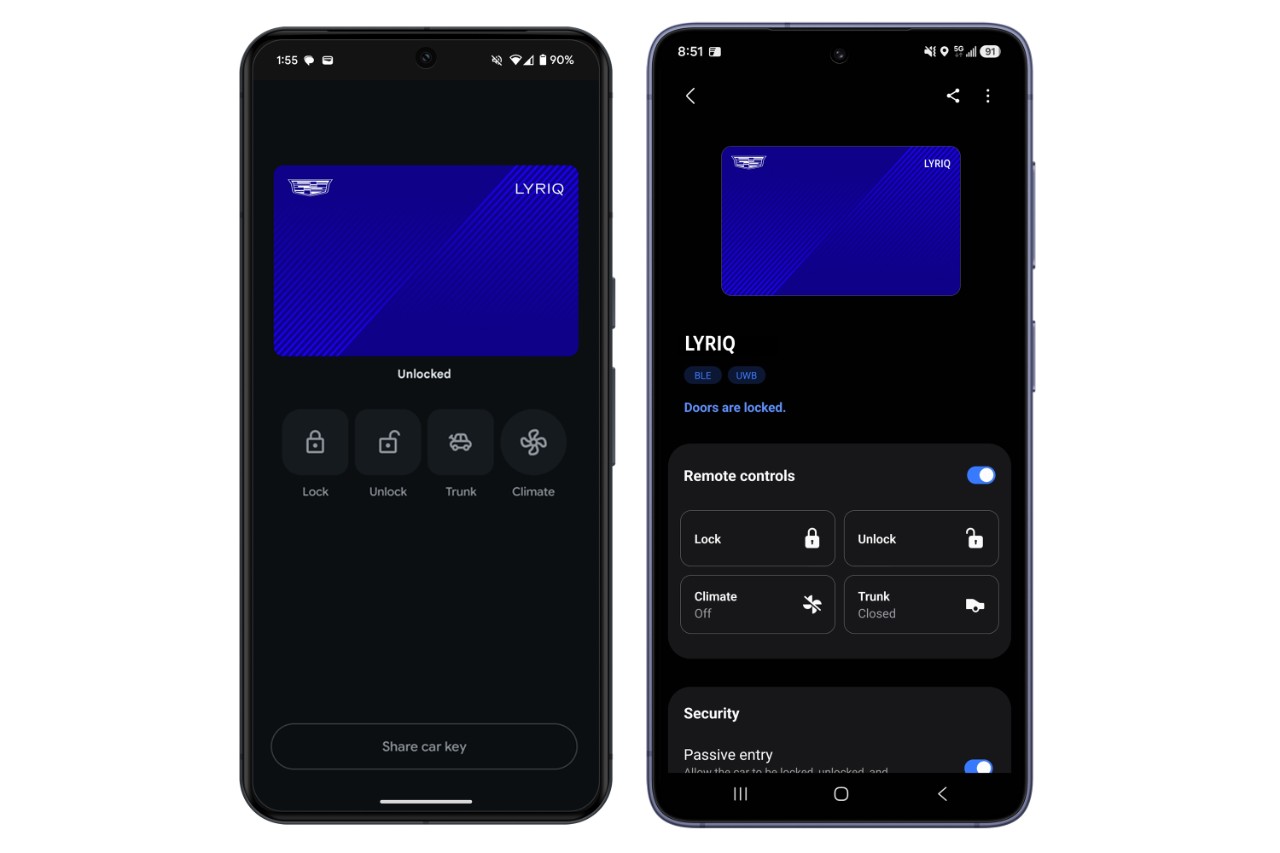
Digital key works with compatible ultra-wideband devices, including:
Apple: iPhone 11 or newer, Apple Watch Series 6 or newer, and Apple Watch Ultra (first generation or newer).
Google: Pixel 6 Pro, Pixel 7 Pro, Pixel Fold, Pixel 8 Pro, Pixel 9 Pro, Pixel 9 Pro XL, Pixel 9 Pro Fold, Pixel 10 Pro, Pixel 10 Pro XL, Pixel 10 Pro Fold.
Samsung: Galaxy S21+ 5G or newer, and Galaxy Note20 or newer models, and Galaxy Z Fold and Z TriFold models.
For the latest information on supported devices and compatibility requirements, visit the Apple, Google, and Samsung support pages.
Google, Google Wallet and Pixel are trademarks of Google LLC.