
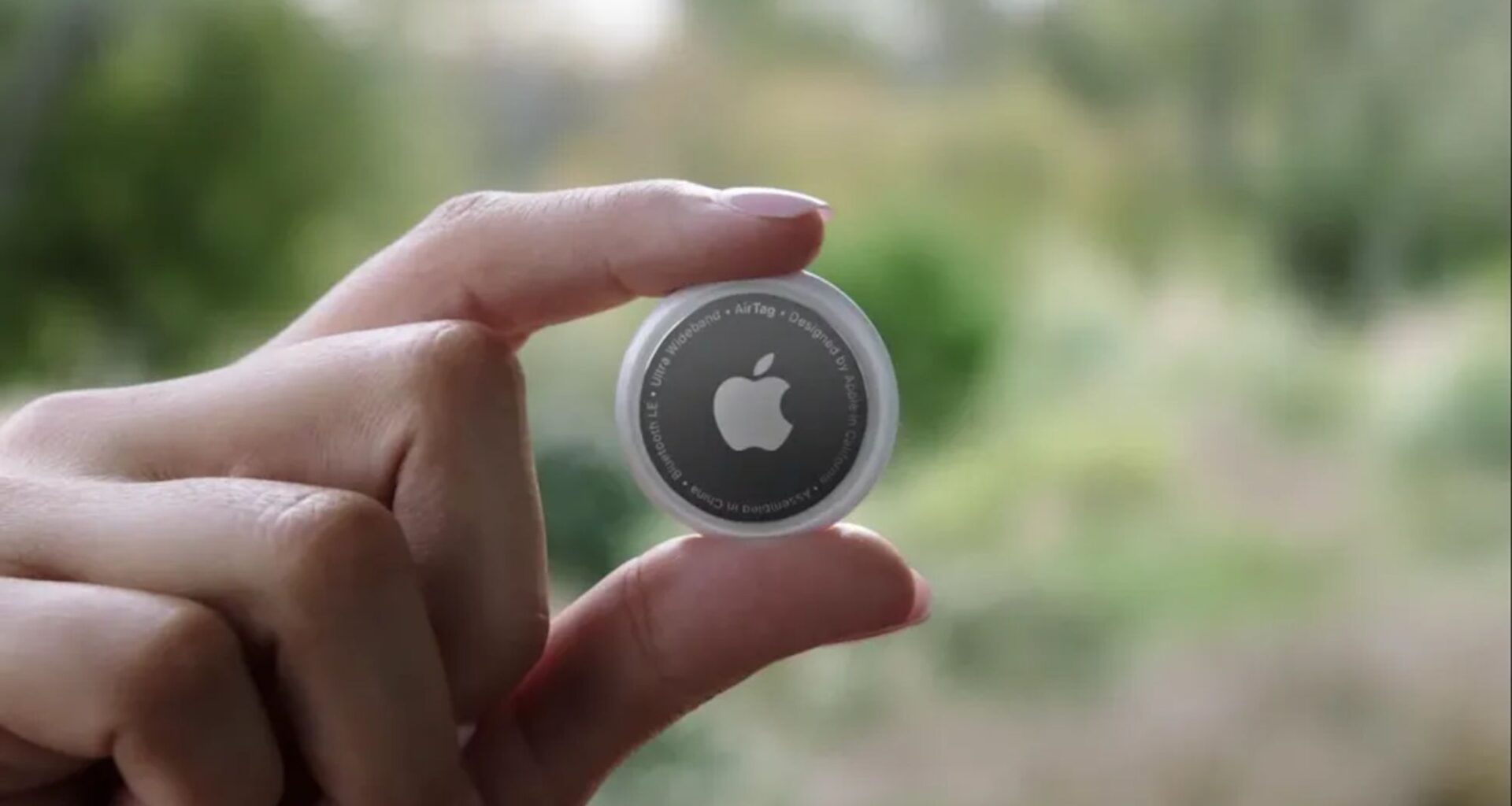
Apple’s AirTags and similar Bluetooth trackers are great for keeping track of all your stuff, whether you’re always misplacing keys, wallets, luggage and even vehicles. Unfortunately, the fact that they’re so good at keeping tabs on your stuff means that they’re very easily exploited for more nefarious purposes — including stalking.
Thankfully, the problem isn’t quite as severe as it used to be. AirTag stalking does still happen, but the fact that there are a bunch of ways to protect yourself means that it’s a lot easier to spot rogue AirTags before it’s too late. You just have to know what to look out for and what to do if a rogue AirTag is following you. Here’s what you need to know about protecting yourself from AirTag stalking
How to detect rogue AirTags on iPhone

(Image credit: Tom’s Guide / John Velasco)
1. Turn on Location Services
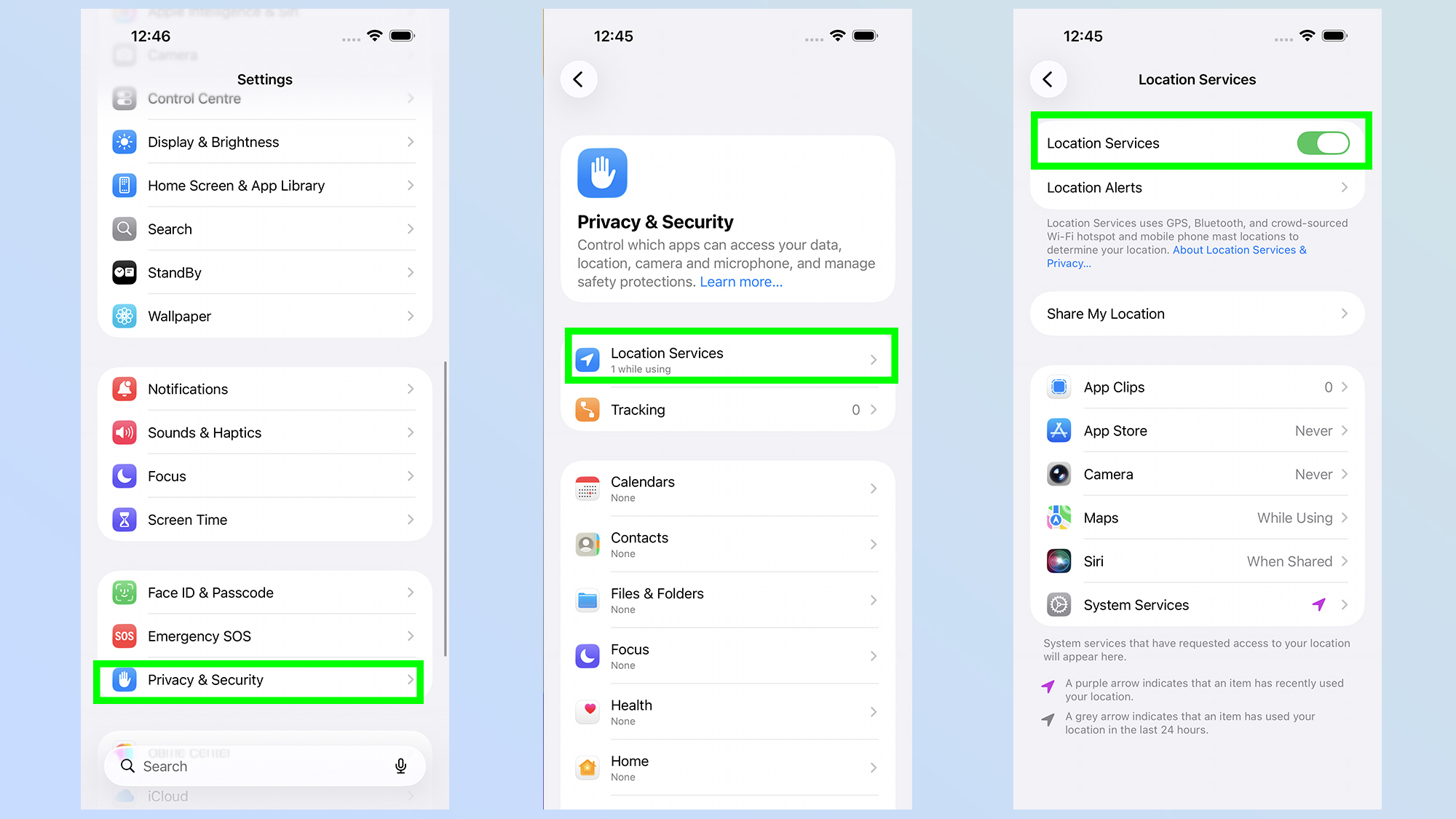
The first step is to turn on Location Services, which is accessible through the settings menu. Head to Settings > Privacy & Security > Location Services. Make sure Location Services is switched on.
2. Turn on Significant Locations
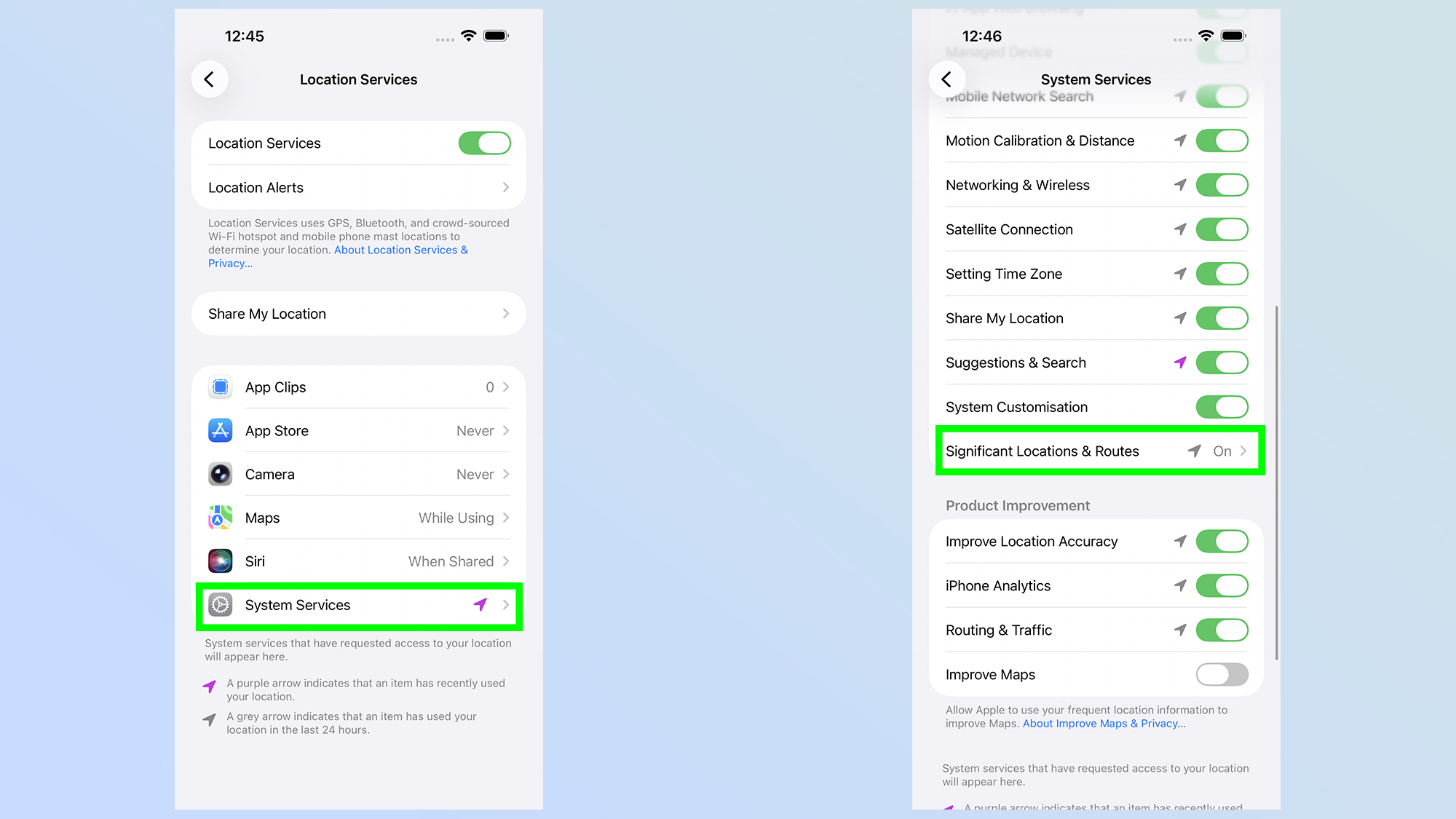
One Location Services is switched on, you’ll need to scroll down and tap System Services and make sure Significant Locations is switched on. This lets you be botified when you arrive at significant locations, such as your home.
3. Turn on Bluetooth
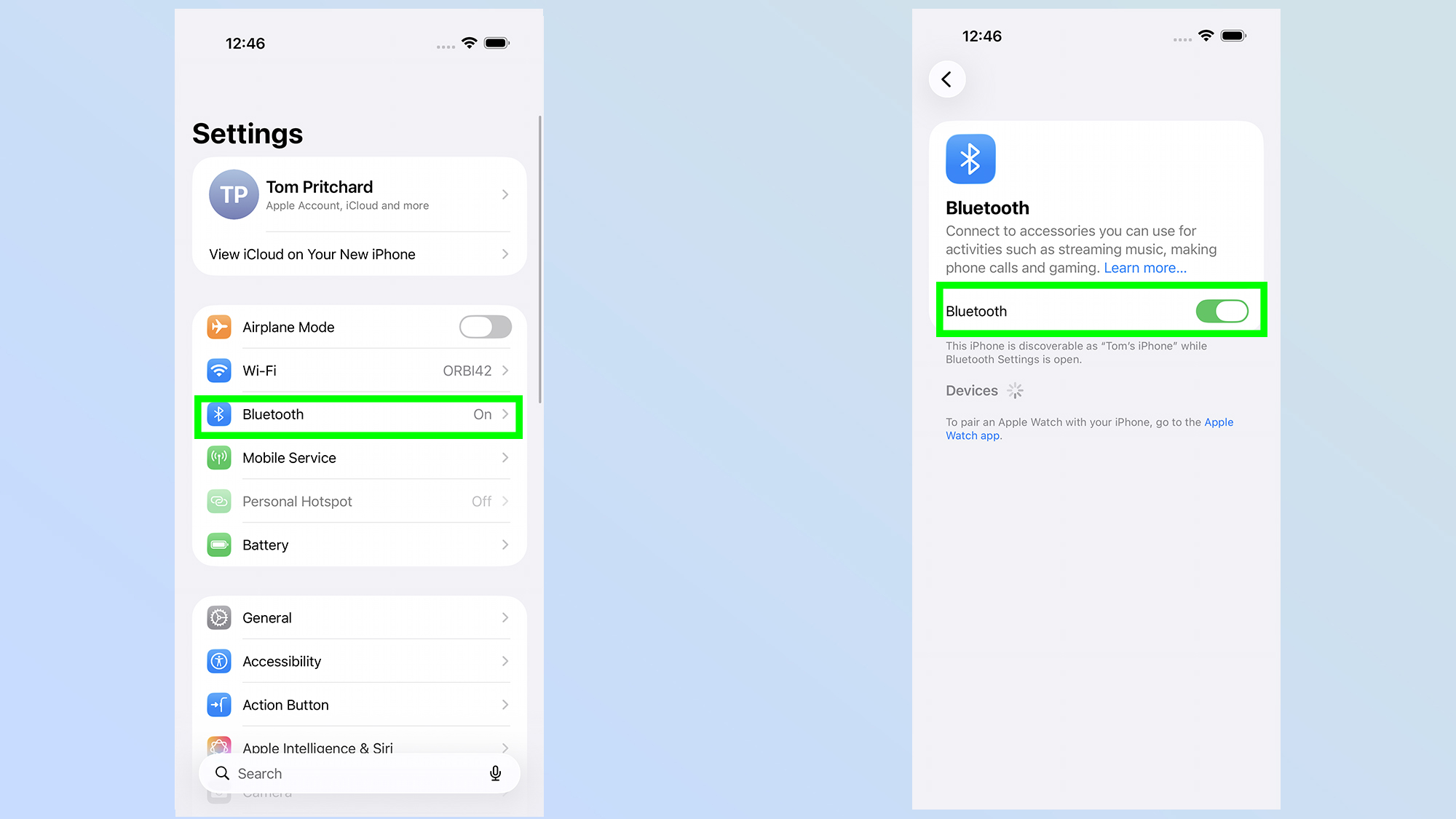
Head to Settings > Bluetooth, then switch on Bluetooth. Since AirTags rely on Bluetooth to communicate with phones, you need to have it switched on if you want to detect them. Likewise, you’ll need to keep Airplane Mode switched off for the same reason.
4. Turn on Tracking Notifications
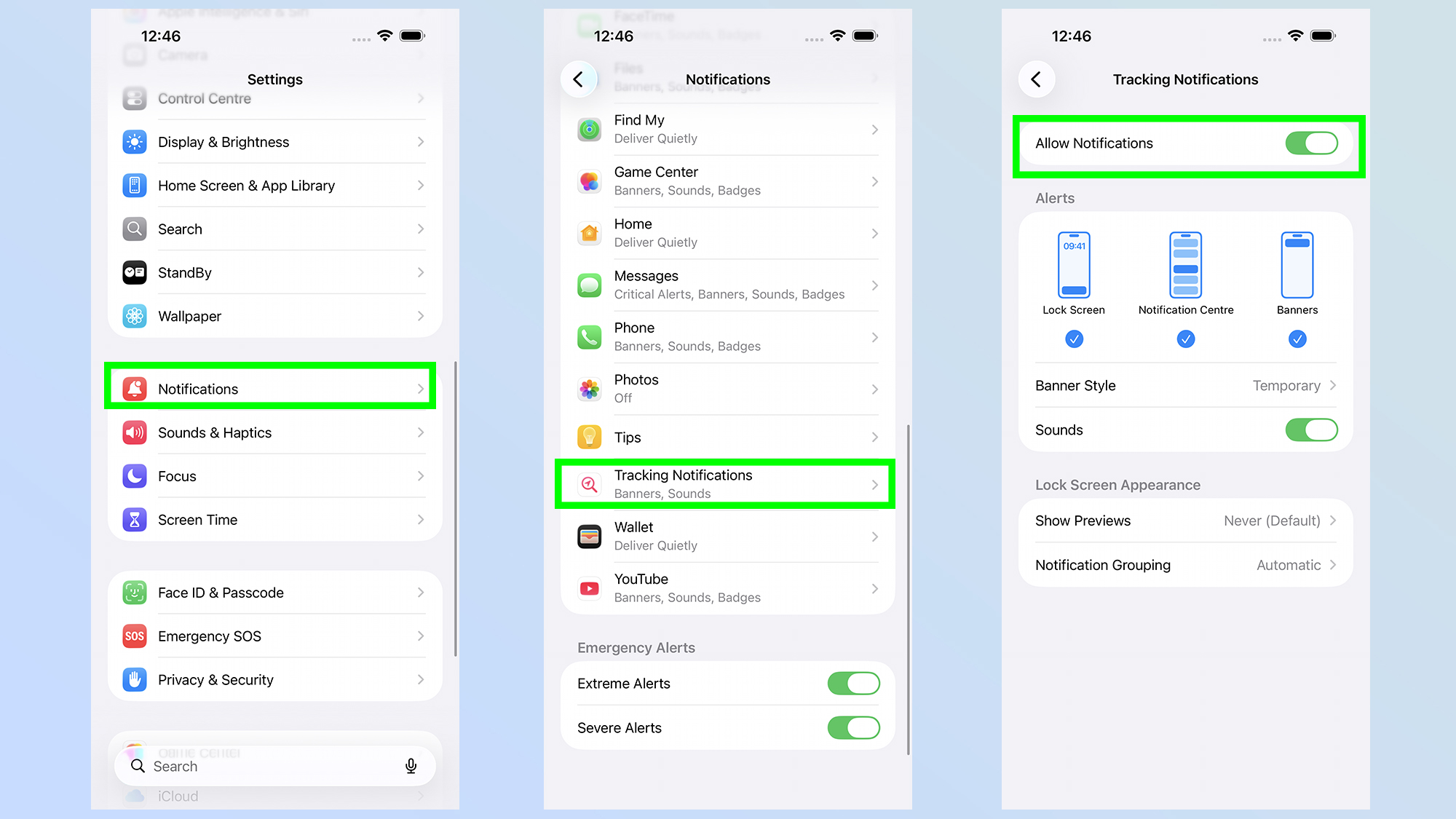
Next, you need to go to Settings > Notifications> Tracking notifications. You’ll then want to toggle on Allow Notifications
How to detect rogue AirTags on Android

(Image credit: Tom’s Guide / John Velasco)
For the longest time, Android users had few protections against AirTag stalking, but things have since changed. Apple and Google have collaborated to ensure that all people, no matter what operating system their phone has, are protected from AirTags and other Bluetooth trackers.
Article continues below
You may like
The good thing is that detecting rogue AirTags on Android is much the same as on iPhone. The feature is supposed to be switched on by default, though it helps to know how to check everything is up and running.
1. Open the Safety & Emergency menu
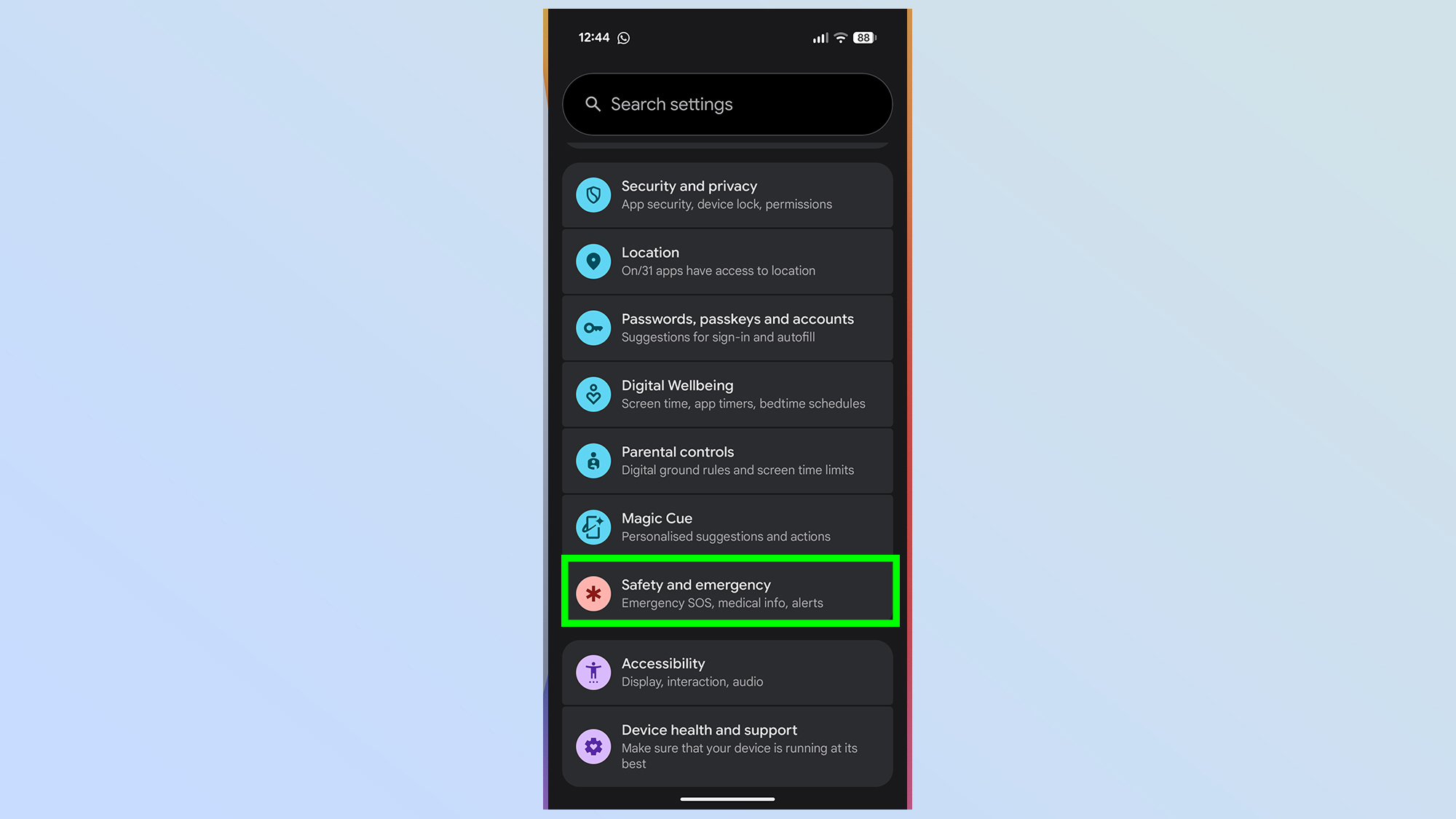
Your first step is to open your phone’s Settings menu then scroll down until you see the Safety & Emergency tab. Tap this to continue.
2. Tap Unknown tracker alerts
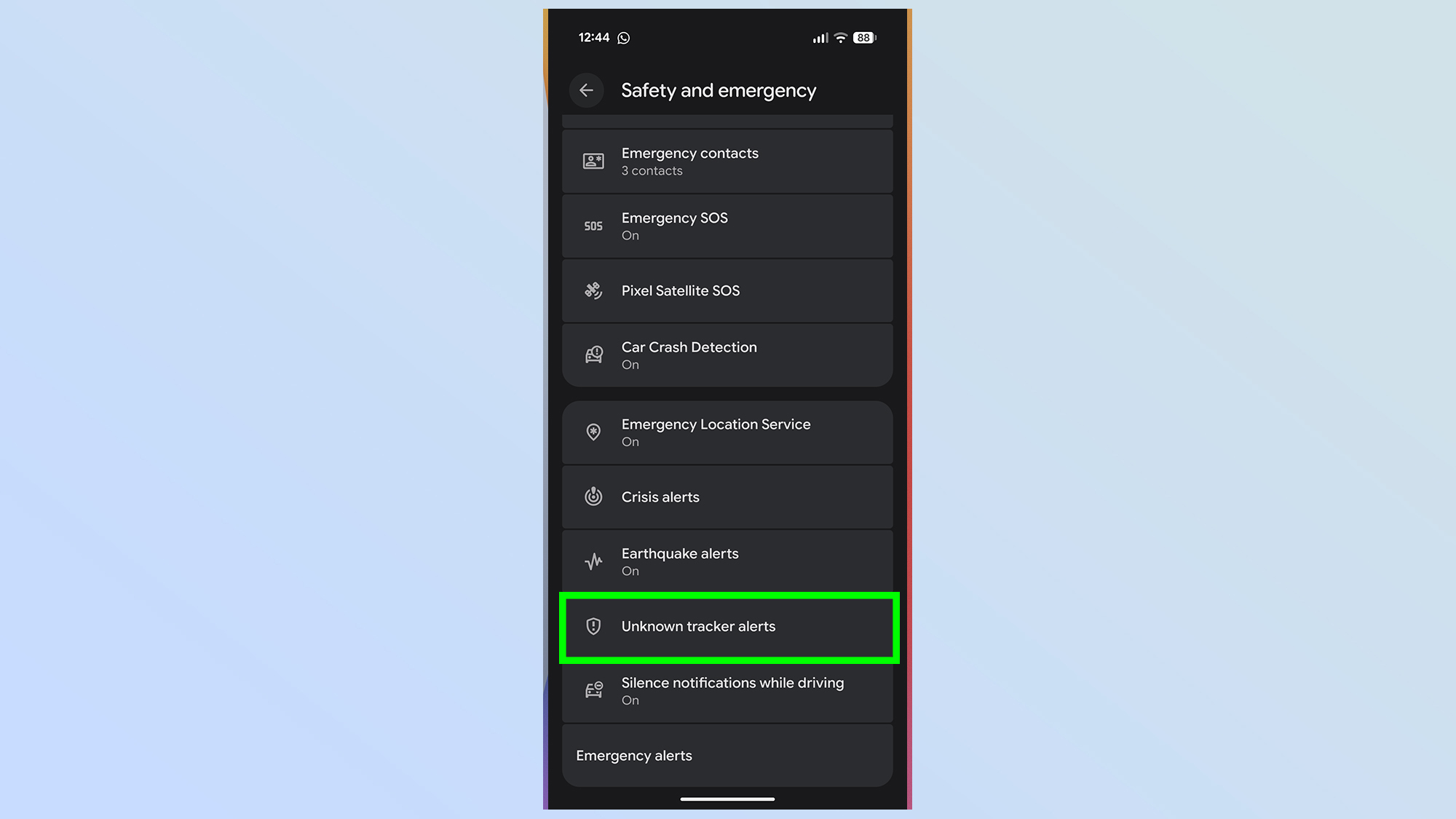
Next you’ll need to scroll to the very bottom of your page and tap the Unknown Tracker Alerts option.
3. Allow alerts & manually scan for trackers
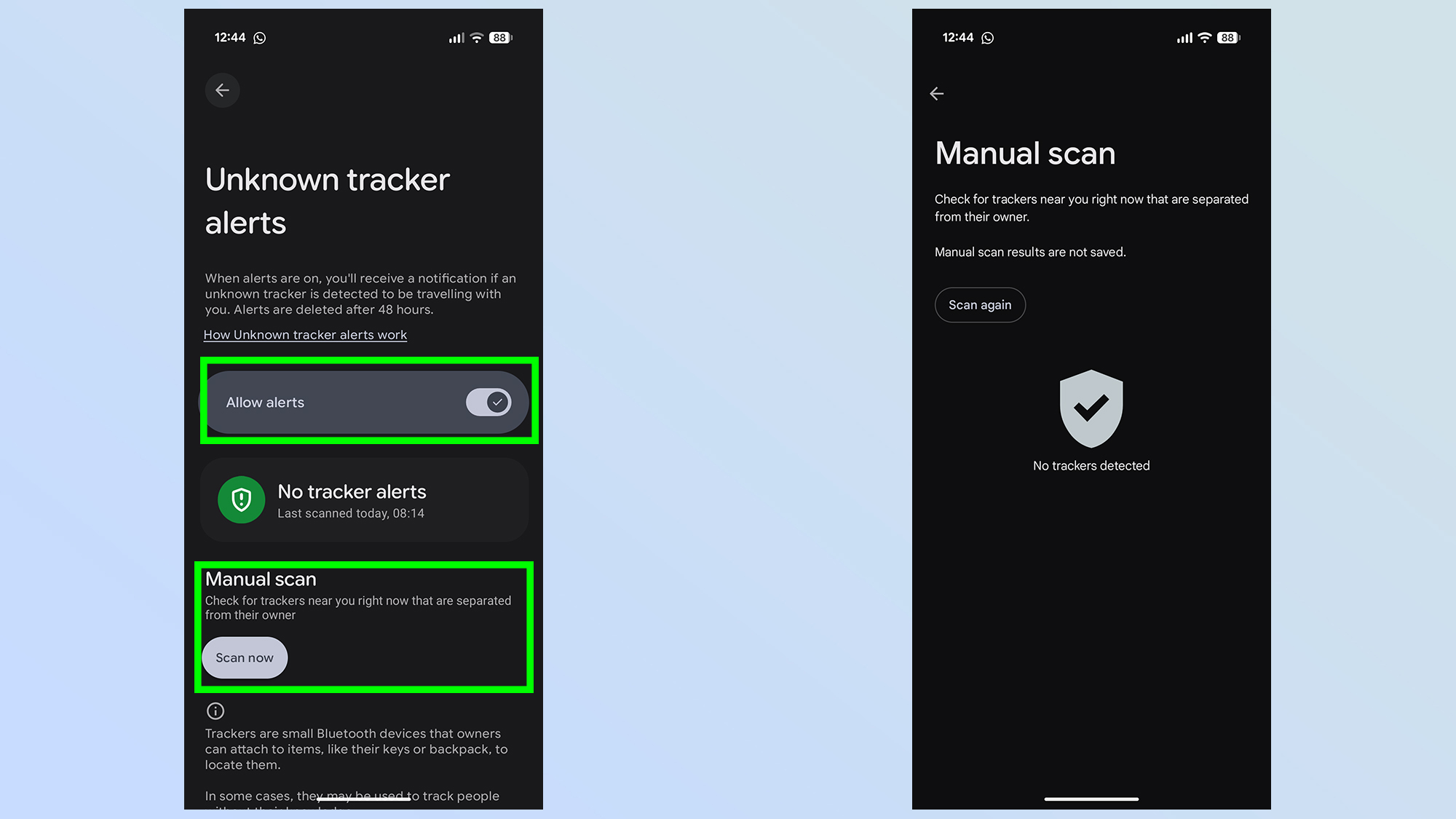
From here all you need to make sure that the Allow alerts toggle is switched on. Google has also included a manual scanning feature, which lets you check to see if any unknown trackers appear to be in your vicinity. Results aren’t saved, but it gives you some extra peace of mind.
Apple also has its own Tracker Detect app on Google Play, which operates in much the same way as Google’s manual scan. While the app is mostly obsolete, now that Android has tracker detection built in, it’s still an extra tool you can exploit to make sure you’re not being followed by AirTags or other trackers.
What to do if you get an unknown AirTag alert

(Image credit: Tom’s Guide / John Velasco)
You’re walking along, minding your own business, and then suddenly you get an alert warning you that some kind of tracker appears to be following you. Now what do you do? The process is almost identical for Android and iPhone users, though the best key finders need to be handled slightly differently due to their differing design. For the sake of simplicity, we’ll focus on Apple AirTags.
The first task is to actually locate the rogue AirTag, which you should only do when you’re in a safe location. If you’re potentially being followed, the last thing you want to do is stop and go hunting for the tracker in an isolated spot — nor should you go to either your home or workplace.
The initial notification will give you the option to play a sound through the AirTag speakers, which will let you track it down aurally. iPhone users with an iPhone 11 or newer (not including iPhone SE) can also track the AirTag with the Find My App, using their phone’s Ultra Wideband connectivity.
Once you have the AirTag in your hand, you can scan it with your phone to get all the relevant details about it. Tap it against the top of an iPhone, or the back of an Android phone and the Tag’s information should show up on screen — with the serial number and identifying information about the owner. Screenshot this, then back it up for safekeeping.
Your next task is to remove the battery, which will disable the AirTag and stop it from being tracked. Press the silver back panel into the AirTag and twist it counter-clockwise. This will remove the panel, at which point the battery should fall out. If you haven’t been able to scan the rogue AirTag, be sure to make a note of the serial number stamped inside — this can be used by Apple and law enforcement to identify the owner.
For non-Apple trackers, you should make an attempt to remove the battery if possible. However, different trackers have different designs, so removing the battery may not always be the same; however, it should be obvious for most models. Be sure to check for a serial number as well, and document it somewhere safe.
Once you’ve recorded the identifying information from the AirTag, and have removed the battery, report the incident to the police and provide the now-disabled AirTag if asked. There’s no guarantee that they will be able to do anything right away, but it’s important to have a record that someone may have tried stalking you with an AirTag — it is a serious crime.

Follow Tom’s Guide on Google News and add us as a preferred source to get our up-to-date news, analysis, and reviews in your feeds. Subscribe to Tom’s Guide on YouTube and follow us on TikTok.
More from Tom’s Guide