
Summary
Taskbar can finally be moved to any screen edge.
You can also choose icon alignment per taskbar position; Start and Search open relative to the taskbar.
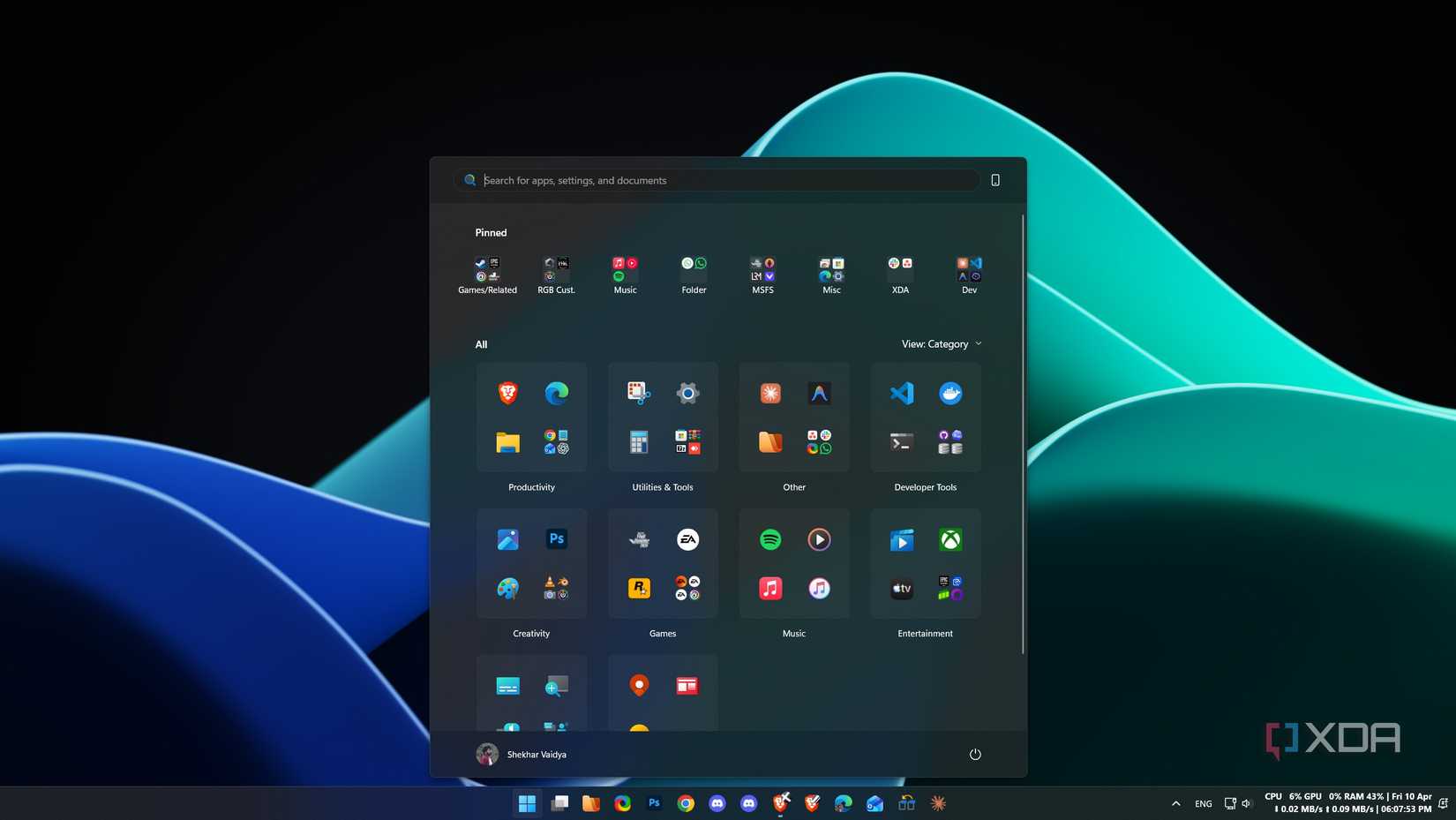
Start menu gets toggles for Pinned/Recommended/All, small/large sizes, and an option to hide your name.
Look, I love ragging on Microsoft as much as the next guy (especially given my recent move to Linux), but even curmudgeons like myself need to admit defeat when Microsoft does something right. So, when I read that Microsoft was fixing two of my biggest gripes with Windows, I realised I needed to start eating humble pie, and fast. The company has announced that it’s re-adding some key Taskbar and Start menu customization options, and it’s honestly about time.
Related
Microsoft plans to fix Windows 11’s unpredictable Start menu search
If you often tap the Windows key to search, this is good news.
Taskbar and Start menu options are coming back to Windows 11
It only took me being grumpy about it for a few years
Over on the Windows Blogs, Microsoft breaks down the tweaks it made to the Taskbar and Start menu on the Experimental channel for Windows Insiders. It starts with the new Taskbar, and right off the bat, the company confirms that you can finally move it to any side of the screen you want. I am flabbergasted it took this amount of time to arrive, but it’s definitely a case of “better late than never.”
However, that’s not all Microsoft has up its sleeves:
Choose icon alignment for every taskbar position: Top-aligned or centered when the taskbar is on the left or right, and left-aligned or centered when the taskbar is on the top or bottom.
Use Start, Search, and other flyouts relative to the taskbar location: For example, when the taskbar is on the top, Start opens from the top.
See every window at a glance: When using a vertical taskbar with “Never combine” taskbar buttons and show labels enabled, each app window appears as a separate labeled button, making it easier to identify and switch between windows.
Microsoft says it also wants to reintroduce auto-hide, touch gestures, and search boxes into this new Taskbar, but it can’t just yet. It reassures us that these features are “coming soon.”
Now, let’s look at that Start menu. Microsoft says that, “over the coming weeks,” IOnsiders will see the ability to toggle sections like Pinned, Recommended, and All. You can adjust the Start menu size (albeit it’s just ‘Small’ or ‘Large’ right now), and you can hide your name in the Start menu for added privacy while streaming your desktop.
Related
Ex-Microsoft lead says he “fought hard” to save the vertical taskbar on Windows 11
I salute your efforts, sir.