
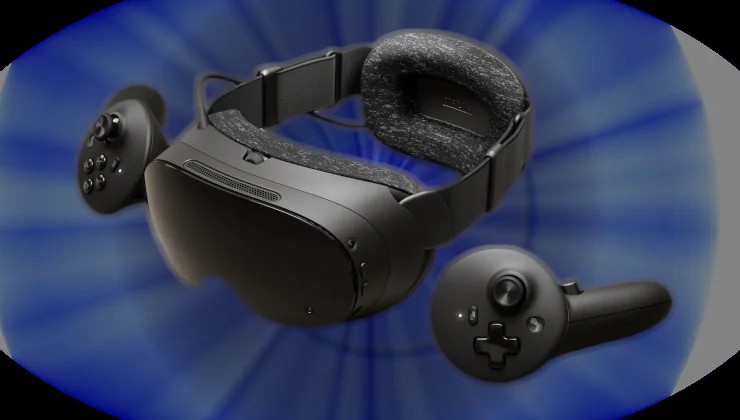
Valve released both SteamVR 2.19.3 Beta for all VR gamers, and SteamOS 0.5.9 Beta for Steam Frame as well. Here’s all that’s new and improved.
First, the SteamVR changes for everyone, with plenty of nice Linux fixes there too! Good to see the Linux VR support does actually continue to improve.
SteamVR 2.19.3 Updates
Steam Link
Fixed low resolution in the mirror window and 3rd party mirror/recording apps. Now uses full resolution.
Fixed an issue where manually setting the stream video size became the default on the next launch.
Linux:
Fixed Linux rendering issues with the improved streaming support introduced in version 2.19.1.
Fixed an issue causing the right eye to flicker.
Fixed the scene being distorted on HTC Vive and Valve Index when the SteamVR dashboard is up.
Improved streaming reliability.
Fixed scene brightness and visual corruption when running at high resolution.
Improved performance on Nvidia with wired headsets.
Fixed a possible lockup at startup.
Controllers / input
Fixed Gyro to Joystick Camera in World and Player mode with Steam Input.
Valve Index
Added accessibility settings for prism correction (diplopia).
Toggle Advanced Settings, then General > Accessibility > Prism Correction. Needs to restart SteamVR to take effect.
General:
Fixed an issue causing the VR View to not remember which eye was chosen or starting with the incorrect aspect ratio.
And now for the Steam Frame specific changes:
SteamOS 0.5.9 Beta for Steam Frame
Camera Pass Through / Room View:
PC Streaming now supports chroma key to allow Room View to be shown on VR content.
Settings are located on the PC side in the Camera section, including a mode switch between Protect Content and Key Content. Key Content will allow any game to simply draw the key color to control Room View transparency.
Note: this feature requires also opting into the beta branch of SteamVR on PC
To opt into the beta branch of SteamVR on PC, right-click on SteamVR in your Steam library, select Properties, Game Versions & Beta, and choose beta.
General
Foveated sharpening is now applied when streaming VR through Steam Link.
Added accessibility settings for prism correction (diplopia).
Toggle Advanced Settings, then General > Accessibility > Prism Correction. Needs to restart the headset to take effect.
Fixed a visual glitch when opening/closing the dashboard in some games.
Fixed WebXR support in Chrome/Chromium when installed as user (instead of system-wide) from Discover.
Fixed a system lock-up caused by certain apps installed from Discover (eg: VLC).
Linked the Show Perf Overlay in VR and Draw Performance Assessment toggles together.
Turning off Show Perf Overlay in VR also disables the developer overlay.
SteamVR has been updated to version 2.19.3.
Time to test out some more VR for me this weekend then!
Be sure to leave a comment to let us know how you’re getting on, or pop along to the Forum.
Article taken from GamingOnLinux.com.