
 Elyse Betters Picaro / ZDNET
Follow ZDNET: Add us as a preferred source on Google.
ZDNET key takeaways AI-powered web browsers are on the rise.There are several different AI browsers to choose from.One of these might be perfect for you.
It was only a matter of time before AI took over the web browser, and that time is now. It should come as no surprise that companies have jumped at the chance to incorporate AI into the tool people use more than any other.
With AI comes the agentic browser, which can handle many tasks for users. For example, you could tell your web browser to shop for a new black A-line dress with a ruffled hem for under $100. Your agentic browser will search the web for possibilities and report them back to you. You could have your browser search for the cheapest airfare to London, find concert tickets, research specific topics, and do much more.
Also: The top 20 AI tools of 2025 – and the #1 thing to remember when you use them
Sounds fascinating, right? It might also sound like an efficient way to work with a web browser.
But which AI-centric browsers should you try? Let’s dive into the list of ones I’ve tested to see what’s what.
1. ChatGPT Atlas
When you think of AI, most likely ChatGPT comes to mind. There’s a good reason for that because ChatGPT is the most widely used AI service on the planet. Now imagine bundling that powerhouse AI service into a browser, and you get ChatGPT Atlas.
ChatGPT Atlas is based on Chromium (the same browser used as a foundation for Chrome), so using it should feel immediately familiar. And if you’ve used ChatGPT, you won’t have any problem with the query system.
(Disclosure: Ziff Davis, ZDNET’s parent company, filed an April 2025 lawsuit against OpenAI, alleging it infringed Ziff Davis copyrights in training and operating its AI systems.)
With Atlas, you can do standard AI queries from the main pane or from the sidebar, or you can also have ChatGPT Atlas summarize pages, help you with projects, and much more. Two particular Atlas features really stand out for me: Projects and Archives. You can create a new project centered around a certain task, topic, or just about anything, and then collaborate on it with others.
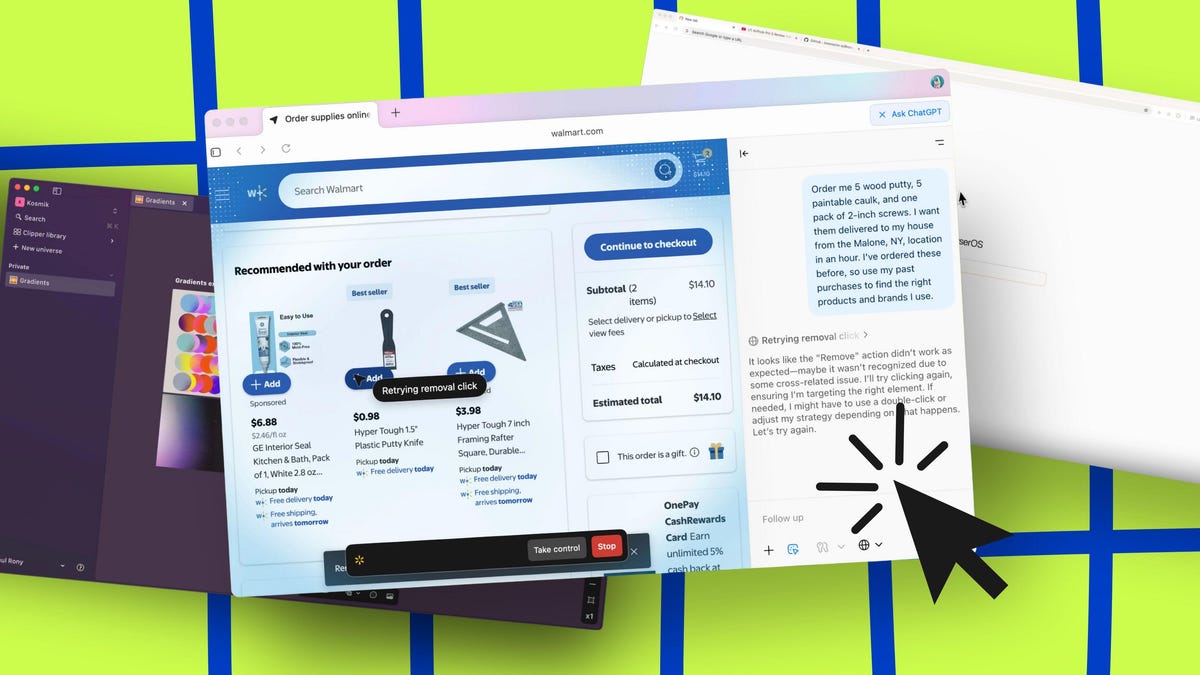
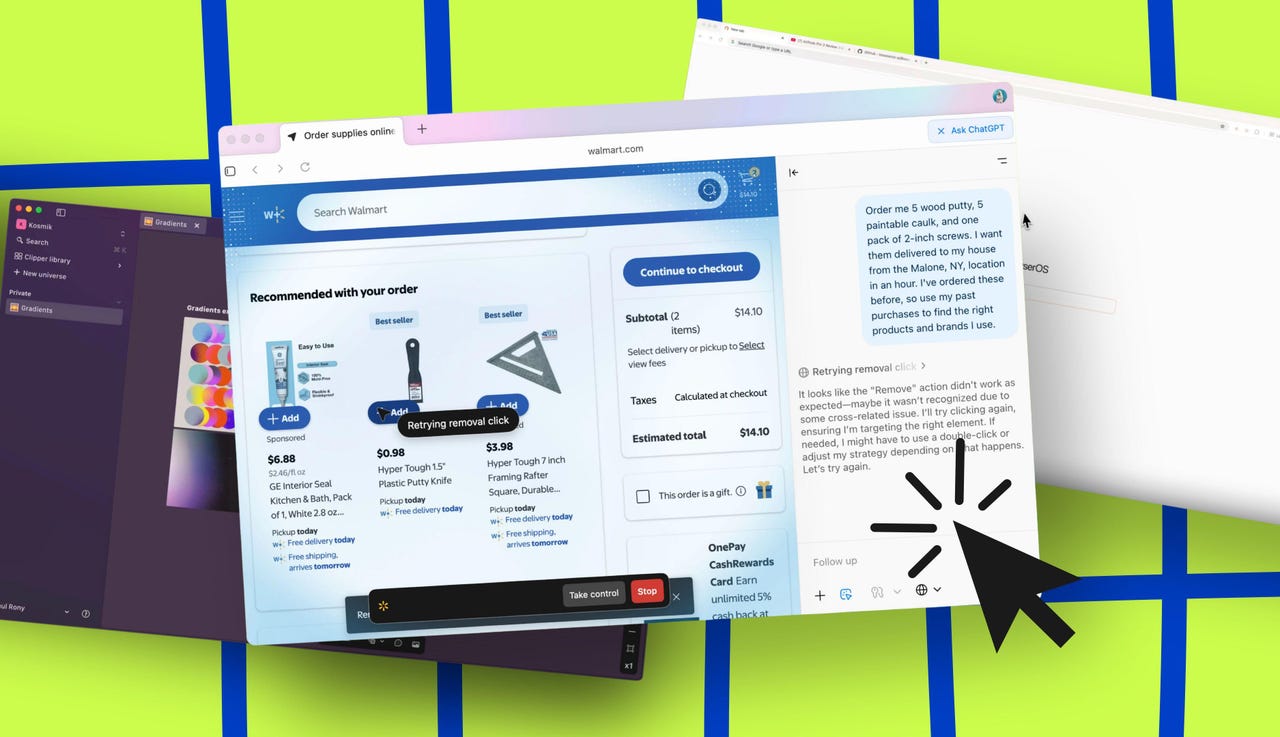
Also: I let ChatGPT Atlas do my Walmart shopping for me – here’s how the AI browser agent did
Imagine you have a major research paper to do with a team, and you want to allow that team access to the project so they can help with the work. ChatGPT Atlas offers such a feature, and it’s easy enough for anyone to use.
Archives allow you to save chats and recall them later (by unarchiving them). I find this feature to be very handy because it prevents me from having to 1) deal with a large number of chats in one place, and 2) ensure that I don’t lose important chats.
One thing that I’ve found to be a stumbling block with users is that they start a single chat and then use it for unrelated queries. With Archives, you can create single chats for a single topic and then archive them so they are out of the way but accessible.
Other ChatGPT Atlas features include tab summarization, multi-step tasks, asking complex contextual questions, deep integration with ChatGPT, and more advanced features such as Agent Mode (which requires a subscription).
ChatGPT Atlas is available for MacOS, Windows, Android, and iOS.
Elyse Betters Picaro / ZDNET
Pricing:
Free: Advanced reasoning with GPT-5, limited messages and uploads, limited and slower image generation, limited deep research, limited memory and context.Plus – $20 per month: Everything in Free plus advanced reasoning with GPT-5, expanded messaging and uploads, expanded and faster image creation, expanded deep research and Agent Mode, expanded memory and context, projects, tasks, and custom GPTs, limited access to Sora 1 video generation, Codex agent.Pro – $200 per month: Everything in Plus plus pro reasoning with GPT-5, unlimited messages and uploads, unlimited and faster image creation, maximum deep research and Agent Mode, maximum memory and context, expanded projects, tasks, and custom GPTs, extended access to Sora 1 video generation, expanded Codex agent, research preview of new features. 2. Perplexity Comet
Another AI browser built on Chromium, Perplexity Comet acts as your personal assistant and thinking partner, so you can make decisions faster, get up to speed quicker, get help managing your calendar and email, and find answers from your own browsing activity. If you’ve used the Perplexity search engine, then you understand how helpful Perplexity Comet can be.
Perplexity includes a feature that many users will appreciate: ad blocking.
When you enable ad blocking, you ensure that all links opened within Comet are done so ad-free. This is important because Perplexity is one of the best AI browsers on the market for showing its sources. Because of that, Perplexity Comet is considered one of the best AI browsers for research and does so with a high level of accuracy.
Also: I tried Perplexity’s Comet AI browser, and I like where it’s going (but it’s not there yet)
From my experience, Perplexity AI is one of the most accurate AI services on the market, and because it always cites its sources, it’s easier to verify the veracity of its answers.
Some of the other important features found in Comet are multi-step tasks that can function across multiple sources, a built-in assistant for providing real-time information, agentic task automation, and workday copiloting, which integrates with email and Slack to help you manage your schedule, collaboration, and communication.
Perplexity Comet is only available for MacOS 14 and Windows 11.
Lance Whitney / Elyse Betters Picaro / ZDNET
Pricing:
Comet Free: Core browser and AI features.Comet Plus – $5 per month: Provides access to content from partnered news outlets.Comet Max – $200 per month: Everything in Plus as well as faster AI responses, advanced Perplexity features, and priority support. 3. Kosmik
If you’re like me and creativity rules your world, the Kosmik AI browser might be the one for you.
This is very much a visual-first AI browser that can create moodboards of visual content. Think of Kosmik as an AI-centric Pinterest-type tool with the added bonus of having a built-in web browser. Kosmik might be a bit too niche for the average user, but if you prefer working with imagery as a means to organize your day or life, Kosmik is right up your alley.
With Kosmik, you create universes based on a subject or a task.
Kosmik pulls information (and images) for that universe, where you can then add comments to it, import files, create frames, create stickers, and open web searches based on the subject. The way I see Kosmik is as a sort of AI-centric mind map to visualize your work. Kosmik is best suited for more creative people who think visually and need to organize a variety of content.
Also: Are AI browsers worth the security risk? Why experts are worried
A really cool feature of Kosmik is that it allows you to break images away from the “map,” resize them, and even open the source of the images in a side panel.
Some of the key features found in Kosmik include an infinite canvas (aka “Moodboards”), drag-and-drop images, website filtering to narrow down search results, auto-tagging and organizing based on topic, color, and style, and proactive suggestions for related images and/or articles. Kosmik is available for MacOS, Windows, and the web.
Kosmik
Pricing:
Free: One workspace, three members, unlimited universes and items (notes, bookmarks), up to 100 files imported, up to 15 MB per file, 50 AI requests per month.Plus – $10.99 per month, or $6.99 per month if billed annually: Unlimited workspaces, workspace members, guests per workspace, universes and items (notes, bookmarks), file imports with no size limit, AI requests, and priority support.Enterprise: Custom pricing; contact Kosmik for a quote — includes everything in the Plus plan as well as custom integrations. 4. Dia
Dia comes from The Browser Company, which created the now-defunct Arc, a game-changing browser that was ahead of its time. The Browser Company pulled that browser and opted to go the AI route by creating the Chromium-based Dia.
Dia is geared toward writing, learning, planning, shopping, and more. One of the best features of Dia is the ability to personalize it. With this feature, you can add information such as who inspires you, various bits of information Dia should know about you, how you want Dia to write, and even coding preferences.
There’s also the Memory feature, which enables Dia to learn from your sites, chats, and preferences. One thing to keep in mind about the Memory feature is that while your activity is summarized on the Dia servers, it is only saved on your device. If you don’t like the idea of a third party having access to your activity (even if only temporarily), I would suggest leaving this feature disabled.
Also: I loved Arc browser and was skeptical of its agentic Dia replacement – until I tried it
Other features found in Dia include an address bar that doubles as a natural language chat interface, contextual awareness, custom AI-powered actions (called Skills), a conversational AI assistant, and tab-aware intelligence for analyzing and summarizing content across multiple open tabs. Dia is currently only available for MacOS.
Jack Wallen / Elyse Betters Picaro / ZDNET
Pricing:
Free: Chat on any tab, create custom Skills, mention tabs in any query, add attachments to any query, personalize Dia with Memory.Pro – $20 per month: Everything in Free plus unlimited chat usage. 5. BrowserOS
BrowserOS is an open-source agentic browser capable of turning your words into actions. Describe a task in plain language, and BrowserOS will handle the rest for you. BrowserOS is a privacy-first alternative browser, based on Chromium, reimagined for the AI era. For me, the fact that BrowserOS is open-source makes it stand out.
More than that, BrowserOS uses on-device agents, so you don’t have to worry that a third party will have access to your queries or data. That feature alone makes BrowserOS worth using over the competition (I’m very much in favor of local AI).
You can run a query on BrowserOS using natural language, and it then works with local AI agents to break down the query and perform the necessary actions. This feature can be used for scraping websites and extracting data, comparing product prices across different online retailers, and filling out forms and organizing information into a spreadsheet.
Also: The best secure browsers for privacy in 2025: Expert tested
Some of the other features found in BrowserOS include agentic capabilities for automating web tasks, Chromium extension compatibility, local LLM support or user-provided API keys, and semantic history and bookmark searches. BrowserOS is available for Linux, MacOS, and Windows.
BrowserOS
Pricing:
BrowserOS is free to install and use.
Want more stories about AI? Check out AI Leaderboard, our weekly newsletter.