
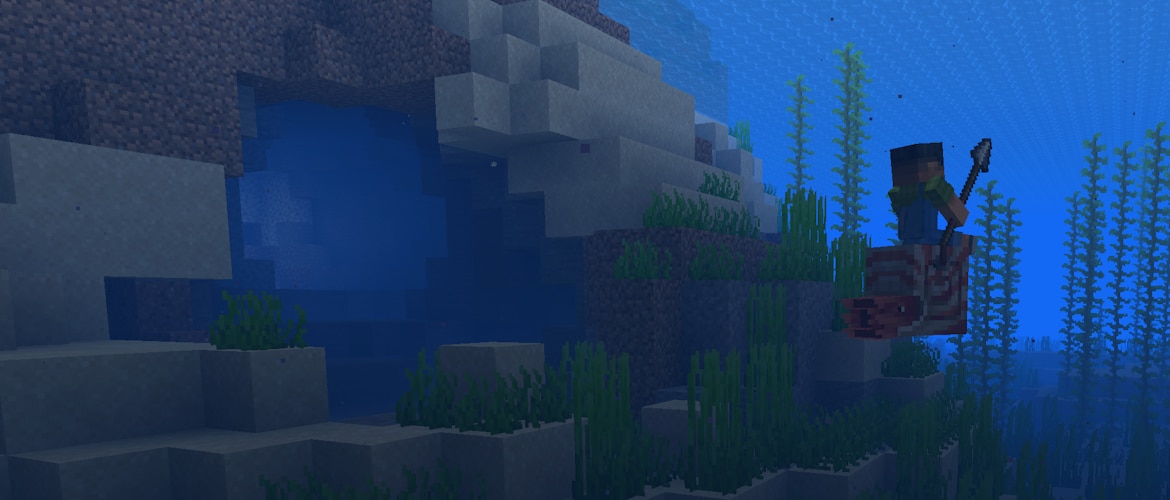
Is it Tuesday already? Must be, because the lights are on in the snapshot shipping room!
With today’s release we’re putting some additional polish on the upcoming features for our Mounts of Mayhem game drop, and changing the order of spawn eggs in the creative inventory for some better thematic flair. On the technical side, resource pack creators now have more freedom when creating their block models. For the full list of changes, browse the changelog below!
Happy mining!
Changes
Mobs
Parched are now immune to Weakness effect
Horses, Mules, Donkeys, Camels, Zombie Horses and Camel Husks will not panic if controlled by Mobs
Nautiluses and Zombie Nautiluses now play a dash sound when they perform their dash attack
Items
Spears no longer cause item interact vibrations
Spawn Eggs are now sorted thematically in the Creative Inventory, according to the following categories:
Overworld
Farm Animals
Mounts
Pets
Wild Animals
Aquatic
Miscellaneous
Golems
Villagers
Undead
Spiders
Monsters
Illagers
Nether
The End
UI
Added an inventory UI for the Nautilus and Zombie Nautilus
Renamed the “Show Music Toast” option to “Music Toast”
Added a third state to the “Music Toast” option, allowing it to only be shown in the pause menu
Added splash text “One does not simply walk to the Far Lands”
Developer’s Note: This statement was proven false on October 4, 2025
Technical Changes
The Data Pack version is now 93.1
The Resource Pack version is now 74.0
Data Pack Version 93.1
Item Components
Default Item Components
Added food properties to the following fish bucket items:
minecraft:cod_bucket
minecraft:salmon_bucket
minecraft:pufferfish_bucket
minecraft:tropical_fish_bucket
minecraft:use_effects
Added field interact_vibrations: boolean, whether using this item emits minecraft:item_interact_start and minecraft:item_interact_finish game events – Default value: true
Loot Tables
Reverted removal of contents as a supported value for the minecraft:dynamic loot pool entry
Developer’s Note: Support for this value was removed in a previous snapshot with the introduction of slot sources, which replace its functionality. Community response however indicated that certain use cases aren’t yet fully covered by slot sources, so we are reverting this removal until proper alternatives are ready.
Resource Pack Version 74.0
Textures used for still water and lava are now hardcoded to minecraft:block/water_still and minecraft:block/lava_still
To prepare for future work, the game will now print a warning if any defined sprites in any atlases share a name
Block model and state format has been expanded to allow more rotations
Textures
Beacons no longer support translucent textures
Added gui/container/nautilus used for the Nautilus inventory UI
UI Sprites
Added container/slot/nautilus_armor_inventory – Nautilus icon used in Nautilus inventory UI
Sound Events
Added entity.zombie_horse.eat
Block Models
Block model elements can now be rotated around multiple axes
Model is first rotated around X, then Y, then Z
New fields:
x – rotation around axis X in degrees, float, defaults to 0.0
y – rotation around axis Y in degrees, float, defaults to 0.0
z – rotation around axis Z in degrees, float, defaults to 0.0
Existing fields axis and angle can still be used
If both field sets are present, older notation takes presence
Existing restriction for angle value limiting them to [-45, 45] has been removed
Note: Names of faces are not influenced by rotation. Features that depend on them, like culling, will always use original directions
Block State Model Dispatch
Variants in block state dispatch files (defined in assets/…/blockstates/ can now be also rotated around Z axis
New optional field z has the same format as existing x and y fields: an integer with allowed values of 0 (default), 90, 180 and 270
Rotation around Z axis is applied after X and Y
Fixed bugs in 25w46a
MC-266425 – Recipes for new waxed copper blocks are not grouped
MC-302815 – Zombified piglins spawned from lightning striking a pig do not have a chance to hold a golden spear
MC-302825 – The charging animations of some items are incorrect
MC-302851 – Buckets of fish heal nautiluses much less than fish items
MC-302890 – You can perform spear jabbing and charging attacks simultaneously
MC-302892 – Players’ arms visually intersect with their bodies and heads when holding spears while riding boats
MC-302893 – Hitboxes of submerged entities don’t render when the player is looking at them from the surface
MC-302935 – Skeletons incorrectly position their arms before shooting
MC-302958 – Nautiluses’ mouth texture is misaligned
MC-302998 – Mobs’ arms can visually intersect their bodies and heads when they rotate while holding spears
MC-303149 – Commands with specific arguments can crash the game in a deep function recursion
MC-303331 – There is no sound for feeding zombie horses red mushrooms
MC-303395 – You cannot double-click on server regions within the realms select region menu to select them
MC-303396 – The search fields in the resource and data pack menus aren’t automatically selected when opening the menus via keyboard navigation
MC-303404 – You can damage entities while charging with spears in spectator mode
MC-303431 – Setting the debug modifier key to a mouse button doesn’t allow for switching to the selected gamemode in the gamemode switcher
MC-303443 – Transparent and translucent blocks render in front of the fishing line
MC-303625 – Entities, particles, clouds, water, semi-transparent blocks and special rendering blocks render in front of block hitboxes with improved transparency enabled
MC-303653 – Camel husks show breeding hearts when fed
MC-303695 – Reloading textures while the game is tick frozen causes animated textures to render incorrectly
MC-303751 – The model of parched has UV issues
MC-303755 – The mouse cursor doesn’t change to the resize shape when hovering over the scroll bar in the villager and wandering trader trade UI
MC-303757 – The mouse cursor doesn’t change to the proper shape when hovering over enchantments in the enchanting table UI
MC-303758 – The mouse cursor doesn’t change to the hand shape when hovering over various elements in the recipe book
MC-303761 – The mouse cursor doesn’t change to the proper shape when hovering over the output buttons or the scroll bar in the stonecutter UI
MC-303762 – The mouse cursor doesn’t change to the proper shape when hovering over the output buttons or the scroll bar in the loom UI
MC-303763 – The mouse cursor doesn’t change to the hand shape when hovering over the crafting slots in the crafter UI
MC-303764 – The mouse cursor doesn’t change to the proper shape when hovering over the tabs or the scroll bar in the Creative mode inventory
MC-303765 – The mouse cursor doesn’t change to the hand shape when hovering over the tabs in the advancements menu
MC-303790 – The block breaking particles and block outlines render behind glass blocks and beacons
MC-303882 – Charging with a spear with a loaded crossbow in the off hand looks visually off in third person
MC-303940 – Netherite horse armor burns in lava/fire
MC-303943 – Drowned are no longer slowed down by water
MC-303944 – Knockback attacks produce double sounds while the player is in the false sprinting state
MC-303945 – The closed caption for the parrot imitating parched does not match the original caption for parched
MC-303947 – Clicking on any item with the “unbreakable”, “glider”, or “intangible_projectile” data component causes the game to crash
MC-303948 – The texture of netherite horse armor is different than in Bedrock Edition
MC-303956 – Charge attacks now have reduced damage when used after a jab attack
MC-303961 – Sprint-crit state now plays both the sprint-knockback sound and the critical hit sound, despite only critical hits being performed
MC-303974 – The day counter in the debug overlay is no longer displayed
MC-304061 – The warning time for world borders in new worlds is less than expected
Get the Snapshot
Snapshots are available for Minecraft: Java Edition. To install the Snapshot, open up the Minecraft Launcher and enable snapshots in the “Installations” tab.
Testing versions can corrupt your world, so please backup and/or run them in a different folder from your main worlds.
Cross-platform server jar:
As we are preparing to remove obfuscation from Java Edition, you can also get a non-obfuscated experimental version of this snapshot using the Minecraft Launcher:
Download this zip file
Unpack the folder into your “versions” folder of your local Minecraft application data folder
Start (or restart) the Launcher
Create a new launch installation and select the “unobfuscated 25w46a_unobfuscated” version
Start the game and the remaining files will be downloaded
An unobfuscated server jar can be found here:
Report bugs here:
Want to give feedback?