
Google Messages, which is now the default messaging app on Galaxy phones and tablets, has received several improvements over the past few years. People often share links to webpages, articles, and videos via messages, and Google wants to make sure they look even more enticing.
Google Messages will get an enticing look for shared YouTube videos
Google Messages is changing (via 9To5Google) how YouTube video previews look in conversations. The previous design displayed the video’s URL at the top, followed by an image, a title, and a short description of that video. The new design displays a larger image, followed by the video’s title, YouTube’s favicon, and the website’s domain name.
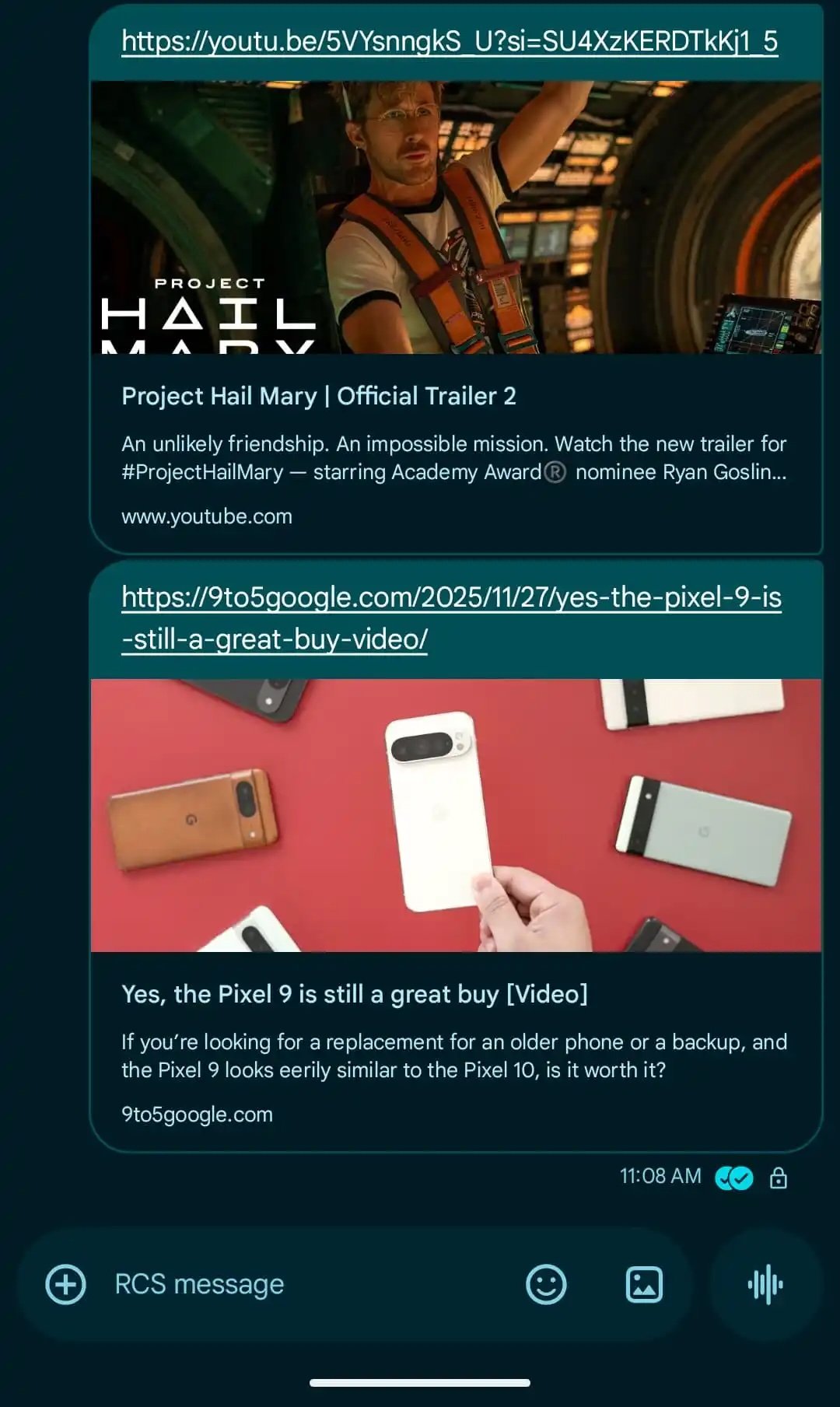
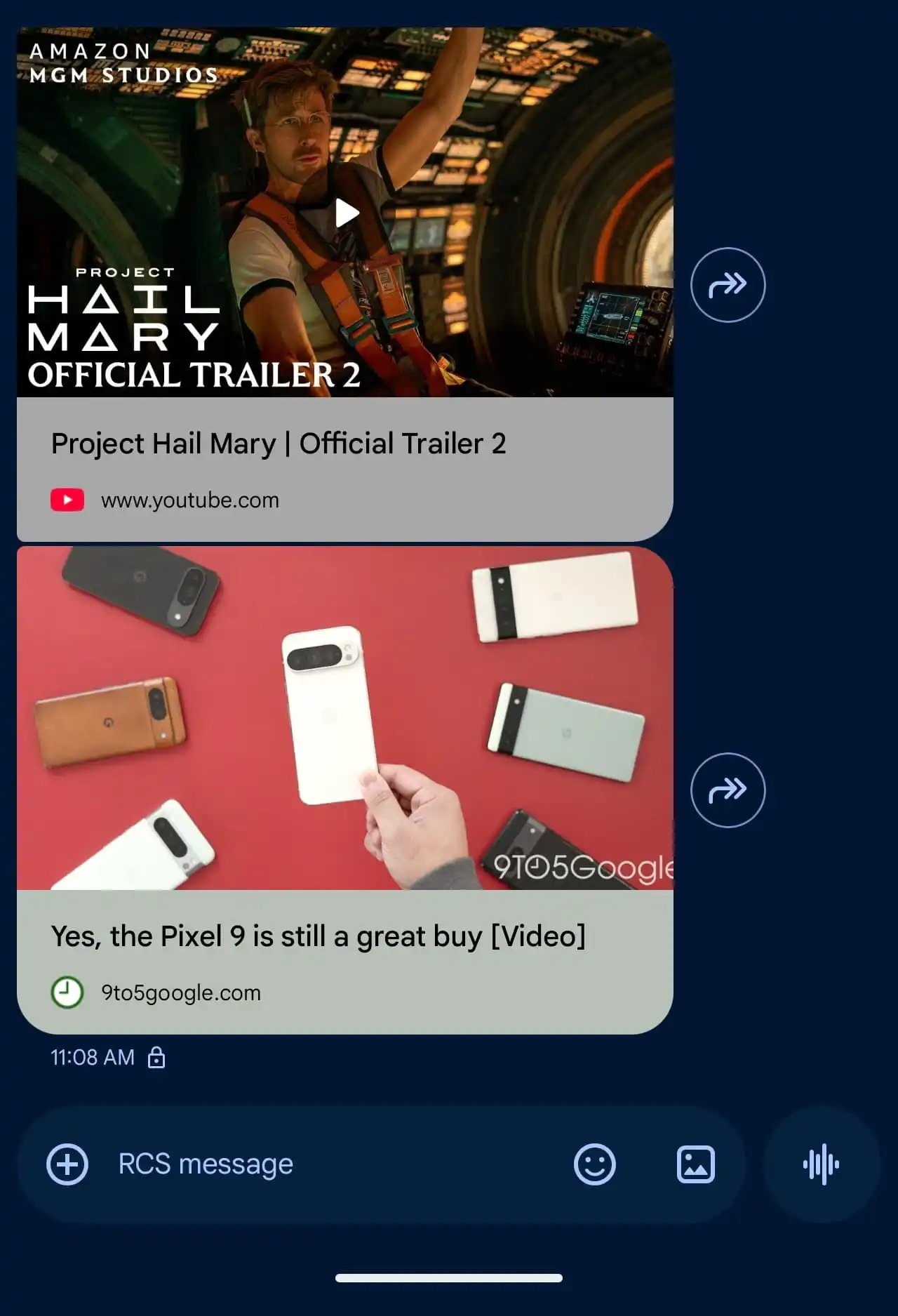
When you click on a YouTube video in the conversation, the video opens in a picture-in-picture window. 9To5Google says that there is currently no way to open the video directly inside the YouTube app. Hopefully, it is just a bug
A similar design is also used for a website or an online article. It displays the article’s lead image followed by the webpage’s title, favicon, and the website’s domain name. If you don’t want to see previews, you can navigate to Message Settings > Automatic Previews and turn off the Show All Previews option.
This new design looks a lot cleaner than the earlier design. It is available in the latest beta version (20251121_00_RC01) of the app and was released earlier this week.
