
Your iPhone is more than just a communication device; it’s a powerful tool designed to enhance your productivity, simplify daily tasks, and elevate your overall experience. While many features are widely recognized, others remain underutilized, waiting to be discovered. In the video below, Proper Honest Tech explores ten practical and lesser-known features that can help you unlock your iPhone’s full potential.
1. Select and Copy Specific Text
When dealing with lengthy messages, emails, or documents, you don’t need to copy everything. Your iPhone allows you to select and copy only the text you need. Simply long-press on the desired text, adjust the selection handles, and tap “Copy”. This feature is especially useful for forwarding or replying with only the relevant information, saving you time and effort.
2. Dynamic Island: A Hub for Multitasking
If your iPhone includes the Dynamic Island, multitasking becomes seamless. This feature acts as a centralized hub for managing ongoing activities, such as timers, music playback, or navigation, without leaving your current app. A quick tap or long-press on the Dynamic Island allows you to pause music, manage calls, or check directions, all from one convenient location. It’s a simple yet effective way to stay productive while minimizing interruptions.
3. Quick Video Recording with Camera Shortcuts
Capturing spontaneous moments is effortless with your iPhone’s camera shortcuts. In Photo mode, long-press the shutter button to instantly start recording a video. Need to zoom in or out while recording? Slide your finger up or down on the screen for smooth, one-handed control. These intuitive shortcuts ensure you never miss a moment, whether it’s a family gathering or a breathtaking view.
4. Fine-Tune Portrait Photos
Your iPhone’s Photos app offers powerful tools for editing portrait shots. By tapping the focal point or adjusting the f-stop setting, you can control the depth of field and blur effect with precision. This allows you to create professional-quality images effortlessly, whether you’re capturing a close-up of a loved one or a creative portrait. Experimenting with these adjustments can help you achieve the perfect balance of focus and background blur.
5. Track Symptoms with the Health App
The Health app is more than a step tracker—it’s a comprehensive tool for monitoring your well-being. You can securely log symptoms such as headaches, fatigue, or other health concerns, helping you identify patterns over time. This centralized record can be shared with your healthcare provider, allowing more informed discussions about your health. By using this feature regularly, you can take a proactive approach to managing your well-being.
6. Reopen Closed Safari Tabs
Accidentally closing a tab in Safari doesn’t have to disrupt your browsing. By long-pressing the plus (+) button in the tab view, you can quickly reopen recently closed tabs. This feature is a time-saver, making sure you can easily return to important web pages without retracing your steps. Whether you’re researching or shopping online, this tool keeps your workflow uninterrupted.
7. Autofill for Faster Form Completion
Filling out forms and logging into accounts is faster and more efficient with the Autofill feature. Your iPhone can automatically insert saved contact details, passwords, or payment information into forms, reducing the time and effort required. This not only speeds up the process but also minimizes errors, making it an essential tool for both personal and professional tasks.
8. Export Reminders as PDFs
The Reminders app is a powerful organizational tool, and its ability to export lists as PDFs adds even more versatility. This feature is particularly useful for sharing to-do lists, project outlines, or shopping lists with others who may not use the app. By exporting a list as a PDF, you can easily share it via email or messaging, making sure everyone stays on the same page.
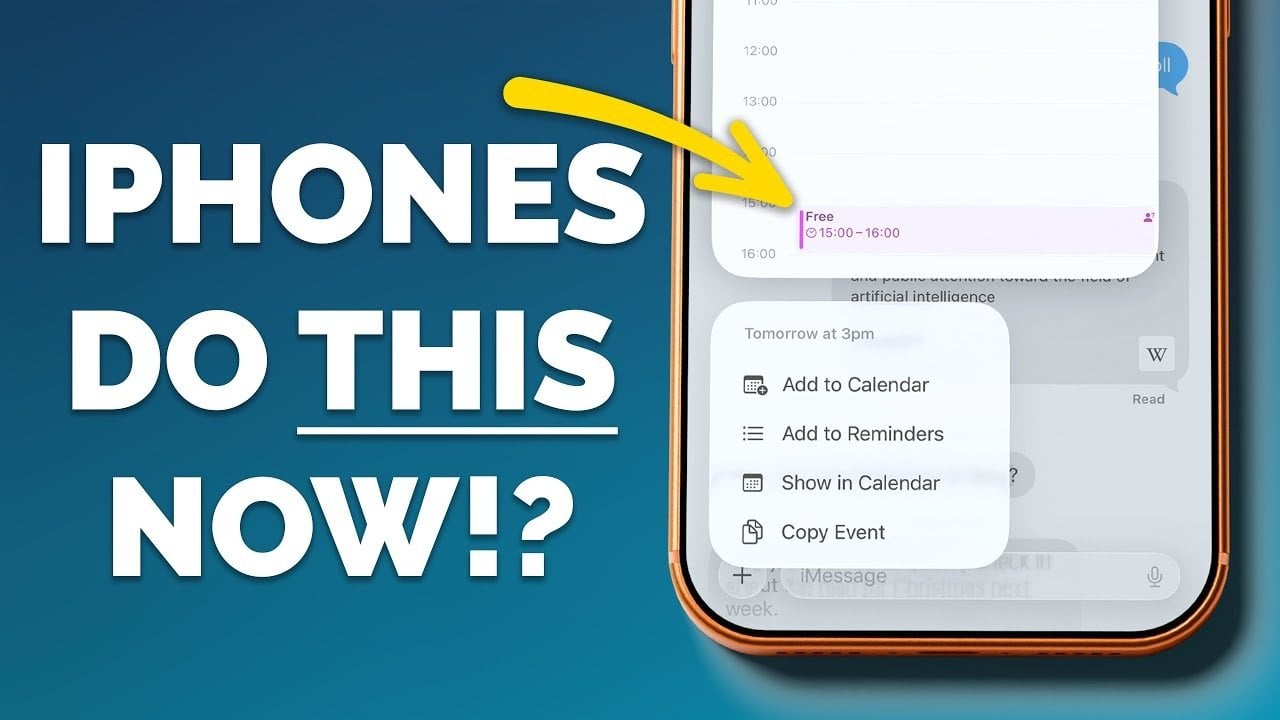
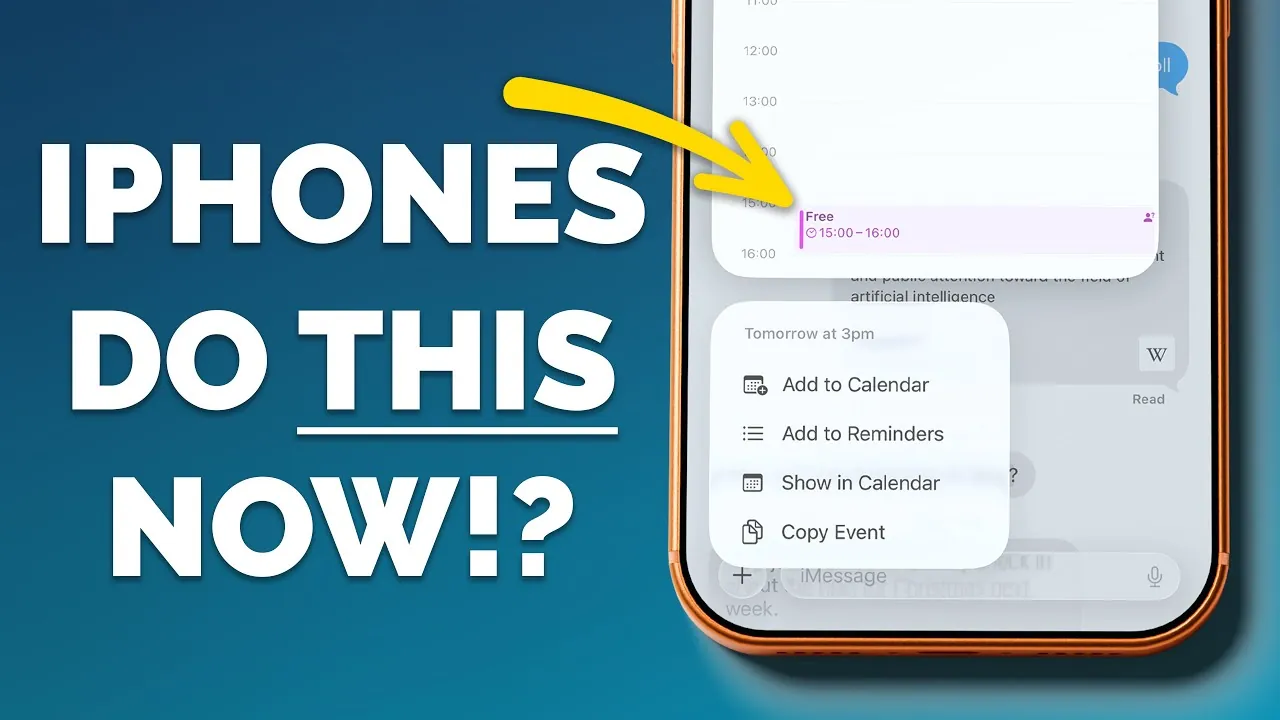
9. Add Events Directly from Messages
Your iPhone’s ability to recognize dates and times in messages or emails makes scheduling effortless. When a date or time is underlined, tapping on it allows you to check your calendar and create an event without switching apps. This seamless integration helps you stay organized and ensures you never miss an important appointment or meeting.
10. Efficient Text Selection for Replies
When replying to messages or emails, you can streamline your communication by selecting specific sections of text to include in your response. Highlight the relevant portion before replying to ensure your message is concise and focused. This feature is particularly useful for professional conversations or when addressing detailed inquiries, helping you maintain clarity and precision in your responses.
Unlock the Full Potential of Your iPhone
These ten features represent just a fraction of what your iPhone can do to simplify your life and enhance your daily routine. By incorporating these tools into your workflow, you can save time, stay organized, and make the most of your device’s capabilities. Whether it’s improving productivity, capturing memories, or managing your health, your iPhone is equipped to handle it all. Start exploring these features today and discover how they can transform the way you use your device.
Here are more detailed guides and articles that you may find helpful on iPhone hidden features.
Source & Image Credit: Proper Honest Tech
Filed Under: Apple, Apple iPhone, Guides
Latest Geeky Gadgets Deals
Disclosure: Some of our articles include affiliate links. If you buy something through one of these links, Geeky Gadgets may earn an affiliate commission. Learn about our Disclosure Policy.