
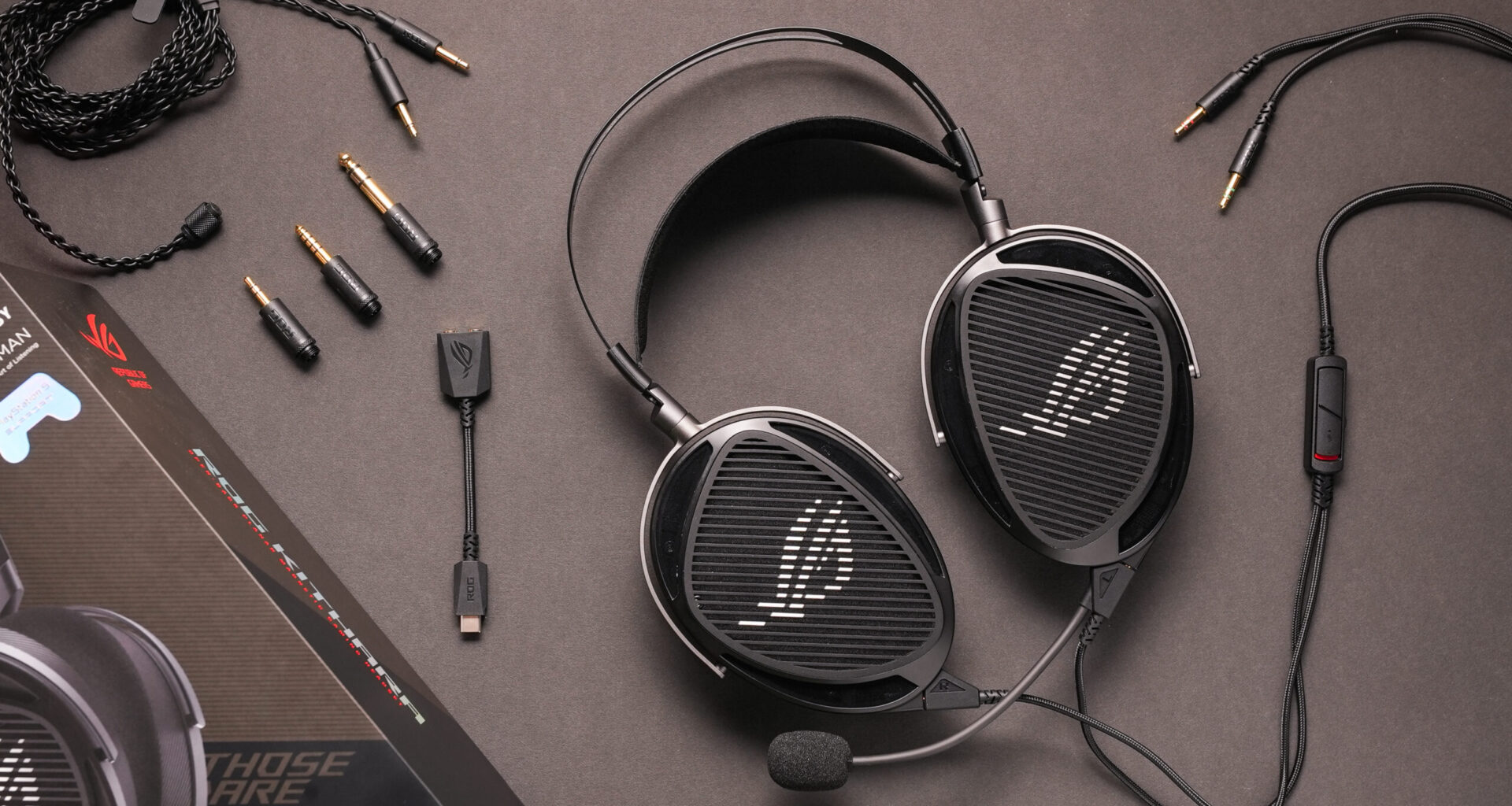
ROG the Republic of Gamers, is the gaming arm for Asus. They have partnered with HiFiMan, an audiophile headphone manufacturer, to create the high-end ROG Kithara headset. Typically, gaming headphones struggle to sound great outside their primary focus on FPS gaming, which often leaves the general gaming and music listening experience lacking. Can the ROG Kithara deliver both exceptional sound quality and a great gaming experience? We put it to the test in our SoundGuys lab to find out.
About this ROG Kithara review: We tested the ROG Kithara over a period of 6 days. The company provided the unit for this review. This review was expedited as part of a paid collaboration with ASUS. We retained full editorial independence — the brand did not preview or approve this article, and all opinions are our own.
How has this article been updated?
This article was published on February 2, 2026, and this is the first version of the article. Updates will follow as the market changes.
Who is the ROG Kithara for?
The ROG Kithara is for those who are looking for a studio headphone that can double as a gaming headset with a removable microphone. Since it is an open-back headphone, you should only consider it if you plan on using it in quiet environments.
What’s it like to use the ROG Kithara?
The ROG Kithara is a large planar magnetic headset with an open-back design. At 420g, it is a bit hefty, even when compared to other headphones with large planar magnetic drivers such as the HiFiMan Sundara. Part of that weight is the durable design, which includes a metal frame and hinges.
Despite the weight, I found the headset sits on my head with little issue. The headrest puts a bit of pressure on the top of my head, and I wish there were a little bit more clamping force, but overall, the comfort is similar to other planar magnetic studio headphones. One thing to be mindful of is that the headrest position can slip when putting it on, so you do have to be careful when placing the headset on your head.
Jhaycee Calvez / SoundGuys
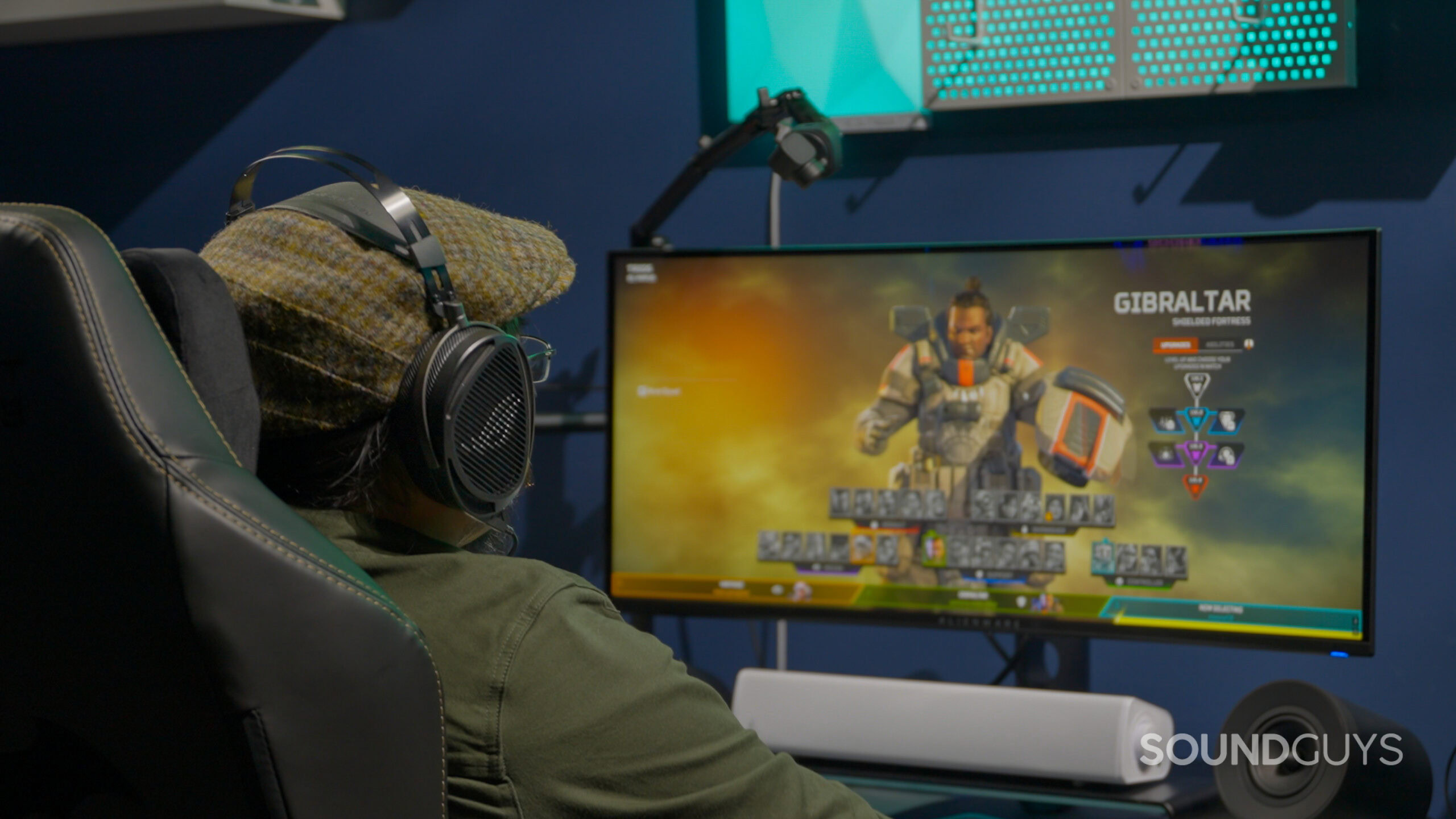
The ROG Kithara can hold up to long gaming sessions with ease.
When the ROG Kithara is on, I find it comfortable to wear for hours on end. With the default pleather and mesh ear pads, I can wear the ROG Kithara for over 4 hours before it gets a little itchy. There is also another set of eapards made of velour that come in the box. I find these earpads are a little more comfortable and don’t get itchy. I can use the ROG Kithara with these pads for over 6 hours without discomfort, which is impressive.
How do you connect the ROG Kithara?
One of the best parts of the ROG Kithara is its ability to be used in a variety of situations. While it is only a wired headset, and doesn’t support Bluetooth connectivity, it comes with a vast array of connectivity options, so you can easily connect it to any desk setup.
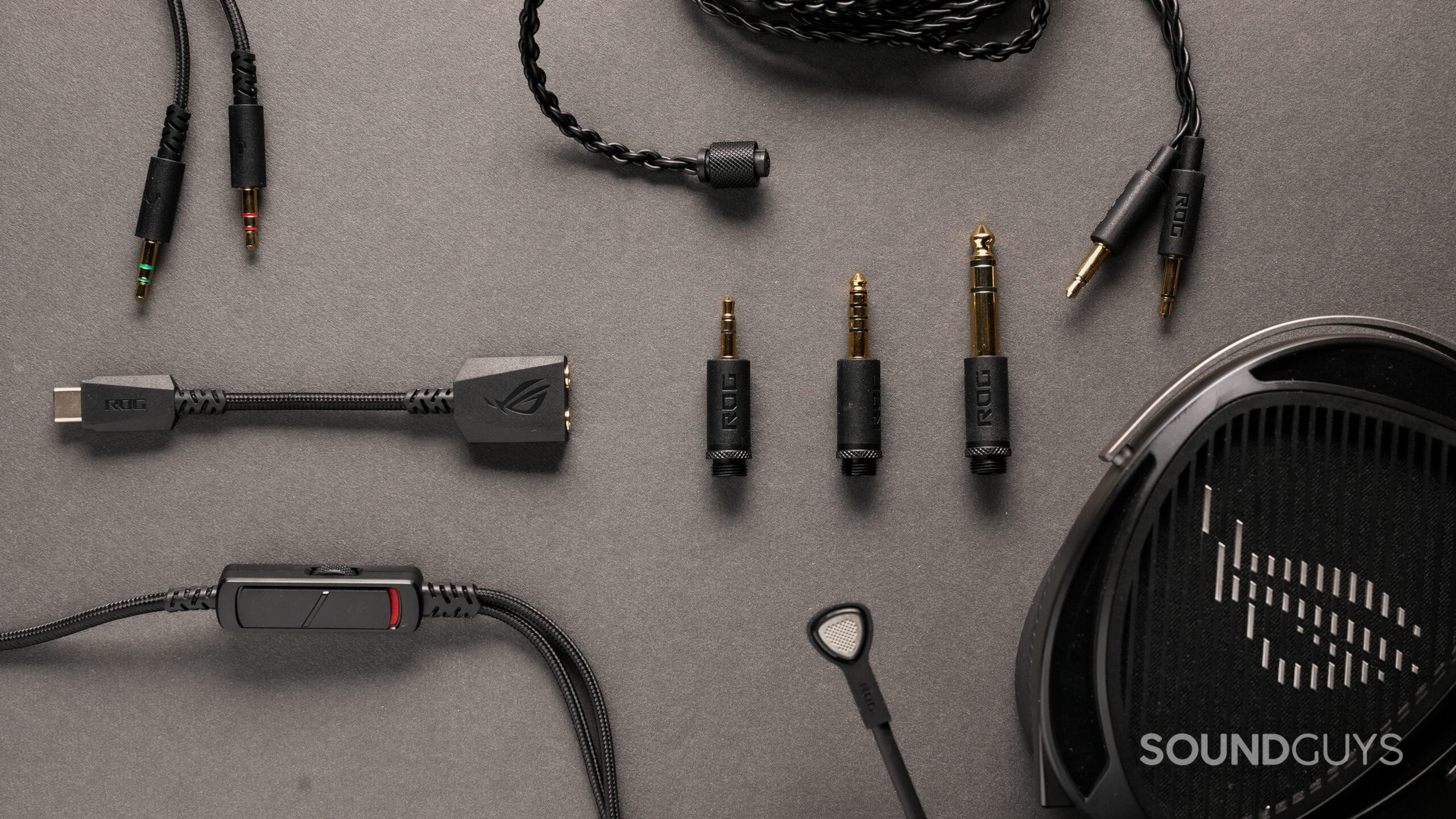
The box includes a regular cable in addition to the headset cables with a boom microphone. Not that the regular cable is exactly regular. The cable itself twists and appears braided into a single strand. It feels premium and malleable and doesn’t drag the headphones down at all. It stands out because you can swap the termination between 1/4‑inch, 4.4mm Pentaconn, and the standard 3.5mm. Like the boom‑mic cable, it connects to each driver separately and angles away from the shoulders, which means it won’t poke into your shoulders.
Jhaycee Calvez / SoundGuys
The included cable for the ROG Kithara is versatile, with the ability to swap terminations.
The cable with the boom microphone uses different materials compared to the regular cable. The cable is in a braided cloth sheath and has in-line controls. The headset cable terminates into a separate microphone and headset 3.5mm cables. This should eliminate crosstalk between the microphone and the headset drivers. While the boom microphone cable is longer than the typically included audio cables, it could use a foot or two more. Depending on the configuration, it could become too short when connected all the way to the back of a pc and wired underneath a desk.
How do you control the ROG Kithara?
The headset cable has in-line controls, which is convenient for quickly adjusting the headset while gaming. There’s a scroll wheel that adjusts the volume of the headset, and a microphone mute switch. When toggling on the microphone, you can hear a light thumping sound, which is helpful for knowing that your microphone is active. Even though there is a USB adapter for use with a computer without a microphone and headphone jack, there is no integration with the ROG Armoury Create software. This headset is designed for straightforward plug-and-play use, not for diving into an app to adjust RGB lighting, ANC, or spatial audio modes like some other gaming headsets.
Do you need an AMP for the ROG Kithara?
With an impedance of only 16 ohms, there’s no need to buy a dedicated amplifier for the ROG Kithara, despite it using a large planar magnetic driver. If you happen to have a high-end DAC, the Kithara includes a balanced wire for clean sound with minimal distortion and proper power output to each driver. That said, even running through a MacBook’s 3.5mm output, I found it gets deafening at higher volumes. The in-line controls are analogue, so the volume and mute controls operate independently of the device they’re connected to, which is convenient.
How well does the ROG Kithara attenuate noise?
As open-back headphones, the ROG Kithara provide little to no isolation, as expected. You’ll be aware of ambient noises like the hum of air conditioners or the whirring of fans. If you like to stay aware of your surroundings, such as your wife calling or the delivery person ringing for that new collector’s edition, you’ll appreciate the transparency open-back headphones like this offer.
How does the ROG Kithara sound?
The ROG Kithara sounds similar to other premium open-back studio headphones. The headset measures well in our objective sound quality testing, meaning most people are likely to enjoy the sound. If you are looking for a reference-grade headphone for mixing, the ROG Kithara holds up well in this regard. On the other hand, this type of sound signature might be a bit unexpected for gamers who are used to closed-back headsets with more bass.
How would most people rate the sound from 1 to 5?
The chart below shows the Multi-Dimensional Audio Quality Scores (MDAQS) earned by the ROG Kithara. The algorithm uses a mountain of data from real people to predict how a group of 200 or so humans would rate the sound of a product on a scale from 1.0 (very bad) to 5.0 (very good), and return a mean opinion score.
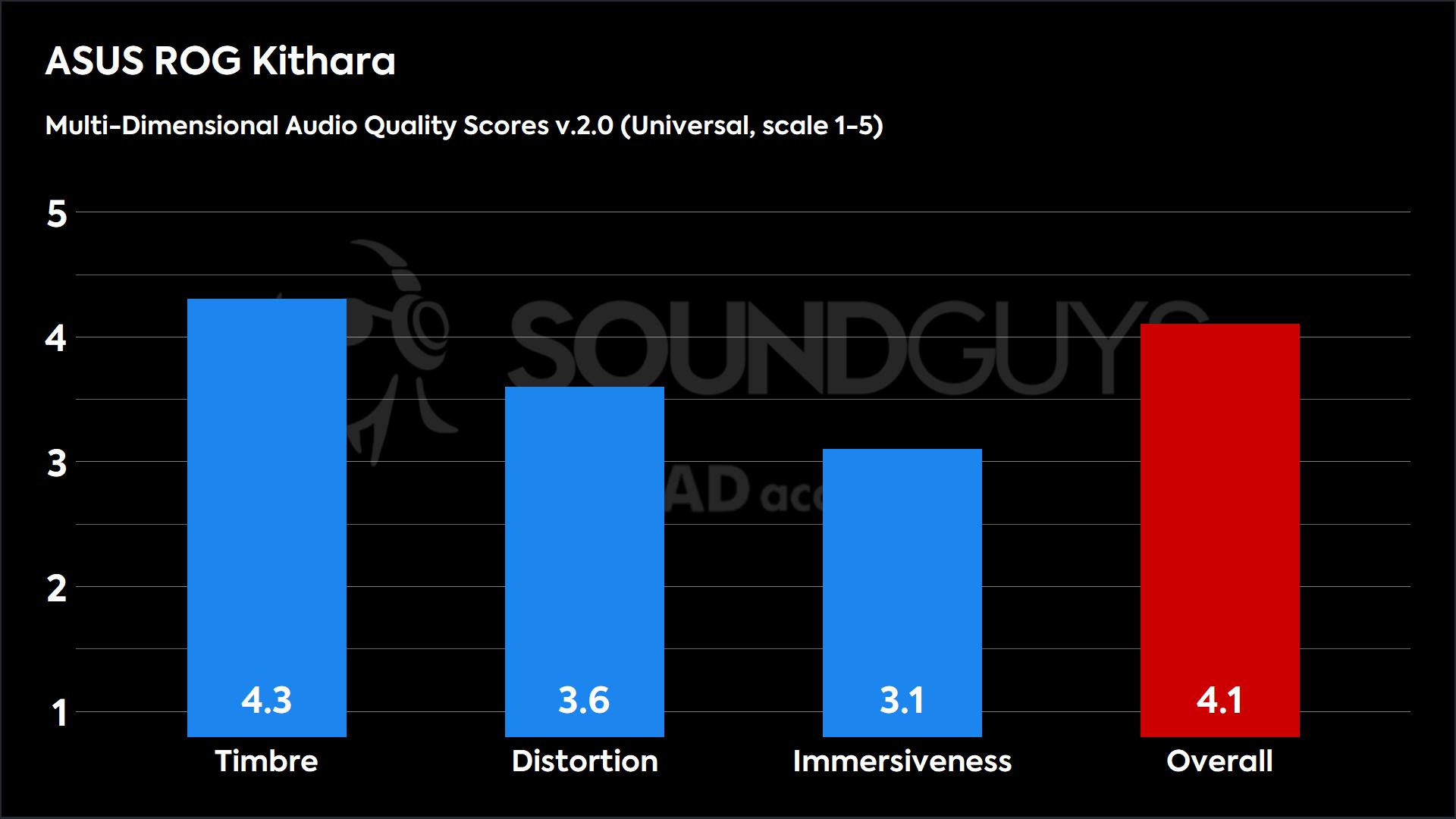 The ROG Kithara score a 4.1 out of 5 when compared to other audio products.
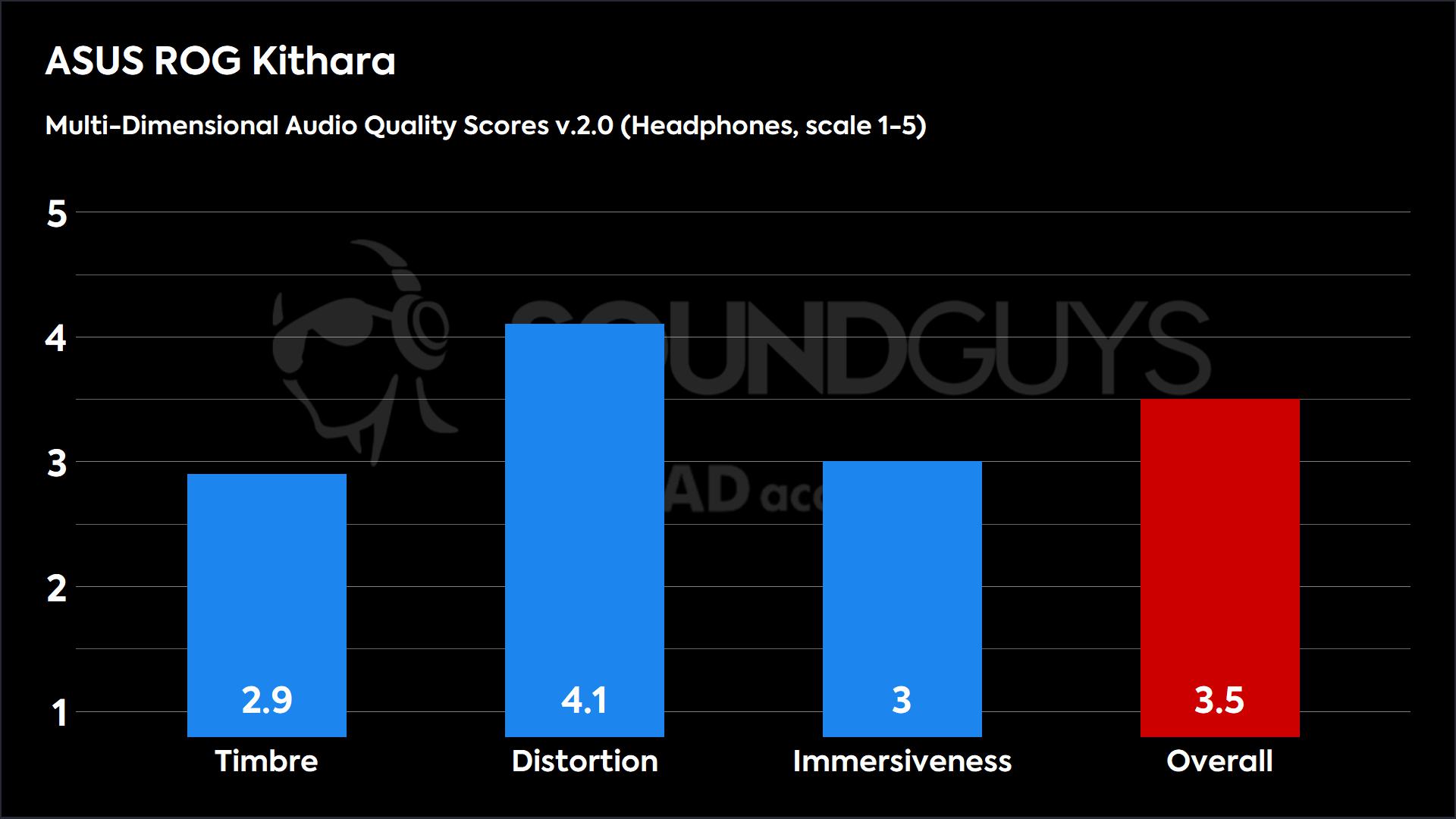 The ROG score a 3.5 out of 5 when compared to specifically to other headphones.
While the Immersiveness score might look a bit underwhelming, it’s actually right in line with other open-back headphones that we have tested. Since MDAQS is based on general consumer preference, the Immersiveness and Timbre scores tend to take a hit when a headphone doesn’t have a lot of sub-bass, and most open-back headphones don’t. The Distortion score is above-average, meaning most people won’t hear any non-linearities or added noise from these drivers.
What do the Multi-Dimensional Audio Quality Scores mean?
Timbre (MOS-T) represents how faithfully the headset reproduces the frequency spectrum and temporal resolution (timing information).
Distortion (MOS-D) represents non-linearities and added noise: higher scores mean cleaner reproduction.
Immersiveness (MOS-I) represents perceived source width and positioning: how well virtual sound sources are defined in three-dimensional space.
See here for an explanation of MDAQS, how it works, and how it was developed.
Reviewer’s notes
Editor’s note: this review uses a hover-enabled glossary to describe sound quality based on a consensus vocabulary. You can read about it here.
Objective Measurements
Frequency ResponseError Curve
The ROG Kithara frequency response is similar to most high-end studio headphones, without any strong over-emphasis on bass, mids, or treble. There is a bit less bass than our consumer-oriented SoundGuys Preference Curve. Compared to most gaming headsets, you might find the ROG Kithara bass output quiter than you expect, which creates a brighter sound.
Frequency ResponseError Curve
We can see that the ROG Kithara closely matches our SoundGuys Studio Curve, which is our reference target for professionals and audiophiles seeking to maximize detail and clarity in their headphones. This means that if you’re looking to use the ROG Kithara for some production work, you don’t have to swap out to studio headphones.
How good is the ROG Kithara’s microphone?
The MEMS microphone on the ROG Kithara does very well in capturing voices while rejecting outside noise. Listening to the recordings, it was difficult to hear any noise in the background. Only louder and shrill noises made it through. The awesome part is that this is through the microphone hardware with no noise cancellation algorithms working in the background. So you can make full use of your GPU to push game frames instead of noise reduction.
ROG Kithara microphone demo (Ideal conditions):
ROG Kithara microphone demo (Office conditions):
ROG Kithara microphone demo (Reverberant space):
How about in outdoor conditions?
ROG Kithara microphone demo (Street environment):
ROG Kithara microphone demo (Windy environment):
How does the microphone of the ROG Kithara sound to you?
0 votes
1 (Awful)
NaN%
2 (Bad)
NaN%
3 (Okay)
NaN%
4(Good)
NaN%
5 (Perfect)
NaN%
Should you buy the ROG Kithara?
If you are looking for an open-back headset with a microphone, the ROG Kithara is one of the best options on the market, and the only one we’ve seen with planar magnetic drivers. At its core, the ROG Kithara is a great studio headphone that also happens to have a removable boom microphone and a large variety of connectivity options. The headset performs well in our objective sound quality measurements, and the microphone delivers good quality for gaming or taking meetings. While the price tag is sizeable, there isn’t anything else on the market today quite like the ROG Kithara.
ASUS ROG Kithara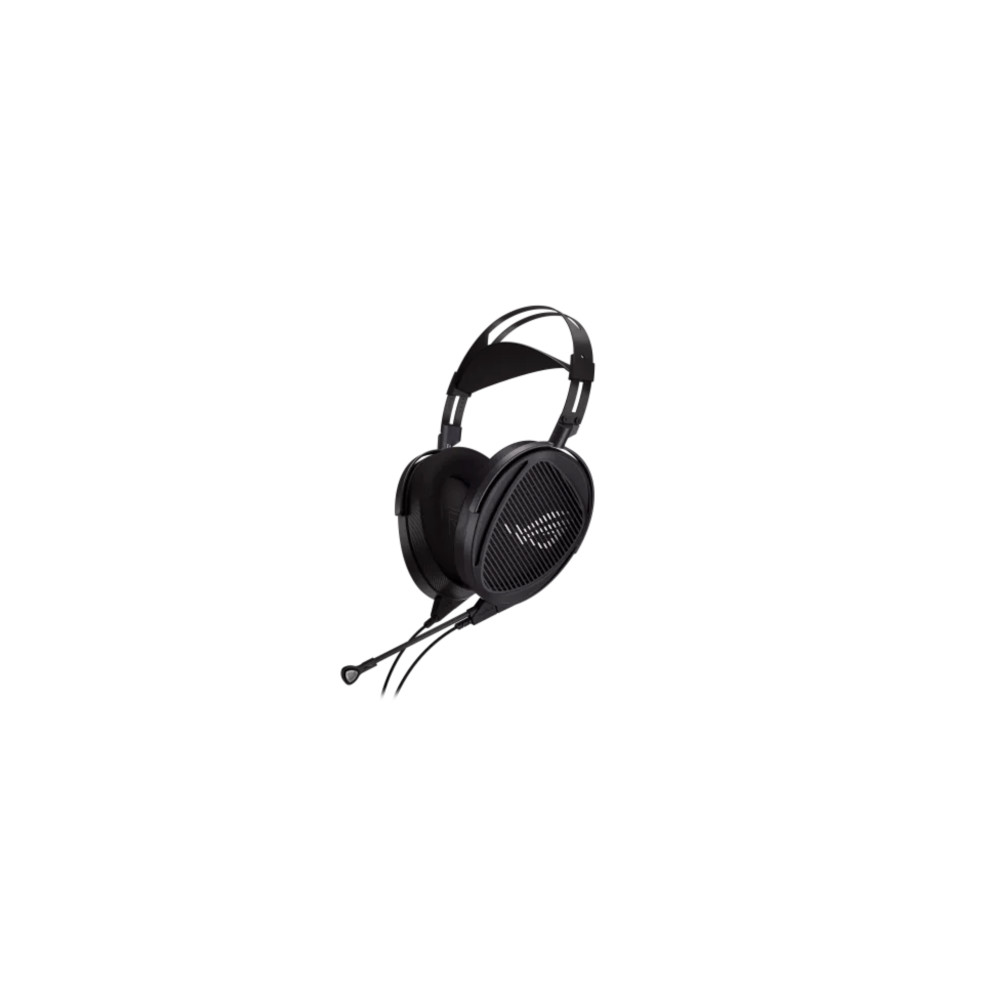 ASUS ROG Kithara
Reference-grade sound quality • Excellent microphone • Swappable cable terminations
A planar magnetic gaming headset built in collaboration with HiFiMan.
The ASUS ROG Kithara is a high-end, open-back gaming headset. It delivers reference-grade sound quality with planar magnetic drivers, but also features a removable MEMS microphone.
On the other hand, if you are a hardcore gamer, and especially if you enjoy FPS games, you may want to consider a product that is more dedicated strictly for gaming. If features like wireless connectivity, RGB lighting, noise canceling, or spatial audio are important to you, you won’t find those on the Kithara. While some gamers might miss the plethora of features found in other gaming headsets, others will prefer the plug-and-play convenience of the ROG Kithara. There’s no need to charge the headset, or dive into some app to adjust settings. This headset is all about executing on what matters most, sound quality, which it does well.
What should you get instead of the ROG Kithara?
If you are looking for a more affordable open-back gaming headset, you could consider the Corsair VIRTUOSO PRO ($199.99 at Amazon) or the Drop + EPOS PC38X ($194.22 at Amazon). These are some of the only other open-back gaming headsets we’ve tested, and while the price tags are more affordable, the sound quality is not as impressive as the ROG Kithara. That said, if you are looking for more of a traditional consumer headphone sound with amplified bass, you might enjoy using them.
If you want a similar-sounding headset but with a closed-back design, consider the Audeze Maxwell ($299 at Amazon). It has a closed back design and, unlike the ROG Kithara, operates wirelessly. You might, however, want to wait for the recently announced Audeze Maxwell 2.
If you are looking for open-back planar magnetic headphones and don’t need an attached microphone, I would suggest going to the HiFiMan Sundara ($299 at Amazon).
ROG Kithara review: FAQs
Do the ROG Kithara leak a lot of sound?
No, but there is a little sound leak due to the open-back nature. However, it doesn’t sound close enough to discern what you’re listening to, unless the volume is very high.
Does the ROG Kithara have surround sound?
No, the ROG Kithara does not come with any software spatial audio features. That said, as an open-back headphone, it is more immersive than most closed-back headphones.
Can the ROG Kithara be used with USB?
Yes, there is an included USB-C dongle in the box.
Does the ROG Kithara have noise cancelling?
No, the ROG Kithara is an open-back headphone, so it does not block out much noise and does not have ANC.
Thank you for being part of our community. Read our Comment Policy before posting.