
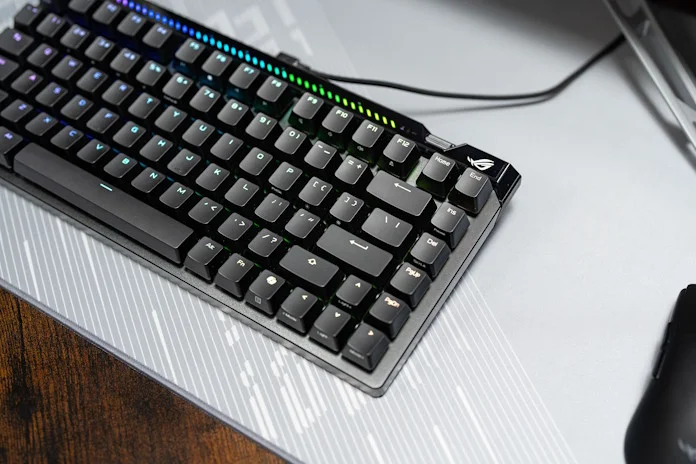
In the rapidly evolving landscape of gaming peripherals, performance benchmarks are constantly being redefined. Performance levels that were once “good enough” or even enthusiast-grade are now commonplace. And with the ever-increasing gaming horsepower on demand from today’s PCs and the rapidly accelerating speed of ultra-high-refresh-rate displays, the weaknesses of older and slower gaming peripherals are getting harder for gamers to ignore. To compensate, peripherals designs have pushed into new frontiers of performance. One metric that’s getting a lot of attention is polling rate.
Polling rate is a critical metric for how responsive a keyboard or mouse feels when you use it. For a long time, 1,000Hz was the standard for high-performance peripherals, establishing a reliable benchmark for both casual and competitive play. However, a new generation of hardware has emerged, introducing 8,000Hz (8K) polling rates. This technology can report keystrokes eight times faster than traditional equipment.
The technical foundations: 1K vs. 8K
To evaluate these devices, we first need to define the polling rate. This is the frequency at which the keyboard’s internal controller communicates with the PC to report input status.
A 1,000Hz (or “1K”) polling rate means the keyboard reports to the computer 1,000 times per second, resulting in a 1 millisecond (ms) reporting interval. This has been the baseline for years because it provides a highly responsive experience while maintaining broad compatibility and relatively low system overhead.
An 8,000Hz (or “8K”) polling rate increases that communication frequency to 8,000 times per second, cutting the reporting interval to just 0.125ms. By vastly increasing the density of data transmission, 8K peripherals ensure the PC receives the most accurate and up-to-date input information possible.
A difference that you can see
Imagine a PC user with a fairly standard home office setup. They have a 60Hz monitor and a set of everyday peripherals with a 125Hz polling rate, both typical figures for productivity hardware. Since a 60Hz monitor draws a new frame every 16.6ms, there’s a wide window for input data from the peripherals to be captured and reflected in the image. Since it’s over twice as fast as the monitor’s refresh rate, the 125Hz polling rate for the mouse is more than good enough. The PC always has the most current input data available for every single frame that the monitor displays.
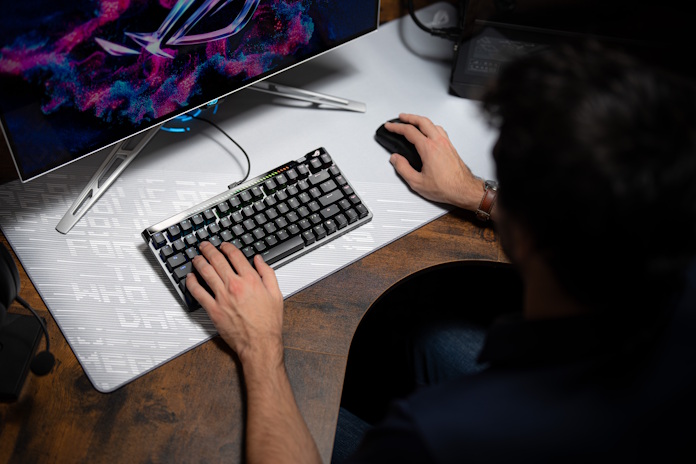
But let’s say that our PC user gets a monitor upgrade. They’re tired of living the spreadsheet life; they’re ready for some Valorant. So they go out and grab a 144Hz gaming monitor. But now something feels a bit off. The faster refresh rate means that their monitor can display new frames much more quickly, leading to smoother animation in fast-paced games. But now their monitor is faster than their peripherals, leading to moments when new frames are rendered without having received the latest input data.
If you move your mouse cursor around on the screen in such a scenario, you might notice odd little hitches or stutters in the mouse’s movement. This can be distracting when you’re just writing emails — and infuriating when you’re trying to line up an opponent in your crosshairs.
Peripherals with a 1000Hz refresh rate are a much better fit for 144Hz gaming monitors. But these days, 144Hz gaming monitors are relatively entry-level. You don’t have to spend more than $200 (USD) to get a monitor with a 240Hz or even 310Hz refresh rate. And for gaming enthusiasts seeking every advantage on today’s digital battlefields, 540Hz gaming monitors are available.
With such bleeding-edge monitors, the window for input data to be captured and represented on the screen shrinks significantly. If your keyboard polls at 1,000Hz (every 1ms), there is a statistical chance that a keypress could happen just after a poll, forcing it to wait for the next cycle and potentially missing the current frame’s render window. By increasing the polling rate to 8,000Hz (every 0.125ms), you ensure the PC always has the most current input data available for every single frame the monitor displays, virtually eliminating input-related micro-stutter.
Performance benefits: why 8K matters
While a 1K polling rate is fast, the move to 8K offers tangible improvements in total system latency and input consistency.
Significant latency reduction. End-to-end latency is the sum of every delay in the chain: switch actuation, internal processing, signal travel, and engine rendering. Shaving nearly 0.9ms off this chain might seem small, but in competitive environments like Counter-Strike 2 or Valorant, every millisecond counts toward peak performance.
Eliminating input jitter. At 1,000Hz, you’re more likely to have moments when a key is pressed immediately after a poll, leading to a wait for the next cycle (up to 1ms) for the input to be reflected in the on-screen image. This can create tiny variations in response time. But with a report happening every 0.125m with an 8,000Hz polling rate, your inputs are captured almost the instant they occur, leading to a more consistent and predictable feel.
Synergizing with high refresh rates. The value of an 8K polling rate scales with your monitor. If you are using a 240Hz, 360Hz, or 540Hz display, the screen updates every few milliseconds. A standard 1,000Hz keyboard may not always align perfectly with these rapid frame updates. An 8K keyboard ensures that the game engine has fresh input data available for every single frame rendered, providing a smoother and more responsive experience.
Practical considerations for 8K implementation
Implementing an 8K polling rate requires a balanced look at system resources and individual needs.
First, it’s important to manage your CPU resources. Processing 8,000 signals every second requires more from your processor than standard 1K polling. On high-end systems, this demand is negligible. However, on older or mid-range CPUs, this extra load can lead to fluctuations in frame rates. If you experience any system instability, many 8K keyboards allow you to drop back to a slower polling rate.
Second, it’s important to remember that the speed of your gaming monitor may limit your ability to perceive the difference between 1K and 8K polling rates. If you’re wondering whether 8K polling is worth it for Valorant, the answer is yes — depending on your setup. An 8K gaming mouse or gaming keyboard will have the biggest impact for users with a high refresh rate (240Hz+) monitor.
Third, polling rates do have an effect on battery life. Depending on the size of the battery in your wireless mouse and keyboard, you might end up needing to plug in your charging cable more often.
Finally, it’s important to remember that the polling rate of your peripherals is just one factor that can affect what we call “system latency,” or the total time it takes for a physical action like a button click to result in a visual update on your screen. Polling rate is an important part of the equation, but the equation also includes switch type, CPU speed, frame rate, monitor processing, and more. To get the most out of an 8K gaming mouse or keyboard, you’ll need to optimize the entire pathway.
Should you invest in an 8K polling rate keyboard and mouse?
For players seeking to eliminate every possible hardware bottleneck from their competitive setup, an 8K polling rate keyboard and mouse are invaluable additions to their PC gaming arsenal. If you’re an esports gamer with a high-end PC and a high-refresh-rate monitor, 8K peripherals are poised to make a big impact.
On the other hand, if you focus on single-player or narrative-driven games where millisecond precision is less critical, if you’re working with a mid-range PC where CPU overhead is a limiting concern, or if your gaming monitor has a relatively lower refresh rate, then an 8K polling rate might be more of a luxury than a necessity in your setup. That said, you shouldn’t feel deterred from buying 8K gear, if such peripherals fit your needs, style, and budget, since 8K mice and keyboards almost always offer the ability to drop down to a lower polling rate.
What is the best 8K polling rate keyboard and mouse?
At the end of the day, the best 8K polling rate keyboard for you depends on a few different factors. Switch type, key layout, keycap material, lighting, and customizability all affect your choice, too.
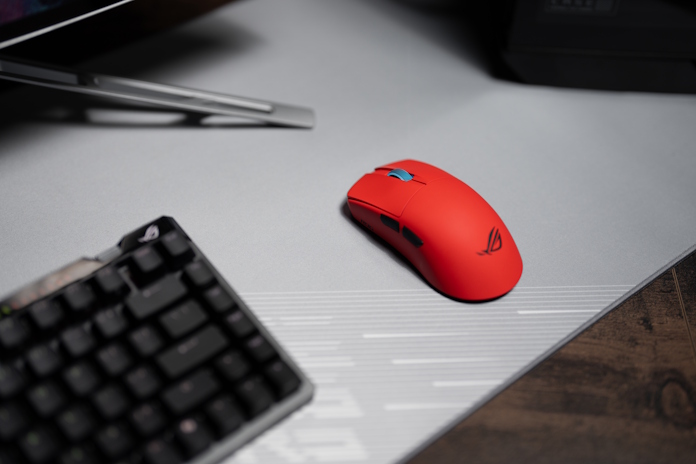
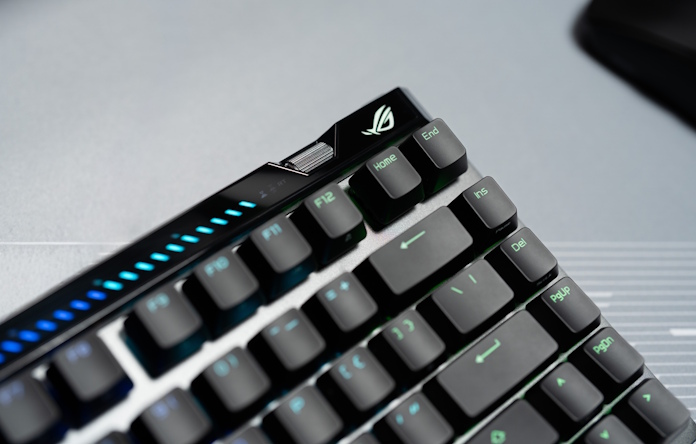
For gaming setups built first and foremost for esports, we recommend the ROG Falchion Ace 75 HE. Packing a lot of tech into its space-conscious 75% form factor, the ROG Falchion Ace 75 HE offers a magnet-based ROG Hall Sensor, Speed Tap mode and Rapid Trigger modes, incredible customization for actuation point and more, and all of that is amped up by its 8000Hz polling rate. There’s a lot more to love about the ROG Falchion ACE 75 HE, so click here to learn more.
If your use cases range from gaming to productivity work that calls for the number-crunching convenience of a numpad, we’ll point you toward the ROG Azoth 96 HE gaming keyboard. Equipped with hot-swappable ROG HFX V2 magnetic switches and a next-gen ROG Hall sensor, it ensures lightning-fast input detection and consistent responsiveness. You’ll enjoy the convenience and clutter-free experience of seamless connections via ROG SpeedNova wireless technology, Bluetooth®, or wired USB. A vibrant OLED touchscreen and intuitive knob put system settings at your fingertips, while a six-layer dampening design ensures every keystroke feels soft, stable, and satisfying.
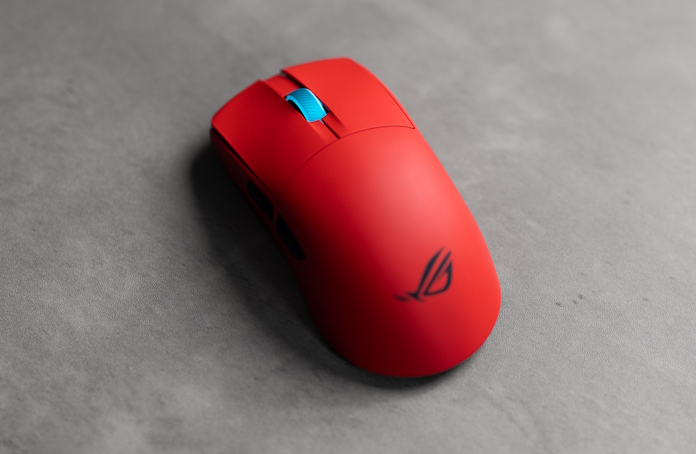
For an 8K gaming mouse, the ROG Harpe Ace II is an easy pick. This ultralight 48-gram mouse is well suited for competitive gaming with a shape developed with the input of esports proefssionals. It packs a raft of pro-approved technology, including the 42,000-dpi ROG AimPoint Pro optical sensor, ROG Optical Micro Switches and industry-leading 8,000Hz polling wireless performance with SpeedNova 8K wireless technology. In addition to options draped in black and moonlight white, there’s a new version that sizzles in a lava red.
Frequently asked questions
1. Can I actually feel the difference between 1,000Hz and 8,000Hz?
Yes, you’ll be able to feel the difference, especially when you use an 8K polling rate keyboard and mouse with a PC setup that includes a high refresh rate gaming monitor. The primary benefit is consistency. You may notice that movement feels “smoother” or more “locked-in,” particularly when paired with a high-refresh-rate monitor where input and visual updates are better synchronized.
2. Does 8K polling affect my in-game FPS?
If you’re using a modern gaming PC, you shouldn’t notice a dip in your FPS when you connect a mouse and/or keyboard with an 8K polling rate. But processing 8,000 reports every second does put a higher load on your CPU. If you are using an older processor, you might see a slight dip in frame rates or experience micro-stuttering. Most 8K devices allow you to drop the rate if you notice any impact on system stability.
3. Do I need a specific type of monitor to use an 8K keyboard?
No, an 8K keyboard will work with any monitor. However, the benefits are most apparent on high-refresh-rate displays (240Hz, 360Hz, or 540Hz). On a standard 60Hz monitor, the bottleneck is the display itself, meaning the ultra-fast polling data often has to wait for the next slow screen refresh anyway.
4. Is 8K polling available on wireless keyboards and mice?
Yes, though it is more common in wired models due to the battery drain and data bandwidth required. Some high-end wireless mice support 4,000Hz or 8,000Hz polling via specialized 2.4GHz USB dongles, but using these modes will reduce the time between charges.
5. Are “optical” or “magnetic” switches required for 8K polling?
While not strictly required, they are recommended. Standard mechanical switches have a physical “debounce” delay to prevent double-clicking. Optical and Magnetic (Hall Effect) switches remove this delay, allowing the hardware to take better advantage of the 0.125ms reporting speed offered by an 8K polling rate.
6. How do I change the polling rate of my mouse and keyboard?
This varies by manufacturer, but generally speaking the peripherals manufacturer will provide software tools for adjusting polling rate, among other settings. Owners of ROG gaming mice and keyboards can use Gear Link to adjust these settings without installing a standalone app, or they can use Armoury Crate.