
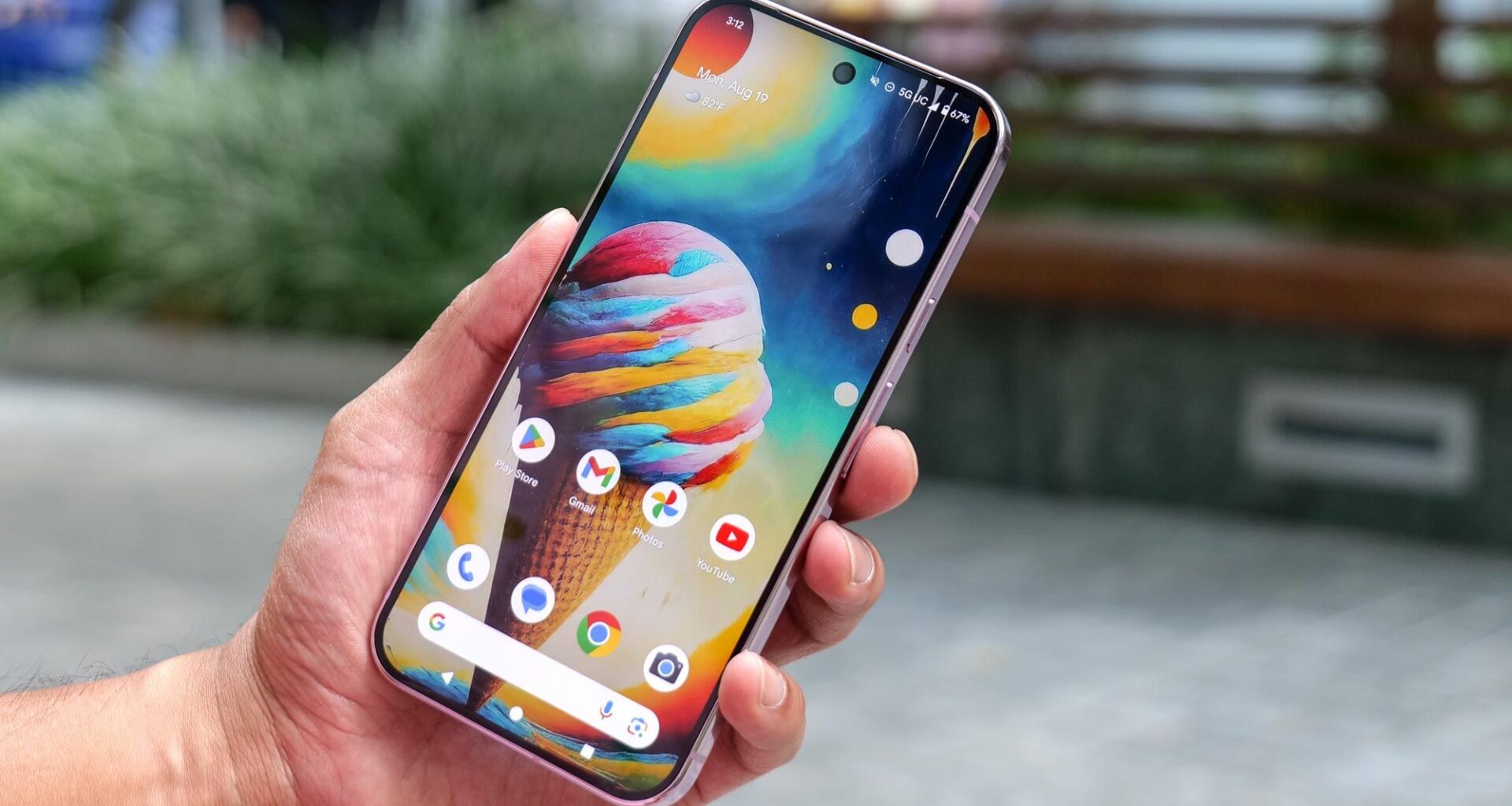
There are plenty of reasons why I prefer using the Pixel 10 Pro as my daily driver over other Android phones I own. Timely software updates, the clean Pixel UI, the convenience of Qi2, and a range of AI features have convinced me to stick with the Pixel 10 Pro as my primary device.
That said, there’s no denying that using a Google Pixel comes with its own trade-offs, and one of the biggest is battery life. Compared to phones from Chinese competitors, Pixel phones ship with noticeably smaller batteries. They are not bad by any means, but they are not best-in-class either – you’ll find no Pixels on our best phone battery life guide.
You may like
Disable background battery usage for unnecessary apps
One of the biggest battery drains on any smartphone, including Google Pixel phones, is background apps that keep running without offering much real benefit. Many apps continue active processes in the background even when you’re not using them, whether to deliver notifications, update content, sync data, or handle other tasks.
That said, I’m sure you have several apps on your Pixel that you do not use daily. For example, I have multiple online shopping apps, wallpaper apps, and companion apps for my earphones that I only open manually. These apps don’t need to keep consuming battery in the background.
(Image credit: Tom’s Guide / Sanuj Bhatia)
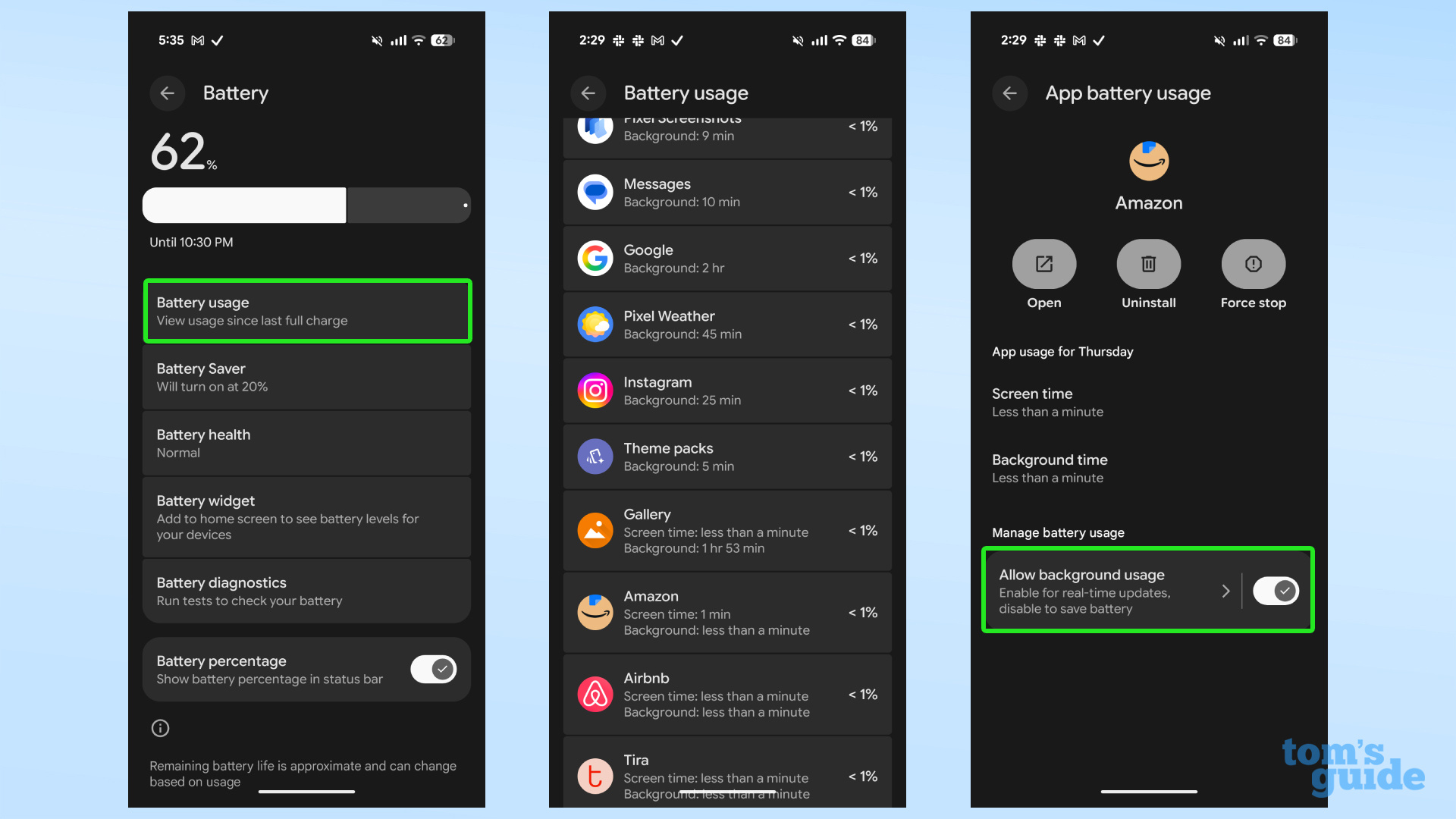
If that sounds like it could be a problem for you, it’s best to restrict them. Head over to Settings > Battery > Battery usage. Scroll through the list, decide which of your apps don’t need background usage, tap on them, and turn off the Allow background usage toggle.
Turn off the ‘Mobile data always active’ setting
Another major battery drain on your phone is connectivity. Features like Wi-Fi, cellular data, Bluetooth, and others are constantly active and consume power. While they are fundamental to a smartphone, there is one specific setting you can disable that will make little to no difference to your daily usage.
The setting I’m referring to is ‘Mobile data always active.’ Even when you’re connected to Wi-Fi, your Pixel keeps cellular data running in the background so it can quickly switch over if the network drops or slows down. However, most of the time, you know that if you’re connected to Wi-Fi, it is stable enough. Disabling this feature can slightly improve battery life, since the phone’s modem will not stay active unnecessarily.
(Image credit: Tom’s Guide / Sanuj Bhatia)
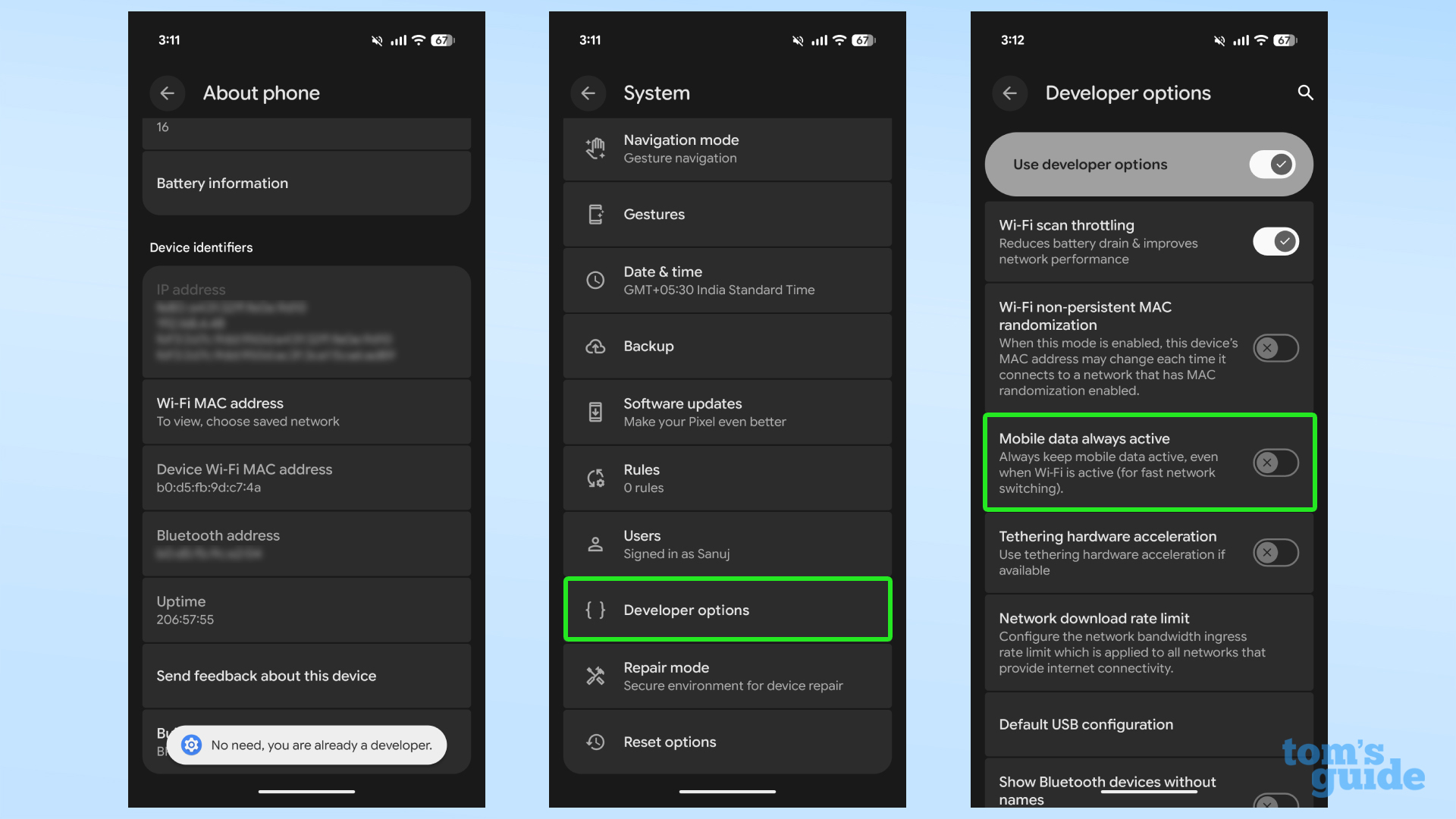
To disable it, you first need to enable Developer options. You do this by going to Settings > About phone and then tapping the Build number seven times.
You may like
Once Developer options are enabled, head to Settings > System > Developer options and turn off the Mobile data always active toggle under the Networking section.
Disable Wi-Fi scanning in background
Android offers a feature that automatically shows available open Wi-Fi networks in the notifications tray when you’re in a public place. While it may seem useful, connecting to public Wi-Fi isn’t always great for privacy, and most of the time, you probably open Wi-Fi settings manually anyway.
To display those open networks, Android continuously scans for Wi-Fi networks in the background, which does consume battery. You can reduce this by turning off Wi-Fi scanning on your Pixel, especially if you mostly use Wi-Fi in known places like home or the office.
(Image credit: Tom’s Guide / Sanuj Bhatia)
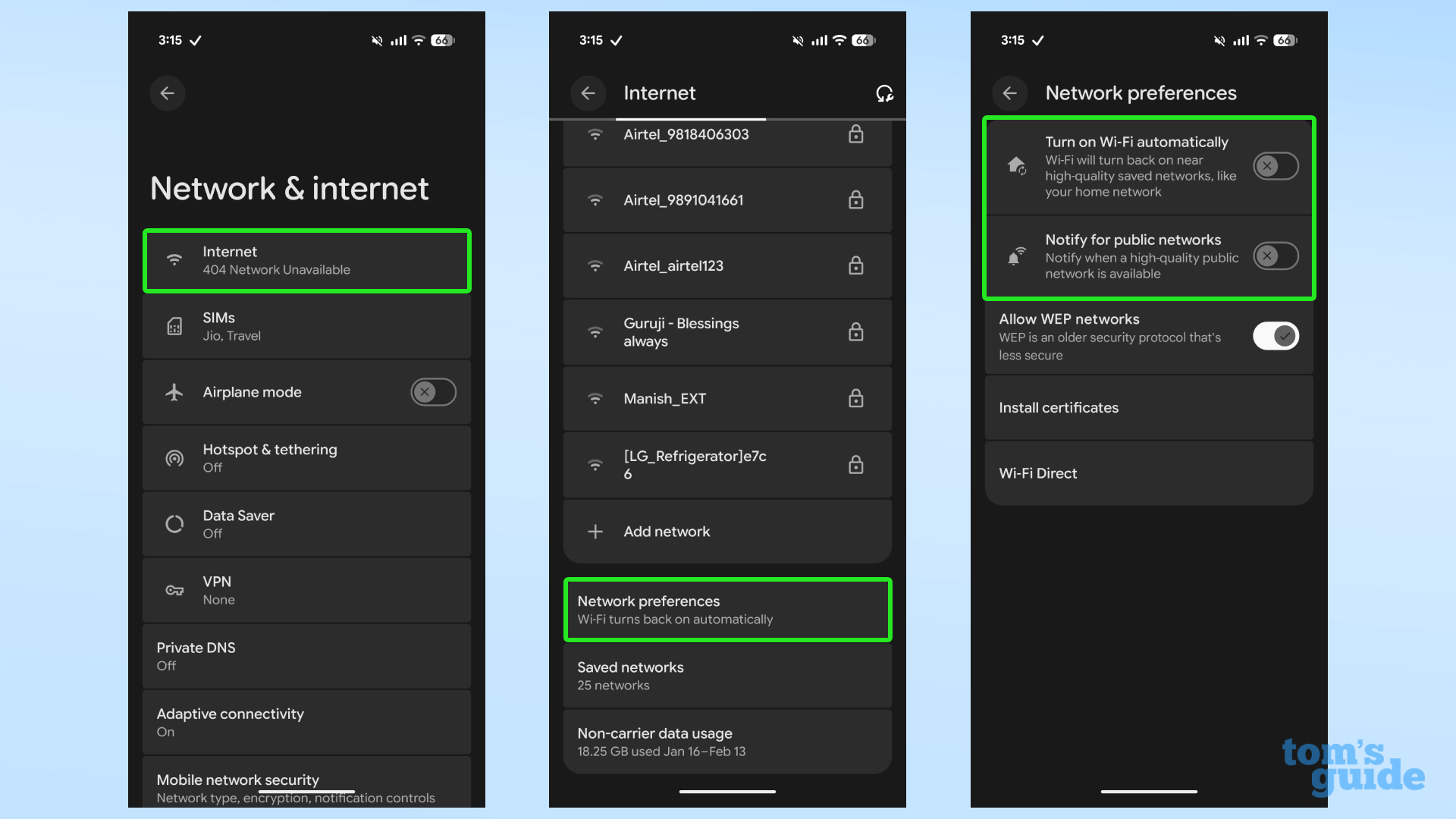
To disable it, go to Settings > Network & Internet > Internet. Tap Network preferences, then turn off the toggles for Turn on Wi-Fi automatically and Notify for public networks. You’ll still be able to connect to Wi-Fi as usual, but Android will stop constantly searching in the background, helping save some battery.
Switch from 5G to 4G when ultra-fast speeds are not needed
Another connectivity-related factor that can drain battery is 5G. While 5G offers faster speeds for streaming and downloads, it also puts more strain on your battery since it relies on more power-hungry radios and modems.
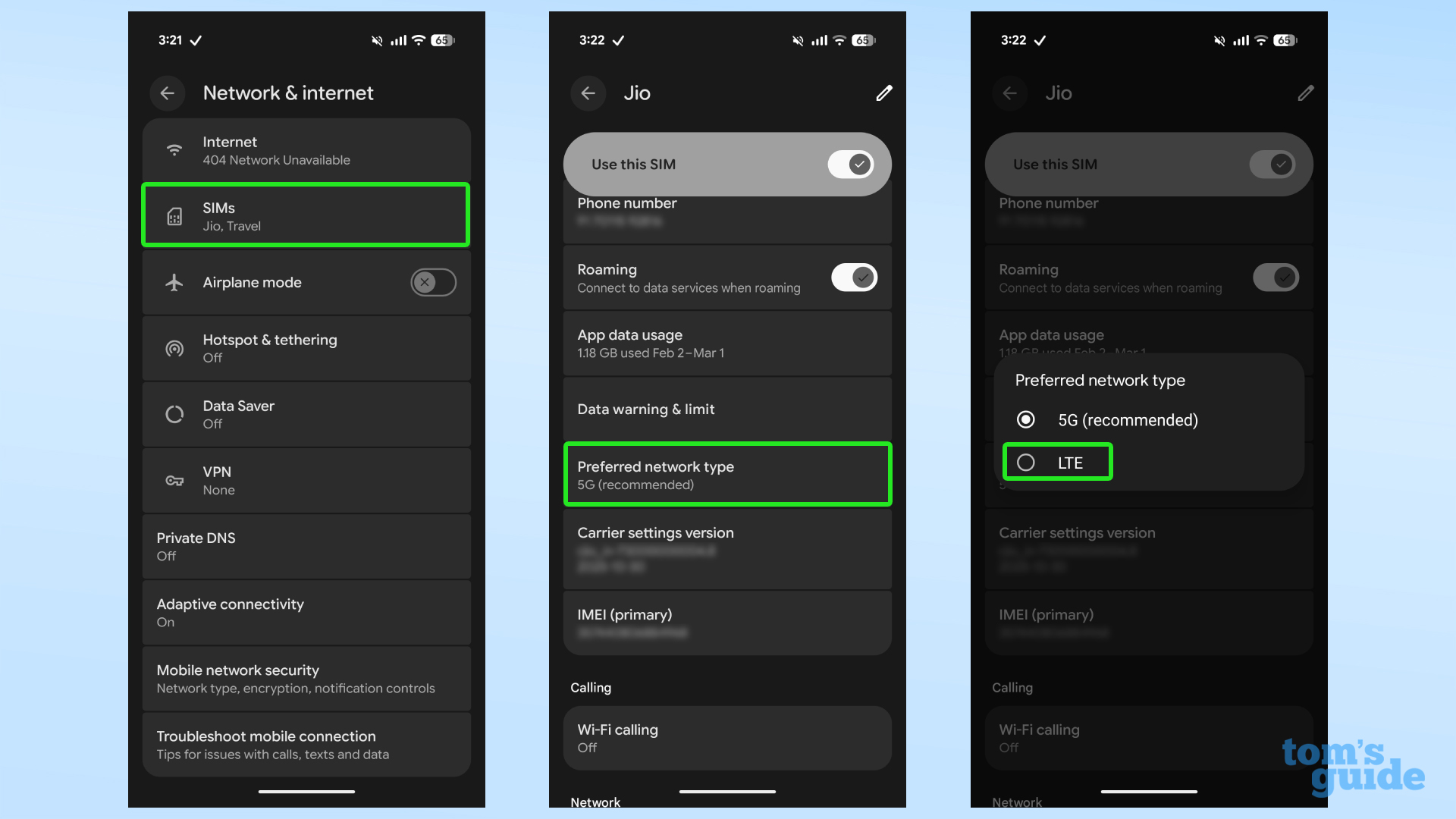
One thing I’ve found that does not noticeably affect my usage but helps save battery is switching my SIM to 4G permanently. In many areas, 5G coverage is still inconsistent, and 4G remains reliable. For now, it makes practical sense to stick to 4G and preserve some battery life.
(Image credit: Tom’s Guide / Sanuj Bhatia)
To do this, go to Settings > Network & Internet, select your SIM, and change the Preferred network type to 4G instead of 5G.
Adjust a few display settings to lower power consumption
Lastly, the third major battery drain on any smartphone is the display. Tweaking a few display settings to make them more battery-friendly can help lower power consumption and extend battery life.
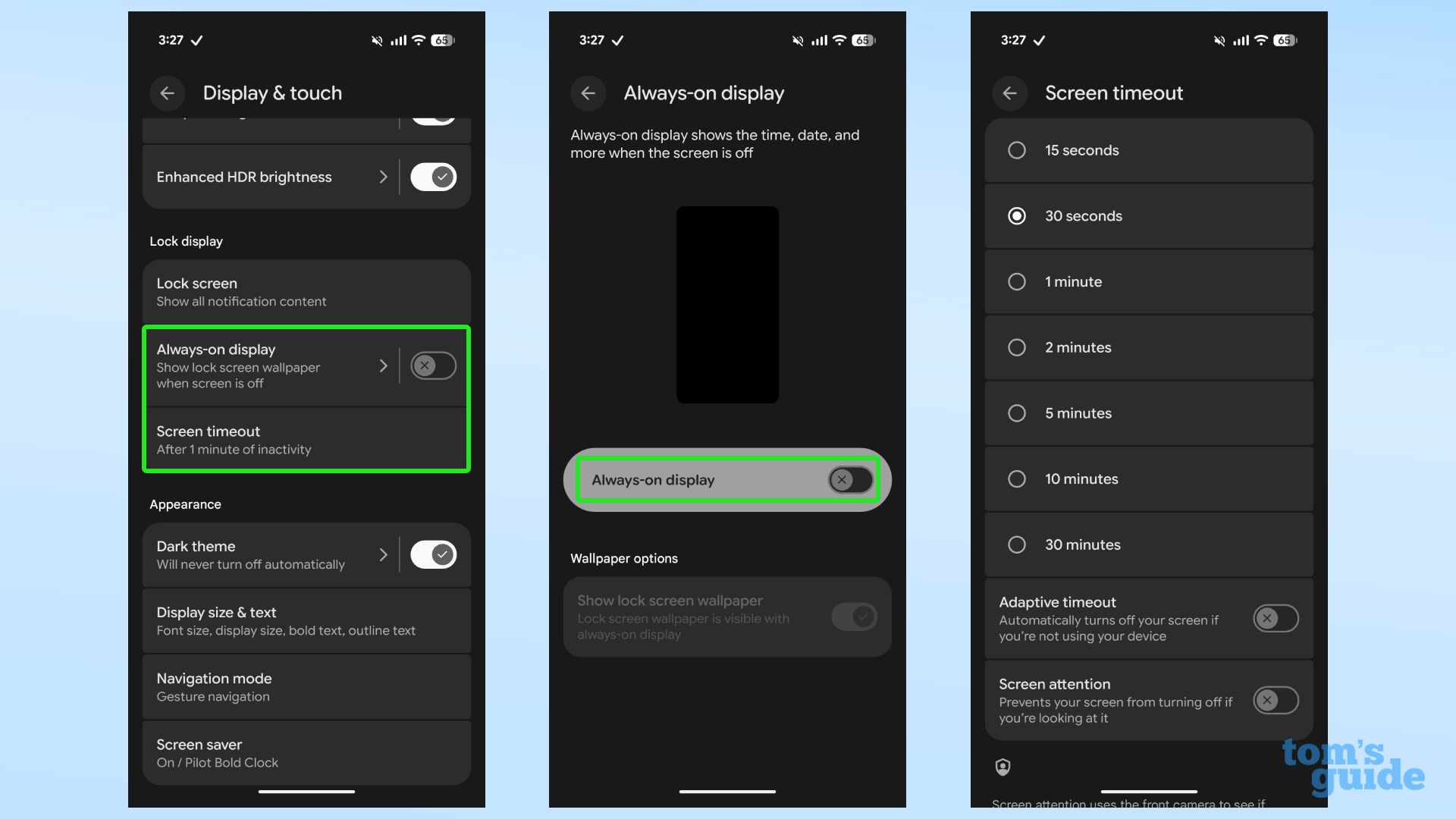
One of the first things I’d suggest disabling on your Pixel is the Always-on display. While it’s convenient to glance at the time and notifications when the phone is locked, Pixel also offers tap to wake, which I find just as useful. Always-on display can drain battery during idle use, so turning it off makes sense. Head over to Settings > Display & touch and disable the toggle for Always-on display.
(Image credit: Tom’s Guide / Sanuj Bhatia)
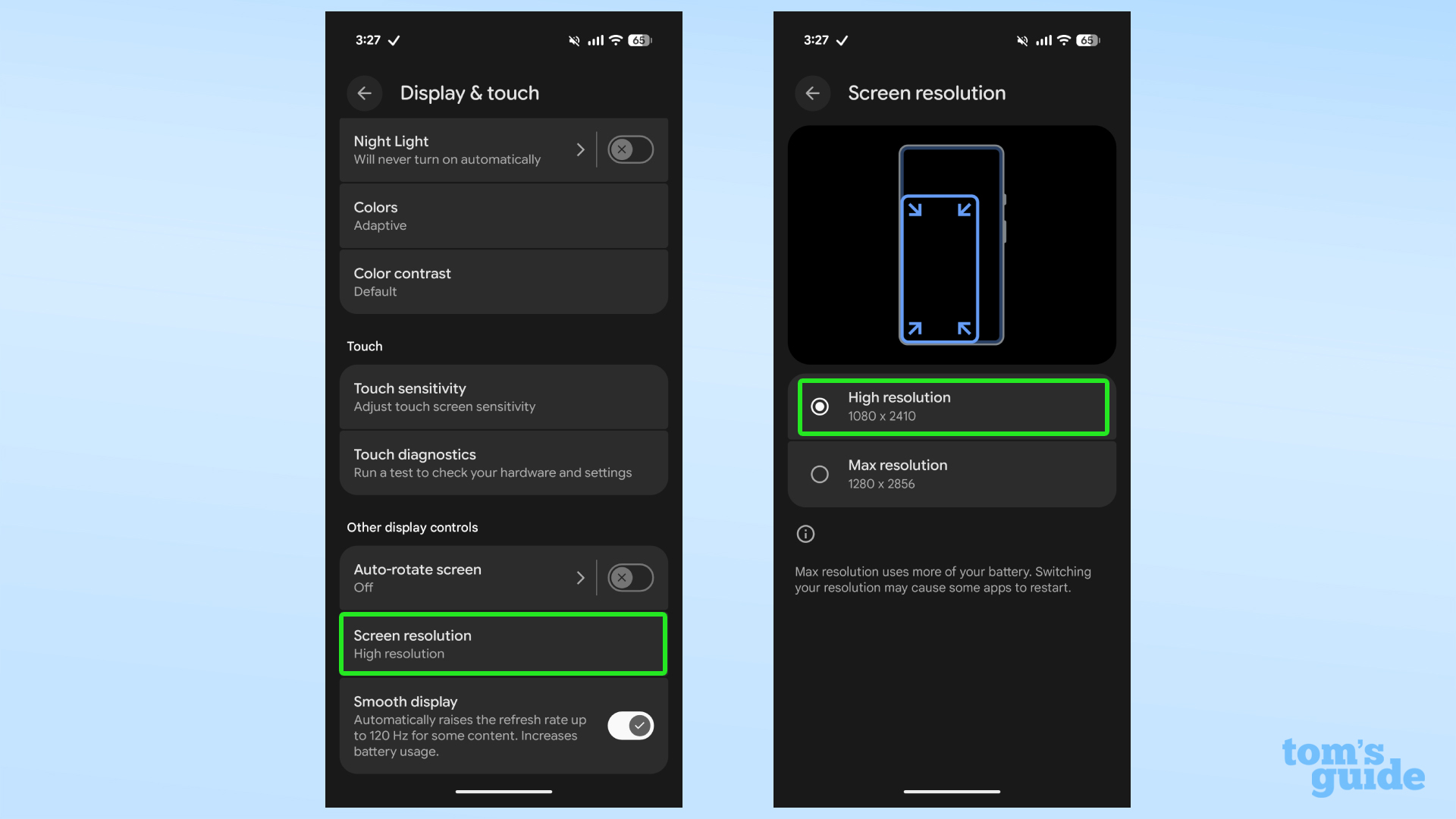
While you’re in Display & touch, it’s also worth adjusting a couple of other settings to reduce power usage. If you’ve set the screen to maximum resolution, consider switching it back to High resolution, as a lower resolution consumes less power. You can change this under Screen resolution.
(Image credit: Tom’s Guide / Sanuj Bhatia)
You can also shorten the screen timeout to 30 seconds or one minute. This ensures your phone stays awake for less time when idle, helping conserve battery. To do this, head over to Screen timeout and select 30 seconds or 1 minute.
These small tweaks have helped me improve the battery life on my Pixel 10 Pro without noticeably affecting the experience. And if you’re looking to go even further, there are plenty of other underrated Pixel tricks worth checking out.

Follow Tom’s Guide on Google News and add us as a preferred source to get our up-to-date news, analysis, and reviews in your feeds.
More from Tom’s Guide