

I’ve been using Google Wallet for years, but only for the basics: tap to pay in stores and store a couple of cards. That was pretty much it.
Recently, while reorganizing my digital wallet, I took a deeper look at what it can actually do. And I realized I had been using maybe 30% of its abilities.
Google Wallet is not just a place for your credit card anymore. It’s becoming a digital binder for your everyday life.
Here are the things I had no idea Google Wallet could do, and why I wish I’d explored them sooner.
Related
I found a secret Google Wallet feature — now I never fumble at checkout
It just knows when you need it
Store more than just bank cards
Credit: Lucas Gouveia / Android Police
For the longest time, I treated Google Wallet as a place to store my debit and credit cards. But it can hold far more than bank cards.
You can add loyalty cards, gift cards, transit passes, event tickets, and boarding passes. That turns it into a central hub for things that would otherwise stay in emails or SMS threads.
When I started adding store loyalty programs and travel passes, I stopped digging through screenshots or searching my inbox at checkout counters.
It’s especially useful for tickets and travel. Boarding passes and certain reservations automatically sync from Gmail, allowing them to appear in Wallet without manual uploads.
It saves time when you’re rushing through an airport or standing in line.
Automatically save passes from Gmail
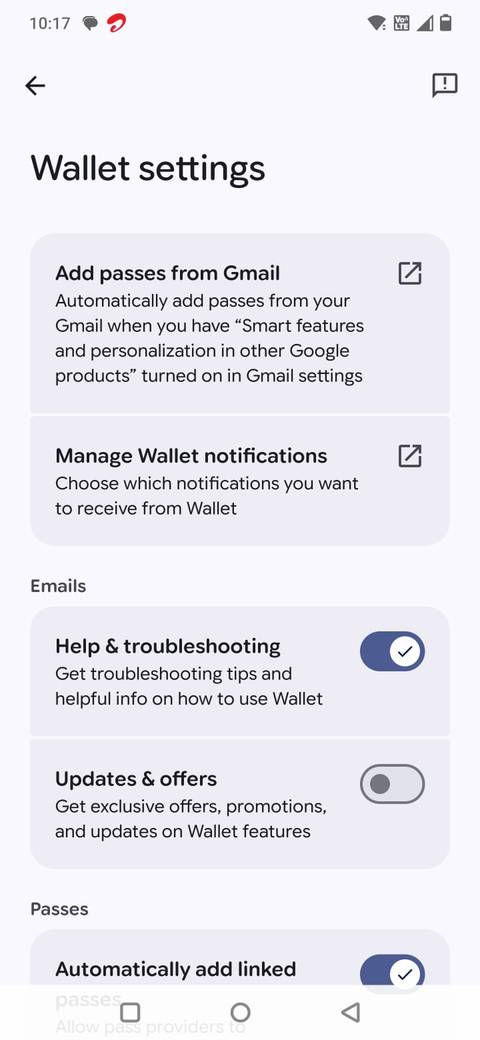
One feature I completely overlooked in Google Wallet is how it pulls in passes from Gmail.
I only noticed it by accident. I opened Wallet one day and saw my IKEA Family card already sitting there, along with a couple of passes I don’t remember adding manually. When I tapped one of them, I saw a small label: Added from Gmail.
That’s when it clicked. Wallet had been scanning eligible emails (like loyalty memberships, tickets, or boarding passes) and automatically adding supported passes for me.
It’s convenient, especially for travel and events. Instead of searching your inbox for a QR code at the last minute, the pass is already organized and ready inside Wallet.
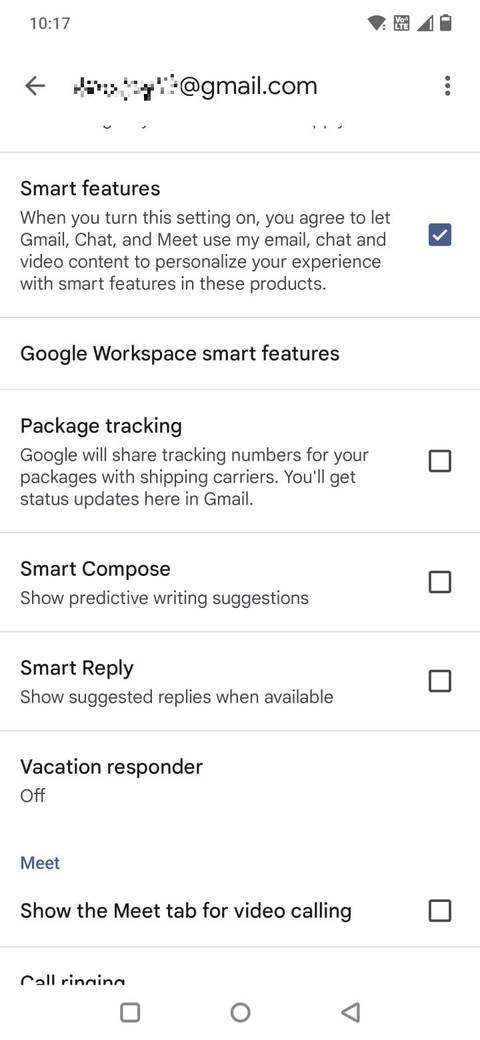
If you don’t see passes syncing automatically, you may have turned off Gmail’s smart features. Here’s how to check:
Open Google Wallet.
Tap your profile icon.
Go to Settings.
Select Add passes from Gmail.
Choose your email account.
Ensure Smart features is turned on.
Use Google Wallet for public transit
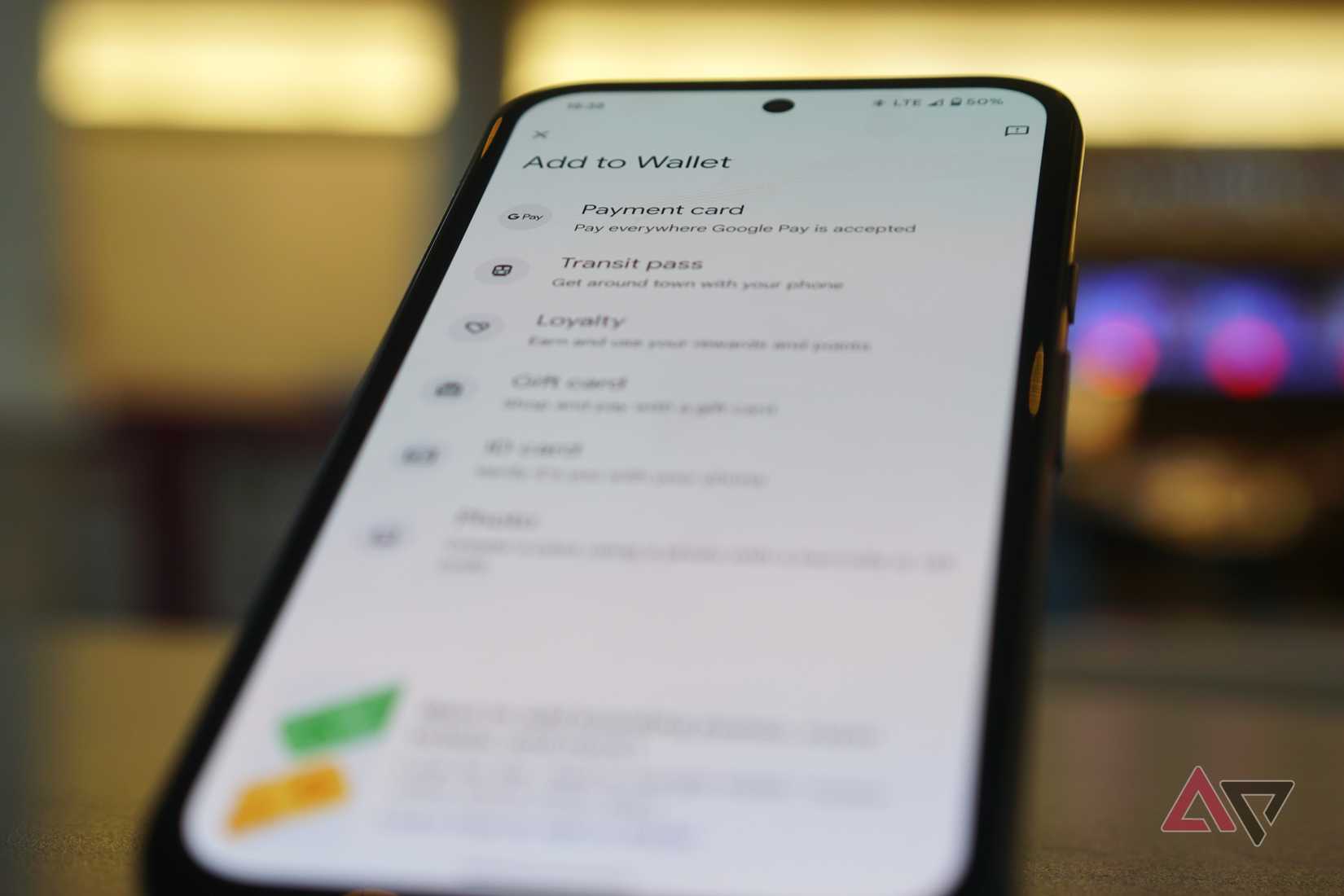
In supported cities, Google Wallet can store transit passes and even let you tap your phone directly at metro or bus gates using NFC.
When you add a transit card, it behaves just like a contactless payment card. In certain systems, you don’t even need to open the app; wake your phone and tap.
Support varies by region, so not every city or transit authority works with Wallet. But if your local system is supported, it can replace one more physical card in your wallet.
Add custom passes to Google Wallet
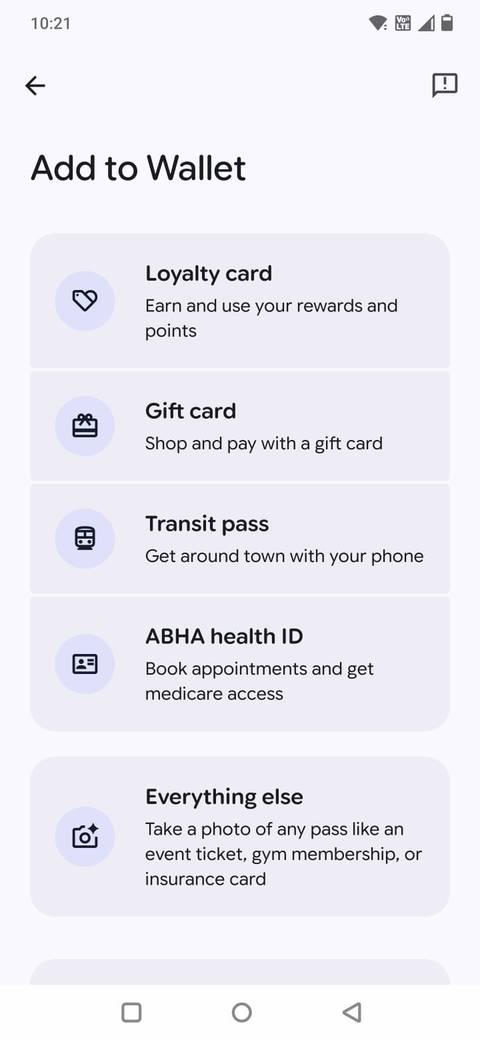
Google Wallet does not support every card or membership, but you can still manually add many of them.
If a store, gym, or local service gives you a barcode or QR code that isn’t automatically recognized, you can often add it as a custom pass.
I’ve used this for smaller loyalty programs and local memberships that don’t have direct Wallet integration.
Here’s how it works:
Open Google Wallet and tap the plus icon.
Select Everything else.
Click the picture of the barcode or QR code.
Choose the appropriate pass type.
Edit the pass information if needed (name, details, notes).
Tap Save.
When saved, it sits alongside your other cards and passes, ready to scan when needed.
If you take a screenshot of a pass (for example, from an email or website), tap the Share button on that image.
In the share menu, you may see a Google Wallet option. Selecting it lets you review, edit, and save the pass directly.
It’s not as seamless as automatic syncing from Gmail, but it’s still better than keeping a folder of random screenshots on your phone.
For me, this feature turned Google Wallet into more than just a payment app. It became a practical place to consolidate all the small cards I used to forget at home.
See real-time flight updates
Credit: Lucas Gouveia / Android Police
I used to think storing a boarding pass in Google Wallet was just about convenience at the airport gate. What I didn’t realize was that it can also surface real-time flight updates.
When a boarding pass is added, often automatically from Gmail, Wallet can display updated departure times, gate changes, and other flight details directly on the pass.
That means I don’t always have to open the airline’s app to double-check if the gate changed. A glance at Wallet is often enough.
It’s not a replacement for the airline app if you need rebooking options or detailed notifications. But for basic, at-a-glance updates, it reduces one more app switch.
Enhanced security controls in Google Wallet
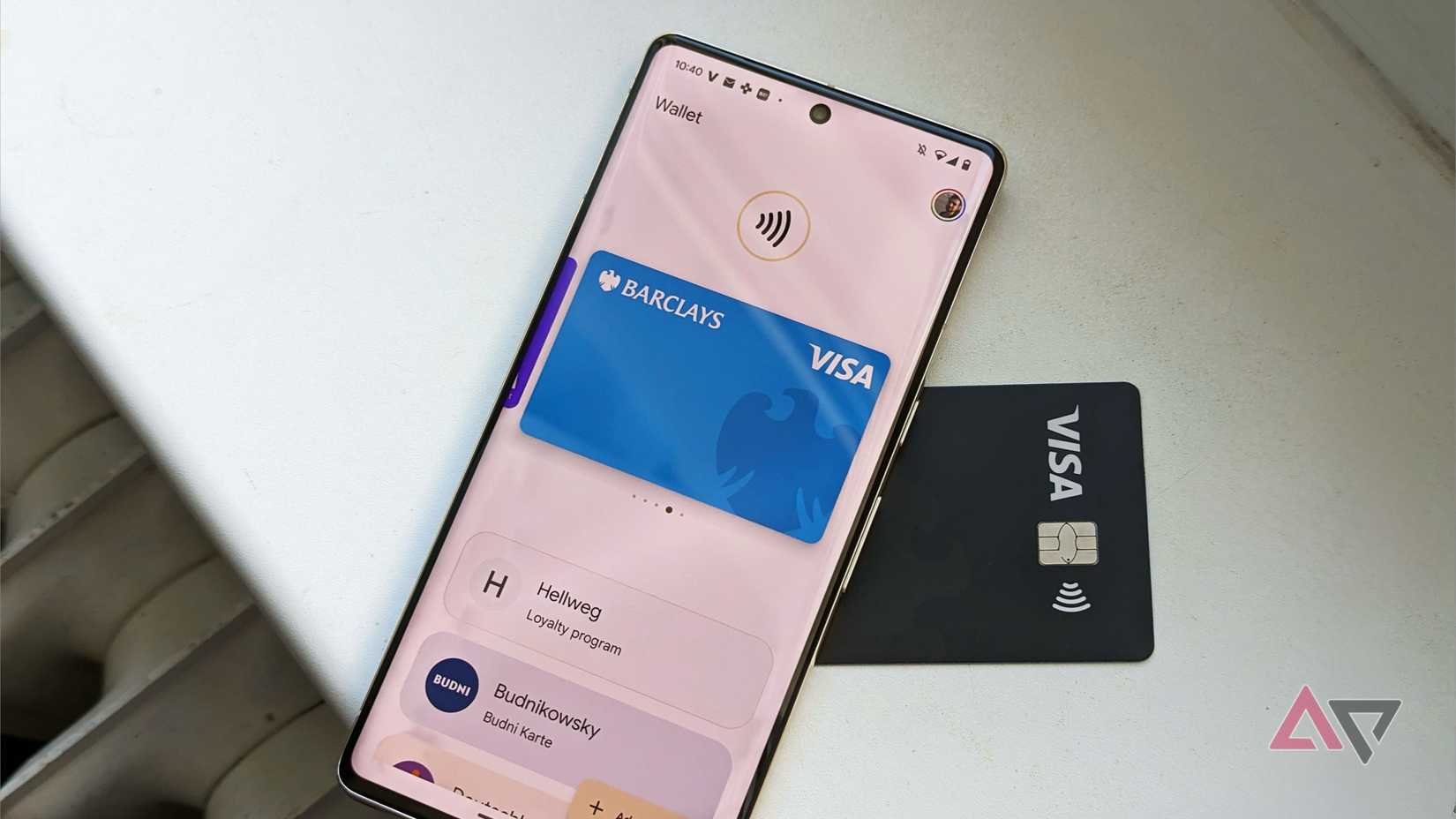
Google Wallet is linked to your Google account, providing built-in security features like device authentication and remote management.
Firstly, it does not share your actual card number with the merchant. Instead, Google utilizes a process called tokenization, which generates a virtual account number for transactions. It means that even if a retailer’s system is compromised, your card details remain protected.
Additionally, the app has device authentication. For most transactions, you must unlock your phone using a PIN, fingerprint, or facial recognition before the payment can be processed.
And if your phone is lost or stolen, you can remotely lock or erase it using Find My Device, which instantly prevents Wallet access.
Related
Google Wallet nails payments, but it’s still missing this basic feature
I wish Google Wallet had better organization
The reason I use Google Wallet every day
After I explored Google Wallet properly, I realized it’s far more than a digital replacement for my physical wallet.
It can store membership details, automatically pull in tickets from Gmail, provide live flight updates, manage transit, and even allow me to add custom passes in seconds.
The best part is that it simplifies and secures everyday payments by managing default cards and utilizing built-in security features.