
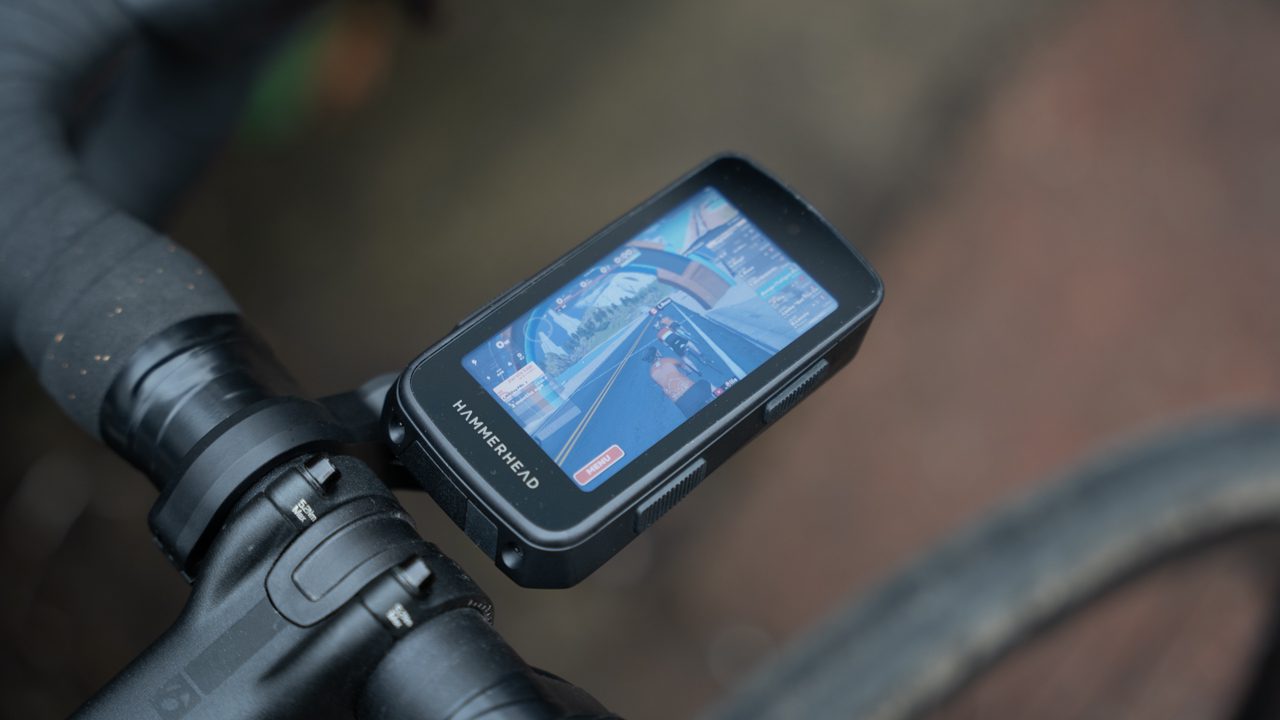
While in the midst of writing this year’s buyer’s guide, the Hammerhead Karoo 3 came across my desk. Uniquely, the Karoo runs Android, which means it’s possible to sideload all sorts of apps on the device. So I got to thinking. What would be the funniest thing to run on a bike computer? Zwift was my answer, but was it possible? The Karoo has Bluetooth and ANT+, and Zwift is available on Android, so in theory it should work.
I found a DC Rainmaker tutorial on how it’s done. Armed with this new knowledge, I was confident I could pull it off. I started out by enabling developer options on the head unit. Then I downloaded the developer tools on my computer.
I actually had to write a few command lines to get this working. It was here that I thought I might be in over my head with an expensive piece of tech my editor had entrusted to me. But I pressed on, the motivation of a few laughs at the office getting me through various forum threads on the subject.
The first serious obstacle: I downloaded Zwift as an XAPK (a file format for Android apps), but when I tried to load it through the command prompt, my window filled with error messages. It turns out XAPK files weren’t compatible with the software I was using, only the smaller APK files.
But I found salvation in the comments section of that DC Rainmaker tutorial. By sideloading the app store where I got the Zwift XAPK, I could install the file directly on the device. So I opened the store on my bike computer, dodged a few ads, and found the Zwift file.
Thankfully, it opened. I logged into my account, paired my power meter, and I was off. As the head unit rested on my desk, the frame rate was choppy. The device got quite warm. But once I hit the road, the real road, with the computer mounted on my bars, the air cooled it down. I swear it was running a bit smoother. So there I was, doing laps of the block, watching my avatar ride through Watopia on my bike computer.
Spurred on by this success, I wanted to see what else was possible. I sideloaded the FloSports app and tried to sign in. The app thought the bike computer was a TV, so it gave me a QR code to sign in on my phone. Because the head unit’s display is much smaller than that of a TV, it was impossible to see the confirmation code I needed to type in on my phone.
I had an idea: if all I needed was a bigger screen, could I just plug this thing into my monitor? Android has a developer mode where you can basically use your device like a PC. When I tried to boot the Karoo into desktop mode, I hit another snag. How could I plug a keyboard and mouse into a bike computer to actually open the app when the head unit is essentially acting like a desktop PC? Hypothetically, I could buy a Bluetooth mouse and keyboard. For now, I’ll still need to choose between watching the Tour de France live on July mornings or riding my bike on the open road.