
Imagine that you’re heading on holiday with the family, or traveling with friends for a week-long trip away from home. From the airport lobby to the rental house or hotel, and even the cafes where you stop to eat, everyone will be looking for an online connection for social updates, entertainment, communication, or even work.
But it’s hard to find public WiFi networks you can trust, and it’s more than a little inconvenient to connect every device individually. Phones, laptops, tablets, media devices, the list goes on. Who has time to connect all of them, and to a network you’re not 100% confident you can enter sensitive information on?
Enter a mini router. This compact, easy to carry travel device lets you bring the security and connectivity of your home network with you. Otherwise known as a travel router, it can connect to your hotel’s Ethernet port, a public WiFi connection, or be tethered to your 4G/5G connection, giving you a local network that’s under your control. And once your devices are given the name and password for the WiFi network it creates, they’ll connect through it automatically, all but removing the inconvenience of staying connected while you travel.
What is a mini router?
A mini router is a compact, low-powered networking device – often dubbed a travel router as a result – that essentially sets up your very own private network, even on public connections. Using a mini router offers you a variety of benefits:
Security on public networks: If you regularly connect to public hotspots and WiFi connections (like those in a hotel or airport for example), a travel router screens your devices from the public domain, encrypting traffic between the internet and your devices.
A single sign-on: Once all your devices are connected to your mini router, you only need to connect that to the access point. Your router remembers your devices, saving you the hassle of repeating the sign-on process with your laptop, phone, tablets, and other devices.
A back-up if your existing network goes down: Tether a mini router to your 4G/5G device, and enjoy a local network that can support you if your primary internet connection goes down.
Removes the confusion of captive portals: Those screens that pop up, asking you for details? Some tech, like game consoles and streaming devices, struggle with those, making it a pain – if not impossible – to get them connected. Connecting with a mini router avoids this issue entirely.
Wireless to wired and back again: Only have an Ethernet port where you are, and have multiple wireless devices to connect? Problem solved with a mini router. Wireless only connection but have a device that requires a cabled connection? Mini routers can solve both connection bottlenecks, letting you convert one Ethernet port into your very own access network, or a wireless-only signal into something that can deliver a wired connection to your devices.
A mini router can operate in several ways: While typically used as a travel router, mini routers can also act as media bridges and WiFi extenders (and even operate as a mesh extension node, more on that later).
Who is a mini router for?
Mini routers are perfect devices for anyone wanting to maintain security and ease of use when away from their home network, but they’re perfect for business and event utility, such as:
Temporary work locations
Trade shows
Gaming LAN events
Field work deployments
Content creators on-the-road
ASUS Mini Routers at a glance: feature/specs comparison
FeatureRT-BE58 GoRT-AX57 GoRT-AX50 Go
WiFi StandardWiFi 7 (802.11be)WiFi 6 (802.11ax)WiFi 6 (802.11ax)
WiFi class /
Max stated throughputBE3600
(688 + 2882 Mbps) AX3000
(574 + 2402 Mbps) AX1500
(300 + 1201 Mbps)
BandsDual-band 2.4GHz + 5GHz Dual-band 2.4GHz + 5GHz Dual-band 2.4GHz + 5GHz
Travel connectivity modesPublic WiFi Mode (WISP)
4G/5G mobile tethering
Wireless Router Mode
AiMesh Node Mode Public WiFi Mode (WISP)
4G/5G mobile tethering
Wireless Router Mode
AiMesh Node Mode Public WiFi Mode (WISP)
4G/5G mobile tethering
Wireless Router Mode
Ethernet ports2.5G WAN x1 + 1G LAN x1 1G WAN x1 + 1G LAN x1 WAN/LAN combo x1
USB portsUSB-C Power Port
USB-A for mobile tethering x1 USB-C Power Port
USB-A for mobile tethering x1 USB-C Power Port
USB-A for mobile tethering x1
SecurityAiProtection, WPA/WPA2/WPA3 (incl Enterprise), DNS-over-TLS, firewall, security scan AiProtection, WPA/WPA2/WPA3 (incl Enterprise), Let’s Encrypt, DNS-over-TLS, firewall WPA2/WPA3
Guest / segmentation featuresGuest Network Pro (multi-SSID use cases) Guest Network Pro + guest portal No
VPN capabilitiesVPN client + server across multiple protocols; InstantGuard; WireGuard support; Nord VPN support; Surfshark support VPN client + server across multiple protocols; InstantGuard; WireGuard support; Nord VPN support; Surfshark support VPN client (OpenVPN) + Surfshark support
AiMesh supportYes (primary + node)Yes (primary + node)No
Size99 × 111 × 36 mm120 × 120 × 21.5 mm70 × 70 × 26.5 mm
Weight232 g210 g85 g
The ASUS RT-BE58 Go mini router: uncompromising travel performance
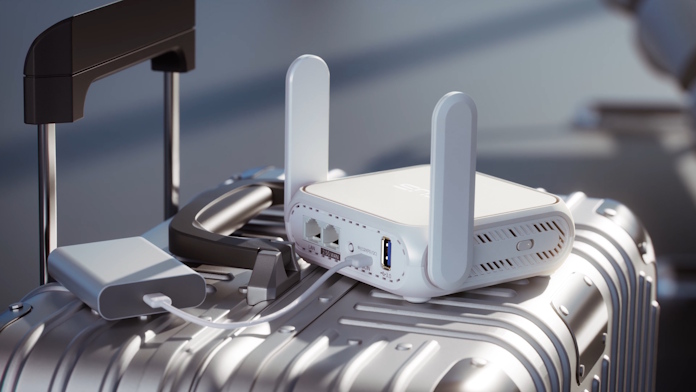
The ASUS RT-BE58 Go travel router offers the most power of the three mini routers mentioned in this guide, delivering WiFi 7 connectivity, a 2.5G WAN port, and an incredible security stack that includes AiProtection. It’s essentially designed to feel like your home router – just a miniaturised version of it. While its small and very portable, it’s not the smallest option in this list. But that’s because we’ve packed a lot into it, making it a premium solution for the most demanding connectivity needs.
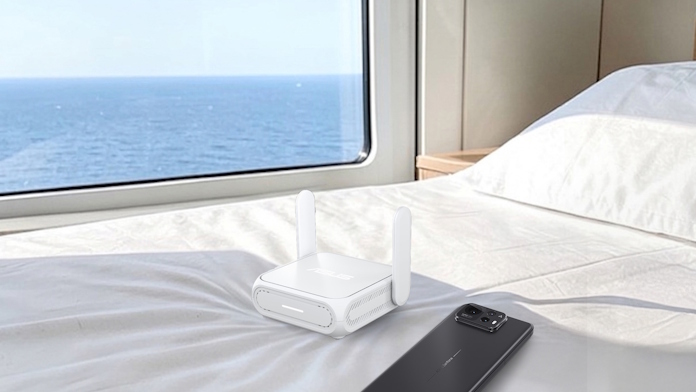
This travel router is perfect for anyone that’s doing some heavy lifting on-the-go: digital nomads doing a lot of downloading and uploading, remote workers, travellers taking their devices on the go with them from place to place, and even developers or IT professionals that need a layer of security as they work. The RT-BE58 Go is a powerhouse that offers high-end features that outperform most other travel routers, with WiFi 7 and 2.G WAN support being key advantages. Put simply, it’s a complete networking hub that fits in your bag.
The Bottom Line: If performance, flexibility, and a measure of future-proofing matter, the RT-BE58 Go mini router is made for you. It holds nothing back for those seeking the best of the best.
The ASUS RT-AX57 Go mini router: reliable WiFi for work and play
Where the RT-BE58 Go delivers forward-looking features for those simply looking for the best, the ASUS RT-AX57 Go delivers a sensible yet still powerful mix of features and performance. With WiFi 6 that offers speeds fast enough for most real-world needs, this travel router also includes dual gigabit Ethernet connections and a strong security layer in the form of AiProtection, and it delivers it all in a more compact form factor than its bigger cousin.

The RT-AX57 Go is the wonderful middle-child, offering sufficient performance for most needs, all while providing a more portable mini router form factor. It also offers unique benefits, including dual gigabit ports, as well as strong VPN support and guest network features. As such, it’s ideal for most uses, ranging from individuals and families travelling, business users, event exhibitors who need something reliable, and small team field deployments.
The Bottom Line: If you’re looking for the right mix of performance, portability, and price, look no further than this. The RT-AX57 Go is the sensible choice for most use-cases.
The ASUS RT-AX50 Go mini router: pocket-sized connection
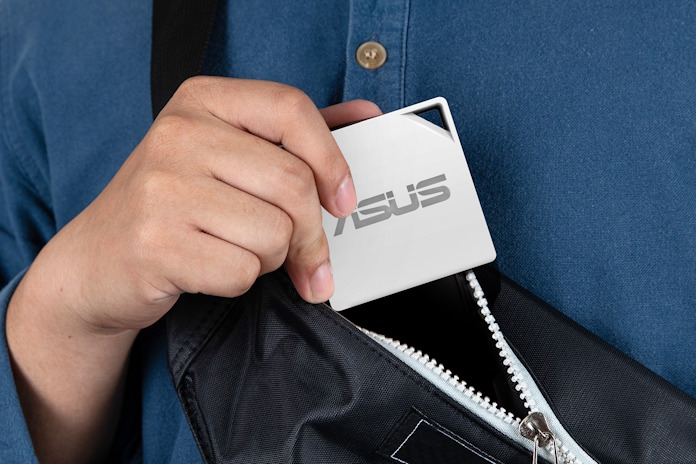
The baby of this mini router family, the ASUS RT-AX50 Go still packs a punch when it comes to getting you online. Built for those who value portability above all else, it’s the smallest and lightest by far of our three travel routers, weighing in at just 85g and with a 70mm maximum footprint. Don’t underestimate the performance it can output, though. You’ll still get WiFi 6 connectivity as well as a single WAN/LAN combo port. Its purpose is to get you online, and not weigh you down while it does so. It’s the grab-and-go mini router that’s perfect for those looking to avoid bulk in their backpack.
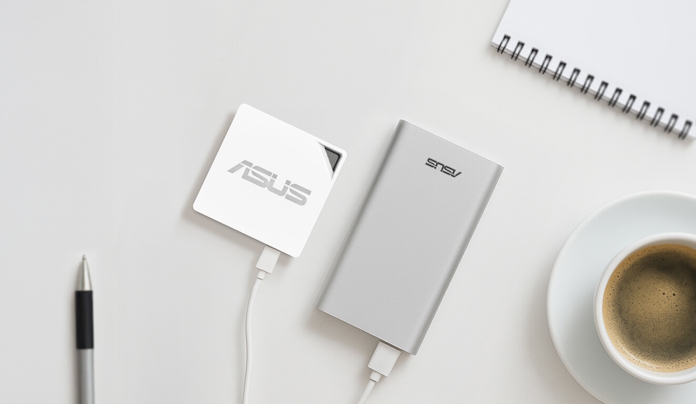
Given that it takes up very little space and can be powered over USB-C (making it a winning combo with a power bank), it’s a perfect companion for those travelling occasionally, for students or minimalist packers, or for those looking for a one-and-done solution to public WiFi connections. Its winning traits are portability and convenience; it won’t win any speed prizes, but it’s perfect for just about anyone who’s sick of signing every device in every time they check in to their hotel or Airbnb.
The Bottom Line: If portability is key for you, and you don’t need bleeding-edge WiFi speeds, this mini router is your best choice.
Which mini router will you choose?
With three great options on the board, ranging from powerful to supremely portable, it’s now up to you to decide (if you haven’t already) which one is right for you. A travel router lets you move away from inconveniences and lack of security while you connect on the go, letting you keep every device on you just one password away from being online. And when you’re back at home, you can continue to enjoy the performance of your mini router by putting it to work as a WiFi extender. No seasonal or intermittent value here!
So whether you’re looking for the advanced WiFi 7 capabilities of the RT-BE58 Go, the ultracompact convenience of the RT-AX50 Go, or the all-around excellence of the RT-AX57 Go, secure a travel router of your own today and streamline how you travel and connect to your devices.
If you want to learn more and deep-dive into features and specs, you can find links to each mini router below:
Discover the ASUS RT-BE58 Go Mini Travel Router
Discover the ASUS RT-AX57 Go Mini Travel Router
Discover the ASUS RT-AX50 Go Mini Travel Router
Frequently Asked Questions
Q: What is a mini router, and how is it different from using hotel WiFi directly?
A: A mini router is a small portable device that connects to a network in place of your device (such as a mobile phone, laptop, or games console), creating your very own private network that your device(s) will connect to instead. See the benefits at the start of the buyer guide for why this matters.
Q: What does “travel router” mean in practice?
A: A travel router is a means of making your own network, wherever you’re connecting to the internet. While your traditional home router typically requires an Ethernet connection to connect directly to your service provider, a travel router can connect wirelessly or wired to an existing network, making it an essential companion for those looking to add convenience or security while they travel.
Q: Which mini router is best defined as the most futureproof mini router?
A: In terms of features and performance, the ASUS RT-BE58 Go mini router is the most futureproof due to its WiFi 7 support.
Q: Which mini router is best for most travelers who want strong WiFi 6 performance?
A: The ASUS RT-AX57 Go offers the best distinct WiFi 6 performance, though the RT-AX50 Go travel router also offers more-than-adequate speeds for most use-cases.
Q: I just want something tiny for occasional trips. Which mini router offers the simplest solution?
A: The ASUS RT-AX50 Go Travel Router is the ideal solution for users who want something simple and ultra-portable. Weighing just 85g and measuring 70mm at its longest axis, it’s ideal for space-conscious travelers.
Q: Can these travel routers share my phone’s 4G/5G to multiple devices?
A: Yes, all three mini routers can tether to your 4G/5G device via USB, sharing the device’s connectivity to other devices.
Q: Can these mini routers run a VPN, and does it work for all devices?
A: Yes, all three travel routers support running a virtual private network (VPN), avoiding the need for apps on individual devices. See the comparison table above for a more detailed look at VPN support for each mini router.
Q: Do ASUS mini routers support mesh at home after the trip is over?
A: The ASUS RT-BE58 Go and RT-AX57 Go both support AiMesh, and can act as either the primary router or a mesh node with other ASUS mesh devices, extending and unifying home network coverage.
In addition, both models feature one-tap Home/Travel mode switching, so you can move between home and travel setups quickly without going through a time-consuming reconfiguration process.
Q: Do any of these mini routers have a built-in battery?
A: No, none of these ASUS mini routers have a built-in battery. All three are powered by USB-C, enabling charging through phone chargers, compatible USB-C devices including laptops, and battery banks.
Note: The RT-AX57 Go’s USB-C power input does not support USB Power Delivery (PD). As a result, some PD chargers or power banks may not power the router properly. We recommend using the included power adapter or a USB-C power source that matches the required output (voltage/current) per the product specifications.
Q: Can these travel routers be used as a main home router permanently?
A: Yes. The ASUS RT-BE58 Go, the RT-AX57 Go, and the RT-AX50 Go can all act as primary home routers, supporting full router modes with wired WAN input. It’s worth noting that due to their compact dual-band status, they don’t offer the same antenna array or raw coverage of a dedicated home router. Look to the ASUS home router range for the best results for this type of usage.