
A lot of sensitive information passes through your phone’s keyboard application.
Think of the passwords, financial details, private messages, internet searches, and so on that are typed into the phone’s keyboard every single day.
It’s such a core component of the phone that anyone who cares about data privacy should pay attention to their keyboard app first.
On most Android phones, the default keyboard app is Google’s Gboard.
It’s hard to exaggerate just how widespread the Gboard app is.
On the Google Play Store alone, it has over 10 billion downloads. That’s not even counting Apple’s App Store downloads.
But don’t let Gboard’s popularity fool you. It is terrible for your data privacy. I’ll show you why and what you can do about it.
Related
These overlooked Gboard tricks made my Android typing experience so much faster
I ended up using these hidden Gboard shortcuts all the time
The keyboard app should be offline
There is no justification for the extent and specificity of Gboard’s data collection
I feel strongly that the keyboard application should be fully offline without access to any network permissions.
A keyboard app can run perfectly fine without internet connectivity. There are wonderful offline keyboards like that in the open source space.
However, on Gboard, the networking permission is granted by default, and there is no way to disable it.
The permission allows Gboard to connect with remote servers to send or download data.
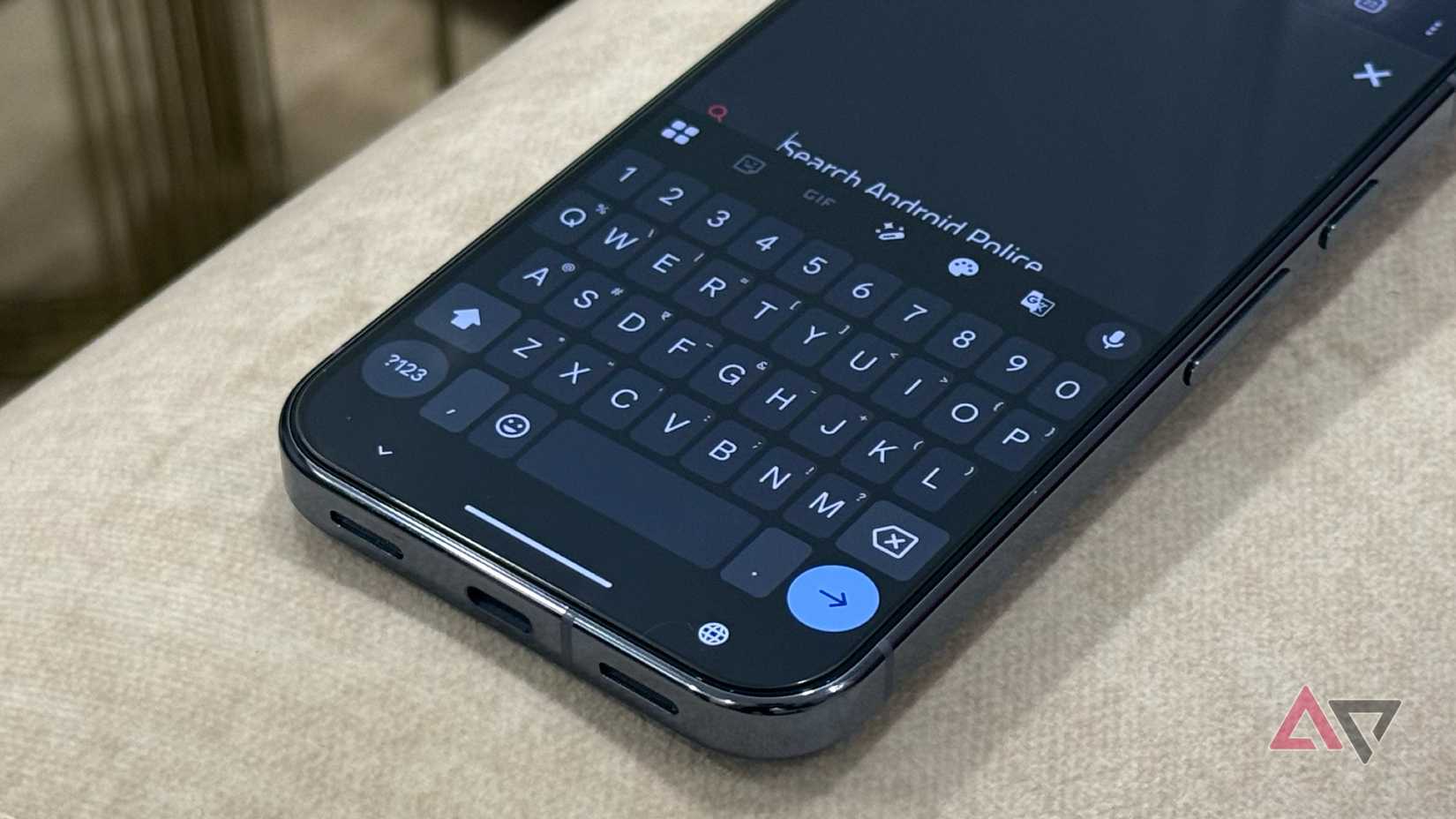
Using that network access, Gboard keeps tabs on which apps you’re typing in, how long you typed, word length, and more. It sends that data back to Google.
The collected data is not anonymous because it can be linked to your real identity.
Throughout the day, Gboard also captures your keystrokes (the actual characters you typed) and typing patterns, and saves them on the device.
At night, the app uses the captured keystrokes to train its word prediction algorithm. The resulting update from this training session is sent back to the remote servers.
Gboard doesn’t send out what you typed or the raw keystrokes. But it is possible to recover them fully from the training data Gboard sends out.
Whichever way you cut it, Gboard is not a simple keyboard app.
Behind the scenes, it collects a lot more information than most people realize. Worse still, the data it collects can be linked to your personal identity.
A keyboard app shouldn’t connect to the internet. Gboard, on the other hand, is designed in a way that you cannot even turn off its internet access.
Related
I spent years switching between Android keyboards. This one changed everything
HeliBoard has won me over
The next-word prediction feature has a privacy leak
Gboard uses your typed words to train the algorithm
You might have seen the Delete learned words and data option in Gboard’s settings.
By default, Gboard records your typing history and saves the exact words you typed in the device storage.
At night, when your phone is connected to Wi-Fi and charging, it downloads an AI model from the internet and runs a training session on the keystrokes it saved that day.
Credit: Lucas Gouveia / Android Police
The goal of this training session is to improve the next-word prediction feature. The training improvements are sent back to Google as mathematical values.
The process is called federated learning.
Google’s marketing says that your raw keystrokes stay on the device and only the training values are sent out, so it is all safe and private.
But it isn’t bulletproof.
Researchers have managed to extract the AI model that Gboard downloads and trained the model on a certain dataset of words and sentences.
The training session produced the mathematical updates for the model. They were then able to reconstruct the original keystrokes from those mathematical updates.
More than random keywords, they managed to put words into correct sentences. It’s surprisingly accurate for the most part.
It’s logging your typing activity
That activity can be tied to your real name
The Gboard app page on Apple’s App Store says that the keyboard app collects and sends back Google web searches, voice inputs, and usage stats.
There is no explanation of what these usage statistics are exactly.
It is common practice for app developers to request usage stats to fix bugs and improve features. These usage reports are usually anonymous, but not on Gboard.
The Gboard privacy policy clearly states that the collected data is linked directly to users.
It means your Gboard activity can be traced to your real identity, which makes the collected data sensitive.
Sensitive data in this context means any data that can be traced to your real identity.
A researcher at Trinity College Dublin carried out a Man-in-the-Middle attack to capture and analyze exactly what data Gboard logs and sends.
The researcher managed to intercept the logs sent out by Gboard and decoded them.
As for what was being collected and exactly, Gboard logged which app it was opened in, the length of the typed words (excluding passwords), how long it took to write them, and the languages used, among others.
This happens all day and every day.
Here are the captured and decoded logs side by side.
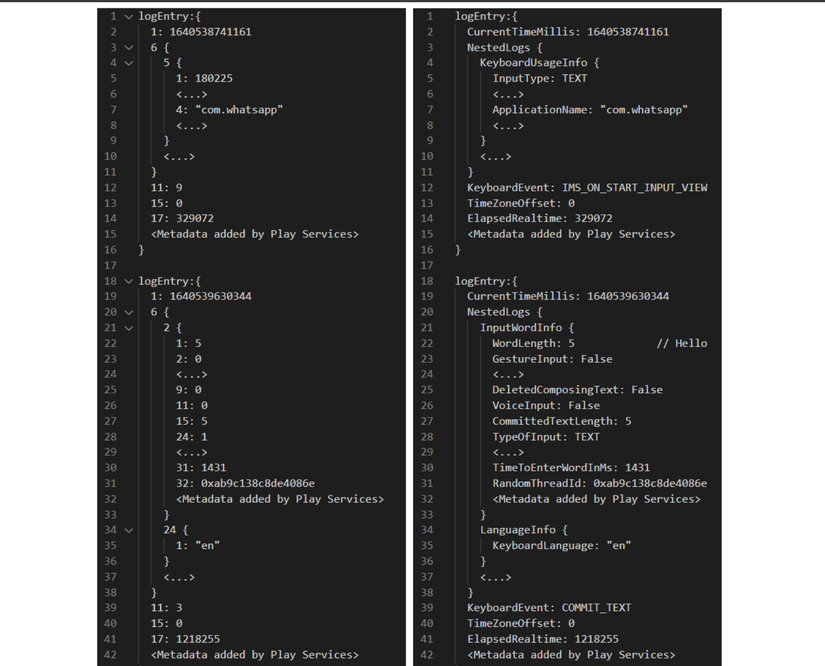
These log entries also contain your phone’s unique Android ID.
This Android ID can be linked to your real identity if you ever connected your phone number or payment info to a Google account.
Ditch Gboard, or at least change its default settings
There are great keyboard apps that don’t connect to the internet
This telemetry is opt-out by default, meaning you must look for the settings and disable them to stop Gboard from harvesting this data.
Or better yet, you can switch to a privacy-friendly Gboard alternative.
The free and open source Heliboard app gets my recommendation.
It has all the features that Gboard does, and then some. But it doesn’t require networking permissions and works completely offline.
Gboard is creepy and unsafe
Gboard monitors and reports which app you’re typing in, the length of words, and how long it took to type them. This information can be linked to your real name.
On the surface, it might sound boring, but metadata like that can reveal a lot about who you are. It can help track patterns in your behavior and how you connect with other people.
Your typing speed and rhythm can reveal your emotional and mental state, for example. The length of the words and the time taken to type them can reveal something about what’s being typed.
If someone has access to the training data sent out by Gboard, they can recover the raw keystrokes you punched into the keyboard.