
SammyGuru is reader-supported. We have affiliate and sponsored partnerships, so we may earn a commission when you buy through links on our site — at no extra cost to you. Learn more.
Home›News›One UI›One UI 9 Makes Switching From iPhone to Galaxy Easier
August 25, 2026 • 2 min read
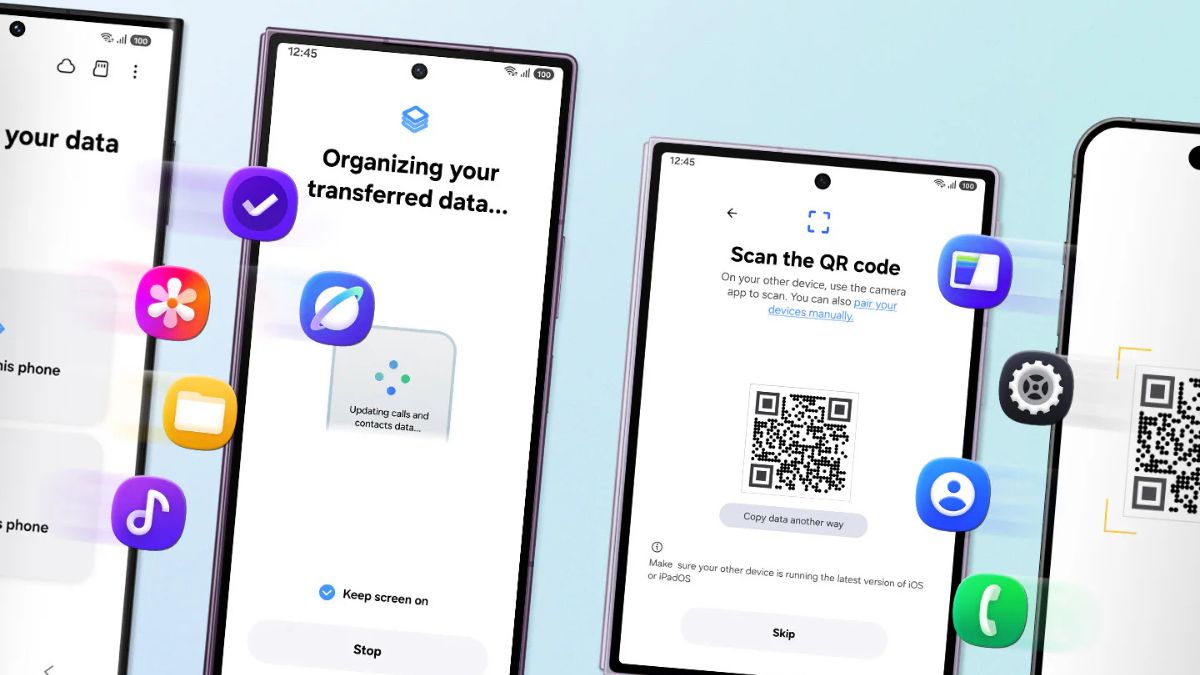
Samsung makes switching from iPhone to Galaxy easier with One UI 9. The company has improved Smart Switch, its data transfer tool, with support for more types of data. It also lets users initiate the transfer by simply scanning a QR code on their new Galaxy device.
Smart Switch is now even smarter for switching to Galaxy
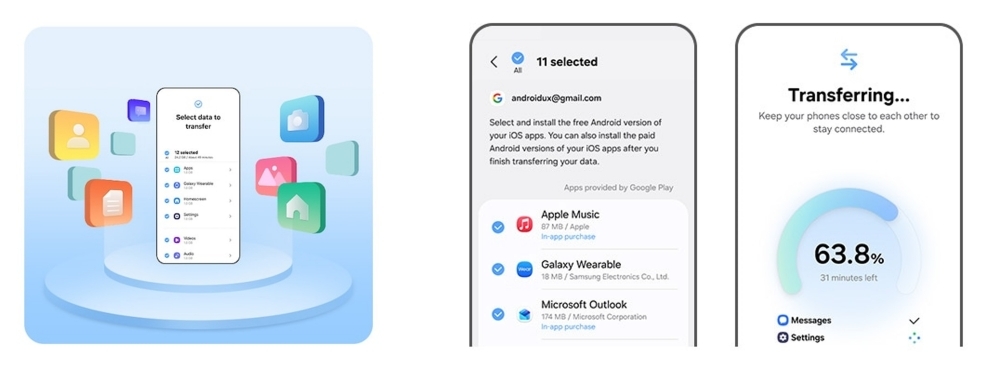
Smart Switch allows users to move important data from an Android or iOS device to a new Galaxy device. It supports data such as contacts, photos, videos, messages, apps, calendars, and settings. The best thing is that the two devices can connect wirelessly during the setup, eliminating the need for a cable or adapter.
With One UI 9, Samsung has made the process easier for users coming from an iPhone. They no longer need to install the Smart Switch app separately on their iPhone. The Galaxy phone will display a QR code, and scanning it will begin the transfer.
🎁 SammyGuru Rewards
Get free Bonus Gear with your next Galaxy
Join SammyGuru Rewards — free. Every Galaxy you buy through SammyGuru comes with Bonus Gear: real accessories matched to your device, sent free to US members. Everyone earns Guru Points on everything, and you get a hand-picked wallpaper pack free every week.
Furthermore, Smart Switch now supports more data when switching from iPhone to Galaxy. The tool can transfer passwords, passkeys, call history, accessibility settings, and eSIM information. This adds to its existing support for data such as photos, messages, contacts, calendars, and apps.
So, users can bring more of their key information to a new Galaxy phone without setting everything up again manually. For example, saved passwords and passkeys can reduce the need to sign in to accounts again.
Samsung also lets users customize the new phone after the data transfer. They can adjust swipe gestures and the home screen layout as per their preference. Thanks to Good Lock, they can unlock customization options for the home screen, app switching, and more.
For now, the new transfer experience is available on the latest Galaxy Z Fold 8 Ultra, Z Fold 8, and Z Flip 8. Bought any of these foldables? You can read our detailed guide on switching from iPhone to Galaxy.
Checking your own device? See our maintained list: Will Your Galaxy Phone or Tablet Get the One UI 9 Update?.

Written by
Binay Konwar started his blogging journey in 2014 and has since written plenty of tech articles. At present, he is working as a News Writer at SammyGuru, covering everything about Samsung. He holds a Master’s degree in Mathematics, but his real passion lies in tech and writing. In his free time, he enjoys playing chess and watching movies.