
A few weeks ago, I covered a sideloaded Android Auto app called Xtream Player. As far as sideloaded Android Auto apps go, it’s very impressive. The app features a clean UI and, most importantly, is actually reliable, which isn’t something I’ve ever been able to say about other similar sideloaded apps like Fermata Auto and Screen2Auto.
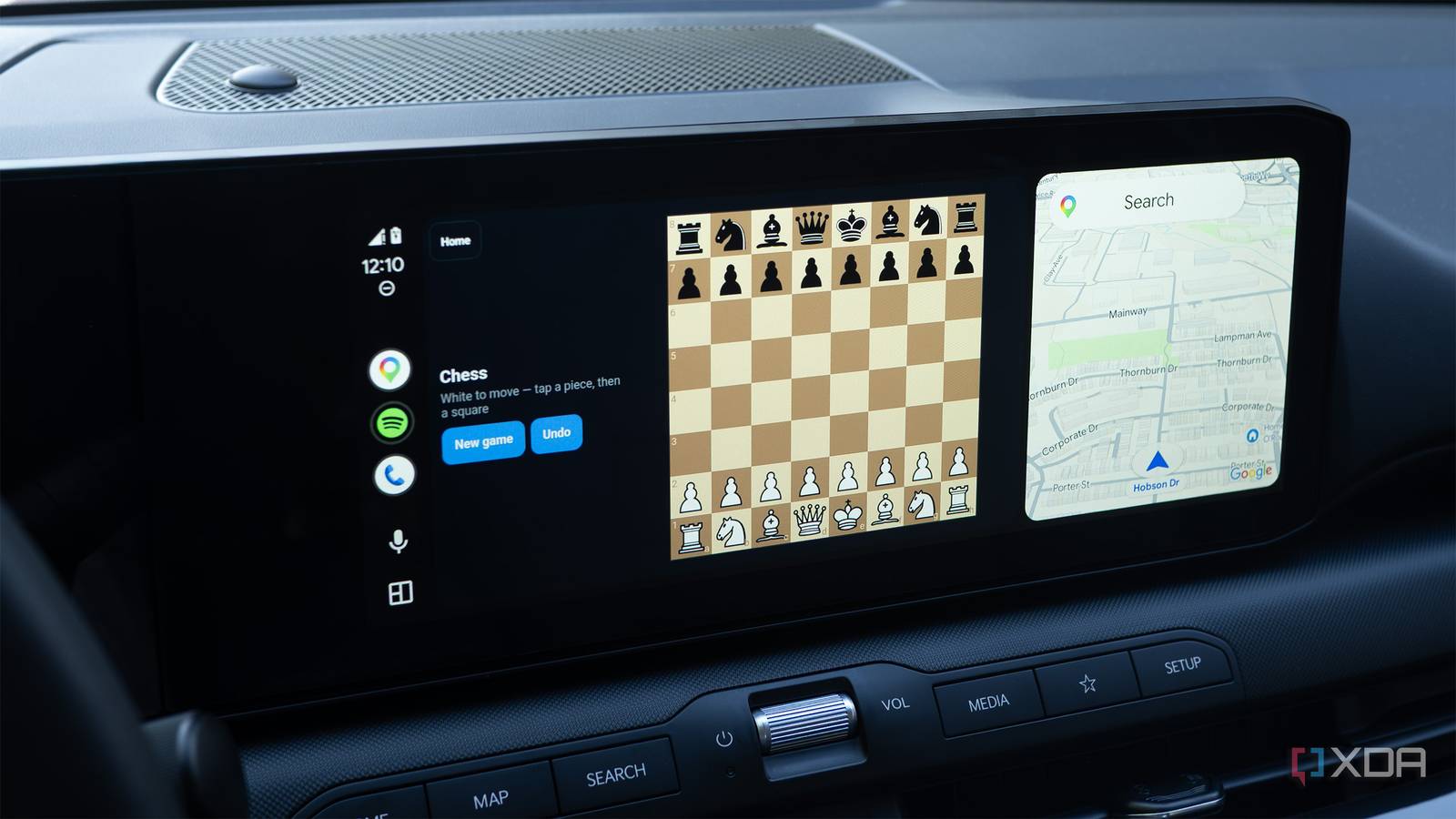
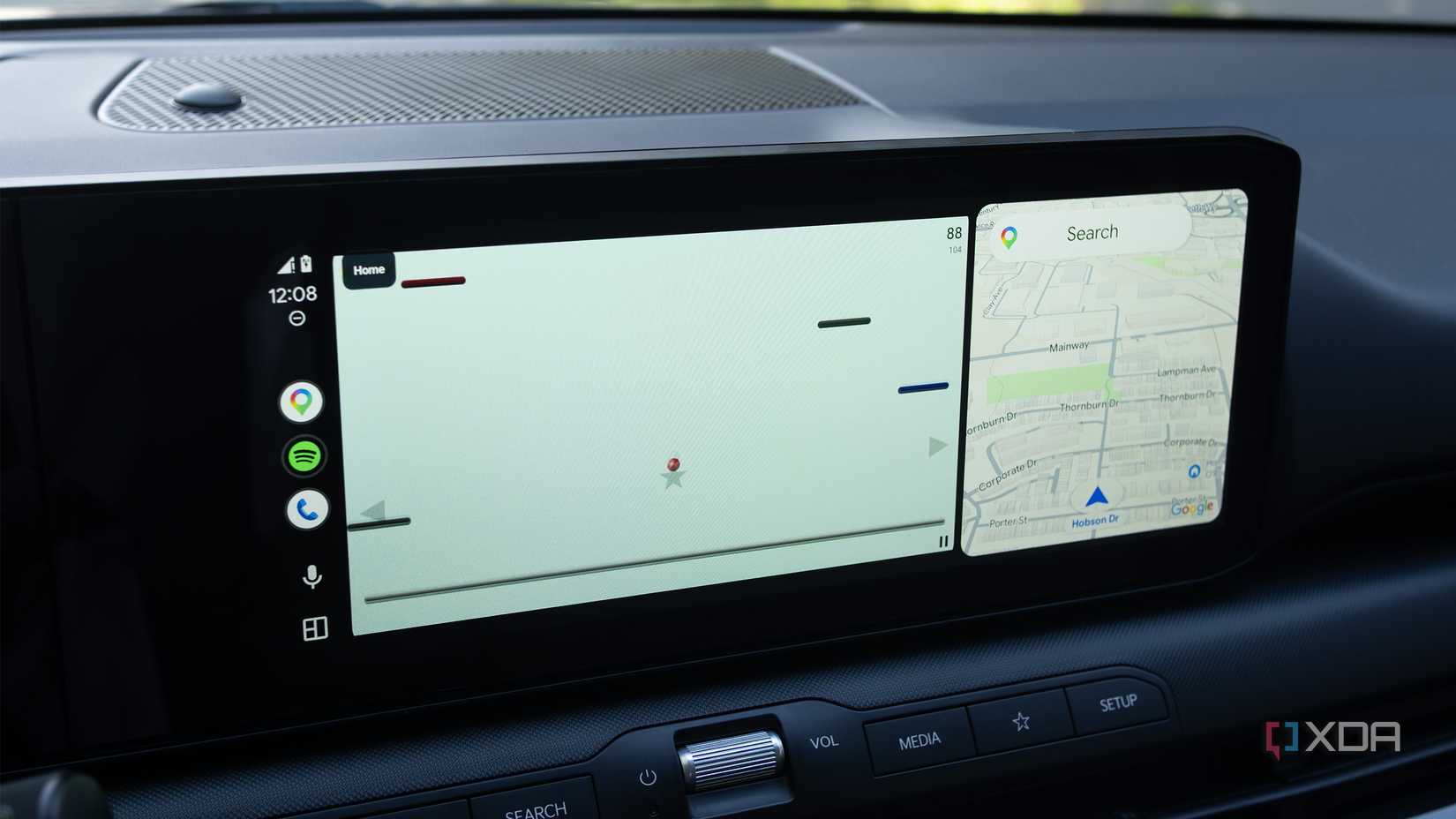
I’ve mostly used Xtream Player to browse the internet and watch YouTube videos — of course, only when my car is parked. Then I heard about an interesting new update that adds games to the app. Instead of the console-like experiences available through Google’s GameSnacks, Xtream Player version 1.4.0 features simplistic versions of more traditional tabletop games like Chess and Brick Breaker.
Don’t use apps like Xtream Player to play video on Android Auto while driving. It’s not only illegal in most places, but it’s also wildly unsafe and endangers you and those around you.
Some of these games are better than others
And a few are downright awful
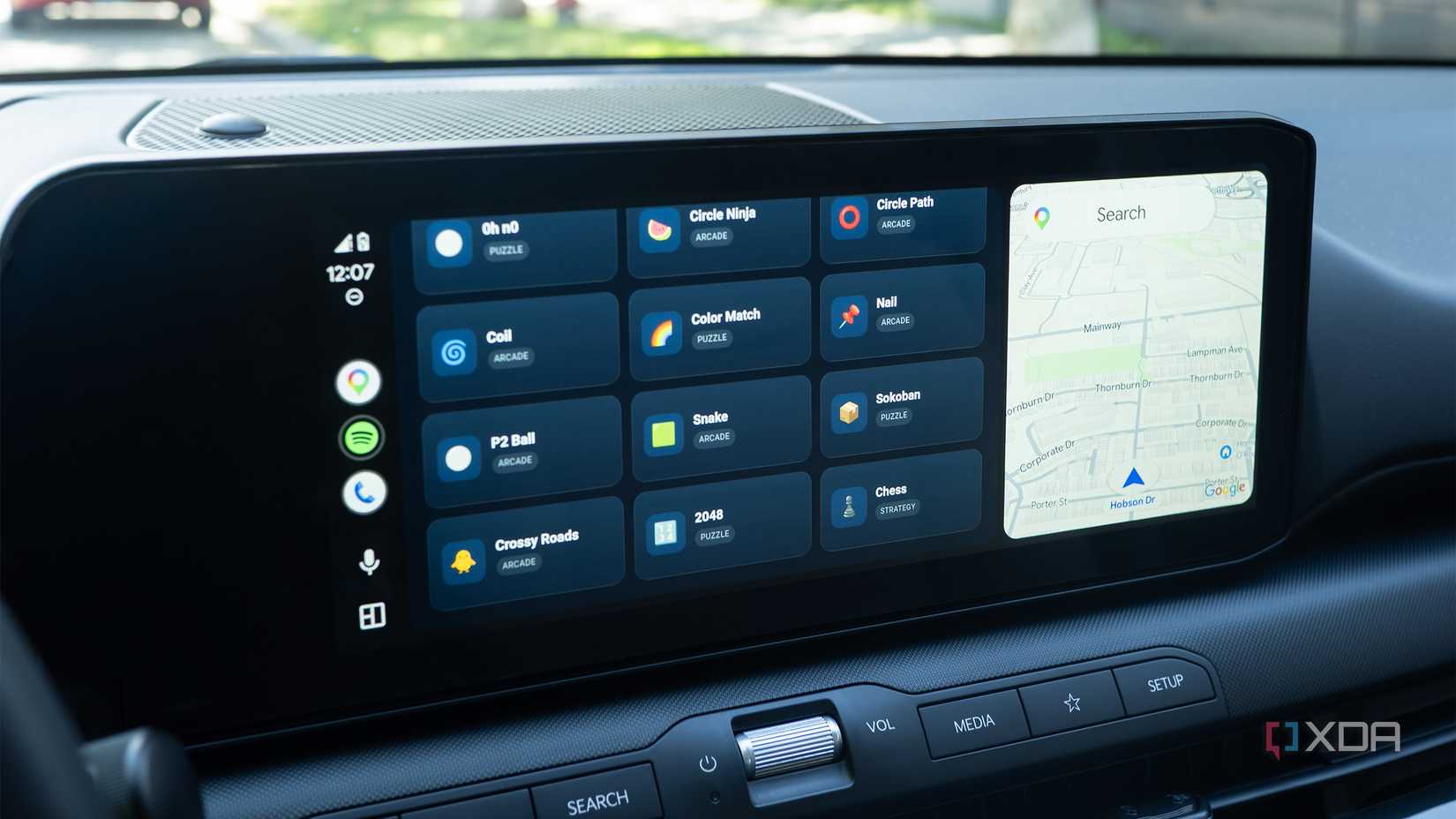
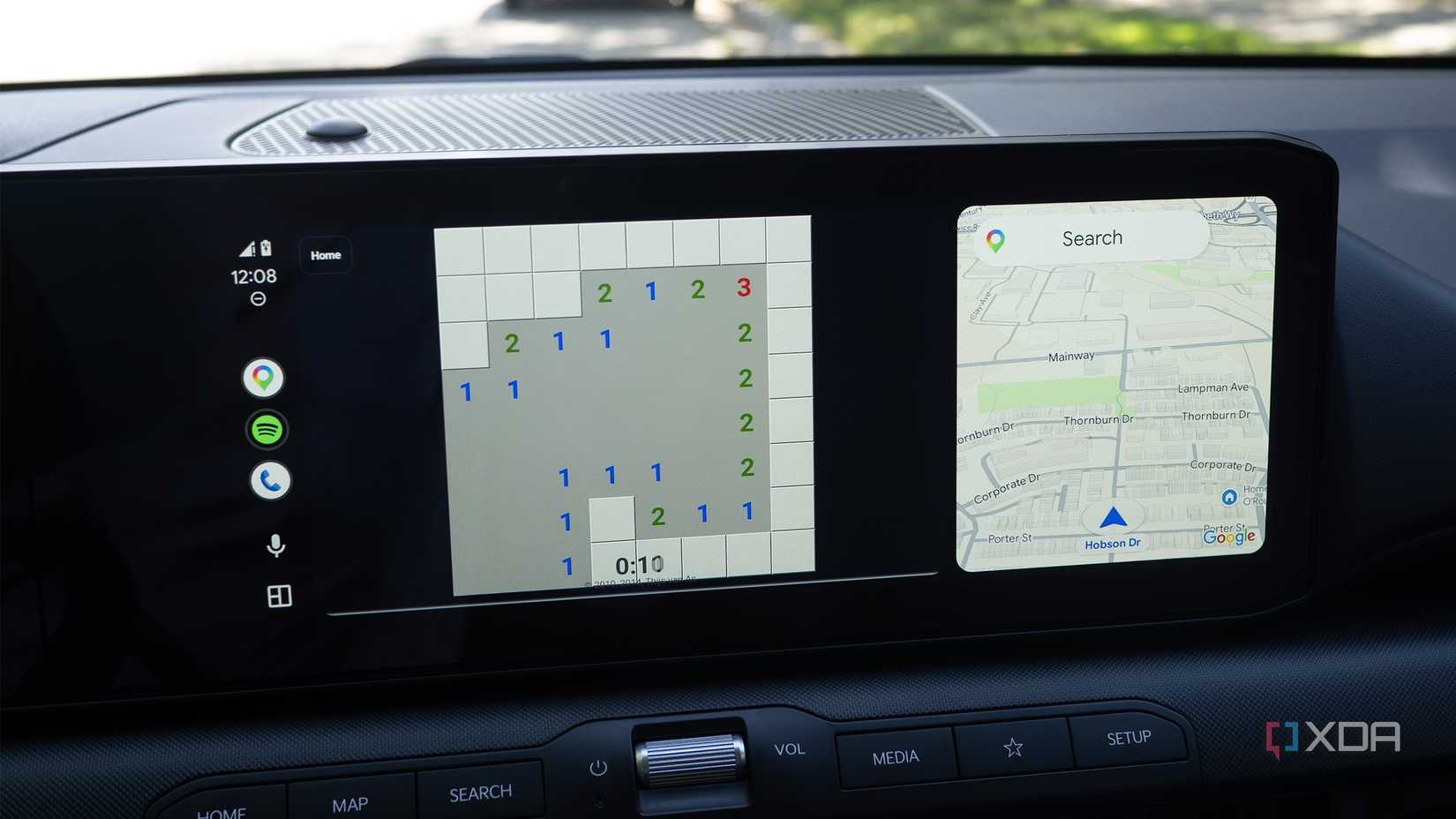
Before I go through the process of getting Xtream Player running on Android Auto, I’ll outline what games are actually in Xtream Player. Most are knock-offs of well-known titles, like BrickIt, a Brick Breaker clone, SweepIt, a Minesweeper copy, or SnakeIt, a Snake imitation. There’s even a Fruit Ninja knock-off called Circle Ninja, and a pretty fully-featured Chess game, too.
The visuals are simplistic, but in most cases, the games work pretty well if you take the time to figure them out. In a way, a lot of the titles remind me of early 1980s 8-bit home console games from the ColecoVision and Intellivision era. They’re great for killing 10-15 minutes in your car, but aren’t the type of games you’d want to spend hours playing. They also don’t compare to the more console-like gaming experiences in Android Auto’s GameSnacks.
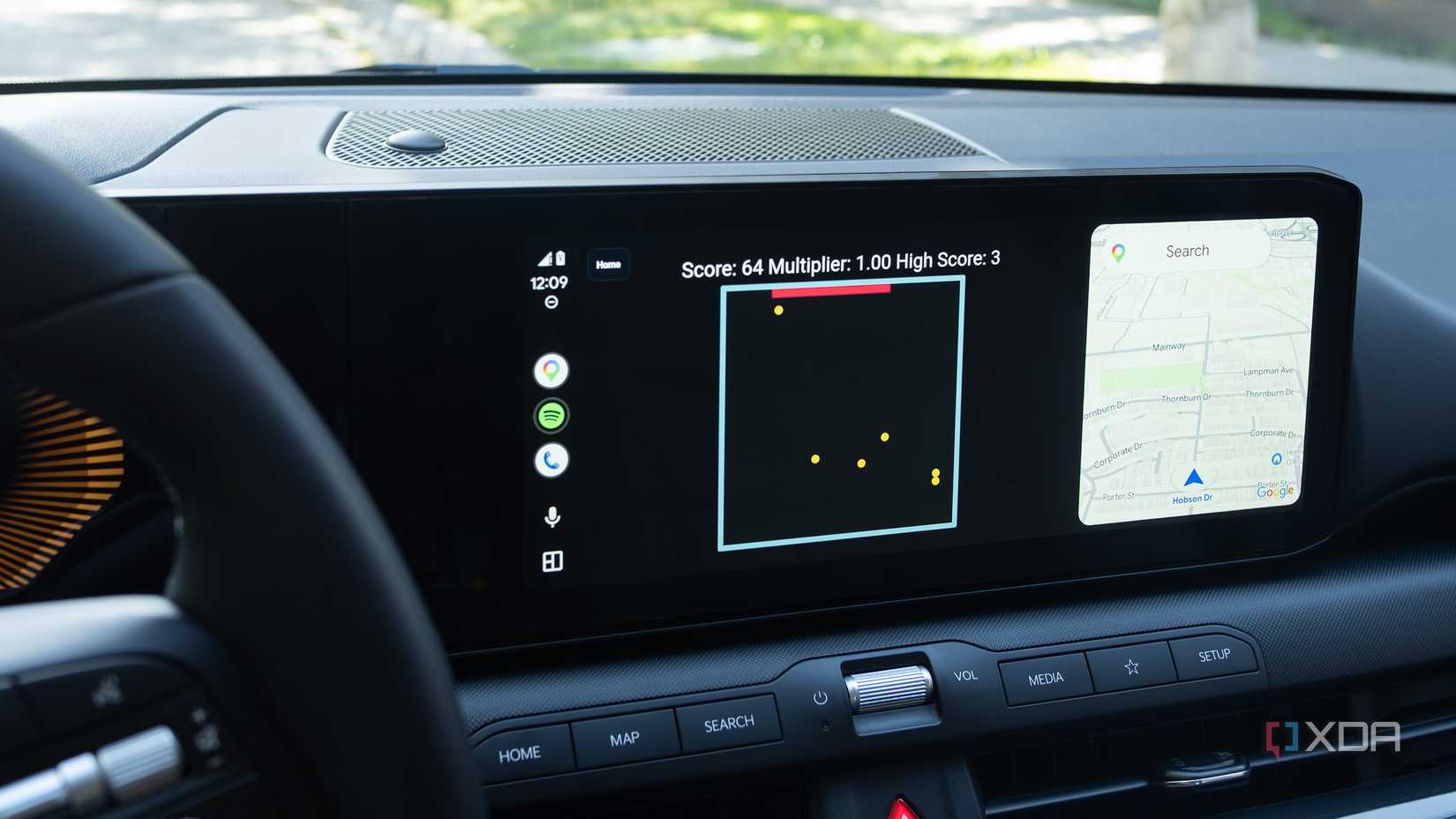
One limitation I very quickly encountered is touch input lag even over wired Android Auto. It makes games like Circle Ninja pretty unplayable, but doesn’t really affect titles like Chess or even BrickIt. Overall, these games are a welcome addition to Xtream Player. I’ll probably continue to play around with when I’m early for an appointment or waiting to pick up my partner.
Getting Xtream Player working in Android Auto takes several steps
Getting Xtream Player running in Android Auto takes some work. Before you even download the app’s APK, you’ll need to enable Android’s Developer Mode and then Android Auto’s Developer Mode. Doing this isn’t complicated, but it can be time-consuming.
First up, make sure you have Android’s Developer Mode enabled:
Open the Settings app on your Android device.
Tap About Phone.
Open Software Information (with my Pixel 10 Pro, this option is on the main About Phone screen).
Find your phone’s Build Number, and tap it seven times in a row.
If you’ve done this correctly, you’ll see a message stating Developer Mode Enable.
Next, it’s time to access Android Auto’s Developer Settings:
Open the Settings app on your Android phone.
Navigate to Connected Devices (it’s the second option).
Tap on Android Auto (on my Pixel 10 Pro, I also need to navigate to Connection Preferences first).
Scroll down and tap Version until Developer Settings are enabled (you’ll see a notification that you have only three taps left when you’re close).
Now, you’ll need to install AAEnabler to get the app to appear in your Android Auto Launcher, unless you turn on Unknown Sources. I haven’t tried this particular Android Auto sideloading method with Xtream Player, so I can’t verify it works, but it should. To access Xtream Player’s games, you’ll need a roughly $7.26one-time premium fee that you can purchase through AAEnabler.
Next, download the paid version of Xtream Player, Open AAEnabler, and tap the blue Install App button. Go to your device’s Downloads folder to find the Xtream Player APK you’ve already downloaded. Lastly, to use some of Xtream Player’s features, you’ll need to enable a series of somewhat intimidating permissions. It’s up to you whether you’re comfortable giving a sideloaded app this level of access to your device.
Lastly, to use some of Xtream Player’s features, you’ll need to enable a series of somewhat intimidating permissions. As always, it’s up to you whether you’re comfortable giving a sideloaded app this level of access to your device.
Updates for Xtream Player are dropping fast, with 1.6.0 already available (it features a new, cool-looking visualizer that reminds me of old-school Windows Media Player). Xtream Player has a somewhat complicated history that’s worth mentioning. Fermata Xtream was originally a fork of the open-source, sideloaded Android Auto app Fermata Auto. It was very similar to the standard version of Fermata Auto, but included a few additional features like IPTV support.
Then malebuffy, the project’s developer, revealed plans to wind down the project on Android Auto’s subreddit, citing undisclosed reasons. However, they’re back with Xtream Player, a project they claim features “new code” and isn’t connected to Fermata Auto.