Why you can trust Creative Bloq
Our expert reviewers spend hours testing and comparing products and services so you can choose the best for you. Find out more about how we test.
“Completely free” are two of the best words in the English language, and are as exciting when applied to creative software as they are to ice cream or puppies. Getting something for free, especially something as genuinely useful and pro-oriented as the Affinity software suite, often comes with the thought that there’s a catch somewhere.
If there’s a catch in Canva, which is a private Australian company not owned by Microsoft or Adobe or Google (at the time of writing, anyway) making its big-name acquisition free we haven’t spotted it yet, and the new version of Affinity – the version number ticking up to 3 is almost lost among the raft of other changes – appears to be a straightforward revision of the Affinity suite of old, just without the price tag.
Serif Affinity Designer at Serif Europe UK for £47.99Setting up
(Image credit: Future / Canva)
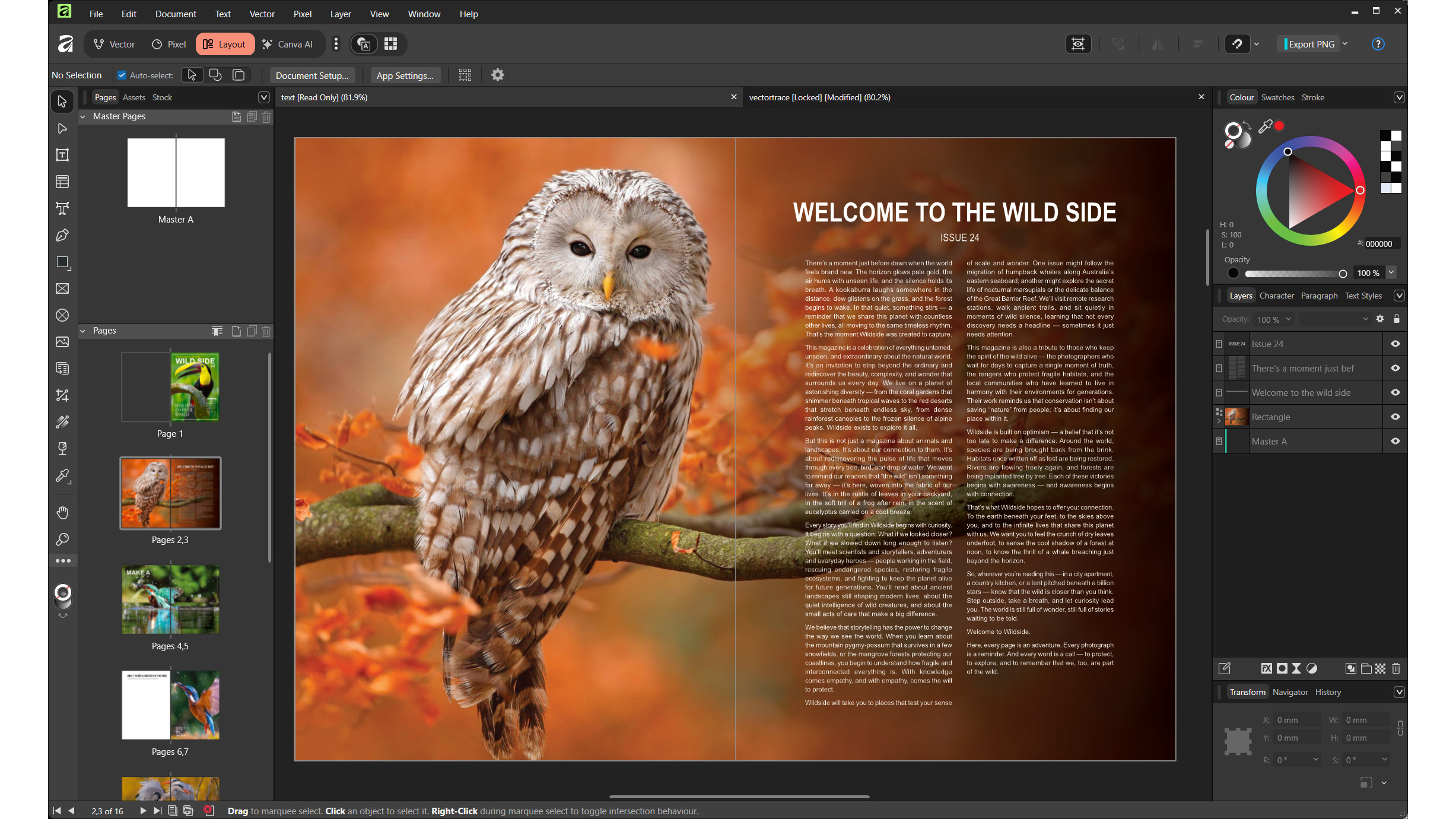
What was once three apps is now one. Designer, Photo and Publisher all worked together in what original developer Serif called StudioLink already, so this is an obvious next step. You can swap between the Vector, Pixel and Layout personas in your document just by clicking buttons at the top left, with a fourth – Canva AI – now added, which you’ll need a Canva Premium plan to use. The difference before was that you didn’t have to buy all three apps, but as cost is no longer a factor, you can choose to flick between them, or concentrate on the one that best matches your skills.
Setup is about as simple as it’s possible to be. You’ll need to sign up for a Canva account to get it, and once logged in, you’re presented with a choice of Mac or Windows versions (an iPad app is ‘coming soon’) with different installers for x64 and ARM Windows machines, if you’re rocking a Snapdragon processor, and one universal Mac app.
Once you’re in, running the app presents you with a new document screen that asks you to choose your paper size, but doesn’t have much in the way of templates. It’s not that kind of app. What it does have are plenty of tutorials – something that’s always been a strength of Affinity, right from the first release – that include example documents.
If you’re a long-time Affinity user, or someone tempted to convert by the new ultra-reasonable price tag, there’s something here to help get you started. The new app can open documents from older versions of the suite, such as .afpub files, but saving your creation converts it to the new .af file format, which can no longer be opened by the legacy apps.
(Image credit: Future / Canva)Features
Affinity by Canva doesn’t seem to have lost anything in its transition to its new look. The web page describes it as a ‘brand-new product’ but that’s not quite true: it’s the same as it ever was in many respects, including the distinctive colour picker shape of a triangle inside a circle, and the way raw image files go through a ‘develop’ persona before opening in the main app, just like Adobe Camera Raw.
Unless you open up the Canva AI options and pay for their use, there are no AI tools on offer, even denoising. If you do decide to subscribe, the app says it processes your data on the machine, and you can download individual machine learning models in the Settings panel to keep the app size down on a machine that’s not going to be using them.
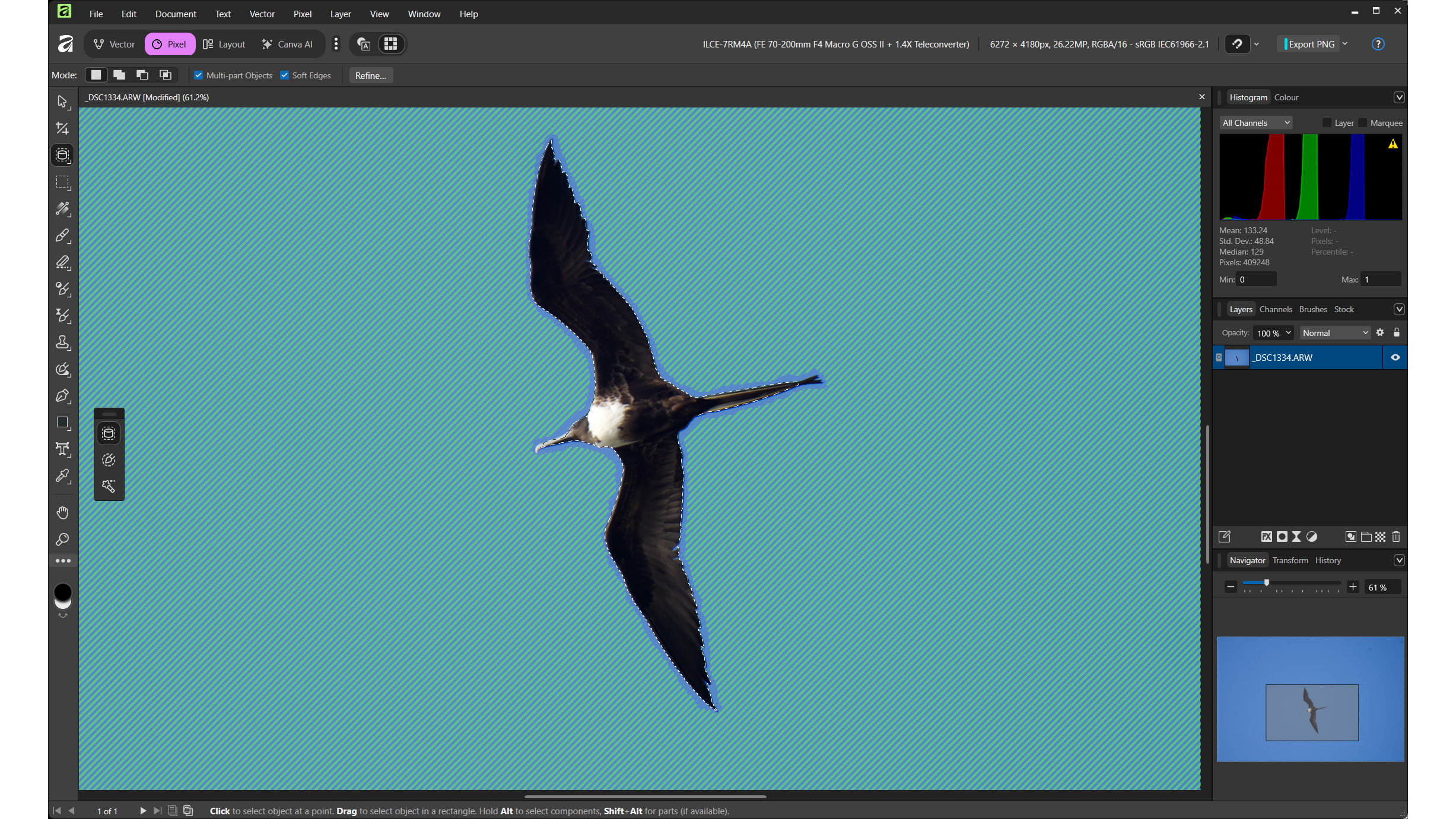
The exception to this seems to be object selection, which allows you to download the model without asking for any money, and enables the object selection tool in the photo-editing persona, which is a very useful thing. It’s not perfect, though, and Photoshop’s object selection tool did a better job of picking out a bird against a blue sky in our tests.
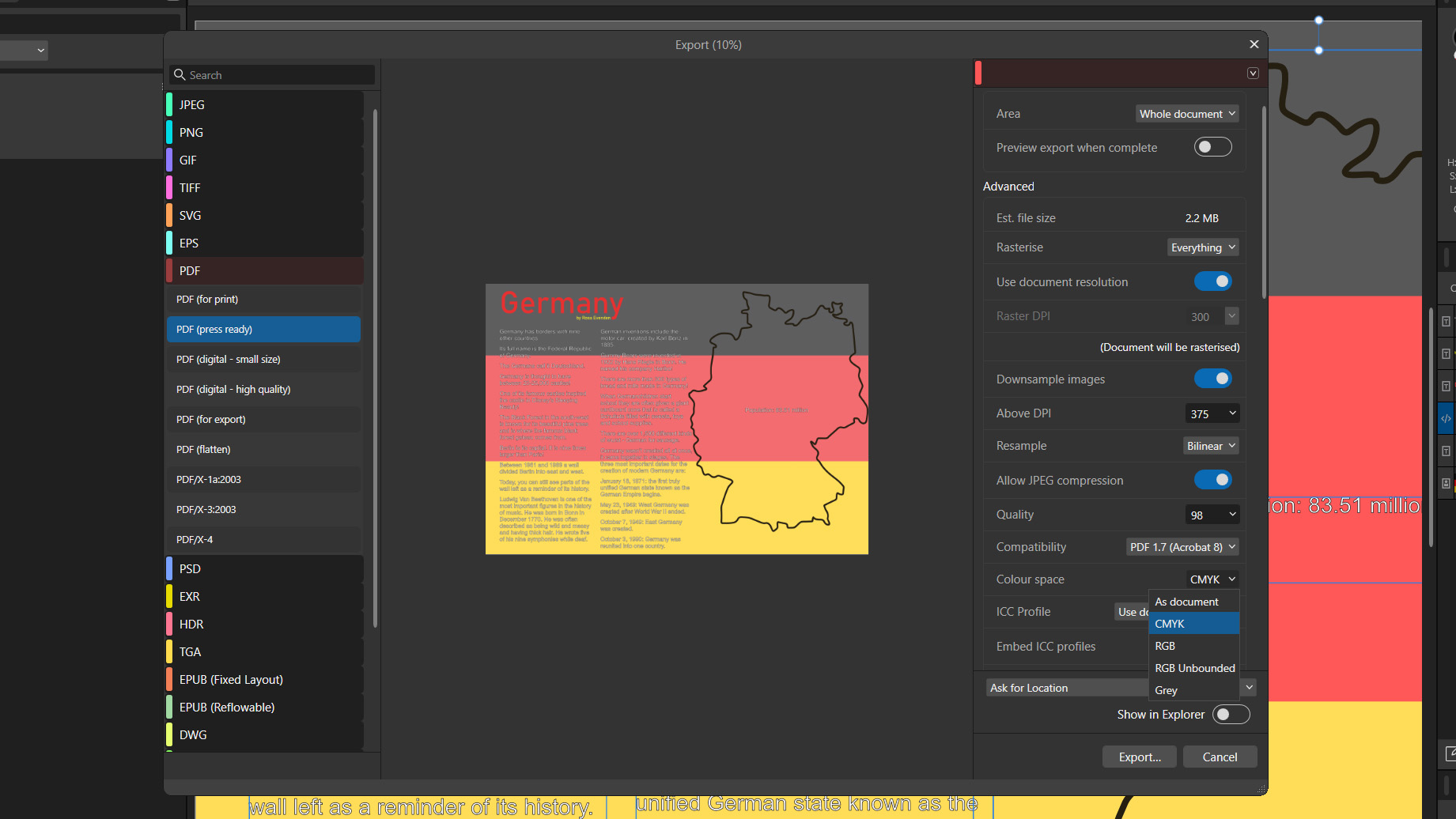
The vector drawing capabilities, which used to be called Affinity Designer, have a lot of overlap with the layout part of the app, Affinity Publisher as was. This means it’s easy to start work in one and slip into the other when you need a particular feature, and the new tooltips give extra detail about what each tool does rather than just its name, and some, such as vector image tracing, have a tutorial dedicated to them. PDF export is also comprehensive, with the ability to rasterise the entire document and keep its colours in CMYK.
Elsewhere, most photo editing is non-destructive, and the layer-based photo editing is very Adobe-like in the way it works. Filters can be applied as ‘live’ filters, which means layers that can be blended, moved, or deleted, but they’re as close as it gets to one-shot edits. This isn’t like the original Canva, which likes to do a lot of the work for you, especially with its AI integrations.
What’s been missing from Affinity for some time, and continues to be notable by its absence, are any kind of photo organising or cataloguing abilities. It’s an obvious next move, not to challenge the dominance of Lightroom but just to make dealing with large collections of files a more streamlined process, and keep you inside the Affinity bubble instead of needing an additional app.
(Image credit: Future / Canva)Who’s it for?
• Literally everybody
Affinity is free and will run on all Macs and PCs. It’s perfect for students, and comes with enough pro features to interest working creatives. While it’s not ideal for photographers producing large numbers of files, due to a lack of a catalogue, this remains a great app for vector drawings, print layouts and image editing that’s made all the more accessible by its new low price.
Buy ifYou’re looking for some new creative softwareYou just want to try it outYou’re learning design or image editingDon’t buy ifYou need image organisationYou’re signed up to Creative Cloud and don’t want to changeYou don’t like getting something for nothing
Serif Affinity Designer: Price Comparison