
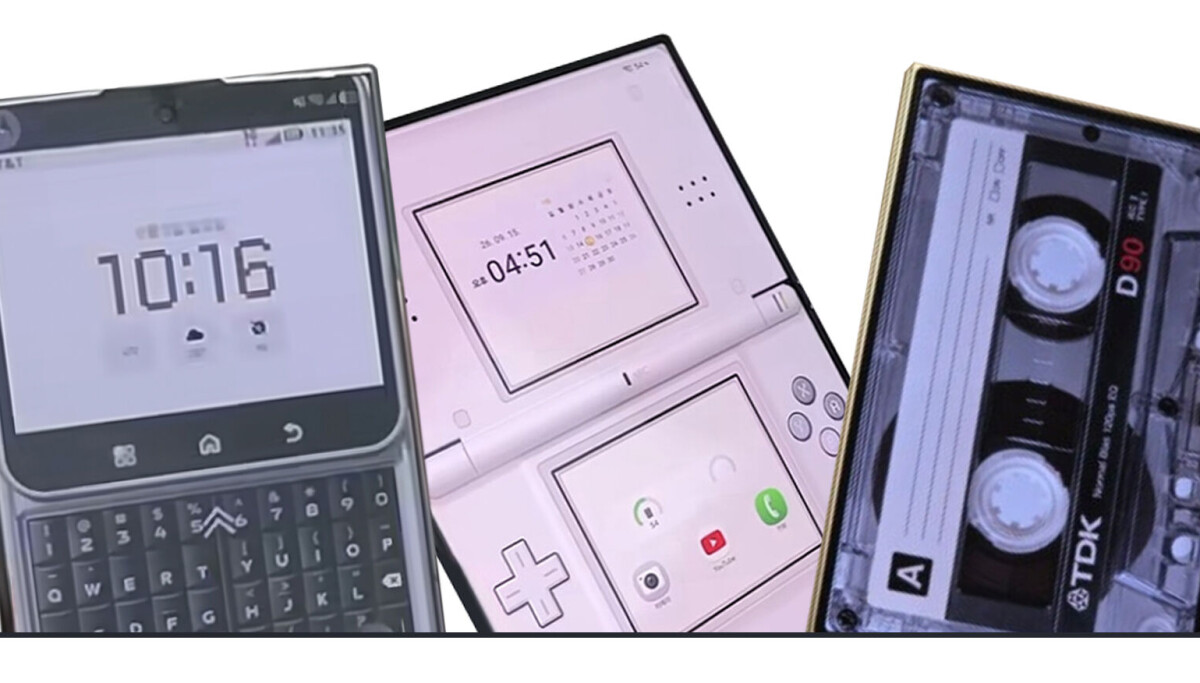
Samsung’s customizable Fold8 is inspiring users to create nostalgic home screens modeled on retro gadgets, diaries and early social media.
An array of Galaxy Z Fold8 customized to look as a Blackberry phone, Nintendo DS and a cassette tape from YouTube channels “Serim’s Life” and “Hyunta9u”
YOUTUBE CAPTURE
The Galaxy Z Fold8’s wider, less elongated display is taking owners back in time, as Samsung’s new smartphone allows for more room to arrange widgets and images in creative home screen layouts.
Some go retro with cassette tapes and iPods; others recreate diary pages, borrow the look of a once-popular social network service called Cyworld or give favorite animated characters pride of place.
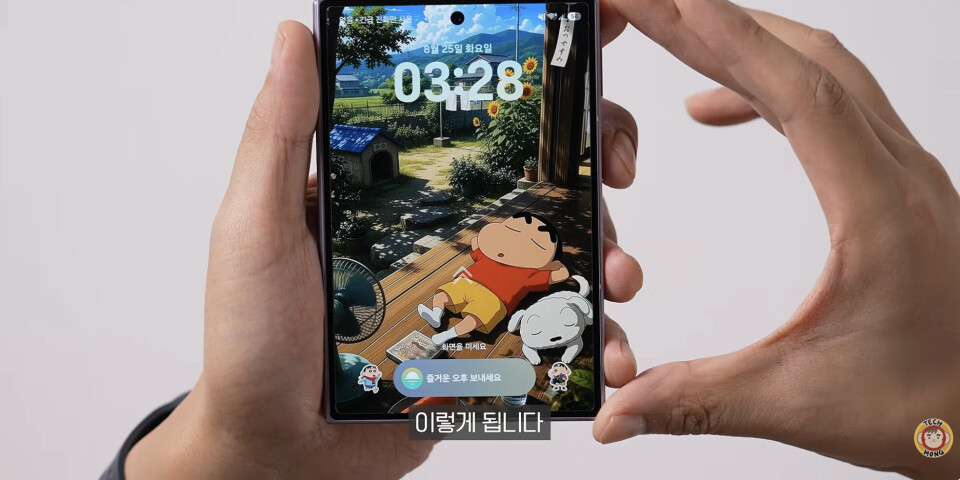
A Fold8 cover screen customized from a popular animation “Crayon Shin-chan” by YouTuber Techmong
TECHMONG
The shape itself is a big part of the appeal. The device looks a lot like retro gadgets such as cassette tapes, iPods, Game Boys and Walkmans, so many owners simply style the cover screen to match. They swap designs in online communities and cafes, borrowing looks from Pinterest or asking AI chatbots such as Gemini and ChatGPT to make wallpapers that suit their tastes.
One user on an online community forum posted photos of her Fold8 — and her husband’s — and said she has lost count of how many times she has changed her wallpaper. She said she enjoys every one. Her phone looks like a mini diary, while his looks like a cassette tape.
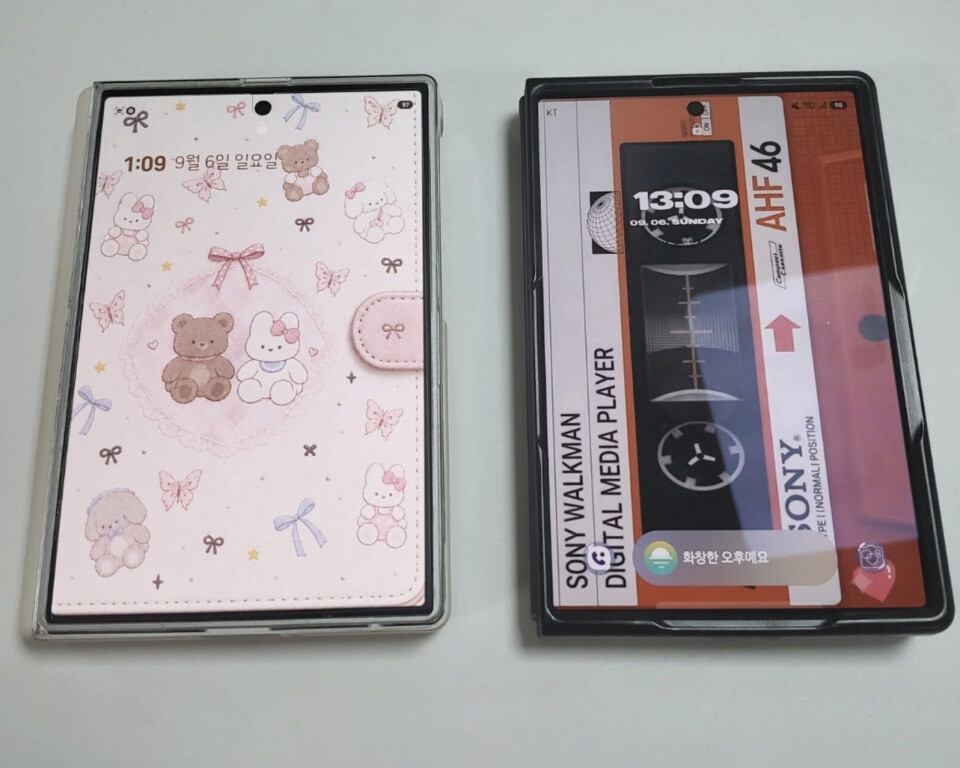
A user uploaded a pair of Galaxy Z Fold8 claiming it to be hers and her husband’s, featuring a cover screen that resembles a miniature diary and a cassette tape.
SCREEN CAPTURE
“My phone and my husband’s phone couldn’t be more different in taste,” she wrote. “I matched the case and lock screen to make it look just like a diary! I asked ChatGPT to put together the inner page.”
Commenters praised the wallpaper-case combo and asked her to share details about the phone case.
Much of the fun runs on Good Lock, a free app from Samsung Electronics for Galaxy phones. Think of the app as a toolbox for settings that the regular menu doesn’t offer, such as how the home screen is laid out or what swipes do. Each tool is a separate add-on called a module, so users download only the ones they want and can begin with a single change.
Home Up, a module for the home screen, lets users change the grid size, folder style and wallpaper blur. That makes it easier to arrange icons around a wallpaper, such as lining them up along the reels of a cassette tape. Another module, One Hand Operation+, turns swipes from the screen edge into shortcuts. A diagonal swipe can take a screen capture, switch on the flashlight or open split screen.
The results are all over the map. One user turned the inner display into a replica of a Cyworld page, a nod to a Korean social networking service that was hugely popular in the early 2000s. A Nintendo fan looked at the Fold8 and saw a Nintendo DS. With a custom wallpaper and widgets, the inner screen was made to match the handheld’s near-square display.
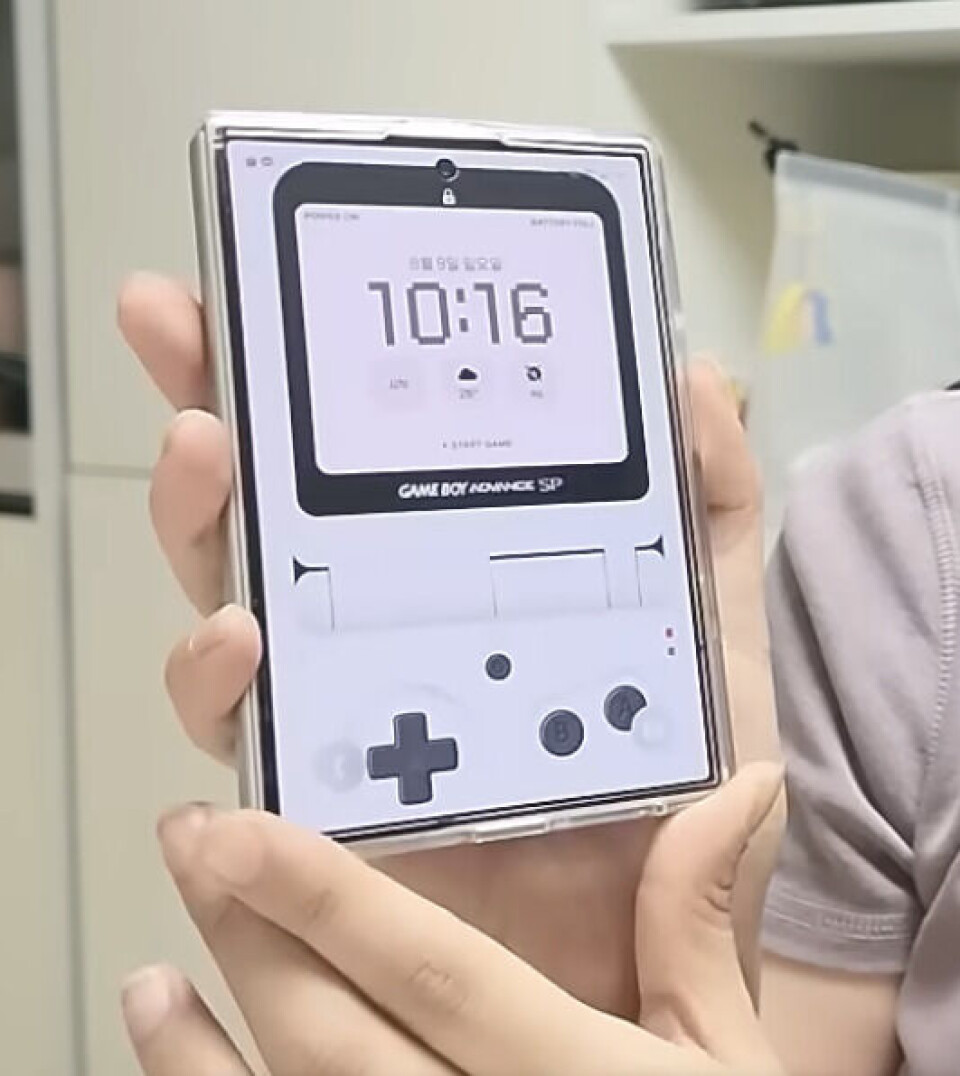
A Galaxy Z Fold 8 wallpaper that resembles a Game Boy made by a YouTuber who runs a channel known as “Serim’s Life”
SERIM’S LIFE
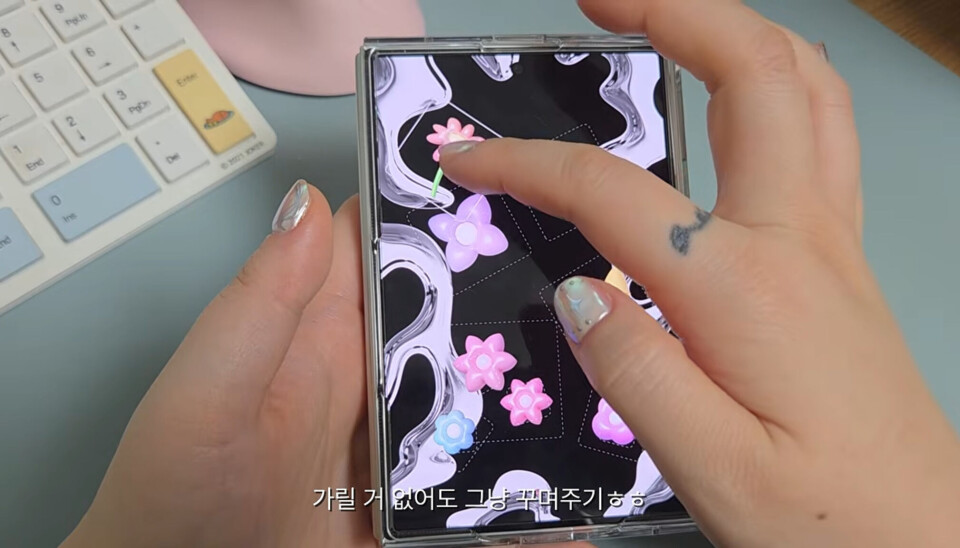
A YouTuber known as Marmani shows how to personalize Galaxy Z Fold8
MARMANI
A cartoon fan might use Good Lock’s Wonderland module to turn a favorite character into a moving wallpaper, whether it is Shin-chan from “Crayon Shin-chan” (1990–), a Pokémon or Sailor Moon. Theme Park, another module, swaps in app icons to match, so the look carries beyond the background.
Tech YouTubers are sharing tips on styling the new Fold with wallpapers of different manga characters.
“I’ve never used a Galaxy, but after watching the video, I can see how much freedom it gives you,” one commenter said. “It feels like you’re building your own phone.”
Many of the videos come from female creators with an eye for design, and many of the wallpapers look like pages from a decorated diary.
“A lot of women used the Optimus Vu [a 2012 LG Electronics smartphone with a near-square screen] back in the day, so people with memories of that phone will probably think of it when they see the Fold8,” another poster wrote.
Apple’s rival passport-style phone, the iPhone Duo, goes on sale later this month. It has drawn praise for its sleek design and smooth switch between the cover and inner displays. Apple’s interface, however, has never offered as much room for customization as Galaxy.
Samsung’s earlier release and lighter body appear to be paying off. Both phones have the same 7.6-inch inner display, but the Fold8 weighs 201 grams, 53 grams less than the iPhone Duo. It is also thinner, at 9.7 millimeters folded and 4.5 millimeters unfolded, 1.6 millimeters and 0.7 millimeters less than the iPhone Duo.
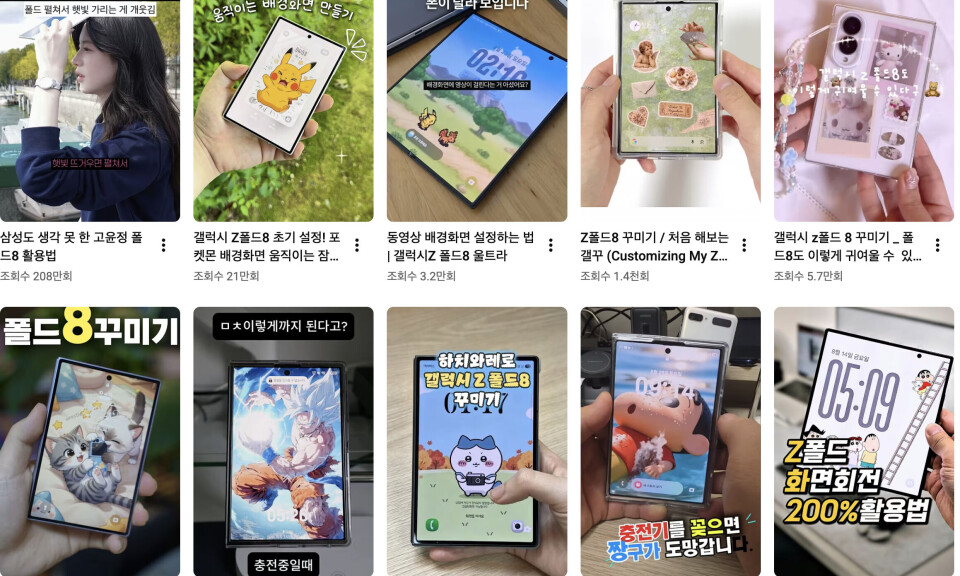
An array of users upload different tips in reels about how to customize screens of Galaxy Z Fold8
YOUTUBE
Samsung said on Aug. 4 that preorders for its Galaxy Z8 series in Korea reached a record 1.44 million units over seven days, and the Fold8 accounted for the majority — roughly 70 percent — of the total.
What was significant for Samsung was that young buyers drove much of it, which helped Galaxy shake its “ajae phone” image — a Korean slang term for a device seen as something for older, out-of-touch middle-aged men. People in their teens to 30s were half of preorder customers on Samsung.com, and the number of women in that group who bought the Fold8 or Fold8 Ultra there roughly doubled or more from the Fold7.
The Fold8, however, does not support the S Pen, while the iPhone Duo is slated to gain Apple Pencil support later this year — which may matter for users who want to take handwritten notes or sketch.
BY LEE JAE-LIM [lee.jaelim@joongang.co.kr]