


fylm.ai has released update 2.3, adding a new Premiere Pro extension with support for ACES 2.0 and expanded controls for its custom LUT tool. This update continues the platform’s focus on color-managed, cloud-based workflows and is available on the Pro and Team plans. Let’s take a closer look!
We’ve followed each of fylm.ai’s updates as they’ve continued to expand. In version 2.2, they added Tetrahedral Interpolation and a dedicated skin tone editor, and in 2.1, they introduced the NeuralFilmAI tool that analyzes each image individually, looking at the content and color information, and grading it accordingly. The latest update lets fylm.ai users access its tools in Premiere Pro and brings more improvements to color management options. If you want to see exactly how it works, the following video explains it well:
Premiere Pro integration
With Premiere Pro integration, users can upload an entire timeline to fylm.ai with just one click, so there’s no need for exports or intermediate files. Once a grade is created in fylm.ai, it can be synced back into Premiere, appearing directly on the timeline.
The extension also supports commenting within Premiere Pro, so collaborators can review notes and feedback directly alongside the graded material without leaving the edit. Since grading happens in fylm.ai’s cloud environment, collaborators can work from anywhere and see updates appear in Premiere as they sync.
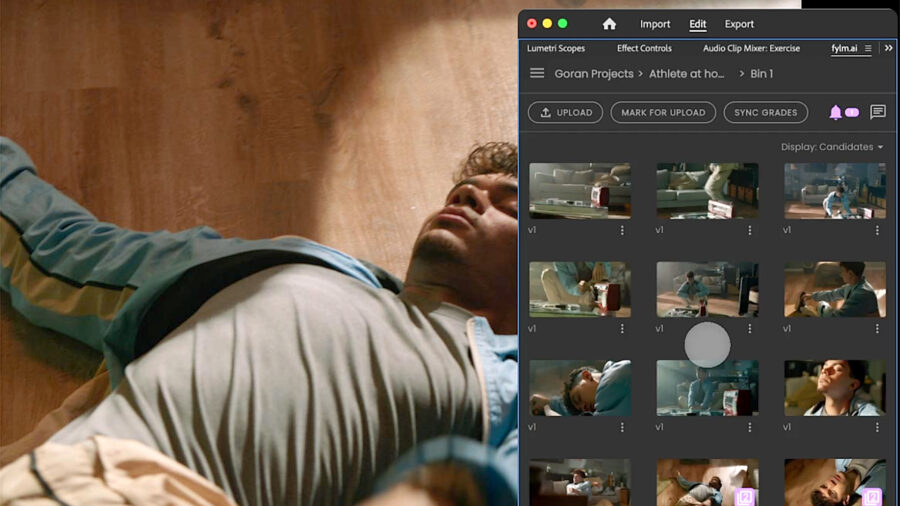 Color-grade sync. Image credit: fylm.aiACES 2.0 and LUT improvements
The update’s ACES 2.0 support aligns fylm.ai with the latest transforms and color-management refinements, while the improved LUT tool now lets users define both input and output color spaces when creating LUTs. This offers more control when working across varied log curves or color-space requirements.
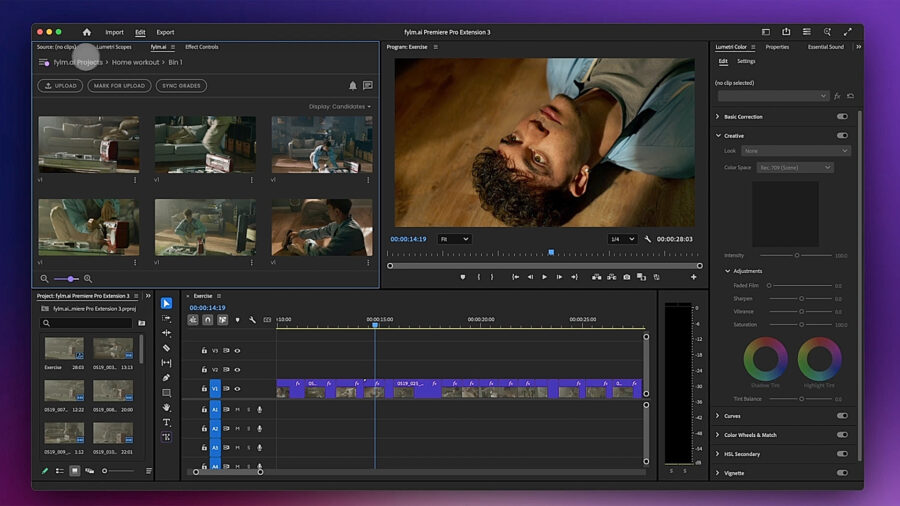 Image credit: fylm.aiPrice and availability
The fylm.ai 2.3 update will install automatically when you reload the app. If you don’t already subscribe to fylm.ai and would like to test it out, you can sign up for free on their website.
If you are planning to purchase a license, the Pro plan runs $15/month, billed annually, and the Team plan is priced at $30/month, billed annually, starting at 3 users. More details on pricing and what’s included are here.
Will the new Premiere Pro integration fit into your workflow, or do you prefer grading outside the NLE? Let us know in the comments below.