
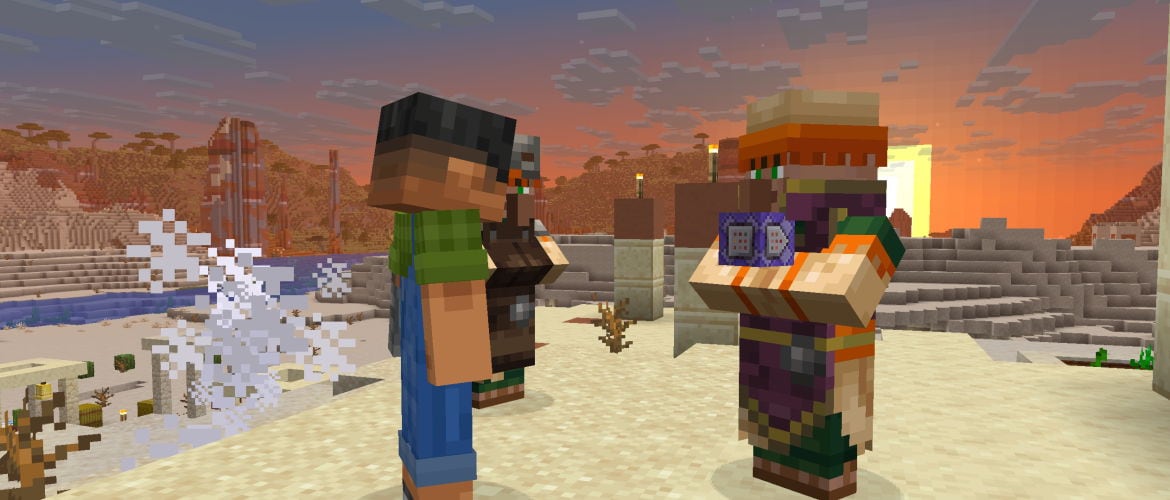
As the year draws to a close, we gather in the shipping room one more time to press the buttons that make snapshots happen! In this final release of 2025 we’re (among other things) upgrading our runtime version of Java, giving villager trades the data-driven treatment, and adding a new swing command that swings the arms of entities. Finally, all our builds will now be unobfuscated moving forward.
Did we miss something? Oh, yeah! This snapshot marks the beginning of our new version numbering system for Minecraft on Java Edition. We’ll see you next year for more snapshots and the eventual release of what will be Java Edition 26.1!
Happy mining!
Changes
What trades are unlocked by villager professions are now determined using deterministic random sequences, like loot drops and barter loot
The algorithm that maps block and sky light levels to how bright things appear on screen has been fully rewritten
A new lightmap debug renderer was introduced, which can be enabled using the F3 + 4 keybind
Lightmap Algorithm Changes
The new algorithm is supposed to mostly provide the same overall results as before, but:
It is simpler and more straightforward, and fixes multiple issues of the previous one, as listed in the Fixed Bugs section below
The Darkness effect and world darkening effect of the Wither fight now works the same way in all dimensions
The Night Vision effect now simply adds ambient light instead of scaling the resulting colors
It means that fully dark areas no longer look brighter than areas lit by block or sky light
More aspects of the algorithm such as block light tint, ambient light color and night vision color are now data-driven through environment attributes, as described in the Data Pack section below
Lightmap Debug Renderer
A new debug renderer for the lightmap was added, which can be enabled using the F3 + 4 keybind
It is mutually exclusive with FPS/TPS and networking charts
It shows the lightmap texture in real-time in the bottom right corner of the screen
The vertical axis of the texture represent sky light levels (0-15 from bottom to top)
The horizontal axis of the texture represent block light levels (0-15 from left to right)
The color of each pixel represents the resulting color that will be applied to blocks and entities lit with the corresponding block and sky light levels
UI
Debug Screen
The looking_at_block and looking_at_fluid debug entries no longer show tags
New debug entries have been added:
looking_at_block_tags
looking_at_fluid_tags
looking_at_entity_tags
Renamed debug entries:
looking_at_block -> looking_at_block_state
looking_at_fluid -> looking_at_fluid_state
Technical Changes
The Data Pack version is now 95
If a server’s disk space is low, a toast will now be shown to server operators
The game now requires Java 25
The included Java distribution is now the Microsoft build of OpenJDK 25
Data Pack Version 95
Added data-driven registry for villager trades
Piglin inventory slots can now be accessed using piglin.* similar to how Villager inventories can be accessed using villager.*
Data-driven Villager Trades
Trades offered by Villagers and Wandering Traders are now data-driven and can be customized by datapack developers
Villager Trades
Present in the villager_trade folder, represents a blueprint for trades which is used by Villagers and Wandering Traders to generate actual trades
Entry Format:
wants, an object representing an item type and number of them needed to trade
id, the id of the item
count, an optional number provider representing how many of the item is needed for the trade
components, an optional component map representing the expected data components on the item
additional_wants, an optional object representing an additional item required by the merchant, has the same format as wants
gives, an Item Stack representing the resulting item given by the merchant when trading
Uses the existing format for Item Stacks
given_item_modifiers, a optional list of Item Modifiers representing modifiers to apply to the item in gives such as enchantments or potions, used to add dynamism to the trade rather than hardcoding certain values
Uses the existing format for Item Modifiers (also known as loot modifiers, item functions, loot functions…)
If any of these returns an empty item the entire trade will be discarded
Item Modifier references are not yet supported
If the final item has a stored_enchantment component containing an enchantment in the #double_trade_price tag, then the count of wants is doubled
max_uses, an optional number provider representing the maximum number of times a trade may be used
Is set to 1 if the number provider returns a lower value
Defaults to 4
reputation_discount, an number provider representing how much factors such as demand, discounts or penalties affects the cost represented by wants
Is set to 0.0 if the number provider returns a lower value
Defaults to 0.0
xp, an optional number provider representing the amount of xp a merchant gets when the trade is done
Is set to 0 if the number provider returns a lower value
Defaults to 1
merchant_predicate, a Predicate representing conditions on the merchant that need to be met for the trade to be offered
Uses the existing format for Predicates (also known as loot conditions)
Predicate references are not yet supported
double_trade_price_enchantments, an optional enchantment id, list of namespaced enchantment IDs, or hash-prefixed enchantment tag representing enchantments that will double the additional cost from minecraft:enchant_randomly and minecraft:enchant_with_levels if they have include_additional_cost_component set to true and if the item has one of the provided values in its minecraft:stored_enchantments component
An example trade of an emerald and a book for an enchanted book offered only by Desert Villagers
{
“additional_wants”: {
“id”: “minecraft:book”
},
“double_trade_price_enchantments”: “#minecraft:double_trade_price”,
“given_item_modifiers”: [
{
“function”: “minecraft:enchant_randomly”,
“include_additional_cost_component”: true,
“only_compatible”: false,
“options”: “#minecraft:trades/desert_common”
},
{
“function”: “minecraft:filtered”,
“item_filter”: {
“items”: “minecraft:enchanted_book”,
“predicates”: {
“minecraft:stored_enchantments”: [
{}
]
}
},
“on_fail”: {
“function”: “minecraft:discard”
}
}
],
“gives”: {
“count”: 1,
“id”: “minecraft:enchanted_book”
},
“max_uses”: 12.0,
“merchant_predicate”: {
“condition”: “minecraft:entity_properties”,
“entity”: “this”,
“predicate”: {
“predicates”: {
“minecraft:villager/variant”: “minecraft:desert”
}
}
},
“reputation_discount”: 0.2,
“wants”: {
“id”: “minecraft:emerald”
}
}
Trade Sets
Present in the trade_set folder, they’re groupings of trades offered by Villagers and Wandering Traders
We currently only have hardcoded ones available in /level_ for Villagers, as well as wandering_trader/buying, wandering_trader/special, wandering_trader/common for Wandering Traders
Entry Format:
trades, a villager trade id, list of namespaced villager trade IDs, or hash-prefixed villager trade tag representing the trades that are part of this trade set
amount, a number provider representing the amount of trades to be generated from this set when used
If the generated number is greater than the number of available trades then it will only generate until all trades have been used once, unless allow_duplicates is set to true
allow_duplicates, a boolean representing if the trade set can use the same Villager Trade multiple times to generate trades
random_sequence, an optional named random sequence that determines which trades are generated
Defaults to a non-deterministic random sequence
An example trade set offering 2 trades from the #minecraft:armorer/level_1 tag, allowing duplicates
{
“amount”: 2.0,
“trades”: “#minecraft:armorer/level_1”,
“random_sequence”: “minecraft:trade_set/armorer/level_1”,
“allow_duplicates”: true
}
Commands
Added swing
New command that enables swinging of entities arms
Not all entities support swing animation. swing will succeed for those entities, but clients will only display it when possible
For example, this makes it possible to swing Mannequin arms
Returns the amount of entities for which a swing was sent
Syntax: /swing
minecraft:visual/block_light_tint
Tint of the block light. Block light color start as dark grey at low light levels, becomes tinted by this attribute at medium levels and turns white at high levels. By default, it provides the yellowish tint of torches. Bright colors work best for this attribute, with at least one color component being fully bright. The tint applies globally to all light sources visible on the screen. Individual lights can not be tinted differently.
Value type: RGB color
Default value: #FFD88C
Modifiers: RGB Color Modifiers
Interpolated: yes
Resolved at the camera’s position
minecraft:visual/ambient_light_color
Defines both the ambient light tint and brightness. This light is applied to the world at 0 light level. Block and sky light are added on top of it.
Value type: RGB color
Default values: #0A0A0A for the Overworld, #302821 for the Nether, #3f473f for the End
Modifiers: RGB Color Modifiers
Interpolated: yes
Resolved at the camera’s position
minecraft:visual/night_vision_color
This color is used similarly to ambient light color. When the Night Vision effect is active, per-component maximum of minecraft:visual/night_vision_color and minecraft:visual/ambient_light_color is used as ambient color. Night Vision is not tinted by default.
Value type: RGB color
Default value: #999999
Modifiers: RGB Color Modifiers
Interpolated: yes
Resolved at the camera’s position
Data Components
Added minecraft:additional_trade_cost
Transient component used to modify count needed of the gives item in a villager trade, is removed after a trade has been generated
Format: integer
Loot Functions
Added minecraft:villager_trade loot table type which takes the following parameters:
this, the entity offering the trade
origin, the block position of the entity at its feet
Added minecraft:set_random_dyes
Additively adds dyes to an item’s minecraft:dyed_color data component if the item is in the #dyeable tag Fields:
conditions – conditions for the function to apply
number_of_dyes – number provider representing the number of random dyes out of sixteen to apply to the item
The same dye might be selected repeatedly
Added minecraft:set_random_potion
Randomly sets the minecraft:potion_contents data component on an item Fields:
conditions – conditions for the function to apply
options – optional potion id, list of namespaced potion IDs, or hash-prefixed potion tag, representing the possible potions to select from
Defaults to any potion in the potions registry
Changed minecraft:enchant_with_levels
Now also takes the following field:
include_additional_cost_component – optional boolean representing if an minecraft:additional_cost_component should be added to the item based on the cost of the enchantment
Defaults to false
The value is determined by the levels number provider and is the same that is used to determine what enchantment level is used for enchanting
Changed minecraft:enchant_randomly
Now also takes the following field:
include_additional_cost_component – optional boolean representing if an minecraft:additional_cost_component should be added to the item based on the cost of the enchantment
Defaults to false
The value is determined by the value selected by levels or its default value using the following formula: 2 + random(0, 5 + level * 10) + 3 * level
Predicates
Entity Predicates
player Sub-Predicate
New optional field: food – A Food predicate
Format: Object with fields:
level – optional integer min/max range specifying the required food level
saturation – optional float min/max range specifying the required saturation level
Added minecraft:sum
Returns the sum of a list of number providers
Fields:
summands, a list of number providers
Enchantments
The post_piercing_attack component no longer only works for a player if that player has a certain food level
Tags
Added several tags representing groups of villager trades from which Villagers and Wandering Traders derive their trading pools
Villagers have the following tags representing each profession and level of trade in the format: #/level_, up to level 5
Smiths have the #common_smith/level_ tags representing common trades among armorers, weaponsmiths and toolsmiths, up to level 5
Wandering Traders have the following tags: #wandering_trader/buying, #wandering_trader/special, #wandering_trader/common
Enchantment Tags
Removed the following tags:
trades/desert_special
trades/jungle_special
trades/plains_special
trades/savanna_special
trades/snow_special
trades/swamp_special
trades/taiga_special
Potion Tags
Added #tradeable – all potion effects that can appear in villager trades
Resource Pack Version 76
Lightmap Shader Changes
The lightmap.fsh shader was significantly modified.
The LightmapInfo uniform now has two new fields:
BlockLightTint
NightVisionColor
The AmbientLightFactor field was removed, its value is now premultiplied into AmbientColor
The DarkenWorldFactor was renamed to BossOverlayWorldDarkeningFactor
Text and items rendered in UI now use a separate 1×1 white lightmap texture, so the lightmap shader does not always have to keep the 15, 15 pixel purely white
Fixed bugs in 26.1 Snapshot 1
MC-64087 – Revengeful zombies / Zombie reinforcements will try to attack you in Creative mode
MC-179949 – You cannot edit the inventories of piglins by using ‘/item replace’
MC-197497 – Smooth lighting transition from level 1 to 0 is not smooth
MC-199589 – Hitting mobs in Creative mode then switching into Survival causes the mob to target you
MC-219981 – Leader zombie-type mobs spawn with 20 health despite having an increased maximum health
MC-300465 – Maps with the maximum number of markers cannot be placed in item frames
MC-302186 – Ambient lighting in the Nether appears discolored compared to previous versions
MC-302408 – Inconsistent underwater lighting with the Conduit Power effect applied
MC-302528 – Low sky & block light look outright broken when cast on the same area
MC-303119 – Feeding a cat or wolf in Survival mode with only one item in the selected item slot does not restore as much health as it should
MC-303125 – Creepers can blow up after the player dies
MC-303389 – The ender dragon’s velocity can be affected by attacks while perched
MC-303692 – Debug overlay text has an indent when improved transparency is disabled
MC-304023 – Redundant level data fixer files are saved in worlds’ “data” folder
MC-304217 – Lunge’s hunger requirement applies to post_piercing_attack effects of custom enchantments
MC-304599 – Dolphins don’t follow players riding nautiluses like in Bedrock Edition
MC-304631 – Anisotropic filtering set to 8x causes opaque translucent textures to become transparent in the distance when there are odd-sized block textures
MC-304725 – Zombie villagers summoned with default spawn eggs always spawn as their plains variant
MC-304991 – Clicking on a chest with loot that hasn’t been generated in Spectator mode makes the “block.chest.locked” sound
MC-305012 – The description of the “Universal anger” game rule still uses the old ID of the “Forgive dead players” game rule
Get the Snapshot
Snapshots are available for Minecraft: Java Edition. To install the Snapshot, open up the Minecraft Launcher and enable snapshots in the “Installations” tab.
Testing versions can corrupt your world, so please backup and/or run them in a different folder from your main worlds.
Cross-platform server jar:
Report bugs here:
Want to give feedback?