
Why you can trust What Hi-Fi?
Our expert team reviews products in dedicated test rooms, to help you make the best choice for your budget. Find out more about how we test.
Sky’s Glass TV concept has been a roaring success so far. At various times since the original Sky Glass TVs launched in 2021, in fact, Sky’s own-branded integrated TV solution has been the UK’s best-selling TV.
Part of the Sky Glass’s success has undoubtedly been down to how affordable it is – especially if bought in monthly instalments with a Sky subscription plan.
That didn’t stop Sky, though, from revealing when it launched the second generation of Sky Glass in 2025, that it was also preparing to release a new ‘budget’ Sky Glass TV option, the Sky Glass Air.
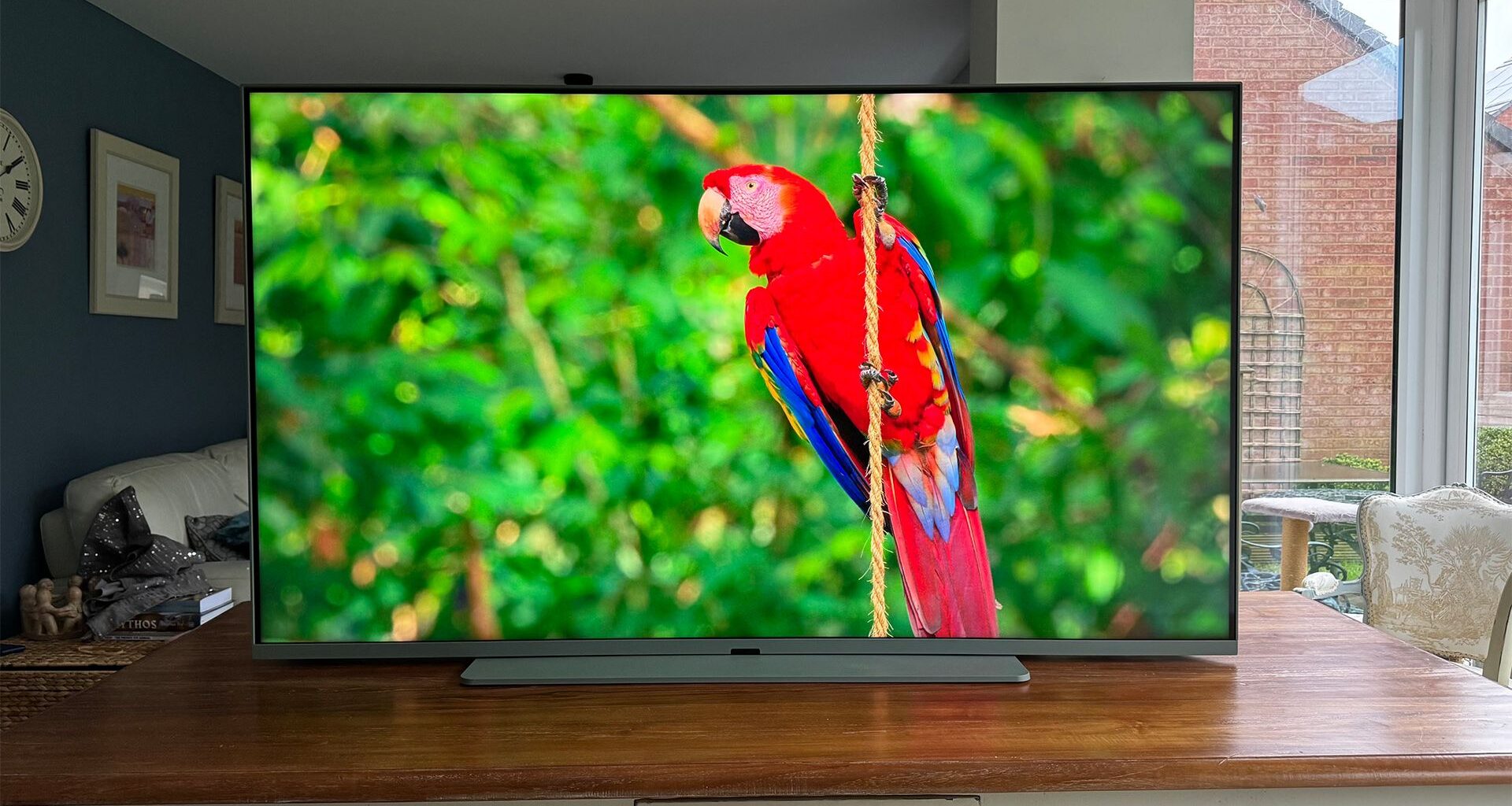
All of which raises one simple question about the 65-inch Glass Air sat on our test benches: what’s the catch?
Price
(Image credit: What Hi-Fi? / Netflix, Life In Colour)
As you might expect of a TV created by Sky specifically to host its subscription broadcasting platform, the price situation with the Sky Glass Air is more complicated than usual.
While you can buy the 48-, 55- or 65-inch versions of the Sky Glass Air for a simple up-front price, you can also buy them on a monthly subscription basis. Though in both cases, the pricing really is remarkably low.
At the time of writing, the 43-inch Sky Glass Air is £225 up front, or as little as £4.25 a month over 48 months; the 55-inch version is £377 up front or £7.25 a month over 48 months; and the 65-inch model we’re looking at is £481 or £9.50 a month, again over 48 months.
All three TVs can also be bought over 24 months if 48 months sounds like a drag, with the 43-, 55- and 65-inch screens costing £8.50, £14.50, and £19 a month respectively under that two-year deal.
Note, though, that you can only get these prices if you also take on a Sky TV streaming subscription, which starts at £15 p/m for new customers. Plus, there’s also a one-off £20 up-front fee with all of the monthly payment options.
So, while the TV itself really is remarkably affordable, the all-in monthly cost, once the TV subscription (which can quickly balloon once premium movie and sports channels are added) is accounted for, can still be quite high.
It’s also worth noting that the above prices are potentially limited-time offers. So we’ll also quickly mention the at-launch pricing in case they revert to that: £309 up front and from £6 a month for the 43-inch Sky Glass Air; £509 up front or from £12 a month for the 55-inch model; and £649 up front or from £13 a month for the 65-inch version.
Oh, and before you ask, this isn’t some sort of rental agreement. If you pay monthly for your Sky Glass Air, it is yours to keep once the final payment has been made.
Design
(Image credit: What Hi-Fi? / Netflix, Life In Colour)
While the Sky Glass Air doesn’t benefit from the boldly industrial, metallic, speaker-bar-adorned design delivered so strikingly by the Sky Glass 2, it’s still easier on the eye than the vast majority of similarly affordable TVs.
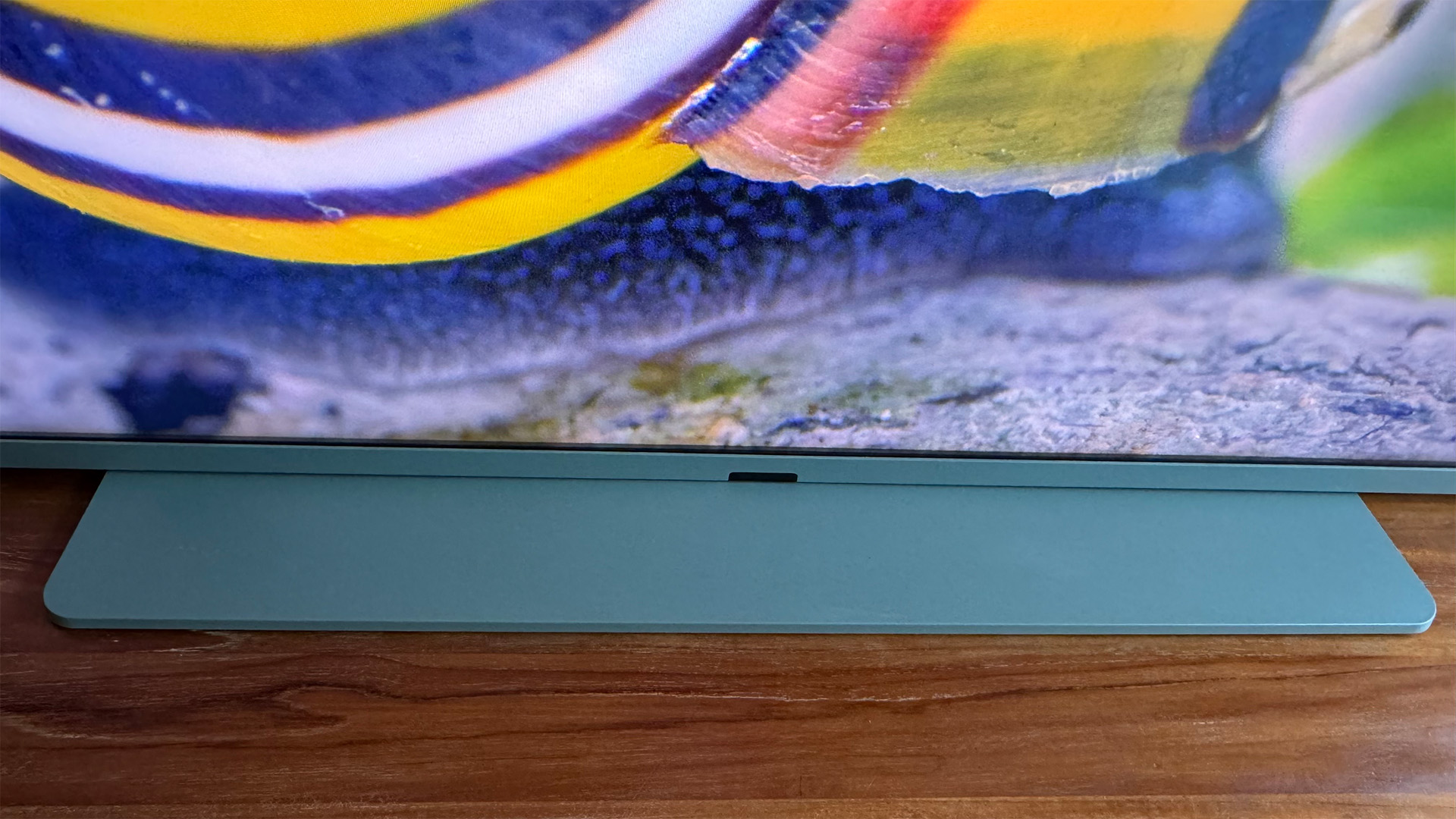
Its bezel is reasonably narrow and enjoys a tasteful matte, almost powdered-effect finish, and its screen sits stylishly low down on an unusually wide desktop base (unless you pay for Sky’s optional wall mount).
While the lack of any gap between the screen and its stand adds to the TV’s style factor, though, it could be a problem for people thinking of adding a soundbar to their set-up.
Sky Glass Air tech specs
(Image credit: What Hi-Fi?)
Screen size 65 inches (also available in 43 and 55 inches)
Type Quantum Dot LCD
Backlight Direct LED (no local dimming)
Resolution 4K
HDR formats HLG, HDR10, Dolby Vision
Operating system Sky OS
HDMI inputs x 3
Gaming features ALLM
Input lag 20ms at 60Hz (claimed)
ARC/eARC eARC
Optical output? Yes
Dimensions (hwd, without stand) 77 x 145 x 7.7cm
The sides of the Sky Glass Air are much slimmer than those of the chunky Sky Glass 2. Though this is down in no small part to the fact that they don’t house the potent edge-mounted speakers that the Sky Glass 2’s do.
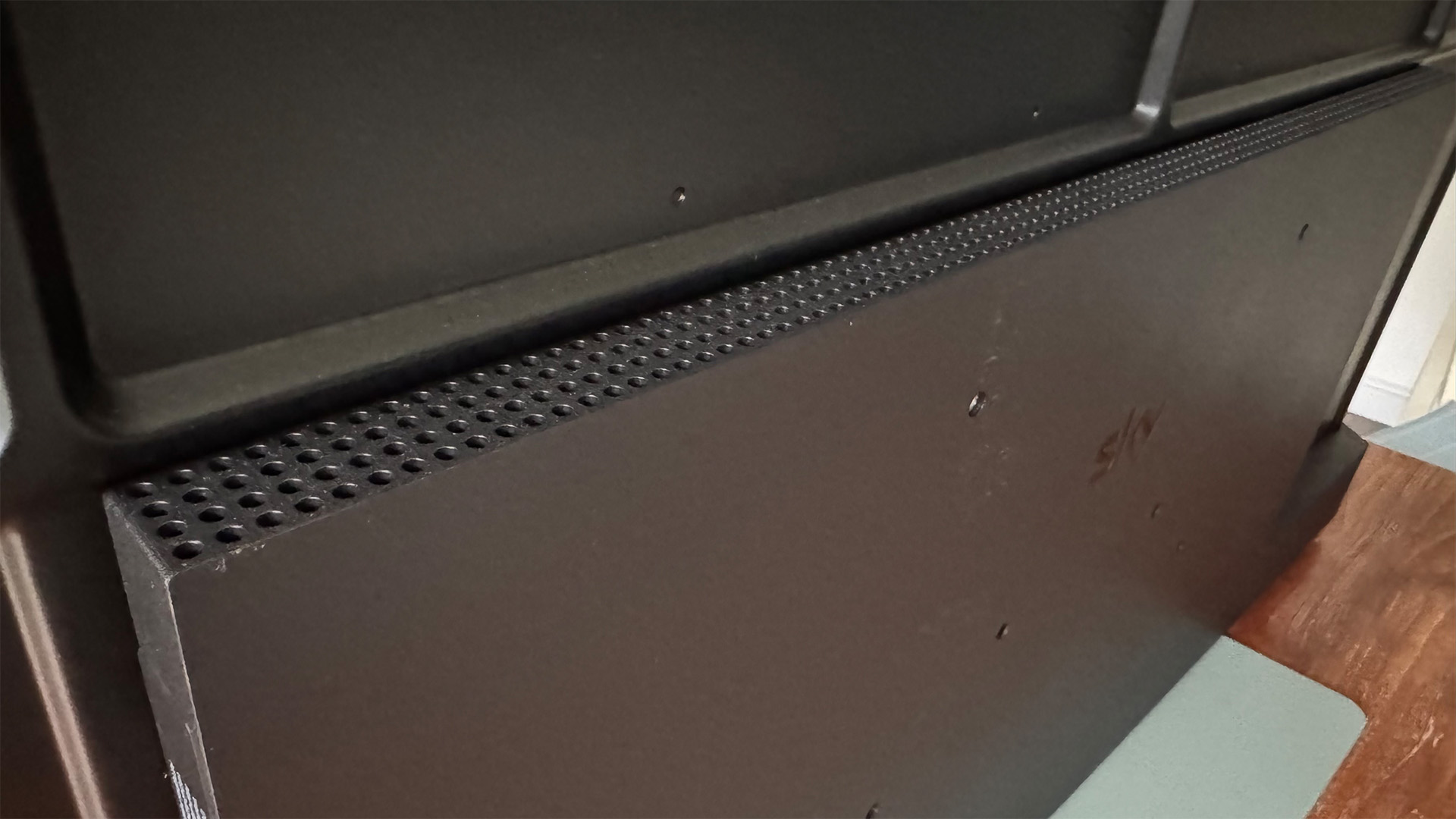
Also, parts of the Glass Air’s rear stick out quite some distance by modern TV standards – especially at the bottom, which accommodates the TV’s hopefully potent speakers.
We’ve cunningly left the coolest aspect of the Sky Glass Air’s design to last: namely, the fact that all three sizes are available in a choice of three colours: Carbon Grey, Cotton White and Sea Green.
We have samples to hand in both the Carbon Grey and Sea Green finishes, but we’ve seen all three side-by-side, and while the Carbon Grey colour looks a bit ‘standard’, the Cotton White and Sea Green options really do help to further disguise how affordable these TVs are.
Each Sky Glass Air ships with one of Sky’s distinctive remote controls, tastefully finished in the same colour as the screen it partners.
Features
(Image credit: What Hi-Fi?)
Despite how affordable it is, the Sky Glass Air has a native 4K resolution and supports high dynamic range video. The HDR support extends beyond the HDR10 and HLG basics to Dolby Vision, too.
Like the Sky Glass 2, the Air also benefits from a VA panel rather than a contrast-challenged IPS one, and a Quantum Dot colour system capable of delivering more than a billion colours.
However, where the Glass 2 gets a backlighting system with local dimming, the Glass Air only features global dimming, where the entire backlight adjusts its output en masse in response to changes in the content.
As we’ve hinted at already, the Air doesn’t get the seven-speaker, 3.1.2-channel audio system of the Glass 2. In fact, the Glass Air features just a 2.0 stereo arrangement, with 15W available to each channel.
The Dolby Atmos decoding available on the Glass 2 doesn’t carry down to the Air, either – though the cheaper model can still handle Dolby Digital+.
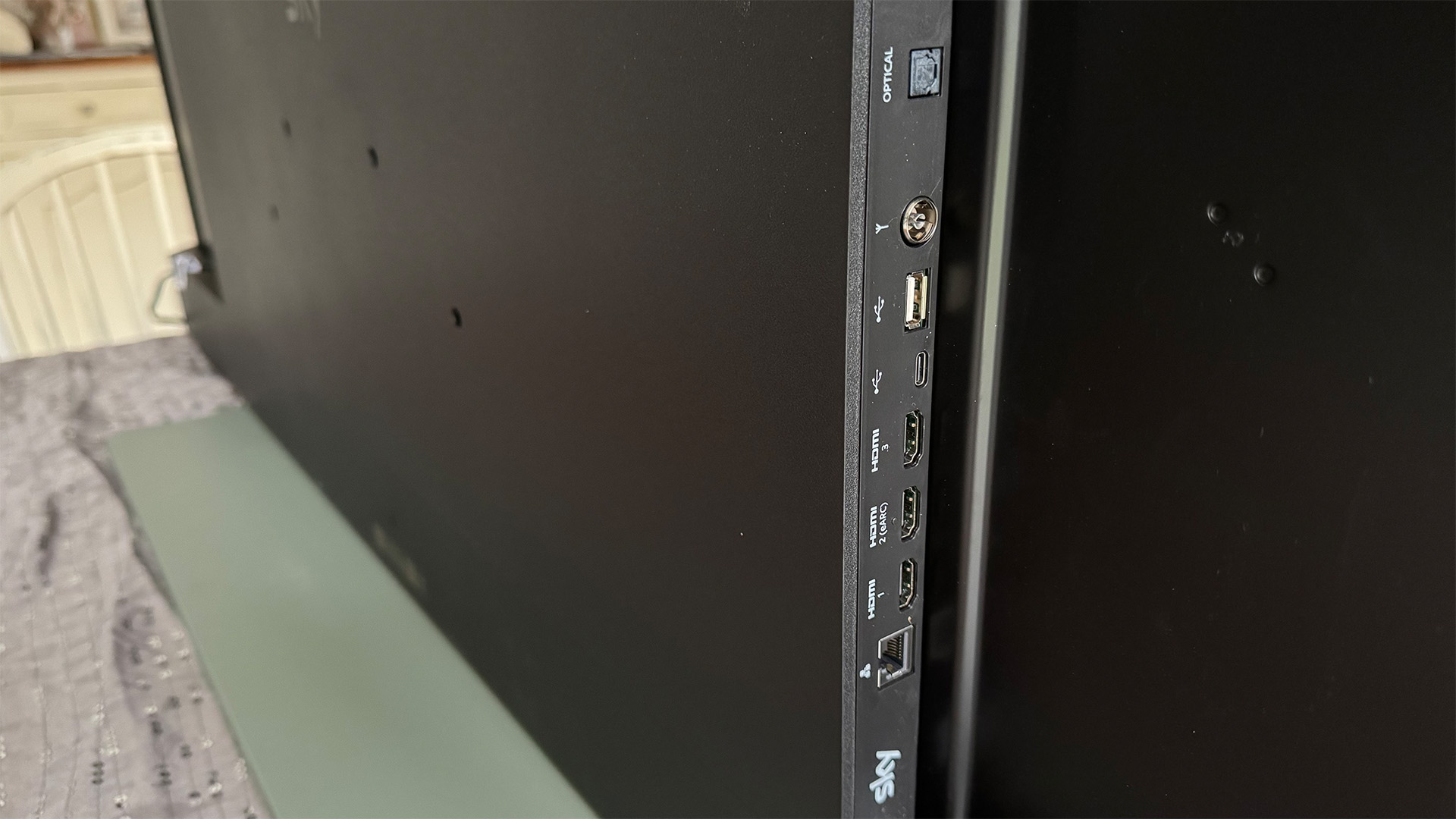
The Sky Glass Air’s connections comprise a trio of HDMI 2.1 ports, an optical digital audio output, a 15W USB-C port, a 5W USB-A 2.0 port, both Bluetooth and wi-fi wireless support, and an RF tuner port that you’ll probably never use.
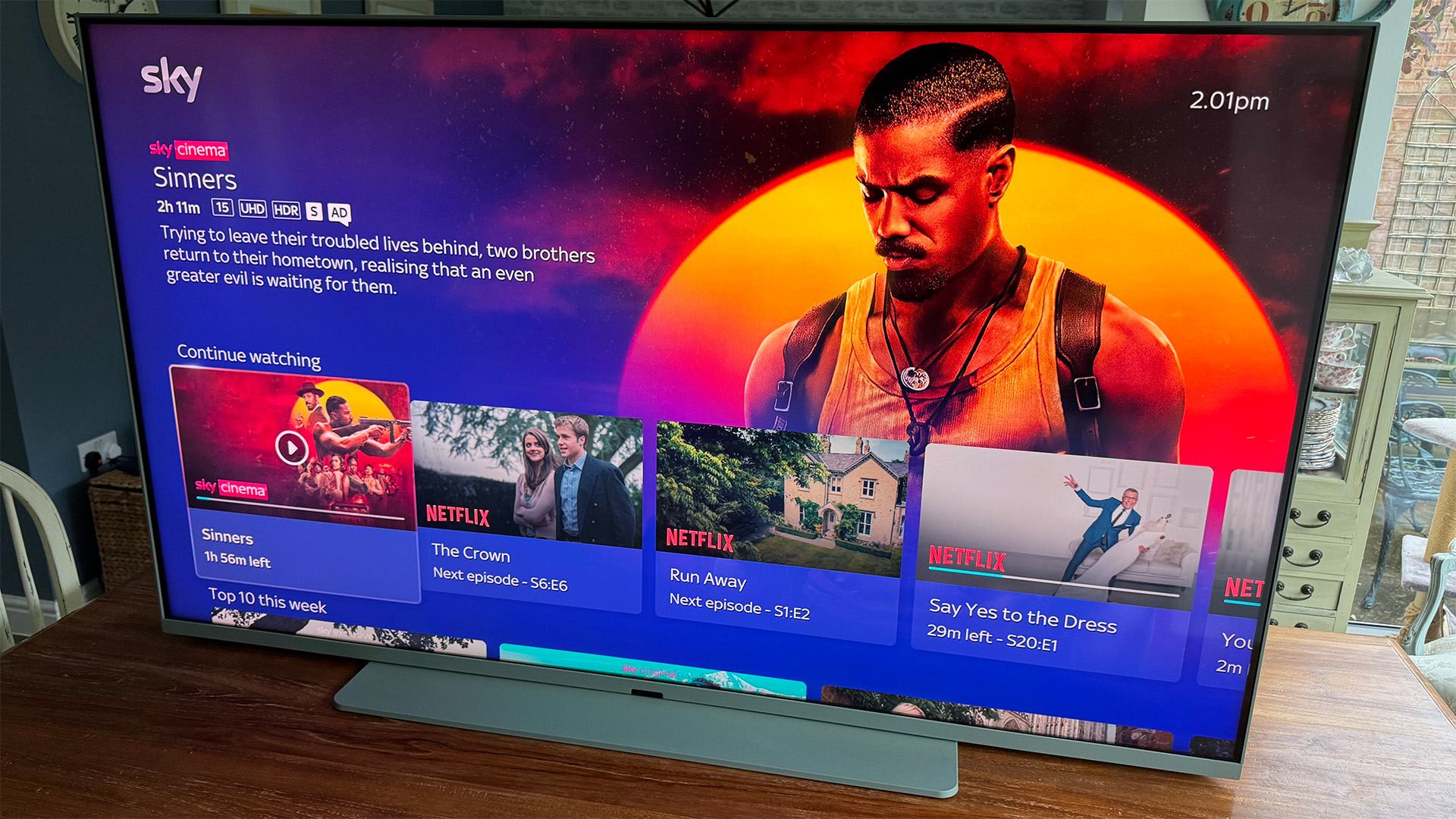
The wi-fi support is particularly important to the Sky Glass Air, of course, as it provides access to the streamed version of Sky’s expansive subscription-based TV service. There’s no need for any dish fitted to your house here.
The streamed version of Sky does away, too, with the whole hard drive recording thing associated with the classic Sky Q system. With Sky Glass Air, everything is stored on Sky’s unimaginably colossal servers, so you just have to find an episode of something or a film you want to watch in Sky’s menus, hit play, and it will start to stream directly to the TV.
Most of the time, this works really well, but when you live with a Sky Glass or Sky Stream device, you do encounter rare occasions when this system fails. This is particularly true of non-Sky content.
For example, we have encountered times when motor races on TNT Sports have been ‘Playlisted’ (so, in theory, recorded) and have been available to watch from any point during the live broadcast, but have then disappeared from our Playlist after the race has finished, making it impossible to resume from where we left off – or even start from the beginning again.
We have also had a ‘recording’ of a Formula 1 race, broadcast by Sky itself, cut off a few laps from the end, seemingly on account of a rain delay that the system hadn’t accounted for.
Instances such as these are mercifully pretty few and far between, but they’re hugely frustrating when they occur, and simply wouldn’t be a problem if Sky Q-style recording to built-in storage was supported.
On the plus side, on top of the huge range of Sky channels, Sky’s unique OS (more on this in a moment) also carries a healthy range of third-party streaming/catch-up apps, including Netflix, Discovery+, Disney+, Paramount+, YouTube, the BBC iPlayer, ITVX, Channel 4 and My5.
(Image credit: What Hi-Fi?)
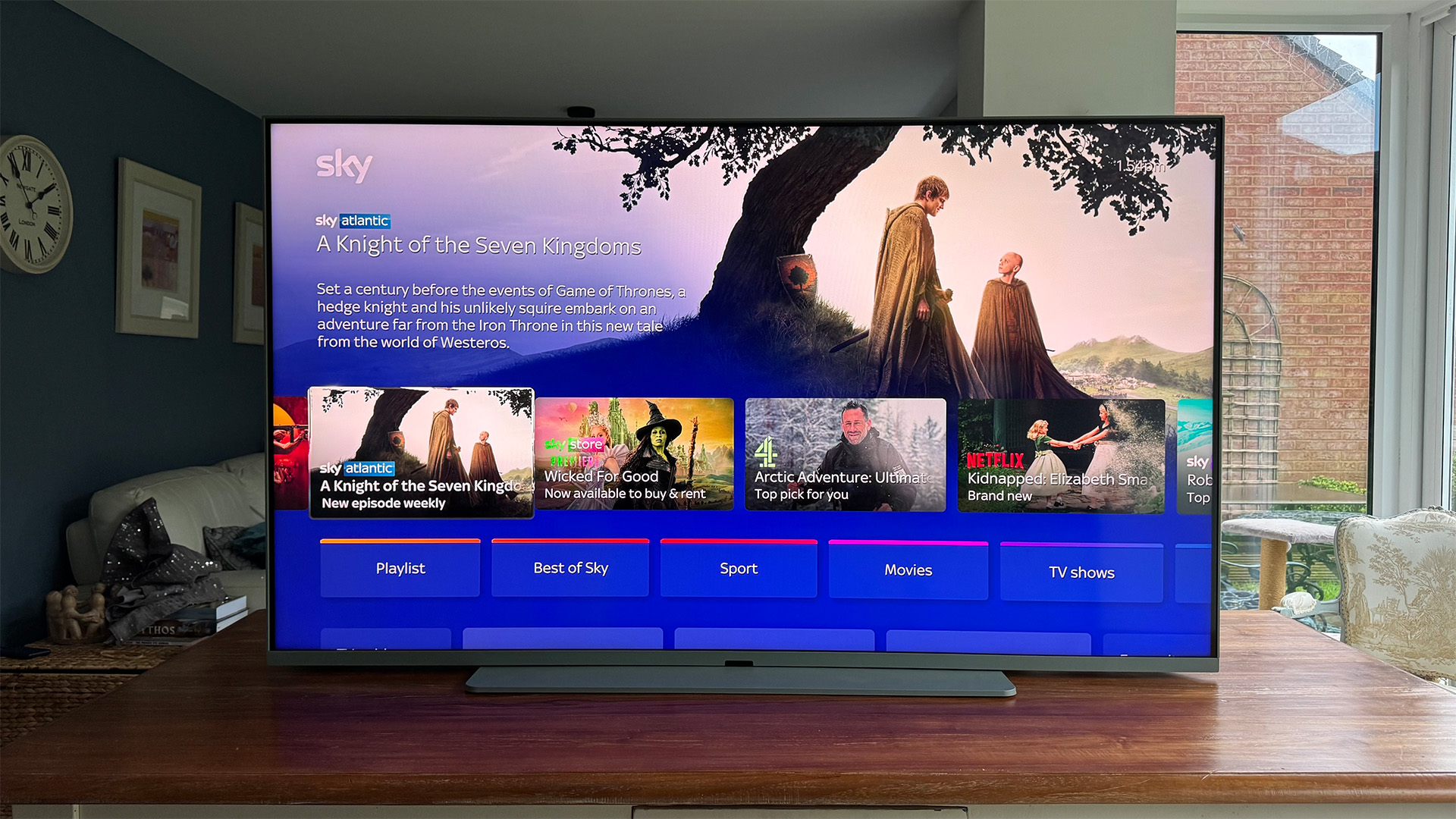
The way all these sources, channels and on-demand shows and films coalesce in the Glass Air’s Sky OS menus blurs the lines between on-demand and linear content to the point where they pretty much disappear. It’s all just content.
This is the result of years (and years) of refinement by Sky’s in-house OS design team, and as such feels like the most truly bespoke OS in the TV world.
For the most part, this OS handles the presentation and organisation of Sky’s vast amounts of content and channels extremely well, while its ability to recommend content that actually feels relevant to you based on analysis of your viewing history is outstanding.
Props are due, too, to Sky’s voice recognition system, which impresses in both how well it responds to relatively natural speech, and how deep its research results go.
The uniqueness of the Sky OS extends to some extent to the TV’s rather non-standard picture set-up options – with not entirely successful results.
The set of picture presets available, for instance, features quite an unusual bunch of relatively out there and very restrained options – though the Glass Air is actually less extreme with its preset ‘takes’ than the Glass 2 is.
The provision of straightforward Bright and Dark settings for both basic HDR/HLG and Dolby Vision content is a positive, and it’s good at this price level to find white balance and colour management tools.
But frustratingly, it’s not possible to store different picture set-ups for different sources; whatever picture preset or custom set-up you’ve selected applies to every source until you change it.
The most aggravating issue, though, is the way the Glass Air won’t let you make adjustments to any of its picture presets bar the Custom one.
So if, say, you’re watching the Extra Vivid preset but feel like you’d like to nudge its brightness down a bit to reduce dark scene noise and bright highlight clipping, you can’t. The moment you adjust anything, the TV switches to its Custom mode – a mode with default picture values radically different to those of the Extra Vivid mode.
So if you’d like a slightly tweaked Extra Vivid mode, you’re forced to try and recreate the mode’s look under the Custom preset.
The Sky Glass Air doesn’t fix a couple of frustrating gaming shortcomings of the Glass 2, either.
For one, while the screen can detect when a game source is playing thanks to HDMI’s ALLM feature, it doesn’t give you any onscreen indication that it’s switched into its low-latency mode.
Nor, worse, is there any way to manually put the TV into its fastest response mode. So if your console or PC doesn’t support the ALLM feature, there’s no way of manually switching the TV into low-latency mode.
This issue also prevents us from using our Leo Bodnar input lag test device to measure the screen’s input lag, so all we can say on that is that Sky claims Glass 2’s low latency mode gets input lag down to just under 20ms.
It’s honestly baffling that Sky hasn’t fixed these limitations yet, given the huge number of feature-adding software updates it’s rolled out to its Glass system over the years.
One last point gamers should take note of is that the Glass Air’s screen is only a 60Hz panel with no dual-line gate technology (which enables some brands to sacrifice resolution to double their screen’s refresh rates). So 120Hz gaming just isn’t an option on the Glass Air. There’s no support for VRR, either.
Picture
(Image credit: What Hi-Fi? / Netflix, Life In Colour)
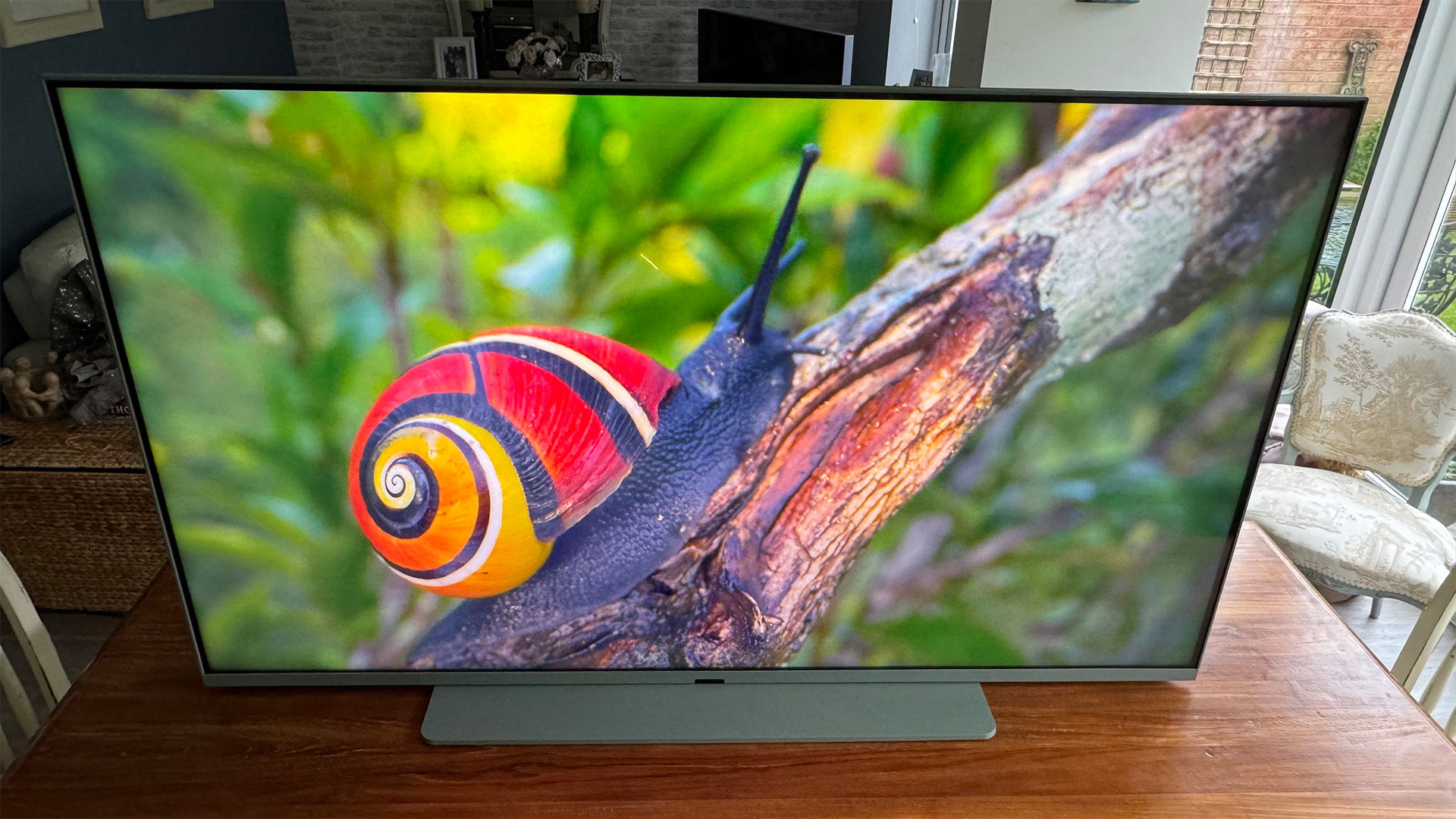
While the 65-inch Sky Glass Air’s pictures aren’t as bright, contrast-rich or generally intense as those of the Sky Glass 2, they’re really not bad at all for a TV that can be had for just a few quid a month.
For starters, in the Vivid and Extra Vivid presets (or a Custom mode set-up to largely mimic those presets), images look surprisingly bright. This is the case, too, with both full-screen bright HDR content and small bright highlights, despite the Glass Air not having any local dimming controls at its disposal.
Colours are surprisingly vibrant too – again in the Vivid and Extra Vivid presets – with the brightness highlighting the Glass Air’s colour intensity rather than causing it to wash out, as can happen with TVs that have more brightness than their colour systems can really cope with. Take a bow, Quantum Dots.
Colours in Vivid and Extra-Vivid mode arguably look better – or more natural, at least – than they do on the Sky Glass 2. Thanks, ironically, to the more limited capabilities of the Glass Air’s panel preventing it from pushing some colour tones a bit too hard and losing subtle details in very vibrant areas.
The Glass Air’s combination of decent brightness and vibrant colours means its pictures remain very watchable in its two Vivid modes, even in quite bright environments.
The Glass Air’s sharpness and detail are also better than we’d expect to see from such a cheap TV, leaving you in no doubt that you’re watching a native 4K screen. The sharpness doesn’t fall away badly when there’s motion to handle either, despite the lack of motion processing options, and even the set’s upscaling of HD sources is perfectly respectable.
The Glass Air retains lots of shadow detail in dark areas too, giving depth to dark scenes and helping to disguise the fact that its delivery of blacks falls some way short of the Glass 2.
Brightness is generally more stable than it is with the Glass 2 as well. The Air’s global dimming system can occasionally overreact, drawing attention to its machinations, but there’s no sign of the occasional local dimming zone ‘artefact’ you can get with the Glass 2. The extra intensity of the Extra-Vivid mode also really helps to disguise limited black level and faint clouding issues we’ll come to later.
In fact, the Glass Air’s freedom from many of the sort of overt distracting glitches and over-eager picture ‘boosters’ that many more expensive TVs can suffer with helps it deliver an overall unexpectedly natural, consistent and, as a result, immersive picture that’s rare to see for so little money.
Normally, TV presets with names such as Vivid and, especially, Extra-Vivid would be the ones we’d be most likely to avoid. On the Glass Air, though, they’re quite comfortably our favourite options. In fact, with SDR and HDR10/HLG, Extra-Vivid is our ultimate favourite, as it avoids a rather strong green tint that the Vivid mode introduces.
There are two issues with the Extra-Vivid preset’s appeal, though. First, it’s partly our favourite because the other presets just don’t seem to have been well thought through. They tend to make blacks become much more of a washed-out grey, reduce brightness and leave colours looking more flat and pallid.
(Image credit: What Hi-Fi? / Netflix, Life In Colour)
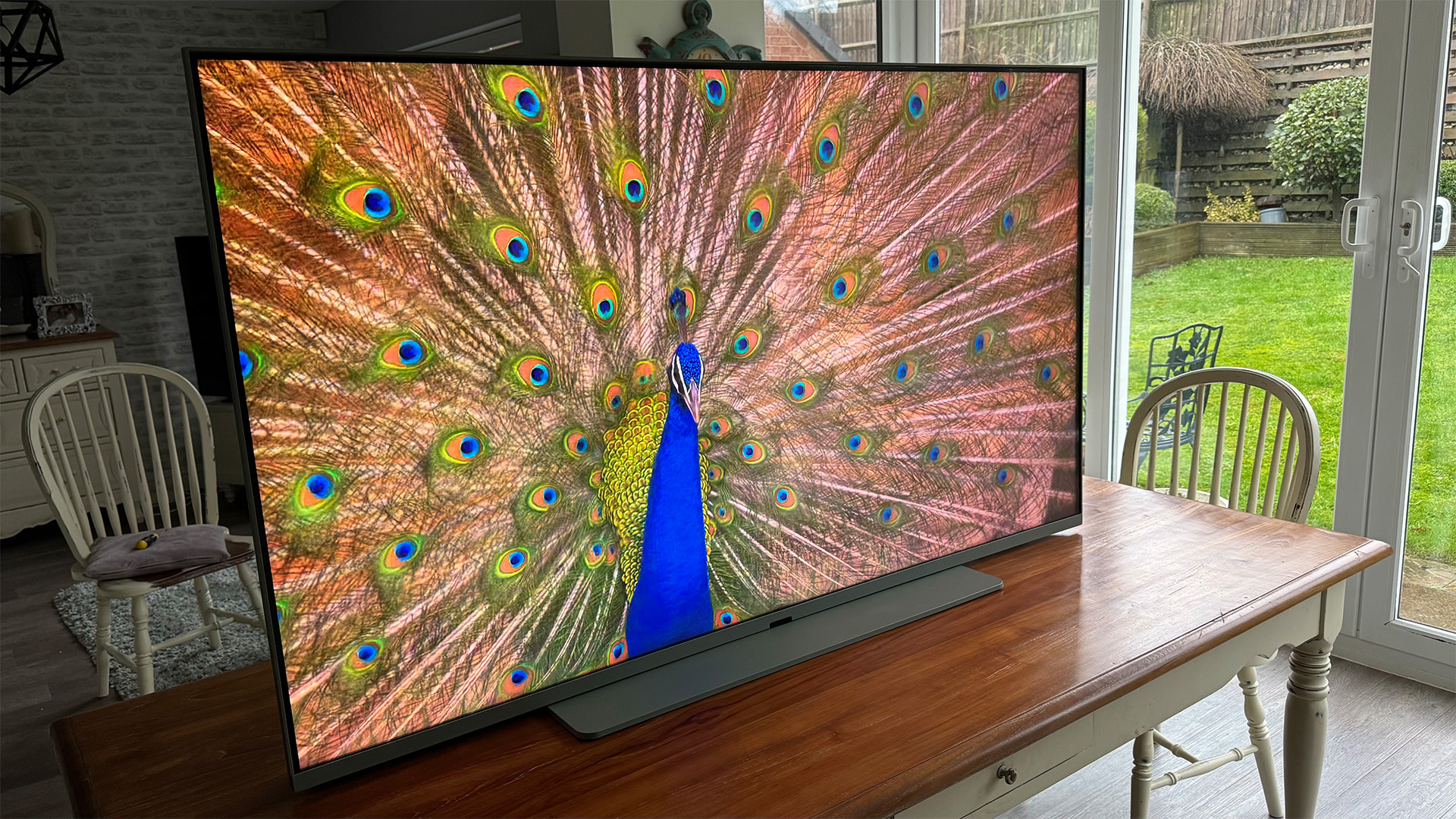
The other issue with the Extra-Vivid preset’s appeal is that, while it’s the most watchable and enjoyable picture mode on the Glass Air, it can clip subtle shading and details out of the brightest parts of HDR pictures, and can bring out too much shadow detail in dark areas, leaving such areas looking a bit noisy.
And since you can’t try to fix these issues by simply adjusting the Extra Vivid settings, you’re basically forced to set up a Custom mode that looks like Extra-Vivid minus the clipping and dark-area noise issues.
One bit of very good and mercifully straightforward news in all this picture preset shenanigans is that the Glass Air responds very well to Dolby Vision content, with this premium HDR format’s extra image controls and information yielding a great balance of contrast, brightness and colour right off the bat.
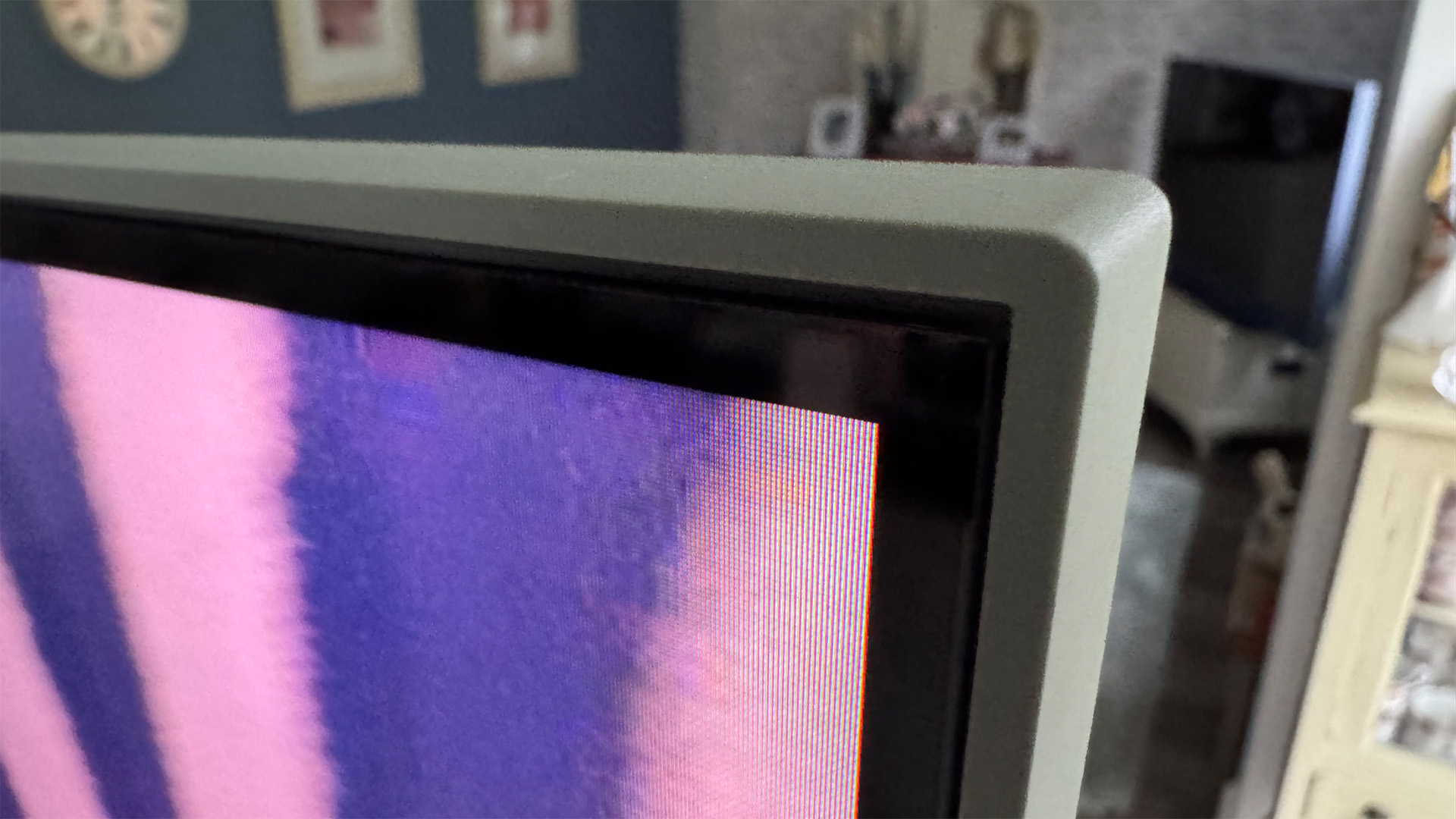
Getting back to reasons the Glass Air is so affordable, its black level response is certainly a fair bit down on that of the Glass 2. Dark scenes look greyer, even in the most dynamic Vivid/Extra-Vivid modes, and there’s also occasionally evidence of backlight clouding in the image’s corners. Fortunately, this is faint and undefined enough not to become a major distraction. Especially if you leave some light in your room.
In fact, our attempts at dark room movie nights ultimately lead to the conclusion that the Glass Air is more watchable in all sorts of ways if you keep a little light in the room, as this helps hide many of its limitations without impacting its strengths. This is more a word of advice than a criticism, to be clear, given how watchable pictures remain in such room conditions.
Another tip would be to not place as much faith in the Glass Air’s Auto picture mode as you can in the Glass 2’s Auto picture mode.
On paper, the two modes should achieve the same aim – namely adjusting the picture to compensate for changes in ambient light conditions as well as the type of content (primarily sport or not-sport) being played.
While the Glass 2’s Auto mode did a good job of balancing out the screen’s otherwise sometimes over-enthusiastic extremes, though, the Glass Air’s mode tends to deliver rather dull, flat-looking results that quickly had us heading back to the Extra-Vivid mode (or our tweaked-to-look-like Extra-Vivid mode Custom preset).
One final limitation of the Glass Air’s pictures is that its viewing angles before black levels take a big hit are very limited. There’s also one final strength, though, which allows us to finish on the positive note the TV deserves; namely, that the Glass Air’s screen does a better job than most budget TVs of suppressing on-screen reflections.
Sound
(Image credit: What Hi-Fi?)
The Sky Glass Air’s sound joins its pictures in outperforming the TV’s price point. It can go surprisingly loud, for starters, yet even at its maximum volume, it doesn’t sound strained or brittle, and we never manage to find a soundtrack moment extreme enough to elicit any buzzing or humming from the TV’s bodywork.
Despite the Glass Air only having a stereo speaker set-up, it manages to create a fairly convincing soundstage, even with complicated mixes. So, for instance, the piano at the start of It Chapter One on 4K Blu-ray sounds as though it’s coming from just outside the TV’s bodywork, while the rest of the mix seems to be coming from the screen. Voices seem to be coming from the onscreen action too, rather than from somewhere beneath or behind it.
Fine audio details are presented reasonably well, and high-pitched effects only sound harsh if they’re isolated in the mix, with no bass to counteract them.
Talking of bass, while there’s a limit to how deep the Glass Air’s speakers can go, that limit doesn’t prevent low frequencies from having respectable impact and presence for such an affordable TV. Yet the limit also cunningly kicks in just in time to stop even the most dramatic bass rumbles causing crackles or dropouts.
Dialogue can sound a little sibilant, and the Glass Air inevitably can’t rival the Glass 2 when it comes to Dolby Atmos soundstaging or general power. The Glass Air’s sound seldom does anything wrong enough to distract you from what you’re watching, though, adding to the TV’s surprisingly immersive qualities.
Verdict
(Image credit: What Hi-Fi?)
While some of Sky’s picture set-up decisions and options are a bit odd (to say the least), the Glass Air is overall an excellent expansion of Sky’s TV hardware offering.
Despite being available for a monthly sub equivalent to just a couple of Friday night cocktails, it delivers surprisingly balanced, refined and thoughtfully tuned picture and sound – as well as a full version of Sky’s renowned operating system. All wrapped up in a premium-looking design that even gives you a trio of colour options to choose from.
SCORES
Picture 4Sound 4Features 4
MORE:
Read our review of the Sky Glass 2
Also consider the TCL 65C6KS
Read our Samsung U8000F review
Best TVs: flagship OLEDs and budget Mini LED sets tried and tested
Sky Glass Air 65-inch 4K Quantum Dot TV (2025): Price Comparison