
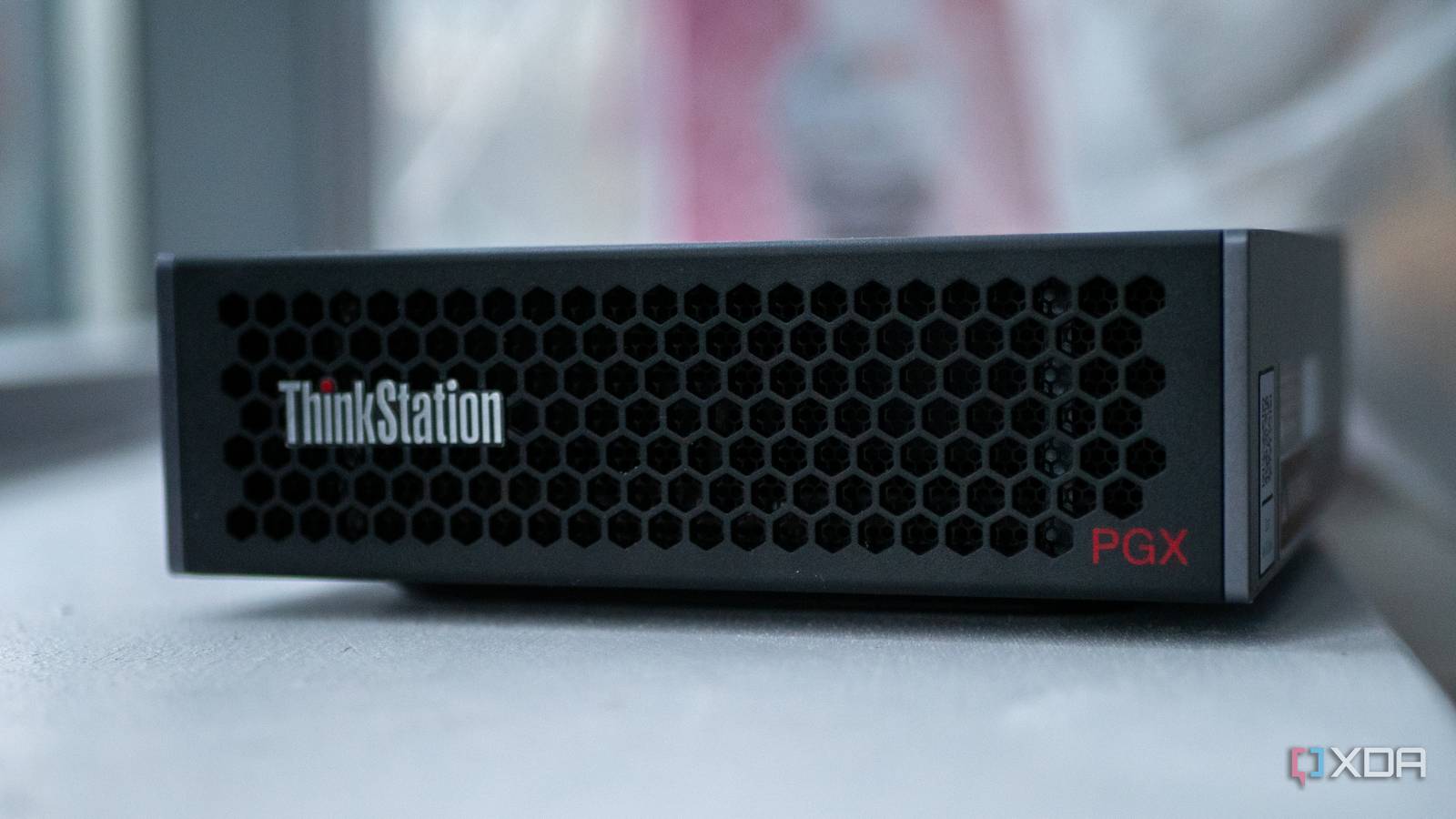
There’s a thought that’s been bouncing around my head ever since I started using the Lenovo ThinkStation PGX for AI workloads. The GB10 Grace Blackwell Superchip inside it has the same number of CUDA cores as the GeForce RTX 5070, 6,144 of them, along with RT cores and Tensor Cores that support DLSS 4. It packs 128GB of unified memory and a Blackwell-architecture GPU into a form factor the size of a Mac Mini, and it runs Arm Linux. The entire machine is designed to serve language models, not games. But gaming GPUs have been repurposed for AI work for years now, and the reverse has to hold true to some extent, right? If gaming GPUs are good for AI, then AI GPUs have to be at least decent at gaming.
I decided to test that theory on my ThinkStation PGX, and the results caught me off guard. I got Counter-Strike 2, Cyberpunk 2077, and DOOM: Eternal running at 1440p on their highest settings, and all three were playable. The setup process requires some effort and some comfort with the command line, but the frame rates I ended up with are genuinely decent. It’s not going to replace a dedicated gaming PC, but it’s far more capable than a $3,800 AI-focused workstation has any right to be.
Getting x86 games running on Arm Linux
FEX-Emu does the heavy lifting
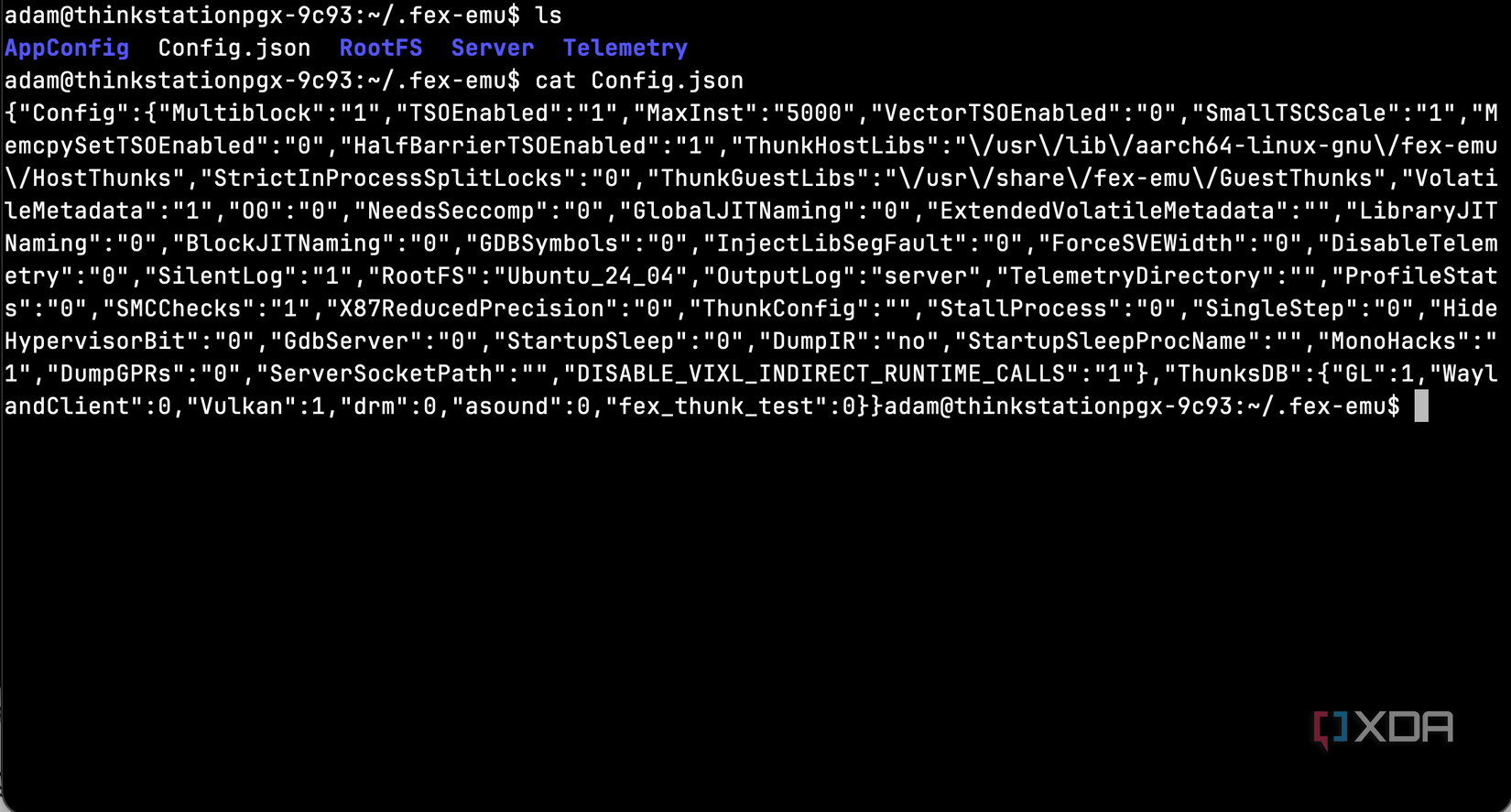
The GB10 runs DGX OS, which is built on Ubuntu 24.04 for aarch64. Steam and every game in its library is compiled for x86-64, so to bridge that gap, you need FEX-Emu. Despite its name, it functions more as a translation layer rather than an emulator, as it translates x86-64 CPU instructions into aarch64 (ARM64) at runtime using just-in-time compilation. It’s what Valve has been pouring resources into for the upcoming Steam Frame VR headset. It’s a core piece of Valve’s Arm gaming strategy, and we’ll use it for the GB10 here.
An autoinstall script published on GitHub by an Nvidia employee handles the setup from start to finish. It begins by adding the FEX PPA to Ubuntu’s package sources and installing FEX-Emu alongside its dependencies, including Wine integration and Vulkan drivers. From there, it downloads and extracts a complete x86-64 Ubuntu root filesystem, which is a full x86-64 userspace that FEX uses to resolve library dependencies for emulated programs. Think of it as the scaffolding that lets x86 software believe it’s running on native hardware.
The script then installs Steam directly from Valve’s repository and patches Steam’s startup script to automatically detect Arm64 and re-launch itself through FEXBash. You don’t need to manually invoke the emulator every time. Steam handles the detection transparently, so from the user’s perspective, you just launch Steam and it works.
What really matters for gaming performance, though, is thunking. FEX can intercept OpenGL and Vulkan calls from emulated games and route them directly to the native aarch64 GPU drivers instead of emulating the entire graphics stack. The autoinstall script enables this in FEX’s configuration, then goes a step further by downloading the matching x86-64 Nvidia driver package, extracting it, and copying the shared libraries and NGX DLLs into the root filesystem. This is what enables DLSS support through Proton, and it’s the difference between the GPU running at near-native speed and everything being bottlenecked through software rendering.
Once the script finishes, you open a terminal, run “FEXBash steam”, set your games to use Proton 10, and you’re gaming. The desktop shortcut won’t work, as it throws a missing 32-bit libraries error, so you’ll always need to launch from the terminal. Once you’re past that, though, it’s a standard Steam experience.
1440p gaming on an AI workstation
Shockingly decent results
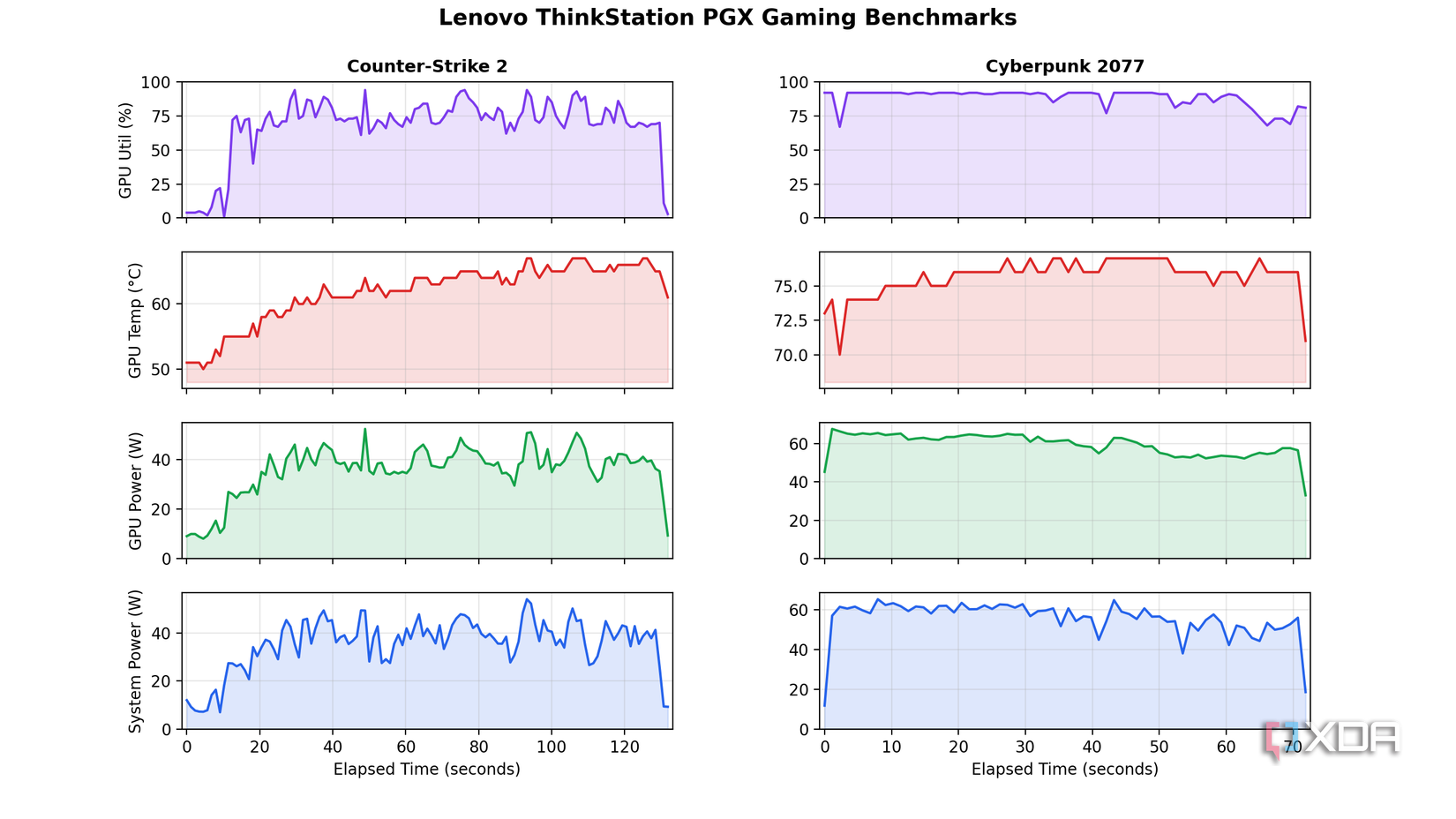
I tested three games at 1440p on their highest preset settings: Counter-Strike 2, Cyberpunk 2077, and DOOM: Eternal. Every frame on this machine passes through two translation layers, as FEX handles x86-64 to ARM64 instruction translation, and Proton handles the Windows to Linux API translation on top of that. Given all of that overhead, the performance I saw was impressive.
Counter-Strike 2 averaged 117 FPS. For a competitive shooter running through two layers of translation on a machine designed for AI inference, that’s more than playable. It felt smooth and responsive throughout, and the translation overhead never made itself known. Most people would be happy with that frame rate on a dedicated gaming PC, let alone an Arm-based AI workstation. Plus, many serious players will use a lower resolution and reduced graphics settings, meaning you’ll get even more FPS.
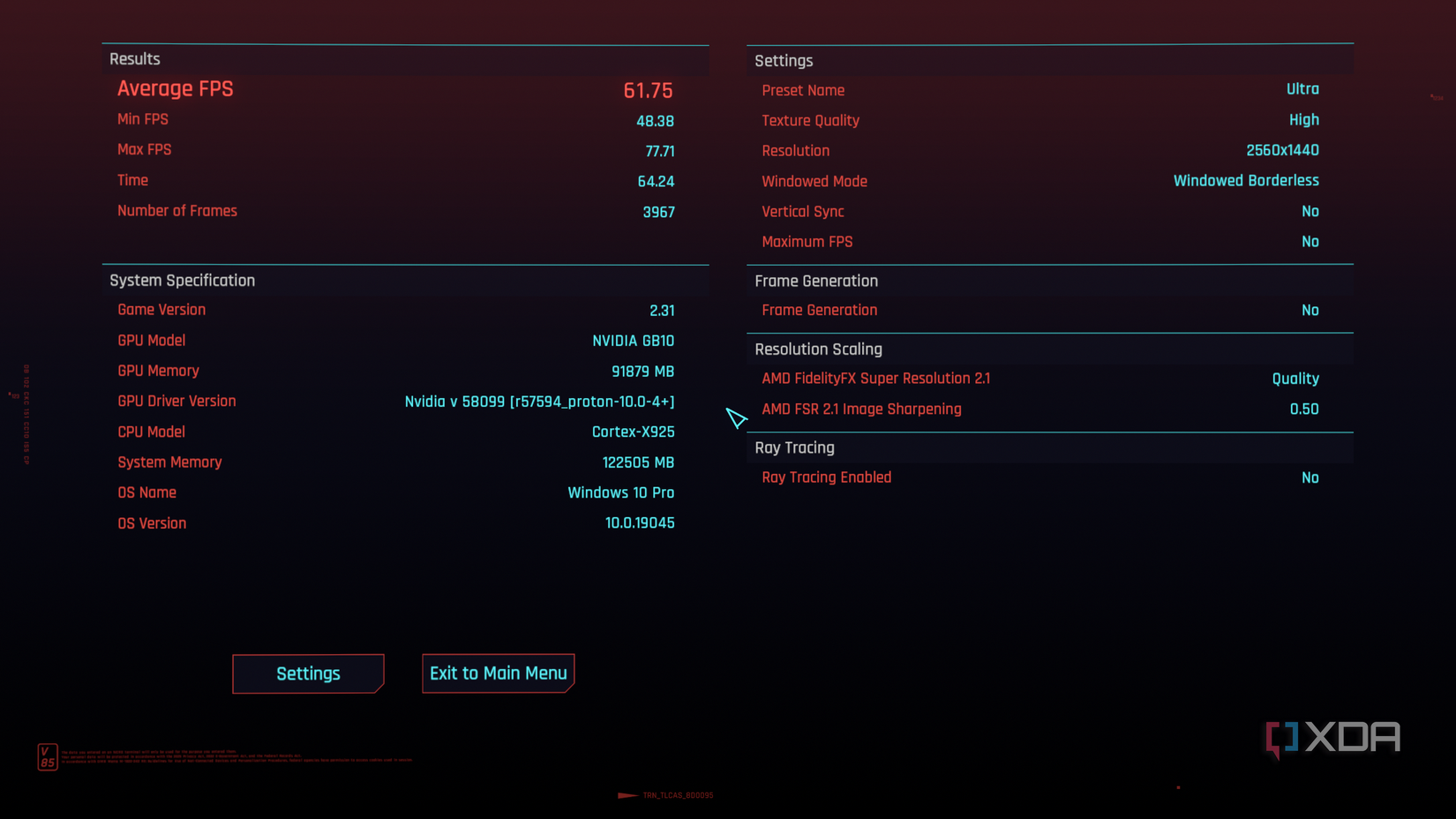
Cyberpunk 2077 was the most demanding test, averaging around 50 FPS at 1440p with settings maxed out. That won’t set any records, but Cyberpunk is one of the most visually taxing games you can throw at any hardware, and 50 FPS held consistently. Combat felt smooth, exploration was fine, and there’s plenty of overhead to reclaim performance by dropping the resolution or decreasing the graphics settings.
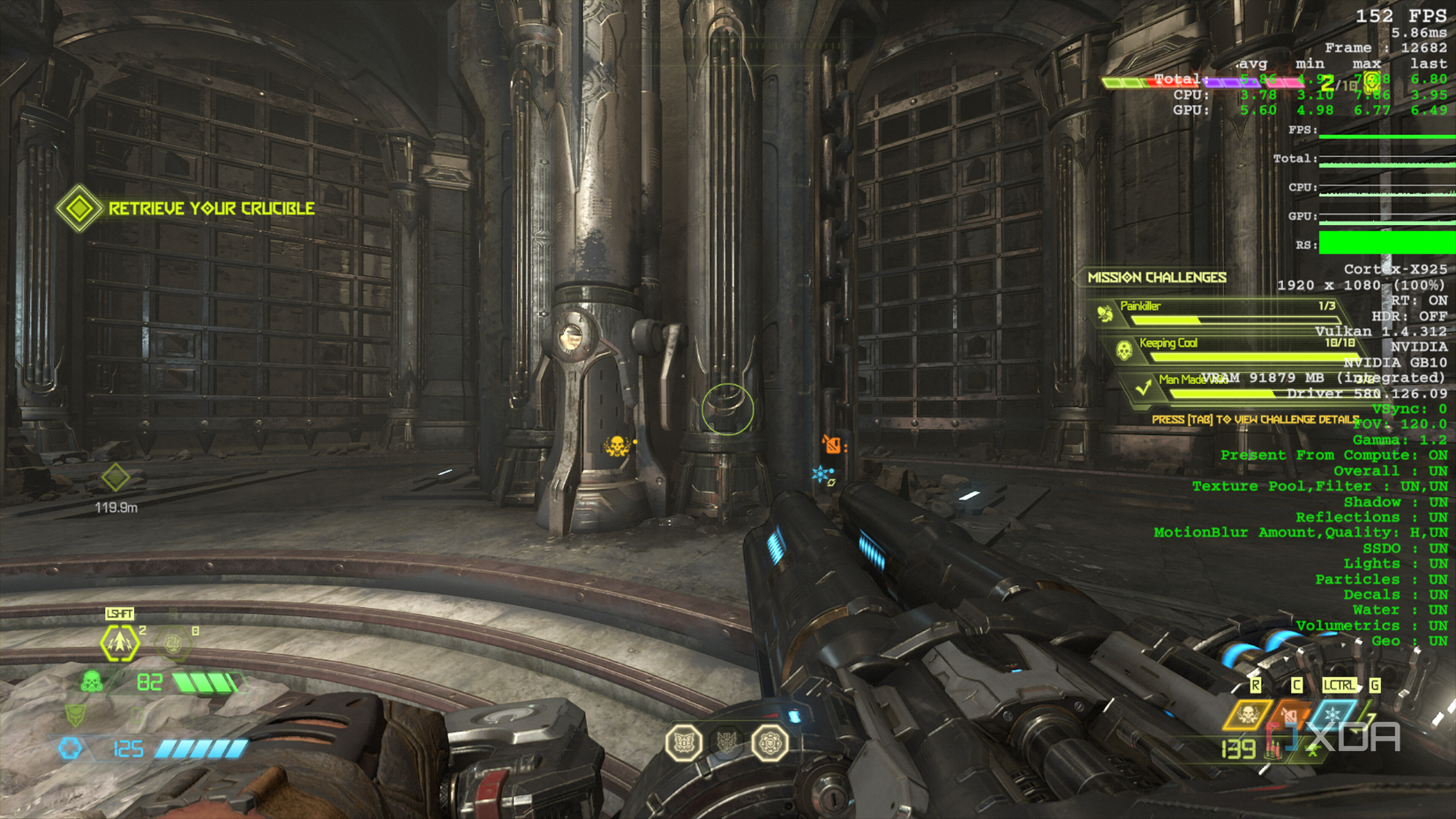
DOOM Eternal was the standout. It ran between 140 and 170 FPS at 1440p on the highest settings. id Tech engines have always been absurdly well-optimized, and that shows here more than anywhere else. If someone hadn’t told me this was running through an x86 emulator on an Arm chip, I wouldn’t have known.
I was curious about how the ThinkStation PGX would handle sustained gaming loads. This is a compact mini PC designed for AI inference, not for hour-long gaming sessions, and I half-expected thermals to become an issue. They mostly didn’t.
During Cyberpunk 2077, the most demanding test, the GPU averaged 75.7°C with a peak of 77°C. The CPU ran hotter at an average of 87.4°C, peaking at 92.1°C, but that’s within the expected range for an Arm SoC under heavy sustained load. GPU power draw averaged 59.4W, and total system power peaked at just 65.3W. For context, the RTX 5070 alone has a 250W power limit. The entire ThinkStation PGX, that is, CPU and GPU combined, used less power while gaming at 1440p than most desktop graphics cards draw on their own.
Counter-Strike 2 was gentler, with the GPU averaging 61.8°C and power draw sitting around 35.9W. System power averaged just 35.5W. Thermal throttling appeared to be minimal across both tests, with GPU clocks holding between 2.3 and 2.5 GHz and the fans staying remarkably quiet throughout.
Don’t buy this mini PC for gaming
It’s great, but you can build better for less
This started off as a silly test, which I endeavored to make reality because of its absurd premise. My interest in FEX and what it would be like to use it also played a part, as I’d been following its development for a while, but this was the first time I got to properly use it. The autoinstall script made things remarkably simple; I tried to set up manually at first, and while it worked, graphics were being run on the CPU.
To give you an idea of how painful that was, getting to the main menu of Cyberpunk took several minutes in that configuration, and all of the CPU’s cores maxed out trying to render the simplistic loading screen. Plus, Steam’s requirement for user namespaces to be enabled required me to make manual AppArmor changes. In other words, if you find yourself in a similar situation… just use the script.
With all of this said, I wouldn’t recommend that anyone buy a ThinkStation PGX to play games. It’s better as an AI machine for local models that you want to deploy. After all, at close to $4,000, you could build a dedicated gaming PC that would outperform it in every title without the extensive setup from a terminal. But the fact that the GB10 can run x86 Windows games through two layers of translation on Arm Linux at 1440p with playable frame rates says a lot about where this technology is heading. Valve is pouring resources into FEX for the Steam Frame, and it’s clear to me why.
In this case, the GPU silicon clearly has the chops to back it up, and Arm Linux gaming has gone from a curiosity to something functional enough to take seriously. And that’s what caught me hugely off guard.