
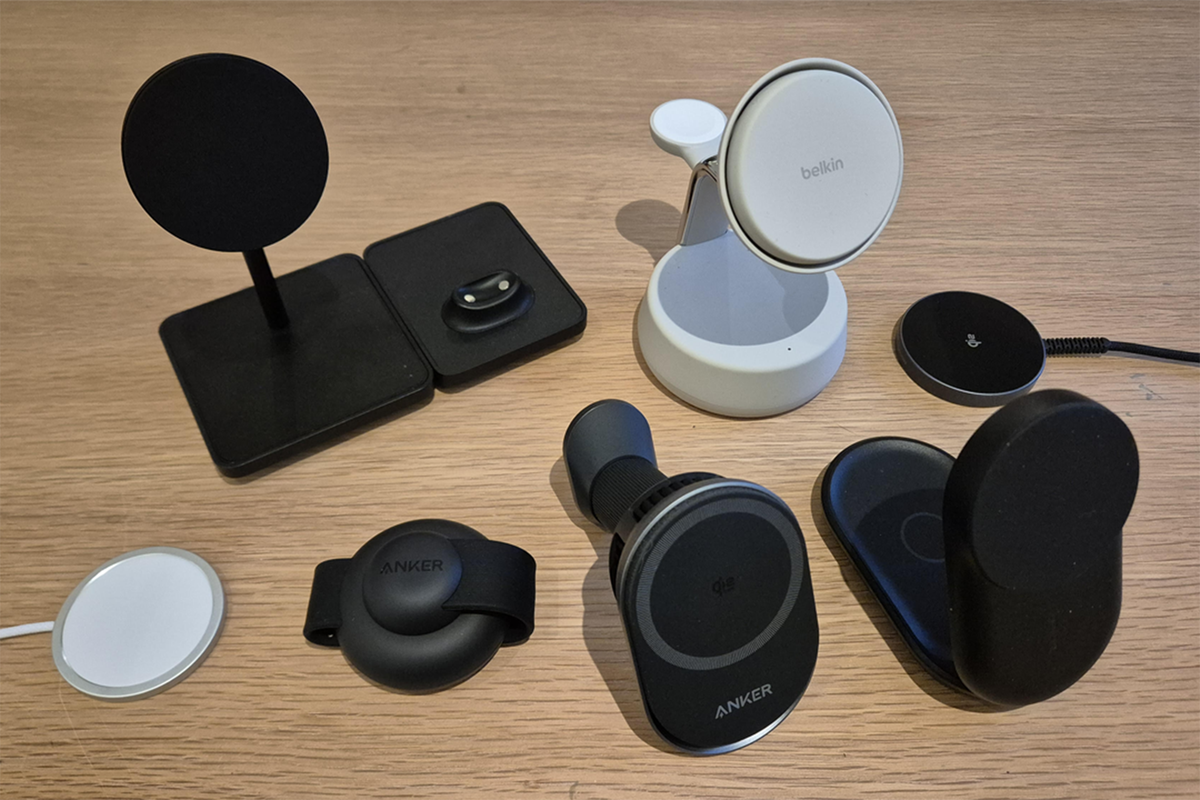
Your questions on wireless chargers answered What is the best wireless charger?
For my money, I rate the Belkin 3-in-1 magnetic charging dock. It takes minimal space on a desk, has a solid base, and can charge up to three devices simultaneously. Its clean design also means it’s suitable for just about any setting, whether a living room or work office.
Are all phones compatible with wireless charging?
While most modern high-end phones feature the internal Qi coil that allows them to charge wirelessly, some lower-tier models or budget brands won’t include them. Look for wireless charging, MagSafe or Qi-enabled on your phone’s feature list.
What is Qi?
It’s an open standard that enables devices like phones, earbuds and smartwatches to be charged wirelessly via electromagnetic induction. The upgraded version of the standard, Qi2, adds magnets for automatic alignment and better efficiency and safety. It’s also faster, with 15W and even 25W speeds up for grabs, depending on your phone’s compatibility. Watch out, though – many modern Android phones are “Qi2-ready” rather than “Qi2-enabled,” meaning they won’t feature these magnets, so you’ll need to add a Qi2-compatible phone case. Oh, and it’s apparently pronounced “chi”.
What is MagSafe?
MagSafe is Apple’s own version of Qi charging. MagSafe iPhones automatically add magnets for perfect alignment, so there’s no need for an additional phone case. MagSafe-compatible phones include the iPhone 12 and onwards, with 16 (excluding the 16e) and 17 models taking advantage of the faster Qi2.2 standard that boasts ultra-fast 25W charging.
Are wireless chargers fast?
The latest Qi2 25W wireless chargers can charge a compatible iPhone 16 or 17 from 0 to 50 per cent in under 30 minutes. Some premium Android phones, like the Pixel 10 and Galaxy S25, take advantage of the Qi2 15W standard, but very few models utilise 25W fast charging. So while wireless chargers are typically backwards compatible, they won’t make use of the fastest charging speeds.
Still, wireless chargers aren’t (yet) as fast or as efficient as typical wired chargers, despite being much more convenient. So if you’re in a rush to head out and your phone’s battery is down to single digits, consider using your charging wire on its own.
Is it normal for my wireless charger to feel warm while charging?
Yes, some heat is typical, as it’s a by-product of the wireless charging process. Older Qi chargers can get particularly toasty. And while wireless charging shouldn’t affect battery life, the heat it produces may lead to slightly quicker wear over the long term. To help reduce a hot battery, consider increasing ventilation, invest in a charger with a fan, try to limit intense use while charging, and stop charging once your battery reaches 80 to 90 per cent full. If your phone feels excessively hot, stop charging immediately and consult the manufacturer.
What kind of wireless charger do I need?
Be sure to get a certified Qi charger from a trusted brand. Cheaper chargers may cause your phone to overheat, which can be dangerous or affect long-term battery life. Also, double-check whether your phone is Qi2-ready or enabled out of the box. The magnets in Qi2 and MagSafe chargers take the guesswork out of moving a compatible phone across the charging pad to start charging, instead snapping to the perfect charging alignment every time.
You should also note that plugging your wireless charger into a laptop or power bank often doesn’t work — even the USB ports in some wall sockets may not carry the wattage required for Qi and MagSafe chargers. You’ll typically need a fast-charging plug, but check the charger before purchase, as some don’t include one.
How the best wireless chargers were tested
I tested these devices according to their:
Charge performance: I’ll connect my phone at 25 per cent battery and see how long it takes to charge to 100 per cent. Features: Can they charge more than one device at a time? Do they have cooling features?Design: Does the design hold up, and would I be happy with it taking space on a desk?Build quality: Are the materials cheap-feeling, or are they robust and take some wear and tear? Importantly, does the wire stand up to scrutiny?Portability: Is the charger small and light enough for travelling with?Why you can trust IndyBest reviews
IndyBest is The Independent’s reviews section, where expert product journalists analyse the latest products on the market to see if they stand up to scrutiny.
Matt Ng is a tech writer with years of experience critiquing all things consumer tech, including gaming, audio players, dash cams, projectors, laptops, VR headsets and much more. Given his background in tech, he’s interested in portable wireless chargers and how they can help consumers reduce battery wear and tear and help charge multiple smart devices simultaneously. He’ll also help disarm some of the lingo behind wireless charging, such as MagSafe and Qi.
Stay powered up on the go with the best power banks, tested on iPhone, Android and more