
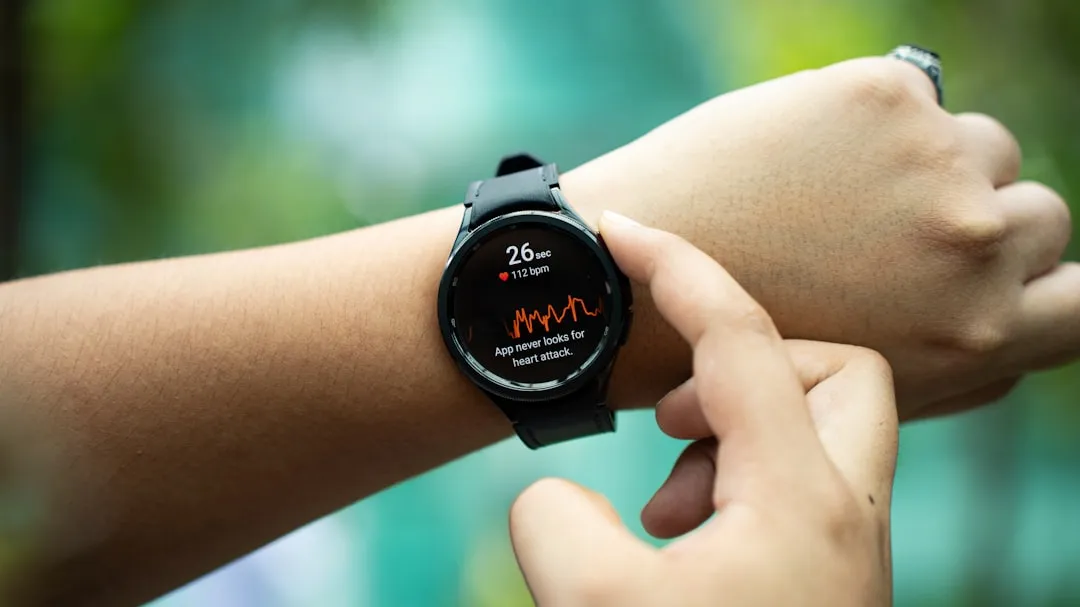
Open Samsung Health on a supported Galaxy Watch and the body composition option sits right there, one tap away from a reading. A reader poll suggests most owners never make that tap. Of more than 2,500 votes, 18.3% of respondents said they didn’t know the Galaxy Watch body composition feature existed at all, and a combined 34.5% said they only use it when they remember it’s there or tried it once and never went back (Android Authority, yesterday).
The feature isn’t new. Samsung introduced body composition tracking with the Galaxy Watch 4 in 2021, and Samsung’s support page currently lists the Watch 4, 5, and 6 series as supported, noting the function “may not be available in some countries” (Samsung Support). Owners of a Watch 7, Ultra, or anything newer should check for Body composition directly inside Samsung Health rather than assume support either way, since Samsung’s page and Android Authority’s reporting don’t fully agree on how far compatibility extends. More on that conflict further down.
Only about 6% of respondents said they find the feature too awkward or unreliable to use regularly (Android Authority, yesterday). That leaves a wide gap between the small share who’ve tried it and rejected it, and the roughly 53% who never built a habit around it or never opened the menu at all. What follows covers what the poll can and can’t tell readers, how the sensor behind the feature actually works, how to run a reading correctly, and how much confidence to place in the numbers it reports.
What the poll shows, and what it doesn’t
Android Authority’s write-up ties those numbers to a fuller picture: just under 35% of respondents say they use body composition regularly, alongside the 20.5% who use it only when they remember and the 14% who tried it once or twice (Android Authority, yesterday).
This isn’t a one-off poll, either. The same question ran in an Android Authority piece published earlier this year, drawing 2,586 votes with figures that round to the same shape: 35% regular use, 21% using it when they remember, 14% trying it once or twice, 6% calling it too awkward or unreliable, and 18% unaware it existed at all (Android Authority, earlier this year). The small gaps between 21% and 20.5%, or 18% and 18.3%, come down to rounding across two write-ups of the same running poll, not a real shift in reader behavior over the past several months.
This is a self-selected poll of a tech enthusiast site’s audience, not a scientifically sampled survey of Galaxy Watch owners generally, and neither write-up asked respondents why they forgot about the feature or never tried it in the first place. Android Authority’s own writer frames the underuse as a habit and awareness problem rather than a quality one, pointing to the low unreliable figure as evidence that dissatisfaction isn’t the driver (Android Authority, yesterday). That’s a reasonable read, but the poll only measures usage patterns; it doesn’t establish the cause behind them. It suggests limited awareness or inconsistent use, but it doesn’t determine whether the reason is poor discovery inside the Samsung Health menu structure, a lack of interest in body composition tracking generally, or something else the poll never asked about.
The gap isn’t unique to this one feature, either. Samsung’s own UK wearables team recently pointed to Raise to Talk, the gesture that summons Google Gemini on the Watch Ultra2 and Watch9 without opening a menu, as a favorite feature that still gets overlooked (Samsung Newsroom UK, last month). Body composition just happens to be the oldest example of a Galaxy Watch capability that’s sat in the menu for years without becoming a habit for most owners.
How the Galaxy Watch body composition feature works
The sensor behind it is Bioelectrical Impedance Analysis, or BIA, the same underlying technology used in many consumer smart body-fat scales. Samsung describes the process as sending microcurrents through the body to detect the amount of muscle, fat, and water present (Samsung Support). Android Authority describes the same mechanism from the wearer’s side: a weak electrical signal passes through the body, completing a circuit when two fingers rest on the watch’s Home and Back buttons, and the watch reads the resistance created by bone, muscle, and fat to estimate composition (Android Authority, earlier this year).
A finished reading returns three numbers: body fat percentage, body water content, and skeletal muscle mass, all within a few seconds (Samsung Support). Each of those is an estimate derived from electrical resistance, not a direct measurement of fat, water, or muscle tissue itself. That distinction is worth keeping in mind before treating any single reading as an exact figure rather than an approximation.
Android Authority calls the feature “completely unique in the smartwatch world” and says it’s carried across every Galaxy Watch generation since the Watch 4 introduced it in 2021 (Android Authority, earlier this year). That uniqueness claim isn’t backed by an independent comparison against other smartwatch brands, so it’s worth treating as one outlet’s judgment rather than an industry-wide fact. Still, it points to why the awareness gap above is worth examining rather than dismissing outright: this is a distinct capability, not a copy of something every competing watch already offers.
How to measure body fat on a Galaxy Watch
Confirming compatibility matters before running a Samsung Galaxy Watch body composition measurement. Samsung’s support page names the Galaxy Watch 4, 5, and 6 series specifically, and adds that the function may not be available in every country (Samsung Support). Android Authority’s reporting describes broader coverage, stating the feature is available on every Galaxy Watch launched since the Watch 4 introduced it, which would extend it to the Watch 7 and Watch Ultra lines (Android Authority, earlier this year).
Those two accounts don’t match, and nothing in either source resolves the conflict. Samsung’s own support page is the primary source for confirmed compatibility, and it stops at the Watch 6 series. Anyone with a Watch 7, Ultra, or a model released after the Watch 6 shouldn’t assume support in either direction based on these two accounts alone. Opening Samsung Health and checking for Body composition among the tracked metrics is the most direct way to settle the question before building a routine around it.
One more wrinkle worth checking: Samsung’s own instructions start with opening the Samsung Health app, then walk through placing fingers on the watch’s physical buttons to complete the reading (Samsung Support). That sequence suggests the menu can be reached from the phone app, but the actual measurement only happens through the watch itself, since the buttons involved are on the watch, not the phone. Owners who only ever open Samsung Health on their phone should check the watch’s own app menu directly if Body composition doesn’t show up where expected.
Once compatibility is settled, Samsung lists conditions to check first. Remove metallic jewelry before measuring. Skip the reading entirely with an implanted pacemaker, defibrillator, or other electronic medical device, and avoid it during pregnancy or a menstrual period. Samsung also says results may be less accurate for anyone under 20, citing the growth spurts and body composition changes common during adolescence (Samsung Support).
From there, the process is short. Open Samsung Health, tap Body composition, then tap Measure. Enter current weight when prompted, then rest middle and ring fingers on the Home and Back buttons and follow the on-screen prompts until the reading finishes, which Samsung says takes only a few moments (Samsung Support).
Galaxy Watch body composition accuracy: how much to trust the numbers
Samsung treats consistency as more important than any single reading. Android Authority’s write-up on the poll notes that Samsung recommends keeping the variables around each reading consistent, meaning sampling at the same time each day, preferably on an empty stomach (Android Authority, yesterday). Samsung’s own support page repeats a version of that guidance, recommending measurement in the morning before eating and after using the bathroom (Samsung Support).
That recommendation points to how the feature is meant to be used: as a way to track a personal trend across weeks or months, not as a one-time diagnostic reading. A single body fat percentage pulled from one measurement is just a data point. A series of readings taken under similar conditions gets closer to a baseline, and that baseline is what the feature is actually built to produce.
Android Authority is direct about where BIA sits as a technology, calling BIA-based methods, including the tech used in consumer smart scales, “not 100% accurate,” and noting that limitation applies to every metric a wearable tracks, not just this one (Android Authority, earlier this year). That’s worth keeping in mind for Galaxy Watch body composition accuracy specifically: the readings come from electrical resistance measured at the wrist, a different approach than a clinical scan, and the gap between the two can be meaningful.
One Samsung Community member’s reported comparison shows what that gap looked like for one person. After getting a DEXA-based body composition scan, the user compared it against a Galaxy Watch reading and reported the watch came in about 5% lower on body fat, with skeletal muscle mass reading roughly 65% below the DEXA figure, a 59-pound difference in that user’s case (Samsung Community, last year). That’s one uncontrolled anecdote from a single body and a single comparison, not a documented error rate that applies broadly, and it shouldn’t be treated as a fixed correction factor for anyone else’s results. The same poster suggested getting an occasional clinical scan for comparison if precise numbers matter for training decisions, which is a reasonable way to use the watch’s numbers rather than a reason to distrust them entirely (Samsung Community, last year).
Use these limits when interpreting a reading:
Compare readings against each other under similar conditions, rather than treating any single number as a definitive body composition measurement.
Don’t apply that one user’s reported 5% or 65% gaps as a personal correction factor; they came from one body and one comparison.
Don’t treat the body fat or muscle mass figures as medical results.
If a precise number matters for a specific health or training decision, a clinical scan gives a second data point to check the watch’s trend against.
What to do next
Open Samsung Health today and check whether Body composition appears under the watch’s tracked metrics. Running a Watch 4, 5, or 6 means the feature is officially confirmed for the device, so remove any jewelry and try a first reading tomorrow morning before eating to set a baseline.
Own a Watch 7, Ultra, or something newer? Samsung’s support page and Android Authority’s compatibility claim don’t agree, so confirm the option actually appears in the app on that specific model before planning a routine around it.
Whatever number comes back, log it as one entry in a longer series rather than a verdict on body composition. The feature was built to show movement over time under repeatable conditions, and that’s the only way its numbers are worth reading.