
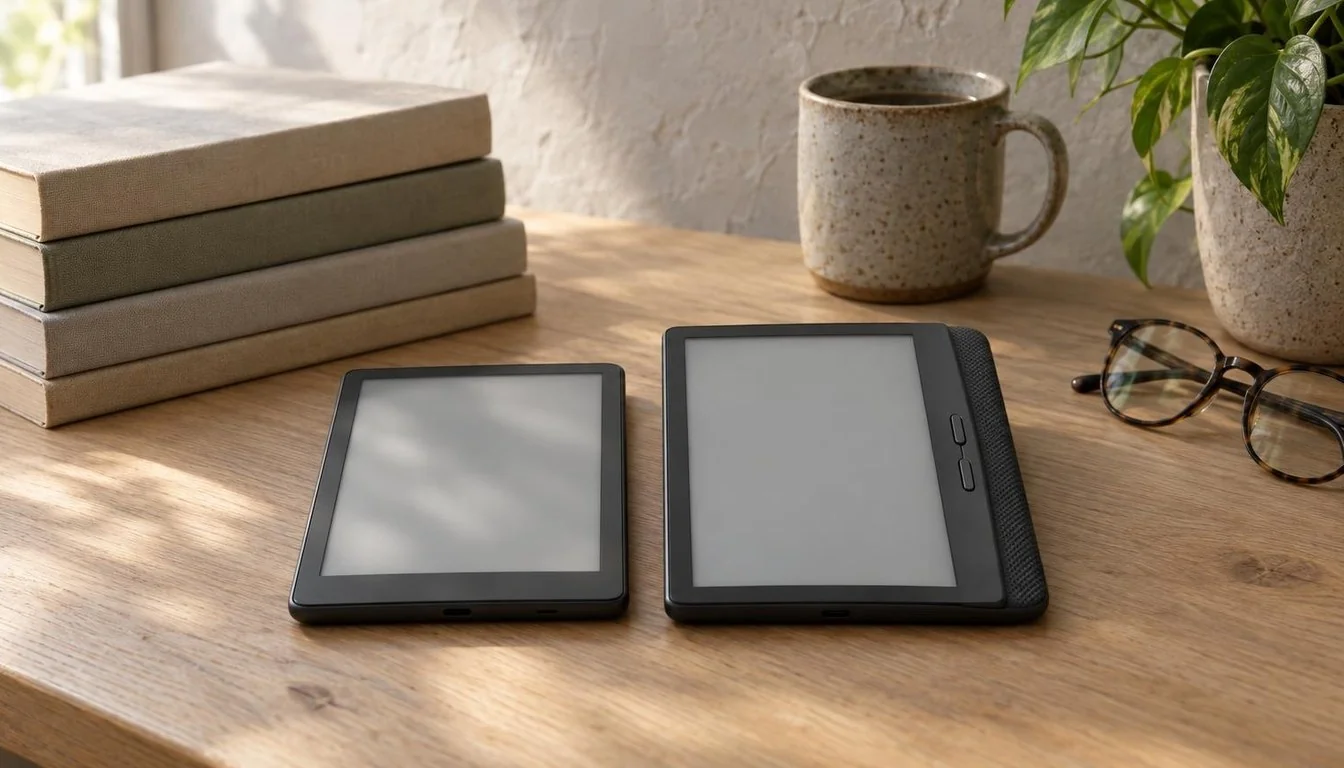
Kindle vs Kobo is a different fight this month. Amazon announced a redesigned Kindle family on October 1, and the Paperwhite and Colorsoft models reach US buyers on October 28, three days from today. Kobo has not announced a rival generation. As far as anyone can confirm, the Clara Colour and Libra Colour remain Kobo’s current color readers.
What Amazon Changed in the 2026 Kindle LineupKobo’s Current Lineup: Clara Colour and Libra ColourKindle vs Kobo Specs Table: Paperwhite, Signature and Libra ColourKindle vs Kobo Pricing: What Each Reader Costs in October 2026Ads, Bundles and AccessoriesDisplay and Color: Paperwhite, Colorsoft and Libra ColourFront Light and Eye ComfortBattery, Speed and Waterproofing: Claims vs Independent DataBookstores and Ecosystems: Amazon vs Rakuten KoboFile Formats, Library Lending and OpennessReading Experience: Page Turns, Controls and Daily UseFive Real-World Scenarios: Which Reader Fits Which ReaderUse-Case Recommendations at a GlanceMigration Guide: Moving Between Kindle and KoboKindle to KoboKobo to KindlePros and Cons: Kindle vs KoboBuy Now or Wait for October 28?Verdict: Which Should You Buy in 2026?Kindle vs Kobo FAQIs Kindle or Kobo better in 2026?When do the new Kindle Paperwhite and Colorsoft ship in the US?How much does the new Kindle Paperwhite cost?How much is the Kobo Libra Colour?Can I read Kindle books on a Kobo?Is the Kindle Paperwhite waterproof?Should I buy the 2024 Paperwhite that Amazon still lists?Is a newer Kobo coming?
The price tags set the frame. The new Kindle Paperwhite starts at $199.99, the Signature Edition costs $249.99, the Colorsoft starts at $289.99, and the Kobo Libra Colour sits at $259.99 in Kobo’s US store listing. That puts a color Kobo between two Kindle tiers, which makes the old rule of thumb (Kindle is cheaper, Kobo is more open) worth testing again.
Industry insights, the latest tech news, and special interviews, all in the Tech Insider Newsletter.
One email a week. No spam, unsubscribe anytime.
One warning before the tables. The new Kindles have not shipped, so no independent lab has measured their battery life, page-turn speed or screen quality. Where this article cites a battery or display figure, it names the maker as the source. Our hardware coverage will update the numbers once reviewers get final units.
We built this comparison from Amazon’s own product pages, Kobo’s US store listings, retailer pages and hands-on previews. Every price below comes from a listing dated this month. Anything we could not confirm is labeled, and we left a gap rather than fill it with a guess. That choice costs a few table cells, but it keeps the buying advice honest.
Google · Preferred Sources
Don’t miss new tech stories on Google
Add Tech Insider once in the Google app and our stories appear in your news suggestions.
What Amazon Changed in the 2026 Kindle Lineup
Amazon rebuilt its reading line on October 1, 2026. The lineup now includes the standard Kindle, an aluminum Kindle, the Kindle Paperwhite, the Paperwhite Signature Edition, the Kindle Colorsoft and the Colorsoft Signature Edition. Amazon describes the new devices as thinner and lighter than the models they replace, and the Paperwhite carries the largest display the Paperwhite line has had.
You may like
The Paperwhite itself has a 7-inch, 300 ppi glare-free screen, an adjustable warm light, IPX8 water resistance and a battery Amazon rates at up to 12 weeks. Those are manufacturer specifications. They match what earlier Paperwhites promised, so the real story is the body around the panel. The new case is slimmer, and the base model comes in Graphite.
The Signature Edition adds an aluminum rear housing, 32 GB of storage, an auto-adjusting front light, pogo-pin dock charging and double-tap page turning, according to Amazon’s product page. The Colorsoft Signature Edition gets the same list of upgrades with a color screen. Signature buyers choose between Graphite and Seaglass Green on the Paperwhite, or Graphite and Fig on the Colorsoft.
Availability splits into two groups. Reports say the 6-inch Kindle has been on sale since the announcement, while the Paperwhite, Signature Edition, Colorsoft and Colorsoft Signature Edition carry an October 28 US release date and sit in preorder. Some regions get the devices on different days. Amazon’s Japan announcement, for example, reportedly points to November 11 shipments.
There is also a trap for impatient buyers. Amazon still lists the 2024 Paperwhite, the 12th generation, at $199.99, which is the same price as the new model. Anyone who clicks the cheapest Paperwhite result this week can end up with the outgoing hardware at the new hardware’s price. Check the listing for the words newest model and the October 28 date before you pay.
The redesign also reshapes the rest of the family. The standard 6-inch Kindle starts at $149.99 with 16 GB, and an aluminum 32 GB version starts at $189.99 in Alpine Sky or Seaglass Green. Those two models are not the focus of this comparison, but they matter as price anchors. Anyone who finds the Paperwhite too expensive has a $50 cheaper door into the same store.
Kobo’s Current Lineup: Clara Colour and Libra Colour
Kobo belongs to the Rakuten Group, and its readers sell through the Rakuten Kobo eReader Store and through third-party retailers. The two color models matter for this comparison. The Libra Colour is the larger one, and a retailer page for Kobo’s US store lists it at $259.99. The Clara Colour is the smaller, cheaper option, and Kobo’s US store reportedly listed it at $179.99 on October 17.
Kobo’s store description for the Clara Colour reportedly calls it a 6-inch color E Ink Kaleido 3 reader with ComfortLight PRO, IPX8 water resistance and audiobook support. Kobo’s pages state the water rating plainly: waterproof for up to 60 minutes in up to 2 meters of water. A retailer listing for the Libra Colour describes a 7-inch waterproof color reader.
Here the evidence gets thin, and it is worth saying so. We could not retrieve a current Kobo product page for the Libra Colour with a full specification list. We found no announcement of a newer Clara Colour or Libra Colour either. A third-party listing calls the Libra Colour a Gen 3 model at roughly $219.99, but Kobo has not confirmed that label or that price. Treat those listings with suspicion.
For shoppers, that means Kobo’s lineup is stable rather than fresh. Neither color model has seen a confirmed hardware change in the last three months, and Kobo’s only recent activity we could find is promotional bundles that pair readers with book sets. If you want the newest industrial design in October 2026, Amazon has it. If you want a color reader you can buy today, Kobo has two.
Stability has an upside. A model that has sat on shelves for a while has had time to collect firmware fixes and real-world reviews. A preorder has neither. If you hate being the first to find a bug, a mature Kobo can look smarter than a brand-new Kindle, especially for the first few weeks after launch.
Kindle vs Kobo Specs Table: Paperwhite, Signature and Libra Colour
The table below uses only specifications published by Amazon or listed by retailers. Cells that read not confirmed mean we could not retrieve a current maker page for that detail. Check Kobo’s product page before you buy, because those gaps could hide a real advantage.
SpecKindle Paperwhite and Signature Edition (2026)Kobo Libra ColourStatus on Oct. 25, 2026Announced Oct. 1, US release Oct. 28Listed in Kobo’s US storeUS priceFrom $199.99 (16 GB), $249.99 (32 GB Signature)$259.99Storage16 GB or 32 GBNot confirmedScreen7-inch, 300 ppi, glare-free7-inch color (retailer listing)ColorMonochrome (Colorsoft adds color from $289.99)ColorWater resistanceIPX8Waterproof (retailer listing)Battery claimUp to 12 weeks (Amazon)Not confirmedFront lightAdjustable warm light, auto-adjusting on SignatureNot confirmedBodyThinner and lighter, aluminum rear on SignatureNot confirmedChargingPogo-pin dock on SignatureNot confirmedPage turningTouch, double-tap on Signature, optional Page-Turn CoverNot confirmedBookstoreAmazon Kindle storeKobo storeMakerAmazonRakuten Kobo (Rakuten Group)
Read the table as a map of what we know. Amazon publishes detailed specs ahead of launch, and Kobo’s pages gave us less. That asymmetry shapes the verdict later. A shopper who values documented battery, charging and light behavior has more to go on with the Kindle, though documentation is a promise and not a test result.
The table also hides a design difference that no row captures. Amazon is selling a family of devices that share one visual language, with colors that wrap from the front of the body to the back. Kobo sells separate models with separate form factors. If you care how a reader looks on a nightstand, the Kindle family gives you more to choose from. If you only care about the screen, the difference fades.
Kindle vs Kobo Pricing: What Each Reader Costs in October 2026
Prices are where the two ecosystems diverge fastest. Amazon lists the redesigned Paperwhite at $199.99 and the Signature Edition at $249.99, the same price points as the 2024 models, with the new devices scheduled for release on October 28, 2026. The table lists the current US prices from Amazon and Kobo’s US store, with accessories at the bottom.
ModelMakerStorageUS priceNotesKindle (6-inch)Amazon16 GBFrom $149.99Entry modelKindle aluminumAmazon32 GBFrom $189.99Alpine Sky and Seaglass Green aluminumKindle PaperwhiteAmazon16 GBFrom $199.99Ships Oct. 28 (US)Kindle Paperwhite Signature EditionAmazon32 GB$249.99Aluminum rear, ships Oct. 28Kindle ColorsoftAmazon16 GBFrom $289.99Color screen, ships Oct. 28Kindle Colorsoft Signature EditionAmazon32 GB$319.99Graphite and Fig, ships Oct. 28Kobo Libra ColourRakuten KoboNot confirmed$259.99Kobo US store listingPage-Turn CoverAmazonn/a$79.99For both Signature EditionsCharging DockAmazonn/a$59.99For both Signature Editions
Three comparisons stand out. The Libra Colour costs $60 more than the base Paperwhite and $10 more than the Paperwhite Signature Edition. Against color Kindles, the Libra Colour undercuts the Colorsoft by $30 and the Colorsoft Signature Edition by $60. Kobo is the cheaper color option on paper, but only if you accept a reader that has not changed in the last quarter.
Ads, Bundles and Accessories
Amazon’s starting prices usually assume lockscreen ads. Listings reportedly show the 16 GB Paperwhite at $219.99 without ads, and a price roundup shows a similar $199.99 to $219.99 spread. Plan for the higher figure if ads bother you. The Kobo listings we found show no lockscreen-ad pricing tier, so the sticker price there is closer to what you pay.
Accessories change the math on the Signature tier. The $79.99 Page-Turn Cover and $59.99 Charging Dock work with both Signature Editions, and a buyer who adds both ends up well above the $249.99 base price, which puts the full setup above the Libra Colour’s $259.99. Skip the add-ons and the two sit close together in price.
Bundles deserve a skeptical eye. Kobo has been pairing readers with book sets, and Amazon’s Paperwhite listings advertise three free months of Kindle Unlimited. Free trials roll into paid plans, so a bundle that looks like savings can turn into a recurring charge. Set a calendar reminder the day you activate any trial, and cancel before the first renewal if you do not want the service.
Display and Color: Paperwhite, Colorsoft and Libra Colour
The display decides whether an e-reader feels good after two hours on the couch. The Paperwhite offers a 7-inch glare-free panel at 300 ppi. Text at that density looks crisp, and the glare treatment matters on a train, in a sunroom or beside a lamp. Amazon’s headline change is physical rather than optical: the new bodies sit thinner and lighter, which helps when you read one-handed in bed.
Color is the real split. Kobo’s color readers reached shoppers before Amazon’s Colorsoft line did, and the Clara Colour and Libra Colour both use color E Ink panels. Amazon’s Colorsoft line covers the same ground with prices of $289.99 and $319.99. If you read comics, cookbooks, textbooks or magazines, color changes the experience. If you read novels, it changes almost nothing, and you pay for it in price and in screen trade-offs.
Those trade-offs are physical. Color E Ink panels generally show less contrast and a softer look in text than monochrome panels, and they depend more on the front light. Newer panel generations narrow the gap, and our look at E Ink’s Kaleido 4 color panel explains where the technology is heading. Neither Kobo model is confirmed to use it. For now, a monochrome Paperwhite remains the safer choice for pure text.
Screen size matters too. A 7-inch panel handles comic pages and PDF layouts better than a 6-inch one, because you zoom less. That is the Libra Colour’s argument against the Clara Colour, and it is the Paperwhite’s argument against the base Kindle. If you read mostly reflowable novels, you can drop to the smaller screen and save money without losing much.
Front Light and Eye Comfort
Every Paperwhite has an adjustable warm light, and the Signature Edition adds an auto-adjusting front light that follows the room. Kobo markets its own ComfortLight PRO on the Clara Colour, according to its store description. Both approaches shift the screen toward amber at night. The auto-adjusting version saves you from fiddling with a slider, which is a small convenience until the third night you forget to dim it.
Battery, Speed and Waterproofing: Claims vs Independent Data
Here the comparison runs into its limit. The only battery figure for the new Paperwhite is Amazon’s own: up to 12 weeks. Amazon builds that number on assumed reading habits, which usually means moderate brightness and a set amount of daily use. Real-world results shrink when you turn up the light, keep wireless on or download audiobooks. Plan on a lower number and treat 12 weeks as the ceiling.
For Kobo, we could not confirm a current battery claim for the Libra Colour or Clara Colour from the pages we retrieved. That is a reason for caution and not a verdict against the hardware. Color E Ink readers tend to draw more power than monochrome ones when the front light runs, so a Kobo color reader will probably want charging more often than a Paperwhite. Verify that against a hands-on review.
Waterproofing is the one area where both brands make a clear promise. The Paperwhite carries an IPX8 rating, and Kobo states IPX8 for the Clara Colour as waterproof for up to 60 minutes in up to 2 meters of water. A retailer listing also describes the Libra Colour as waterproof. In practice, both suit a bath or a poolside chair. Neither suits a long dunk in salt water, so rinse the device with fresh water after a beach day.
What would an honest benchmark look like? Reviewers would time a cold book open, count page turns on a charge at fixed brightness, measure contrast under the same light and run a standard dunk test. None of those results exist for the new Kindles yet. When they arrive, expect the numbers to separate the 2026 Paperwhite from the 2024 model more than they separate Amazon from Kobo. Until then, treat every speed claim as marketing.
This is why we do not publish a score for either brand. A score built on vendor claims would look precise and mean little. Three sources can agree on a number and still be repeating the same press release. Once independent testers publish battery runs and screen measurements, we will add a results table and credit each tester by name.
Bookstores and Ecosystems: Amazon vs Rakuten Kobo
The hardware matters less than the store behind it. Books you buy on a Kindle live in Amazon’s ecosystem, and that ecosystem is enormous. Kindle Unlimited is the subscription layer. Amazon’s Paperwhite promotions offer three months free, after which the service renews at $11.99 a month plus tax unless you cancel. Amazon’s listings advertise a catalog of more than 5 million titles, though a subscription catalog is not the same as every book you want.
You may like
Kobo runs its own store and its own subscription, Kobo Plus. We could not confirm a current US price for the full Kobo Plus ebook plan. Kobo’s US audiobook pages reportedly show a 14-day free trial followed by $7.99 a month, but that is an audiobook offer and not a statement about ebooks. Check the plan on Kobo’s site for your country, because Kobo Plus varies more by region than Kindle Unlimited does.
Lock-in is the cost of either choice. Amazon purchases stay inside Amazon’s system, and Kobo purchases stay inside Kobo’s. If you own 400 Kindle books, switching to a Kobo means starting a fresh library and keeping the Kindle app for the old one. If you own a Kobo library, the reverse applies. The cheaper hardware matters little against that switching cost, so decide on the store first.
Subscription math deserves a quick calculation. Twelve months of Kindle Unlimited at $11.99 adds up to $143.88, which is close to the $149.99 price of the entry Kindle. Pair that year with a $199.99 Paperwhite and the total reaches $343.87, which is $83.88 above a $259.99 Libra Colour with no subscription. A Kobo buyer who also subscribes will close most of that gap, so count the plan you will really use.
Corporate backing matters at the edges. Amazon sells Kindles as a doorway to its store, which explains the ad-supported pricing and the steady stream of redesigns. Rakuten Kobo sells readers as a business of their own inside a larger group. Neither arrangement guarantees a device you buy today gets updates in five years, so favor a maker with a visible record of supporting older models.
File Formats, Library Lending and Openness
Kobo’s reputation rests on openness. Its software has long handled EPUB files you load yourself, and it supports a wider spread of formats than Amazon’s default setup. Amazon has loosened its rules over the years, and its Send to Kindle tools now accept more file types, but the experience still steers you back to Amazon’s store. If your library is full of DRM-free files, Kobo usually feels less like a walled garden.
Library lending is the second openness test. Both brands can connect to public library services in many countries, but the details differ by country, by library and by device generation. Our sources do not give a current feature-by-feature breakdown for the 2026 models. Ask your library which app it supports, then confirm that your chosen reader handles it. That five-minute check beats any comparison table.
Note-taking and document reading belong in the same conversation. Neither the Paperwhite nor the Libra Colour is a notebook, and both are tuned for books. If you want to mark up PDFs, a larger-format device or a dedicated note-taking tablet is the better tool. For scattered articles and personal documents, Kobo’s friendlier file handling can matter more than any spec on the data sheet.
Reading Experience: Page Turns, Controls and Daily Use
Daily use comes down to how a reader feels in your hand. The Signature Editions add double-tap page turning, so you can advance a page without reaching for the screen edge. Amazon also sells a Page-Turn Cover at $79.99 with physical buttons that keep the slim shape. Readers who dislike touch swipes will find the cover a real upgrade, though it is an extra expense.
Charging works differently across the Kindle tiers too. The Signature Editions charge through a pogo-pin dock connection, and the $59.99 Charging Dock holds the device upright while it charges. That suits a desk or nightstand habit. If you charge in a bag or on a train, confirm that you can also plug in a cable, because a dock-only routine would be annoying on the move.
Software matters as much as buttons. Kindle apps sync your place across phones and tablets, which is a big deal if you read in short bursts on several screens. Reviewers have long praised Kobo for deeper control over fonts and layout. Both claims are about software, and software changes with updates, so check a recent review before you treat either strength as settled.
Weight and thickness count for more than spec sheets admit. Amazon built its 2026 pitch around thinner, lighter bodies, and it matters when a reader sits in your hand for an hour. We cannot yet compare the exact weight of a Libra Colour with a Paperwhite, since neither Kobo’s pages nor Amazon’s pre-release listings gave a number we could verify. Hold both in a store if you can.
Five Real-World Scenarios: Which Reader Fits Which Reader
These are composite scenarios, not case studies of named buyers. They show how the specs and prices above translate into decisions.
The commuter who reads novels. A rider who finishes two or three novels a month needs crisp black text, a long battery and a body that fits a jacket pocket. The Paperwhite at $199.99 fits that profile best, and the 12-week claim means one charge covers a long stretch of commutes even if real use lands lower. Color adds nothing here.
The comics and cookbook reader. Someone who reads graphic novels or follows recipes needs color. The Libra Colour at $259.99 undercuts the $289.99 Colorsoft by $30, and its larger screen suits page layouts. If you already buy comics from Amazon, the Colorsoft keeps those purchases in one place and may justify the extra money.
The bath and poolside reader. Both brands promise IPX8 water resistance, so water alone does not decide this one. Choose on price and store. The $199.99 Paperwhite is the cheapest waterproof option with documented specs, while the Clara Colour reportedly costs $179.99 and also states a clear water rating on Kobo’s pages.
The student with a pile of PDFs and EPUBs. This buyer loads files from many places and avoids DRM. Kobo’s open handling usually wins, so the Libra Colour or Clara Colour fits better than a Paperwhite. A student who also wants to annotate heavily should look at a notebook-style device instead of either reader.
Read next Redmi K100 Geekbench: 9,885 Multi-Core, Oct. 27 [2026]Hardware · 3 h ago
The gift buyer. Someone buying for a parent or a teenager wants a device that works out of the box and a store people already know. The standard Kindle at $149.99 is the cheapest way in, and the Paperwhite at $199.99 is the safer upgrade. Gift timing matters, because the Paperwhite and Colorsoft arrive on October 28 and the gifting season is close.
Use-Case Recommendations at a Glance
The table condenses the scenarios into six quick picks. It rests on the verified prices above and on general reader behavior, not on lab results.
If you wantPickPriceWhyCheapest way into a KindleKindle (6-inch)From $149.99Lowest entry price in the new lineupBest all-round book readerKindle PaperwhiteFrom $199.997-inch glare-free screen, IPX8, 12-week claimPremium body and extrasPaperwhite Signature Edition$249.99Aluminum rear, 32 GB, auto-adjusting lightColor on a budgetKobo Libra Colour$259.99$30 below the ColorsoftColor inside Amazon’s storeKindle ColorsoftFrom $289.99Keeps your purchases on KindleOpen files and fewer adsKobo (Clara Colour or Libra Colour)Reportedly $179.99 and $259.99Friendlier to files you load yourself
Migration Guide: Moving Between Kindle and Kobo
Switching ecosystems takes planning, because purchased books rarely move. The steps below treat your existing library as something to keep, not something to convert. Do the prep work on your old device before you cancel anything.
Kindle to Kobo
Export your highlights and notes from the Kindle app or from Amazon’s notebook page before you stop using the device.Keep your Amazon account active. Purchased Kindle books stay tied to it and remain readable in the Kindle app on a phone or tablet.Separate DRM-free files, such as personal documents and books you bought without protection, from store purchases. Only the DRM-free group can move to the Kobo directly.Create a Kobo account, connect the reader to Wi-Fi and sign in before you load anything.Copy DRM-free EPUB and PDF files to the reader over a USB cable or through Kobo’s own software.Decide where new purchases go. Buying on Kobo grows the new library, and buying on Amazon keeps growing the old one.Check your library’s lending app, then confirm the Kobo handles it.
Kobo to Kindle
Back up your Kobo library and note which titles carry protection from Kobo’s store.Keep the Kobo account active, because purchased titles stay there and the Kobo app can still open them.Use Amazon’s Send to Kindle tools for DRM-free personal files, then confirm each file opens and displays correctly.Register the new Kindle with your Amazon account and set your ad preference. Remember that the ad-free price runs higher.Wait for the October 28 release if you want a Paperwhite or Colorsoft, and avoid the 2024 listing that still sells at $199.99.Rebuild collections and reading lists by hand. Neither system migrates them for you.
Budget extra time if your library is large. The slow part is not copying files. It is the collections, reading progress and bookmarks, which usually stay behind. If you cannot afford to lose them, keep the old device alive for another month and move titles as you finish them.
Pros and Cons: Kindle vs Kobo
Kindle pros: The new lineup is the freshest in e-readers this month, with thinner and lighter bodies across every model. Amazon documents its specs in detail, including IPX8 and a 12-week battery claim. The price ladder runs from $149.99 to $319.99 with a clear step at each tier. The Kindle store and Kindle Unlimited form the biggest single bookstore for many readers.
Kindle cons: Starting prices assume lockscreen ads, and the ad-free price is higher. Accessories add real money, as the $79.99 cover and $59.99 dock show. Purchases stay locked to Amazon. The Paperwhite and Colorsoft are still preorders until October 28, so reviews are thin, and the 2024 Paperwhite still sells at the same $199.99.
Kobo pros: Color readers sit at lower prices, with the Libra Colour at $259.99 and the Clara Colour reportedly at $179.99. Kobo’s software is friendlier to files you bring yourself. The brand makes a plain waterproof claim for the Clara Colour, and the Kobo listings we found show no separate lockscreen-ad price tier.
Kobo cons: No new generation is confirmed, so the hardware looks older than the new Kindles. We could not retrieve a full current spec sheet for the Libra Colour. Kobo Plus pricing is hard to pin down. The store is smaller than Amazon’s for many mainstream titles, and third-party listings muddy the picture with unverified labels such as Gen 3.
Buy Now or Wait for October 28?
Timing decides more than any spec this week. If you want a Kobo, nothing on the horizon argues for waiting. No newer Clara Colour or Libra Colour has been confirmed, and holding out for a rumor wastes reading time. Buy from a retailer with a clear return policy, and ignore listings that call the Libra Colour a Gen 3 model without a Kobo source.
If you want a Kindle Paperwhite or Colorsoft, waiting three days is easy. The devices ship on October 28 in the US, and early reviews will land within days of that. Preorder if you are sure, since Amazon lists preorders on a rolling basis. If you are not sure, read the first independent battery and screen tests before you commit, because a manufacturer claim is not a measurement.
One more rule: never buy the 2024 Paperwhite at the new price. If a listing says 12th generation or 2024, it is the outgoing model. A discount might make it a fair deal for a budget buyer, but at $199.99 you pay full price for yesterday’s hardware. Read the model name on the page, and read the release date too.
Verdict: Which Should You Buy in 2026?
For most readers, the Kindle Paperwhite at $199.99 is the right answer in this Kindle vs Kobo matchup, once it ships on October 28. It has the clearest published specs, a 7-inch glare-free screen, IPX8 water resistance and a battery Amazon rates at up to 12 weeks. It also sits $60 below the Libra Colour. The price of that choice is ecosystem lock-in, and ads unless you pay more.
Choose Kobo if color matters or if you want to load your own files without friction. The Libra Colour at $259.99 undercuts the $289.99 Colorsoft by $30, and the Clara Colour reportedly costs $179.99 for buyers who want color on a smaller screen. Accept that Kobo’s lineup is stable rather than new, and that some specs need checking on Kobo’s own pages before you order.
Pick the Signature Edition only if you want the aluminum body, 32 GB and the auto-adjusting light at $249.99, and keep the accessories out of your budget. At $10 under the Libra Colour, it competes with a color reader rather than with the base Paperwhite. The simple rule: monochrome novels and Amazon’s store point to the Paperwhite, while color, comics and open files point to Kobo.
If you prefer to decide by budget, use this ladder. Under $150, the 6-inch Kindle at $149.99 is the cheapest door into the new lineup. Around $200, the Paperwhite wins for text. At roughly $250 to $260, the choice is the aluminum Signature Edition at $249.99 or the color Libra Colour at $259.99, and your reading material settles it. Above $289, the Colorsoft makes sense only if you already live in Amazon’s store.
We will revisit this verdict when independent tests of the new Kindles arrive. If battery life lands far below Amazon’s claim, or if Kobo announces a new generation, the ranking could shift. Until then, the data supports a clear but conditional call, and it points most buyers to the Paperwhite.
Kindle vs Kobo FAQ
Is Kindle or Kobo better in 2026?
Kindle wins for monochrome reading inside Amazon’s store, and the new Paperwhite starts at $199.99. Kobo wins for color on a budget and for loading your own files. Pick the store you plan to buy books from first, then choose the hardware.
When do the new Kindle Paperwhite and Colorsoft ship in the US?
Amazon lists October 28, 2026 as the US release date for the Paperwhite, the Paperwhite Signature Edition, the Colorsoft and the Colorsoft Signature Edition. Some other regions ship on different dates.
How much does the new Kindle Paperwhite cost?
The 16 GB Paperwhite starts at $199.99, and the 32 GB Signature Edition costs $249.99. Starting prices assume lockscreen ads, so check the ad-free price on the listing before you order.
How much is the Kobo Libra Colour?
A retailer page for Kobo’s US store lists the Libra Colour at $259.99. Ignore third-party listings that call it a Gen 3 model at a lower price, because Kobo has not confirmed that label.
Can I read Kindle books on a Kobo?
Generally no. Books bought from Amazon stay tied to Amazon’s system, and you read them in a Kindle app or on a Kindle device. DRM-free files you own can move to a Kobo through a cable or Kobo’s software.
Is the Kindle Paperwhite waterproof?
Amazon lists IPX8 water resistance for the Paperwhite. Kobo states IPX8 for the Clara Colour, rated for up to 60 minutes in up to 2 meters of water. Rinse any reader with fresh water after exposure to salt or chlorine.
Should I buy the 2024 Paperwhite that Amazon still lists?
Only at a clear discount. Amazon still lists the 2024 model at $199.99, the same price as the redesigned model that ships October 28, so paying full price for the older hardware makes no sense.
Is a newer Kobo coming?
We could not confirm a newer Clara Colour or Libra Colour. Treat any claim of a new generation as a rumor until Kobo or Rakuten announces it.
More on this topicHardwareGamingSoftwareAI & Machine LearningTrending nowROG Xbox Ally vs Ally X vs X20: $599, $999, $1,299 [2026]RTX 5060 Ti 16GB vs RTX 5070: $789 Tie, 8% Gap [2026]Alef’s 11-Year Head Start Meets Tesla’s Roadster [2026]GTA VI Survey: 10% Plan to Skip Work Launch Day [2026]Refurbished PS5 vs New: 4 Tiers, $649.99 Disc [2026]
 Marcus Chen
Gaming & Consumer Tech Editor
The Tech Insider Newsletter
Industry insights, the latest tech news, and special interviews, every week.
One email a week. No spam, unsubscribe anytime.