
Summary
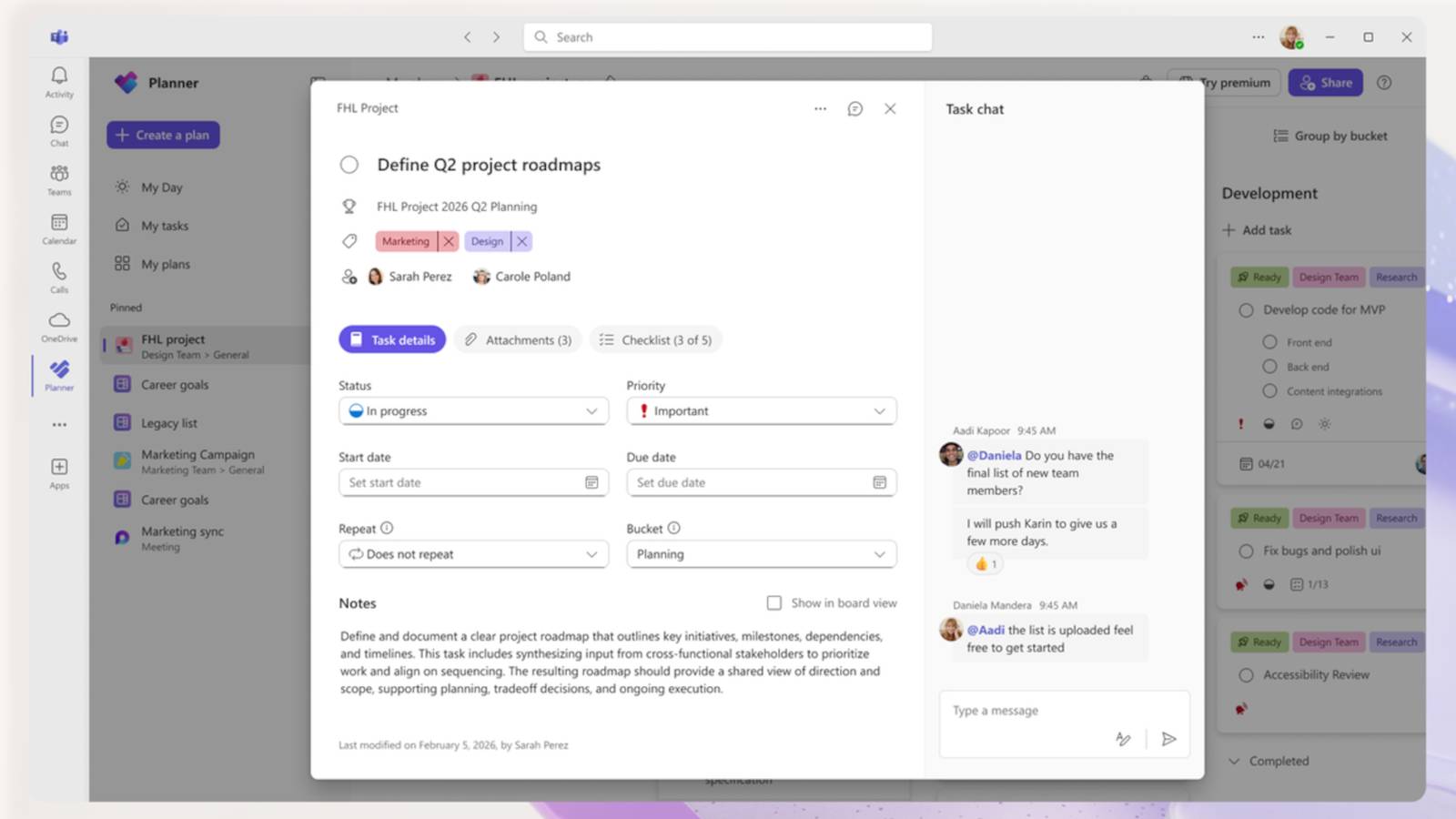
New Planner UI rolling out in Teams and web; the rollout begins today and will phase in over the next few weeks.
Cleaner, modern interface: less clutter, improved spacing, and faster performance for focused planning.
Planner also adds mentioning people in tasks; comments won’t email everyone anymore.
Whenever Microsoft rolls out a sweeping UI update for one of its apps, it’s always a huge hit or miss. Either Microsoft nails some of the pain points that people had with the old software, or we get whatever happened to the new Outlook app. As such, when I heard that Microsoft was adding a new UI to Planner, I was cautiously optimistic.
Fortunately, from the looks of everything Microsoft has shown us, the new Planner app is looking pretty great. And while we still need to have the new Planner on our PCs to give it the proper test run it deserves, I’m feeling good about this one.
Related
NotebookLM helped me fix my PowerPoint presentations, and taught me how to do them better
I used NotebookLM to draft my presentations, and it ended up coaching me into a better storyteller
Microsoft Planner gets a big UI update
And it’s looking pretty great
Credit: Microsoft
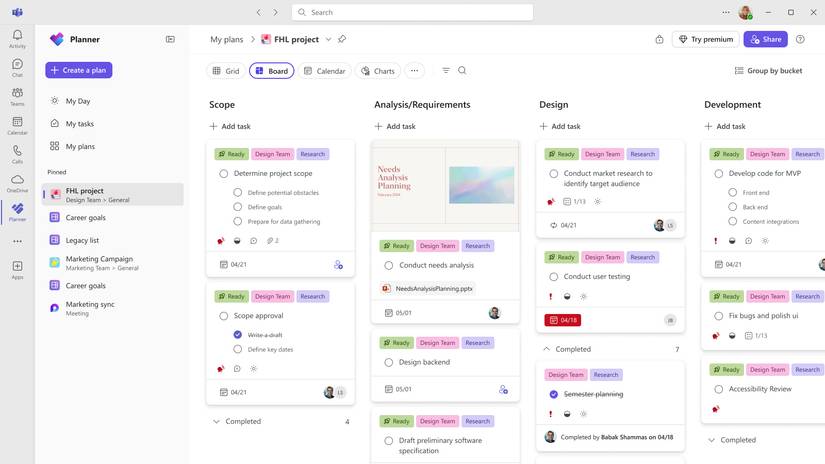
Over on the Microsoft Tech Community, the tech giant made a post showing off the new Planner app. It says that you’ll see the new UI appear regardless of whether you use Planner within Microsoft Teams or if you use the standalone web version, so no matter which one you use, you’re not missing out.
Here’s how Microsoft describes it:
A refreshed design: With this rollout, users will be able to manage their plans in a cleaner, more modern interface that offers faster performance and brings a more consistent planning experience across work. Planner’s new look was designed to feel simpler, allowing users to find what they need. It reduces visual clutter, improves layout and spacing, and creates a more focused workspace.
Microsoft is also revamping how people discuss tasks. The update will let you mention people in a task, which notifies them that you’re getting in touch about something. Microsoft says it listened to user feedback and will no longer send emails to users on every comment added; instead, it’ll just be for the mentioned ones. Plus, you can also set Goals so everyone is on the same page when it comes to direction.
Microsoft notes that the new Planner update won’t arrive on everyone’s PCs at the same time, and will take a few weeks to properly roll out. However, the rollout does begin today, so keep an eye on your Planner over the coming days and see if you receive the new UI sooner rather than later.