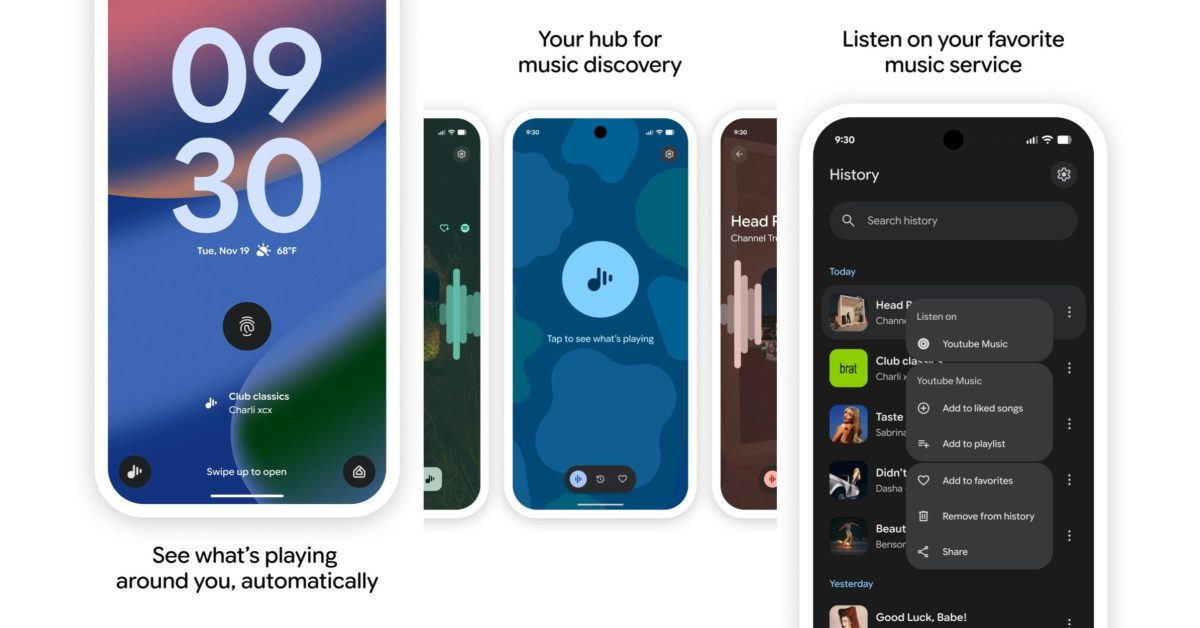
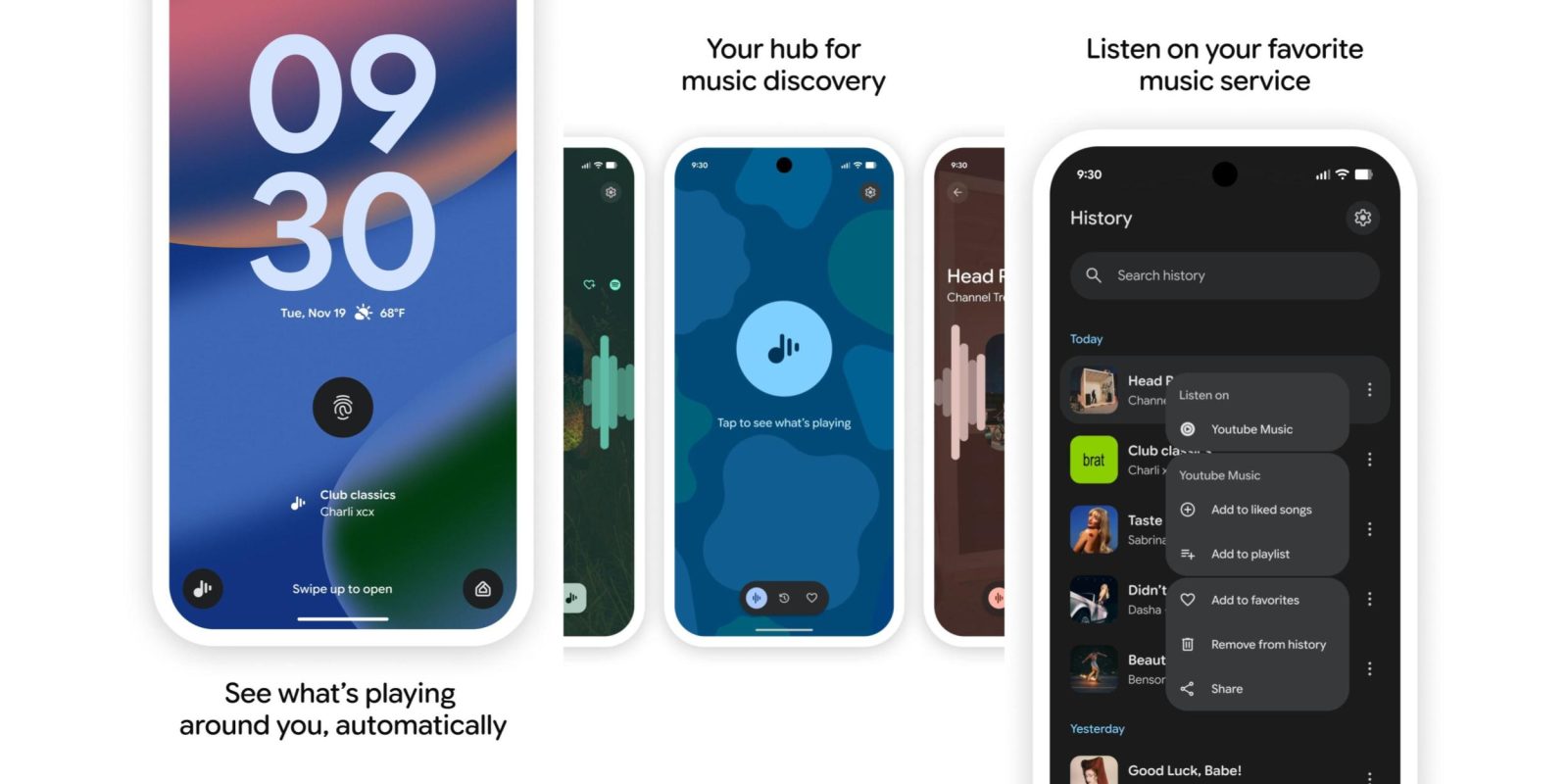
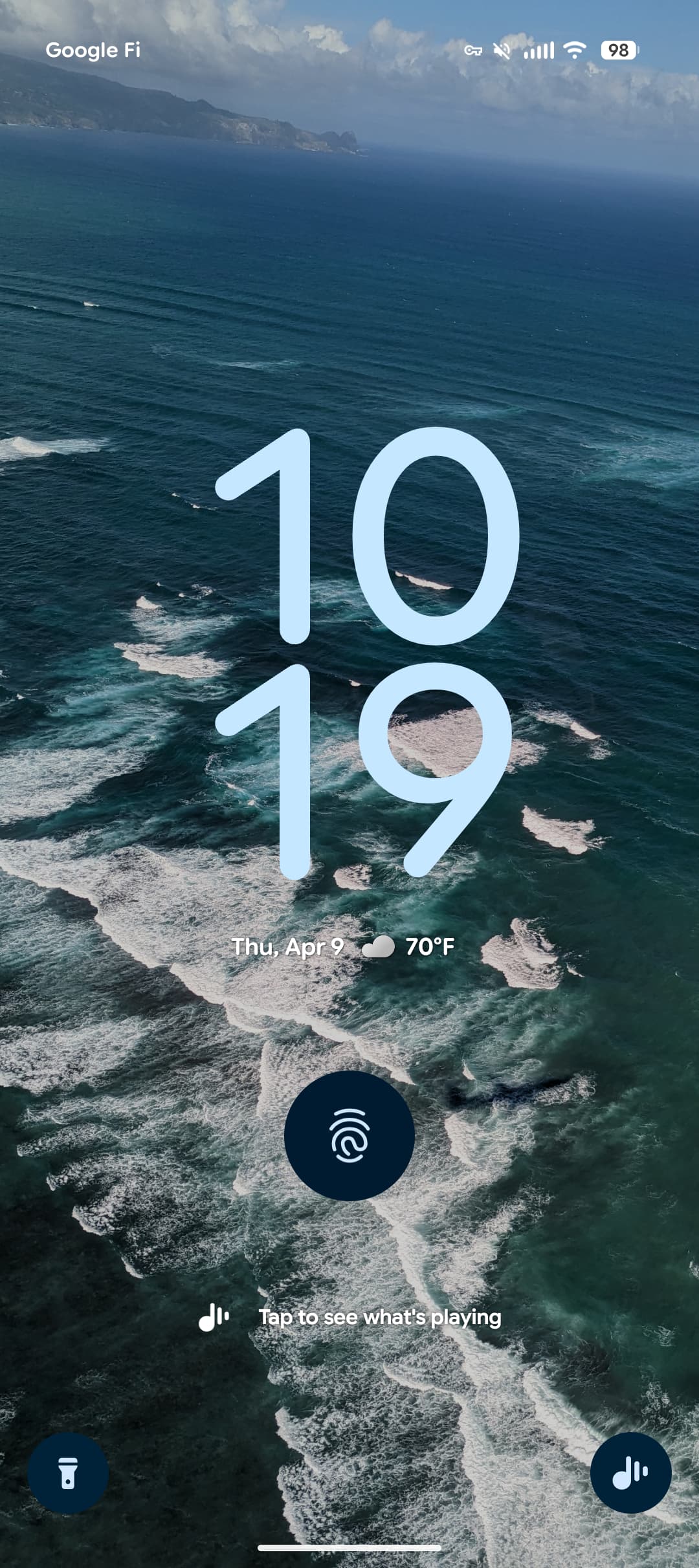
Google is bringing back Pixel Now Playing’s ability to manually start a song search from the lockscreen.
The Now Playing redesign removed the ability to trigger a manual song search on your lockscreen. Google instead wanted you to add a corner lockscreen shortcut or Quick Settings Tile.
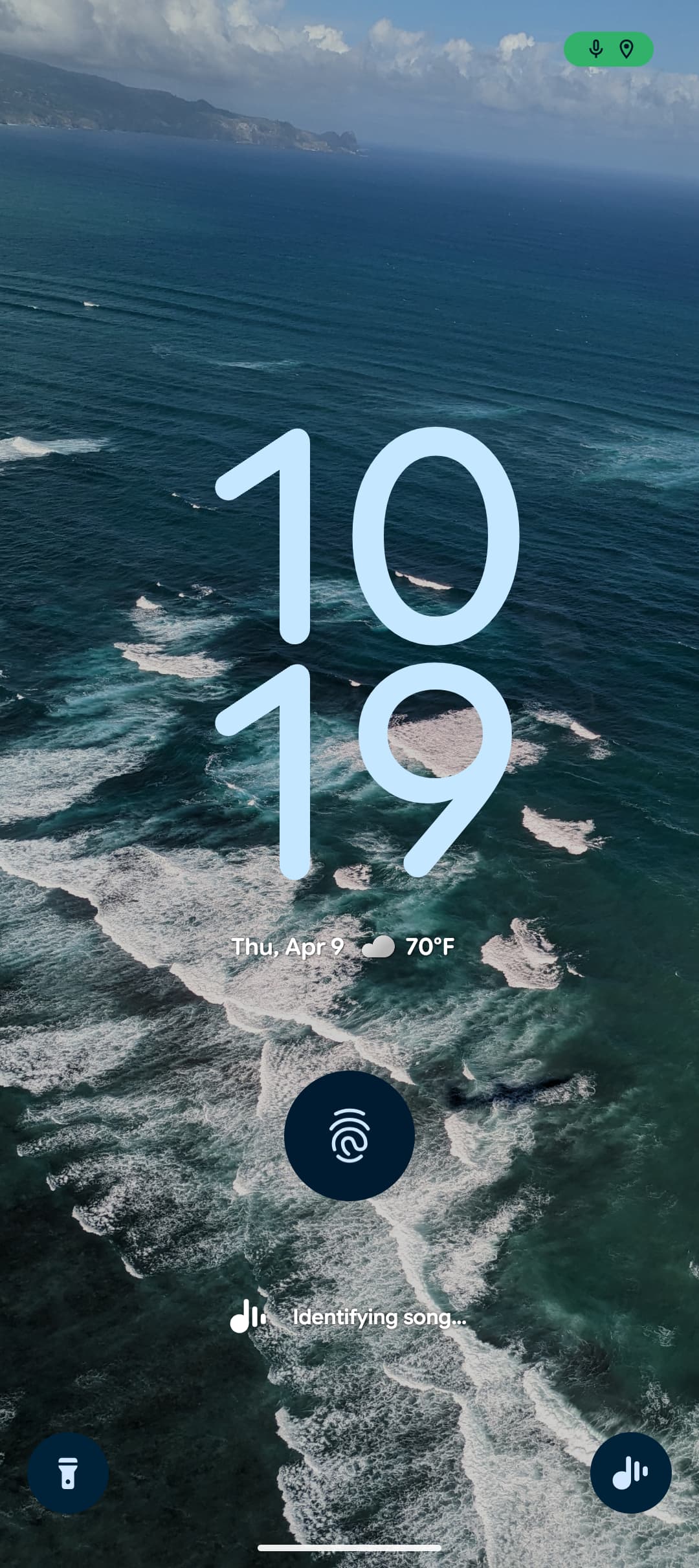
“Tap to see what’s playing” accompanied by the new icon is now back underneath the fingerprint icon. After tapping, the system microphone indicator appears along with “Identifying song…”
Once a song is identified, Now Playing will show the rich display with cover art, the heart, and ability to open in your set music app.
Advertisement – scroll for more content
This is rolling out with an update to version B.23 of Android System Intelligence. Go to Settings app > tap your name at the top > switch to the All services top tab > Privacy & security > System services to update. It should be widely available today.
Make sure you’ve also updated Now Playing in the Google Play Store.
More on Google Pixel:


FTC: We use income earning auto affiliate links. More.