
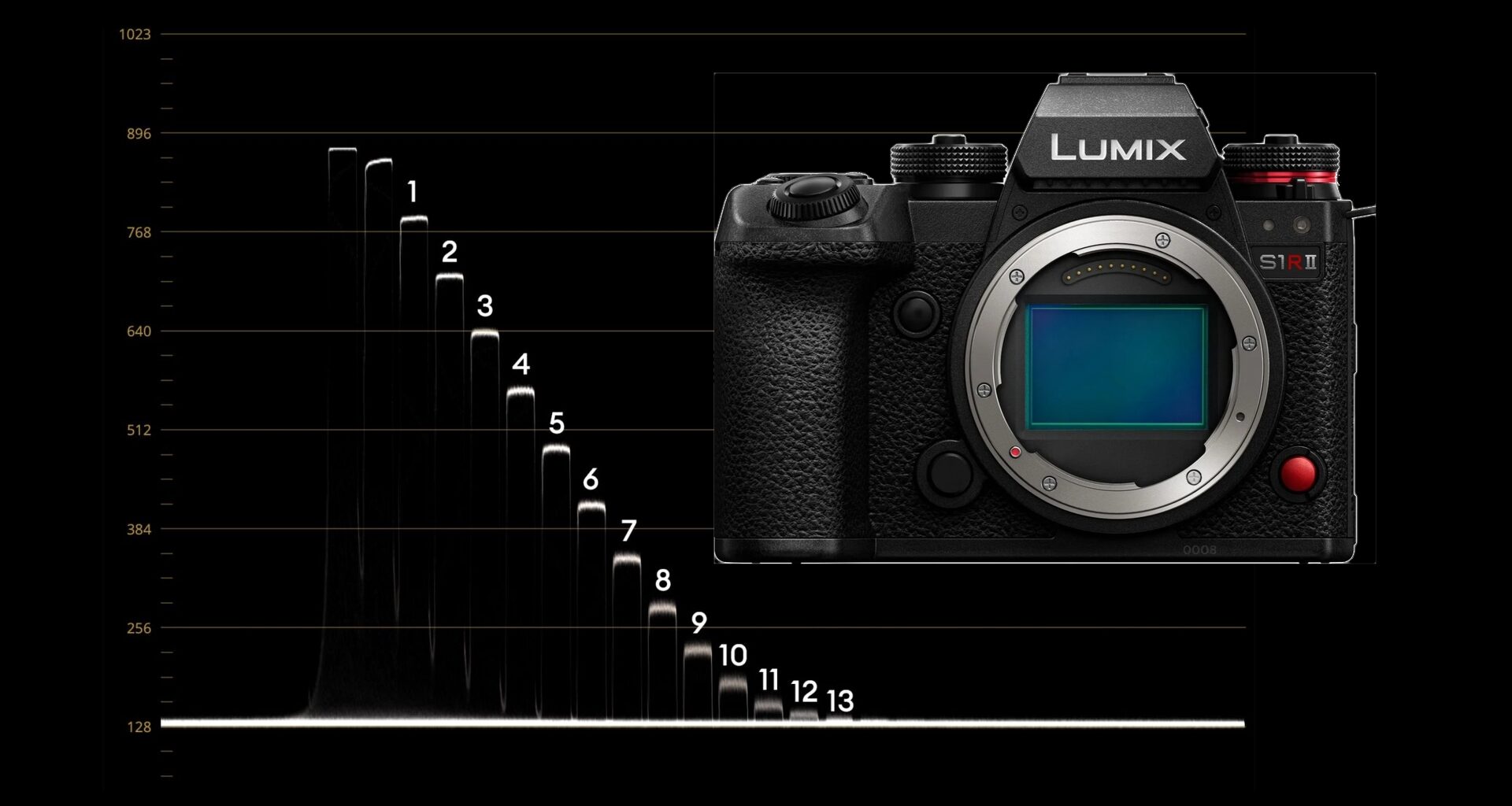
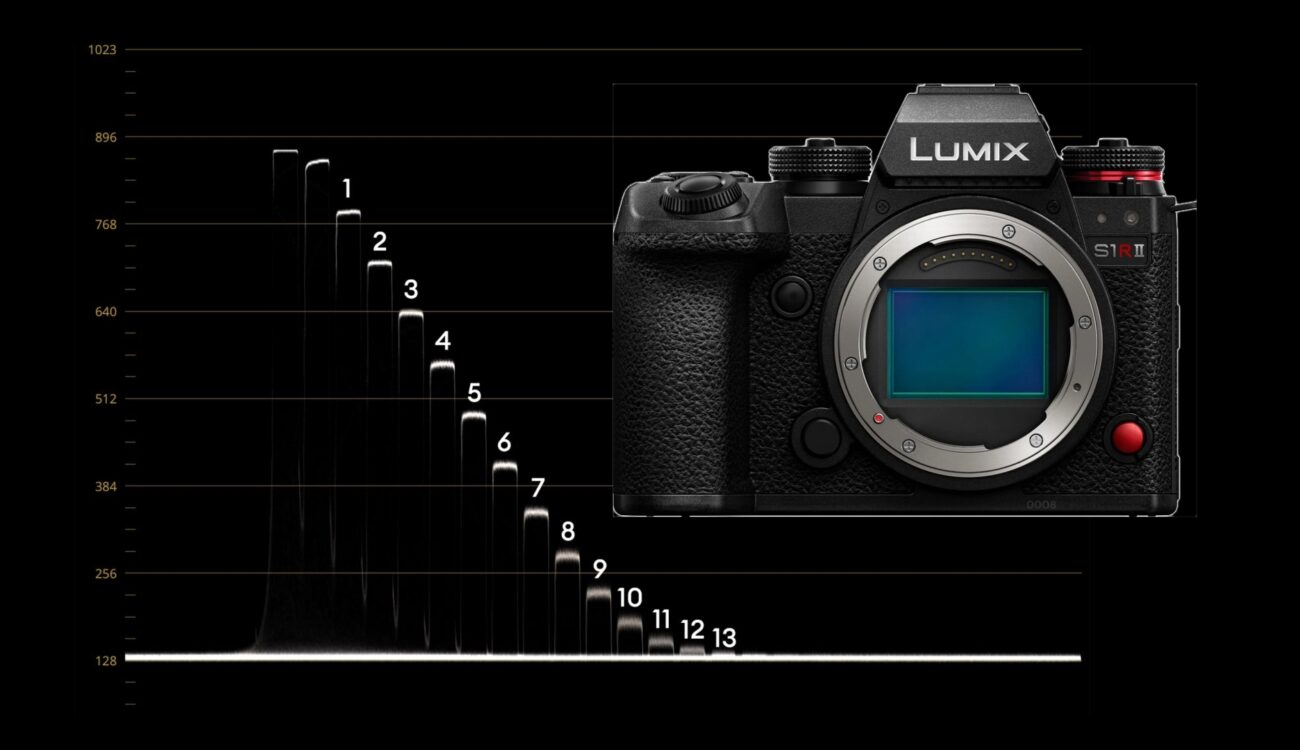
Better late than never, we finally completed the full lab test of the LUMIX S1RII. We measured IMATEST and rolling-shutter results about a year ago, but we never looked at the exposure latitude capabilities. Interested to see the results? Then read on …
The Panasonic LUMIX S1RII was released exactly a year ago (see our coverage here and here), and we initially tested the rolling shutter and dynamic range and published the rolling shutter results in our camera database. But of course many people asked us to publish the dynamic range and exposure latitude test as well. Well, here you go.
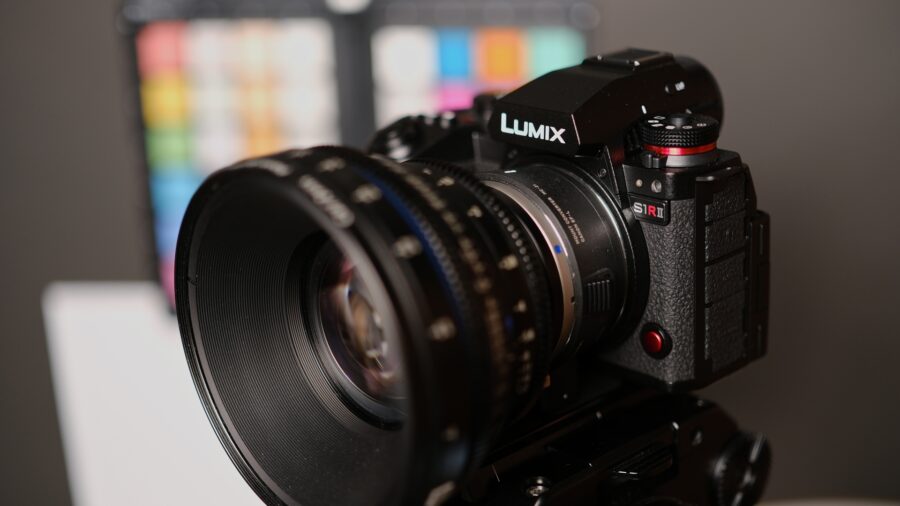 The LUMIX S1RII in the CineD lab. Image credit: CineD
Again, a big “thank you” goes out to my colleague Florian, who helped to shoot and analyze this test.
Rolling shutter of the LUMIX S1RII
Just a quick check of our results from a year ago with the recent firmware 1.5 confirmed that nothing has changed on the rolling shutter front. Here is, for example, the full frame 8K 16:9 mode, showing 29.3ms with dynamic range expansion “ON”:

This is a really bad result, putting the Lumix S1RII on the low end of the consumer full-frame cameras. If you look at our databases, you will see that recently tested full-frame cameras like the Sony a7 V (lab test here) showed much lower figures (14.5ms, albeit in 4K), or the Canon C50 that showed 14.3ms in 7K (lab test here). The leader of the pack is still the Sony a7S III with 8.7ms in 4K.
Just in case you wonder what dynamic range expansion “ON” means, this is a feature of the LUMIX S1RII that uses a higher bit depth readout, adding about half a stop of dynamic range in the highlights (see below). You can turn it “OFF” also, leading to 21.9ms in full frame 8K mode. This is not to be confused with the dynamic range boost mode of the LUMIX GH6, GH7, and S1II, which uses a dual-gain readout, combining low- and high-ISO exposures into a single frame.
Just one remark: you can also shoot in 5.8K or 4K full frame (at a 1.11x crop) at up to 60 frames per second, and then the readout switches to a very manageable 14.1ms (see our database for all results). But then, the dynamic range expansion mode is not available.
Dynamic Range of the LUMIX S1RII
The LUMIX S1R II features two native ISOs: 400 / 2000 with DRE ON, and 200 / 1000 with DRE OFF. Let’s start with 8K 25p ISO400 DRE ON:
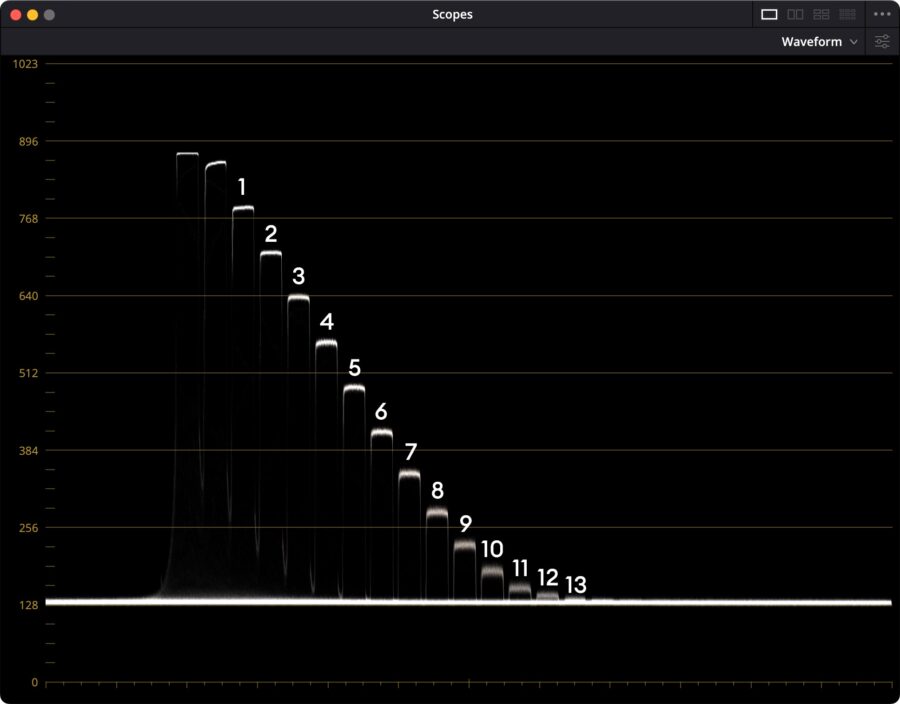 Waveform plot of LUMIX S1R II at 8K 25p ISO400 (DRE ON). Image credit: CineD
We can identify about 12, if not 13, stops above the noise floor – which looks really clean, hinting at a lot of noise reduction.
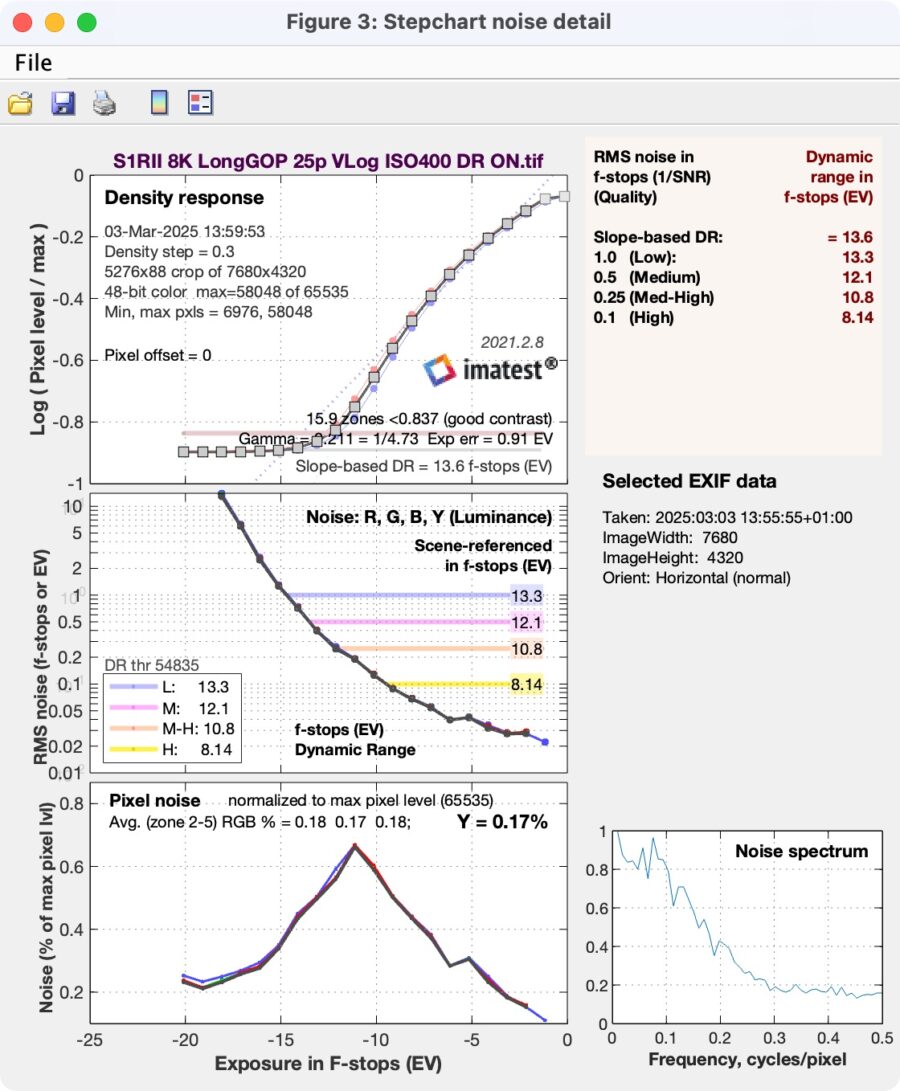
IMATEST reads the following: Here is the result from one year ago – same as now, giving 12.1 and 13.3 stops at a signal-to-noise ratio (SNR) = 2 / 1:
 Screenshot
From the lower-right-hand graph “Noise spectrum” above, it can be seen that amplitudes drop quite quickly to below 0.2 at moderate frequencies (about 0.3), indicating substantial noise reduction.
By comparing this to the waveform plot of 8K 25p at ISO200 (DRE OFF), we can see that the noise floor stays at the same code value, whereas the highlight clipping code value is around 800 with DRE OFF, but around 880 with DRE ON. Hence, about a half to one stop is gained in the highlights.
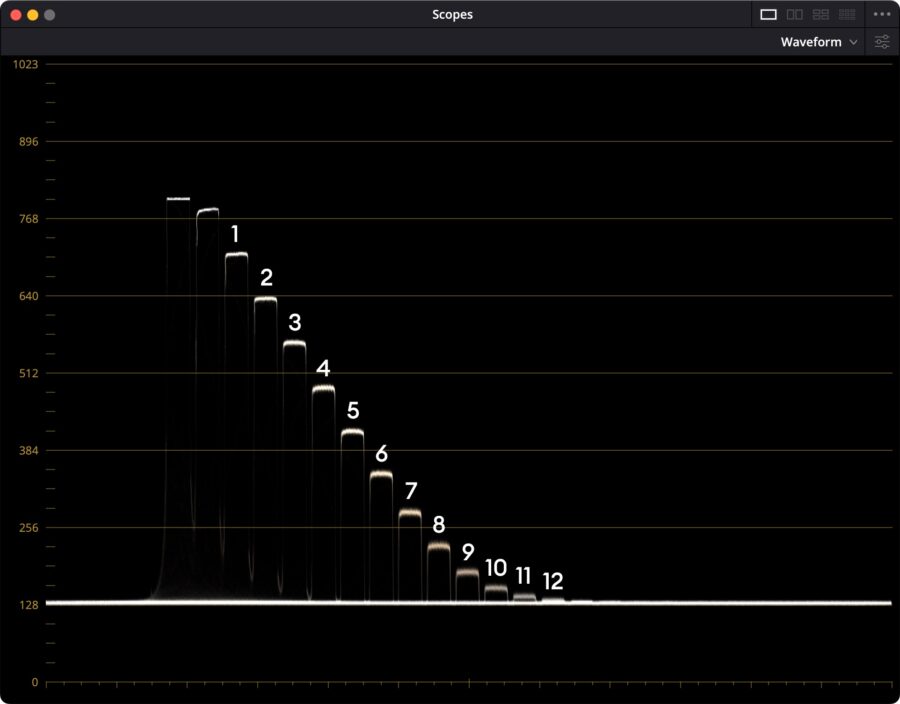 Waveform plot of LUMIX S1R II at 8K 25p ISO200 (DRE OFF). Notice the lower clipping code value. Image credit: CineD
At ISO 200 with DRE OFF, we now get 11.9 / 12.6 stops at SNR = 2 / 1 in IMATEST. That is slightly less (about 0.5 stops) than with DRE ON.
At the second native ISO of 2000 for DRE ON 8K25p, we get 11.9 / 13.2 stops at SNR = 2 / 1 – almost no loss in comparison to ISO400 – great, a true dual native ISO sensor! The second native ISO for DRE OFF, ISO1000, gives 11.9 / 12.8 stops at SNR = 2 / 1. Hence, DRE ON or OFF doesn’t make much of a difference.
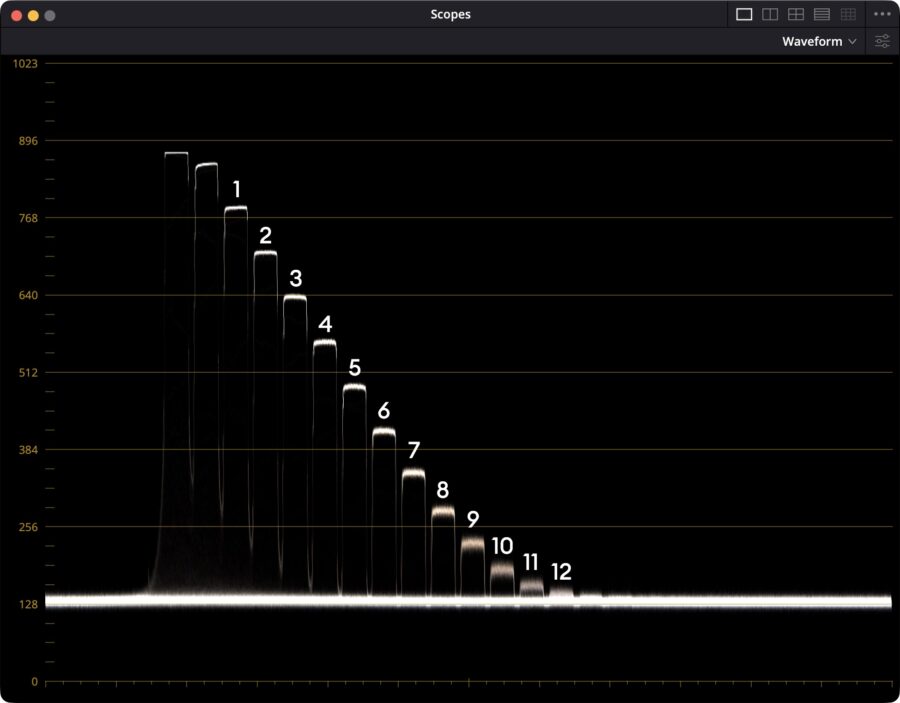
Looking quickly at ProRes RAW 5.7K pixel-by-pixel mode (1.31x crop), the waveform reveals a much noisier, more organic noise floor. We can still identify about 12 stops above the noise floor:
Importing the files into IMATEST, we get the following at ISO400, 11.7 / 12.9 stops at SNR = 2 / 1 with DRE ON (not DR Boost On as it shows in the header, sorry!):
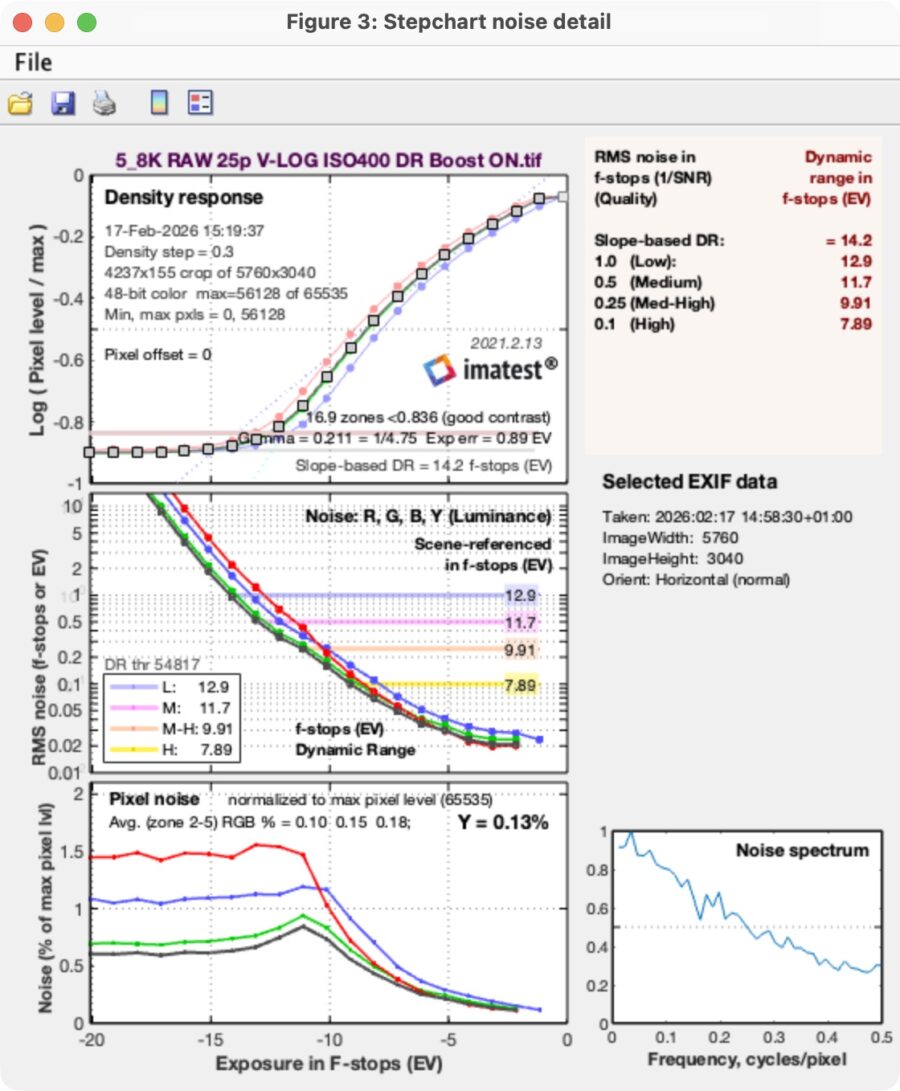
In the lower right-hand graph “Noise spectrum”, we can see that ProRes RAW conserves higher resolutions with much less noise reduction, as amplitudes remain high towards high frequencies – exactly as it should be!
With DRE OFF, ISO200, we get 11.5 / 12.6 stops at SNR = 2 / 1 for ProRes RAW pixel-by-pixel mode – again, very little loss of dynamic range.
At the second native ISO of 1000 (DRE OFF) / and 2000 (DRE ON), we get 11.1 / 12.4 stops and 11.1 / 12.5 stops at SNR = 2 / 1.
Hence, DRE ON offers just a minor advantage in dynamic range at the expense of rolling shutter. That makes it easy to choose “OFF” if a lower rolling shutter is required for the shooting scenario.
Exposure Latitude of the LUMIX S1R II at ISO400, DRE ON
As mentioned earlier, the exposure latitude is a camera’s ability to retain detail and color when over- or underexposed and pushed back to a base exposure. This test is very revealing, as it pushes every camera to its absolute limit – not just in the highlights but mostly in the shadows.
Typically, we use the highest-resolution, highest-bit-rate, and highest-bit-depth codec for this test, which is not straightforward for the LUMIX S1R II, as the highest resolution is 8.1K full-frame H.265 10-bit. Then, there is also the slightly downsampled, but full-frame 5.8K ProRes HQ 10-bit codec, which has the highest bitrate in full frame. And then there is the highest bit depth: 12-bit, 1.31x-cropped ProRes RAW mode. Well, you can’t have it all in one. That’s why we tested both the 5.8K ProRes HQ full-frame and 5.8K ProRes RAW crop modes.
Our studio base exposure is (arbitrarily) set to an (ungraded) luma value of 60% on the forehead of our subject on the waveform monitor. In this case, my colleague Johnnie:
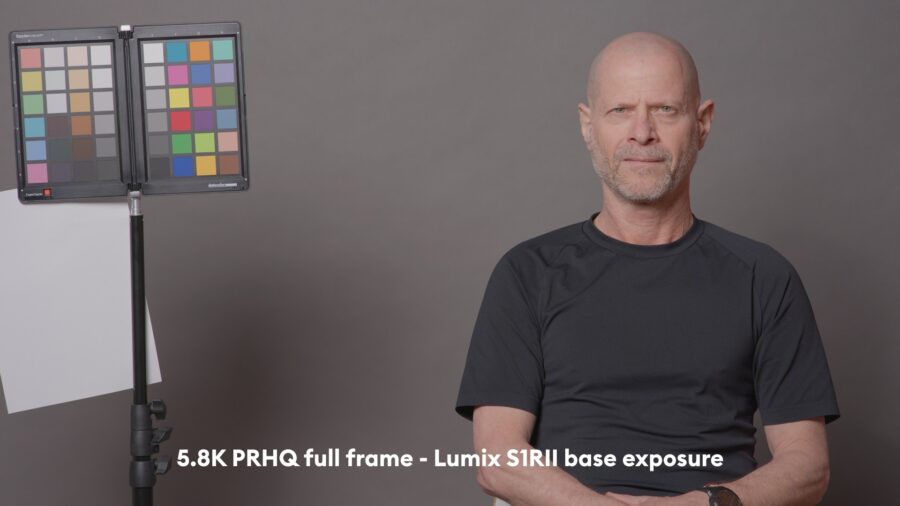
From here, we can overexpose 4 stops until the red channel on Johnnie’s forehead is on the cusp of clipping:
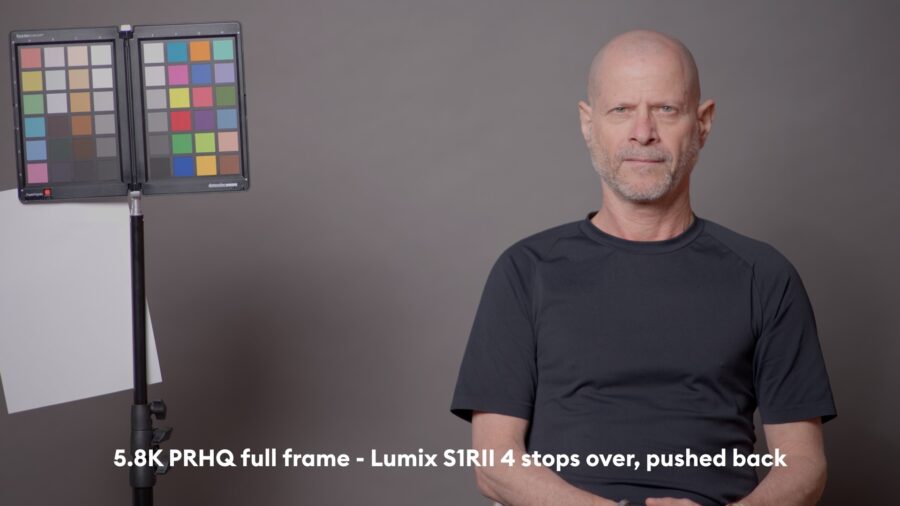
And now, we start to underexpose by closing down the iris of our standard compact prime 85mm T1.5 lens in one-stop increments until T8, and then the shutter angle is halved.
At 4 stops underexposure (8 stops of exposure latitude), pushed back to base, we get the first signs of increased noise:
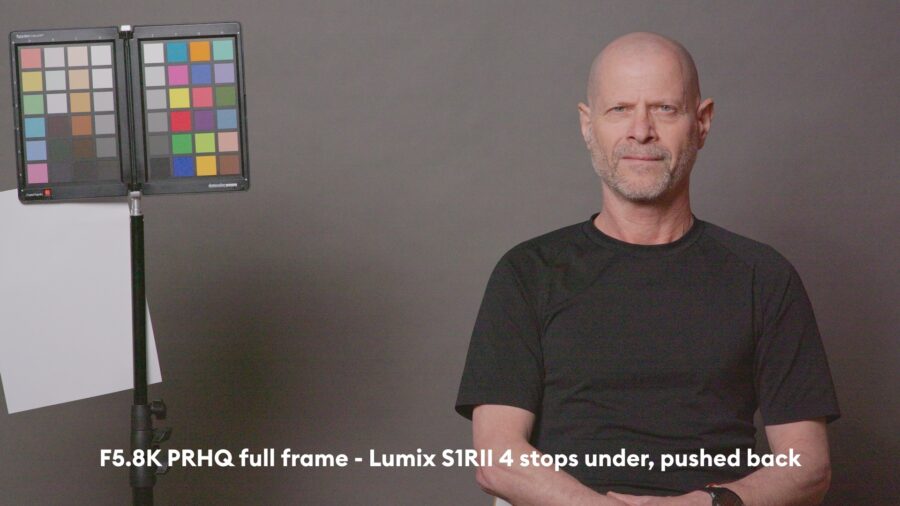
But nothing to worry about. At 5 stops underexposure, things get interesting:
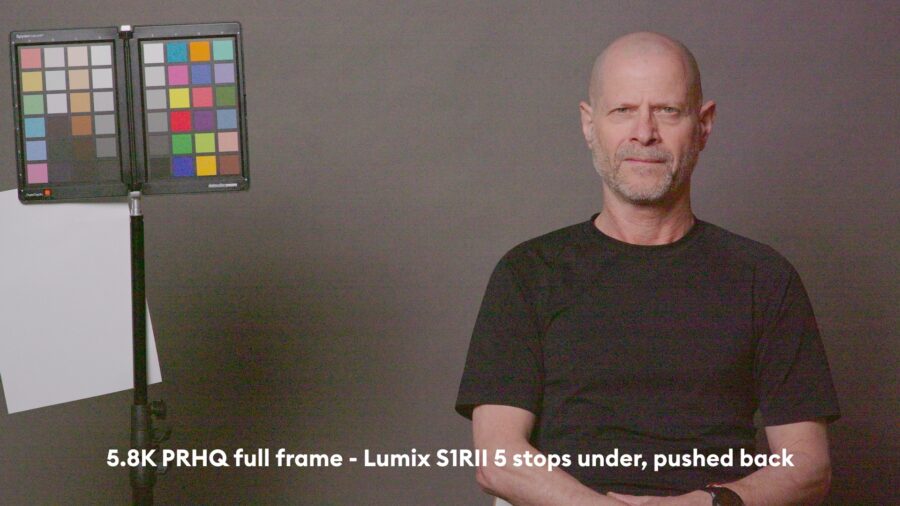
Noise increases massively in the shadows, and horizontal stripes start to appear. Noise reduction can mitigate this; we get the following image:
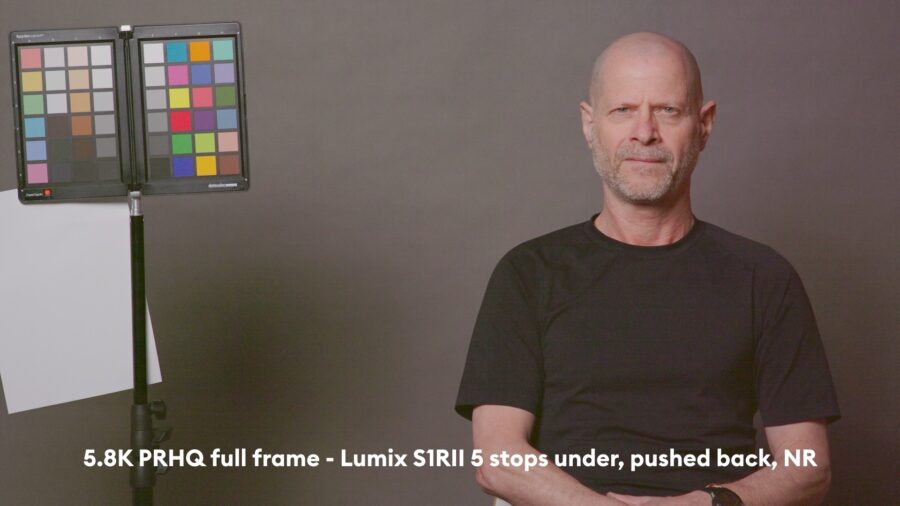
The image with noise reduction looks OK and is still usable, in my opinion, although there are faint horizontal stripes. We are at 9 stops of exposure latitude – a very good result. Nevertheless, colors start to disintegrate, and the shadow side starts to look more pinkish.
Let’s push it one stop further:
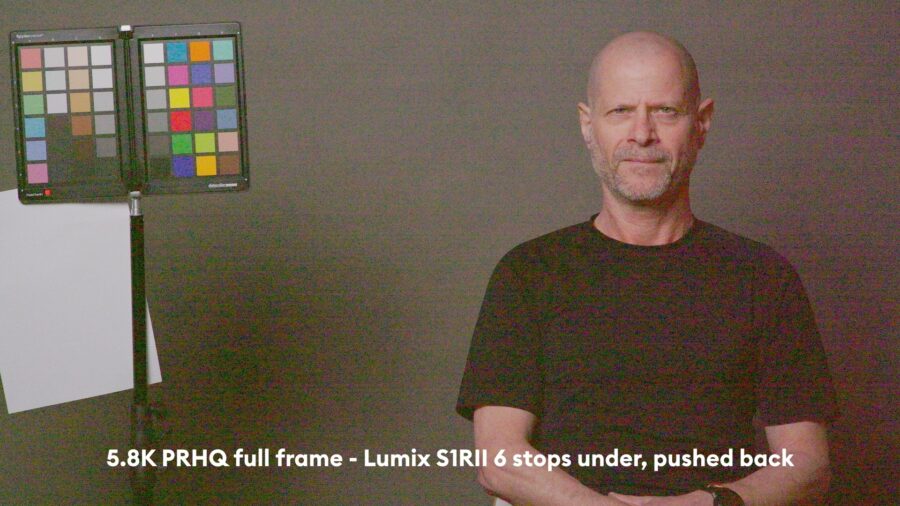
Noise is becoming atrocious at this point. Even advanced AI Noise reduction in DaVinci Resolve 20.3 cannot mitigate this:
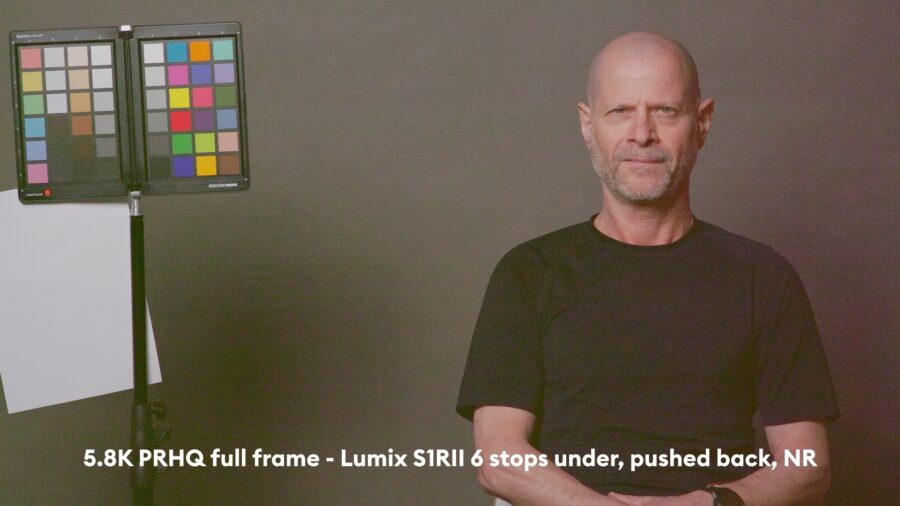
The still image above looks somewhat OK, but the moving image shows massive blotches of pinkish noise and horizontal stripes all over it. Game over!
Now, let’s have a quick look if ProRes RAW 12-bit crop mode (1.31x) gives a better result at 5 stops under, using noise reduction:
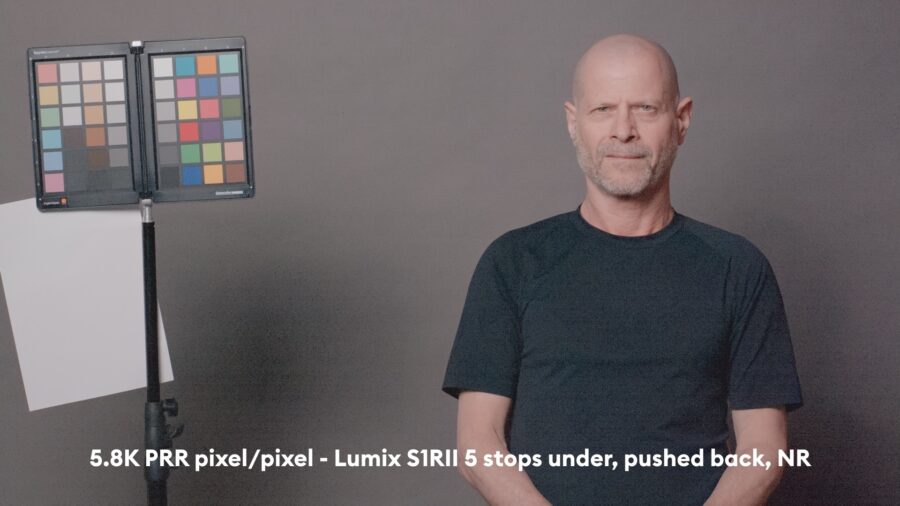
ProRes RAW 12-bit gives better color representation; interestingly, the shadows become a bit bluish. This becomes very pronounced at 6 stops under, pushed back, and noise reduction:
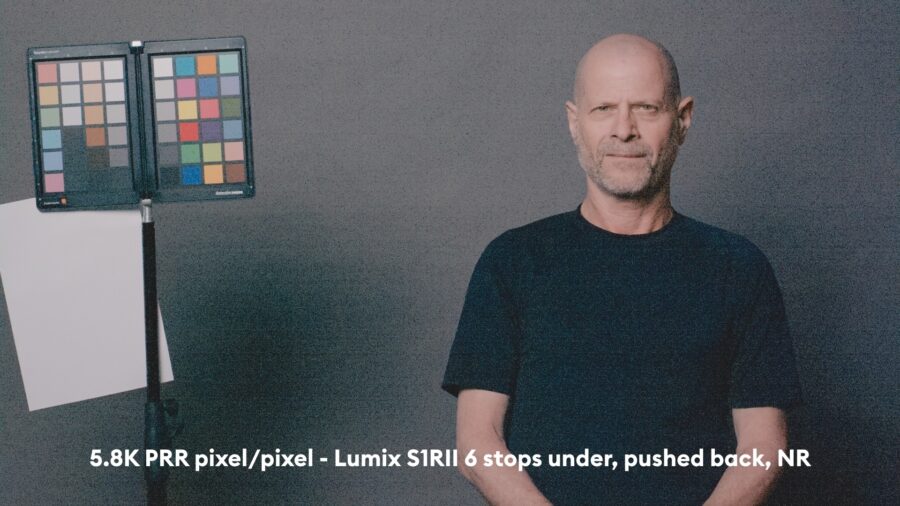
Although the color is preserved better, this image is still unusable.
Now, let’s have a quick look at 5.8k ProRes HQ pixel by pixel – effectively, reducing the bit depth back to 10-bit:
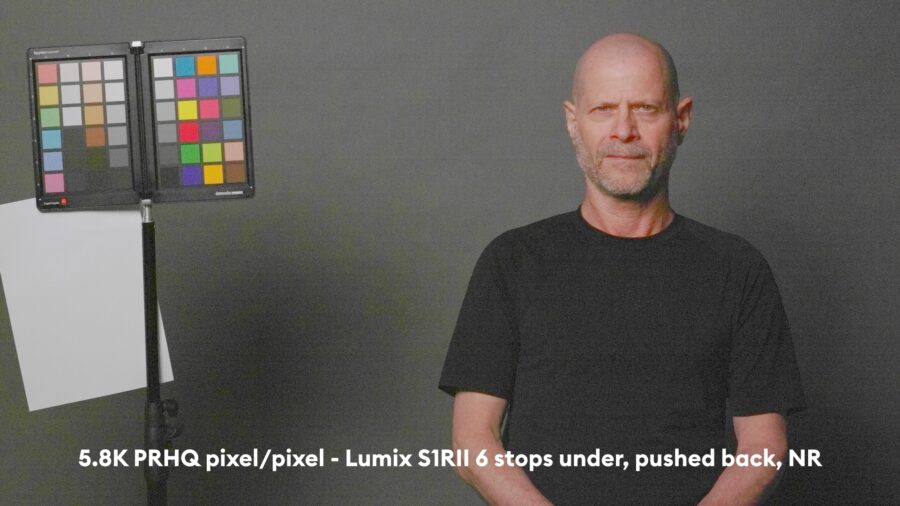
Strange artifacts appear, for example, around Johnnie’s nose, where red pixels dance all over the place.
All in all, confirming our result: we can push the LUMIX S1R II to 9 stops of exposure latitude. As usual, when comparing different codecs, crop mode 12-bit ProRes RAW has the best result, as expected. After all, we are raising shadows here, and 12-bit color depth should help in keeping colors intact.
This result is on par with the Sony a7 V (lab test here), or the Sony A9 III, and 1 stop better than the Nikon ZR that we tested here. Also, the Canon EOS R1 showed 9 stops of exposure latitude (lab test here).
But of course, we have to mention the leader of the consumer full-frame pack: the Panasonic LUMIX S1II (lab test here), which scored a solid 10 stops of exposure latitude in 12-bit RAW mode, yielding effectively the same result as the ARRI Alexa Mini LF!
For your reference, the benchmark so far is the ARRI Alexa 35 camera with 12 stops of exposure latitude.
Summary
The LUMIX S1RII shows an interesting mix of results in our lab test. Rolling shutter values are really bad using the highest quality settings (with DRE ON). But there is not much penalty to the dynamic range if DRE OFF is used, and for example, shooting 5.8K 50/60p with 14.1ms rolling shutter is in a very usable range (even if you intend to shoot for 25p delivery, just use a 360° shutter and drop it on a 25p timeline, and you’re good).
Dynamic range results with IMATEST show good results, around 12 stops at SNR = 2, even without using DRE, and the exposure latitude reveals 9 usable stops, which is in the upper end for consumer full-frame cameras. All in all, the LUMIX S1RII is fit for all purposes – high-res still photography, solid videography with powerful internal 12-bit ProRes RAW codec, also allowing high frame rates at 4K120p in full frame.
Have you shot with the LUMIX S1RII? What is your experience? Let us know in the comments below.