
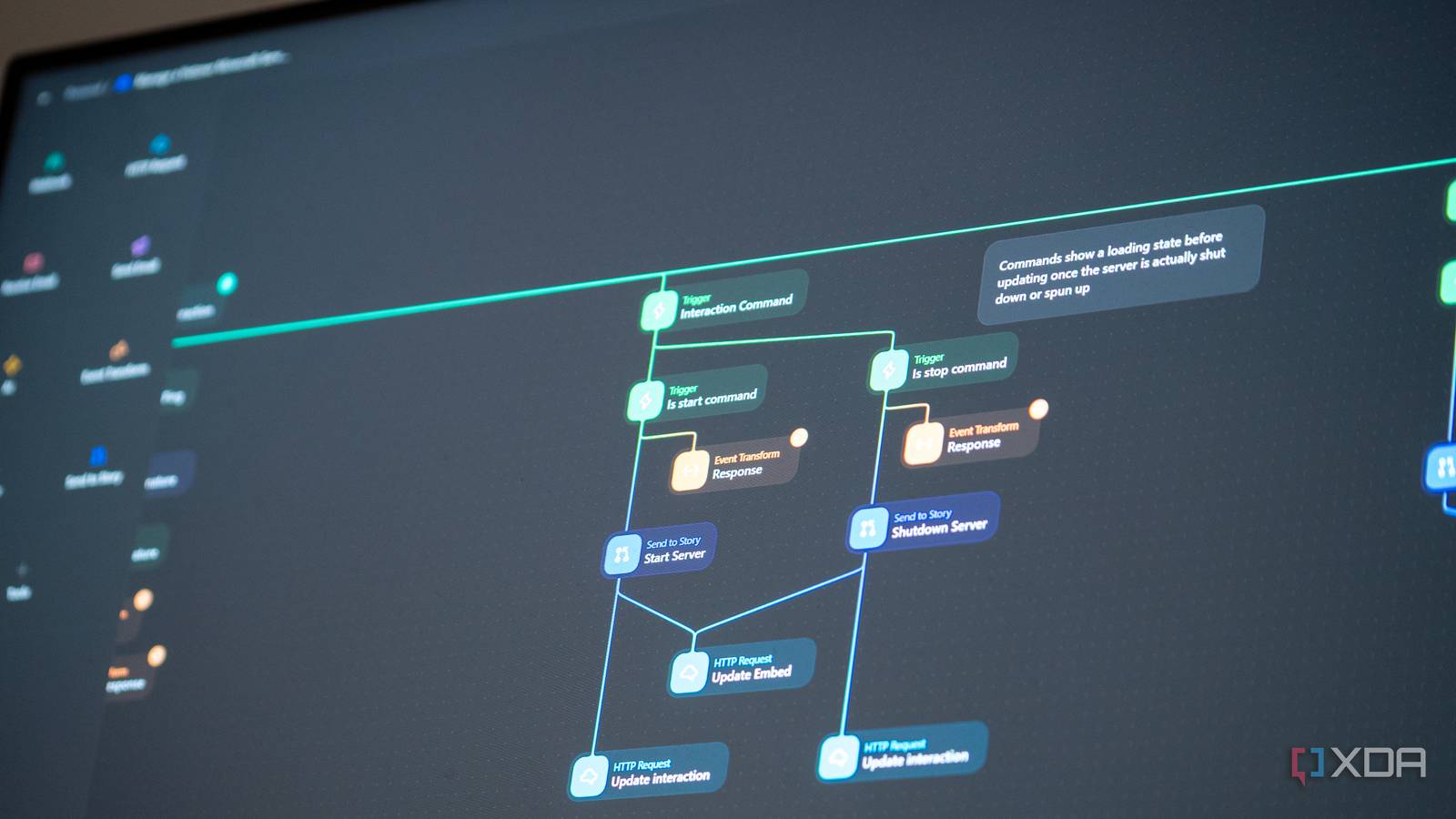
Tines and n8n have always looked similar from the outside while feeling very different the moment you actually use them. Both let you string actions together into automated workflows, both have a free tier you can poke around in, and both have spent the last year racing to bolt natural-language AI builders onto their canvases. The pitches sound identical: describe the workflow you want, and the AI puts it together for you.
But once you actually sit down with each, the resemblance ends fast. Tines built Story Copilot (where a “Story” is the name it gives to a workflow) as a collaborator that lives on the canvas and helps you build, debug, explain, and maintain. n8n built the AI Workflow Builder as a generator that sits in a side panel, takes your prompt, and produces a finished graph for you to edit afterwards. Both work. However, only one of them feels like a properly thought-through product decision.
After testing out both systems, I’m fairly confident in saying that Tines did it a lot better. Of course, there are some caveats regarding actually accessing these builders on both sides, but n8n’s source-available nature means you can pull stunts to make their AI work where it’s not officially supposed to. So while Tines is the cleaner product, n8n is still the one I suspect most people will gravitate towards.
Tines uses one loop, n8n uses agents
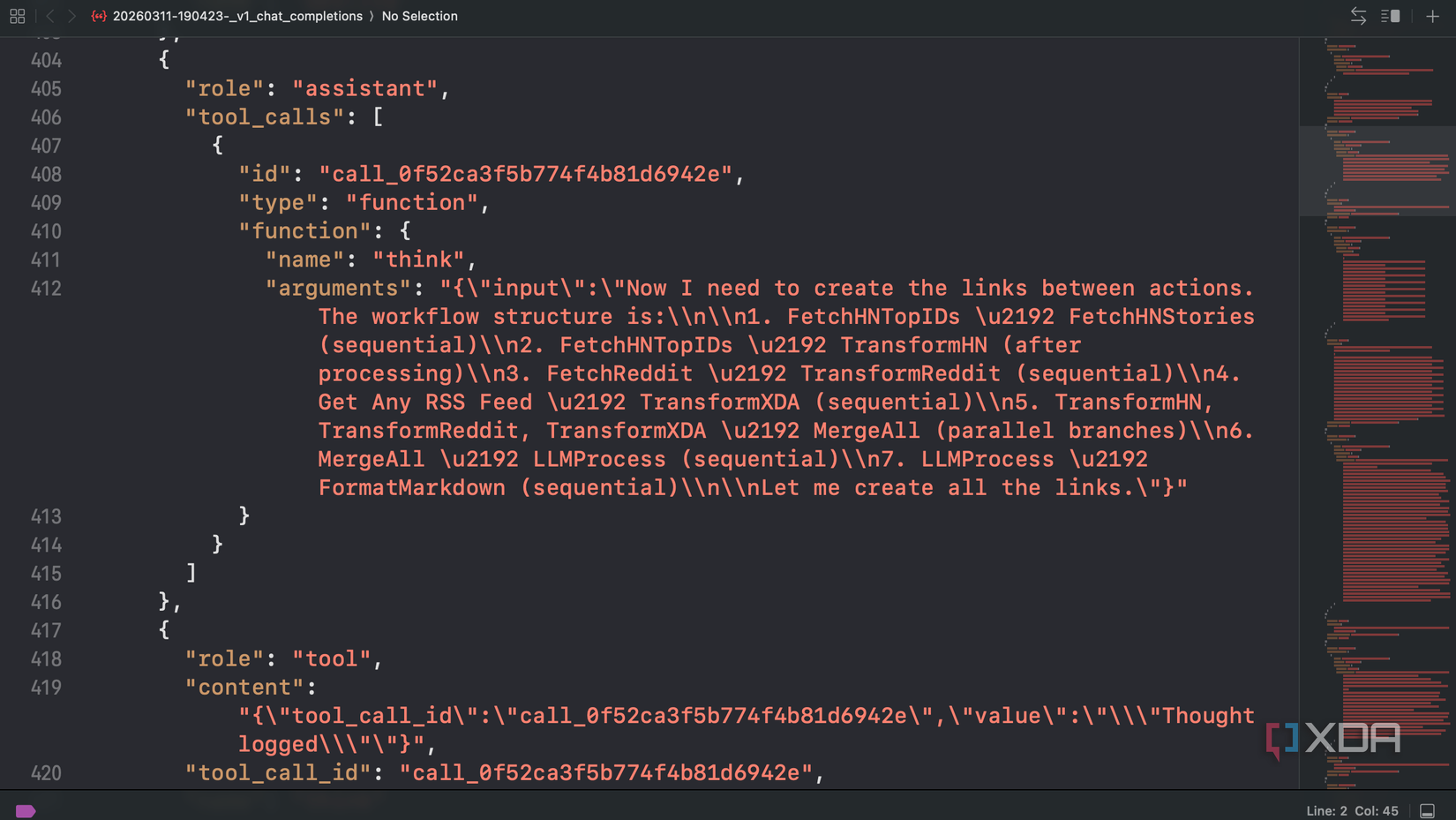
Tines’ Story Copilot opens as a side chat docked into the storyboard. Its system prompt is roughly 35,000 characters of structured guidance, and it includes a five-phase loop that forces the model to think first, retrieve internal runbooks (the documentation it uses to know how to actually do things in Tines), execute, validate, and only then summarize. It has 16 tools that can be batched in a single call, including validate, execute_action in either sandbox or production mode, connect for credentials, and a think tool that acts as a scratchpad. This tool is flagged as mandatory, and it turns thinking into a verifiable action, in line with Anthropic’s own tool created for the same purpose. The Tines AI builder feels designed to live with you on the canvas across the entire lifecycle of an automation flow.
n8n’s builder uses a different shape entirely. The team broke the work into specialised agents: a Supervisor that decides who should act, a Discovery agent that finds nodes and reads documentation, a Builder that mutates the workflow, and a Responder that talks back to you. There are also Planner and Assistant agents in the source code, but both are gated behind feature flags and weren’t part of the default flow in my testing. The whole thing exposes 24 mostly single-purpose tools, things like add-node, connect-nodes, update-node-parameters, and validate-structure. It’s elaborate, and pretty interesting.
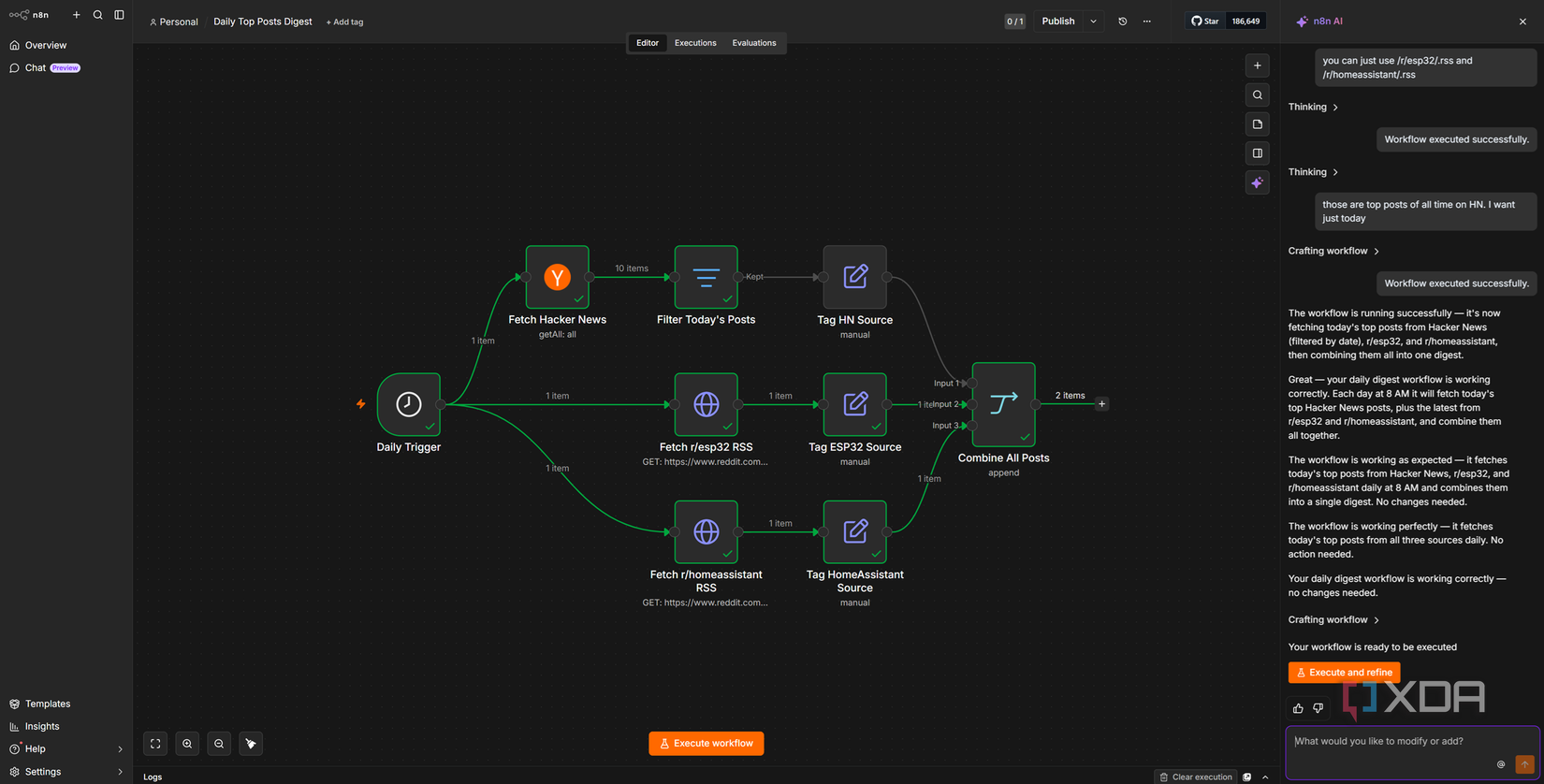
Here, “multi-agent” doesn’t mean the agents run concurrently. n8n’s setup is a LangGraph state machine where the Supervisor picks one agent to run next, that agent does its work, control goes back to a router, and the next agent is chosen. Only one agent is active at a time. Parallelism happens within an agent, where independent tool calls (reading schemas, fetching examples) can be batched into one turn. Tines does the same kind of within-turn batching from a single agent. So both tools are sequential at the agent level and parallel at the tool-call level. The difference is whether you have one specialist or a handful of them taking turns.
In practice, the multi-agent split feels less cohesive than Tines’ single agent with batched tools. Tines’ Copilot can create three actions, validate them, and queue a test run in one go. n8n’s Builder calls out to Discovery, gets a plan signed off, then patches the graph piece by piece. Both reach a working workflow, but I found that Tines tends to land a lot closer to a “ready to run” target on the first attempt. The Story Copilot on Tines will also build a workflow and execute it, fixing it if it doesn’t work. Tines’ prompt forces the model to think before doing, validate before moving on, and re-enter phases if it skips one. n8n trusts the model to know when to stop within an iteration budget. Tines’ is more disciplined; n8n’s is more flexible. When the model is sharp, n8n’s flexibility is fine, but when it isn’t, Tines’ enforced phases catch more mistakes, which is part of why Story Copilot felt more reliable in my testing.
There’s one part of the n8n approach I really want to give credit to, though: its phased UX is the more transparent of the two while it’s working. You can watch each phase tick through in the side panel, and the “Execute and refine” loop feeds the run results back to the model so it can react to actual errors, not just configuration. It also has a Plan Mode hidden behind a feature flag in the source that produces a plain-language summary for confirmation before building, but that wasn’t on in my testing. If n8n surfaces it in the default UX later, that would close one of the gaps.
n8n’s agent split also means each agent gets fed a curated context: the user’s request, the current workflow JSON, and a one-line summary of what the previous agent did. The agent’s own tool calls stay inside its private subgraph and never leak out except as that summary. It keeps every individual agent’s prompt small and focused, which is a benefit (especially when using a local LLM), but means each agent works without seeing the reasoning that got the workflow to its current shape.
Tines hands the AI to everyone, n8n hides it behind the cloud
Though most people won’t get a lot of usage
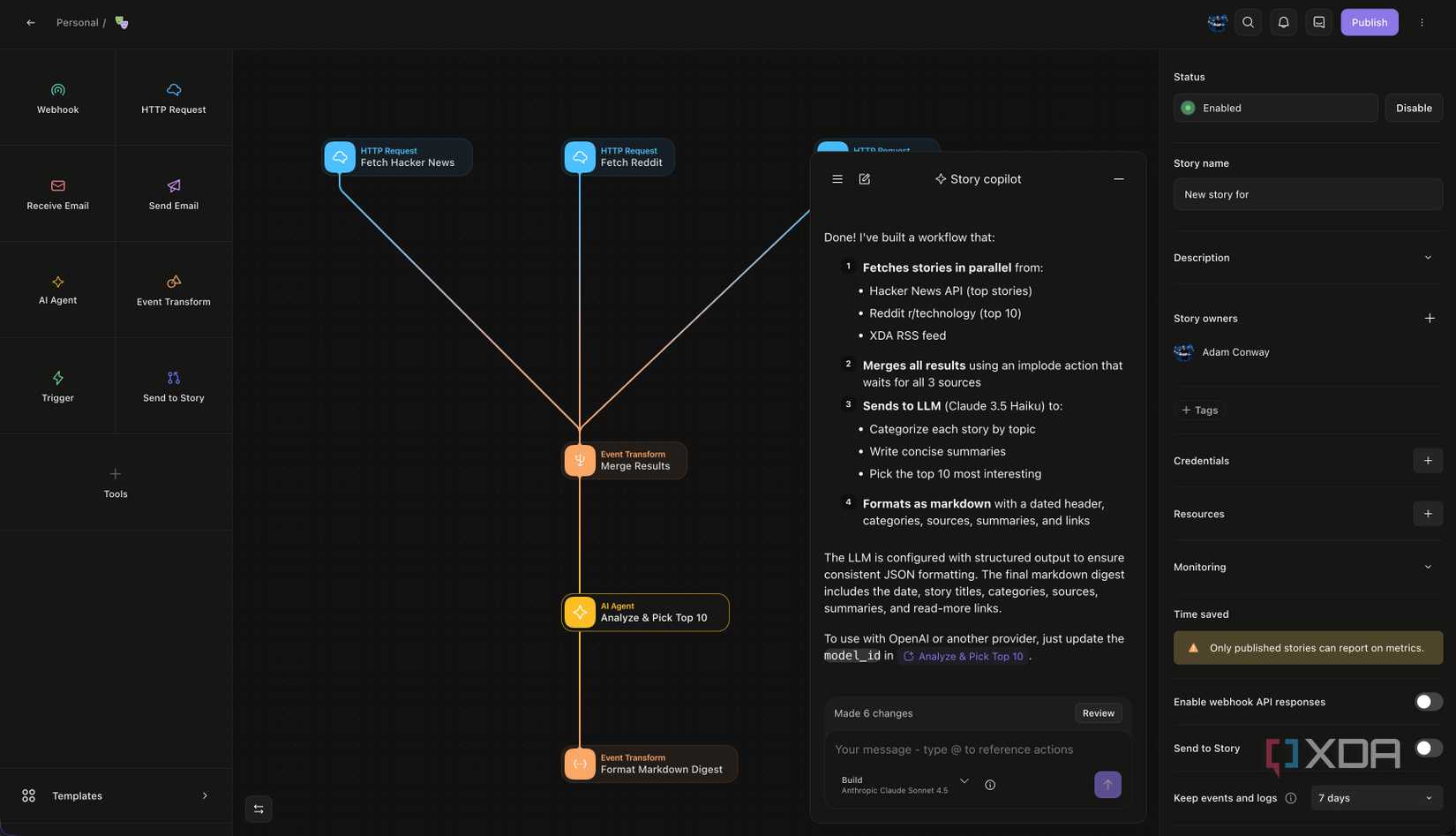
This is where Tines’ lead would be a knockout, except for one detail. Story Copilot is available on every Tines tenant, including the free Community Edition, and you don’t need to pay for it as a separate AI subscription. n8n’s AI Workflow Builder, by contrast, is gated behind @Licensed(‘feat:aiBuilder’) in the source code, which means it only runs on n8n Cloud. Self-hosters, the people who picked n8n specifically because they didn’t want their workflows on someone else’s server, get nothing officially.
The catch on the Tines side is a somewhat recent one, though it’s rooted in a major downside we’ve talked about every time with Tines. Story Copilot launched with uncapped usage for every tenant including Community Edition, but that was the deal during the testing window, not the long-term plan. As of May 1st, 2026, Story Copilot now draws from your monthly AI credit pool. Community Edition gets 50 of those credits, no top-ups allowed, and they don’t roll over to the next month.
What this means is that a free user, who is already limited in the number of workflows they can create, is also limited in the AI workflows they can produce. While I tested this with a local model by using an OpenAI-compatible endpoint and Qwen3 Coder Next, free users can’t do that. As well, the same pool of AI credits are shared with the AI Agent action and Workbench, so a busy story can eat into them quickly. n8n’s tiers are also credit-based, ranging from 20 on the trial up to 150 on Pro, with each chat message costing one credit.
Functionally, 50 free credits beats zero free credits, and if you’re learning the platform, you can get a feel for Story Copilot before hitting a wall. Neither vendor is offering uncapped access, and the testing period at Tines was always going to end. What survives the transition is that Tines still gives you a real budget to play with on the free tier where n8n gives self-hosters nothing.
n8n is locked to Anthropic, Tines is more open
A weird limitation
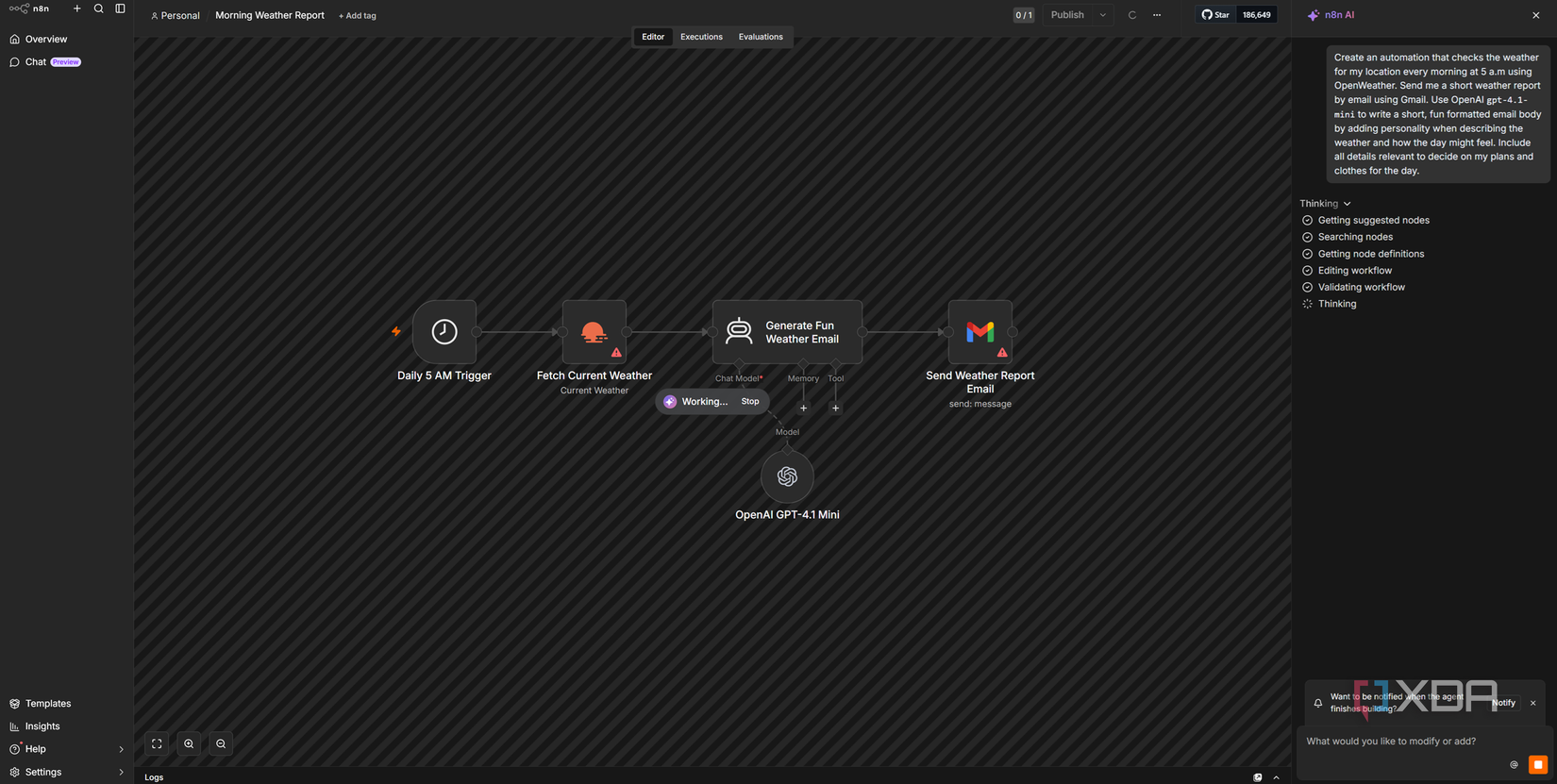
n8n’s llm-config.ts is candid about why generation runs on Anthropic models only. The prompts use Anthropic’s cache_control for cost efficiency, and the add_nodes and update_parameters tools rely on passthrough() schemas that, per the comments in the file, only Anthropic handles correctly. OpenAI and OpenRouter routes exist in the code but are restricted to evaluation purposes. If you want a non-Claude alternative on the n8n side, you don’t have one. For what it’s worth, when trying it myself, I couldn’t get it working with OpenAI’s tool use schema (even when I forced it through), and I had to fall back to the Anthropic Messages API.
What’s especially weird about this is that n8n’s regular AI Agent nodes have always been provider-agnostic. Inside any n8n workflow you can wire up OpenAI, Anthropic, Gemini, Mistral, Ollama, or whatever else LangChain supports, and that flexibility is part of the platform’s pitch. The AI Workflow Builder is the one feature that breaks the rule, and the team does seem to know it. There’s a “TODO: Add provider-agnostic prompt/tool support to enable non-Anthropic generation” sitting in llm-config.ts. The whole point of n8n is that you pick the model you want for your AI workflows… except for the AI feature that builds them in the first place, I guess.
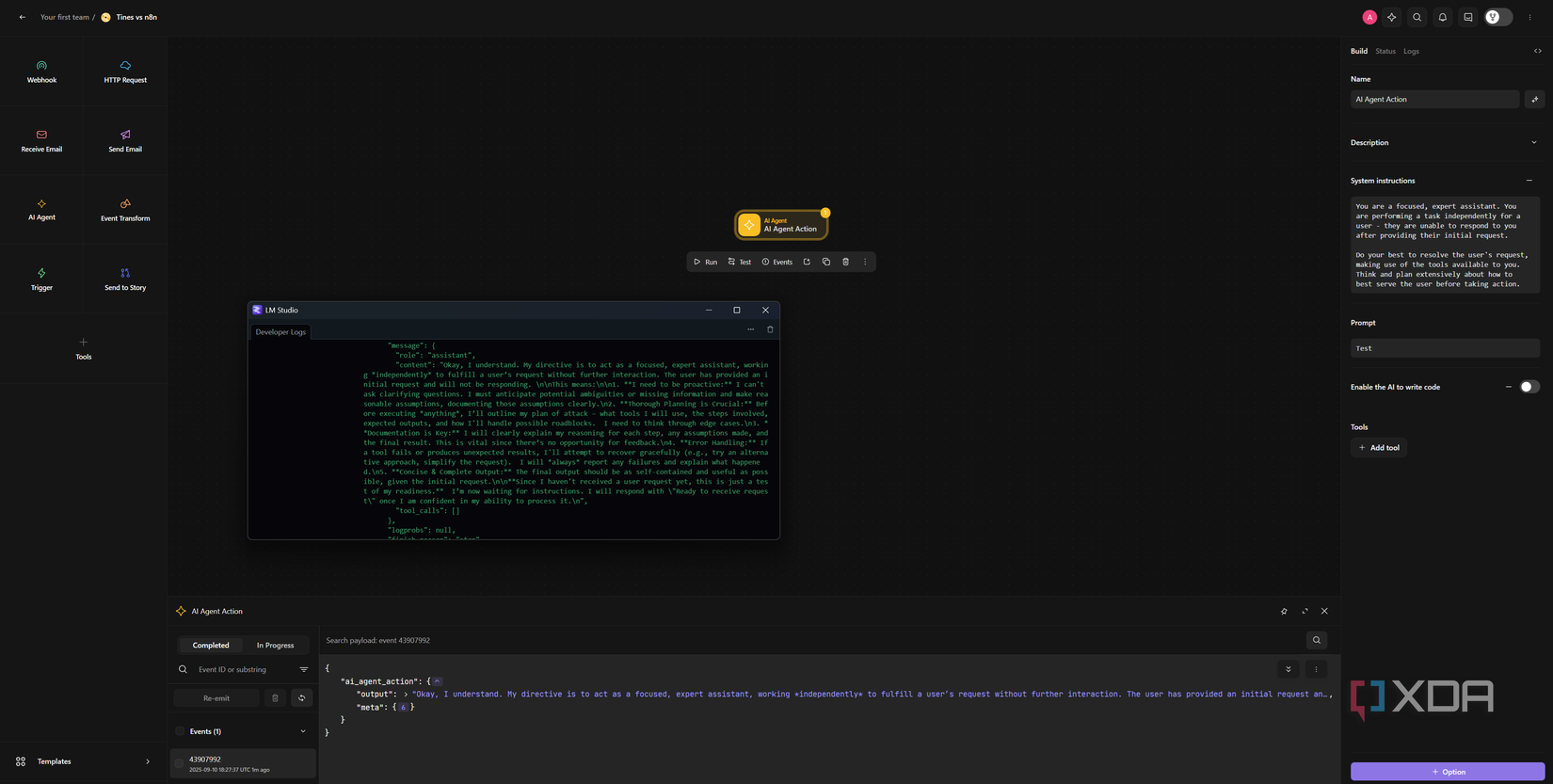
Tines doesn’t have this problem, though, because Story Copilot lets you pick the model, and that’s why I was able to inspect the prompts at all in this comparison. I routed Tines’ AI traffic through a logging proxy to a local instance of Qwen3-Coder-Next on my own hardware, and every prompt the Copilot constructed showed up in my own terminal, complete with token counts. On Tines, you can swap models freely, which meant I could point it at my proxy, and have the proxy forward it to the actual destination.
The Tines Tunnel, which makes this possible, is an enterprise feature you need to ask Tines to enable for you. So while Tines has the more flexible architecture, the privilege of bringing your own model is gated behind enterprise pricing. Community Edition users get the default Tines model options and that’s it. It’s the same issue as the rest of many of Tines’ best features; they’re locked behind enterprise gates that can cost tens of thousands a year to use.
Which can you actually use?
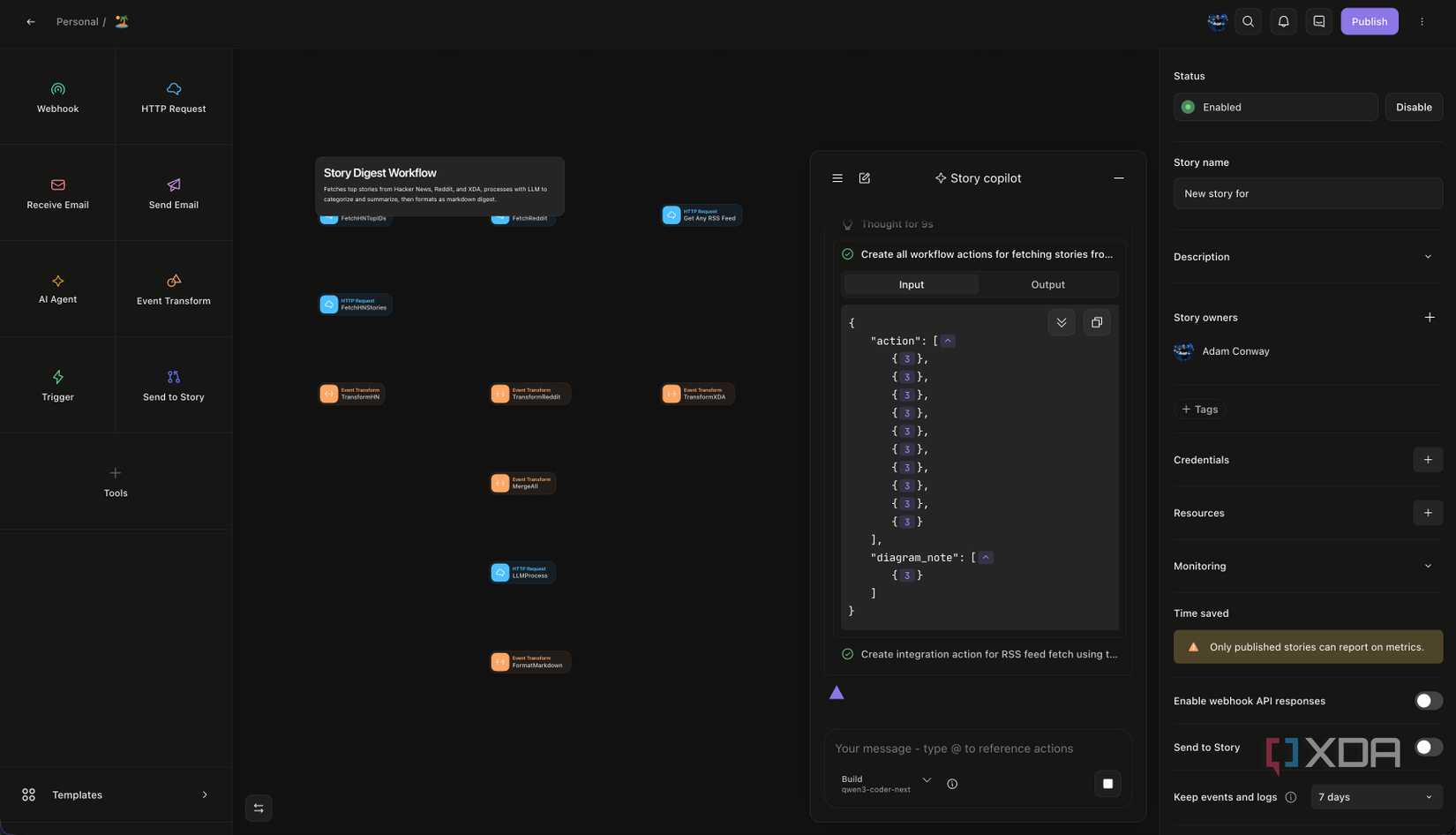
The tools each system uses actually tell a story of the philosophy behind the design. Take Tines, for example. Its 16 batched tools cover the whole story lifecycle in one place, with validate and execute_action sitting alongside the create and update operations, along with the aforementioned scratchpad so that the model can talk to itself before doing anything. n8n’s 24 tools are mostly graph editing primitives, with a handful of helpers for fetching documentation, examples, and execution logs. Both work, but Tines’ set lets the AI keep its grip on the work for longer in a single context without handing off.
You can see the same difference in the system prompts. Tines uses a large, monolithic system prompt with a fixed five-phase loop, plus around 30 on-demand runbooks (build_single_action, formula_writing, debug_story, security_best_practices, and so on) that get pulled in only when needed. The model is forced to think first, retrieve the right runbook, execute, validate, and only then summarize. n8n distributes its instructions across each of its agents, with a much shorter prompt for every specialist. Both designs are defensible, and the multi-agent split scales more cleanly to bigger projects, but Tines’ single-agent depth shows in how rarely it loses the plot mid-task. Even when it made a mistake, it would loop back and fix it. n8n didn’t do that, and merely presented a broken workflow at the end that I had to fix.
That depth showed up plainly in my own testing. When I asked Story Copilot to build a multi-source tech digest, it created the actions, validated the formulas, ran a test, and then noticed on its own that the XDA RSS feed was structured differently to the other two sources, with the items sitting under body.channel.item instead of body.channel.items. It surfaced the issue and offered to fix the affected action without me having to debug anything. n8n’s Builder produced a workable graph too, but I had to tell it when something was off.
Where n8n absolutely wins is the catalogue of services its AI is wiring together. n8n’s node ecosystem is significantly larger than Tines’ integration list, though Tines has the benefit of accepting any cURL command as a node. Still, if you’re trying to connect a self-hosted Paperless instance to a self-hosted Vaultwarden via Home Assistant, n8n is far more likely to have a node for each piece. Tines is excellent at the things it integrates with, but its catalogue leans toward enterprise security tooling and away from the kind of homelab setup that a lot of us are running.
I love the Tines design philosophy
When I look at the design choices in isolation, it feels as if Tines actually designed a workflow with an AI inside of it, complete with an understanding of how it should function. Its lifecycle scope is wider, the tools are better grouped, and the validation discipline is enforced rather than suggested. Even the system prompt reads like the team actively uses it, and the output is closer to a runnable story on the first attempt. If you’re judging on the quality of the AI feature alone, Tines wins, and it isn’t really close. n8n’s system works, but it feels bolted on to an existing system, rather than built as a part of it.
With that said, n8n’s identity has always been more aligned with self hosters thanks to the promise of being able to run it at home by yourself. That promise doesn’t disappear just because the official AI builder is cloud-only, and the fact that you can pull the source down, modify it, and bring your own Anthropic key is meaningful, though it’s strange that you’d need to modify it in the first place. Tines can’t offer that to a free-tier user.
To be fair, n8n’s licence specifically permits modification for personal or non-commercial use, the AI Workflow Builder source is sitting in the repo at packages/@n8n/ai-workflow-builder.ee, and the model setup path falls back to an N8N_AI_ANTHROPIC_KEY environment variable when the hosted proxy isn’t configured. When you patch it and either drop in your own Anthropic key or modify it to accept any endpoint, you can run the builder on your own server. There’s also an unofficial MCP server in the community that drives n8n through a Claude or ChatGPT client, which is a second route to roughly the same place. Neither way of getting there is officially supported, but both work, and Tines doesn’t have an equivalent.
Ultimately, my feelings on both AI builders are aligned with both services compared as independent products. Tines is the better-engineered product, sure, but n8n is the more accessible one. For me, Tines’ Story Copilot is the one I’d want to use day-to-day, because it’s both simple and powerful, and it just works. However, if you’re a person reading this who wants to self-host your own automation stack, n8n is more than likely to be the one you’ll actually end up with.