
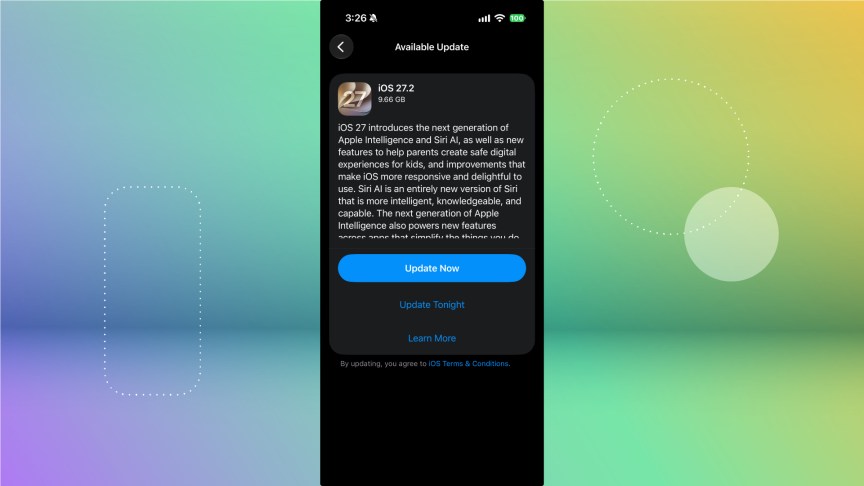
More than a month after Apple released iOS 27 to the general public, the tech giant released iOS 27.2 on Monday. While iOS 27 brought Siri AI and more to your device, iOS 27.2 expands Siri AI to other languages, and the update brings a few upgrades in other apps, such as FaceTime and Apple Music.
If you’re wondering what happened to iOS 27.1, the foldable iPhone Duo launched on 27.1 on Friday. That is the only device that will run iOS 27.1, and all devices can update to 27.2 now.
 CNET/Apple
Here are some of the features you can try in iOS 27.2. Don’t forget, Apple Intelligence features are only available on Apple Intelligence-compatible devices, like the iPhone 18 Pro.
Siri AI in more languages
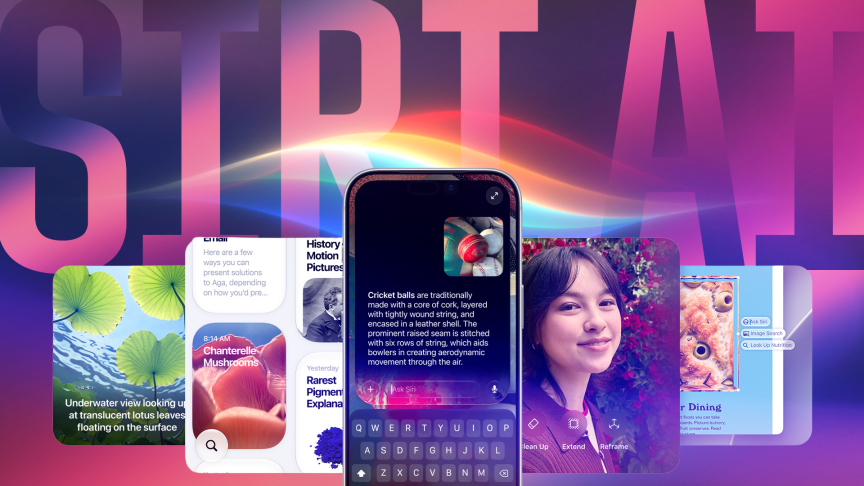 Siri AI is available on iOS 27 now.Jeffrey Hazelwood/CNET
In iOS 27.2, Siri AI comes to French, Japanese, Korean, Portuguese and Spanish in beta. Siri AI was initially only available in English.
Apple previously said Siri AI would expand to these additional languages, so this shows the company moving quickly on that promise.
Use front and rear cameras simultaneously in FaceTime
In iOS 27.2, you can use your front and rear-facing cameras at the same time in FaceTime calls. This allows you to FaceTime with a larger group of people — you don’t have to squeeze everyone into a single frame to see the person on the other end of the call. However, everyone on the call needs to be on iOS 27 or later for this feature to work.
Apple Music gets a new color scheme
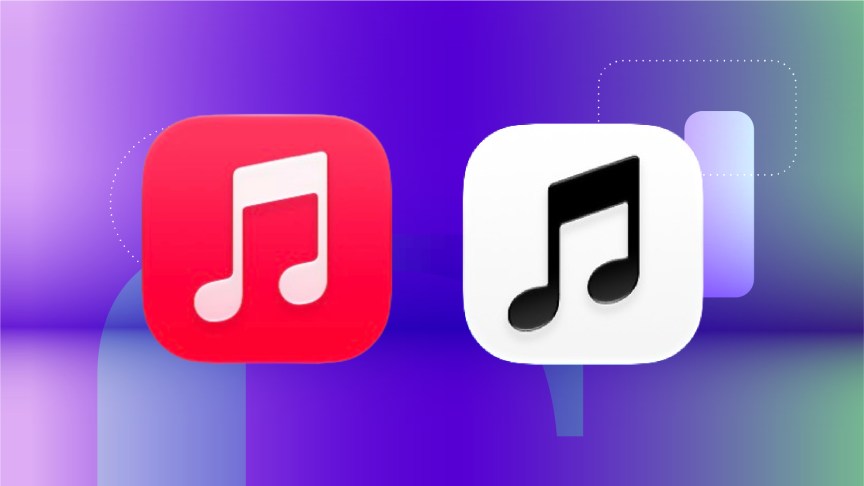 The old Apple Music logo (left) next to the logo introduced in iOS 27.2.Screenshot by CNET
The iOS 27.2 update also brings a new look to the Apple Music app. The app icon is now black and white, as opposed to the reddish hue it had in previous iOS versions. Tapping into the app also reveals new blue menu items throughout, rather than the same reddish tone as the older app logo.
Refreshed Podcasts options
The Podcasts app also gets an update in iOS 27.2. The update introduces two rows to the top of the Home tab within the app: New Episodes and Continue Playing. This can help you keep track of which podcasts are new and which you still have to finish.
It’s a small, pleasant addition to the interface, and I appreciate how it helps keep my podcasts organized.
Apple TV profile expansion
In iOS 27.2, you can create TV Profiles in your Apple TV app. You can assign a profile to your child or someone else and ensure your preferences aren’t messed with.
So if you’re tired of being recommended kids’ shows after letting your child watch the series Shape Island, you can create a profile for your child and let them watch those quirky little shapes all they want. (But also, it’s possible that I like Shape Island more than my son does, so you should check it out.)
Apple TV multiview on iOS
Another Apple TV update in iOS 27.2 is Multiview. If you subscribe to Apple TV you can watch up to four live sports streams, including streams from Major League Soccer and Formula 1, at once. That way, you don’t miss an important game, or you can look at a map of the racetrack while watching feeds from driver-view cameras.
The updated Health app is gone
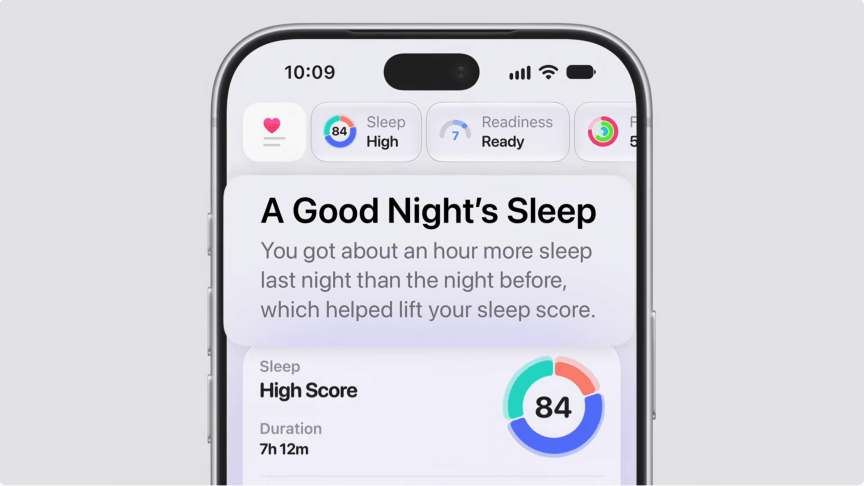 The refreshed Health app isn’t available in iOS 27.2.Apple
Apple removed the redesigned Health app before releasing iOS 27.2 to the general public. Developers and beta testers could explore the refreshed app in early iOS 27.2 betas and see things like a new Longevity tab and your Health Age.
The redesign was always expected to launch sometime later this year. So it’s not surprising this feature isn’t included in the general release of iOS 27.2. It’s also not unusual for Apple to include features in early beta versions of software, then remove or change them in later betas or upon the release of an iOS update.
Here are the full release notes for iOS 27.2.
Siri AI (All iPhone 16 models and later, iPhone 15 Pro, iPhone 15 Pro Max)
Siri Al can recall your past conversations, so you can ask Siri about something it told you before, like the restaurants it recommended last week.
Siri Al can draw from more sources to give you a great answer, including photos attached in Messages, Calendar event attendees, your voicemails, and better results from Safari history and Reading List.
Excluded Apps lets you choose which apps Siri, Search, and suggestions can access, all from one setting.
Granular text selection lets you select and copy just the part of a Siri response you need.
Siri Al is available in more languages, with support for French, Japanese, Korean, Portuguese, and Spanish. Siri Al is not available in the EU or mainland China.
Other
Suggestions in Messages help you take action based on the context of your conversations, such as adding a Calendar invite for dinner.
Shared Albums in Photos adds the ability to edit captions and comments, avoid adding duplicate photos and display a reminder before albums expire, so participants can save important photos and videos.
Support for SynthID watermarking to help identify whether an image was generated or modified with generative tools in Photos and Image Playground.
The Home tab in the Podcasts app offers two separate sections for New Episodes and Continue Playing, letting you find the latest updates from your shows and then pick up where you left off.
The Friends tab in the Games app provides context on friend suggestions and shows recent games played on friends’ player pages.
Simple Profiles in the Apple TV app lets everyone in your household have their own profile, with recommendations that fit what they like to watch.
FaceTime supports adding a third-party sign language interpreter or live captioner to a call.
For more, here’s what to know about iOS 27 and why your battery might be draining faster after updating. You can also check out why the iPhone Duo will launch with iOS 27.1 and our iOS 27 cheat sheet.

Zachary McAuliffe
Senior writer
Zach began writing for CNET in November, 2021 after writing for a broadcast news station in his hometown, Cincinnati, for five years. You can usually find him hanging out with his wife, son and dog. You can reach him at zmcauliffe@cnet.com.
See full bio