
I like borrowing interesting ideas across platforms. Android users have been enjoying an always-on display, gesture navigation, widgets, and many other features long before Apple made them sound innovative and cool. When Apple introduced Dynamic Island with the iPhone 14 Pro, I rolled my eyes a little. Okay, that was kind of brilliant and cool. I’ve already used the Dynamic Island on my iPhones, and I feel it’s one of the best features Apple has added in the past few years.
Well, I didn’t expect that I’d like Dynamic Island so much that I’d end up using a version of it on my Android phone. And I’m actually finding it useful.
Why the Dynamic Island is so great on an iPhone
Impressive hardware and software integration
Aryan Surendranath / MakeUseOfCredit: Aryan Surendranath / MakeUseOf
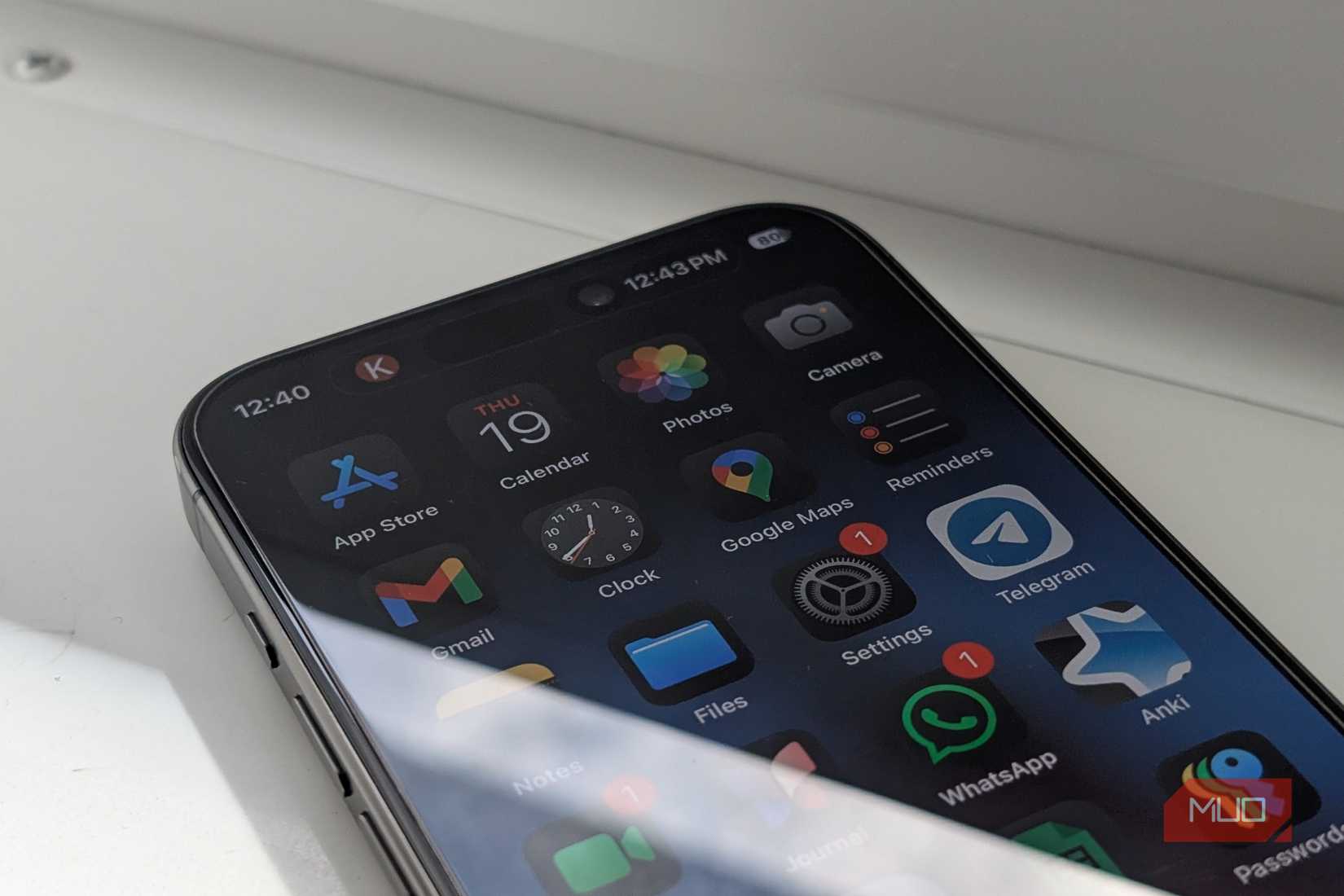
The genius part of the Dynamic Island on an iPhone isn’t the pill-shaped cutout or animation. It’s the context. By blending hardware with software, Apple turned that unused, static cutout into a live, glanceable control center. It fades into the background when you don’t need it, then springs to life for live activities. What impresses me most is that Dynamic Island doesn’t feel like just another notification system. Rather, it feels like a natural extension of what you’re doing on the phone, like getting phone calls or listening to music.
The Dynamic Island excels at three things on an iPhone:
Enhanced visual appearance: Unlike the static notch, the Dynamic Island feels alive and functional, which enhances the overall look and feel of the display. It also displays interactive information without taking up any space on the main screen.
Quick interaction: It offers quicker and easier access to controls like calls and music. All you have to do is tap and hold on the activity, and you will see all the controls. This is faster than heading to the app or pulling down the Control Center.
Real-time alerts: It displays real-time alerts for sports, food delivery, timers, and more, allowing you to multitask without leaving the current app. It also shows the progress of AirDrop transfers, screen recording, Apple Pay, charging status, and more.
The Dynamic Island feels fantastic on an iPhone, and that’s why I thought it wasn’t possible to replicate that experience on Android. Fortunately, it turned out that I was only half right.
Meet dynamicSpot
Get Dynamic Island on your Android phone
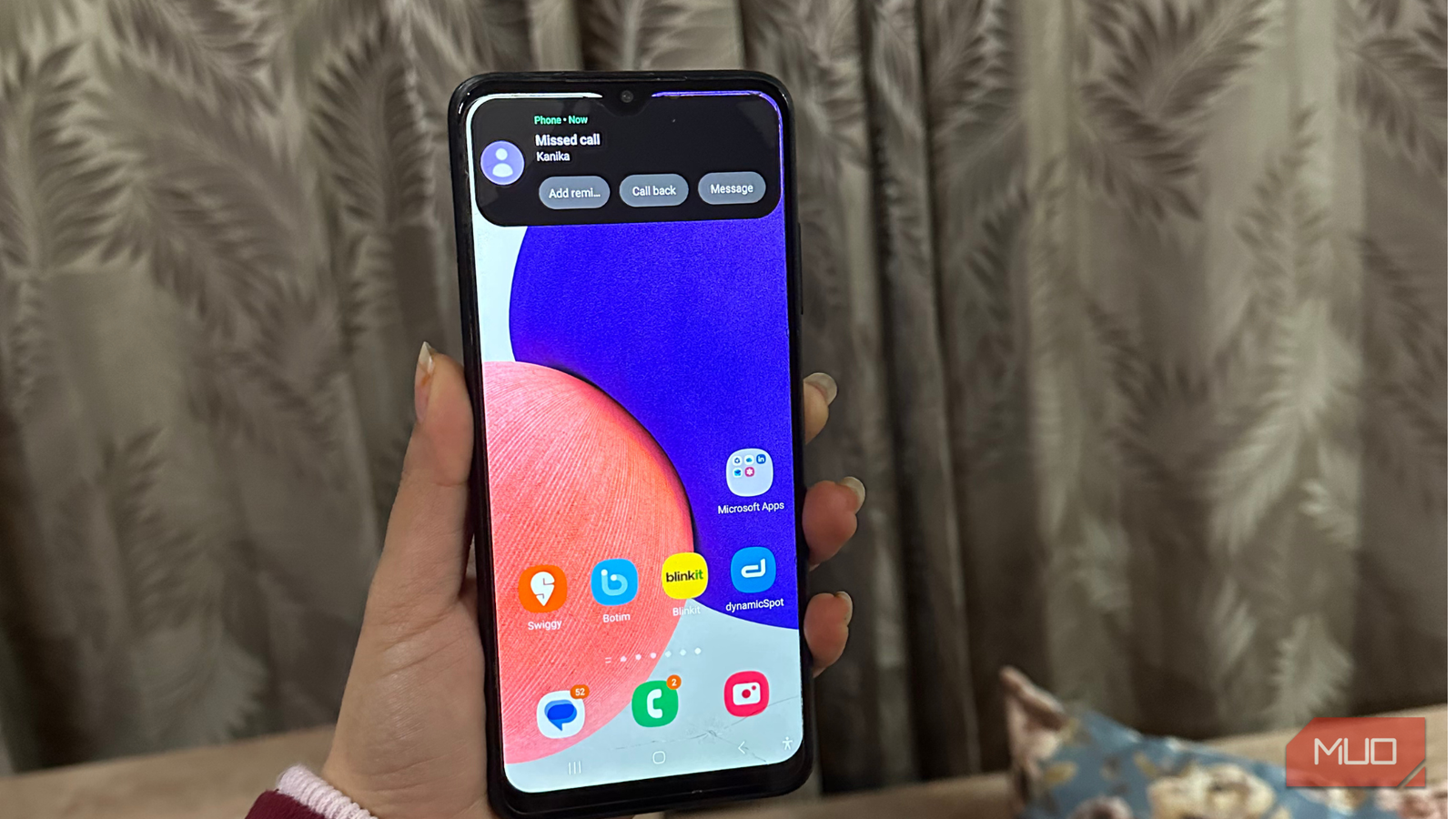
DynamicSpot is an Android app that replicates the core idea behind Apple’s Dynamic Island. Yes, it brings the Dynamic Island feature to Android smartphones, creating an interactive, pill-shaped cutout around the front camera to display notifications, system alerts, and live activities in a fluid way. Just like an iPhone, dynamicSpot can display timers, music playback, phone calls, notifications, navigation, and much more.
The best thing about dynamicSpot is that it doesn’t require root access or any risky system modifications. All you have to do is download dynamicSpot from the Play Store, set it up, grant a few permissions, and you’re sorted. What’s even more interesting is that this app isn’t a clone. It adapts to Android’s UI and flexibility. You can resize and reposition the dynamicSpot’s pop-up so it fits better on your device. Also, you are allowed to change animations and select exactly which apps can use them.
DynamicSpot adds Dynamic Island to Android in minutes
Simple and quick
The setup process is pretty quick and straightforward. Once you download dynamicSpot, here’s what you need to do:
DynamicSpot primarily requires three configurations to work as an overlay on your phone. These are Select Apps, Grant Notification Access, and Enable Accessibility.
First, tap on Select Apps to select which apps on your phone can trigger the dynamicSpot pop-ups. You can allow all apps or select individual apps.
Then, tap Notification Access and find dynamicSpot in the list of available apps. Turn the toggle on to allow dynamicSpot to read and display notifications in the cutout.
Next up, tap Accessibility or Draw on Screen so dynamicSpot can display the pill over active applications.
Once you’re granted the required permissions, tap Done, and you can access the main dashboard to make any customizations.
For instance, you can go to Popup Settings -> Dimensions to adjust the pill according to your phone’s camera cutout. You can adjust the width and height and even move it horizontally or vertically.
If you want to test whether the app is working properly, you can plug in your charger or play some music to see the dynamic island appear instantly.
Now, when you play some music, start a timer, or receive a call, you’ll see a subtle animation with album art and progress. You can long-press the pill to see more details or access playback controls.
You can also go for the Pro version that unlocks extra perks like advanced customizations, deeper control over pop-ups, and system-wide notification handling.
Related
My old Android was laggy until I toggled this setting
I thought I needed a new phone—this tweak saved it.
Dynamic Island works better than I expected on Android
I’m surprised
It wasn’t surprising to get Dynamic Island on an Android phone. What was impressive was how useful it turned out to be. DynamicSpot doesn’t feel like any visual gimmick; it’s actually useful. After downloading this app, I don’t have to constantly swipe down to access my important notifications. It reminds me of ongoing activities without interrupting what I’m doing currently, and this boosts multitasking.
That said, dynamicSpot isn’t perfect. Yes, it has some imperfections that sometimes remind you it’s still an Android workaround, not a system-level integration. Sometimes you might face inconsistencies: one app integrates seamlessly, while another struggles with visual clutter. You might also face occasional overlap issues. That said, once you spend some time on customizations, you’ll notice a huge difference.
I’m keeping DynamicSpot installed
Unarguably, Dynamic Island isn’t just a flashy feature on iPhones; it genuinely improves the way you can interact with your phone. While Android is packed with tons of amazing features, it doesn’t yet have a native Dynamic Island equivalent. Thankfully, dynamicSpot works as a smarter tool than I thought it would. No, it’s not polished like Apple’s Dynamic Island. No, it’s not deeply integrated into the system. Yes, it’s useful and functional, and that matters a lot.
Until Android gets a system-level Dynamic Island like iPhones, I’m happily keeping Dynamic Spot installed. And that’s not something I was expecting to say when I downloaded this app.