
Google Photos is not just like a regular photo and video management app — it’s one of the most popular Google apps with more than 10 billion downloads on the Google Play Store.
Even though open-source alternatives outperform the app in many areas, the majority of Android users still rely on Google Photos for organizing, storing, and sharing photos and videos on their devices.
In addition to these functionalities, Google Photos also allows users to edit photos using advanced editing tools like Magic Eraser. However, not everything is great about Google Photos, as it still lacks some basic features. As things stand currently, an example of one such feature is the ability to control playback speed.
However, this limitation in Google Photos may soon become a thing of the past, as folks over at Android Authority found evidence of Google working on a new feature to adjust the playback speed in its Photos app.
Google Photos may soon allow users to play videos at different speeds
And it may also come with a cleaner Photos view
Currently, when you play a video on Google Photos, you can use the playback slider to jump to any portion of the video or seek through it by swiping left or right. But on top of these, Google is looking to add a playback speed controller, like the one on YouTube and many other streaming platforms, to the Photos app.
 Credit: Android Authority
 Credit: Android Authority
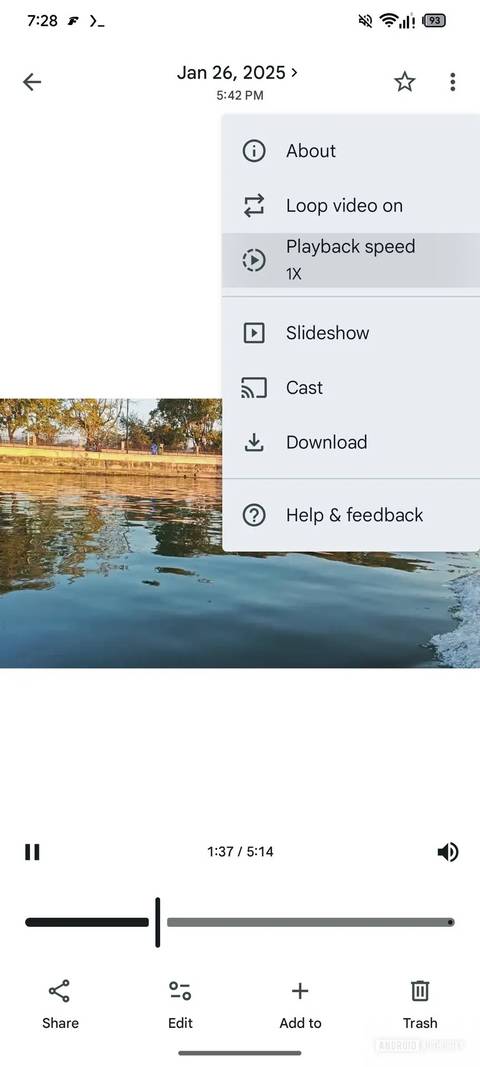
Folks over at Android Authority have managed to enable the feature after an APK teardown of Google Photos version 7.58. And based on what we are seeing, the playback speed controller will be available in the three-dot menu, which appears in the top right corner when you start playing the video.
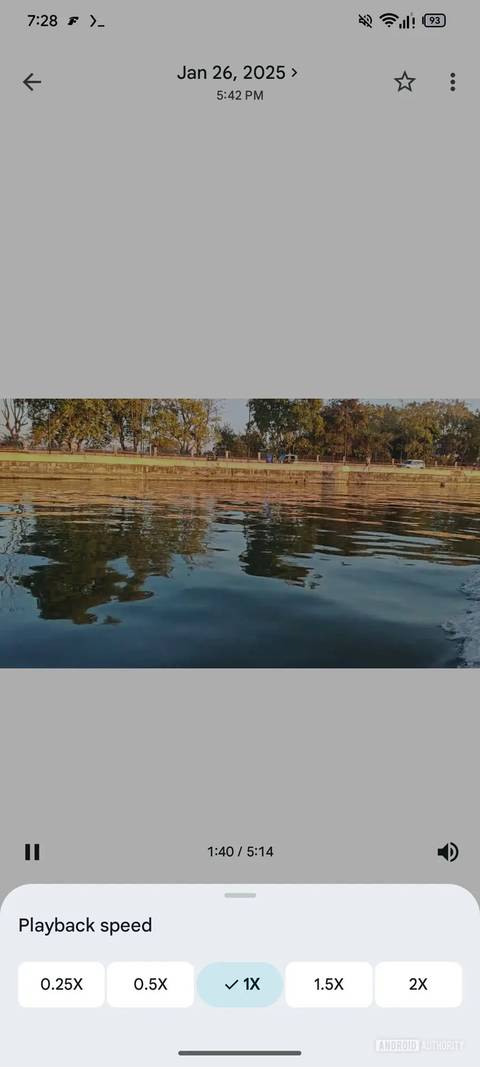
Tapping the Playback speed option will reveal four different speeds, including 0.25X, 0.5X, 1X, 1.5X, and 2X. Although there is no live demo of how the feature works, it should work very similarly to how YouTube plays videos at different speeds.
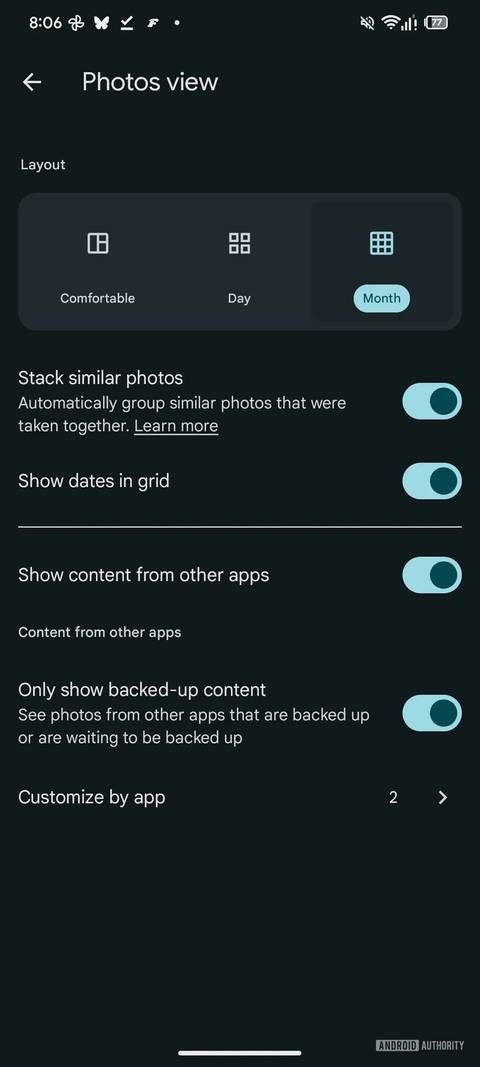
In addition to the playback speed tool, Google is also working on a new toggle to allow users to control whether they want to show dates in the Photos view. The new “Show dates in Grid” toggle will be available in the Photos view, which you can access by tapping the three-dot menu that appears in the top right.
 Credit: Android Authority
While choice is great, if you hide these dates, you also lose the ability to bulk select every photo and video that you captured on a specific date, because you’ll no longer be able to use the tap-and-hold gesture on them. However, on the bright side of things, the Google Photos UI looks more continuous.
These new features are still a work in progress, and there is no clarity on when these changes will be available to Google Photos for the public.