


Being able to dismantle your equipment in bulk in Nioh 3 can be a godsend for inventory management, especially as you progress in the game. Here’s how it’s done.
Inventory management is vital in Nioh 3, so knowing how to bulk dismantle a lot of your equipment at once is paramount. Thankfully, you gain access to the feature fairly early in your adventure, and it’s something you’ll want to do every few hours to avoid inventory overload.
How to dismantle multiple pieces of equipment in Nioh 3
Source: Shacknews
Good news first. You unlock the ability to dismantle equipment in bulk after completing the first main mission, Crucible Manifested. Bad news: the boss of that mission is far more difficult than the tutorial one.
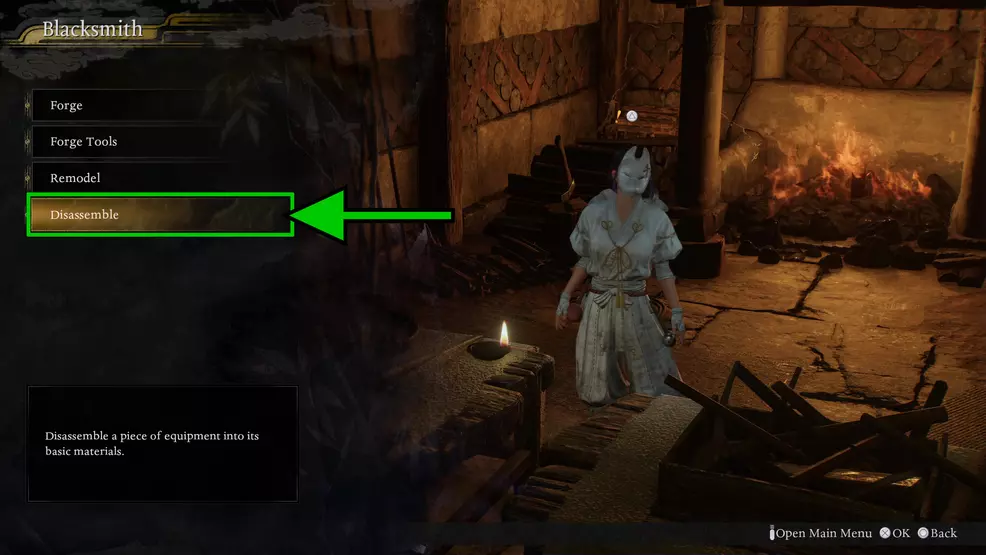
Provided you do beat the first boss, Jakotsu-baba, you’ll unlock the Blacksmith in the Eternal Rift, the strange area beyond time you visited after the fight with Kunimatsu.
Source: Shacknews
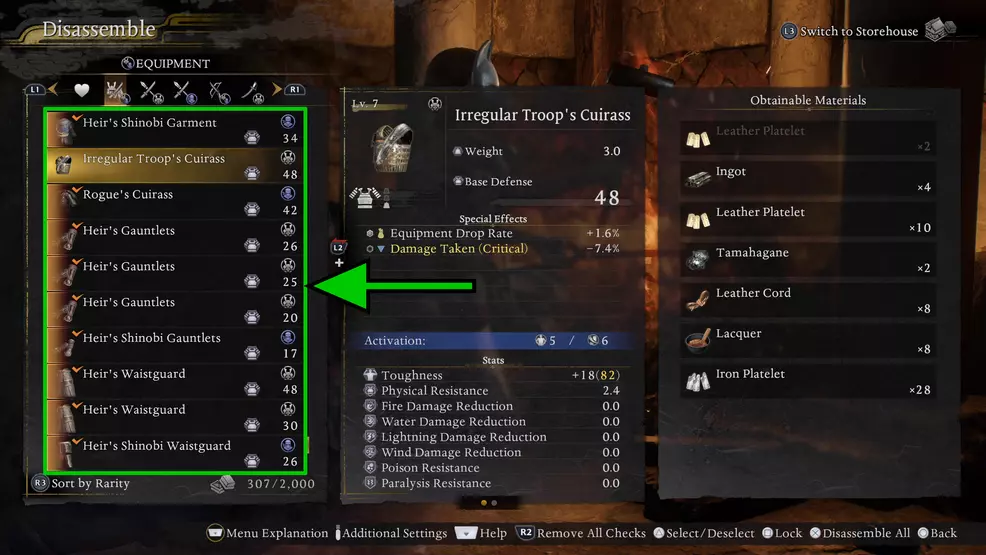
Visit the foxed-masked Blacksmith and choose “Disassemble” from her menu. Doing so opens your inventory and alters the options at the bottom of the screen.
Press hover over whichever item you want to select and press Triangle on PlayStation, Y on Xbox, or left Control on PC. Repeat that process for as many items as you want to dismantle, then press X (PS5), A (Xbox), or Space Bar. The game will warn you that you’re dismantling multiple items.
If you’re satisfied with the items you’ve selected, proceed through the warnings, and you’ll successfully bulk dismantle the equipment.
Source: Shacknews
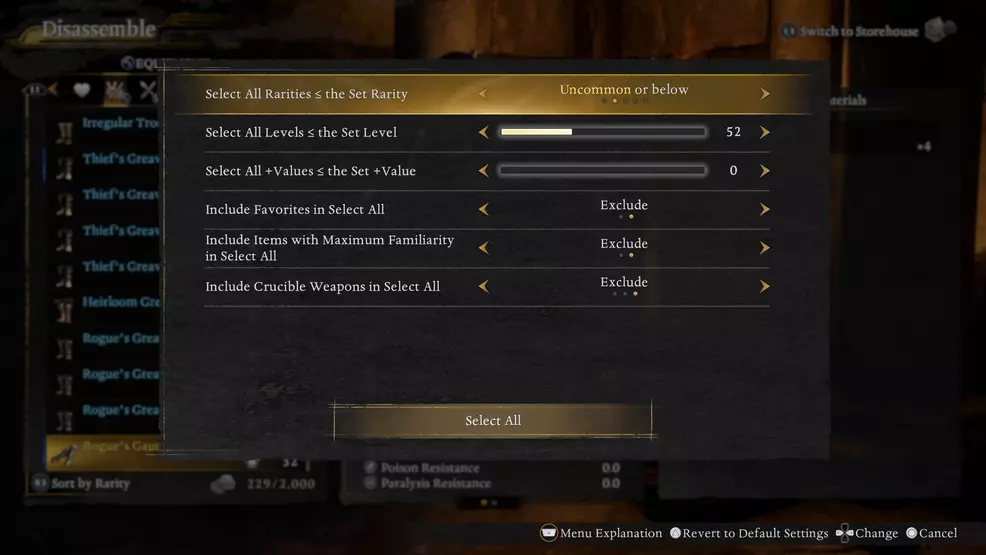
Another great tool is the Set Conditions filter, which allows you to select entire subsets of equipment. Press the Options (PS5), Menu (Xbox), or Z buttons (PC) and select “Set Conditions and Check All.”
In the menu that appears, decide how low or high a rarity you want to dismantle and the maximum level of items you want to get rid of.
Once you’ve set your filters, press Select All at the bottom of the submenu. You’ll see that every item within the filter will be highlighted with a check mark over its icon. You can then dismantle them all as you like.
I recommend dismantling everything of yellow Uncommon rarity that’s no less than five levels below your current maximum character level. The only exception is items with starred abilities, as you’ll unlock the ability to transfer those between items later on in the game.
Source: Shacknews
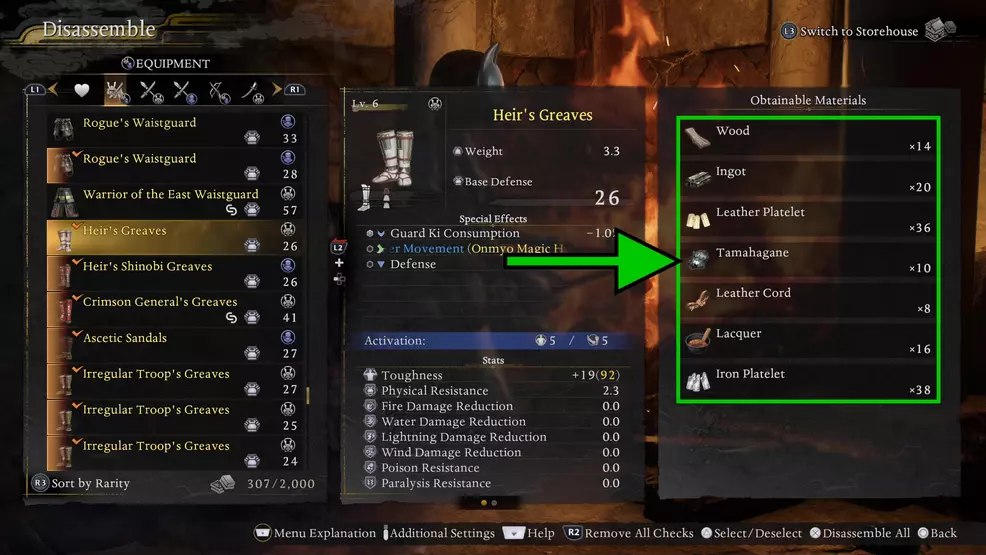
You earn crafting materials that you can use at the blacksmith to make new items down the line. While that doesn’t become a huge time sink early on, making the effort early will save you a lot of headaches the closer you get to endgame.
Bulk dismantling is also incredibly valuable for keeping your inventory manageable. Navigating the menus in Nioh 3 is a hassle at the best of times. If you have 1,500 or more things clogging it up (easy to do), finding anything of value becomes next to impossible.
For more Nioh 3 coverage, check out our page dedicated to the game.
Shacknews staff does not use generative artificial intelligence (AI) in their content. Shacknews strictly prohibits the use of its content for AI training or to generate text, including text in the style or format used for this publication. Shacknews reserves all rights to this work.

John’s been gaming for almost 30 years, starting with Super Mario 64, but his first real love is Final Fantasy. Or Armored Core, depending on how he slept last night. If you want to know where to find an item in a massive open world or how to beat a boss, he can help. They’ve probably kicked his teeth in a few times already. You can normally find him eyes deep in the latest FromSoftware game if he isn’t doing dailies in the half-dozen live service games he plays. He can be found on BlueSky.