
Google Home kicked off 2026 with a bang, introducing the year’s first update that features some seriously powerful automation tools. The objective of those additions was to give users a more granular smart home automation. These new features have been rolled out to every Google Home user by now, but the Mountain View tech giant has more in store.
In an APK teardown of the Google Home version 4.9.51.0, folks over at Android Authority have discovered some handy new features that Google is currently working on. And based on what we’ve seen so far, it looks like the purpose of these changes is to enhance the Ask Home, which appears at the top throughout the app.
Google Home’s Ask Home is getting a lot smarter
 Credit: Android Authority
 Credit: Android Authority
 Credit: Android Authority
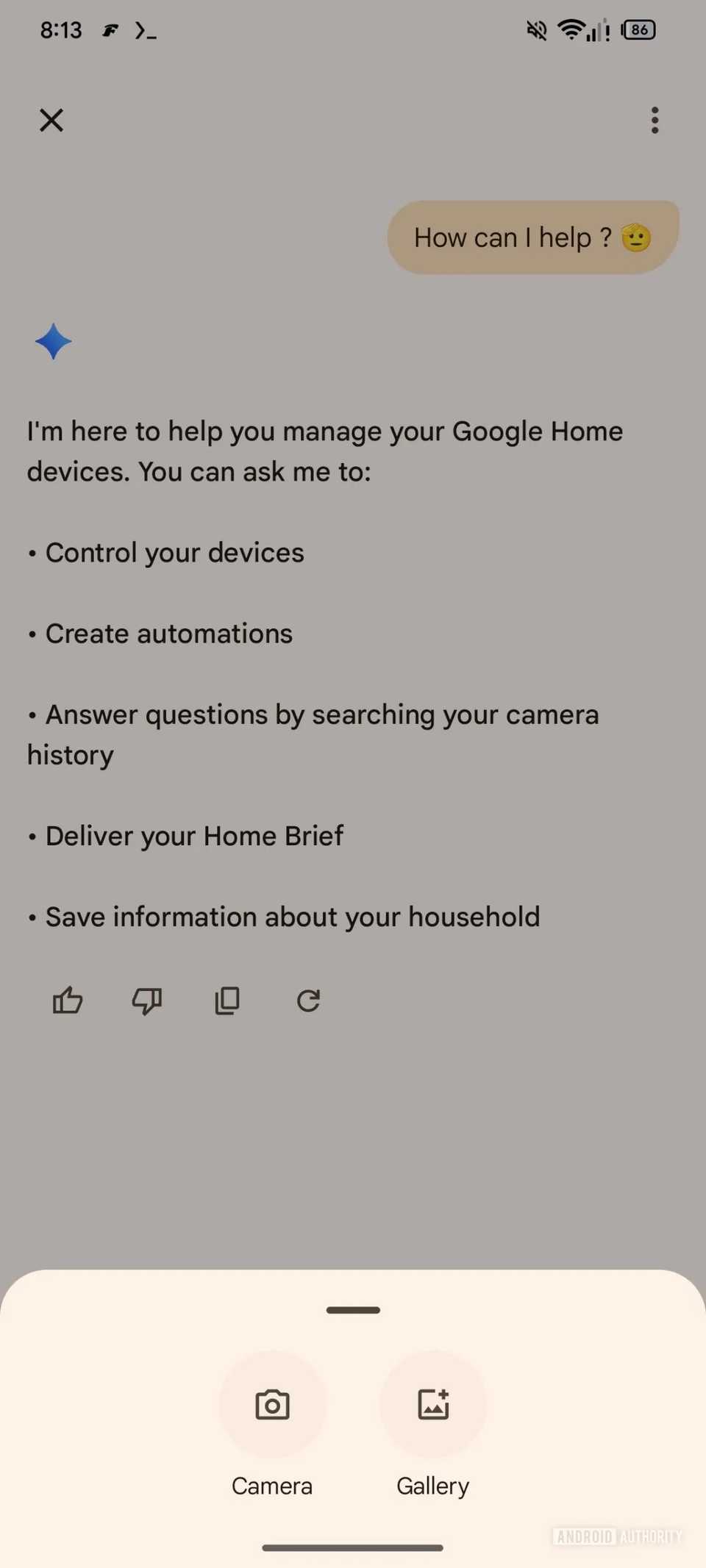
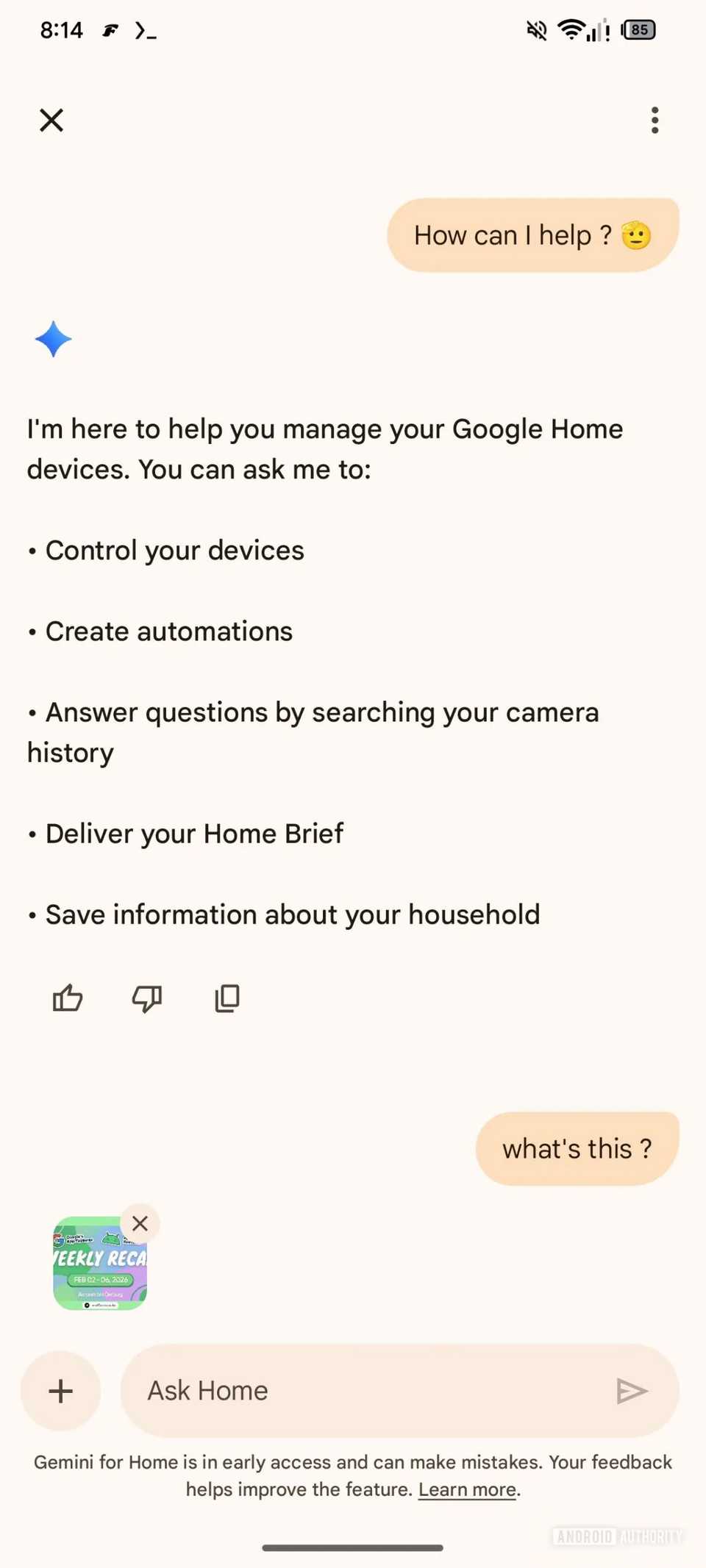
Android Authority has not only found the new features, but our friends over at the publication have also managed to somehow enable them on their devices. An enhanced Ask Home that the APK teardown reveals includes the options to add images and videos as inputs. This means that in addition to text-based queries, users will be able to upload images or videos using the camera or from the Gallery and ask questions related to them.
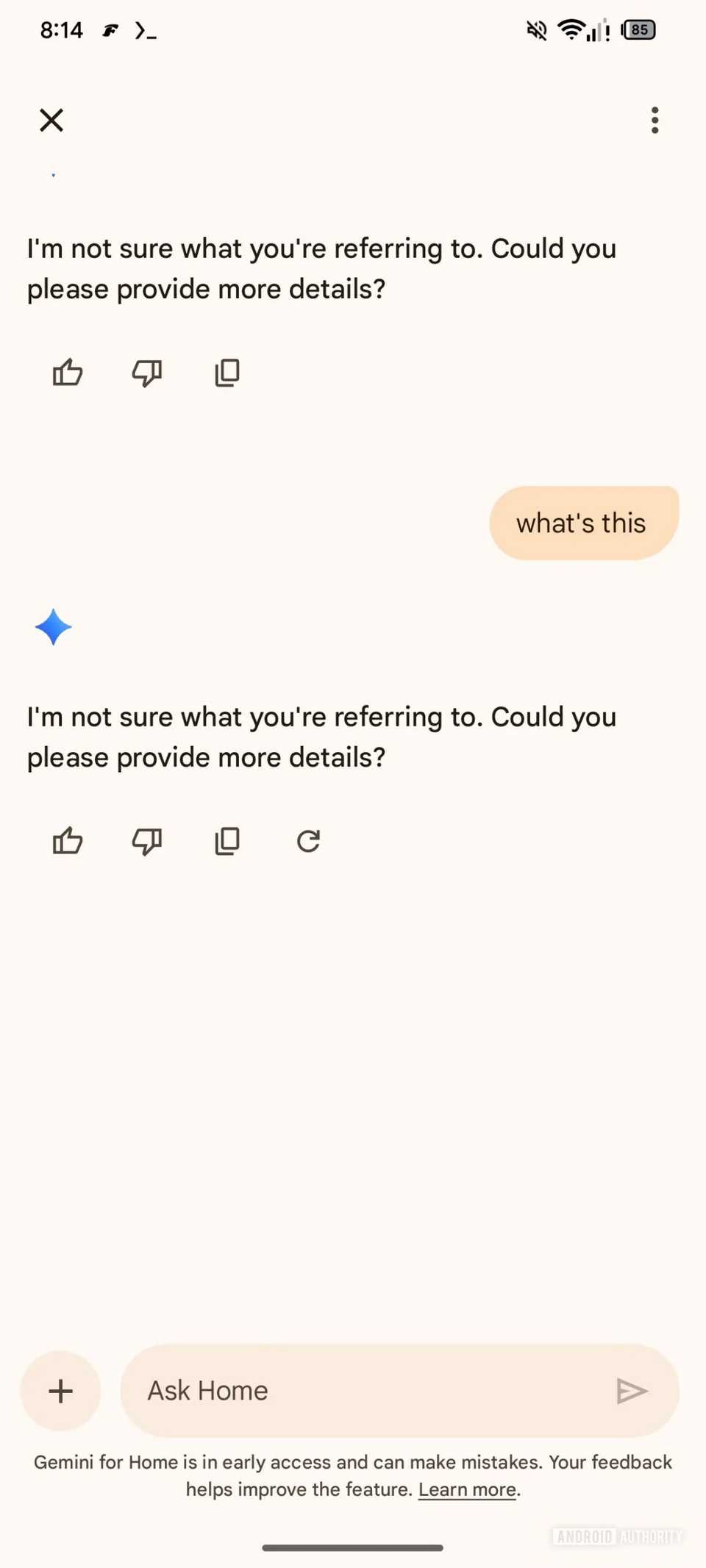
However, upon testing the feature, Android Authority found that, while the attachment works, the Gemini-powered Ask Home fails to understand the input. This might suggest that the new inputs are rough around the edges and will take more time for Google to make them ready for prime time. It could also suggest that the support for images and videos as inputs has an entirely different purpose.
In addition to this, Google was spotted working on two more features for Ask Home. The company is testing a Redo and Reset buttons. The Redo option ensures that you get a fresh response when you are not satisfied with the current one. On the other hand, the Reset functionality is designed to clear the previous context of the conversation, per Android Authority.
If true, the Reset button will be helpful in situations where you want to switch to a different topic without leaving the current chat window. It should feel like a new chat.
These changes are still a work in progress and aren’t available for general users, nor does the APK teardown reveal when Google will roll them out to users. Hopefully, we’ll get these updates sooner rather than later.