
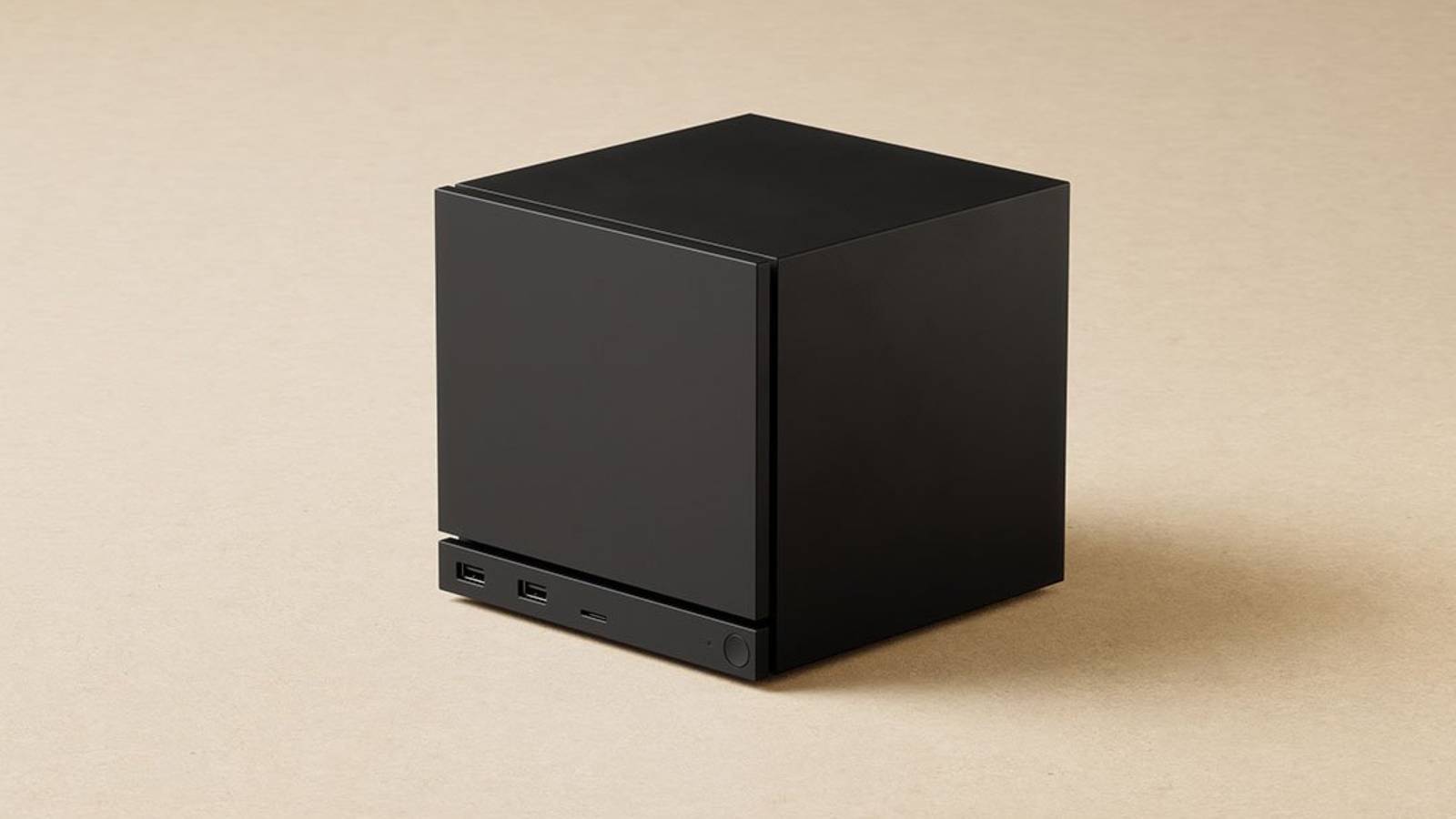
The hype surrounding the 2026 Steam Machine revival is nothing if not palpable at the moment. Valve seems to have finally perfected the “console-like” PC experience, offering a sleek, living-room-ready box that promises to bridge the gap between the desk and the couch. Right now, things are a bit iffy, though, with the future of the Steam Machine unclear, along with its pricing and software capabilities. That’s thanks to the ongoing AI boom and the RAM crisis, which have proven to be a bane for PC hardware enthusiasts in 2026.
We don’t know when the Steam Machine will launch and at what price, but before you think about reaching into your wallet, take a long look at the PC sitting on (or under) your desk. If you’re rocking something like an NVIDIA RTX 2070 or an AMD RX 6600, you already possess the raw horsepower required to beat a Steam Machine at its own game. The secret sauce? It’s in the software, not the silicon.
Related
You don’t need the Steam Machine if you have these GPUs
Built a gaming PC in the past couple of years?
Optimize Windows for gaming like there’s no tomorrow
On five-year-old GPUs, you still come out ahead of the Steam Machine
If you choose to stay on Windows for Game Pass or anti-cheat compatibility, or just aren’t looking forward to completely changing your operating system, then you still have to optimize your OS. A standard Windows 11 installation runs over 150 background processes, many of which are telemetry-heavy resource hogs that introduce micro-stutters.
So, to transform Windows into a “Steam Machine” equivalent, you need to go beyond just turning on “Game Mode.” Use a community-vetted script like Chris Titus Tech’s Windows Utility, or W11Debloat to strip the OS to its bare essentials. Trim the fat with apps like Voidtools’ Everything, ShutUp10++, BleachBit, and make sure your PC is ready to dedicate every cycle to the frame buffer. Next, turn off the Xbox Game Bar if you don’t use it. Run Autoruns to see what’s truly going on beneath the surface at every startup. Dial up your power plan all the way to High Performance, and just like that, you’ll be as ready as can be for a Steam Machine-worthy performance from your PC. Once Windows stops fighting you in the background, you’d be surprised how much smoother a “five-year-old” system can feel.
Related
Microsoft loves burying useful power user features, and here’s what I actually use
Unleash your inner power user with these lesser-known Windows tools and third-party add-ons.
If you already have an AMD GPU, run SteamOS
What else to get you closer to the Steam Machine experience?
If you are an AMD user with an RX 6000 series card or above, you’re in a rather unique position. The modern Steam Machine is built on RDNA-based architecture, meaning the drivers Valve optimizes for their official hardware are the same drivers your desktop card uses. As such, you can install HoloISO or Steam Fork to bring the exact Steam Deck/Machine UI to the desktop. Since SteamOS manages shaders at the OS level, it eliminates the shader compilation stutter that plagues Windows users on the regular.
SteamOS is built around AMD’s Mesa drivers and the Vulkan stack, and that’s why the Steam Deck runs so well, why compatibility layers like Proton are tuned for AMD first. On an RX 6600, running SteamOS makes a game feel “console-smooth” because the OS handles the heavy lifting well before you even press “Start.” It turns your PC into a dedicated appliance that boots directly into the Big Picture interface.
In fact, if Valve’s official SteamOS installer is too limited for your tastes, use something like ChimeraOS, which is essentially SteamOS repackaged for wider hardware support. Just download the ISO, flash it to a USB drive with Balena Etcher, boot into it, and install it to your dedicated SSD. Et voilà, the Steam Machine experience on your aging PC, with no performance costs to pay for it.
20-series users can simply pivot to Bazzite
Beats trying to force a handshake between SteamOS and Team Green
When it comes to the SteamOS revolution, NVIDIA users often feel left out. Valve’s “Gamescope” compositor and NVIDIA’s proprietary drivers have historically been at odds with each other. This is where Bazzite comes in. It’s a custom, Fedora-based OS designed specifically to bring the Steam Machine experience to PCs that SteamOS doesn’t officially support. It comes pre-packaged with the latest NVIDIA drivers and a “Game Mode” that mimics the Steam Deck exactly.
If you’re rocking anything above an RTX 2070, you could either spend three days in a Linux terminal trying to force a handshake, or you could just go ahead and install Bazzite. Its custom OCI image effectively clones the entire Steam Deck experience, all while specifically targeting desktop NVIDIA users. By utilizing an immutable Fedora base, Bazzite ensures that your system remains stable even when you’re pushing experimental Proton layers. This gives you the “instant-on” console interface of a Steam Machine, but with the 7.5 teraflops of power the RTX 2070 provides — handily beating the mobile-constrained limits of a dedicated Steam Machine.
It may not be as frictionless as AMD, but it works, and it works well enough that you’re not meaningfully missing out compared to a prebuilt Steam Machine. Plus, if tinkering feels taxing, that’s kind of the point. You’re choosing flexibility over a closed box, and the reward is control.

Related
Steam Deck OLED stock is reportedly running out, and component pricing may be to blame
Here’s hoping everything works out okay.
You can also consider a CPU upgrade
But only if the fundamentals are covered
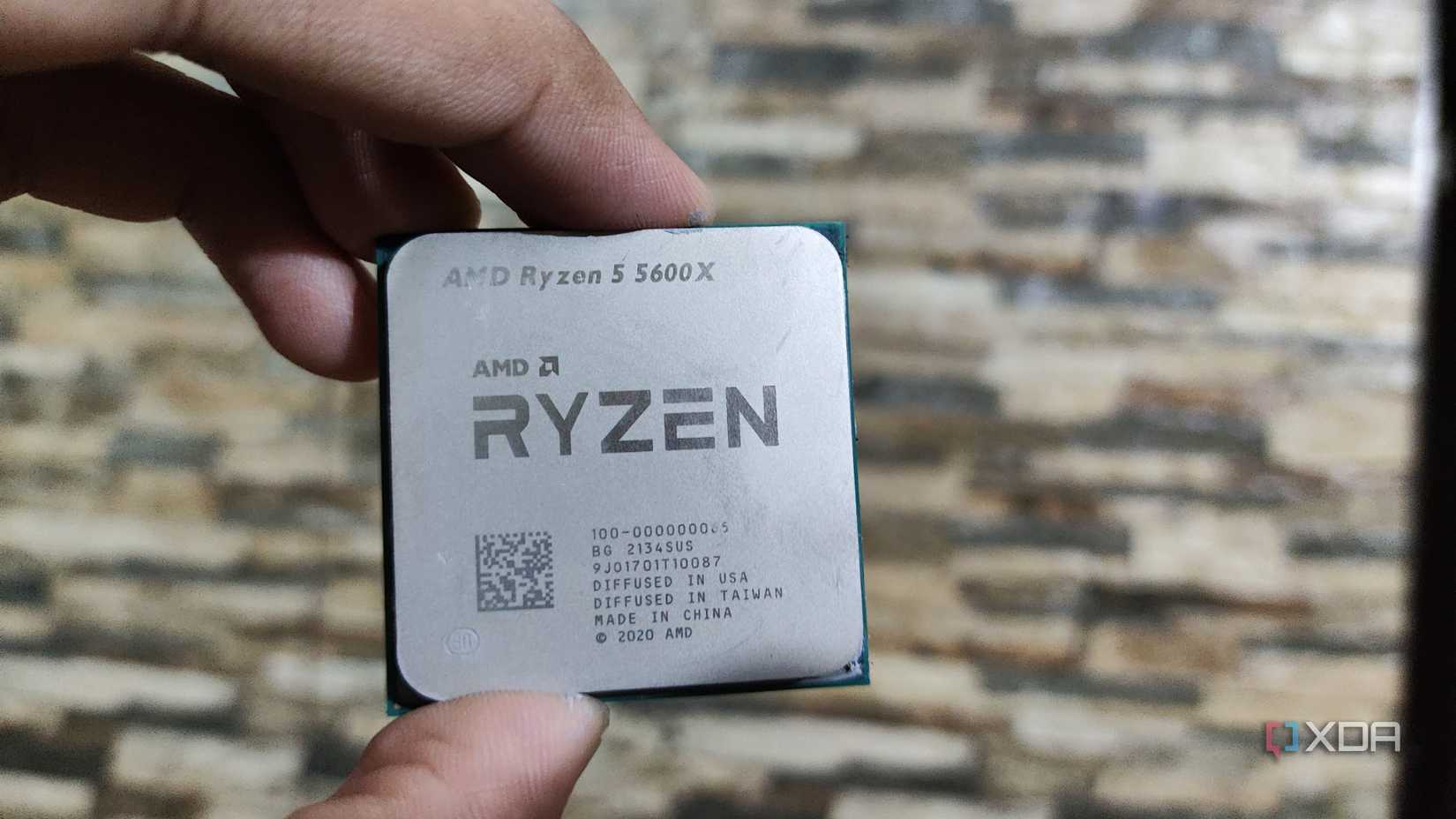
The Steam Machine might be a new piece of hardware on the market that everybody’s going to be talking about, but if you’ve got 16GB of RAM, PCIe 3.0 NVMe storage (or above), and a GPU equivalent to an RTX 2070 or an RX 6600, you’re already in solid territory. There’s nothing you need to worry about, and the Steam Machine need not be in your “hardware-to-look-out-for” list in 2026. Now, where older systems tend to choke isn’t GPU horsepower, though. Instead, it’s often CPU bottlenecks. A first-gen Ryzen 5 or an early quad-core Intel chip can hold back an otherwise capable GPU in modern titles.
The good news is that on platforms like AM4, you can drop in a Ryzen 5 5600X or a Ryzen 7 5700X without having to also change your motherboard or RAM. That’s a $100–$150 upgrade compared to a $600 or $700 Steam Machine. It’ll be a night-and-day uplift in 1% lows and frame consistency. On Intel’s side, even moving from an older 4-core to a 6- or 8-core CPU within the same socket can dramatically smooth out stutters. You’re not going to be chasing 200 FPS, but you will get consistent frame pacing and asset streaming. The Steam Machine won’t outperform your GPU, but a smarter CPU pairing might unlock performance you didn’t realize was being held back.
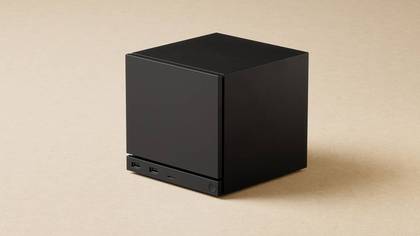
CPU
AMD 6-core Zen 4 x86, up to 4.8 GHz, 30W TDP
Graphics
Semi-custom AMD RDNA3 28CU (8GB GDDR6, 2.45GHz max sustained clock, 110W TDP)
Memory
16GB DDR5 SODIMMs
Storage
512GB or 2TB models, microSD card slot
Ports
DisplayPort 1.4, HDMI 2.0, Ethernet (1Gbps), USB Type-C 3.2 Gen 2, 2x USB Type-A Gen 3 (front), 2x USB Type-A Gen 2 (rear)
Operating System
SteamOS
Related
I’m not buying a Steam Machine, here’s what I’m doing instead
The “Steam Machine” won’t compare to your five-year-old systems if you treat them right
Squeezing every ounce of performance from what you currently own is more rewarding than buying new hardware.
Hardware from 2020 isn’t obsolete today by any stretch of imagination. Instead, it’s just misconfigured more often than we’d like to admit. If you’re sitting on RTX 2070-class or RX 6600-class performance with 16GB of RAM and decent storage, you’re already in Steam Machine territory and the upscaling software should get you the rest of the way comfortably.
Buying new hardware, or even the prospect of it, feels exciting, but squeezing every ounce of what you currently own is much smarter, and far more rewarding.